1
There are seven user prompts connected with this report:
1. Enter effective date The user should type in, or select from the calendar, the day immediately
following the day of the quarterly PIT count. For example, if the reporting quarterly PIT is
October 24, 2009, then October 25, 2009 should be entered/selected.
2. Enter the Date of the Quarterly PIT Count: The user should type in, or select from the calendar,
the exact day of the quarterly PIT count.
3. Enter the Date of the Quarterly PIT Count PLUS 1 Day: The user should type in, or select from
the calendar, the day immediately following the day of the quarterly PIT count. For example, if
the reporting quarterly PIT is October 24, 2009, then October 25, 2009 should be
entered/selected.
4. Enter Start Date for the Quarter: The user should type in, or select from the calendar, the first
day of the quarter for which the report is being prepared.
5. Enter End Date for the Quarter PLUS ONE DAY: The user should type in, or select from the
calendar, the day immediately following the last day of the quarter for which the report is being
prepared. For example, if the reporting quarter is October 1, 2009 - December 31, 2009, then
January 1, 2010 should be entered/selected.
6. Select CoC Code: Click the “refresh list” icon and wait for the left window to refresh. Now
select the desired CoC on which to base the report by highlighting it in the left window and
moving it into the right window using the right selection arrow.
7. Select Provider(s): Click the “refresh list” icon and wait for the left window to refresh. Now
select the provider or providers to include, by highlighting them in the left window and moving
them into the right window using the right selection arrow.
Important NOTE: All selected providers must be either an Emergency Shelter Program
or a Transitional Housing Program as indicated by their Program Type Code. Selected
Providers with a missing or different Program Type Code will NOT be included in the
report results. All selected providers must also have the specified CoC Code. Selected
Providers with a missing or conflicting CoC Code will NOT be included in the report
results.
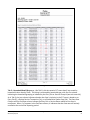
How to read: This report contains six data tabs. Each tab is a sub-report containing three sections:
•
•
•
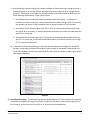
Report Header: The header contains the title of the report and the tab/subreport. When
running the report in “modify” view, the report header is only visible in print/page layout
mode.
Report Footer: The report footer contains the title of the report, the name of the tab/subreport, the page number, the version number, and the date/time the report was run /printed.
Like the header, the footer is only visible in print mode when the report is run in modify view.
Report Body: The report body is the main section of the report located between the header
and the footer where the reports data is displayed in a variety of different chart formats. The
data contained in each of the tabs in this report is displayed and described below:
Bowman Systems
ART Gallery Report
Page 3 of 17
0621 – Pulse Quarterly PIT
v5