1
<Toc>
8.
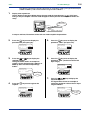
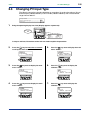
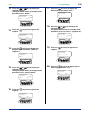
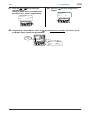
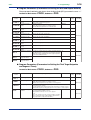
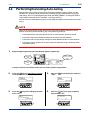
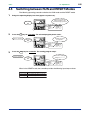
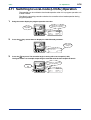
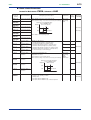
Press the
setpoint.
SET/ENT
RH1
10.
key once to register the
MENU:UPMD/IN
input 1 range high
#3
SETUP
200.0
=
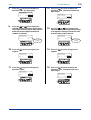
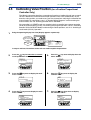
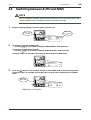
Press the
or
key to display the
required setpoint.
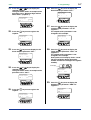
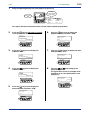
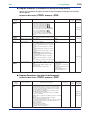
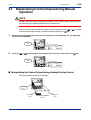
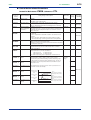
The figure below shows an example of
setting the minimum value of the PV input
range to 0.0°C.
MENU:UPMD/IN
input 1 range low
SET/ENT
MODE
PT.No
RUN
RL1
RESET
=
MODE
PT.No
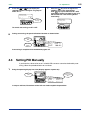
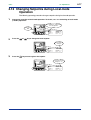
Press the
key once to display the
parameter “RL1” (minimum value of PV
input range).
#4
changing!
0.0
DISP
SET/ENT
9.
2-5
<2. Initial Settings>
Blinks during
change.
DISP
RUN
RESET
SET/ENT
MENU:UPMD/IN
input 1 range low
RL1
11.
#4
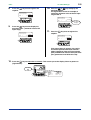
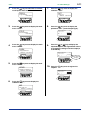
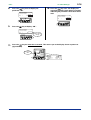
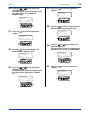
Press the
setpoint.
SETUP
-200.0
=
SET/ENT
MENU:UPMD/IN
input 1 range low
RL1
SET/ENT
MODE
PT.No
key once to register the
#4
SETUP
0.0
=
DISP
RUN
RESET
SET/ENT
MODE
PT.No
DISP
RUN
RESET
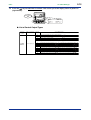
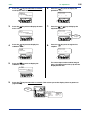
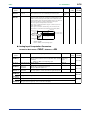
If the type of input is voltage, also configure the PV Input Decimal Point Position
(SDP1), Maximum Value of PV Input Scale
(SH1) and Minimum Value of PV Input Scale
(SL1) parameters that follow this step.
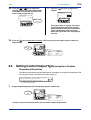
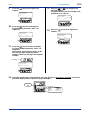
12.
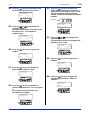
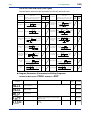
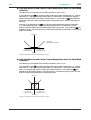
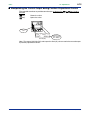
Press the
key for more than 3 seconds. This returns you to the display shown at power-on
(figure below).
SET/ENT
PV2
RST lamp
ON.
PV
PVE1
PVE2
TME
1
2
3
4
AL
1
PRG
RST
HLD
LOC
MAN
CAS
SET/ENT
MODE
PT.No
SP:
DISP
RUN
RESET
PTNO: 0
TM=-------
0.0°C
SEGNO: 0/ 0
RCY: 0/ 0
IM 05E01C02-41E
4th Edition: May 31, 2006-00