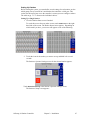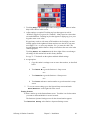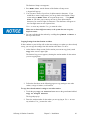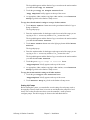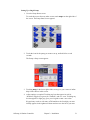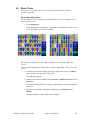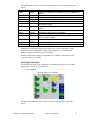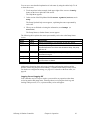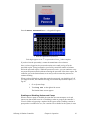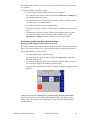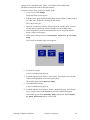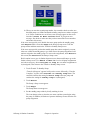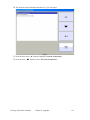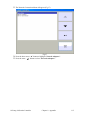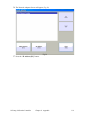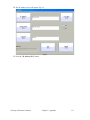
1
10-Pump 80-Station Controller Models: VTC, SCC, CLC Part Number: 882.99007.00 Bulletin Number: CNV3-620 Effective: August 1, 2012 10-Pump, 80-Station Controller Chapter 1: Safety 1 Write Down Your Serial Numbers Here For Future Reference: _________________________ _________________________ _________________________ _________________________ _________________________ _________________________ We are committed to a continuing program of product improvement. Specifications, appearance, and dimensions described in this manual are subject to change without notice. DCN No. ____________ © Copyright 2013 All rights reserved. 10-Pump, 80-Station Controller Chapter 1: Safety 2 Shipping Information Unpacking and Inspection You should inspect your equipment for possible shipping damage. Thoroughly check the equipment for any damage that might have occurred in transit, such as broken or loose wiring and components, loose hardware and mounting screws, etc. In the Event of Shipping Damage According to the contract terms and conditions of the Carrier, the responsibility of the Shipper ends at the time and place of shipment. Notify the transportation company’s local agent if you discover damage Hold the damaged goods and packing material for the examining agent’s inspection. Do not return any goods before the transportation company’s inspection and authorization. File a claim with the transportation company. Substantiate the claim by referring to the agent’s report. A certified copy of our invoice is available upon request. The original Bill of Lading is attached to our original invoice. If the shipment was prepaid, write us for a receipted transportation bill. Advise customer service regarding your wish for assistance and to obtain an RMA (return material authorization) number. If the Shipment is Not Complete Check the packing list as back-ordered items are noted on the packing list. In addition to the equipment itself, you should have: þ.. Bill of lading þ.. Packing list þ.. Operating and Installation packet þ Electrical schematic and panel layout drawings þ.. Component instruction manuals (if applicable) Re-inspect the container and packing material to see if you missed any smaller items during unpacking. If the Shipment is Not Correct If the shipment is not what you ordered, contact the shipping department immediately. For immediate assistance, please contact the correct facility located in the technical assistance section of this manual. Have the order number and item number available. Hold the items until you receive shipping instructions. 10-Pump, 80-Station Controller Chapter 1: Safety 3 Returns Do not return any damaged or incorrect items until you receive shipping instructions from the shipping department. Credit Returns Prior to the return of any material, authorization must be given by the manufacturer. A RMA number will be assigned for the equipment to be returned. Reason for requesting the return must be given. ALL returned material purchased from the manufacturer returned is subject to 15% ($75.00 minimum) restocking charge. ALL returns are to be shipped prepaid. The invoice number and date or purchase order number and date must be supplied. No credit will be issued for material that is not within the manufacturer’s warranty period and/or in new and unused condition, suitable for resale. Warranty Returns Prior to the return of any material, authorization must be given by the manufacturer. A RMA number will be assigned for the equipment to be returned. Reason for requesting the return must be given. All returns are to be shipped prepaid. The invoice number and date or purchase order number and date must be supplied. After inspecting the material, a replacement or credit will be given at the manufacturer’s discretion. If the item is found to be defective in materials or workmanship, and it was manufactured by our company, purchased components are covered under their specific warranty terms. 10-Pump, 80-Station Controller Chapter 1: Safety 4 Table of Contents Shipping Information .............................................................................................................. 3 Unpacking and Inspection ..................................................... Returns .................................................................................................................. 4 Credit Returns ....................................................................................................... 4 Warranty Returns .................................................................................................. 4 Table of Contents .................................................................................................................. 5 CHAPTER 1: SAFETY ................................................................ 7 1-1 How to Use This Manual............................................................................................... 7 Safety Symbols Used in this Manual ..................................................................... 7 1-2 Warnings and Precautions............................................................................................ 9 1-3 Responsibility.............................................................................................................. 10 General Responsibility ........................................................................................ 10 Operator Responsibility ....................................................................................... 10 Maintenance Responsibility................................................................................. 11 Reporting a Safety Defect ................................................................................... 11 CHAPTER 2: FUNCTIONAL DESCRIPTION ........................... 12 2-1 Models Covered in This Manual ................................................................................. 12 2-2 General Description .................................................................................................... 12 2-3 Standard Features ...................................................................................................... 12 Mechanical Features ........................................................................................... 12 Electrical Features............................................................................................... 13 Controller Features.............................................................................................. 13 2-4 Optional Features ....................................................................................................... 13 2-5 Safety Devices and Interlocks .................................................................................... 14 Safety Circuit Standards...................................................................................... 14 Fail Safe Operation ............................................................................................. 14 Safety Device Lock-Outs ..................................................................................... 14 CHAPTER 3: INSTALLATION .................................................. 16 3-1 3-2 3-3 3-4 Uncrating .................................................................................................................... 16 Mounting the Control Panel ........................................................................................ 16 System Installation Overview...................................................................................... 16 Electrical Connections ................................................................................................ 17 Making Control Panel Power Drop Wiring Connections ...................................... 17 Running KwikLink™ Cables ................................................................................ 17 Setting Up and Installing Mounting Plates........................................................... 19 Terminating Cable Runs...................................................................................... 20 Addressing and Installing ArmorBlocks™ ........................................................... 23 Installing KwikLink™ Connectors ........................................................................ 26 Connecting the Controller to the Network ........................................................... 27 Connecting the Power Supply Enclosure to the Network .................................... 30 Connecting Vacuum Receivers to the Network ................................................... 31 Connecting Vacuum Pumps and Filter Chambers to the Network ...................... 34 Connecting Central Alarms to the Network ......................................................... 39 3-5 Setup .......................................................................................................................... 41 Setting Up the System......................................................................................... 42 Setting Up Stations.............................................................................................. 47 Setting Up Pumps ............................................................................................... 50 10-Pump, 80-Station Controller Chapter 1: Safety 5 3-6 Finishing Setup: Setting Up Passwords .............................................................. 55 Save/Restore Settings......................................................................................... 57 Initial Startup ............................................................................................................... 58 CHAPTER 4: OPERATION ........................................................ 59 4-1 Overview ..................................................................................................................... 59 4-2 Starting and Stopping the System .............................................................................. 59 4-3 Basic Tasks ................................................................................................................ 60 Reviewing Station Status .................................................................................... 60 Reviewing Pump Status ...................................................................................... 61 Logging On and Logging Off ............................................................................... 62 Enabling and Disabling Stations and Pumps ...................................................... 63 Reviewing and Adjusting Basic Station Settings ................................................. 64 4-4 Advanced Tasks ......................................................................................................... 68 Reviewing and Resetting a Pump Hour Meter .................................................... 68 Transferring Stations to a Standby Pump ........................................................... 68 3-5 Alarms ........................................................................................................................ 71 Reviewing Alarms................................................................................................ 71 Silencing Alarms.................................................................................................. 71 CHAPTER 5: MAINTENANCE .................................................. 72 5-1 Preventative Maintenance .......................................................................................... 72 CHAPTER 6: CONFIGURABLE SETTINGS ............................ 73 6-1 Memory Module Considerations ................................................................................. 73 6-2 Options for Station Setup ........................................................................................... 73 6-3 Options for Pump Setup ............................................................................................. 78 CHAPTER 7: TROUBLESHOOTING ........................................ 80 7-1 General Troubleshooting ............................................................................................ 80 7-2 Alarms ......................................................................................................................... 81 Station Alarms ..................................................................................................... 81 Pump Alarms ....................................................................................................... 83 System Alarms .................................................................................................... 83 CHAPTER 8: APPENDIX .......................................................... 84 8-1 8-2 8-3 8-4 8-5 Optional Components ................................................................................................. 84 Drawings and Diagrams ............................................................................................. 85 Main Control Panel Spare Parts List........................................................................... 86 Controller Identification (Serial Number) Tag ............................................................. 87 Technical Assistance .................................................................................................. 88 Parts and Service Department ............................................................................ 88 Sales and Contracting Department ..................................................................... 88 10-Pump, 80-Station Controller Chapter 1: Safety 6 Chapter 1: Safety 1-1 How to Use This Manual Use this manual as a guide and reference for installing, operating, and maintaining your equipment. The purpose is to assist you in applying efficient, proven techniques that enhance equipment productivity. This manual covers only light corrective maintenance. No other maintenance should be undertaken without first contacting a service engineer. The Functional Description section outlines models covered, standard features, and optional features. Additional sections within the manual provide instructions for installation, preoperational procedures, operation, preventive maintenance, and corrective maintenance. The Installation chapter includes required data for receiving, unpacking, inspecting, and setup of the equipment. We can also provide the assistance of a factory-trained technician to help train your operator(s) for a nominal charge. This section includes instructions, checks, and adjustments that should be followed before commencing with operation of the equipment. These instructions are intended to supplement standard shop procedures performed at shift, daily, and weekly intervals. The Operation chapter includes a description of electrical and mechanical controls, in addition to information for operating the equipment safely and efficiently. The Maintenance chapter is intended to serve as a source of detailed assembly and disassembly instructions for those areas of the equipment requiring service. Preventive maintenance sections are included to ensure that your equipment provides excellent, long service. The Troubleshooting chapter serves as a guide for identification of most common problems. Potential problems are listed, along with possible causes and related solutions. The Appendix contains technical specifications, drawings, schematics, and parts lists. A spare parts list with part numbers specific to your machine is provided with your shipping paperwork package. Refer to this section for a listing of spare parts for purchase. Have your serial number and model number ready when ordering. Safety Symbols Used in this Manual The following safety alert symbols are used to alert you to potential personal injury hazards. Obey all safety messages that follow these symbols to avoid possible injury or death. DANGER indicates an imminently hazardous situation, which, if not avoided, will result in death or serious injury. WARNING indicates a potentially hazardous situation or practice which, if not avoided, could result in death or serious injury. CAUTION indicates a potentially hazardous situation or practice which, if not avoided, may result in minor or moderate injury or in property damage. 10-Pump, 80-Station Controller Chapter 1: Safety 7 Safety Tags and Warning Labels Hazard Alert Symbol Description/Explanation High voltage inside enclosure. The electrical enclosure is supplied with 3-phase electrical power. Use caution when using or maintaining this product. Mandatory Symbol Preventative Maintenance Every six months inspect all electrical connections for secure attachment. For further information see the Maintenance Chapter in this manual. Description/Explanation Read Operators Manual. This equipment must be operated and maintained by properly trained personnel. The information contained within this manual must be read and understood prior to operating this equipment. Disconnect before opening. Before servicing or maintaining the machine be sure to disconnect the power and/or compressed air source to avoid electrical shock and/or serious injury. 10-Pump, 80-Station Controller Chapter 1: Safety 8 1-2 Warnings and Precautions Our equipment is designed to provide safe and reliable operation when installed and operated within design specifications, following national and local safety codes. This may include, but is not limited to OSHA, NEC, CSA, SPI, and any other local, national and international regulations. To avoid possible personal injury or equipment damage when installing, operating, or maintaining this equipment, use good judgment and follow these safe practices: þ Read and follow these operation and installation instructions when installing, operating, and maintaining this equipment. If these instructions become damaged or unreadable, additional copies are available from the manufacturer. þ Follow all SAFETY CODES. þ Wear SAFETY GLASSES and WORK GLOVES. þ Work only with approved tools and devices. þ Disconnect and/or lock out power before servicing or maintaining the equipment. þ Use care when LOADING, UNLOADING, RIGGING, or MOVING this equipment. þ Operate this equipment within design specifications. þ OPEN, TAG, and LOCK ALL DISCONNECTS before working on equipment. You should remove the fuses and carry them with you. þ Make sure the equipment and components are properly GROUNDED before you switch on power. þ Use extreme caution when working with your conveying system. HIGH VACUUM can be dangerous. Keep body parts, tools, clothing, and debris away from vacuum inlets. þ When welding or brazing in or around this equipment, make sure VENTILATION is ADEQUATE. PROTECT adjacent materials from flame or sparks by shielding with sheet metal. An approved FIRE EXTINGUISHER should be close at hand and ready for use if needed. þ Do not restore power until you remove all tools, test equipment, etc., and the equipment and related components are fully reassembled. þ Only PROPERLY TRAINED personnel familiar with the information in this manual should work on this equipment. We have long recognized the importance of safety and have designed and manufactured our equipment with operator safety as a prime consideration. We expect you, as a user, to abide by the foregoing recommendations in order to make operator safety a reality. 10-Pump, 80-Station Controller Chapter 1: Safety 9 1-3 Responsibility These machines are constructed for maximum operator safety when used under standard operating conditions and when recommended instructions are followed in the maintenance and operation of the machine. All personnel engaged in the use of the machine should become familiar with its operation as described in this manual. Proper operation of the machine promotes safety for the operator and all workers in its vicinity. Each individual must take responsibility for observing the prescribed safety rules as outlined. All warning and danger signs must be observed and obeyed. All actual or potential danger areas must be reported to your immediate supervisor. General Responsibility No matter who you are, safety is important. Owners, operators and maintenance personnel must realize that every day, safety is a vital part of their jobs. If your main concern is loss of productivity, remember that production is always affected in a negative way following an accident. The following are some of the ways that accidents can affect your production: • Loss of a skilled operator (temporarily or permanently) • Breakdown of shop morale • Costly damage to equipment • Downtime An effective safety program is responsible and economically sound. Organize a safety committee or group, and hold regular meetings. Promote this group from the management level. Through this group, the safety program can be continually reviewed, maintained, and improved. Keep minutes or a record of the meetings. Hold daily equipment inspections in addition to regular maintenance checks. You will keep your equipment safe for production and exhibit your commitment to safety. Please read and use this manual as a guide to equipment safety. This manual contains safety warnings throughout, specific to each function and point of operation. Operator Responsibility The operator’s responsibility does not end with efficient production. The operator usually has the most daily contact with the equipment and intimately knows its capabilities and limitations. Plant and personnel safety is sometimes forgotten in the desire to meet incentive rates, or through a casual attitude toward machinery formed over a period of months or years. Your employer probably has established a set of safety rules in your workplace. Those rules, this manual, or any other safety information will not keep you from being injured while operating your equipment. Learn and always use safe operation. Cooperate with co-workers to promote safe practices. Immediately report any potentially dangerous situation to your supervisor or appropriate person. 10-Pump, 80-Station Controller Chapter 1: Safety 10 Maintenance Responsibility Proper maintenance is essential to safety. If you are a maintenance worker, you must make safety a priority to effectively repair and maintain equipment. Before removing, adjusting, or replacing parts on a machine, remember to turn off all electric supplies and all accessory equipment at the machine, and disconnect and lockout electrical power. Attach warning tags to the disconnect switch. Be sure that all non-current carrying parts are correctly connected to earth ground with an electrical conductor that complies with current codes. Install in accordance with national and local codes. When you have completed the repair or maintenance procedure, check your work, remove your tools. Rigging, and handling equipment. Reporting a Safety Defect If you believe that your equipment has a defect that could cause injury, you should immediately discontinue its use and inform the manufacturer. The principle factors that can result in injury are failure to follow proper operating procedures (i.e. lockout/tagout), or failure to maintain a clean and safe working environment. 10-Pump, 80-Station Controller Chapter 1: Safety 11 Chapter 2: Functional Description 2-1 Models Covered in This Manual This manual provides operation, installation, and maintenance instructions for the VTC, SCC and CLC Series 10-Pump, 80-Station Conveying Controllers. Model numbers are listed on the serial tag. Make sure you know the model and serial number of your equipment before contacting the manufacturer for parts or service. The 10-Pump, 80-Station Conveying Controller is a programmable logic controller, with 24 VDC control circuit, easy-to-use touch screen operator interface terminal and optional audible/visual alarm. 2-2 General Description Our material conveying systems create vacuum for the automatic conveying of most free-flowing, dry, pelletized, or granular materials. Material characteristics determine the type of equipment needed to convey the material. A typical use for our equipment is an in-plant distribution system for plastic processing plants. Our central vacuum systems are as varied as the applications they service. The tubing and equipment furnished in our system is designed to convey the material(s) specified at the time of purchase at specific rates and distances. We can advise you on your system capabilities based on system makeup, distance, material, and conveying rates you want. System capacity is directly affected by the pressure drop in the overall system, such as number of material line bends, pipe length, Y-tubes, T-tubes, etc. Use the minimum effective amount of vinyl flex hose to maximize material line efficiency. Keep material lines as straight as possible. Refer to the Mechanical Components Product manual (Part No. 882.99774.00) for installation recommendations. Vacuum leaks occurring anywhere in your system reduce capacity. 2-3 Standard Features Mechanical Features Time-fill Capability. The specific length of time allowed for material to convey to a station. Volume-fill Capability. Allows for a station to be conveyed to until the prox at the top of the station detects material. Vent Valve. The vent valve unloads the vacuum pump motor and allows it to keep running during short periods when material conveying is not required. Constantly starting and stopping the vacuum pump will damage it over time. The vent valve also protects the conveying system from damage during high vacuum conditions. The valve plunger will unseat itself and allow ambient air to leak into the vacuum lines when the vacuum climbs too high. 10-Pump, 80-Station Controller Chapter 2: Functional Description 12 Central Purging. This feature allows any remaining material to be cleaned out of the material line after every convey. Local Blowback Filter Cleaning. When this feature is enabled, the controller periodically sends compressed air backward through the pump’s air filter to dislodge accumulated dust and debris. Implosion Filter Cleaning. When this feature is enabled, the controller periodically pulls a vacuum on the filter chamber and then releases it to dislodge accumulated dust and debris. Grinder Empty. This feature allows a station to receive material from a grinder bin. The level of material in the bin is monitored to assure there is enough material to convey. Material Sharing. This feature allows multiple pumps (6 max.) to be connected to a material source. The controller will let one pump at a time draw from the material source. Electrical Features • 115/1/60 or 220/1/50 supply voltage • 24 VDC control voltage • Lockable ON/OFF switch • Branch circuit fusing • Fully accessible NEMA 12-style electrical control enclosure Controller Features • Allen-Bradley Compact Logix programmable controller with 10” color touch screen operator interface • Diagnostics, operating instructions and parts information are built into the interface • Controls up to eighty (80) stations and up to ten (10) Vacuum Power Units. • Controls up to three central alarms • Allows operator to transfer stations to a standby pump when a pump fails • Electronic time delay between pump startups to prevent an excessive power demand at your facility 2-4 Optional Features Noise Filter/Surge Suppressor. Provides protection to electronic devices in the control panel from power surges and electrical noise. Closed-Loop Conveying. This feature allows material to be conveyed and processed without being contaminated by outside influences (such as dust, other materials, etc.). Additional audible/visual alarm with silence button. Alarm light and horn assembly that can be remote mounted and wired into the controller to indicate an alarm condition. 10-Pump, 80-Station Controller Chapter 2: Functional Description 13 Remote Interface. (4 max.) 2-5 Safety Devices and Interlocks This section includes information on safety devices and procedures that are inherent to the Controller. This manual is not intended to supersede or alter safety standards established by the user of this equipment. Instead, the material contained in this section is recommended to supplement these procedures in order to provide a safer working environment. At the completion of this section, the operator and maintenance personnel will be able to do the following: • Identify and locate specific safety devices. • Understand the proper use of the safety devices provided. • Describe the function of the safety device. Safety Circuit Standards Safety circuits used in industrial systems protect the operator and maintenance personnel from dangerous energy. They also provide a means of locking out or isolating the energy for servicing equipment. Various agencies have contributed to the establishment of safety standards that apply to the design and manufacture of automated equipment. The Occupational Safety and Health Administration (OSHA) and the Joint Industrial council (JIC) are just a few of the organizations that have joined with the plastics industry to develop safety standards. Every effort has been made to incorporate these standards into the design of the controller; however, it is the responsibility of the personnel operating and maintaining the equipment to familiarize themselves with the safety procedures and the proper use of any safety devices. Fail Safe Operation If a safety device or circuit should fail, the design must be such that the failure causes a “Safe” condition. As an example, a safety switch must be a normally open switch. The switch must be held closed with the device it is to protect. If the switch fails, it will go to the open condition, tripping out the safety circuit. At no time should the safety device fail and allow the operation to continue for example, if a safety switch is guarding a motor, and the safety switch fails, the motor should not be able to run. Safety Device Lock-Outs Some safety devices disconnect electrical energy from a circuit. The safety devices that are used in this Controller are primarily concerned with electrical power disconnection. Always disconnect and lockout all electrical power and pneumatic (i.e. compressed air) sources prior to servicing the 10-Pump, 80-Station Controller. Failure to do so may result in serious injury. No one but the person who installed the lockout may remove it. 10-Pump, 80-Station Controller Chapter 2: Functional Description 14 10-Pump, 80-Station Controller Chapter 2: Functional Description 15 Chapter 3: Installation 3-1 Uncrating 10-Pump, 80-Station Controllers are shipped mounted on a skid, enclosed in a plastic wrapper, and contained in a cardboard box. 1. Pry the crating away from the skid. Remove the nails holding the box to the skid and lift the box off carefully; avoiding staples in the 1’ x 4’ wood supports. Cut the steel banding. 2. Use a pry bar to remove the blocks securing the unit to the skid. 3. Lift unit from sides, inserting forklift under the base. The forks must be equidistant from the centerline of the unit and the unit must be balanced on the forks. Lift slowly and only high enough to clear the skid. Use a pry bar if necessary to carefully remove the skid from the unit. 4. Lower slowly. 3-2 Mounting the Control Panel Before you mount the panel, consider how you run wiring to the KwikLink connectors, ArmorBlocks, vacuum hoppers, the filter chamber atmospheric valve (if so equipped) and the pump motor starter(s), vacuum switch(es), and vent valve(s). Mount the control panel on a flat, vertical area. It should be a visible area that gives your operator access to the control. The panel requires a low voltage power drop as listed on the serial tag. 3-3 System Installation Overview Installing the 10-pump, 80-station controller is easy and straightforward. Because the system uses networked distributed I/O modules, you’ll only need to run two cables for the entire system. The following is a typical installation sequence: 1. Set up mounting plates with tubing clamps; install KwikLink™ connectors and ArmorBlocks bases onto mounting plates as required. 2. Install KwikLink connectors and ArmorBlock™ base plates to vacuum tubing at each node location, just before a T-fitting or valve. 3. Run the black power and the grey network flat cables from the start of the system to the end, attaching them to vacuum tubing with nylon cable ties 4. Install cable terminations. 5. Determine location of network system nodes, and set addresses for ArmorBlocks as required. 6. Set up and connect to the controller and, if purchased, remote display. Connect grey patch cords from controller terminals to KwikLink connectors installed in Step 3. 10-Pump, 80-Station Controller Chapter 3: Installation 16 7. After determining quantity and location(s) of where to install system power supply(ies) (consult factory); set up and connect to KwikLink connectors installed in Step 3. 8. Set up and connect vacuum receiver stations to ArmorBlocks installed in Step 3, using yellow patch cords. 9. Set up and connect vacuum pump stations and filter chambers to ArmorBlocks installed in Step 3, using yellow patch cords. 10. Determine location(s) of central alarm(s); set up and connect alarms using yellow patch cords. The following sections provide detailed information on these installation steps. 3-4 Electrical Connections Refer to local electrical codes, the schematic and connection diagrams supplied with this unit and the serial tag for wiring considerations. Run all wiring in conduit if codes require it. Making Control Panel Power Drop Wiring Connections Hardwire the input power at 115/1/50-60 VAC or 220/1/50 VAC, depending on the specifications, which are located on the Control Panel Serial Tag. The control enclosure draws less than five (5) amps during normal operation at 115/1/50-60 VAC. The main power switch is located on the right side of the enclosure. We recommend that you protect PLC memory by providing the control panel with a dedicated circuit, a true earth ground, and a spike/surge protector. Running KwikLink™ Cables About KwikLink Flat Cables KwikLink flat cable is physically keyed to prevent wiring mishaps. This type of cable is unshielded and contains four conductors. Use a long-jawed straight-bladed cable cutter at least 1½” long to cut KwikLink flat cable. You’ll install two (2) colors of flat cable: black and grey. The black cable transmits output power, and the grey cable transmits input power and data transmission. Figure 1: KwikLink Cable Cross-Section, Edge Identification Cross Section Edge Identification Installing KwikLink Cable 10-Pump, 80-Station Controller Chapter 3: Installation 17 Before you install flat cable, determine how much length you need to install black power cable and grey data cable. Typical installations have equal lengths of each. This is a good time to plan for the future, and run these cables to each possible location in the plant. Use a straight-blade cable cutter to make the cut at each end. To install KwikLink cables: 1. Cut both black and grey cables to the proper length. 2. Use cable ties to attach KwikLink cables, black cable above grey cable, on the vacuum tubing. Attach cable to the tubing with cable ties at about three-foot (3 ft./ 1 m) intervals. Make sure that cable ties are snug, but not tightened enough to bend the flat cable. Install KwikLink cable on vacuum tubing only. DO NOT install KwikLink cable on material conveying tubing, as static electricity formed at material lines could disrupt system operation. Figure 2: Side View of a Typical Power Cable and Data Cable Installation Cable tie, buckle Vacuum tube Black power cable Grey data cable When approaching a node location, stop the attachment process. Run the cables over the node area (such as a T-valve) and make sure you create a slight amount of slack when continuing the attachment with cable ties. Doing so lets you install KwikLink connectors or ArmorBlocks with greater ease, with less stress on the cable. 10-Pump, 80-Station Controller Chapter 3: Installation 18 Setting Up and Installing Mounting Plates Setting Up Mounting Plates It’s a good idea to get all your mounting plates set up with KwikLink connector bases or ArmorBlock cable bases before installation, as your system layout determines. ArmorBlock cable bases are installed on mounting plates perpendicular in orientation to the flat cable runs. Vacuum hoppers/receiver stations and vacuum pumps require 8connector ArmorBlocks; central alarm stations require 4-connector ArmorBlocks. Make sure that each mounting plate has properly attached tube clamps as required. Each mounting plate requires two (2) tube clamps. Always use locking washers, especially in high-vibration environments. 10-Pump, 80-Station Controller Chapter 3: Installation 19 Figure 3: Side View of a Typical Mounting Plate Assembly with ArmorBlock Base Rotate 30º to 45º downward Installing Assembled Mounting Plates After you’ve set up the mounting plates: 1. Install them at each node location by clipping the tubing clamps onto the vacuum tube, just before the node area (such as a T-valve). 2. Orient the mounting plate parallel with the flat cables and at a 30º to 45º angle so the KwikLink connector or ArmorBlock faces the operator on the floor; torque the tubing clamp fasteners until tight. The flat cable will be installed inside KwikLink connectors and ArmorBlocks as described in the following sections of this chapter. Terminating Cable Runs After you’ve run the black and grey network cables, you need to properly terminate the ends of the cables. By doing so, you’ll insure that the network runs properly. You will also have the benefit of being able to measure voltage in the system without disrupting operation. This section lists procedures for terminating these cables. To properly terminate a cable run: 1. Mount three standard KwikLink connectors to a mounting plate in a triangle configuration. See Figure 4 on Page 17 for an illustration. Make sure that each connector is installed with the hinge side down. 2. Mount the tubing clamps to the mounting plates. Each mounting plate requires two (2) tubing clamps. 10-Pump, 80-Station Controller Chapter 3: Installation 20 3. Mount the standard resistor cap from the KwikLink connector kit on the top center KwikLink connector for the black power flat cable. The standard resistor cap has metal prongs in the center. Repeat for the outside end KwikLink connector on the grey data flat cable. 4. For the inside KwikLink connector (next to the outside end on the grey cable), mount a separately-packaged blank cap on it instead of the standard resistor cap in the KwikLink connector kit. Discard the standard resistor cap to eliminate confusion. 5. Mount the mounting plate assembly on the vacuum line at the end of the cable run. See Page 14 for more information. 6. Using the straight-blade cable cutter, carefully trim each flat cable so it sticks out past the final KwikLink connector by 1/4” to 3/8”. Place a dust cap over the end of the trimmed cable. 7. Lay the dust cap and cable into the KwikLink connector so the dust cap tabs engage in the connector slots. The dust cap tabs should fit into the connector slots perfectly. Left Right 8. Lay the cable in the hinged base, noting the correct keyed profile; flat edge toward the hinge, keyed edge toward the latch. Make sure that the cable and dust cap are properly seated inside. 9. Making sure that the cable is completely straight, carefully close the hinged assembly, and apply firm, even pressure until the first latch locks into place. Make sure that the flat cable is completely straight before continuing!! The latch has two catches; the first loosely holds the connector on the cable, the second requires more pressure to close the connector tightly. The cable must be in the correct position for the connector to close properly. 10. Drive the two screws at the center points about halfway down; first on the latch side, then the hinge side. 11. Continue to tighten the screws a little at a time until fully tightened; no more than 15 inch-pounds (5.6 N•m) of torque. 10-Pump, 80-Station Controller Chapter 3: Installation 21 You can only pierce the cable once. Once pierced, the KwikLock connector must not be removed. This insures that the inner conductors are not exposed to the elements. Installing Inside KwikLink Connectors with Blank Caps Once installed on the grey data cables, these connectors permit you to measure voltage in the system so you can analyze how it is working. The system cannot work properly unless these inside-mounted connectors have the blank (non-conductor) caps installed. 1. Lay the cable in the hinged base, noting the correct keyed profile; flat edge toward the hinge, keyed edge toward the latch. Make sure that the cable is properly seated inside. 2. Making sure that the cable is completely straight, carefully close the hinged assembly, and apply firm, even pressure until the first latch locks into place. Make sure that the flat cable is completely straight before continuing!! The latch has two catches; the first loosely holds the connector on the cable, the second requires more pressure to close the connector tightly. The cable must be in the correct position for the connector to close properly. 3. Drive the two screws at the center points about halfway down; first on the latch side, then the hinge side. 4. Continue to tighten the screws a little at a time until fully tightened; no more than 15 inch-pounds (5.6 N•m) of torque. You can only pierce the cable once. Once pierced, the KwikLock connector must not be removed. This insures that the inner conductors are not exposed to the elements. The system should now be properly terminated. You can now continue to install components on the system. 10-Pump, 80-Station Controller Chapter 3: Installation 22 Figure 4: Proper Termination Connections Addressing and Installing ArmorBlocks™ Addressing ArmorBlocks An ArmorBlock permits you to give it a number “address” so that the controller network system can recognize its location and function. ArmorBlocks are used at vacuum hopper/receiver, pump, and alarm node locations. ArmorBlock Address Ranges The number range of ArmorBlock addresses are as follows: • 01 to 40 — Vacuum hopper/receiver stations; use a leading zero for numbers 01 to 09. • 41 to 50 — Pump stations • 51 to 60 — Central purge valves • 61 to 63 — Alarm stations Setting ArmorBlock Addresses Locate the rotary switches underneath the ArmorBlock. The two switches are: • MSD (most significant digit) for tens • LSD (least significant digit) for units/ones 10-Pump, 80-Station Controller Chapter 3: Installation 23 For example, if you wanted to set an address at 36, you set the MSD rotary switch at 3 and the LSD rotary switch at 6. To set an address of 8, set the MSD rotary switch at 0 (leading zero), then set the LSD rotary switch at 8. • Using a permanent black marker, write the number of the address on the white label located on the bottom front of the ArmorBlock. We suggest that you place numbered tags at node locations to ease installation and reduce any confusion of locations. To set the node address: • Use a small straight-bladed screwdriver to rotate the switches. Line up the small arrowhead on the switch with the number you want to select. The following figure shows that the address is set at 01; the MSD rotary switch is set at 0 and the LSD rotary switch is set at 1. 10-Pump, 80-Station Controller Chapter 3: Installation 24 Figure 5: ArmorBlock Address Node Rotary Switches Installing ArmorBlocks The ArmorBlock cable base should already be attached to the mounting plate, aligned so it is perpendicular to the flat cables. If not, reinstall it with its proper alignment. To install the flat cables in the ArmorBlock cable base: 1. Lay the flat cable into the ArmorBlock cable base, grey data cable on the bottom and the black power cable on the top, making sure that the keyed edge is properly seated toward the top. EXERCISE CARE when handling the seal block. Cable contacts are SHARP! Only ONE attempt to pierce the cable is allowed for proper contact. Figure 6: Using seal block to pierce cable 2. Align the seal block so the L-shaped tabs are towards the top, and the arrows are matched on the bottom of the cable base and seal block. Make sure that the arrows and the four captive screws on the seal block are properly aligned. Gently press it into place. Make sure that you align the seal block properly when you attach it to the base. Doing so maintains the integrity of the sealed base. You can only pierce the cable once. Once pierced, the seal block must not be removed. This insures that the inner conductors are not exposed to the elements. 10-Pump, 80-Station Controller Chapter 3: Installation 25 Figure 7: Securing the Seal Block to the Cable Base To secure the seal block: 1. Start the threads of each of the four captive screws into the cable base receptacle holes. 2. Drive each of the screws about halfway down, using the proper torque sequence: Bottom screw, top screw, left screw, right screw. Doing so insures that the cables are pierced evenly. 3. Using the proper torque sequence, tighten each screw, a little at a time, until the seal block is fully seated into the cable base. Tighten to no more than 8 to 10 inch-pounds (3.0 to 3.7 N•m) of torque. The three seat lines on the seal block should meet the cable base, indicating that the seal block is fully seated. The seal block clips should also click into place onto the corresponding cable base slots. Installing KwikLink™ Connectors KwikLink connectors let you connect the controller and the power supply to the system. They are also used to electronically terminate power cable and data cable runs. Just like ArmorBlocks, KwikLink connectors are insulation displacement connectors (IDCs). Exercise care when installing Kwiklink connectors. IDC blades on KwikLink connectors are SHARP! Gently push back any protruding IDC blades before installing flat cables inside. The KwikLink connector should already be attached to the mounting plate, so the hinge side is down. If not, reinstall it with its proper alignment, along the correct flat cable. See the installation drawing located in your Customer Information Packet for further details. To install flat cable inside KwikLink connectors: 1. Lay the cable in the hinged base, noting the correct keyed profile; flat edge toward the hinge, keyed edge toward the latch. Make sure that the cable is properly seated inside. 10-Pump, 80-Station Controller Chapter 3: Installation 26 2. Making sure that the cable is completely straight, carefully close the hinged assembly, and apply firm, even pressure until the first latch locks into place. Make sure that the flat cable is completely straight before continuing! The latch has two catches; the first loosely holds the connector on the cable, the second requires more pressure to close the connector tightly. The cable must be in the correct position for the connector to close properly. 3. Drive the two screws at the center points about halfway down; first on the latch side, then the hinge side. 4. Continue to tighten the screws a little at a time until fully tightened; no more than 15 inch-pounds (5.6 N•m) of torque. You can only pierce the cable once. Once pierced, the KwikLink connector must not be removed. This insures that the inner conductors are not exposed to the elements. Connecting the Controller to the Network To connect the controller to the network, make sure that the KwikLink connector is properly installed on the flat grey data cable. To connect: 1. Attach the keyed round connector to the terminal of the controller marked DeviceNet. Tighten the cord grip ring until snug. 2. Align the square connector of the grey drop cable so the cable leads down from the connector. Evenly press the square connector onto the top of the KwikLink connector. It should make two audible snaps when properly seated. 3. Dress the excess cable with cable ties so it does not interfere with operation and gives a pleasing appearance. Connecting the Remote Interface to the Main Controller After selecting a location and installing the remote interface, connect it to the main controller: 1. Install the Ethernet switch in a location safe from electrical interference and physical damage. 2. Install the remote interface(s) in their desired locations. 10-Pump, 80-Station Controller Chapter 3: Installation 27 3. Run the cables from the remote interface(s) to the switch and the main controller, neatly dressing the cable with ties so that it does not interfere with system operation and it gives a neat appearance. 4. Attach RJ45 connectors at each cable end following the connector manufacturers instructions. 5. The “Ethernet out” connection on the main controller should connect to the “Ethernet in” connection on the switch. 6. The “Ethernet out” connections on the switch should connect to the “Ethernet in” connections on the main controller and the remote interface(s). 10-Pump, 80-Station Controller Chapter 3: Installation 28 Figure 8: Proper Controller and Remote Interface Connections 10-Pump, 80-Station Controller Chapter 3: Installation 29 Connecting the Power Supply Enclosure to the Network The power supply provides electrical power to make the system work. Some network layouts require more than one power supply. Location is also an important consideration when locating power supply enclosures on your network. Contact the factory for determining how many power supply enclosures your system needs, as well as where they need to be installed. After you’ve mounted the power supply enclosure(s), you can connect them to your network. To connect a power supply to the network: 1. Attach a KwikLink connector included in the bag with power cables to the flat cables. One connector is used for the network grey cable and one connector is used for the auxiliary power black cable. 2. Align the square connector of the grey drop cable so the cable leads down from the connector. Evenly press the square connector onto the top of the bottom KwikLink connector. It should make two audible snaps when properly seated. 3. Align the square connector of the black drop cable so the cable leads down from the connector. Evenly press the square connector onto the top of the upper KwikLink connector. It should make two separate, audible snaps when properly seated. 4. Attach the keyed round connectors to the receptacles on the side of the power supply enclosure marked 24 VDC POWER SUPPLY. Tighten the cord grip ring until snug. 5. Dress the excess cables with cable ties so they do not interfere with operation and to give a pleasing appearance. If more than one power supply is required to properly energize the grey network flat cable: 1. Remove the terminal block jumpers on all but the most centrally-located network power supply enclosures. For locations of jumpers, refer to the drawing shipped inside the power supply enclosure Only one power supply should be connected to each section of the black auxiliary power flat cable. Do not remove any jumpers on power supplies that transmit energy to the black flat power cable. 10-Pump, 80-Station Controller Chapter 3: Installation 30 Figure 9: Proper Power Supply Enclosure Connections Connecting Vacuum Receivers to the Network Make sure that all previous installation steps have been done first before starting this task. To connect a vacuum receiver to the network: 1. Attach patch cord from vacuum hopper junction box (station demand) to appropriate input connector. See Figures 10 and 11 (connection is shown on first hopper on the block only for clarity.) 2. Dress the excess patch cord cable with cable ties so it does not interfere with operation and gives a pleasing appearance. 10-Pump, 80-Station Controller Chapter 3: Installation 31 Figure 10: 10/80 4-Connector ArmorBlock Connections Note 1: The block shown is addressed 01 for the first (2) two hoppers. The block addressed 02 would have the connections for 3-4, etc. Note 2: If a hopper does not have an optional input or optional output, the Tconnector is not required. Connect the patchcord directly to the connector on the ArmorBlock. 10-Pump, 80-Station Controller Chapter 3: Installation 32 Figure 11: Proper Vacuum Receiver Connections 10-Pump, 80-Station Controller Chapter 3: Installation 33 Connecting Vacuum Pumps and Filter Chambers to the Network Connecting Vacuum Pumps Make sure that all previous installation steps have been done first before starting this task. To connect a vacuum pump to the network: 1. Attach patchcords from vacuum pump junction boxes to the appropriate ArmorBlock connectors. See Figures 12, 13, and 14. Figure 12: Vacuum Pump ArmorBlock Connections Note 1: The block shown is addressed 41, for the first pumps. The block addressed 42 would have connectors for pumps etc. Note 2: If a pump does not have “Pump Fault #2” or a local pump alarm light, the T connector is not required. Connect the patchcord directly to the connector on the ArmorBlock. 10-Pump, 80-Station Controller Chapter 3: Installation 34 Figure 13: Proper Vacuum Pump Connections, Standard XPD/XPC Pumps 10-Pump, 80-Station Controller Chapter 3: Installation 35 Figure 14: Proper Vacuum Pump Connections, XPDB Pump Connecting Filter Chambers Make sure that all previous installation steps have been done first before starting this task. To connect a filter chamber to the network: 1. Attach patch cords from vacuum pump filter chamber to the appropriate connector(s). See Figures 12, 15, and 16 (connection is shown on first pump on the block only for clarity.) 10-Pump, 80-Station Controller Chapter 3: Installation 36 Figure 15: Proper Filter Chamber Connections, Blowback XFC-S 10-Pump, 80-Station Controller Chapter 3: Installation 37 Figure 16: Proper Filter Chamber Connections, Implosion Type Retain the terminal caps from the ArmorBlock. They may be used later. 2. Dress the excess patch cord cables with cable ties so they do not interfere with operation and to give a pleasing appearance. 10-Pump, 80-Station Controller Chapter 3: Installation 38 Connecting Central Alarms to the Network Make sure that all previous installation steps have been done first before starting this task. First, determine where the best location for central alarms should be, and install the alarm module(s) there. You’ll use two yellow patch cords to connect. To connect an alarm module to the network: 1. Attach one connector of the first yellow patch cord to the terminal on the alarm module. Tighten the cord grip ring until snug. 2. Attach the other connector to the upper right terminal of the ArmorBlock. Tighten the cord grip ring until snug. 10-Pump, 80-Station Controller Chapter 3: Installation 39 Figure 17: Proper Central Alarm Connections 3. Attach one connector of a yellow patch cord to the terminal on the alarm silence switch module. Tighten the cord grip ring until snug. 4. Attach the other connector to the upper left terminal of the ArmorBlock. Tighten the cord grip ring until snug. Retain the terminal caps from the ArmorBlock. They may be used later. Note the following illustration for 4-connector central alarm ArmorBlocks: 10-Pump, 80-Station Controller Chapter 3: Installation 40 Figure 18: 4-Connector ArmorBlock Connections for Central Alarms Alarm Silence Pushbutton (A-I0) Alarm Silence Pushbutton (A-I1) Alarm Silence Pushbutton (B-I2) Alarm Silence Pushbutton (B-I3) Alarm Strobe Light (C-O0) Alarm Horn (C-O1) Alarm Strobe Light (D-O2) Alarm Horn (D-O3) 4 Input / 4 Output ArmorBlock for Central Alarms 5. Dress the excess patch cord cables with cable ties so they do not interfere with operation and to give a pleasing appearance. 3-5 Setup This section provides the procedures for configuring your 10-Pump, 80-Station Controller. Configuration of your controller includes setting the number of stations and pumps, setting variables such as convey time and blow-back interval, and setting up passwords. We recommend that you carry out these procedures in the order given here. Before carrying out these procedures, install all equipment as described in this section and in the Mechanical Components manual. Figure 19 below gives an overview of the basic flow between the menus used in setting up the system. Figure 19: Basic Menu Flow for Setup 10-Pump, 80-Station Controller Chapter 3: Installation 41 Setting Up the System Setting the Number of Stations and the Number of Pumps 3. Touch System Setup at the Station Status (or Pump Status) screen. The System Setup screen appears: Touching Help in the lower right of this screen gives you a menu of online help for the choices in this screen. 2. Touch Stations Present in the upper left of the System Setup screen. 3. This will take you to the Stations Installed screen. A screen showing a list of stations appears. The stations that are not installed are red. The stations that are installed are green. Briefly touching the icon for a station toggles between not installed and installed. Briefly touching the icon for a node toggles the node’s configuration between 2 stations per block and 1 station per block. When configured for 2 stations per block, each of the stations on the block will have one optional input and one optional output. If more optional 10-Pump, 80-Station Controller Chapter 3: Installation 42 equipment needs to be used with a station (for example if a station requires an RPV and a Slide Gate), the block should be configured for 1 station per block. When configured for 1 station per block, the station on the block will have three optional inputs and three optional outputs. This will allow more optional equipment to be used with a single station than the 2 stations per block allows. Each station block configured in this manner will reduce the number of stations the control can support by one. 4. Press System Setup to return to the System Setup screen. 5. Touch Pumps Present in the upper part of the System Setup screen. 6. This will take you to the Pumps Installed screen. The screen shows a list of pumps. The pumps that are not installed are red. The pumps that are installed are green. Briefly touching the icon for a pump toggles between not installed and installed. 7. Press System Setup to return to the System Setup screen. 8. The new setting appears under System Parameters on the System Setup screen. Setting the Date/Time You can set the current date and time by going to the System Setup screen and pressing Set Time & Date. 1. To set the time, touch Hour. A keypad will pop up and you will be able to enter the current hour. The controller uses military time. You can repeat this process for the minutes by pressing Minute. 2. To set the date, touch Month. A keypad will pop up for you to enter the number of the current month (i.e. May = 5). You can repeat this process to set the current day and year by pressing Day and Year, as appropriate. Use ← to erase any mistakes. Use ↵ to enter the value. The keypad disappears and the new setting appears under Set Time & Date. Naming Purge Valves and Materials You can assign purge valves and materials names rather than keep them assigned by numbers. (You can name stations and pumps as well. Refer to the “Setting Up Stations” and “Setting Up Pumps” sections later in this chapter). 1. Go to the System Setup screen and touch Name Purge Vlv/Material and scroll through the list of purge valve/materials and find the one you want to rename. 2. Use the up and down arrows to select the purge valve/material you would like to name. 3. Select Press to Change at the bottom of the list. A keypad will pop up. 10-Pump, 80-Station Controller Chapter 3: Installation 43 3. You can then type in a name of up to eight alpha-numeric characters. Make sure to choose different names, as the system does not recognize duplicate names. Use ← to erase any mistakes. Use ↵ to enter the value. Checking Addressing and Wiring for System Components Once you have set the number of stations and pumps as described previously, you should verify that the controller is communicating with all stations, pumps, and central alarms, and with the ArmorBlocks for all central purge valves. To do so: 1. At the System Setup screen, touch DeviceNet Nodes on the right side of the screen. The DeviceNet Status screen appears: 2. Check that the expected components are shown as present (green) and not present (grey). (Disregard any error messages.) For example, if you have 18 stations, boxes 01 through 18 in the Stations section should be green and boxes 19 through 80 should be grey. For central purge valves, you should see a green box for each ArmorBlock installed. If the screen display is not as expected, either a component’s ArmorBlock has an incorrect address or the ArmorBlock is not correctly wired to the network. When you have verified that the controller is communicating with the other system components, you should verify that the inputs on all ArmorBlocks for stations and pumps are wired correctly and are working correctly. To do so: Node numbers are stacked vertically as column headings in this screen. 3. Check that all inputs are on (green) or off (grey) as expected and that they switch on and off as required. If any input does not operate as expected, check the wiring on the ArmorBlock. If this does not solve the problem, phone the Service Department for assistance. 10-Pump, 80-Station Controller Chapter 3: Installation 44 Setting Up Alarm Silences When an alarm occurs, a horn sounds and a strobe light flashes at each installed central alarm. An alarm window will also appear in the center of the operator interface screen(s). The window will display a description of the alarm, the time and date it occurred, and a Push To Silence button. Touching this button silences the horn(s) and turns off the light(s) for configurable periods of time. You can set different lengths of time for keeping the horn silent and keeping the light turned off. If a new alarm occurs, the horn sounds and the light turns on again. To set the lengths of time for suppressing the alarm strobe and horn: 1. Go to the System Setup screen. To reach this screen from any other screen, touch System Setup on the right-hand side of the screen 1 station per Block Configuration The current settings are displayed under Alarm Strobe Suppression and Alarm Horn Silence. When a station node is configured for the default 2 stations per block (see Setting up the System on page 37), one option input and one option output per station is available. When a station node is configured for 1 station per block, three option inputs and three option outputs are available for the station. 2. Touch Alarm Strobe Suppression or Alarm Horn Silence, as appropriate. A keypad pops up, with the current setting. 3. Enter the number of minutes you want the horn or light to be turned off once the alarm silence button is pushed (range: 0–99). If the alarm condition is not corrected or the defective device is not disabled through the touch screen, the audible and visual alarms will reoccur after the times expire. If you want the light (or the horn) to stay on as long as the alarm persists, simply press 0. If you want the horn (or the light) to stay off until a new alarm occurs, use 99 for its entry. Use ← to erase any mistakes. Use ↵ to enter the value. The keypad disappears and the new setting appears under Alarm Strobe Suppression or Alarm Horn Silence. 4. Repeat for the other device (strobe or horn) as appropriate. 10-Pump, 80-Station Controller Chapter 3: Installation 45 Setting Up Pump Staging To avoid an excessive power demand at your facility when the conveying system starts up, you can stagger the times at which pumps start. Whenever a demand would cause two pumps to start simultaneously, your choice for pump staging sets the delay between the start of one pump and the start of the next. The factory default is a delay of five seconds. You need to change this setting only if this delay is too long or too short for your facility. To set the delay between the start of one pump and the next: 1. Go to the System Setup screen if needed. The current delay is displayed under Pump Staging. 2. Touch Pump Staging. A keypad pops up, with the current setting. 3. Enter the number of seconds (range: 0–99). Use ← to erase any mistakes. Use ↵ to enter the value. The keypad disappears and the new setting appears under Pump Staging. 10-Pump, 80-Station Controller Chapter 3: Installation 46 Setting Up Stations Before starting the system, you must define several settings for each station, such as which pump conveys material to it and whether the station has a slide gate. This section first discusses how to use the controller’s menu system to configure stations. The table on pp. 73–77 discusses the individual choices. Setting Up a Single Station 1. Go to the Station Status screen if needed. To reach this screen from any other screen, touch Stations on the righthand side of the screen. The Station Status screen appears. Depending on which model you have, your screen will appear as one of the following: 2. Touch the icon for the station you want to set up, and hold it for several seconds. The Station n Operator Settings screen for the selected station appears: Touch Station Setup at the Station n Operator Settings screen. The Station n Setup screen appears: 10-Pump, 80-Station Controller Chapter 3: Installation 47 3. Touching Help in the lower right of this screen gives you a menu of online help for the choices in this screen. 4. Adjust settings as required. Touching any box that appears in red (for “disabled”) toggles it to green (for “enabled”). Many boxes have more than one embedded state. Touching any box that appears in light gray gives you a keypad to enter a new value. Keypad entry works as with many ATM machines: the first digit you enter initially appears in the rightmost column and moves to the left as you enter more digits. Use ← to erase any mistakes. Use ↵ to enter the value. The keypad disappears and the Station n Setup screen shows the new value in the selected gray box. Touching Reset To Defaults in the lower right of the screen changes all settings for this station back to their factory defaults. See pp. 73–77 for details on the options and their default settings. 4. As appropriate: a. Copy this station’s settings to one or more other stations, as described below - or b. Touch Back ◄ to go to the Station n-1 Setup screen - or c. Touch Next ► to go to the Station n+1 Setup screen - or d. Touch Goto and enter a station number to go to that station’s setup screen 5. To save or restore settings, go to the System Setup screen and touch Save/Restore on the right side of the screen. Naming Stations To name a station, go to the Station Status screen. Touch the icon for the station you want to name and hold it for several seconds. The Station n Operator Settings screen for the selected station appears. Touch Station Setup at the Station n Operator Settings screen. 10-Pump, 80-Station Controller Chapter 3: Installation 48 The Station n Setup screen appears. 1. Press Name Line 1 at the bottom of the Station n Setup screen. A keypad will pop up. 2. You can enter a name of up to four (4) alpha-numeric characters. If you would like to enter a longer name, you can go back to the Station n Setup screen and press Name Line 2 to repeat the process. Using Name Line 2 will allow you to enter up to four (4) more alpha-numeric characters, for a total of eight (8) characters. The characters will appear as two four-digit names on two separate lines. Use ← to erase any mistakes. Use ↵ to enter the value. Make sure to choose different names, as the system does not recognize duplicate names. 3. You can scroll through the stations by scrolling through Back and Next at the top of the screen. Copying Settings from One Station to Others If other stations at your facility will use the same settings as a station you have already set up, you can copy the settings from this station to the others. To do so: 1. At the Station n Setup screen (for the station you want to copy from), touch Copy in the screen’s upper right. The Station Copy screen appears, showing the station number for the station you are copying from: 2. Follow the directions on the following pages to copy settings to one other station, a range of stations, or all stations. To copy the selected station’s settings to one other station 1. Touch the gray Copy to Station button next to the green button labeled Copy To Single Station. The keypad pops up. 2. Enter the station number for the station you are copying to. Use ← to erase any mistakes. Use ↵ to enter the value. 10-Pump, 80-Station Controller Chapter 3: Installation 49 The keypad disappears and the Station Copy screen shows the station number you entered under Copy to Station. 3. Touch the green Copy to Single Station button. “Copy Complete” briefly appears at the top of the screen. 4. As appropriate, either continue copying to other stations, or touch Station Setup to go back to the Station n Setup screen. To copy the selected station’s settings to a range of other stations 1. Touch First Station button next to the green button labeled “Copy to Range of Stations.” The keypad pops up. 2. Enter the station number for the hopper at the lower end of the range you are copying to. Use ← to erase any mistakes. Use ↵ to enter the value. The keypad disappears and the Station Copy screen shows the station number you entered under First Station. 3. Touch Last Station button next to the light grey button labeled First Station. The keypad pops up. 4. Enter the station number for the hopper at the upper end of the range you are copying to. Use ← to erase any mistakes. Use ↵ to enter the value. The keypad disappears and the Station Copy screen shows the station number you entered under Last Station. 5. Touch the green Copy To Range of Stations button. “Copy Complete” briefly appears at the top of the screen. 6. As appropriate, either continue copying to other stations, or touch Station Setup to go back to the Station n Setup screen. To copy the current station’s settings to all other stations 1. Touch the green Copy To All Stations button. “Copy Complete” briefly appears at the top of the screen. 2. Touch Station Setup to go back to the Station n Setup screen. Setting Up Pumps Before starting the system, you must define several settings for each pump, such as how quickly to shut it down when it is not in use and whether the pump has a local alarm. This section first discusses how to use the controller’s menu system to configure pumps. The table on page 81 discusses the individual choices. 10-Pump, 80-Station Controller Chapter 3: Installation 50 Setting Up a Single Pump 1. Go to the Pump Status screen. To reach this screen from any other screen, touch Pumps on the right side of the screen. The Pump Status screen appears: 2. Touch the icon for the pump you want to set up, and hold it for several seconds. The Pump n Setup screen appears: 3. Touching Help in the lower right of this screen gives you a menu of online help for the choices in this screen. 4. Adjust settings as required. Touching any box that appears in red (for “disabled”) toggles it to green (for “enabled”), and vice versa. Touching any box that appears in light gray gives you a keypad to enter a new value. Keypad entry works as with many ATM machines: the first digit you enter initially appears in the rightmost column and moves to the left as you enter 10-Pump, 80-Station Controller Chapter 3: Installation 51 more digits. Use ← to erase any mistakes. Use ↵ to enter the value. The keypad disappears and the Pump n Setup screen shows the new value in the selected gray box. See page 64 for details on the options and their default settings. 5. As appropriate: a. Copy this pump’s settings to one or more other pumps, as described below —or— b. Touch Back ◄ to go to the Pump n-1 Setup screen —or— c. Touch Next ► to go to the Pump n+1 Setup screen —or— d. Touch Goto and enter a pump number to go to that pump’s setup screen 5. To save or restore settings, go to the System Setup screen and touch Save/Restore on the right side of the screen. Naming Pumps To name a station, go to the Pump Status screen. Touch the icon for the pump you want to name and hold it for several seconds. The Pump n Operator Settings screen for the selected pump appears. Touch Pump Setup at the Pump n Operator Settings screen. The Pump n Setup screen appears. 3. Press Pump Name at the bottom of the Pump n Setup screen. A keypad will pop up. 6. You can enter a name of up to eight (8) alpha-numeric characters. Use ← to erase any mistakes. Use ↵ to enter the value. Make sure to choose different names, as the system does not recognize duplicate names. 6. You can scroll through the pumps by scrolling through Back and Next at the top of the screen. Copying Settings from One Pump to Others If other pumps at your facility will use the same settings as a pump you have already set up, you can copy the settings from this pump to the others. The station name will not be copied. To copy settings from one pump to others: 1. At the Pump n Setup screen (for the pump you want to copy from), touch Copy in the screen’s upper right. The Pump Copy screen appears, showing the pump number for the pump you are copying from: 10-Pump, 80-Station Controller Chapter 3: Installation 52 2. Follow the directions below to copy settings to one other pump, a range of pumps, or all pumps. To copy the selected pump’s settings to one other pump 1. Touch the gray Copy to Pump button next to the green Copy To Single Pump button. The keypad pops up. 2. Enter the pump number for the pump you are copying to. Use ← to erase any mistakes. Use ↵ to enter the value. The keypad disappears and the Pump Copy screen shows the pump number you entered under Copy to Pump. 3. Touch the green Copy To Single Pump button. “Copy Complete” briefly appears at the top of the screen. 4. As appropriate, either continue copying to other pumps, or touch Pump Setup to go back to the Pump n Setup screen. To copy the selected pump’s settings to a range of other pumps 1. Touch First Pump next to the green button labeled Copy To Range of Pumps button. The keypad pops up. 2. Enter the number for the pump at the lower end of the range you are copying to. Use ← to erase any mistakes. Use ↵ to enter the value. The keypad disappears and the Pump Copy screen shows the pump number you entered under First Pump. 3. Touch Last Pump next to the light grey button labeled First Pump. The keypad pops up. 4. Enter the number for the pump at the upper end of the range you are copying to. Use ← to erase any mistakes. Use ↵ to enter the value. The keypad disappears and the Pump Copy screen shows the pump number you entered under Last Pump. 5. Touch the green Copy button labeled Copy To Range of Pumps. 10-Pump, 80-Station Controller Chapter 3: Installation 53 “Copy Complete” briefly appears at the top of the screen. 6. As appropriate, either continue copying to other pumps, or touch Pump Setup to go back to the Pump n Setup screen. To copy the current pump’s settings to all other pumps 1. Touch the green Copy To All Pumps button. “Copy Complete” briefly appears at the top of the screen. 2. Touch Pump Setup to go back to the Pump n Setup screen. 10-Pump, 80-Station Controller Chapter 3: Installation 54 Finishing Setup: Setting Up Passwords You can set up passwords for two levels of security: for operators and for setup personnel. The controller comes from the factory with neither password set. This allows every user access to all functions. Setup Password. If you define a password for setup personnel, then most settings can be changed only after entering the password. The password will be required to display the following screens: • System Setup (to review and change system-wide settings and go to the network status screens) • Station Setup (to review and change settings for all station options) • Pump Setup (to review and change settings for all pump options) Operator Password. If you define a password for operators, then a password will be required to carry out any function (other than reviewing station and pump status, silencing alarms, reviewing the alarm log, and looking at help screens). Entering the operator’s password will give the user access to the functions at the following screens: • Station Status (to enable or disable a station, and start or stop system) • Pump Status (to enable or disable a pump, and start or stop system) • Station n Operator (to adjust a station’s convey time and dump delay, activate priority convey, and review the station’s last convey time and pump assignment; depending on the options installed, the screen may also enable the operator to adjust the mixture percentage for a remote proportioning valve, change the purge time and purge valve, and set the intended material line for manifold sharing) Entering the setup password will give the user access to all functions. To set (or remove) password protections: 1. Press System Setup on the right side of the screen to go to the System Setup screen if needed. 10-Pump, 80-Station Controller Chapter 3: Installation 55 The System Setup screen appears: The current passwords are displayed under Operator Password and Setup Password. No value means that no password is required. 2. Touch Operator Password or Setup Password, as appropriate. A keypad pops up. 3. Enter up to eight (8) alpha-numeric characters. If you want to remove the password protection, simply leave the entry blank. Use ← to erase any mistakes. Use ↵ to enter the value. The keypad disappears and the new setting appears under Operator (or Setup) Password. In addition, if you have added a password, a new button appears on the screen, labeled Log Off Operator. If desired, you can also change the duration for which a password remains effective. During operation, the password-protected screens are available either until the user logs off or until this time elapses, whichever comes first. This feature prevents the password from remaining active if a user forgets to log off. 4. The password timer starts when the user logs on. It expires even if the user is actively using the screens when the chosen time is up. If the timer expires, the system goes to the Station Status screen. Your password duration should be long enough to allow authorized users to complete their tasks but short enough to provide adequate protection against tampering. To change the duration of a password: 1. At the System Setup screen, touch Operator Password Duration or Setup Password Duration, as appropriate. A keypad pops up, with an entry of the current setting. 2. Enter the number of minutes (range: 2–99). Use ← to erase any mistakes. Use ↵ to enter the value. The keypad disappears and the new setting appears under Operator (or Setup) Password Duration. 10-Pump, 80-Station Controller Chapter 3: Installation 56 Save/Restore Settings To save settings, go to the System Setup screen and touch Save/Restore on the right side of the screen. Touch Save Settings. When the settings have been saved, the controller will display “Save Complete.” The date and time will appear under “Restore Settings.” To restore old settings, touch Save/Restore. Touch Restore Settings. The controller will display the most recent date and time that the settings were restored. 10-Pump, 80-Station Controller Chapter 3: Installation 57 3-6 Initial Startup Once you have finished all the setup described above, you are ready to start the system. To do so: 1. At any screen, touch Stations on the right-hand side of the screen. The Station Status screen appears. 2. For each station that you want to use, briefly touch its icon. The icon turns blue, indicating that the station is ready or yellow, indicating that the station needs material. 3. Touch Pumps. The Pump Status screen appears. 4. For each pump that you want to use, briefly touch its icon. The icon turns blue, indicating that the pump is ready. 5. Touch Push to Start System in the lower right-hand corner of the screen. The system starts. If any alarm messages appear on the top of the screen, see Section 3-5 on page 71. 10-Pump, 80-Station Controller Chapter 3: Installation 58 Chapter 4: Operation 4-1 Overview Your 10/80 controller electrically controls valves and solenoids to convey material from a central location to individual stations as needed. The controller senses demands for material at the stations and responds to the demands in a timely fashion. This section gives the procedures for using your controller, and it covers tasks that can be carried out with no password or with an operator’s password. The section is divided into four sub-sections: • Starting and stopping the system • Basic tasks: tasks normally carried out by a station operator • Advanced tasks: tasks normally carried out by setup personnel • Alarms: silencing Before you carry out any of the procedures in this chapter, the system must be set up as described in the previous chapter. 4-2 Starting and Stopping the System In an emergency, you can use the power switch on the upper right-hand side of the controller cabinet if a password is required to stop the system and you do not know the password. Normally, all the stations and pumps you want to use should be enabled before you start the system. When the system is stopped, icons for enabled stations are blue when full and dark yellow when they need material. Icons for enabled pumps are blue. Enabling stations and pumps is described on p. 63. A button to start and stop the system is located in the lower right of the Station Status, Pump Status, and Alarm Log screens. When the system is off, the button is red and reads Push to Start System. When the system is on, the button is green and reads Push to Stop System. Depending on the setup at your facility, the system may prompt for a password when you touch this button. If conveying does not begin when you start the system, check to make sure that all needed pumps are enabled. If they are, check that all needed stations are enabled. 10-Pump, 80-Station Controller Chapter 4: Operation 59 4-3 Basic Tasks This section covers tasks that can be carried out with no password or with an operator’s password. Reviewing Station Status The starting point for all operations is the Station Status screen. To reach this screen from any other screen: 1. Touch Stations. The Station Status screen appears. Depending on which model you have, your screen will appear as one of the following: The status of each station is color-coded, as summarized in the upper right of the screen. You can see an explanation of each status by using the online help. To do so from this screen: 2. Touch anywhere in the rectangle in the upper right of the screen or the Help button on the lower right side of the screen. The Help Menu appears. 3. In the section of the Help Menu labeled Screen Symbols/Colors, touch Station. The Station Symbols help screen appears, explaining the status represented by each color. 4. When you are finished reviewing the information, touch Stations (or Pumps). The Station Status (or Pump Status) screen appears. 10-Pump, 80-Station Controller Chapter 4: Operation 60 The following table explains the status represented by each color at the Station Status screen. Color Silver Label Offline Blue Dark Yellow Light Green Brown White Ready Demand Purging Dumping Blow Back Dark Grey Bypass Medium Green Orange Red Priority Convey Alarm Critical Purple Closed Loop Waiting Convey Light Yellow Dark Green Description Station is not enabled. The controller ignores any demands or alarms. Station is enabled and idle (full). Station requires material. The material line is being purged of material. The station is dumping material into its receiver. Station’s air filter is being cleaned by blowing compressed air backward through it. Bypass switch at the station has been turned on, disabling the station. Station is in priority convey mode. Its pump will be temporarily dedicated to filling it as soon as possible. Station is in alarm. Station is in critical alarm. The controller has disabled the station until the alarm is cleared. Station is in closed loop convey. Station is waiting for material to become available. Station is being loaded. Additional basic information about each station (convey time, dump delay, pump assignment, and, if enabled, RPV setting, purge settings, etc.) is available at the Station n Operator screen. See page 64 for details. Detailed configuration settings for each station are available at the Station n Setup screen. See page 39 for details. Reviewing Pump Status The Pump Status screen is the counterpart of the Station Status screen. To reach the Pump Status screen from any other screen: 1. Touch Pumps. The Pump Status screen appears: The status of each pump is color-coded, as summarized in the upper right of the screen. 10-Pump, 80-Station Controller Chapter 4: Operation 61 You can see a more detailed explanation of each status by using the online help. To do so from this screen: 2. Touch anywhere in the rectangle in the upper right of the screen or the Help button on the lower right side of the screen. The Help Menu appears. 3. In the section of the Help Menu labeled Screen Symbols/Colors, touch Pump. The Pump Symbols help screen appears, explaining the status represented by each color. 4. When you are finished reviewing the information, touch Pumps (or Stations). The Pump Status (or Station Status) screen appears. The following table explains the status represented by each color at the Pump Status screen. Color Silver Blue Light Green Label Offline Ready Idle Green White Loading Cleaning Orange Red Alarm Critical Light Yellow Waiting Description Pump is not enabled. The controller ignores any alarms. Pump is off, waiting for demand from a station. Pump is on, waiting for demand from a station. If there is no demand before the end of the auto shutdown delay, the pump will turn off. Pump is conveying material to a station. Pump’s air filter is being cleaned by blowing compressed air backward through it. Pump is in alarm. Pump is in critical alarm. The controller has disabled the pump until the alarm is cleared. Pump is waiting for material to become available. Additional information about each pump, including configuration settings and the number of hours the pump has been running, is available at the Pump n Setup screen. For details on configuration settings, see page 42. For details on the hour meter, see page 68. Logging On and Logging Off Your controller may be set up to require a password for any operation (other than reviewing station and pump status, silencing alarms, reviewing the alarm log, and looking at help screens). If so, a password entry screen will appear: 10-Pump, 80-Station Controller Chapter 4: Operation 62 Press the Enter Password button. A keypad will appear: • Enter the alphanumeric password. Each digit appears as an “*” as you touch it. Press ↵ when complete. If you have lost the password(s), contact the manufacturer for assistance. Once you have logged on, the password remains active until you log off or the password expires. (Setup personnel at your facility control the number of minutes before the password expires.) While the password is active, you can continue to carry out password-protected tasks without reentering the password. If the timer expires, the controller goes to the Station Status screen and you must reenter the password to continue working. When you have finished any tasks that require the password, you should log off. (If you forget to do this, the controller will log you off when the password expires.) To log off: 1. Go to System Setup. 2. Touch Log Off on the right of the screen. The Station Status screen appears. Enabling and Disabling Stations and Pumps When a station or pump is disabled, the controller does not attempt to use it and ignores any alarms that occur for it. Disabling a station or pump at the controller’s screen is similar to bypassing a station with its bypass switch. Enabling a station or pump makes it available for use. (For a station to be available for the system, it must 10-Pump, 80-Station Controller Chapter 4: Operation 63 be enabled at the controller’s screen and its bypass switch [if present] must be in the “0” position.) To enable or disable a station (or pump): 1. Go to the Station Status (or Pump Status) screen, if needed. To reach this screen from any other screen, touch Stations (or Pumps) on the right-hand side of the screen. Each disabled station (or pump) has an icon with a status of “offline” (silver). All other statuses are enabled statuses. 2. Touch the icon for the station (or pump) briefly. The station (or pump) switches to the new state, as indicated by the color of its icon. 3. If the Station n Operator (or Pump n Setup) screen appears when you touch the icon, then you have kept your finger on the screen too long. Touch Stations (or Pumps) to return to the Status screen and try again. Reviewing and Adjusting Basic Station Settings Reaching and Reading the Station Operator Screens The 10/80 Controller has a Station Operator Settings screen for each station, as shown below. This screen enables you to review and adjust all basic settings for the station. To reach the Station n Operator screen: 1. Go to the Station Status screen, if needed. To reach this screen from any other screen, touch Stations on the righthand side of the screen. 2. Touch and hold the icon for the station, until the controller either prompts for the password or displays the Station n Operator screen. Once you have entered the password (if needed), the Station n Operator screen appears: Settings in the box labeled Convey, the red Priority Convey Activate button, and the menu controls on the right-hand side of the screen appear for all stations. The other options in this screen appear if and only if the station has these features enabled. 10-Pump, 80-Station Controller Chapter 4: Operation 64 Buttons in light gray are settings that you can adjust at this screen. Boxes in dark gray are for display only. If a pump assignment or purge setting needs to be changed, this must be done at the Station n Setup screen. Navigating among the Station Operator Screens The controls in the upper right-hand corner of the screen enable you to move among the Station Operator screens: 1. To display the screen for the next lower-numbered station (for example, to move from the screen for Station 15 to the screen for Station 14), touch ◄ Back. 2. To display the screen for the next higher-numbered station (for example, to move from the screen for Station 15 to the screen for Station 16), touch Next ►. 3. To display the screen for a specific station, touch Goto. A keypad pops up. Enter the number for the desired station. Use ← to erase any mistakes. Use ↵ to enter the value. 4. To exit to the Station Status (or Pump Status) screen, touch Stations (or Pumps). Adjusting Convey Time and Dump Delay Convey time is the length of time the station’s vacuum valve remains open to allow material to be drawn in. (For a volume-fill station, the valve closes when material covers the station’s volume-fill proximity sensor or this time elapses, whichever comes first.) Dump delay is the length of time allowed for material to drain from the station into its receiver. During this time, the controller does not attempt to deliver any more material to the station. The settings for convey time and dump delay should match the times actually required to fill and empty the station. The following problems may occur if these settings are incorrect: 1. Material is backing up and causing “high vacuum” alarms (for time-fill stations only): Convey time is too long. 2. System is not keeping up with the demand for material: Convey time is too short, or dump delay is too long. For your reference, the Station n Operator screen shows the length of time the controller actually spent conveying material during the most recent delivery under Last Convey Time. To adjust a station’s convey time (or the dump delay): 1. Go to the Station n Operator screen (as described on p. 64), or go to the Station n Setup screen. 2. Touch Convey Time (or Dump Delay). A keypad pops up. 3. Enter the number of seconds desired. Use ← to erase any mistakes. Use ↵ to enter the value. 10-Pump, 80-Station Controller Chapter 4: Operation 65 The new setting appears under Convey Time (or Dump Delay). Activating and Stopping Priority Convey for a Station Before activating priority convey, make sure that all other stations using the same pump have adequate material in reserve to continue operation. No material will be conveyed to these stations during priority convey. If you want the controller to fill a specific station with material immediately, you can activate “priority convey” for that station. When you do so, the controller temporarily dedicates the station’s pump to it, ignoring demands from other stations assigned to that pump. Once the chosen station is full, normal operation resumes. You can also use this feature to give one station a “head start” by conveying a few loads to it and then stopping the priority convey. No more than one station for a given pump can be in “priority convey” at once. To activate priority convey: Go to the Station n Operator screen (as described on p. 64), or go to the Station n Setup screen. Touch Priority Convey Activate. The button changes to Priority Convey Active and blinks until the station’s demand has been satisfied (or you stop the priority convey).The controller begins filling the chosen station only (after finishing any convey already in progress). To stop a priority convey before the station is completely full: Touch the blinking Priority Convey Active. The button changes to Priority Convey Activate and stops blinking. The controller finishes the current convey, if any, and resumes normal operation. Changing the Mixture for a Remote Proportioning Valve A remote proportioning valve (RPV) mixes two different materials, typically virgin and regrind materials, during a convey cycle. If present, this valve may be set up so that you control the mix with a timer at the station, or it may be set up so that you control the mix with the controller’s touch screen. The instructions here apply only for controlling the mixture from the touch screen. The controller refers to the two materials as Material A (primary) and Material B (additive). The system is set up so that, if there are any inaccuracies in the proportions, the mix will contain more Material A and less Material B. 10-Pump, 80-Station Controller Chapter 4: Operation 66 To change the mixture for the remote proportioning valve: 1. Go to the Station n Operator screen (as described on page 64), or go to the Station n Setup screen. 2. Touch RPV Material B. A keypad pops up. 3. Enter the desired percentage for the additive material. Use ← to erase any mistakes. Use ↵ to enter the value. The new setting appears under RPV Material B. 10-Pump, 80-Station Controller Chapter 4: Operation 67 4-4 Advanced Tasks This section describes the procedures carried out during operation that are normally reserved for setup personnel. These procedures require use of the setup password (if your facility has defined one). The procedure for logging on with the setup password is the same as for logging on with the operator password; see page 45. Logging off is also the same, except that operators can log off only at the Station n Operator screen, while most screens accessible to setup personnel offer Log Off as an option. You can also change the setup for stations, pumps, and the system during operation. See Chapter 4, “System Setup,” for information on the procedures and options. Reviewing and Resetting a Pump Hour Meter The controller keeps two meters for the length of time a pump has run. One, like a car’s odometer, keeps a running total and cannot be reset. The other, like a car’s trip odometer, counts the running time since the last reset. To review and reset the hour meter: 1. At any screen, touch Pumps. The Pump Status screen appears. 2. Touch and hold the icon for the pump. The Pump n Setup screen appears: The box labeled x Hours (Resetable) shows the running time since the last reset. The box labeled x Hours shows total running time. 3. To reset the resettable meter, touch Hour Meter Reset. The time above Hours (Resetable) changes to 0. Transferring Stations to a Standby Pump If a pump fails, you can transfer all of the controller’s station assignments for that pump to a standby pump. To do this, you must disable (take offline) both the source pump and the standby pump, and the standby pump must have no stations already assigned to it. The transfer operation at the controller’s touch screen merely changes the pump assignment for every station on the failed pump. It does not transfer any pumps 10-Pump, 80-Station Controller Chapter 4: Operation 68 settings for auto shutdown delay, alarms, or blowback to the standby pump. Mechanical connections must be changed manually. To transfer stations from a pump to a standby pump: 1. At any screen, touch Pumps. The Pump Status screen appears. 2. Both the source pump and the standby pump must be offline. If either pump is any other state, disable it by touching its icon briefly. The icon becomes grey. 3. Move the vacuum hose from the failed pump to the standby pump, and carry out any other mechanical procedures needed to use the standby pump. 4. At the Pump Status screen, touch and hold the icon for any pump until the Pump n Setup screen appears. 5. At the Pump n Setup screen, touch Transfer Stations To Standby Pump. The Transfer to Standby Pump screen appears: 6. Touch Source Pump. A list of available pumps pops up. 7. Scroll through the list to choose a source pump. Press Return once you have selected and highlighted your desired source pump. The number appears under Source Pump. 8. Touch Destination Pump. A list of available pumps pops up. 9. Scroll through the list of pumps to choose a destination pump. Press Return once you have selected and highlighted your desired destination pump. The number appears under Standby Pump, and a button labeled Press to Move Stations appears on the screen: 10-Pump, 80-Station Controller Chapter 4: Operation 69 10. When you enter the second pump number, the controller checks to make sure that both pumps are offline and that the standby pump has no stations assigned to it. If these conditions are not all met, error messages appear on the screen instead of a Press To Move Stations button. If you get an error message, first check to make sure that you have entered the correct numbers and reenter if necessary. If the error message tells you to disable the source pump and/or the standby pump, touch Return at this screen, then Pumps at the Pump n Setup screen. Take the pumps offline and then return to the Transfer to Standby Pump screen. If the error message tells you that the standby pump has stations assigned, you must either use a different standby pump or you must remove the pump assignment for all stations assigned to the standby pump. To remove the assignments, touch Return at this screen, then Stations at the Pump n Setup screen. Hold a station icon to go to its Station Operator screen, then touch Setup to go to the Station n Setup screen. Use ◄ Back. and Next ► to review all pump assignments and, where necessary, choose Assigned to Pump x to set station assignments to 0 (unassigned). Then return to the Transfer to Standby Pump screen. 1. Touch Transfer To Standby Pump. “Transfer in Progress” appears briefly on the screen, followed by “Transfer Complete,” in place of the Transfer To Standby Pump button. The controller switches the setting for Source Pump to the new pump and switches the setting for Standby Pump to 0 (unassigned). 2. Touch Return. The Pump n Setup screen appears. 3. Touch Pumps. The Pump Status screen appears. 4. Put the standby pump online by briefly touching its icon. The icon changes color to show the new status, and the system begins using the pump. In addition, all Station n Operator and Setup screens show the new pump assignment. 10-Pump, 80-Station Controller Chapter 4: Operation 70 When the failed pump is operational again, you can repeat this process, this time using the standby pump’s number as the setting for Source Pump the repaired pump’s number as the setting for Standby Pump. 3-5 Alarms Reviewing Alarms At the Station Status or Pump Status screen: 1. Touch Alarms. The Alarm Log screen appears, with the newest alarm listed first: To scroll up and down through the list: • Touch ▲ and ▼ at the bottom of the list. Silencing Alarms Whenever a new alarm occurs, your controller sounds the horn and turns on the strobe light at each central alarm. If the alarm is for a specific station or pump, and if the station or pump has a local alarm, the controller also turns on the local alarm light. In addition, a banner appears on the touch screen displaying an alarm message and a Push To Silence button. To silence the alarm: 1. Touch Push to Silence on the alarm banner. The horns and lights at the central alarms turn off. (The local alarm light stays on.) The banner will close. Your controller has separate, configurable settings for how long the horns should remain silent and how long the lights should remain off. If the alarm condition still exists when either of these times elapses, the corresponding devices (horns or lights) turn on again. If a new alarm occurs, both the horns and the lights turn on. 10-Pump, 80-Station Controller Chapter 4: Operation 71 Chapter 5: Maintenance 5-1 Preventative Maintenance To maintain cooling fan, check and clean and/or replace filter. 10-Pump, 80-Station Controller Chapter 5: Maintenance 72 Chapter 6: Configurable Settings This section describes the proper setup of the 10-pump 80-station control system parameters. These parameters are operator changeable; however, these items should require setup only during the initial installation. Only authorized personnel should change them. Many of the variables and setup parameters have been preset at the factory and do not need to be changed. However, this section of the manual will address all of the setup parameters that were available at the time of printing. The purpose of this is to familiarize the reader with all the setup parameters and their usage. 6-1 Memory Module Considerations The operator interface and the PLC central processing unit use memory modules to store the operating program and user settings. The module is installed in the front of the PLC CPU card. The memory module returns the controller to the factory default settings if an electrical fault occurs, or if the hardware is replaced. Keep in mind that this condition is extremely rare. You will then need to restore saved settings or set up the controller once again with the settings you programmed in this chapter. 6-2 Options for Station Setup Name Conveying Options Convey time (Last convey time) Dump delay Description Options Default Length of time the station’s vacuum valve remains open to allow material to be drawn in. (For a volume-fill station, the valve closes when material covers the station’s volume-fill proximity sensor or this time elapses, whichever comes first.) 0–999.9 sec. 30 sec. Adjust this value to match the actual time needed to fill the station. Display only. Length of time the station’s vacuum valve was open for receiving material during the most recent convey. This information is displayed for your reference when adjusting convey time and dump delay. Length of time allowed for material to drain from the station into the receiver. The controller will not attempt to deliver more material to the station until this time has elapsed. — 3–99 sec. — 10 sec. Adjust this value to match the actual time needed to drain the station. If it is set too short, the controller may attempt to refill the station before it is empty, causing material to back up and/or underusing the station’s capacity. If it is set too long, the system may be unable to keep up with your equipment’s demand for material. 10-Pump, 80-Station Controller Chapter 6: Configurable Settings 73 Name Conveying Options Assigned to pump n Description Special convey Closed Loop Alarm Options No convey # attempts B4 alarm Options Default When this option is enabled, the station’s vacuum valve remains open for the convey time, even if the station is not demanding material and is indicating that it is full. When disabled, the station’s vacuum valve opens when there is demand from the station, and it remains open until the convey time has elapsed or material trips the volume-fill proximity switch. Enable this option if and only if the station has no flapper. This option allows material to be conveyed and processed without being contaminated by outside influence (such as dust, other materials, etc.) disabled, enabled disabled When this option is enabled, the controller issues a “no convey” alarm if it has repeatedly attempted to convey material to the station but the flapper never opened during the dump delay. (The number of attempts is controlled by the next setting.) Usually this option should be enabled. At times, you may wish to disable it during operation as a stopgap measure for dealing with an alarm. Number of attempts before alarm: the number of times the controller will attempt to convey material to a station before it issues a “no convey” alarm. The setting for this option depends on (a) how much material your mold uses to make each part compared with the capacity of the receiver and (b) how important it is to keep your mold from running out of material and shutting down. A higher setting will give you fewer alarms, at the risk of emptying the receiver without warning. A lower setting will give more frequent alarms, at the risk of disrupting operations unnecessarily. disabled, enabled disabled 1–99 3 Name of the pump to which this station’s vacuum line is connected. 10-Pump, 80-Station Controller Chapter 6: Configurable Settings 74 Name Partial convey # attempts B4 alarm Option Input Receiver low level Bypass switch Grinder empty Grinder empty with Alarm Option output Local alarm Blow back Description When this option is enabled, the controller issues a “partial convey” alarm if it has repeatedly attempted to convey material to the station, and material has moved from the station into the receiver, but the volume-fill proximity sensor has never signaled that the station is full. (The number of attempts is controlled by the next setting.) For a volume-fill station, this option should usually be enabled. At times, you may wish to disable it during operation as a stopgap measure for dealing with an alarm. For a time-fill station, disable this option. Number of attempts before alarm: the number of times the controller will attempt to convey material to a station before it issues a “partial convey” alarm. The setting for this option depends on the same considerations as those given above for number of attempts before a “no convey” alarm. Options disabled, enabled Default disabled 1–99 3 When this option is enabled, the controller issues a “receiver level” alarm if material in the receiver drains below the level of the receiver’s low-level sensor. Enable this option if and only if your facility has installed a low-level sensor for this station’s receiver. At times, you may wish to disable it during operation as a stopgap measure for dealing with an alarm. When this option is enabled, a switch at the station is used to disable/”bypass” the station. When this option is enabled, a proximity switch is used to verify that material is present in the grinder bin. The station will only be conveyed to when the receiver is empty and the grinder bin has material. When this option is enabled, alarm monitoring is added to the grinder empty option described above. If the grinder bin has material and the receiver is full, a “grinder full” alarm is generated. disabled, enabled disabled When this option is enabled, the controller turns on the local alarm light for any alarm at this specific station. Enable this option if and only if your facility has installed a local alarm light for this station. When this option is enabled, the controller periodically sends compressed air backward through the station’s air filter to dislodge accumulated dust and debris. Enable this option if and only if the station has the equipment for compressed air filter cleaning. disabled, enabled disabled disabled, enabled disabled 10-Pump, 80-Station Controller Chapter 6: Configurable Settings 75 Name Every n loads # pulses On time Off time Slide gate Purge Purge duration Purge valve Material set to n Description Number of conveying cycles between filter cleanings. Adjust this setting based on experience. The more dust and debris in your material line, the smaller this number needs to be. Number of pulses of compressed air sent through the station’s filter during cleaning. If blowback is not working as desired, the service department may ask you to change this setting. Number of seconds that the each air pulse lasts during filter cleaning. If blowback is not working as desired, the service department may ask you to change this setting. Number of seconds between air pulses during filter cleaning. If blowback is not working as desired, the service department may ask you to change this setting. When this option is enabled, the controller opens the slide gate between the station and the receiver during the dump delay and during blowback. Enable this option if and only if the station has a slide gate instead of a flapper and demand switch. When enabled, this option allows the system to empty the material line completely after every convey to this station. The station’s pump continues to draw without picking up material for an extra period of time after conveying is finished. Enable this option if and only if you are using a purge valve for this station. This option cannot be used with a volume-fill station. Number of seconds allowed for purging. The station’s vacuum valve remains open for the convey time plus this time. Adjust this setting to the amount of time required for material to travel from the pickup point (purge valve) to the station. Number (address) for the purge valve used with this station. Set this to match the number (address) for the purge valve that services this station. If another station has the purge valve that services this station, enter the number of that station (range: 1–50). If a central purge valve services this station, enter the number (address) of that valve (range: 51–154). Number for the material line that should be connected to this station. 10-Pump, 80-Station Controller Chapter 6: Configurable Settings Options 1–99 Default 5 1–99 5 0.1–99.9 sec. 1.0 sec. 0.1–99.9 sec. 1.0 sec. disabled, enabled disabled disabled, enabled disabled 0–999 sec. 20 sec. 1–154 0 (= not assigned) 0 –150 0 (= not assigned) 76 Name RPV (Remote Proportioning Valve) RPV material B Cycles Description This option allows the system to use a remote proportioning valve to mix two different materials, typically virgin and regrind materials, during a convey cycle. Touching RPV repeatedly at the Station n Setup screen steps through the three choices. Enable this option with PLC control if you will be adjusting the mix from the controller’s touch screen. Enable this option with local control if the station operator will be adjusting the mix using a timer box at the station. Percentage of the additive material to be included in the mix. This setting applies only when RPV is enabled with PLC control. The system is set up so that, if there are any inaccuracies in the proportions, the mix will contain more Material A and less Material B than specified here. Number of Cycles of depositing Material A and Material B during the convey time. This setting applies only when RPV is enabled with PLC control and Material Purge is not enabled. Options disabled, enabled PLC, enabled local Default disabled 0 –100% 30% 1–100 1 Example : If you set convey time to 30 seconds, RPV Cycles to 3 and Material B% to 30% (so Material A is 70%), the system will convey as follows: Material A for 7 seconds Material B for 3 seconds (End Cycle 1) Material A for 7 seconds Material B for 3 seconds (End Cycle 2) Material A for 7 seconds Material B for 3 seconds (End Cycle 3) In a volume-fill station, a cycle will be truncated before completion if the station becomes full. 10-Pump, 80-Station Controller Chapter 6: Configurable Settings 77 6-3 Options for Pump Setup Several of the items in this screen are not setup options but are instead intended for use during operation. These items (hour meter and transferring stations to a standby pump) are described in Chapter 4, “Operation.” Name Idle Time Options Auto Shutdown Delay Alarm Options Local alarm Pump fault #1 Pump fault #2 Filter Cleaning Options Blow back Every n loads Description Options Default Length of time the pump continues to run unloaded without demand from any station. After this time has elapsed, the pump shuts down to save power and to prevent wear on the pump. Adjust this setting to fit the needs of your facility in trading off the savings against the costs associated with waiting for a pump to start up when there is a demand for material. 0–999 sec. 45 sec. When this option is enabled, the controller turns on the local alarm light for any alarm at this specific pump. Enable this option if and only if your facility has installed a local alarm light for this pump. The ArmorBlock for each pump has two inputs that you can wire to generate alarms for situations of your choosing. These alarms can be configured as standard or critical. Standard means that the pump continues to operate. Critical means that the pump is disabled. For example, you may have a sensor that turns on when material reaches the top of a filterchamber waste bin. When this option is enabled, the controller issues an alarm if the sensor wired to the input for Pump Fault #1 turns on. Enable this option if and only if your facility has installed a miscellaneous alarm on the input for Pump Fault #1 for this pump. See the explanation for Pump fault #1 above. Enable this option if and only if your facility has installed a miscellaneous alarm on the input for Pump Fault #2 for this pump. disabled, enabled disabled disabled, enabled disabled disabled, enabled disabled When this option is enabled, the controller periodically sends compressed air backward through the pump’s air filter to dislodge accumulated dust and debris. Enable this option if and only if the pump has the equipment for compressed air filter cleaning. Number of conveying cycles to stations between filter cleanings. Adjust this setting based on experience. The more dust and debris in your material line, the smaller this number needs to be. disabled, enabled disabled 1–99 5 10-Pump, 80-Station Controller Chapter 6: Configurable Settings 78 Name # pulses On time Off time Implosion with Seal Valve Implosion without Seal Valve Every n Loads # Pulse(s) Vacuum Time Release Time Description Number of pulses of compressed air sent through the pump’s filter during cleaning. If blowback is not working as desired, the service department may ask you to change this setting. Number of seconds that the air compressor remains on for each pulse during filter cleaning. If blowback is not working as desired, the service department may ask you to change this setting. Number of seconds between air pulses during filter cleaning. If blowback is not working as desired, the service department may ask you to change this setting. When this option is enabled, the controller builds a vacuum in the filter chamber by isolating it from the rest of the system with the sealing valve. The vacuum is then released to dislodge dust and debris. When this option is enabled, the controller builds a vacuum in the filter chamber by isolating it from the rest of the system by closing all the station sequence valves assigned to that pump. The vacuum is then released to dislodge dust and debris. Number of conveying cycles to stations between filter cleanings. Adjust this setting based on experience. The more dust and debris in your material line, the smaller this number needs to be. Number of pulses of compressed air sent through the pump’s filter during cleaning. If blowback is not working as desired, the service department may ask you to change this setting. Number of seconds allowed for the vacuum to build up in the filter chamber Number of seconds allowed for the vacuum in the filter chamber to dissipate. 10-Pump, 80-Station Controller Chapter 6: Configurable Settings Options 1–99 Default 5 0.1–99.9 sec. 1.0 sec. 0.5–99.9 sec. 1.0 sec. 1–99 5 1–99 5 79 Chapter 7: Troubleshooting 7-1 General Troubleshooting Problem The controller panel doesn’t light up at all. A pump package doesn’t run, even though it is on line and its indicator is lit. Possible cause The controller panel is not connected to a power source. Fuse/circuit breaker in the power drop is blown/tripped. Broken controller power switch. The motor circuit breaker/ overload has tripped. Main fuse in power drop circuit breaker has blown. Motor contact is faulty. The bin below it is full if its amber indicator light is off. A vacuum hopper is being bypassed in the loading cycle. The hopper is off line. The field-installed station bypass switch is simulating a Bin Full condition. The field-installed station bypass switch is bad or mis-wired. Conveying times are too long (Time Fill mode only). Vacuum hoppers are over-filling. Maximum conveying times are too long and/or the controller does not recognize the Hopper Full proximity switch(es). Power supply shorting out. Controller blows fuses. 10-Pump, 80-Station Controller Improper fuse installed. Solution Plug in the controller panel. Replace/reset. Replace. Reset the circuit breaker and check the motor for the proper amp draw on tag. Replace the fuse/reset circuit breaker. Repair or replace as required. Normal operation. When the level drops, material conveys to the hopper. Using the controller, place the hopper on line. Normal operation. Set the switch so the hopper is back in the loading sequence. Repair, replace, or rewire. Time the hopper(s) during loading, and set conveying times to a few seconds less. Check proximity sensors for proper operation. Repair as needed. Reset the conveying times to a reasonable value, and adjust as needed. Repair shorting circuit. Replace fuse with one that has a proper rating. Chapter 7: Troubleshooting 80 7-2 Alarms The format for all station alarms is “Station n [alarm text],” for example, “Station 12 receiver low level.” The format for all pump alarms is “Pump n [alarm text].” Any alarm that does not start with “Station” or “Pump” is a system alarm. The following tables list all alarms alphabetically, together with possible causes. A “critical” alarm is one that causes the affected device to stop. 2. You can also see a list of alarms and their causes in the controller’s online help. To display this information, touch the color key of statuses in the upper right-hand corner of either the Station Status or the Pump Status screen, or touch Help at any other screen. When you are finished reviewing the help. touch Return. Station Alarms Alarm message Blowback solenoid failure (Critical) Closed Loop Pump X Failure Grinder full High vacuum Invalid pump assignment No convey Not present (Critical) Output power failure (Critical) Partial convey 10-Pump, 80-Station Controller Possible cause Patch cord is cut or disconnected. Solenoid has failed. Patch cord is cut or disconnected. Solenoid has failed. Process generating excess scrap Material line is blocked. Vacuum line is blocked. Station’s sequence valve has malfunctioned. Note: After you have corrected the cause of this alarm, the alarm will be cleared when the controller has conveyed a full load to this station. Invalid pump assignment setting. Convey time is too short. Material container is empty. Take-off compartment is not adjusted properly. Material line is disconnected from source. Vacuum line is disconnected from station. Note: As a stopgap measure, you can disable the “no convey” alarm for this station until the problem can be remedied. See pp. 74. ArmorBlock is not installed properly. ArmorBlock is not addressed properly. ArmorBlock is defective. ArmorBlock base is defective. Power supply is not turned on. Power supply is not connected properly Power supply fuse blown. Station ArmorBlock is not installed properly ArmorBlock is defective. Take-off compartment is not adjusted properly. Pick-up wand is not positioned properly. Convey time is too short. Vacuum line has a leak. Volume fill prox. Is not calibrated properly. Note: As a stopgap measure, you can disable the “partial convey” alarm for this station until the problem can be remedied. See pp. 66. Chapter 7: Troubleshooting 81 Alarm message Pump X Option Output Conflict Purge Valve X Failure Purge Valve X Not Present Purge Valve X Power Failure Receiver Level RPV Failure Sequence Valve Failure Slide Gate Failure 10-Pump, 80-Station Controller Possible cause An assigned station has closed loop enabled and the pump has either implosion with sealing valve or Local Alarm enabled. Patch cord is cut or disconnected Solenoid has failed. ArmorBlock is not installed properly. ArmorBlock is not addressed correctly. ArmorBlock is defective. ArmorBlock base is defective. Patch cord is cut or disconnected. Solenoid has failed. Pick up wand is not positioned properly. Take-off compartment is not adjusted properly. Leak in vacuum line. Patch cord is cut or disconnected. Solenoid has failed. Patch cord is cut or disconnected. Solenoid has failed. Patch cord is cut or disconnected. Solenoid has failed. Chapter 7: Troubleshooting 82 Pump Alarms Alarm message Blowback Solenoid Failure (Critical) Clearing Valve Failure Failure General Fault 1 General Fault 2 High Vacuum Switch Failure Not Present (Critical) Output Failure Output Power Failure (Critical) Contactor Fault Sealing Valve Failure Too Many Stations Assigned Vent Solenoid Failure Possible cause Patch cord is cut or disconnected. Solenoid has failed. Patch cord is cut or disconnected. Solenoid has failed. Pump disconnect is off. Patch cord is cut or disconnected. Pump contactor has malfunctioned. The alarm is user configured. The alarm is user configured. High vacuum switch is maladjusted. High vacuum switch is wired incorrectly. High vacuum switch is defected. ArmorBlock is not installed properly. ArmorBlock is not addressed correctly. ArmorBlock is defective. Base of ArmorBlock is defective. Patch cord is cut or disconnected. Pump disconnect is off. Contactor has failed. Power supply is not turned on. Power supply is not connected properly Power supply fuse blown. Pump ArmorBlock not installed properly. ArmorBlock is defective. Contactor is mis-wired. Contactor has failed. Patch cord is cut or disconnected. Solenoid has failed. More than 50 stations have been assigned to a pump. Patch cord is cut or disconnected. Solenoid has failed. System Alarms Alarm message Alarm Horn Silence Expired Alarm Strobe Suppress Expired DeviceNet Scanner Communications Failure Main Control Panel Power Supply Failure Network Power Failure 10-Pump, 80-Station Controller Possible cause The alarm horn silence duration time has passed and at least one alarm is still present on the system. The alarm beacon suppress duration time has passed and at least one alarm is still present on the system. Control panel is not connected to flat cable. Control panel network cable not installed correctly. Power supply not turned on. Power supply not connected properly. Power supply fuse blown. Panel power supply fuse blown. Panel power supply has failed. Control panel is not connected to flat cable. Control panel network cable is not installed correctly. Power supply not connected properly. Chapter 7: Troubleshooting 83 Chapter 8: Appendix 8-1 Optional Components The following is a list of options that your controller may be equipped with: 230/1/60 Operation. Required to operate with a 230/1/60 supply voltage. Additional audible/visual alarm with silence button. Alarm light and horn assembly that can be remote mounted and wired into the controller to indicate an alarm condition. Remote Interface. 10-Pump, 80-Station Controller Chapter 8: Appendix 84 8-2 Drawings and Diagrams Figure 20: 10-Pump, 80-Station Controller with 10" Display Also, review electrical drawings supplied in the packet with this manual. Allow 12” of clearance on each side of the controller for ventilation and cables. 10-Pump, 80-Station Controller Chapter 8: Appendix 85 Figure 21: Typical System Installation Layout 8-3 Main Control Panel Spare Parts List Quantity Part Number 1 1 1 1 1 1 1 A0569859 739.00017.00 A0542203 A0568903 A0542205 A0542209 10-Pump, 80-Station Controller Description Filter only- Clean as needed Fan grill with filter 4A Power supply 2A MDL fuse 10A FNQ fuse 2.5A MDL fuse 4A MDL fuse Chapter 8: Appendix 86 8-4 Controller Identification (Serial Number) Tag (Located on the side of the controller box) Street Address Town, State, Zip Code Telephone Number Fax Number XXX CONTROL PANEL Model No. XXX10-80 115 Volt 60 Serial No. 31K0182 Hz 1 Ph Control Voltage 24VDC 10-Pump, 80-Station Controller Chapter 8: Appendix 87 8-5 Technical Assistance Parts and Service Department The ACS Customer Service Group will provide your company with genuine OEM quality parts manufactured to engineering design specifications, which will maximize your equipment’s performance and efficiency. To assist in expediting your phone or fax order, please have the model and serial number of your unit when you contact us. A customer replacement parts list is included in this manual for your convenience. ACS welcomes inquiries on all your parts needs and is dedicated to providing excellent customer service. For immediate assistance, please contact: • North, Central and South America, 8am – 5pm CST +1 (800) 483-3919 for drying, conveying, heating and cooling and automation. For size reduction: +1 (800) 229-2919. North America, emergencies after 5pm CST (847) 439-5855 North America email: [email protected] • Mexico, Central & South America Email: [email protected] • Europe, Middle East & Africa +48 22 390 9720 Email: [email protected] • India +91 21 35329112 Email: [email protected] • Asia/Australia +86 512 8717 1919 Email: [email protected] Sales and Contracting Department Our products are sold by a worldwide network of independent sales representatives. Contact our Sales Department for the name of the sales representative nearest you. Let us install your system. The Contract Department offers any or all of these services: project planning; system packages including drawings; equipment, labor, and construction materials; and union or non-union installations. For assistance with your sales or system contracting needs please Call: North, Central and South America +1 (262) 641-8600 or +1 (847) 273-7700 Monday–Friday, 8am–5pm CST • • Europe/Middle East/Africa +48 22 390 9720 • India +91 21 35329112 Asia/Australia +86 512 8717 1919 Facilities: ACS offers facilities around the world to service you no matter where you are located. For more information, please visit us at www.acscorporate.com United States: ACS Schaumburg – Corporate Offices 1100 E. Woodfield Road Suite 588 Schaumburg, IL 60173 Phone: + 1 847 273 7700 Fax: + 1 847 273 7804 Asia/Australia: India ACS Suzhou 109 Xingpu Road SIP Suzhou, China 215126 Phone: + 86 8717 1919 Fax: +86 512 8717 1916 ACS India Gat No. 191/1, Sandbhor Complex Mhalunge, Chakan, Tal Khed, Dist. Pune 410501, India Phone: +91 21 35329112 Fax: + 91 20 40147576 Europe/Middle East/Africa: ACS New Berlin – Manufacturing Facility th 2900 S. 160 Street New Berlin, WI 53151 Phone : +1 262 641 8600 Fax: + 1 262 641 8653 10-Pump, 80-Station Controller ACS Warsaw Ul. Działkowa 115 02-234 Warszawa Phone: + 48 22 390 9720 Fax: +48 22 390 9724 Chapter 8: Appendix 88 8-6 10 Pump / 80 Station Convey Control Hardware Setup and Upgrade Instructions Table of Contents CompactLogix L35E Setup (Brand New Processor)…………………………… 82 CompactLogix L35E Upgrade …......................................................................... 86 VersaView CE 1000H Setup …………………………………………………… 89 Remote Display ……………………………………………………………… 102 10-Pump, 80-Station Controller Chapter 8: Appendix 89 CompactLogix L35E Setup Use this procedure to setup a new CompactLogix PLC for use on a 10 Pump – 80 Station Convey Control. 1. Verify that the control is powered down and the PLC CPU key switch is in the RUN position. 2. Insert the configuration compact flash card containing the new version of the software labeled PLC Configure 744.00130.00 into the PLC CPU (Fig 1). Fig 1 3. Turn on power. 10-Pump, 80-Station Controller Chapter 8: Appendix 90 4. Wait for the Run LED on the top front of the CPU to turn solid green and for the I/O LED to stop blinking (Fig 2) for 30 seconds. Since a new CPU requires a firmware upgrade this will take about 2-3 minutes. Do not turn off power until the upgrade completes. Fig 2 5. Turn off power to the control enclosure. Wait 5 seconds. Turn on power. 6. Wait for the I/O LED to stop blinking (Fig 2). 7. Remove the card labeled PLC Configure 744.00130.00 from the PLC CPU by pressing the retaining clip to the right and pulling the compact flash card straight out. 8. If you have a compact flash card with your system settings save on it, insert it into the PLC CPU. If not, skip to step #14. 10-Pump, 80-Station Controller Chapter 8: Appendix 91 9. Go to the System Setup Screen (Fig 3) by pressing the System Setup button on any screen. Fig 3 10. Go to the Save / Restore Screen (Fig 4) by pressing the Save / Restore button on the right side of the screen. Fig 4 11. Restore Settings by pressing the yellow Restore Settings button. 12. Wait for the “Restore Complete” message. (This message is only displayed for 10 seconds). 13. Remove compact flash card with the saved settings from the PLC CPU by pressing the retaining clip to the right and pulling the compact flash card straight out. 14. Insert the operation compact flash card containing the new version of the software labeled PLC Operate 744.00131.00 into the PLC CPU. 10-Pump, 80-Station Controller Chapter 8: Appendix 92 15. 16. 17. 18. Save Settings by pressing the yellow Save Settings button. Wait for the “Save Complete” message. (This message is only displayed for 10 seconds). Go to the System Setup screen by pressing the System Setup button. Verify that the clock has the correct time. If not, set the correct time by pressing the Set Time & Date button. 10-Pump, 80-Station Controller Chapter 8: Appendix 93 CompactLogix L35E Upgrade Use this procedure to upgrade the software on a CompactLogix PLC for use on a 10 Pump – 80 Station Convey Control. 1. If the control is off, turn it on and wait for the control to power up. 2. Verify that the key switch on the front of the PLC CPU is in the RUN position. 3. Remove existing compact flash card from the PLC CPU by pressing the retaining clip to the right and pulling the compact flash card straight out (Fig 5). Fig 5 4. Insert the configuration compact flash card containing the new version of the software labeled PLC Configure 744.00130.00 into the PLC CPU. 10-Pump, 80-Station Controller Chapter 8: Appendix 94 5. Go to the System Setup Screen (Fig 6) by pressing the System Setup button on any screen. Fig 6 6. Go to the Save / Restore Screen (Fig 7) by pressing the Save / Restore button on the right side of the screen. 7. 8. 9. 10. Fig 7 Save Settings by pressing the yellow Save Settings button. Wait for the “Save Complete” message. (This message is only displayed for 10 seconds). Turn off power to the control enclosure. Wait 5 seconds. Turn on power. Wait for the Run LED on the top front of the CPU to turn solid green and for the I/O LED to stop blinking (Fig 8) for 30 seconds. If a firmware upgrade is not required, this will only take 10-Pump, 80-Station Controller Chapter 8: Appendix 95 about 10 seconds. If a firmware upgrade is required, this will take about 2-3 minutes. Do not turn off power until the upgrade completes. Fig 8 11. Turn off power to the control enclosure. Wait 5 seconds. Turn on power. 12. Go to the System Setup Screen by pressing the System Setup button on any screen. 13. Go to the Save / Restore Screen by pressing the Save / Restore button on the right side of the screen. 14. Restore Settings by pressing the yellow Restore Settings button. 15. Wait for the “Restore Complete” message. (This message is only displayed for 10 seconds). 16. Remove compact flash card labeled PLC Configure 744.00130.00 from the PLC CPU by pressing the retaining clip to the right and pulling the compact flash card straight out. 17. Insert the operation compact flash card containing the new version of the software labeled PLC Operate 744.00131.00 into the PLC CPU. 18. Save Settings by pressing the yellow Save Settings button. 19. Wait for the “Save Complete” message. (This message is only displayed for 10 seconds). 20. Go to the System Setup Screen (Fig 6) by pressing the System Setup button. 21. Verify that the clock has the correct time. If not, set the correct time by pressing the Set Time & Date button. 10-Pump, 80-Station Controller Chapter 8: Appendix 96 VersaView CE 1000H Setup Use this procedure to setup a new VersaView display or to upgrade a VersaView display for use on an AEC 10 Pump – 80 Station Convey Control. 1. Remove the compact flash card from the VersaView if one is installed by pressing the Eject Button (Fig 9). Fig 9 2. If you are setting up a Remote Display, disconnect the Ethernet cable connecting the VersaView to the network. If you are setting up the Primary Display, leave the Ethernet cable connected. 3. Cycle power on the VersaView. 10-Pump, 80-Station Controller Chapter 8: Appendix 97 4. If you are upgrading a VersaView that has been configured to work with 10 Pump – 80 Station control an Error screen (Fig 10) will appear. Press the “OK [F7]” button to close the screen. Fig 10 10-Pump, 80-Station Controller Chapter 8: Appendix 98 5. If VersaView boots to the Windows CE desktop (Fig 11) skip to step 26. Fig 11 10-Pump, 80-Station Controller Chapter 8: Appendix 99 6. If the VersaView boots to the RSView ME Station screen with an “Exit [F8]” button (Fig 12), press the “Exit [F8]” button to bring up the Windows CE desktop (Fig 11). Skip to step 26. Fig 12 10-Pump, 80-Station Controller Chapter 8: Appendix 100 7. If the VersaView boots to the RSView ME Station screen without an “Exit [F8]” button (Fig 13), insert the VersaView Program Compact Flash Card labeled 744.00133.00 10P80S Disp Program. Fig 13 8. Press the “Load Application [F1]” button. 10-Pump, 80-Station Controller Chapter 8: Appendix 101 9. The Load Application Screen (Fig 14) will appear. Fig 14 10. Press the “Source [F1]” button so the circle next to “External Storage 1” is filled. 11. Use the up and down arrows to select the “VersaViewCE_LockDown.mer” application. 12. Press the “Load [F2]” button. 10-Pump, 80-Station Controller Chapter 8: Appendix 102 13. The Replace Communications Confirmation Screen (Fig 15) will appear. Fig 15 14. Press the “Yes [F7]” button. 15. The RSView ME Station Screen without an “Exit [F8]” button (Fig 13) will appear. 16. Press the “Run Application [F2]” button when it is no longer grayed out. 10-Pump, 80-Station Controller Chapter 8: Appendix 103 17. The application will start after a short time (Fig 16). 18. 19. 20. 21. 22. 23. 24. 25. 26. Fig 16 Press the “VersaView Enable” button. “VersaView Mode Enable” message will be displayed. Remove the VersaView Program Compact Flash Card from the display. Press the “Reboot” button. The display will reboot. If an Error Screen (Fig 10) appears, Press the “OK [F7]” button to close the screen. The RSView ME Station Screen with an “Exit [F8]” button (Fig 12) will appear. Press the “Exit [F8]” button to bring up the Windows CE desktop (Fig 11). Insert the VersaView Firmware Upgrade Compact Flash Card into the display. 10-Pump, 80-Station Controller Chapter 8: Appendix 104 27. The Firmware Upgrade Card Window (Fig 17) will appear. Fig 17 28. When prompted to upgrade firmware, press the “Upgrade [F7]” button 29. The firmware upgrade process will begin and after a short time the display will reboot. 10-Pump, 80-Station Controller Chapter 8: Appendix 105 30. When the calibration screen (Fig 18) appears, follow the on-screen instructions (use a pencil eraser, pen cap or other dull pointing device). Fig 18 31. When the firmware upgrade complete window appears, remove the VersaView Firmware Upgrade Compact Flash Card from the display by pressing the Eject Button. 32. Press the “Exit [F8]” button. 33. If the VersaView boots to the RSView ME Station screen (Fig 12), press the “Exit [F8]” button to bring up the Windows CE desktop (Fig 11). 34. The Windows CE Desktop (Fig 11) will appear. 35. Insert the new VersaView Program Compact Flash Card labeled 744.00133.00 10P80S Disp Program. 36. Tap the “Start” button in the bottom left portion of the screen. 37. Tap “Programs”. 38. Tap “Windows Explorer”. 10-Pump, 80-Station Controller Chapter 8: Appendix 106 39. A window will appear showing the contents of the “My Computer” folder (Fig 19). Fig 19 40. Double tap the “Storage Card2” folder. 10-Pump, 80-Station Controller Chapter 8: Appendix 107 41. A window will appear showing the contents of the “Storage Card2” folder (Fig 20). Fig 20 42. Double tap the “BRutil” icon. 10-Pump, 80-Station Controller Chapter 8: Appendix 108 43. The System Backup/Recover Window (Fig 21) will appear. Fig 21 44. Press the “Restore system” button. DO NOT PRESS THE “BACK UP SYSTEM” BUTTON. 10-Pump, 80-Station Controller Chapter 8: Appendix 109 45. A Warning Window (Fig 22) will appear. 46. 47. 48. 49. 50. Fig 22 Press the “OK” button in the upper right corner of the Warning Window (Fig 22). After a short delay the VersaView will reboot. If the calibration screen (Fig 18) appears, follow the on-screen instructions (use a pencil eraser, pen cap or other dull pointing device). The Windows CE desktop will appear for a short time. The VersaView will then launch the Primary Display program. If you are upgrading/setting up the Primary screen, the VersaView setup is complete. If you are setting up a Remote screen, continue to the next section “Remote Display”. Remote Display 1. Remove the VersaView Program Compact Flash Card labeled 744.00133.00 10P80S Disp Program. Cycle power on the VersaView. An Error Screen (Fig 10) will appear stating that the Runtime file was not found. Press the “OK [F7]” button. The RSView ME Station Screen (Fig 12) will appear. Insert the new VersaView Program Compact Flash Card labeled 744.00133.00 10P80S Disp Program. 7. Press the “Load Application [F1]” button. 8. The Load Application Screen (Fig 13) will appear. 9. Press the “Source [F1]” button so the circle next to “External Storage 1” is filled. 10. Use the up and down arrows to select the appropriate program for the display you are setting up: • Remote Display #1 – Select “745_00083_00.mer”. • Remote Display #2 – Select “745_00084_00.mer”. • Remote Display #3 – Select “745_00085_00.mer”. 2. 3. 4. 5. 6. 10-Pump, 80-Station Controller Chapter 8: Appendix 110 • Remote Display #4 – Select “745_00086_00.mer”. 11. Press the “Load [F2]” button. 12. The Replace Communications Confirmation Screen (Fig 15) will appear. 13. Press the “Yes [F7]” button. 14. The RSView ME Station Screen will appear (Fig 12). 15. The application will load. This will take several seconds. While it is loading several buttons will be grayed out. 16. When the application completes loading, press the “Terminal Settings [F4]” button. 17. The Terminal Settings Menu will appear (Fig 23). Fig 23 18. Press the down arrow “▼” button to highlight “Startup Options”. 19. Press the enter “ 8 ” button to select “Startup Options”. 10-Pump, 80-Station Controller Chapter 8: Appendix 111 20. The Startup Options Screen (Fig 24) will appear. 21. Press the enter “ 8 Fig 24 ” button to select “RSView ME Station Startup” button. 10-Pump, 80-Station Controller Chapter 8: Appendix 112 22. The RSView ME Station Startup Screen (Fig 25) will appear. Fig 25 23. Verify that the circle next to “Run Current Application” is filled. If not, press the “On Startup [F1]” button until the “Run Current Application” is filled. 24. Press the “OK [F7]” button. 25. The Startup Options Screen (Fig 24) will appear. 26. Press the “Close [F8]” button. 27. The Terminal Settings Menu (Fig 23) will appear. 28. Press the up arrow “▲” button to highlight “Networks and Communications”. 29. Press the enter “ 8 ” button to select “Networks and Communications”. 10-Pump, 80-Station Controller Chapter 8: Appendix 113 30. The Networks and Communications Menu (Fig 26) will appear. Fig 26 31. Press the down arrow “▼” button to highlight “Network Connections”. 32. Press the enter “ 8 ” button to select “Networks Connections” . 10-Pump, 80-Station Controller Chapter 8: Appendix 114 33. The Network Connections Menu will appear (Fig 27). Fig 27 34. Press the down arrow “▼” button to highlight “Network Adaptors”. 35. Press the enter “ 8 ” button to select “Networks Adaptors”. 10-Pump, 80-Station Controller Chapter 8: Appendix 115 36. The Network Adaptors Screen will appear (Fig 28). Fig 28 37. Press the “IP Address [F2]” button. 10-Pump, 80-Station Controller Chapter 8: Appendix 116 38. The IP Address screen will appear (Fig 29). Fig 29 39. Press the “IP Address [F1]” button. 10-Pump, 80-Station Controller Chapter 8: Appendix 117 40. A keyboard will appear (Fig 30). Fig 30 41. Enter the appropriate IP Address for the display you are setting up: • Remote Display #1 - Enter “192.168.10.2” via the keyboard. • Remote Display #2 - Enter “192.168.10.3” via the keyboard. • Remote Display #3 - Enter “192.168.10.4” via the keyboard. • Remote Display #4 - Enter “192.168.10.5” via the keyboard. 42. Press the “Enter” key to close the keyboard. 43. The IP Address Screen (Fig 29) will appear. 44. Press the “OK [F7]” button. 10-Pump, 80-Station Controller Chapter 8: Appendix 118 45. After a short delay the Adapters Screen (Fig 31) will appear. Fig 31 46. Press the “OK [F7]” button. 47. The Network Adaptors Screen will appear (Fig 28). 48. Press the “Close [F8]” button. 49. The Network Connections Menu will appear (Fig 27). 50. Press the “Close [F8]” button. 51. The Network and Communications Menu will appear (Fig 26). 52. Press the “Close [F8]” button. 53. The Terminal Settings Menu will appear (Fig 23). 54. Press the “Close [F8]” button. 55. The RSView ME Station Screen will appear (Fig 12). 56. Press the “Reset [F7]” button. 10-Pump, 80-Station Controller Chapter 8: Appendix 119 57. A Reset Confirmation screen will appear (Fig 32). Fig 32 58. Press the “Yes [F7]” button. 59. After a short delay the screen will reboot. 60. While the VersaView is rebooting, plug the Ethernet cable back in. 61. The Windows CE desktop will appear for a short time. The VersaView will then launch the Remote Display program. 10-Pump, 80-Station Controller Chapter 8: Appendix 120