1
FLOW-3D User Manual, Release 11.0.3
• Settings: Machines that run FLOW-3D should be set to a high-performance power setting to prevent the machine
from sleeping or otherwise powering-down during long-running simulations. Additionally, using automatic file
compression utilities is not recommended.
1.1.3 Licensing requirements
Please ensure that you have a valid FLOW-3D license file or the name or IP address of your FLOW-3D license server
before beginning the installation. If you do not have a license file or a license server please contact your sales associate
or [email protected] and provide the following information:
• The host name of the machine that will run the license server software
• Either the FlexID (if using a hardware dongle; the FlexID is printed on the side of the dongle) or the MAC
address of the machine
If the MAC address is not known:
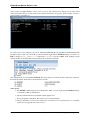
• On Windows operating systems, the host name and MAC address can be found by opening the command prompt
and entering ipconfig /all. When multiple ethernet cards are present, multiple MAC addresses may be
listed in the output. The connected ethernet device or the first in the series is preferable.
• On Linux operating systems, typing /sbin/ifconfig in a terminal window will provide the MAC address,
under the heading HWAddr. The host name can be found by entering the hostname command in a terminal
window. When multiple ethernet cards are present, multiple MAC addresses may be listed in the output. eth0
is usually best, but if you are unsure which MAC address to use, please send a text file or attach a screen capture
with the output of the command, and the License Administrator will determine the best option.
Once the host name and MAC address or FLEXID have been received, the License Administrator at Flow Science will
send the license file (flow3d.lic) as an email attachment. It is an ASCII text file with encryption codes that allow
it to be used only on the computer for which it was generated. Check the license file to be sure that it contains the host
name and HOSTID that matches the license server. More information about licensing can be found in the Licensing
Information section.
1.2 Installation Procedure
1.2.1 Windows Installation
Note:
• Administrator privileges are necessary to install FLOW-3D on Windows. Before installing, please close all
other running programs.
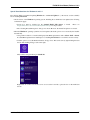
• If installing on the Windows 8 operating system, please consult the Special Considerations for Windows 8 and
8.1.
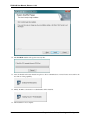
• If installing on a machine that has FLOW-3D version 10.1 installed, please close any running copies of RunnerServer.exe. This can be done by either:
– Right-clicking the green “running person” icon in the system tray and choosing Quit.
– Opening the Windows Task Manager and stopping any RunnerServer.exe processes shown in
the Processes tab. It may be necessary to click the Show Processes from All Users button to find the
RunnerServer.exe process.
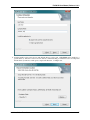
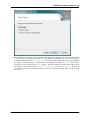
The installation can be started by double clicking the downloaded flow3d.exe file.
4
Chapter 1. Installation, Licensing, and Configuration