1
4.3.4
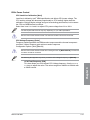
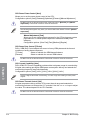
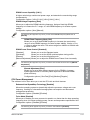
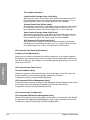
Fan Xpert 2
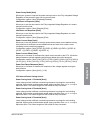
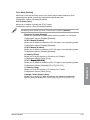
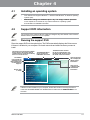
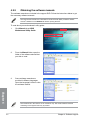
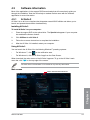
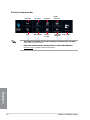
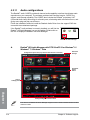
Fan Xpert 2 automatically detects and tweaks the fan speeds, and provides you with
optimized fan settings based on the fans’ specifications and positions.
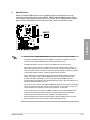
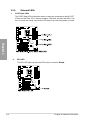
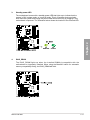
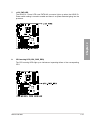
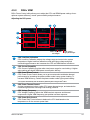
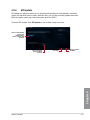
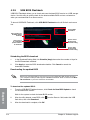
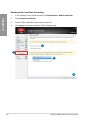
To launch Fan Xpert 2, click Fan Xpert 2 on the AI Suite 3 main menu bar.
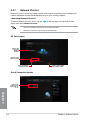
Click a screen to
select the type of
fan that you want
to customize
Click to switch
between CPU
and chassis fan
screens
Click to
set best
customized
setting for
your fan
Click to set the
fan’s speed to
silent mode
Click to maximize the
fan speed
Click to set the balanced
configuration between the
fan’s noise level and speed
Click to increase the fan’s
speed for a high cooling
capability
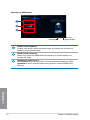
ASUS Mini Bar
Appears after clicking
Fan Tuning for the first
time. Click options to
select EPU mode.
Customizing the fan settings
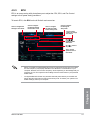
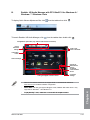
Smart Mode
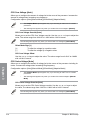
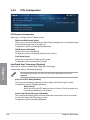
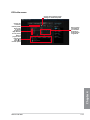
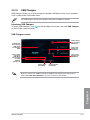
Smart Mode allows you to customize the fans’ rotation speeds and responsiveness based on
your system’s temperature.
Click and drag
to set the fan’s
rotation speed
Click to undo
the changes
Chapter 4
Click and drag
the sliders to
adjust the fan’s
responsiveness
Click to go back to
the previous screen
4-8
Click to switch between
the CPU and chassis
fan screens
Click to apply the
changes
Chapter 4: Software support