1
1 What is Ghostscript?
L. Peter Deutsch, founder of Aladdin Enterprises, Menlo Park,
California, wrote the PostScript Level 2 and PDF interpreter
Ghostscript in the C programming language. The program runs
on most operating systems, including MS-DOS, Windows 3.x,
Windows 95, Windows NT, OS/2, Macintosh, Unix, and VAX/
VMS, and has been available free of charge ever since its introduction in 1988. With the help of many users and programmers
on the Internet Ghostscript has become a high-quality and versatile PostScript interpreter. Peter Deutsch also distributes a
commercial version with customer-specific enhancements and
support. Ghostscript’s capabilities include:
Ghostscript User Manual
© Thomas Merz 1996-97
Notes on the page layout. The design of the Ghostscript manual was
chosen to meet several objectives:
➤ It uses fonts from the PostScript core font set in order to reduce file
size. This also avoids font embedding issues since the original book
layout uses fonts from the commercial Thesis family.
➤ Pages can be printed on both letter and A4 format paper. The doublepage design also makes it easy to read the manual on screen.
➤ A two-page spread was slightly reduced and printed on one sheet of
paper in order to economically make use of paper and screen estate.
Production notes. I created a PostScript file from the FrameMaker file
via the PostScript printer driver. The resulting PostScript file was converted to PDF using Acrobat Distiller 3.0. Bookmarks and article threads were
automatically generated by FrameMaker. Additionally, I inserted several
pdfmark instructions in the document manually, e.g. to populate the document info fields and to set the open mode of the PDF file.
This is version 1.3 of the manual. It covers Ghostscript 5.01 and GSview 2.2.
Ghostscript User Manual
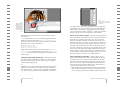
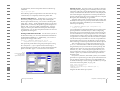
Screen output. Ghostscript displays PostScript and PDF
data on the screen. This is useful to examine PostScript graphics
or for saving a few trees if you want to browse some product
documentation which is available in PostScript format only.
Ghostscript checks PostScript files before you transfer them
(e.g., to a service bureau): Are all the necessary fonts there? Are
the graphics okay? Do the files contain all pages?
Ghostscript also helps with PostScript trouble-shooting: A
faulty page can be rendered on screen revealing which graphics
element yields an error message. Ghostscript provides the usual
PostScript error messages. A separate frontend to the interpreter, called GSview (for Windows and OS/2) or Ghostview (for
the X Window System), simplifies the handling of PostScript
files with a user-friendly GUI interface: with these frontends the
user can access random pages in the document. Without them,
Ghostscript displays the pages one after another, from the beginning to the end of the file.
Printer output. Another important task of a PostScript RIP is
to render PostScript data for output on a graphics-capable
printer. The Ghostscript distribution contains a wealth of drivers for a wide range of printer models, from the more popular
to the more esoteric. A list of all drivers is found in section 3.3,
»Configuration Options and Drivers«. These drivers are an integral part of Ghostscript and are not related to Macintosh or
Windows system drivers.
Chapter 1: What is Ghostscript?
2