1
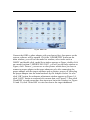
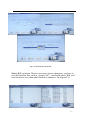
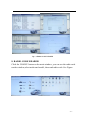
Fig 5.2. Make List
Connect the OBD or other adapter with your host at first, then power on the
system, software will be opened. Click the ‘ODOMETER’ button on the
main window, you will see the make list window, select make such as
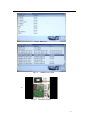
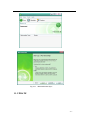
‘BMW’ and double click, model list window appears as Figure, double click
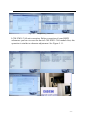
on a model such as ‘3 SERIES 2001-2003’, you will see the help window as
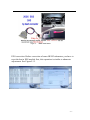
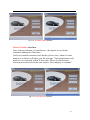
Figure, click‘ Picture’, you can see a color picture which show you how to
connect a proper adapter to the target odometer pcb; after connecting the
proper adapter with the target odometer pcb as picture, power off, then plug
the proper adapter into the main hardware by the Adapter-Socket. At next
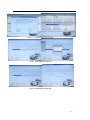
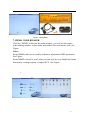
click ‘OK’ button, the odometer adjustment window appears as Figure 5.6,
click ‘SAVE’ button to read and save current data, see Figure5.7, then click
‘Read KM’ to read current km, then input new km at the window see Figure
5.8 and 5.9,click ‘Write KM’ to write new km to the target dashboard.
- 10 -