1
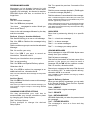
CALLING VOICE MAILBOX Use this simple procedure every time you wish to access your voice mail box: Lift handset OR press Speaker. Dial the voice mail; wait for answer. When calling from your telephone: Dial your Security Code, if prompted. When calling from another telephone: Dial *2# to start the main greeting. Dial your Personal ID (typically 9 + your extension number). Dial your Security Code, if prompted. When Calling From Outside Dial your Personal ID (typically 9 + your extension number). Dial your Security Code, if prompted. Respond to each question by dialling 1 for YES, and 2 for NO or use Quick Keys to advance dial to a specific topic. WHEN CALLING FROM OUTSIDE Call your mailbox for new messages when you receive a voice mail message indication: Dial 1 for YES when asked, You have _ new messages. Would you like to hear them? Messages marked Urgent are played first. Messages from outside callers are played in the order received. Messages from other voice mail users are sorted by sender. At the tone, you record a reply, otherwise dial 2. Greeting Dial 4 to change your Greetings. Dial 4 to listen to the playback of your current Greeting. Dial 1 for YES to switch between Standard and Alternate Greetings, otherwise dial 2. Using the handset, begin recording at the beep sound. Dial * to end recording and review the Greeting. Dial 1 to re-record, otherwise dial 2. Call Transfer Setting Dial 6 to change your transfer options. Dial 4 to change Call Transfer setting. Dial 1 to turn Call Transfer ON and/or leave it ON. OR Dial 2 to turn Call Transfer OFF. Listen to the phone number your calls are currentlybeing transferred to. Dial 1 and enter a new phone number (up to 9 digits), Then press *, Otherwise dial 2 to leave the current setting. Note: If Call Transfer to your work phone is OFF, calls are sent directly to your voice mail box. When Call Transfer to your work phone is ON, calls are first directed to your extension. XEN Alpha handset based settings will then apply. Message Delivery Options Dial 6 to change your delivery options. The day and time recorded is announced at the end of each message. Dial 5 to set Message Delivery to your work phone, home phone, pager, or spare phone. While listening to a message, you can: Dial 4 for your work phone, 5 for your home phone, 6 for your pager, 7 for your spare phone. Dial * to skip the message and save it as new. Dial 1 to advance to the end of the message. Dial 1 to turn Message Delivery on and leave it ON. OR Dial 2 to turn Message Delivery OFF. Dial 2 to redirect the message. Dial 1 to confirm, otherwise dial 2. Follow the prompts for the desired message delivery Option. Dial 4 to delete the message. Dial 1 to confirm, otherwise dial 2. Note 1: Message Delivery schedules may overlap. Dial # to repeat the previous 3 seconds of the message. Dial 6 to archive the message. Dial 1 to confirm, otherwise dial 2. Note 2: It is not necessary to dial a trunk access code (i.e. 0) when entering an outside telephone number.