1
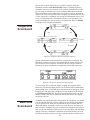
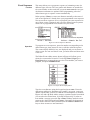
Option 7 allows you to turn on Fae End Splits if you have touch pads
at the far end of the pool.
Splits
Function
Operation
Timing
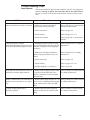
Controls split printing format. Subtractive splits produce the time it
took to swim the last lap only. Cumulative splits print the total running
time of the race to that point.
Press 1 to print cumulative splits; press 2 to print subtractive splits.
You can select both options. These are both toggle buttons.
Controls variable timing functions.
Function
Operation
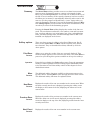
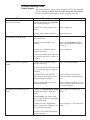
Timing Precision: Press 1 to toggle between 1.0, 0.1, 0.01, and 0.001
second timing precision. The timing precision option selects the number
of decimal places to which times are accurate. Almost ALL ruling bodies
for Swimming specify .01 as the timing accuracy for electronic timing.
Automatic Backup Time Adjustment: When turn ON this will do
the calculations, as specified by USA Swimming, the NCAA and the
High School Federation, to the backup buttons to produce the official
backup time. Press 2 to choose whether or not to use automatic backup
time adjustment.
Pad Split Delay Time: Options 3 and 4 allow you to set the pad split
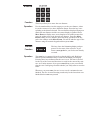
delay time. Press C/E, use the numeric keypad to type the delay time
and press enter. Pad split delay time allows you to set the length of
time the touchpads are inoperative after a touch, allowing relay swimmers to get out of the pool without triggering a pad touch. The recommended delay time for both near- and far-end pads is 15 seconds. You
might want to increase this for relays in a long course pool.
Time Warning Messages: Press 5 to toggle between displaying and
not displaying time warning messages.
Pad Delay at Start: Press 6 to set pad delay at start, press C/E, type
the seconds of delay time, and press enter. The pad delay at start time
allows you to set the time all pads are inoperative after the start of a
race. This is done so that backstroke swimmers do not trigger their pad
at the start of a race. This number also controls how long start reaction
time will stay on the scoreboard at the beginning of each race (Start
reaction is a feature that requires Relay Judging Platforms).
Length Count Display: Press 7 to toggle whether the lengths count
up or down on the scoreboard, press 8 to choose the same for the screen.
Note:
Pool
Function
Any setup changes you make are stored in permanent memory only if you
press the Save Setups softkey. If you do NOT press Save Setups, setup
changes are lost when you exit the Swimming program and go to the
Change Sport Menu.
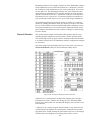
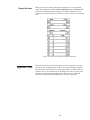
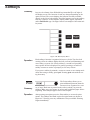
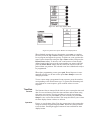
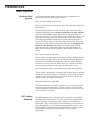
Controls the setup configuration information for your pool, including
the length of the pool, the unit of measurement (yards or meters), the
lanes in the pool, the lanes used for this meet, and mapping of those
lanes. In most installations, the touchpad/backup button cables are set
up with lane 1 closest to the timer. If, however, lane 1 is at the far end of
the cable, reverse the lane order with this setup to properly configure
the Swimming software.
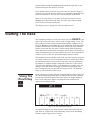
Proper timer configuration requires that you enter the pool length on
4-16