1
111 W. San Antonio Street, Suite 210-5
New Braunfels, TX 78130
Fax. (866) 434-3498
Modern Air Combat Environment (MACE)
VRSG Integration Guide
Introduction
Though you can use MACE with any image generator (IG) that has a DIS interface (or via a hosted DIS-to-CIGI
interface), MACE and VRSG have several specific interoperability enhancements that taken together provide a
compelling capability. In particular, MACE includes a HUD overlay, remote VRSG camera control via the
HOTAS (including both UAV camera & targeting pod capabilities) and can use VRSG MDS tiles (in addition to
DTED and SRTM) as an elevation data source -- resulting in perfect elevation correlation between MACE and
VRSG. The following guide will show you how to set up MACE and VRSG to implement each of these
capabilities.
First Steps
Verify/Edit VRSG Settings
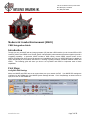
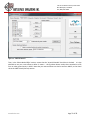
Make sure MACE and VRSG are set to communicate over your network via DIS. Your MACE DIS settings are
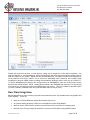
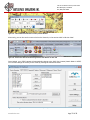
configured on the DISNet tab of the MACE System Settings Window. Click View|Settings as shown below to
open, then click on the DISNet tab:
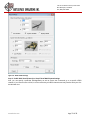
Figure 1: Click View|Settings to Open MACE System Settings Window
www.bssim.com
Page 3 of 26