1
5. Monitoring Function
The ward may send SMS 555 + password to the terminal of the ward; in such case, the ward
terminal of the ward will automatically call back the mobile phone of the guardian and the guardian
may listen to the sound of the surroundings within 10m around the ward.
SMS format: 5550000
Remarks: 0000 is the initial default password and the actual use s subject to the actual password.
6. Regular Upload Interval Setup
The defaulted factory upload interval of this device is 2 minutes for getting the point and 10
minutes for uploading one piece of positioning information. The user may change such parameter
according to actual demand.
Command format: # command number 730# Sampling interval # Pieces of uploads # User password
##
For example: #730#20#4#0000##
Note: The parameter “20” indicates getting one point every 20s; after getting points
accumulatively for 4 times, upload one piece of positioning information with the upload interval as
20*4=80s. The user may change this parameter as the case may be.
7. Function of Changing Password
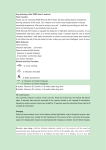
Send the SMS “#770# User new password # User old password ##” by mobile phone to the
terminal number, after successful sending, the mobile phone with such setup will receive one piece of
config ok response information, as shown in the following figure:
8. Low-Voltage Alarming Function
If the terminal of the ward has a very low power and needs to be powered off, the terminal of the
ward will automatically upload one piece of low-voltage alarming command to the monitoring center
number.
9. Set APN Command
SMS command: #802#APN letters or digits, 4-20 bits # Log user name letters or digits 4-20 bits
in # Log password letter or digits 4-20 bits in # terminal password 4 bits ##
Send this command to the terminal; after executing this command, the terminal will automatically
restart and connect to GPRS with APN set.
If the APN no user name, the example: 1: #802#cmnet###0000###
If the APN has user name and password: 2: #802#CCDLEN#QIUXIA.21#RX0000#0000##
After this command is executed, APN will be CCDLEN; the login user name is QIUXIA.21 and login
password is RX0000.
Note: The default APN of this product is CMNET.
10. Electronic Fence Function
(1)GPS Fence Function
The guardian may log into the system, click the custom deviation setup in the user system
manager, enter the deviation setup interface, choose the longitude and latitude of the center point to
be set as fence. Click the mouse in the Google map, then reading page will display the electronic