1
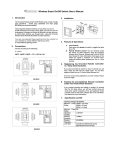
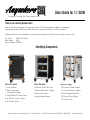
Setting Up Your Devices (Front)
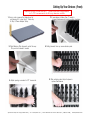
Device slots come set at 1” wide and are adjustable
in 1/2” increments to fit any device width.
1. Using a ruler, measure the thickest part of
your device. If it is less than 1” thick, skip
to Step 3: Power Adapter Setup.
2. If your device is thicker than 1”, locate &
remove thumbscrew by turning counter clockwise.
3. Slide Retaining Strip forward & out of the way.
Strip can be removed if needed.
4. Pulling forward, then up, remove divider panel.
5. Adjust spacing as needed in 1/2” increments.
6. Slide retaining metal strip into place &
replace thumbscrew.
Specifications subject to change without notice | © 2015 Anywhere Cart | 42400 Winchester Rd Temecula, CA 92590 | 888-650-4488 | www.AnywhereCart.com