1
3. INSTRUCTIONS
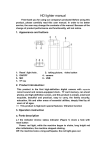
① SHOWS THE VARIOUS COMPONENTS:
①-1. THE INDICATOR SHOWS:
Status indicator ( icon 6 ) share a hole with the MIC.
Power: red light, while the machine began to shake, initialize After a long red light, the machine
stopped shaking.
Shutdown: long vibrates machine twice, the red light goes out.
USB Status: Insert a USB cable : machine will vibrates. after your computer initiates : you will
be able to read, write, view & copy. ( the red light will be flashing. )
Video mode: Start Recording: short shock machine 2, red light flashes 2 times, lights off. Video
Pause: long-red light flashes 3 times, the machine short-shock 3.
Photo: take a picture of the red light flashes every time; machine vibration time, camera waiting
for: a long red light.
Recording: machine vibration six times, lights flash 6 times after lights off, into the recording.
Low power: red lights flash.
①-2. the button description: K1 key: for boot, shutdown, sound recording. ( K2 key: for
photo, video. )
Note: press the K1, K2 key to implement reset ( when the machine case of crash, please press
the two keys to reset. )
①-3. socket Description: MINI 5PIN USB socket ( Exhibit 2 ) for connecting a computer or
charger, a data transfer and charging. TF deck ( Exhibit 3 ), used to store files, storage camera,
photo paper generated.
①-4. camera: ( Exhibit 1 ), used to pick up video signals.
② SWITCH MACHINES:
Press and turn key ( K1 ) boot, start the camera system initialization ( red light, the machine
began to shake ), the initial complete, long red light, the machine stopped shaking. Enter the
default camera, camera, sound recording standby mode, after the boot of any state, long press
the power button ( K1 ) Save the file and shutdown ( red light flashes 2 times, while the machine