1
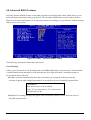
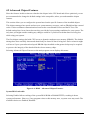
4.10 Integrated Peripherals
Figure 4-5: BIOS – Integrated Peripherals
OnChip IDE Device
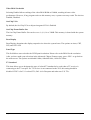
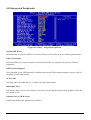
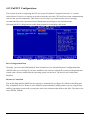
Select this item to setup the IDE device features. When you select this item, the following menu shows:
USB 2.0 Controller
Select Enabled if your system contains a Universal Serial Bus 2.0 controller and you have USB 2.0
peripherals.
USB Keyboard Support
Select Enabled if your USB controller is enabled and it needs USB keyboard support in legacy (old) OS
operating systems such as DOS.
AC97 Audio
Selecting Auto will enable the AC’97 audio if it is detected onboard.
Init Display First
This feature allows you to select whether to boot the system using the onboard AGP graphics card or the
PCI graphics card.
Onboard LAN 1/2 H/W Active
Enables and disables the onboard LAN modules.
Impact-E 40 / 41 / 50 user manual
55
Chapter 4