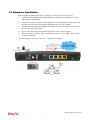
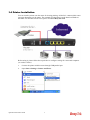
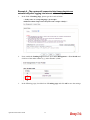
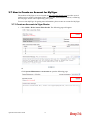
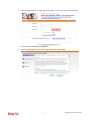
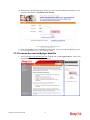
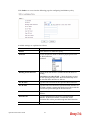
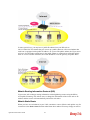
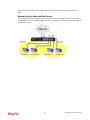
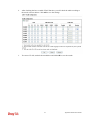
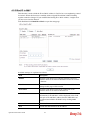
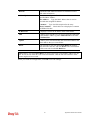
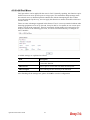
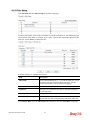
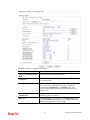
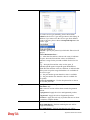
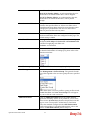
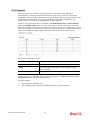
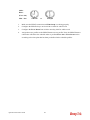
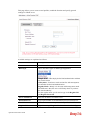
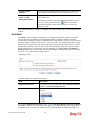
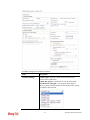
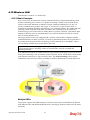
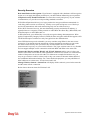
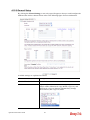
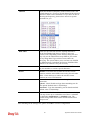
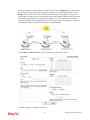
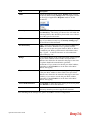
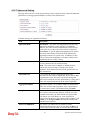
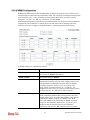
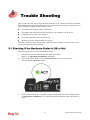
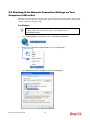
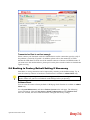
1
Vigor2912 Series User’s Guide ii Vigor2912 Series Dual-WAN Security Router User’s Guide Version: 1.0 Firmware Version: V3.7.3_RC5 (For future update, please visit DrayTek web site) Date: 18/09/2013 iii Vigor2912 Series User’s Guide Copyright Information Copyright Declarations Copyright 2013 All rights reserved. This publication contains information that is protected by copyright. No part may be reproduced, transmitted, transcribed, stored in a retrieval system, or translated into any language without written permission from the copyright holders. Trademarks The following trademarks are used in this document: z Microsoft is a registered trademark of Microsoft Corp. z Windows, Windows 95, 98, Me, NT, 2000, XP, Vista and Explorer are trademarks of Microsoft Corp. z Apple and Mac OS are registered trademarks of Apple Inc. z Other products may be trademarks or registered trademarks of their respective manufacturers. Safety Instructions and Approval Safety Instructions Warranty z z Read the installation guide thoroughly before you set up the router. The router is a complicated electronic unit that may be repaired only be authorized and qualified personnel. Do not try to open or repair the router yourself. z Do not place the router in a damp or humid place, e.g. a bathroom. z The router should be used in a sheltered area, within a temperature range of +5 to +40 Celsius. z Do not expose the router to direct sunlight or other heat sources. The housing and electronic components may be damaged by direct sunlight or heat sources. z Do not deploy the cable for LAN connection outdoor to prevent electronic shock hazards. z Keep the package out of reach of children. z When you want to dispose of the router, please follow local regulations on conservation of the environment. We warrant to the original end user (purchaser) that the router will be free from any defects in workmanship or materials for a period of two (2) years from the date of purchase from the dealer. Please keep your purchase receipt in a safe place as it serves as proof of date of purchase. During the warranty period, and upon proof of purchase, should the product have indications of failure due to faulty workmanship and/or materials, we will, at our discretion, repair or replace the defective products or components, without charge for either parts or labor, to whatever extent we deem necessary tore-store the product to proper operating condition. Any replacement will consist of a new or re-manufactured functionally equivalent product of equal value, and will be offered solely at our discretion. This warranty will not apply if the product is modified, misused, tampered with, damaged by an act of God, or subjected to abnormal working conditions. The warranty does not cover the bundled or licensed software of other vendors. Defects which do not significantly affect the usability of the product will not be covered by the warranty. We reserve the right to revise the manual and online documentation and to make changes from time to time in the contents hereof without obligation to notify any person of such revision or changes. Be a Registered Owner Web registration is preferred. You can register your Vigor router via http://www.DrayTek.com. Firmware & Tools Updates Due to the continuous evolution of DrayTek technology, all routers will be regularly upgraded. Please consult the DrayTek web site for more information on newest firmware, tools and documents. http://www.DrayTek.com Vigor2912 Series User’s Guide iv European Community Declarations Manufacturer: Address: Product: DrayTek Corp. No. 26, Fu Shing Road, Hukou Township, Hsinchu Industrial Park, Hsinchu County, Taiwan 303 Vigor2912 Series Router DrayTek Corp. declares that Vigor2912 Series of routers are in compliance with the following essential requirements and other relevant provisions of R&TTE 1999/5/EC, ErP 2009/125/EC and RoHS 2011/65/EU. The product conforms to the requirements of Electro-Magnetic Compatibility (EMC) Directive 2004/108/EC by complying with the requirements set forth in EN55022/Class B and EN55024/Class B. The product conforms to the requirements of Low Voltage (LVD) Directive 2006/95/EC by complying with the requirements set forth in EN60950-1. Regulatory Information Federal Communication Commission Interference Statement This equipment has been tested and found to comply with the limits for a Class B digital device, pursuant to Part 15 of the FCC Rules. These limits are designed to provide reasonable protection against harmful interference in a residential installation. This equipment generates, uses and can radiate radio frequency energy and, if not installed and used in accordance with the instructions, may cause harmful interference to radio communications. However, there is no guarantee that interference will not occur in a particular installation. If this equipment does cause harmful interference to radio or television reception, which can be determined by turning the equipment off and on, the user is encouraged to try to correct the interference by one of the following measures: z Reorient or relocate the receiving antenna. z Increase the separation between the equipment and receiver. z Connect the equipment into an outlet on a circuit different from that to which the receiver is connected. z Consult the dealer or an experienced radio/TV technician for help. This device complies with Part 15 of the FCC Rules. Operation is subject to the following two conditions: (1) This device may not cause harmful interference, and (2) This device may accept any interference received, including interference that may cause undesired operation. Please visit http://www.draytek.com/user/SupportDLRTTECE.php This product is designed for 2.4GHz WLAN network throughout the EC region. v Vigor2912 Series User’s Guide Vigor2912 Series User’s Guide vi Table of Contents Introduction...................................................................................................1 1.1 Web Configuration Buttons Explanation ................................................................................. 2 1.2 LED Indicators and Connectors .............................................................................................. 3 1.2.1 For Vigor2912 ................................................................................................................... 3 1.2.2 For Vigor2912n ................................................................................................................. 5 1.3 Hardware Installation .............................................................................................................. 7 1.4 Printer Installation ................................................................................................................... 8 Basic Settings.............................................................................................13 2.1 Accessing Web Page ............................................................................................................ 13 2.2 Changing Password .............................................................................................................. 15 2.3 Quick Start Wizard ................................................................................................................ 16 2.3.1 For WAN1/WAN2 (Ethernet) .......................................................................................... 17 2.3.2 For WAN3 (USB) ............................................................................................................ 26 2.4 Service Activation Wizard...................................................................................................... 28 2.5 Web Console, Config Backup & Exit..................................................................................... 32 2.5.1 Web Console .................................................................................................................. 32 2.5.2 Config Backup ................................................................................................................ 33 2.5.3 Logout ............................................................................................................................. 33 2.6 Online Status......................................................................................................................... 34 2.6.1 Physical Connection ....................................................................................................... 34 2.6.2 Virtual WAN .................................................................................................................... 36 2.7 Saving Configuration............................................................................................................. 36 2.8 Registering Vigor Router....................................................................................................... 37 Tutorials and Applications.........................................................................41 3.1 How to configure settings for IPv6 Service in Vigor2912...................................................... 41 3.2 How can I get the files from USB storage device connecting to Vigor router? ..................... 51 3.3 How to Build a LAN-to-LAN VPN Between Remote Office and Headquarter via IPsec Tunnel (Main Mode) ................................................................................................................................ 54 3.4 How to Optimize the Bandwidth through QoS Technology ................................................... 58 3.5 QoS Setting Example............................................................................................................ 62 3.6 How to use Landing Page Feature ....................................................................................... 66 3.7 How to Create an Account for MyVigor................................................................................. 70 vii Vigor2912 Series User’s Guide 3.7.1 Create an Account via Vigor Router ............................................................................... 70 3.7.2 Create an Account via MyVigor Web Site ...................................................................... 74 3.8 How to Configure Certain Computers Accessing to Internet ................................................ 78 3.9 How to Block Facebook Service Accessed by the Users via Web Content Filter / URL Content Filter............................................................................................................................... 82 Advanced Configuration............................................................................89 4.1 WAN ...................................................................................................................................... 89 4.1.1 Basics of Internet Protocol (IP) Network......................................................................... 89 4.1.2 General Setup................................................................................................................. 91 4.1.3 Internet Access ............................................................................................................... 95 4.1.4 Multi-VLAN.................................................................................................................... 117 4.1.5 Load-Balance Policy ..................................................................................................... 121 4.2 LAN ..................................................................................................................................... 123 4.2.1 Basics of LAN ............................................................................................................... 123 4.2.2 General Setup............................................................................................................... 126 4.2.3 Static Route .................................................................................................................. 132 4.2.4 VLAN............................................................................................................................. 137 4.2.5 Bind IP to MAC ............................................................................................................. 140 4.2.6 LAN Port Mirror............................................................................................................. 142 4.2.7 Web Portal Setup.......................................................................................................... 143 4.3 NAT ..................................................................................................................................... 144 4.3.1 Port Redirection ............................................................................................................ 145 4.3.2 DMZ Host...................................................................................................................... 149 4.3.3 Open Ports.................................................................................................................... 152 4.3.4 Address Mapping.......................................................................................................... 154 4.3.5 Port Triggering .............................................................................................................. 156 4.4 Firewall ................................................................................................................................ 159 4.4.1 Basics for Firewall......................................................................................................... 159 4.4.2 General Setup............................................................................................................... 161 4.4.3 Filter Setup ................................................................................................................... 166 4.4.4 DoS Defense ................................................................................................................ 174 4.5 User Management............................................................................................................... 178 4.5.1 General Setup............................................................................................................... 179 4.5.2 User Profile ................................................................................................................... 180 4.5.3 User Group ................................................................................................................... 185 4.5.4 User Online Status........................................................................................................ 186 4.6 Objects Settings .................................................................................................................. 187 4.6.1 IP Object ....................................................................................................................... 187 4.6.2 IP Group ....................................................................................................................... 190 4.6.3 IPv6 Object ................................................................................................................... 191 4.6.4 IPv6 Group.................................................................................................................... 193 4.6.5 Service Type Object ..................................................................................................... 194 4.6.6 Service Type Group...................................................................................................... 196 4.6.7 Keyword Object ............................................................................................................ 197 4.6.8 Keyword Group............................................................................................................. 199 4.6.9 File Extension Object.................................................................................................... 200 4.6.10 SMS/Mail Service Object ............................................................................................ 202 4.6.11 Notification Object....................................................................................................... 207 Vigor2912 Series User’s Guide viii 4.7 CSM Profile ......................................................................................................................... 209 4.7.1 APP Enforcement Profile .............................................................................................. 210 4.7.2 URL Content Filter Profile............................................................................................. 212 4.7.3 Web Content Filter Profile............................................................................................. 217 4.8 Bandwidth Management ..................................................................................................... 221 4.8.1 Sessions Limit............................................................................................................... 221 4.8.2 Bandwidth Limit ............................................................................................................ 223 4.8.3 Quality of Service.......................................................................................................... 225 4.9 Applications ......................................................................................................................... 234 4.9.1 Dynamic DNS ............................................................................................................... 234 4.9.2 Schedule ....................................................................................................................... 238 4.9.3 RADIUS ........................................................................................................................ 241 4.9.4 Active Directory/ LDAP ................................................................................................. 241 4.9.5 UPnP............................................................................................................................. 244 4.9.6 IGMP............................................................................................................................. 246 4.9.7 Wake on LAN................................................................................................................ 247 4.9.8 SMS / Mail Alert Service ............................................................................................... 248 4.10 VPN and Remote Access.................................................................................................. 250 4.10.1 VPN Client Wizard ...................................................................................................... 250 4.10.2 VPN Server Wizard..................................................................................................... 257 4.10.3 Remote Access Control .............................................................................................. 262 4.10.4 PPP General Setup .................................................................................................... 262 4.10.5 IPsec General Setup................................................................................................... 264 4.10.6 IPsec Peer Identity...................................................................................................... 266 4.10.7 Remote Dial-in User ................................................................................................... 268 4.10.8 LAN to LAN................................................................................................................. 271 4.10.9 VPN TRUNK Management......................................................................................... 282 4.10.10 Connection Management ......................................................................................... 287 4.11 Certificate Management .................................................................................................... 288 4.11.1 Local Certificate .......................................................................................................... 289 4.11.2 Trusted CA Certificate ................................................................................................ 292 4.11.3 Certificate Backup....................................................................................................... 293 4.12 Wireless LAN .................................................................................................................... 294 4.12.1 Basic Concepts........................................................................................................... 294 4.12.2 General Setup............................................................................................................. 296 4.12.3 Security ....................................................................................................................... 298 4.12.4 Access Control............................................................................................................ 300 4.12.5 WPS............................................................................................................................ 301 4.12.6 WDS............................................................................................................................ 304 4.12.7 Advanced Setting........................................................................................................ 307 4.12.8 WMM Configuration .................................................................................................... 309 4.12.9 AP Discovery .............................................................................................................. 311 4.12.10 Station List ................................................................................................................ 312 4.13 USB Application ................................................................................................................ 313 4.13.1 USB General Settings................................................................................................. 313 4.13.2 USB User Management.............................................................................................. 314 4.13.3 File Explorer................................................................................................................ 317 4.13.4 USB Device Status ..................................................................................................... 318 4.13.5 Modem Support List.................................................................................................... 319 4.14 System Maintenance......................................................................................................... 320 4.14.1 System Status............................................................................................................. 320 4.14.2 TR-069 ........................................................................................................................ 322 ix Vigor2912 Series User’s Guide 4.14.3 Administrator Password.............................................................................................. 323 4.14.4 User Password ........................................................................................................... 324 4.14.5 Login Page Greeting................................................................................................... 327 4.14.6 Configuration Backup ................................................................................................. 329 4.14.7 Syslog/Mail Alert ......................................................................................................... 331 4.14.8 Time and Date ............................................................................................................ 334 4.14.9 SNMP.......................................................................................................................... 335 4.14.10 Management............................................................................................................. 337 4.14.11 Reboot System ......................................................................................................... 339 4.14.12 Firmware Upgrade .................................................................................................... 340 4.14.13 Activation .................................................................................................................. 341 4.15 Diagnostics........................................................................................................................ 343 4.15.1 Dial-out Triggering ...................................................................................................... 343 4.15.2 Routing Table ............................................................................................................. 344 4.15.3 ARP Cache Table ....................................................................................................... 345 4.15.4 IPv6 Neighbour Table ................................................................................................. 345 4.15.5 DHCP Table................................................................................................................ 346 4.15.6 NAT Sessions Table ................................................................................................... 347 4.15.7 Ping Diagnosis............................................................................................................ 348 4.15.8 Data Flow Monitor....................................................................................................... 349 4.15.9 Traffic Graph............................................................................................................... 351 4.15.10 Trace Route .............................................................................................................. 352 4.15.11 Web Firewall Syslog ................................................................................................. 353 4.15.12 IPv6 TSPC Status..................................................................................................... 354 4.16 External Devices ............................................................................................................... 355 Trouble Shooting......................................................................................357 5.1 Checking If the Hardware Status Is OK or Not.................................................................... 357 5.2 Checking If the Network Connection Settings on Your Computer Is OK or Not ................. 358 5.3 Pinging the Router from Your Computer ............................................................................. 360 5.4 Checking If the ISP Settings are OK or Not ........................................................................ 361 5.5 Problems for 3G Network Connection ................................................................................ 361 5.6 Backing to Factory Default Setting If Necessary ................................................................ 362 5.7 Contacting Your Dealer ....................................................................................................... 363 Vigor2912 Series User’s Guide x Introduction Vigor2912 series is a broadband router which integrates IP layer QoS, NAT session/bandwidth management to help users control works well with large bandwidth. By adopting hardware-based VPN platform and hardware encryption of AES/DES/3DES, the router increases the performance of VPN greatly, and offers several protocols (such as IPsec/PPTP/L2TP) with up to 16 VPN tunnels. The object-based design used in SPI (Stateful Packet Inspection) firewall allows users to set firewall policy with ease. CSM (Content Security Management) provides users control and management in IM (Instant Messenger) and P2P (Peer to Peer) more efficiency than before. By the way, DoS/DDoS prevention and URL/Web content filter strengthen the security outside and control inside. Object-based firewall is flexible and allows your network be safe. In addition, Vigor2912 series supports USB interface for connecting USB printer to share printing function or 3G USB modem for network connection. Vigor2912 series provides two-level management to simplify the configuration of network connection. The user mode allows user accessing into WEB interface via simple configuration. However, if users want to have advanced configurations, they can access into WEB interface through admin mode. 1 Vigor2912 Series User’s Guide 1.1 Web Configuration Buttons Explanation Several main buttons appeared on the web pages are defined as the following: Save and apply current settings. Cancel current settings and recover to the previous saved settings. Clear all the selections and parameters settings, including selection from drop-down list. All the values must be reset with factory default settings. Add new settings for specified item. Edit the settings for the selected item. Delete the selected item with the corresponding settings. Note: For the other buttons shown on the web pages, please refer to Chapter 3, 4 for detailed explanation. Vigor2912 Series User’s Guide 2 1.2 LED Indicators and Connectors Before you use the Vigor router, please get acquainted with the LED indicators and connectors first. 1.2.1 For Vigor2912 LED ACT (Activity) WCF QoS DoS LAN (P4~P1) WAN(W2~W1) VPN USB1~USB2 Status Blinking Off On Off On Explanation The router is powered on and running normally. The router is powered off. The Web Content Filter is active. (It is enabled from Firewall >> General Setup). The Web Content Filter is inactive. The QoS function is active. On Blinking On Off Blinking On Off Blinking On On Blinking The DoS/DDoS function is active. It will blink while detecting an attack. The port is connected. The port is disconnected. The data is transmitting. Internet connection is ready. Internet connection is not ready. The data is transmitting. The VPN tunnel is active. USB device is connected and ready for use. The data is transmitting. 3 Vigor2912 Series User’s Guide Interface Description PWR Connecter for a power adapter. ON/OFF Power Switch. USB W1~W2/P1 W2/P1~P4 Factory Reset Connecter for a USB device (for 3G USB Modem or printer). Connecter an ADSL or cable modem for accessing Internet (WAN). Connecters for local network devices (LAN). Restore the default settings. Usage: Turn on the router (ACT LED is blinking). Press the hole and keep for more than 5 seconds. When you see the ACT LED begins to blink rapidly than usual, release the button. Then the router will restart with the factory default configuration. Vigor2912 Series User’s Guide 4 1.2.2 For Vigor2912n LED ACT (Activity) WCF QoS WLAN LAN (P4~P1) WAN(W2~W1) VPN USB Status Blinking Off On Off On On Blinking On Off Blinking On Off Blinking On On Blinking Explanation The router is powered on and running normally. The router is powered off. The Web Content Filter is active. (It is enabled from Firewall >> General Setup). The Web Content Filter is inactive. The QoS function is active. Wireless access point is ready. It will blink slowly while wireless traffic goes through. ACT and WLAN LEDs blink quickly and simultaneously when WPS is working, and will return to normal condition after two minutes. (You need to setup WPS within 2 minutes.) The port is connected. The port is disconnected. The data is transmitting. Internet connection is ready. Internet connection is not ready. The data is transmitting. The VPN tunnel is active. USB device is connected and ready for use. The data is transmitting. 5 Vigor2912 Series User’s Guide Interface PWR Description Connecter for a power adapter. ON/OFF USB W1~W2/P1 Power Switch. Connecter for a USB device (for 3G USB Modem or printer). Connecter for local network devices or modem for accessing Internet (WAN). Connecters for local network devices (LAN). Press "Wireless LAN ON/OFF/WPS" button once to wait for client device making network connection through WPS. Press "Wireless LAN ON/OFF/WPS" button twice to enable (WLAN LED on) or disable (WLAN LED off) wireless connection. Restore the default settings. Usage: Turn on the router (ACT LED is blinking). Press the hole and keep for more than 5 seconds. When you see the ACT LED begins to blink rapidly than usual, release the button. Then the router will restart with the factory default configuration. W2/P1~P4 Wireless LAN ON/OFF/WPS Factory Reset Vigor2912 Series User’s Guide 6 1.3 Hardware Installation Before starting to configure the router, you have to connect your devices correctly. 1. Connect the cable Modem/DSL Modem/Media Converter to any WAN port of router with Ethernet cable (RJ-45). 2. Connect one end of an Ethernet cable (RJ-45) to one of the LAN ports of the router and the other end of the cable (RJ-45) into the Ethernet port on your computer. 3. Connect one end of the power adapter to the router’s power port on the rear panel, and the other side into a wall outlet. 4. Power on the device by pressing down the power switch on the rear panel. 5. The system starts to initiate. After completing the system test, the ACT LED will light up and start blinking. (For the hardware connection, we take “n” model as an example.) 7 Vigor2912 Series User’s Guide 1.4 Printer Installation You can install a printer onto the router for sharing printing. All the PCs connected this router can print documents via the router. The example provided here is made based on Windows XP/2000. For Windows 98/SE/Vista, please visit www.DrayTek.com. Before using it, please follow the steps below to configure settings for connected computers (or wireless clients). 1. Connect the printer with the router through USB/parallel port. 2. Open Start->Settings-> Printer and Faxes. Vigor2912 Series User’s Guide 8 3. Open File->Add Printer. A welcome dialog will appear. Please click Next. 4. Click Local printer attached to this computer and click Next. 5. In this dialog, choose Create a new port Type of port and use the drop down list to select Standard TCP/IP Port. Click Next. 9 Vigor2912 Series User’s Guide 6. In the following dialog, type 192.168.1.1 (router’s LAN IP) in the field of Printer Name or IP Address and type IP_192.168.1.1 as the port name. Then, click Next. 7. Click Standard and choose Generic Network Card. 8. Then, in the following dialog, click Finish. Vigor2912 Series User’s Guide 10 9. Now, your system will ask you to choose right name of the printer that you installed onto the router. Such step can make correct driver loaded onto your PC. When you finish the selection, click Next. 10. For the final stage, you need to go back to Control Panel-> Printers and edit the property of the new printer you have added. 11. Select "LPR" on Protocol, type p1 (number 1) as Queue Name. Then click OK. Next please refer to the red rectangle for choosing the correct protocol and LPR name. 11 Vigor2912 Series User’s Guide The printer can be used for printing now. Most of the printers with different manufacturers are compatible with vigor router. Note 1: Some printers with the fax/scanning or other additional functions are not supported. If you do not know whether your printer is supported or not, please visit www.draytek.com to find out the printer list. Open Support >FAQ/Application Notes; find out the link of USB>>Printer Server and click it. Then, click the What types of printers are compatible with Vigor router? link. Note 2: Vigor router supports printing request from computers via LAN ports but not WAN port. Vigor2912 Series User’s Guide 12 Basic Settings For using the router properly, it is necessary for you to change the password of web configuration for security and adjust primary basic settings. This chapter explains how to setup a password for accessing into the web user interface of Vigor router and how to adjust settings for accessing Internet successfully. 2.1 Accessing Web Page 1. Make sure your PC connects to the router correctly. You may either simply set up your computer to get IP dynamically from the router or set up the IP address of the computer to be the same subnet as the default IP address of Vigor router 192.168.1.1. For the detailed information, please refer to the later section Trouble Shooting of the guide. 2. Open a web browser on your PC and type http://192.168.1.1. The following window will be open to ask for username and password. 3. Please type “admin/admin” as the Username/Password and click Login. Notice: If you fail to access to the web configuration, please go to “Trouble Shooting” for detecting and solving your problem. 13 Vigor2912 Series User’s Guide 4. Now, the Main Screen will appear. Note: The home page will be different slightly in accordance with the type of the router you have. 5. The web page can be logged out according to the chosen condition. The default setting is Auto Logout, which means the web configuration system will logout after 5 minutes without any operation. Change the setting for your necessity. Vigor2912 Series User’s Guide 14 2.2 Changing Password Please change the password for the original security of the router. 1. Open a web browser on your PC and type http://192.168.1.1. A pop-up window will open to ask for username and password. 2. Please type “admin/admin” as Username/Password for accessing into the web user interface with admin mode. 3. Go to System Maintenance page and choose Administrator Password/. 4. Enter the login password (the default is “admin”) on the field of Old Password. Type New Password. Then click OK to continue. Note: The maximum length of the password you can set is 23 characters. 5. Now, the password has been changed. Next time, use the new password to access the Web user interface for this router. Note: Even the password has been changed, the Username for logging to the web user interface is still “admin”. 15 Vigor2912 Series User’s Guide 2.3 Quick Start Wizard If your router can be under an environment with high speed NAT, the configuration provide here can help you to deploy and use the router quickly. The first screen of Quick Start Wizard is entering login password. After typing the password, please click Next. On the next page as shown below, please select the WAN interface that you use. If Ethernet interface is used, please choose WAN1/WAN2; if 3G USB modem is used, please choose WAN3. Then click Next for next step. WAN1, WAN2 and WAN3 will bring up different configuration page. Refer to the following for detailed information. Vigor2912 Series User’s Guide 16 2.3.1 For WAN1/WAN2 (Ethernet) WAN1/WAN2 is dedicated to physical mode in Ethernet. If you choose WAN1/WAN2, please specify physical type. Then, click Next. On the next page as shown below, please select the appropriate Internet access type according to the information from your ISP. For example, you should select PPPoE mode if the ISP provides you PPPoE interface. Then click Next for next step. PPPoE 1. Choose WAN2 as the WAN Interface and click the Next button. The following page will be open for you to specify Internet Access Type. 17 Vigor2912 Series User’s Guide 2. Click PPPoE as the Internet Access Type. Then click Next to continue. Available settings are explained as follows: Item Description User Name Assign a specific valid user name provided by the ISP. Note: The maximum length of the user name you can set is 63 characters. Password Assign a valid password provided by the ISP. Note: The maximum length of the password you can set is 62 characters. Confirm Password Retype the password. Back Click it to return to previous setting page. Next Click it to get into the next setting page. Cancel Click it to give up the quick start wizard. Vigor2912 Series User’s Guide 18 3. Please manually enter the Username/Password provided by your ISP. Click Next for viewing summary of such connection. 4. Click Finish. A page of Quick Start Wizard Setup OK!!! will appear. Then, the system status of this protocol will be shown. 5. Now, you can enjoy surfing on the Internet. 19 Vigor2912 Series User’s Guide PPTP/L2TP 1. Choose WAN2 as the WAN Interface and click the Next button. The following page will be open for you to specify Internet Access Type. 2. Click PPTP/L2TP as the Internet Access Type. Then click Next to continue. Available settings are explained as follows: Item Description User Name Assign a specific valid user name provided by the ISP. Note: The maximum length of the user name you can set is 63 characters. Password Assign a valid password provided by the ISP. Vigor2912 Series User’s Guide 20 Note: The maximum length of the password you can set is 62 characters. Confirm Password Retype the password. WAN IP Configuration Obtain an IP address automatically – the router will get an IP address automatically from DHCP server. Specify an IP address – you have to type relational settings manually. IP Address - Type the IP address. Subnet Mask –Type the subnet mask. Gateway – Type the IP address of the gateway. Primary DNS –Type in the primary IP address for the router. Second DNS –Type in secondary IP address for necessity in the future. PPTP Server / L2TP Server Type the IP address of the server. Back Click it to return to previous setting page. Next Click it to get into the next setting page. Cancel Click it to give up the quick start wizard. 3. Please type in the IP address/mask/gateway information originally provided by your ISP. Then click Next for viewing summary of such connection. 4. Click Finish. A page of Quick Start Wizard Setup OK!!! will appear. Then, the system status of this protocol will be shown. 5. Now, you can enjoy surfing on the Internet. 21 Vigor2912 Series User’s Guide Static IP 1. Choose WAN2 as the WAN Interface and click the Next button. The following page will be open for you to specify Internet Access Type. 2. Click Static IP as the Internet Access type. Simply click Next to continue. Available settings are explained as follows: Item Description WAN IP Type the IP address. Subnet Mask Type the subnet mask. Gateway Type the IP address of gateway. Primary DNS Type in the primary IP address for the router. Secondary DNS Type in secondary IP address for necessity in the future. Back Click it to return to previous setting page. Next Click it to get into the next setting page. Vigor2912 Series User’s Guide 22 Cancel Click it to give up the quick start wizard. 3. Please type in the IP address information originally provided by your ISP. Then click Next for next step. 4. Click Finish. A page of Quick Start Wizard Setup OK!!! will appear. Then, the system status of this protocol will be shown. 5. Now, you can enjoy surfing on the Internet. 23 Vigor2912 Series User’s Guide DHCP 1. Choose WAN2 as WAN Interface and click the Next button. The following page will be open for you to specify Internet Access Type. 2. Click DHCP as the Internet Access type. Simply click Next to continue. Available settings are explained as follows: Item Description Host Name Type the name of the host. Note: The maximum length of the host name you can set is 39 characters. MAC Some Cable service providers specify a specific MAC address for access authentication. In such cases you need to enter the MAC address. Back Click it to return to previous setting page. Next Click it to get into the next setting page. Vigor2912 Series User’s Guide 24 Cancel Click it to give up the quick start wizard. 3. After finished the settings above, click Next for viewing summary of such connection. 4. Click Finish. A page of Quick Start Wizard Setup OK!!! will appear. Then, the system status of this protocol will be shown. 5. Now, you can enjoy surfing on the Internet. 25 Vigor2912 Series User’s Guide 2.3.2 For WAN3 (USB) WAN3 is dedicated to physical mode in USB. If WAN3 is selected, it is not necessary for you to type any information for such connection. 1. Choose WAN3 as WAN Interface. 2. Then, click Next for getting the following page. Available settings are explained as follows: Item Description Internet Access Choose a protocol for accessing the Internet. 3G/4G USB Modem (PPP mode) SIM Pin code –Type PIN code of the SIM card that will be used to access Internet. The maximum length of the pin code you can set is 15 characters. Modem Initial String – Such value is used to initialize USB modem. Please use the default value. If you have any question, please contact to your ISP. The maximum length of the string you can set is 47 characters. Vigor2912 Series User’s Guide 26 APN Name – APN means Access Point Name which is provided and required by some ISPs. Type the name and click Apply. 3. Then, click Next for viewing summary of such connection. 4. Click Finish. A page of Quick Start Wizard Setup OK!!! will appear. Then, the system status of this protocol will be shown. 5. Now, you can enjoy surfing on the Internet. 27 Vigor2912 Series User’s Guide 2.4 Service Activation Wizard Service Activation Wizard can guide you to activate WCF service (Web Content Filter) with a quick and easy way. For the Service Activation Wizard is only available for admin operation, therefore, please type “admin/admin” on Username/Password while Logging into the web user interface. Service Activation Wizard is a tool which allows you to use trial version or update the license of WCF directly without accessing into the server (MyVigor) located on http://myvigor.draytek.com. For using Web Content Filter Profile, please refer to later section Web Content Filter Profile for detailed information. Now, follow the steps listed below to activate WCF feature for your router. Note: Such function is available only for Admin Mode. 1. Open Service Activation Wizard. 2. The screen of Service Activation Wizard will be shown as follows. Choose the one you need and click Next. In this case, we choose to activate free trail edition. Free trial edition: it offers a period of trial for you to get acquainted with WCF function. Formal edition with license key: you can extend the license valid time manually. Note: If you activate Formal edition with license key first, the free trial edition will be invalid. Vigor2912 Series User’s Guide 28 3. In the following page, you can activate the Web content filter services at the same time or individually. When you finish the selection, please click Next. Commtouch is the web content filter based on Commtouch operated in the worldwide. There is a 30-day trial period. After trial, you can purchase DrayTek's prepared Commtouch GlobalView WCF package from retailing outlets. 4. Setting confirmation page will be displayed as follows, please click Next. 29 Vigor2912 Series User’s Guide 5. Wait for a moment till the following page appears. When such page appears, you can enable or disable these services for your necessity. Then, click Finish. Note: The service will be activated and applied as the default rule configured in Firewall>>General Setup. 6. Now, the web page will display the service that you have activated according to your selection(s). The valid time for the free trial of these services is one month. Later, if you need to extend the license valid time for the same service, you can also use the Service Activation Wizard again to reach your goal by clicking the radio button of Formal edition with license key and clicking Next. Vigor2912 Series User’s Guide 30 31 Vigor2912 Series User’s Guide 2.5 Web Console, Config Backup & Exit 2.5.1 Web Console It is not necessary to use the telnet command via DOS prompt. The changes made by using web console have the same effects as modified through web user interface. The functions/settings modified under Web Console also can be reviewed on the web user interface. Click the Web Console icon on the top of the main screen to open the following screen. Vigor2912 Series User’s Guide 32 2.5.2 Config Backup There is one way to store current used settings quickly by clicking the Config Backup icon. It allows you to backup current settings as a file. Such configuration file can be restored by using System Maintenance>>Configuration Backup. Simply click the icon on the top of the main screen and a pop up dialog will appear. Click Save to store the setting. 2.5.3 Logout Click the Logout icon to exit the web user interface. 33 Vigor2912 Series User’s Guide 2.6 Online Status 2.6.1 Physical Connection Such page displays the physical connection status such as LAN connection status, WAN connection status, ADSL information, and so on. Physical Connection for IPv4 Protocol Physical Connection for IPv6 Protocol Vigor2912 Series User’s Guide 34 Detailed explanation (for IPv4) is shown below: Item Description LAN Status Primary DNS-Displays the primary DNS server address for WAN interface. Secondary DNS -Displays the secondary DNS server address for WAN interface. IP Address-Displays the IP address of the LAN interface. TX Packets-Displays the total transmitted packets at the LAN interface. RX Packets-Displays the total received packets at the LAN interface. WAN1/WAN2/WAN3 Status Enable – Yes in red means such interface is available but not enabled. Yes in green means such interface is enabled. Line – Displays the physical connection (VDSL, ADSL, Ethernet, or USB) of this interface. Name – Display the name of the router. Mode - Displays the type of WAN connection (e.g., PPPoE). Up Time - Displays the total uptime of the interface. IP - Displays the IP address of the WAN interface. GW IP - Displays the IP address of the default gateway. TX Packets - Displays the total transmitted packets at the WAN interface. TX Rate - Displays the speed of transmitted octets at the WAN interface. RX Packets - Displays the total number of received packets at the WAN interface. RX Rate - Displays the speed of received octets at the WAN interface. Detailed explanation (for IPv6) is shown below: Item Description LAN Status IP Address- Displays the IPv6 address of the LAN interface.. TX Packets-Displays the total transmitted packets at the LAN interface. RX Packets-Displays the total received packets at the LAN interface. TX Bytes - Displays the speed of transmitted octets at the LAN interface. RX Bytes - Displays the speed of received octets at the LAN interface. WAN IPv6 Status Enable – No in red means such interface is available but not enabled. Yes in green means such interface is enabled. No in red means such interface is not available. 35 Vigor2912 Series User’s Guide Item Description Mode - Displays the type of WAN connection (e.g., TSPC). Up Time - Displays the total uptime of the interface. IP - Displays the IP address of the WAN interface. Gateway IP - Displays the IP address of the default gateway. Note: The words in green mean that the WAN connection of that interface is ready for accessing Internet; the words in red mean that the WAN connection of that interface is not ready for accessing Internet. 2.6.2 Virtual WAN Such page displays the virtual WAN connection information. Virtual WAN are used by TR-069 management, VoIP service and so on. The field of Application will list the purpose of such WAN connection. 2.7 Saving Configuration Each time you click OK on the web page for saving the configuration, you can find messages showing the system interaction with you. Ready indicates the system is ready for you to input settings. Settings Saved means your settings are saved once you click Finish or OK button. Vigor2912 Series User’s Guide 36 2.8 Registering Vigor Router You have finished the configuration of Quick Start Wizard and you can surf the Internet at any time. Now it is the time to register your Vigor router to MyVigor website for getting more service. Please follow the steps below to finish the router registration. 1 Please login the web configuration interface of Vigor router by typing “admin/admin” as User Name / Password. 2 Click Support Area>>Production Registration from the home page. 3 A Login page will be shown on the screen. Please type the account and password that you created previously. And click Login. 37 Vigor2912 Series User’s Guide 4 The following page will be displayed after you logging in MyVigor. From this page, please click Add or Product Registration. 5 When the following page appears, please type in Nickname (for the router) and choose the right registration date from the popup calendar (it appears when you click on the box of Registration Date). After adding the basic information for the router, please click Submit. Vigor2912 Series User’s Guide 38 6 When the following page appears, your router information has been added to the database. 7 Now, you have finished the product registration. 8 After clicking OK, you will see the following page. Your router has been registered to myvigor website successfully. If you have not activated web content filter service by using Service Activation Wizard, you can activate the service from this step. Please click the serial number link. 9 From the Device’s Service section, click the Trial. 39 Vigor2912 Series User’s Guide 10 In the following page, check the box of “I have read and accept the above Agreement”. The system will find out the date for you to activate this version of service. Then, click Next. 11 When this page appears, click Register. 12 Wait for a moment until the following page appears. 13 Click Close. Vigor2912 Series User’s Guide 40 Tutorials and Applications 3.1 How to configure settings for IPv6 Service in Vigor2912 Due to the shortage of IPv4 address, more and more countries use IPv6 to solve the problem. However, to continually use the original rich resources of IPv4, both IPv6 and IPv4 networks shall communicate for each other via intercommunication mechanism to complete the shifting job from IPv4 to IPv6 gradually. At present, there are three common types of intercommunication mechanisms: z Dual Stack The user can use both IPv4 and IPv6 techniques at the same time. That means adding an IPv6 stack on the origin network layer to let the host own the communication capability of IPv4 and IPv6. z Tunnel Both IPv6 hosts can communication for each other via existing IPv4 network environment. The IPv6 packets will be encapsulated with the header of IPv4 first. Later, the packets will be transformed and judged by IPv4 router. Once the packets arrive the border between IPv4 and IPv6, the header of IPv4 on the packets will be removed. Then, the packets with IPv6 address will be forwarded to the destination of IPv6 network. z Translation Such feature is active only for the user who uses IPv4 to communicate with other user using IPv4 service. Before configuring the settings on Vigor2912, you need to know which connection type that your IPv6 service used. Note: For the IPv6 service, you have to configure WAN/LAN settings before using the service. I. Configuring the WAN Settings For the IPv6 WAN settings for Vigor2912, there are five connection types to be chosen: PPP, TSPC, AICCU, DHCPv6 Client and Static IPv6. 1. Access into the web user interface of Viogr2925. Open WAN>> Internet Access. Choose one of the WAN interfaces as the one supporting IPv6 service. Then, click the IPv6 button of the selected WAN. 41 Vigor2912 Series User’s Guide Note: Only one WAN interface support IPv6 service at one time. In this example, WAN2 is chosen as the one supporting IPv6 service. 2. In the following figure, use the drop down list to choose a proper connection type. Different connection types will bring out different configuration page. Refer to the following: z PPP – Dual Stack application, IPv4 and IPv6 services can be utilized at the same time Choose PPP and type the information for PPPoE of IPv4. Access into the setting page for IPv6 service, it is not necessary for you to configure anything. Vigor2912 Series User’s Guide 42 Click OK and open Online Status. If the connection is successful, you will get the IP address for IPv4 and IPv6 at the same time. 43 Vigor2912 Series User’s Guide z TSPC – Tunnel application, both IPv6 hosts communicate through IPv4 network Choose TSPC and type the information for TSPC service. Note: While using such mode, you have to make sure the IPv4 network connection is normal. (In the following figure, the TSPC information is obtained from http://gogo6.com/ after applied for the service.) Click OK and open Online Status. If the connection is successful, the physical connection will be shows as follows: Vigor2912 Series User’s Guide 44 z AICCU – Tunnel application Choose AICCU and type the information for AICCU of IPv6. Note: While using such mode, you have to make sure the IPv4 network connection is normal. (In the following figure, the AICCU information is obtained from https://www.sixxs.net/main/ after applied for the service.) Click OK and open Online Status. If the connection is successful, the physical connection will be shows as follows: 45 Vigor2912 Series User’s Guide z DHCPv6 Client Choose DHCPv6 Client. Click one of the identity associations and type the IAID number. Click OK and open Online Status. If the connection is successful, the physical connection will be shows as follows: Vigor2912 Series User’s Guide 46 z Static IPv6 Choose Static IPv6. Type IPv6 address, Prefix Length and Gateway Address. Click OK and open Online Status. If the connection is successful, the physical connection will be shows as follows: 47 Vigor2912 Series User’s Guide II. Configuring the LAN Settings After finished the WAN settings for IPv6, please configure the LAN settings to make the router’s client getting the IPv6 address. 1. Access into the web user interface of Viogr2925. Open LAN>> General Setup. Click the IPv6 button. Note: Only the subnet of LAN1 supports IPv6 feature. 2. In the field of RADVD Configuration, the default setting is Enable. The client’s PC will ask RADVD service for the Prefix of IPv6 address automatically, and generate an Interface ID by itself to compose a full and unique IPv6 address. 3. In the field of HCPv6 Server Configuration, when DHCPv6 service is enabled, you can assign available IPv6 address for the client manually. Note: When both mechanisms are enabled, the client can determine which mechanism to be used (e.g., the default mechanism for Windows7 is RADVD). Vigor2912 Series User’s Guide 48 III. Confirming IPv6 Service Run Successfully 1. Make sure you have get the correct IPv6 IP address. Get into MS-DOS interface and type the command of “ipconfig”. Refer to the following figure. From the above figure we can see IPv6 IP address has been captured by the system. 2. Use the Ping command to ping any IPv6 address indicating an IPv6 website. For example, www.kame.net is a website supporting IPv4 IP and IPv6 IP services. Its IPv6 address is seen with a format of 2001:200:dff:fff1:216:3eff:feb1:44d7. After getting the above message, it means the IPv6 service has been activated successfully. 49 Vigor2912 Series User’s Guide 3. Connect to the website for IPv6. Open a web browser and type an URL of IPv6, e.g., www.kame.net. If your computer accesses into the website by using IPv6 address, you may see a turtle dancing on the screen. If not, only a steady turtle will be seen. If you can see a turtle dancing on the screen, that means IPv6 service is ready for you to access and utilize. Vigor2912 Series User’s Guide 50 3.2 How can I get the files from USB storage device connecting to Vigor router? Files on USB storage device can be reviewed by opening USB Applicaiton>>File Explorer. If it is necessary for you to delete, copy files on the device or write, paste files to the devcie, it must be done through SAMBA server or FTP server. Samba service is based on the original USB FTP service. You will need to setup USB FTP first. We would like to give brief instructions on USB FTP setup here. 1. Plug the USB device to the USB port on the router. Make sure Disk Connected appears on the Connection Status as the figure shown below: 2. Then, please open USB Application >> USB General Settings to enable Samba service. 51 Vigor2912 Series User’s Guide 3. Setup a user account for the FTP service by using USB Application >>USB User Management. Click Enable to enable FTP/Samba User account. Here we add a new account "user1" and assign authorities “Read”, “Write” and “List” to it. 4. Click OK to save the configuration. 5. Make sure the FTP service is running properly. Please open a browser and type ftp://192.168.1.1. Use the account "user1" to login. Vigor2912 Series User’s Guide 52 6. When the following screen appears, it means the FTP service is running properly. 7. Return to USB Application >> USB Disk Status. The information for FTP server will be shown as below. Now, users in LAN of Vigor2912 can access into the USB storage device by typing ftp://192.168.1.1 on any browser. They can add or remove files / directories, depending on the Access Rule for FTP account settings in USB Application >>USB User Management. 53 Vigor2912 Series User’s Guide 3.3 How to Build a LAN-to-LAN VPN Between Remote Office and Headquarter via IPsec Tunnel (Main Mode) Configuration on Vigor Router for Head Office 1. Log into the web user interface of Vigor router. 2. Open VPN and Remote Access>>LAN to LAN to create a LAN-to-LAN profile. 3. Click any index number to open the configuration page. Type a name which is easy for identification for such profile (in this case, type VPN Server), and check the box of Enable This Profile. For Vigor router will be set as a server, the call direction shall be set as Dial-in and set 0 as Idle Timeout. Vigor2912 Series User’s Guide 54 4. Now navigate to the next section, Dial-In Settings to check PPTP, IPsec Tunnel and L2TP boxes. Check the box of Specify Remote… and type the Peer VPN Server IP (e.g., 218.242.130.19 in this case). Press the IKE Pre-Shared Key button to set the PSK; and select Medium (AH) or High (ESP) as the security method. 5. Continue to navigate to the TCP/IP Network Settings for setting the LAN IP for remote side. 6. Click OK to save the settings. 55 Vigor2912 Series User’s Guide 7. Open VPN and Remote Access>>Connection Management to check the dial-in connection status (from branch office). Configuration on Vigor Router for Branch Office 1. Log into the web user interface of Vigor router. 2. Open VPN and Remote Access>>LAN to LAN to create a LAN-to-LAN profile. The following settings are for a permanent VPN connection. 3. Click any index number to open the configuration page. Type a name which is easy for identification for such profile (in this case, type VPN Client), and check the box of Enable This Profile. For such Vigor router will be set as a client, the call direction shall be set as Dial-out. Check the box of Always on for a permanent VPN connection. Vigor2912 Series User’s Guide 56 4. Now navigate to the next section, Dial-Out Settings to select the IPsec Tunnel service and type the remote server IP/host name (e.g., 218.242.133.91, in this case). Press the IKE Pre-Shared Key button to set the PSK; and select Medium (AH) or High (ESP) as the security method. 5. Continue to navigate to the TCP/IP Network Settings for setting the LAN IP for the remote side. 6. Click OK to save the settings. 57 Vigor2912 Series User’s Guide 7. Open VPN and Remote Access>>Connection Management to check the dial-in connection status (from head office). 3.4 How to Optimize the Bandwidth through QoS Technology Have you ever gotten any problems in uploading/downloading files (Voice, video or email/data only) with the narrow/districted bandwidth you may share from the common Internet connection line? The advanced bandwidth management technology-QoS (Quality of Service) helps you to well allocate the bandwidth upon your demand of Voice, Video, or Data transferring. Let's see how to get the optimum bandwidth per your request by using DrayTek Vigor router as below. Scenario: The Internet connection you got from ISP line is 2MB/512Kb. There are VoIP telephony network, IPTV set top box and data server at your home. Assume you want to allocate 30% of the bandwidth you got to VoIP demand, 50% for IPTV, 15% for mail/data, 5% for others. Let's see how easily it is to do the setting as below: 1. Open Bandwidth Management>> Quality of Service. 2. You will get the following page. Click the Edit link for Class 1. 3. In the following page, type a name (e.g., VoIP) for such class and click Add. Vigor2912 Series User’s Guide 58 4. Check the box of ACT. Click Edit to specify the local address. 5. In the pop-up window, choose Range Address as the Address Type and type the start IP address and end IP address in relational fields. Click OK to save the settings and exit the window. 6. Click OK again to save the settings. 59 Vigor2912 Series User’s Guide 7. The class rule for VoIP has been set. Click OK to return to previous page. 8. Do the same steps to add class rules for IPTV and Data/Email with IP addresses as shown below. and Vigor2912 Series User’s Guide 60 9. Assuming you get 2MB/512Kb Internet line. You can click the Setup link of WAN1 to set up the bandwidth for different groups among VoIP, IPTV and Data/Email. 10. In the Setup page, check the box of Enable the QoS Control. Type 30, 50 and 15 in the boxes for VoIP, IPTV and Data/Email respectively. Check the box of Enable UDP Bandwidth Control. 11. Click OK to save the settings. The class rules for WAN1 are defined as shown below. 61 Vigor2912 Series User’s Guide 3.5 QoS Setting Example Assume a teleworker sometimes works at home and takes care of children. When working time, he would use Vigor router at home to connect to the server in the headquarter office downtown via either HTTPS or V PN to check email and access internal database. Meanwhile, children may chat on Skype in the restroom. 1. Go to Bandwidth Management>>Quality of Service. 2. Click Setup link of WAN(1/2/3). Make sure the QoS Control on the left corner is checked. And select BOTH in Direction. 3. Set Inbound/Outbound bandwidth. Note: The rate of outbound/inbound must be smaller than the real bandwidth to ensure correct calculation of QoS. It is suggested to set the bandwidth value for inbound/outbound as 80% - 85% of physical network speed provided by ISP to maximize the QoS performance. Vigor2912 Series User’s Guide 62 4. Return to previous page. Enter the Name of Index Class 1 by clicking Edit link. Type the name “E-mail” for Class 1. Click OK to save the settings. 5. Click the Setup link for WAN2. The user can set reserved bandwidth (e.g., 25%) for E-mail using protocol POP3 and SMTP. Click OK to save the settings. 6. Return to previous page. Enter the Name of Index Class 2 by clicking Edit link. In this index, the user will set reserved bandwidth for HTTPS. And click OK. 63 Vigor2912 Series User’s Guide 7. Click Setup link for WAN2. 8. Check Enable UDP Bandwidth Control on the bottom to prevent enormous UDP traffic influent other application. Click OK. 9. If the worker has connected to the headquarter using host to host VPN tunnel. (Please refer to Chapter 3 VPN for detail instruction), he may set up an index for it. Enter the Class Name of Index 3. In this index, he will set reserved bandwidth for 1 VPN tunnel. Vigor2912 Series User’s Guide 64 10. Click Edit for Class 3 to open a new window. In this index, the user will set reserved bandwidth for VPN. 11. Click Add to open the following window. Check the ACT box, first. 12. Then click Edit of Local Address to set a worker’s subnet address. Click Edit of Remote Address to set headquarter’s IP address. Leave other fields and click OK. 65 Vigor2912 Series User’s Guide 3.6 How to use Landing Page Feature Landing Page is a special feature configured under User Management. It can specify the message, content to be seen or specify which website to be accessed into when users try to access into the Internet by passing the authentication. Here, we take Vigor2912 series router as an example. Example 1:Users can see the message for landing page after logging into Internet successfully 1. Open the web user interface of Vigor2912. 2. Open User Management -> General Setup to get the following page. In the field of Landing Page, please type the words of “Login Success”. Please note that the maximum number of characters to be typed here is 255. 3. Now you can enable the Landing Page function. Open User Management -> User Profile and click one of the index number (e.g., index number 3) links. Vigor2912 Series User’s Guide 66 4. In the following page, check the box of Landing page and click OK to save the settings. 5. Open any browser (e.g., FireFox, Internet Explorer). The logging page will appear and asks for username and password. Please type the correct username and password. 6. Click Login. If the logging is successful, you will see the message of Login Success from the browser you use. 67 Vigor2912 Series User’s Guide Example 2:The system will connect to http://www.draytek.com automatically after logging into Internet successfully 1. In the field of Landing Page, please type the words as below: “ <body stats=1><script language='javascript'> window.location='http://www.draytek.com'</script></body>” 2. Next, enable the Landing Page function. Open User Management -> User Profile and click one of the index number (e.g., index number 3) links. 3. In the following page, check the box of Landing page and click OK to save the settings. Vigor2912 Series User’s Guide 68 4. Open any browser (e.g., FireFox, Internet Explorer). The logging page will appear and asks for username and password. Please type the correct username and password. 5. Click Login. If the logging is successful, you will be directed into the website of www.draytek.com. 69 Vigor2912 Series User’s Guide 3.7 How to Create an Account for MyVigor The website of MyVigor (a server located on http://myvigor.draytek.com) provides several useful services (such as Anti-Spam, Web Content Filter, Anti-Intrusion, and etc.) to filtering the web pages for the sake of protecting your system. To access into MyVigor for getting more information, please create an account for MyVigor. 3.7.1 Create an Account via Vigor Router 1. Click CSM>> Web Content Filter Profile. The following page will appear. Or Click System Maintenance>>Activation to open the following page. Vigor2912 Series User’s Guide 70 2. Click the Activate link. A login page for MyVigor web site will pop up automatically. 3. Click the link of Create an account now. 4. Check to confirm that you accept the Agreement and click Accept. 71 Vigor2912 Series User’s Guide 5. Type your personal information in this page and then click Continue. 6. Choose proper selection for your computer and click Continue. Vigor2912 Series User’s Guide 72 7. Now you have created an account successfully. Click START. 8. Check to see the confirmation email with the title of New Account Confirmation Letter from myvigor.draytek.com. 9. Click the Activate my Account link to enable the account that you created. The following screen will be shown to verify the register process is finished. Please click Login. 73 Vigor2912 Series User’s Guide 10. When you see the following page, please type in the account and password (that you just created) in the fields of UserName and Password. 11. Now, click Login. Your account has been activated. You can access into MyVigor server to activate the service (e.g., WCF) that you want. 3.7.2 Create an Account via MyVigor Web Site 1. Access into http://myvigor.draytek.com. Find the line of Not registered yet?. Then, click the link Click here! to access into next page. Vigor2912 Series User’s Guide 74 2. Check to confirm that you accept the Agreement and click Accept. 3. Type your personal information in this page and then click Continue. 4. Choose proper selection for your computer and click Continue. 75 Vigor2912 Series User’s Guide 5. Now you have created an account successfully. Click START. 6. Check to see the confirmation email with the title of New Account Confirmation Letter from myvigor.draytek.com. 7. Click the Activate my Account link to enable the account that you created. The following screen will be shown to verify the register process is finished. Please click Login. Vigor2912 Series User’s Guide 76 8. When you see the following page, please type in the account and password (that you just created) in the fields of UserName and Password. Then type the code in the box of Auth Code according to the value displayed on the right side of it. Now, click Login. Your account has been activated. You can access into MyVigor server to activate the service (e.g., WCF) that you want. 77 Vigor2912 Series User’s Guide 3.8 How to Configure Certain Computers Accessing to Internet We can specify certain computers (e.g., 192.168.1.10 ~ 192.168.1.20) accessing to Internet through Vigor router. Others (e.g., 192.168.1.31 and 192.168.1.32) outside the range can get the source from LAN only. The way we can use is to set two rules under Firewall. For Rule 1 of Set 2 under Firewall>>Filter Setup is used as the default setting, we has to create a new rule starting from Filter Rule 2 of Set 2. 1. Access into the web user interface of Vigor router. 2. Open Firewall>>Filter Setup. Click the Set 2 link and choose the Filter Rule 2 button. Vigor2912 Series User’s Guide 78 3. Check the box of Check to enable the Filter Rule. Type the comments (e.g., block_all). Choose Block If No Further Match for the Filter setting. Then, click OK. Note: In default, the router will check the packets starting with Set 2, Filter Rule 2 to Filter Rule 7. If Block If No Further Match for is selected for Filter, the firewall of the router would check the packets with the rules starting from Rule 3 to Rule 7. The packets not matching with the rules will be processed according to Rule 2. 4. Next, set another rule. Just open Firewall>>Filter Setup. Click the Set 2 link and choose the Filter Rule 3 button. 5. Check the box of Check to enable the Filter Rule. Type the comments (e.g., open_ip). Click the Edit button for Source IP. 79 Vigor2912 Series User’s Guide 6. A dialog box will be popped up. Choose Range Address as Address Type by using the drop down list. Type 192.168.1.10 in the field of Start IP, and type 192.168.1.20 in the field of End IP. Then, click OK to save the settings. The computers within the range can access into the Internet. 7. Now, check the content of Source IP is correct or not. The action for Filter shall be set with Pass Immediately. Then, click OK to save the settings. Vigor2912 Series User’s Guide 80 8. Both filter rules have been created. Click OK. 9. Now, all the settings are configured well. Only the computers with the IP addresses within 192.168.1.10 ~ 192.168.1.20 can access to Internet. 81 Vigor2912 Series User’s Guide 3.9 How to Block Facebook Service Accessed by the Users via Web Content Filter / URL Content Filter There are two ways to block the facebook service, Web Content Filter and URL Content Filter. Web Content Filter, Benefits: Easily and quickly implement the category/website that you want to block. Note: License is required. URL Content Filter, Benefits: Free, flexible for customize webpage. Note: Manual setting (e.g., one keyword for one website.) I. Via Web Content Filter 1. Make sure the Web Content Filter (powered by Commtouch) license is valid. How to register/activate Web Content Filter (WCF) license? Please visit for getting more information: *How to Register AI/AV/AS/WCF Service (Service Activation Wizard) (http://www.draytek.com/user/SupportFAQDetail.php?ID=1955) *How to Activate Anti-Virus/Anti-Intrusion/Anti-Spam Service (http://www.draytek.com/user/SupportFAQDetail.php?ID=286 ) How to use the Web Content Filter (WCF) (http://www.draytek.com/user/SupportFAQDetail.php?ID=1953) * What the Web Content Filter (WCF) license benefits are, (http://www.draytek.com/user/PdInfoDetail.php?Id=110) Vigor2912 Series User’s Guide 82 2. Open CSM >> Web Content Filter Profile to create a WCF profile. Check Social Networking with Action, Block. 3. Enable this profile in Firewall>>General Setup>>Default Rule. 83 Vigor2912 Series User’s Guide 4. Next time when someone accesses facebook via this router, the web page would be blocked and the following message would be displayed instead. II. Via URL Content Filter A. Block the web page containing the word of “Facebook” 1. Open Object Settings>>Keyword Object. Click an index number to open the setting page. 2. In the field of Contents, please type facebook. Configure the settings as the following figure. 3. Open CSM>>URL Content Filter Profile. Click an index number to open the setting page. 4. Configure the settings as the following figure. Vigor2912 Series User’s Guide 84 5. When you finished the above steps, click OK. Then, open Firewall>>General Setup. 6. Click the Default Rule tab. Choose the profile just configured from the drop down list in the field of URL Content Filter. Now, users cannot open any web page with the word “facebook” inside. B. Disallow users to play games on Facebook 1. Open Object Settings>>Keyword Object. Click an index number to open the setting page. 2. In the field of Contents, please type apps.facebook. Configure the settings as the following figure. 85 Vigor2912 Series User’s Guide 3. Open CSM>>URL Content Filter Profile. Click an index number to open the setting page. 4. Configure the settings as the following figure. 5. When you finished the above steps, please open Firewall>>General Setup. Vigor2912 Series User’s Guide 86 6. Click the Default Rule tab. Choose the profile just configured from the drop down list in the field of URL Content Filter. Now, users cannot open any web page with the word “facebook” inside. 87 Vigor2912 Series User’s Guide This page is left blank. Vigor2912 Series User’s Guide 88 Advanced Configuration This chapter will guide users to execute advanced (full) configuration through admin mode operation. 1. Open a web browser on your PC and type http://192.168.1.1. The window will ask for typing username and password. 2. Please type “admin/admin” on Username/Password for administration operation. Now, the Main Screen will appear. Be aware that “Admin mode” will be displayed on the bottom left side. 4.1 WAN Quick Start Wizard offers user an easy method to quick setup the connection mode for the router. Moreover, if you want to adjust more settings for different WAN modes, please go to WAN group. 4.1.1 Basics of Internet Protocol (IP) Network IP means Internet Protocol. Every device in an IP-based Network including routers, print server, and host PCs, needs an IP address to identify its location on the network. To avoid address conflicts, IP addresses are publicly registered with the Network Information Centre (NIC). Having a unique IP address is mandatory for those devices participated in the public network but not in the private TCP/IP local area networks (LANs), such as host PCs under the management of a router since they do not need to be accessed by the public. Hence, the NIC has reserved certain addresses that will never be registered publicly. These are known as private IP addresses, and are listed in the following ranges: 89 Vigor2912 Series User’s Guide From 10.0.0.0 to 10.255.255.255 From 172.16.0.0 to 172.31.255.255 From 192.168.0.0 to 192.168.255.255 What are Public IP Address and Private IP Address As the router plays a role to manage and further protect its LAN, it interconnects groups of host PCs. Each of them has a private IP address assigned by the built-in DHCP server of the Vigor router. The router itself will also use the default private IP address: 192.168.1.1 to communicate with the local hosts. Meanwhile, Vigor router will communicate with other network devices through a public IP address. When the data flow passing through, the Network Address Translation (NAT) function of the router will dedicate to translate public/private addresses, and the packets will be delivered to the correct host PC in the local area network. Thus, all the host PCs can share a common Internet connection. Get Your Public IP Address from ISP In ADSL deployment, the PPP (Point to Point)-style authentication and authorization is required for bridging customer premises equipment (CPE). Point to Point Protocol over Ethernet (PPPoE) connects a network of hosts via an access device to a remote access concentrator or aggregation concentrator. This implementation provides users with significant ease of use. Meanwhile it provides access control, billing, and type of service according to user requirement. When a router begins to connect to your ISP, a serial of discovery process will occur to ask for a connection. Then a session will be created. Your user ID and password is authenticated via PAP or CHAP with RADIUS authentication system. And your IP address, DNS server, and other related information will usually be assigned by your ISP. Network Connection by 3G USB Modem For 3G mobile communication through Access Point is popular more and more, Vigor2912 adds the function of 3G network connection for such purpose. By connecting 3G USB Modem to the USB port of Vigor2912, it can support HSDPA/UMTS/EDGE/GPRS/GSM and the future 3G standard (HSUPA, etc). Vigor2912n with 3G USB Modem allows you to receive 3G signals at any place such as your car or certain location holding outdoor activity and share the bandwidth for using by more people. Users can use four LAN ports on the router to access Internet. Also, they can access Internet via 802.11n wireless function of Vigor2912n, and enjoy the powerful firewall, bandwidth management, VPN features of Vigor2912n series. After connecting into the router, 3G USB Modem will be regarded as the third WAN port. However, the original WAN1 and WAN2 still can be used and Load-Balance can be done in the router. Besides, 3G USB Modem in WAN3 also can be used as backup device. Therefore, when WAN1 and WAN2 are not available, the router will use 3.5G for supporting Vigor2912 Series User’s Guide 90 automatically. The supported 3G USB Modem will be listed on DrayTek web site. Please visit www.draytek.com for more detailed information. Below shows the menu items for WAN. 4.1.2 General Setup This section will introduce some general settings of Internet and explain the connection modes for WAN1, WAN2 and WAN3 in details. This router supports multiple-WAN function. It allows users to access Internet and combine the bandwidth of the multiple WANs to speed up the transmission through the network. Each WAN port can connect to different ISPs, Even if the ISPs use different technology to provide telecommunication service (such as DSL, Cable modem, etc.). If any connection problem occurred on one of the ISP connections, all the traffic will be guided and switched to the normal communication port for proper operation. Please configure WAN1, WAN2 and WAN3 settings. This webpage allows you to set general setup for WAN1, WAN2 and WAN3 respectively. In default, WAN2 is disabled. If you want to enable it, simply click the WAN2 link and select Yes in the field of Enable. Available settings are explained as follows: Item Description Load Balance Mode This option is available for multiple-WAN for getting enough bandwidth for each WAN port. If you know the practical bandwidth for your WAN interface, please choose the setting of According to Line Speed. Otherwise, please choose Auto Weigh to let the router reach the best load balance. 91 Vigor2912 Series User’s Guide Index Click the WAN interface link under Index to access into the WAN configuration page. Enable V means such WAN interface is enabled and ready to be used. Physical Mode / Type Display the physical mode and physical type of such WAN interface. Line Speed Display the downstream and upstream rate of such WAN interface. Active Mode Display whether such WAN interface is Active device or backup device. Note: In default, each WAN port is enabled. After finished the above settings, click OK to save the settings. WAN1/WAN2 with Ethernet WAN1/WAN2 is fixed with physical mode of Ethernet. Available settings are explained as follows: Item Description Enable Choose Yes to invoke the settings for this WAN interface. Choose No to disable the settings for this WAN interface. Display Name Type the description for such WAN interface. Physical Mode Display the physical mode of such WAN interface. Physical Type You can change the physical type for WAN2 or choose Auto negotiation for determined by the system. Vigor2912 Series User’s Guide 92 Line Speed If your choose According to Line Speed as the Load Balance Mode, please type the line speed for downloading and uploading for such WAN interface. The unit is kbps. VLAN Tag insertion Enable – Enable the function of VLAN with tag. The router will add specific VLAN number to all packets on the WAN while sending them out. Please type the tag value and specify the priority for the packets sending by WAN1. Disable – Disable the function of VLAN with tag. Tag value – Type the value as the VLAN ID number. The range is form 0 to 4095. Priority – Type the packet priority number for such VLAN. The range is from 0 to 7. Active Mode Choose Always On to make the WAN2 connection being activated always. Backup Type If you choose Backup as the Active Mode, Backup Type will appear. Please specify which WAN will be treated as the Backup WAN. When any of selected WAN disconnect – Such backup WAN will be activated when any master WAN interface disconnects. When all of selected WAN disconnect – Such backup WAN will be activated only when all master WAN interfaces disconnect. Load Balance: Check this box to enable auto load balance function for such WAN interface. When the data traffic is large, the WAN interface with the function enabled will balance the data transmission automatically among all of the WAN interfaces in connection status. After finished the above settings, click OK to save the settings. 93 Vigor2912 Series User’s Guide WAN3 with USB To use 3G network connection through 3G USB Modem, please configure WAN3 interface. Available settings are explained as follows: Item Description Enable Choose Yes to invoke the settings for this WAN interface. Choose No to disable the settings for this WAN interface. Display Name Type the description for such WAN interface. Physical Mode Display the physical mode of such WAN interface. Line Speed If your choose According to Line Speed as the Load Balance Mode, please type the line speed for downloading and uploading for such WAN interface. The unit is kbps. Active Mode Choose Always On to make the WAN3 connection being activated always. Backup Type If you choose Backup as the Active Mode, Backup Type will appear. Please specify which WAN will be treated as the Backup WAN. When any of selected WAN disconnect – Such backup WAN will be activated when any master WAN interface disconnects. When all of selected WAN disconnect – Such backup WAN will be activated only when all master WAN interfaces disconnect. Vigor2912 Series User’s Guide 94 Load Balance: Check this box to enable auto load balance function for such WAN interface. When the data traffic is large, the WAN interface with the function enabled will balance the data transmission automatically among all of the WAN interfaces in connection status. After finished the above settings, click OK to save the settings. 4.1.3 Internet Access For the router supports multi-WAN function, the users can set different WAN settings (for WAN1/WAN2/WAN3) for Internet Access. Due to different Physical Mode for WAN interface, the Access Mode for these connections also varies. Refer to the following figures. Available settings are explained as follows: Item Description Index Display the WAN interface. Display Name It shows the name of the WAN1/WAN2/WAN3 that entered in general setup. Physical Mode It shows the physical connection for WAN1/WAN2 (Ethernet) /WAN3 (USB) according to the real network connection. Access Mode Use the drop down list to choose a proper access mode. Then, click Details Page for accessing the settings page to configure the settings. 95 Vigor2912 Series User’s Guide Details Page This button will open different web page (based on IPv4) according to the access mode that you choose in WAN interface. Note that Details Page will be changed slightly based on ADSL/VDSL physical mode specified on WAN>>General Setup. IPv6 This button will open different web page (based on Physical Mode) to setup IPv6 Internet Access Mode for WAN interface. If IPv6 service is active on this WAN interface, the color of “IPv6” will become green. Advanced It is used to configure DHCP client option. 4.1.3.1 Details Page for PPPoE in WAN1/WAN2 To use PPPoE as the accessing protocol of the internet, please click the PPPoE tab. The following web page will be shown. Available settings are explained as follows: Item Description Enable/Disable Click Enable for activating this function. If you click Disable, this function will be closed and all the settings that you adjusted in this page will be invalid. ISP Access Setup Enter your allocated username, password and authentication parameters according to the information provided by your ISP. Username – Type in the username provided by ISP in this field. The maximum length of the user name you can set is 63 Vigor2912 Series User’s Guide 96 characters. Password – Type in the password provided by ISP in this field. The maximum length of the password you can set is 62 characters. Index (1-15) in Schedule Setup - You can type in four sets of time schedule for your request. All the schedules can be set previously in Application >> Schedule web page and you can use the number that you have set in that web page. WAN Connection Detection Such function allows you to verify whether network connection is alive or not through ARP Detect or Ping Detect. Mode – Choose ARP Detect or Ping Detect for the system to execute for WAN detection. Ping IP – If you choose Ping Detect as detection mode, you have to type IP address in this field for pinging. TTL (Time to Live) – Displays value for your reference. TTL value is set by telnet command. MTU It means Max Transmit Unit for packet. The default setting is 1492. PPP/MP Setup PPP Authentication – Select PAP only or PAP or CHAP for PPP. Idle Timeout – Set the timeout for breaking down the Internet after passing through the time without any action. IP Address Assignment Method (IPCP) Usually ISP dynamically assigns IP address to you each time you connect to it and request. In some case, your ISP provides service to always assign you the same IP address whenever you request. In this case, you can fill in this IP address in the Fixed IP field. Please contact your ISP before you want to use this function. WAN IP Alias - If you have multiple public IP addresses and would like to utilize them on the WAN interface, please use WAN IP Alias. You can set up to 8 public IP addresses other than the current one you are using. Type the additional WAN IP address and check the Enable box. Then click OK to exit the dialog. 97 Vigor2912 Series User’s Guide Fixed IP – Click Yes to use this function and type in a fixed IP address in the box of Fixed IP Address. Default MAC Address – You can use Default MAC Address or specify another MAC address by typing on the boxes of MAC Address for the router. Specify a MAC Address – Type the MAC address for the router manually. After finishing all the settings here, please click OK to activate them. 4.1.3.2 Details Page for Static or Dynamic IP in WAN1/WAN2 For static IP mode, you usually receive a fixed public IP address or a public subnet, namely multiple public IP addresses from your DSL or Cable ISP service providers. In most cases, a Cable service provider will offer a fixed public IP, while a DSL service provider will offer a public subnet. If you have a public subnet, you could assign an IP address or many IP address to the WAN interface. To use Static or Dynamic IP as the accessing protocol of the internet, please click the Static or Dynamic IP tab. The following web page will be shown. Vigor2912 Series User’s Guide 98 Available settings are explained as follows: Item Description Enable / Disable Click Enable for activating this function. If you click Disable, this function will be closed and all the settings that you adjusted in this page will be invalid. Keep WAN Connection Normally, this function is designed for Dynamic IP environments because some ISPs will drop connections if there is no traffic within certain periods of time. Check Enable PING to keep alive box to activate this function. PING to the IP - If you enable the PING function, please specify the IP address for the system to PING it for keeping alive. PING Interval - Enter the interval for the system to execute the PING operation. WAN Connection Detection Such function allows you to verify whether network connection is alive or not through ARP Detect or Ping Detect. Mode – Choose ARP Detect or Ping Detect for the system to execute for WAN detection. Ping IP – If you choose Ping Detect as detection mode, you have to type IP address in this field for pinging. TTL (Time to Live) – Displays value for your reference. TTL value is set by telnet command. MTU It means Max Transmit Unit for packet. The default setting 99 Vigor2912 Series User’s Guide is 1500. RIP Protocol Routing Information Protocol is abbreviated as RIP (RFC1058)specifying how routers exchange routing tables information. Click Enable RIP for activating this function. WAN IP Network Settings This group allows you to obtain an IP address automatically and allows you type in IP address manually. WAN IP Alias - If you have multiple public IP addresses and would like to utilize them on the WAN interface, please use WAN IP Alias. You can set up to 8 public IP addresses other than the current one you are using. Obtain an IP address automatically – Click this button to obtain the IP address automatically if you want to use Dynamic IP mode. z Router Name: Type in the router name provided by ISP. z Domain Name: Type in the domain name that you have assigned. DHCP Client Identifier for some ISP z Enable: Check the box to specify username and password as the DHCP client identifier for some ISP. z Username: Type a name as username. The maximum length of the user name you can set is 63 characters. z Password: Type a password. The maximum length of the password you can set is 62 characters. Specify an IP address – Click this radio button to specify some data if you want to use Static IP mode. z IP Address: Type the IP address. Vigor2912 Series User’s Guide 100 z z Subnet Mask: Type the subnet mask. Gateway IP Address: Type the gateway IP address. Default MAC Address: Click this radio button to use default MAC address for the router. Specify a MAC Address: Some Cable service providers specify a specific MAC address for access authentication. In such cases you need to click the Specify a MAC Address and enter the MAC address in the MAC Address field. DNS Server IP Address Type in the primary IP address for the router if you want to use Static IP mode. If necessary, type in secondary IP address for necessity in the future. After finishing all the settings here, please click OK to activate them. 4.1.3.3 Details Page for PPTP/L2TP in WAN1/WAN2 To use PPTP/L2TP as the accessing protocol of the internet, please click the PPTP/L2TP tab. The following web page will be shown. Available settings are explained as follows: Item Description PPTP/L2TP Enable PPTP- Click this radio button to enable a PPTP client to establish a tunnel to a DSL modem on the WAN interface. Enable L2TP - Click this radio button to enable a L2TP client to establish a tunnel to a DSL modem on the WAN interface. Disable – Click this radio button to close the connection through PPTP or L2TP. Server Address - Specify the IP address of the PPTP/L2TP server if you enable PPTP/L2TP client mode. 101 Vigor2912 Series User’s Guide Specify Gateway IP Address – Specify the gateway IP address for DHCP server. ISP Access Setup Username -Type in the username provided by ISP in this field. The maximum length of the user name you can set is 63 characters. Password -Type in the password provided by ISP in this field. The maximum length of the password you can set is 62 characters. Index (1-15) in Schedule Setup - You can type in four sets of time schedule for your request. All the schedules can be set previously in Application >> Schedule web page and you can use the number that you have set in that web page. MTU It means Max Transmit Unit for packet. The default setting is 1500. PPP Setup PPP Authentication - Select PAP only or PAP or CHAP for PPP. Idle Timeout - Set the timeout for breaking down the Internet after passing through the time without any action. IP Address Assignment Method(IPCP) WAN IP Alias - If you have multiple public IP addresses and would like to utilize them on the WAN interface, please use WAN IP Alias. You can set up to 8 public IP addresses other than the current one you are using. Fixed IP - Usually ISP dynamically assigns IP address to you each time you connect to it and request. In some case, your ISP provides service to always assign you the same IP address whenever you request. In this case, you can fill in this IP address in the Fixed IP field. Please contact your ISP before you want to use this function. Click Yes to use this function and type in a fixed IP address in the box. Fixed IP Address -Type a fixed IP address. WAN IP Network Vigor2912 Series User’s Guide Obtain an IP address automatically – Click this button to 102 Settings obtain the IP address automatically. Specify an IP address – Click this radio button to specify some data. z IP Address – Type the IP address. z Subnet Mask – Type the subnet mask. After finishing all the settings here, please click OK to activate them. 4.1.3.4 Details Page for 3G/4G USB Modem (PPP mode) in WAN3 To use 3G/4G USB Modem (PPP mode) as the accessing protocol of the internet, please choose Internet Access from WAN menu. Then, select 3G/4G USB Modem (PPP mode) for WAN3. The following web page will be shown. Available settings are explained as follows: Item Description 3G /4G USB Modem (PPP mode) Click Enable for activating this function. If you click Disable, this function will be closed and all the settings that you adjusted in this page will be invalid. SIM PIN code Type PIN code of the SIM card that will be used to access Internet. The maximum length of the PIN code you can set is 15 characters. 103 Vigor2912 Series User’s Guide Modem Initial String Such value is used to initialize USB modem. Please use the default value. If you have any question, please contact to your ISP. The maximum length of the string you can set is 47 characters. APN Name APN means Access Point Name which is provided and required by some ISPs. Type the name and click Apply. The maximum length of the name you can set is 43 characters. Modem Initial String2 The initial string 1 is shared with APN. In some cases, user may need another initial AT command to restrict 3G band or do any special settings. The maximum length of the string you can set is 47 characters. Modem Dial String Such value is used to dial through USB mode. Please use the default value. If you have any question, please contact to your ISP. The maximum length of the string you can set is 31 characters. PPP Username Type the PPP username (optional). The maximum length of the name you can set is 63 characters. PPP Password Type the PPP password (optional). The maximum length of the password you can set is 62 characters. PPP Authentication Select PAP only or PAP or CHAP for PPP. Index (1-15) in Schedule Setup You can type in four sets of time schedule for your request. All the schedules can be set previously in Application >> Schedule web page and you can use the number that you have set in that web page WAN Connection Detection Such function allows you to verify whether network connection is alive or not through ARP Detect or Ping Detect. Mode – Choose ARP Detect or Ping Detect for the system to execute for WAN detection. Ping IP – If you choose Ping Detect as detection mode, you have to type IP address in this field for pinging. TTL (Time to Live) – Displays value for your reference. TTL value is set by telnet command. After finishing all the settings here, please click OK to activate them. Vigor2912 Series User’s Guide 104 4.1.3.5 Details Page for IPv6 – Offline in WAN1/WAN2/WAN3 When Offline is selected, the IPv6 connection will be disabled. 4.1.3.6 Details Page for IPv6 – PPP in WAN1/WAN2 During the procedure of IPv4 PPPoE connection, we can get the IPv6 Link Local Address between the gateway and Vigor router through IPv6CP. Later, use DHCPv6 or Accept RA to acquire the IPv6 prefix address (such as: 2001:B010:7300:200::/64) offered by the ISP. In addition, PCs under LAN also can have the public IPv6 address for Internet access by means of the generated prefix. No need to type any other information for PPP mode. 105 Vigor2912 Series User’s Guide Below shows an example for successful IPv6 connection based on PPP mode. Note: At present, the IPv6 prefix can be acquired via the PPPoE mode connection which is available for the areas such as Taiwan (hinet), the Netherlands, Australia and UK. Vigor2912 Series User’s Guide 106 4.1.3.7 Details Page for IPv6 – TSPC in WAN1/WAN2/WAN3 Tunnel setup protocol client (TSPC) is an application which could help you to connect to IPv6 network easily. Please make sure your IPv4 WAN connection is OK and apply one free account from hexago (http://gogonet.gogo6.com/page/freenet6-account ) before you try to use TSPC for network connection. TSPC would connect to tunnel broker and requests a tunnel according to the specifications inside the configuration file. It gets a public IPv6 IP address and an IPv6 prefix from the tunnel broker and then monitors the state of the tunnel in background. After getting the IPv6 prefix and starting router advertisement daemon (RADVD), the PC behind this router can directly connect to IPv6 the Internet. Available settings are explained as follows: Item Description Username Type the name obtained from the broker. It is suggested for you to apply another username and password for http://gogonet.gogo6.com/page/freenet6-account. The maximum length of the name you can set is 63 characters. Password Type the password assigned with the user name. The maximum length of the name you can set is 19 characters. Confirm Password Type the password again to make the confirmation. Tunnel Broker Type the address for the tunnel broker IP, FQDN or an optional port number. After finished the above settings, click OK to save the settings. 107 Vigor2912 Series User’s Guide 4.1.3.8 Details Page for IPv6 – AICCU in WAN1/WAN2/WAN3 Available settings are explained as follows: Item Description Always On Check this box to keep the network connection always. Username Type the name obtained from the broker. Please apply new account at http://www.sixxs.net/. It is suggested for you to apply another username and password. The maximum length of the name you can set is 19 characters. Password Type the password assigned with the user name. The maximum length of the password you can set is 19 characters. Confirm Password Type the password again to make the confirmation. Tunnel Broker Type the address for the tunnel broker IP, FQDN or an optional port number. Subnet Prefix Type the subnet prefix address getting from service provider. The maximum length of the prefix you can set is 128 characters. After finished the above settings, click OK to save the settings. Vigor2912 Series User’s Guide 108 4.1.3.9 Details Page for IPv6 – DHCPv6 Client in WAN1/WAN2 DHCPv6 client mode would use DHCPv6 protocol to obtain IPv6 address from server. Available settings are explained as follows: Item Description Identify Association Choose Prefix Delegation or Non-temporary Address as the identify association. IAID Type a number as IAID. After finished the above settings, click OK to save the settings. 109 Vigor2912 Series User’s Guide 4.1.3.10 Details Page for IPv6 – Static IPv6 in WAN1/WAN2 This type allows you to setup static IPv6 address for WAN interface. Available settings are explained as follows: Item Description Static IPv6 Address configuration IPv6 Address – Type the IPv6 Static IP Address. Prefix Length – Type the fixed value for prefix length. Add – Click it to add a new entry. Delete – Click it to remove an existed entry. Current IPv6 Address Table Display current interface IPv6 address. Static IPv6 Gateway Configuration IPv6 Gateway Address - Type your IPv6 gateway address here. After finished the above settings, click OK to save the settings. Vigor2912 Series User’s Guide 110 4.1.3.11 Details Page for IPv6 – 6in4 Static Tunnel in WAN1/WAN2 This type allows you to setup 6in4 Static Tunnel for WAN interface. Such mode allows the router to access IPv6 network through IPv4 network. However, 6in4 offers a prefix outside of 2002::0/16. So, you can use a fixed endpoint rather than any cast endpoint. The mode has more reliability. Available settings are explained as follows: Item Description Remote Endpoint IPv4 Address Type the static IPv4 address for the remote server. 6in4 IPv6 Address Type the static IPv6 address for IPv4 tunnel with the value for prefix length. LAN Routed Prefix Type the static IPv6 address for LAN routing with the value for prefix length. Tunnel TTL Type the number for the data lifetime in tunnel. After finished the above settings, click OK to save the settings. 111 Vigor2912 Series User’s Guide Below shows an example for successful IPv6 connection based on 6in4 Static Tunnel mode. Vigor2912 Series User’s Guide 112 4.1.3.12 Details Page for IPv6 – 6rd in WAN1/WAN2 This type allows you to setup 6rd for WAN interface. Available settings are explained as follows: Item Description 6rd Mode Auto 6rd – Retrieve 6rd prefix automatically from 6rd service provider. The IPv4 WAN must be set as "DHCP". Static 6rd - Set 6rd options manually. IPv4 Border Relay Type the IPv4 addresses of the 6rd Border Relay for a given 6rd domain. IPv4 Mask Length Type a number of high-order bits that are identical across all CE IPv4 addresses within a given 6rd domain. It may be any value between 0 and 32. 6rd Prefix Type the 6rd IPv6 address. 6rd Prefix Length Type the IPv6 prefix length for the 6rd IPv6 prefix in number of bits. After finished the above settings, click OK to save the settings. 113 Vigor2912 Series User’s Guide Below shows an example for successful IPv6 connection based on 6rd mode. Vigor2912 Series User’s Guide 114 4.1.3.13 Advanced for DHCP This page allows you to configure DHCP client option. DHCP packets can be processed by adding option number and data information when such function is enabled. Click Advanced to open the following page. Available settings are explained as follows: Item Description Options List Display related information of the DHCP client option. Enable Check the box to enable the function of DHCP Option. Each DHCP option is composed by an option number with data. For example, Option number:100 Data: abcd When such function is enabled, the specified values for DHCP option will be seen in DHCP reply packets. 115 Vigor2912 Series User’s Guide Interface Specify the WAN interface(s) which will apply the DHCP option setting. Option Number Type a number for such option. DataType Choose the type (String or Raw Byte in Hex) for the data to be stored. Data Type the content of the data to be processed by the function of DHCP option. Add Create a new entry and display on the Option List table. Update Edit the existing entry. Delete Remove the existing entry. After finished the above settings, click OK to save the settings. Vigor2912 Series User’s Guide 116 4.1.4 Multi-VLAN Multi-VLAN allows users to create profiles for specific WAN interface and bridge connections for user applications that require very high network throughput. Simply go to WAN and select Multi-VLAN. General This page shows the basic configurations used by every channel. Available settings are explained as follows: Item Description Channel Display the number of each channel. Channels 1 and 2 are used by the Internet Access web user interface and can not be configured here. Channels 3 ~ 8 are configurable. Enable Display whether the settings in this channel are enabled (Yes) or not (No). WAN Type Displays the physical medium that the channel will use. VLAN Tag Displays the VLAN tag value that will be used for the packets traveling on this channel. Port-based Bridge The network traffic flowing on each channel will be identified by the system via their VLAN Tags. Channels using the same WAN type may not configure the same VLAN tag value. Enable - Check this box to enable the port-based bridge function on this channel. P1 ~ P4 – Check the box(es) to build bridge connection on LAN. Click any index (3, 4 and 8) to get the following web page: 117 Vigor2912 Series User’s Guide Available settings are explained as follows: Item Description Multi-VLAN Channel 3/4/8 Enable – Click it to enable the configuration of this channel. Disable –Click it to disable the configuration of this channel. WAN Type The connections and interfaces created in every channel may select a specific WAN type to be built upon. In the Multi-VLAN application, only the Ethernet WAN type is available. The user will be able to select the physical WAN interface the channel shall use here. General Settings VLAN Tag – Type the value as the VLAN ID number. Valid settings are in the range from 1 to 4095. The network traffic flowing on each channel will be identified by the system via their VLAN Tags. Channels using the same WAN type may not configure the same VLAN tag value. Priority – Choose the number to determine the packet priority for such VLAN. The range is from 0 to 7. Bridge mode Enable – Click it to enable Bridge mode for such channel. Physical Members – Group the physical ports by checking the corresponding check box(es) for applying the bridge connection. Moreover, WAN link for Channel 5, 6 and 7 are provided for router-borne application such as TR-069. The settings must be applied and obtained from your ISP. For your special request, Vigor2912 Series User’s Guide 118 please contact with your ISP and then click WAN link of Channel 5, 6 or 7 to configure your router. Available settings are explained as follows: Item Description Multi-VLAN Channel 5/6/7 Enable – Click it to enable the configuration of this channel. Disable –Click it to disable the configuration of this channel. WAN Type The connections and interfaces created in every channel may select a specific WAN type to be built upon. In the Multi-VLAN application, only the Ethernet WAN type is available. The user will be able to select the physical WAN interface the channel shall use here. 119 Vigor2912 Series User’s Guide General Settings VLAN Tag – Type the value as the VLAN ID number. Valid settings are in the range from 1 to 4095. The network traffic flowing on each channel will be identified by the system via their VLAN Tags. Channels using the same WAN type may not configure the same VLAN tag value. Priority – Choose the number to determine the packet priority for such VLAN. The range is from 0 to 7. Open Port-based Bridge Connection for this Channel The settings here will create a bridge between the LAN ports selected and the WAN. The WAN interface of the bridge connection will be built upon the WAN type selected using the VLAN tag configured. Physical Members – Group the physical ports by checking the corresponding check box(es) for applying the port-based bridge connection. Open WAN Interface for this Channel Check the box to enable relating function. WAN for Router-borne Application - Management can be specified for general management (Web configuration/telnet/TR069). If you choose Management, the configuration for this VLAN will be effective for Web configuration/telnet/TR069. VoIP- The VoIP configuration will allow the WAN interface created here to send SIP registration packets and other VoIP management packets. IPTV - The IPTV configuration will allow the WAN interface to send IGMP packets to IPTV servers. WAN Setup – Choose PPPoE/PPPoA or Static or Dynamic IP to determine what WAN settings must be configured. ISP Access Setup, IP Address From ISP, WAN IP Network Settings, DNS Server IP Address For other settings, refer to Details Page for PPPoE in WAN1. After finished the above settings, click OK to save the settings. Vigor2912 Series User’s Guide 120 4.1.5 Load-Balance Policy This router supports the function of load balancing. It can assign traffic with protocol type, IP address for specific host, a subnet of hosts, and port range to be allocated in WAN1, WAN2, and WAN3 interface. The user can assign traffic category and force it to go to dedicate network interface based on the following web page setup. Twenty policies of load-balance are supported by this router. Note: Load-Balance Policy is running only when WAN1, WAN2 and WAN3 are activated. Available settings are explained as follows: Item Description Index Click the number of index to access into the load-balance policy configuration web page. Enable Check this box to enable this policy. Protocol Use the drop-down menu to change the protocol for the WAN interface. WAN Use the drop-down menu to change the WAN interface. Src IP Start Displays the IP address for the start of the source IP. Src IP End Displays the IP address for the end of the source IP. Dest IP Start Displays the IP address for the start of the destination IP. Dest IP End Displays the IP address for the end of the destination IP. Dest Port Start Displays the IP address for the start of the destination port. Dest Port End Displays the IP address for the end of the destination port. Move UP/Move Down Use Up or Down link to move the order of the policy. 121 Vigor2912 Series User’s Guide Click Index 1 to access into the following page for configuring load-balance policy. Available settings are explained as follows: Item Description Enable Check this box to enable this policy. Protocol Use the drop-down menu to choose a proper protocol for the WAN interface. Binding WAN interface Choose the WAN interface (WAN1/WAN2/WAN3) for binding. Auto failover to other WAN – Check this button to lead the data passing through other WAN automatically when the selected WAN interface is failover. Src IP Start Type the source IP start for the specified WAN interface. Src IP End Type the source IP end for the specified WAN interface. If this field is blank, it means that all the source IPs inside the LAN will be passed through the WAN interface. Dest IP Start Type the destination IP start for the specified WAN interface. Dest IP End Type the destination IP end for the specified WAN interface. If this field is blank, it means that all the destination IPs will be passed through the WAN interface. Dest Port Start Type the destination port start for the destination IP. Vigor2912 Series User’s Guide 122 Dest Port End Type the destination port end for the destination IP. If this field is blank, it means that all the destination ports will be passed through the WAN interface. When you finish the configuration, please click OK to save and exit this page. 4.2 LAN Local Area Network (LAN) is a group of subnets regulated and ruled by router. The design of network structure is related to what type of public IP addresses coming from your ISP. 4.2.1 Basics of LAN The most generic function of Vigor router is NAT. It creates a private subnet of your own. As mentioned previously, the router will talk to other public hosts on the Internet by using public IP address and talking to local hosts by using its private IP address. What NAT does is to translate the packets from public IP address to private IP address to forward the right packets to the right host and vice versa. Besides, Vigor router has a built-in DHCP server that assigns private IP address to each local host. See the following diagram for a briefly understanding. 123 Vigor2912 Series User’s Guide In some special case, you may have a public IP subnet from your ISP such as 220.135.240.0/24. This means that you can set up a public subnet or call second subnet that each host is equipped with a public IP address. As a part of the public subnet, the Vigor router will serve for IP routing to help hosts in the public subnet to communicate with other public hosts or servers outside. Therefore, the router should be set as the gateway for public hosts. What is Routing Information Protocol (RIP) Vigor router will exchange routing information with neighboring routers using the RIP to accomplish IP routing. This allows users to change the information of the router such as IP address and the routers will automatically inform for each other. What is Static Route When you have several subnets in your LAN, sometimes a more effective and quicker way for connection is the Static routes function rather than other method. You may simply set rules to Vigor2912 Series User’s Guide 124 forward data from one specified subnet to another specified subnet without the presence of RIP. What are Virtual LANs and Rate Control You can group local hosts by physical ports and create up to 4 virtual LANs. To manage the communication between different groups, please set up rules in Virtual LAN (VLAN) function and the rate of each. 125 Vigor2912 Series User’s Guide 4.2.2 General Setup This page provides you the general settings for LAN. Click LAN to open the LAN settings page and choose General Setup. 4.2.2.1 Details Page for LAN1 – Ethernet TCP/IP and DHCP Setup There are two configuration pages for LAN1, Ethernet TCP/IP and DHCP Setup (based on IPv4) and IPv6 Setup. Click the tab for each type and refer to the following explanations for detailed information. Available settings are explained as follows: Item Description LAN IP Network Configuration For NAT Usage, z 1st IP Address - Type in private IP address for connecting to a local private network (Default: 192.168.1.1). z 1st Subnet Mask - Type in an address code that determines the size of the network. (Default: 255.255.255.0/ 24) For IP Routing Usage, Click Enable to invoke this function. The default setting is Disable. z 2nd IP Address -Type in secondary IP address for connecting to a subnet. (Default: 192.168.2.1/ 24) z 2nd Subnet Mask - An address code that determines the size of the network. (Default: 255.255.255.0/ 24) z 2nd DHCP Server - You can configure the router to serve as a DHCP server for the 2nd subnet. Vigor2912 Series User’s Guide 126 Start IP Address: Enter a value of the IP address pool for the DHCP server to start with when issuing IP addresses. If the 2nd IP address of your router is 220.135.240.1, the starting IP address must be 220.135.240.2 or greater, but smaller than 220.135.240.254. IP Pool Counts: Enter the number of IP addresses in the pool. The maximum is 10. For example, if you type 3 and the 2nd IP address of your router is 220.135.240.1, the range of IP address by the DHCP server will be from 220.135.240.2 to 220.135.240.11. MAC Address: Enter the MAC Address of the host one by one and click Add to create a list of hosts to be assigned, deleted or edited IP address from above pool. Set a list of MAC Address for 2nd DHCP server will help router to assign the correct IP address of the correct subnet to the correct host. So those hosts in 2nd subnet won’t get an IP address belonging to 1st subnet. Use LAN Port – Specify an IP for IP Route Subnet. If it is enabled, DHCP server will assign IP address automatically for the clients coming from P3 and/or P4. Please check the box of P3 and P4. Use MAC Address - Check such box to specify MAC address. MAC Address: Enter the MAC Address of the host one by one and click Add to create a list of hosts to be assigned, deleted or edited IP address from above pool. Set a list of MAC Address for 2nd DHCP server will help router to assign the correct IP address of the correct subnet to the correct host. So those hosts in 2nd subnet won’t get an IP address belonging to 1st subnet. Add – Type the MAC address in the boxes and click this button to add. Delete – Click it to delete the selected MAC address. Edit – Click it to edit the selected MAC address. Cancel – Click it to cancel the job of adding, deleting 127 Vigor2912 Series User’s Guide and editing. RIP Protocol Control, z Disable deactivates the RIP protocol. It will lead to a stoppage of the exchange of routing information between routers. (Default) z z 1st Subnet - Select the router to change the RIP information of the 1st subnet with neighboring routers. 2nd Subnet - Select the router to change the RIP information of the 2nd subnet with neighboring routers. DHCP Server Configuration DHCP stands for Dynamic Host Configuration Protocol. The router by factory default acts a DHCP server for your network so it automatically dispatch related IP settings to any local user configured as a DHCP client. It is highly recommended that you leave the router enabled as a DHCP server if you do not have a DHCP server for your network. If you want to use another DHCP server in the network other than the Vigor Router’s, you can let Relay Agent help you to redirect the DHCP request to the specified location. Enable Server - Let the router assign IP address to every host in the LAN. Disable Server – Let you manually assign IP address to every host in the LAN. Relay Agent – (1st subnet/2nd subnet) Specify which subnet that DHCP server is located the relay agent should redirect the DHCP request to. DHCP Server IP Address – It is available when Enable Relay Agent is checked. Set the IP address of the DHCP server you are going to use so the Relay Agent can help to forward the DHCP request to the DHCP server. Start IP Address - Enter a value of the IP address pool for the DHCP server to start with when issuing IP addresses. If the 1st IP address of your router is 192.168.1.1, the starting IP address must be 192.168.1.2 or greater, but smaller than 192.168.1.254. IP Pool Counts - Enter the maximum number of PCs that you want the DHCP server to assign IP addresses to. The default is 50 and the maximum is 253. Gateway IP Address - Enter a value of the gateway IP address for the DHCP server. The value is usually as same as the 1st IP address of the router, which means the router is the default gateway. Lease Time - Enter the time to determine how long the IP address assigned by DHCP server can be used. DNS Server IP Address DNS stands for Domain Name System. Every Internet host Vigor2912 Series User’s Guide 128 must have a unique IP address, also they may have a human-friendly, easy to remember name such as www.yahoo.com. The DNS server converts the user-friendly name into its equivalent IP address. Primary IP Address -You must specify a DNS server IP address here because your ISP should provide you with usually more than one DNS Server. If your ISP does not provide it, the router will automatically apply default DNS Server IP address: 194.109.6.66 to this field. Secondary IP Address - You can specify secondary DNS server IP address here because your ISP often provides you more than one DNS Server. If your ISP does not provide it, the router will automatically apply default secondary DNS Server IP address: 194.98.0.1 to this field. The default DNS Server IP address can be found via Online Status: If both the Primary IP and Secondary IP Address fields are left empty, the router will assign its own IP address to local users as a DNS proxy server and maintain a DNS cache. If the IP address of a domain name is already in the DNS cache, the router will resolve the domain name immediately. Otherwise, the router forwards the DNS query packet to the external DNS server by establishing a WAN (e.g. DSL/Cable) connection. Force router to use address for DNS - Force Vigor router to use DNS servers configured in LAN1/LAN2/LAN3/LAN4 instead of DNS servers given by the Internet Access server (PPPoE, PPTP, L2TP or DHCP server). Advanced DHCP packets can be processed by adding option number and data information when such function is enabled. Enable/Disable – Enable/Disable the function of DHCP Option. Each DHCP option is composed by an option 129 Vigor2912 Series User’s Guide number with data. For example, Option number:100 Data: abcd When such function is enabled, the specified values for DHCP option will be seen in DHCP reply packets. Option Number – Type a number for such function. DataType – Choose the type (ASCII or Hex) for the data to be stored. Data – Type the content of the data to be processed by the function of DHCP option. When you finish the configuration, please click OK to save and exit this page. 4.2.2.2 Details Page for LAN1 – IPv6 Setup There are two configuration pages for LAN1, Ethernet TCP/IP and DHCP Setup (based on IPv4) and IPv6 Setup. Click the tab for each type and refer to the following explanations for detailed information. Below shows the settings page for IPv6. It provides 2 daemons for LAN side IPv6 address configuration. One is RADVD(stateless) and the other is DHCPv6 Server (Stateful). Available settings are explained as follows: Vigor2912 Series User’s Guide 130 Item Description RADVD Configuration Enable – Click it to enable RADVD server. The router advertisement daemon (radvd) sends Router Advertisement messages, specified by RFC 2461, to a local Ethernet LAN periodically and when requested by a node sending a Router Solicitation message. These messages are required for IPv6 stateless auto-configuration. Disable – Click it to disable RADVD server. Advertisement Lifetime - The lifetime associated with the default router in units of seconds. It's used to control the lifetime of the prefix. The maximum value corresponds to 18.2 hours. A lifetime of 0 indicates that the router is not a default router and should not appear on the default router list. DHCPv6 Server Configuration Enable Server –Click it to enable DHCPv6 server. DHCPv6 Server could assign IPv6 address to PC according to the Start/End IPv6 address configuration. Disable Server –Click it to disable DHCPv6 server. Start IPv6 Address / End IPv6 Address –Type the start and end address for IPv6 server. DNS Server IPv6 Address Primary DNS Sever – Type the IPv6 address for Primary DNS server. Secondary DNS Server –Type another IPv6 address for DNS server if required. Static IPv6 Address configuration IPv6 Address –Type static IPv6 address for LAN. Prefix Length – Type the fixed value for prefix length. Add – Click it to add a new entry. Delete – Click it to remove an existed entry. Current IPv6 Address Table Display current used IPv6 addresses. When you finish the configuration, please click OK to save and exit this page. 131 Vigor2912 Series User’s Guide 4.2.3 Static Route Go to LAN to open setting page and choose Static Route. The router offers IPv4 and IPv6 for you to configure the static route. Both protocols bring different web pages. Static Route for IPv4 Available settings are explained as follows: Item Description Set to Factory Default Clear all of the settings and return to factory default settings. Viewing Routing Table Displays the routing table for your reference. Index The number (1 to 10) under Index allows you to open next page to set up static route. Destination Address Displays the destination address of the static route. Status Displays the status of the static route. Vigor2912 Series User’s Guide 132 Click any underline of index number to get the following page. Available settings are explained as follows: Item Description Enable Check it to enable this profile. Destination IP Address Type an IP address as the destination of such static route. Subnet Mask Type the subnet mask for such static route. Network Interface Use the drop down list to specify an interface for such static route. After finishing all the settings here, please click OK to save the configuration. 133 Vigor2912 Series User’s Guide Static Route for IPv6 You can set up to 40 profiles for IPv6 static route. Click the IPv6 tab to open the following page: Each item is explained as follows: Item Description Set to Factory Default Clear all of the settings and return to factory default settings. Viewing IPv6 Routing Table Displays the routing table for your reference. Index The number (1 to 40) under Index allows you to open next page to set up static route. Destination Address Displays the destination address of the static route. Status Displays the status of the static route. Click any underline of index number to get the following page. Available settings are explained as follows: Item Description Enable Check it to enable this profile. Vigor2912 Series User’s Guide 134 Destination IPv6 Address / Prefix Len Type the IP address with the prefix length for this entry. Gateway IPv6 Address Type the gateway address for this entry. Network Interface Use the drop down list to specify an interface for this static route. After finishing all the settings here, please click OK to save the configuration. Add Static Routes to Private and Public Networks (based on IPv4) Here is an example (based on IPv4) of setting Static Route in Main Router so that user A and B locating in different subnet can talk to each other via the router. Assuming the Internet access has been configured and the router works properly: z use the Main Router to surf the Internet. z create a private subnet 192.168.10.0 using an internal Router A (192.168.1.2) z create a public subnet 211.100.88.0 via an internal Router B (192.168.1.3). z have set Main Router 192.168.1.1 as the default gateway for the Router A 192.168.1.2. Before setting Static Route, user A cannot talk to user B for Router A can only forward recognized packets to its default gateway Main Router. 135 Vigor2912 Series User’s Guide 1. Go to LAN page and click General Setup, select 1st Subnet as the RIP Protocol Control. Then click the OK button. Note: There are two reasons that we have to apply RIP Protocol Control on 1st Subnet. The first is that the LAN interface can exchange RIP packets with the neighboring routers via the 1st subnet (192.168.1.0/24). The second is that those hosts on the internal private subnets (ex. 192.168.10.0/24) can access the Internet via the router, and continuously exchange of IP routing information with different subnets. 2. Click the LAN >> Static Route and click on the Index Number 1. Check the Enable box. Please add a static route as shown below, which regulates all packets destined to 192.168.10.0 will be forwarded to 192.168.1.2. Click OK. 3. Return to Static Route Setup page. Click on another Index Number to add another static route as show below, which regulates all packets destined to 211.100.88.0 will be forwarded to 192.168.1.3. Click OK. Vigor2912 Series User’s Guide 136 4. Go to Diagnostics and choose Routing Table to verify current routing table. 4.2.4 VLAN Virtual LAN function provides you a very convenient way to manage hosts by grouping them based on the physical port. You can also manage the in/out rate of each port. Go to LAN page and select VLAN. The following page will appear. Click Enable to invoke VLAN function. Note: Settings in this page only applied to LAN port but not WAN port. Available settings are explained as follows: Item Description Enable Click it to enable VLAN configuration. LAN P1 – P4 – Check the LAN port(s) to be grouped under the selected VLAN. 137 Vigor2912 Series User’s Guide Wireless LAN SSID1 – SSID4 – Check the SSID boxes to group them under the selected VLAN. VLAN Tag Enable – Check the box to enable the function of VLAN with tag. The router will add specific VLAN number to all packets on the LAN while sending them out. Please type the tag value and specify the priority for the packets sending by LAN. VID – Type the value as the VLAN ID number. The range is form 0 to 4095. Priority – Type the packet priority number for such VLAN. The range is from 0 to 7. Note: Leave one VLAN untagged at least to prevent from not connecting to Vigor router due to unexpected error. To add or remove a VLAN, please refer to the following example. 1. If, VLAN 0 is consisted of hosts linked to P1 and P2 and VLAN 1 is consisted of hosts linked to P3 and P4. VLAN0 and VLAN1 are configured with different subnets. Vigor2912 Series User’s Guide 138 2. After checking the box to enable VLAN function, you will check the table according to the needs as shown below. Click OK to save the settings. 3. To remove VLAN, uncheck the needed box and click OK to save the results. 139 Vigor2912 Series User’s Guide 4.2.5 Bind IP to MAC This function is used to bind the IP and MAC address in LAN to have a strengthening control in network. When this function is enabled, all the assigned IP and MAC address binding together cannot be changed. If you modified the binding IP or MAC address, it might cause you not access into the Internet. Click LAN and click Bind IP to MAC to open the setup page. Available settings are explained as follows: Item Description Enable Click this radio button to invoke this function. However, IP/MAC which is not listed in IP Bind List also can connect to Internet. Disable Click this radio button to disable this function. All the settings on this page will be invalid. Strict Bind Click this radio button to block the connection of the IP/MAC which is not listed in IP Bind List. ARP Table This table is the LAN ARP table of this router. The information for IP and MAC will be displayed in this field. Each pair of IP and MAC address listed in ARP table can be selected and added to IP Bind List by clicking Add below. Select All Click this link to select all the items in the ARP table. Sort Reorder the table based on the IP address. Vigor2912 Series User’s Guide 140 Refresh Refresh the ARP table listed below to obtain the newest ARP table information. Add or Update IP Address – Type the IP address that will be used for the specified MAC address. Mac Address – Type the MAC address that is used to bind with the assigned IP address. Comment – Type a brief description for the entry. Show Comment – Check this box to display the comment on IP Bind List box. IP Bind List It displays a list for the IP bind to MAC information. Add It allows you to add the one you choose from the ARP table or the IP/MAC address typed in Add and Edit to the table of IP Bind List. Update It allows you to edit and modify the selected IP address and MAC address that you create before. Delete You can remove any item listed in IP Bind List. Simply click and select the one, and click Delete. The selected item will be removed from the IP Bind List. Note: Before you select Strict Bind, you have to bind one set of IP/MAC address for one PC. If not, no one of the PCs can access into Internet. And the web user interface of the router might not be accessed. When you finish the configuration, click OK to save the settings. 141 Vigor2912 Series User’s Guide 4.2.6 LAN Port Mirror LAN port mirror can be applied for the users in LAN. Generally speaking, this function copies traffic from one or more specific ports to a target port. This mechanism helps manager track the network errors or abnormal packets transmission without interrupting the flow of data access the network. By the way, user can apply this function to monitor all traffics which user needs to check. There are some advantages supported in this feature. First, it is more economical without other detecting equipments to be set up. Second, it may be able to view traffic on one or more ports within a VLAN at the same time. Third, it can transfer all data traffics to be mirrored to one analyzer connect to the mirroring port. Last, it is more convenient and easy to configure in user’s interface. Available settings are explained as follows: Item Description Port Mirror Check Enable to activate this function. Or, check Disable to close this function. Mirror Port Select a port to view traffic sent from mirrored ports. Mirrored port Select which ports are necessary to be mirrored. After finishing all the settings here, please click OK to save the configuration. Vigor2912 Series User’s Guide 142 4.2.7 Web Portal Setup This page allows you to configure a profile with specified URL for accessing into or display a message when a wireless/LAN user connects to Internet through this router. No matter what the purpose of the wireless/LAN client is, he/she will be forced into the URL configured here while trying to access into the Internet or the desired web page through this router. That is, a company which wants to have an advertisement for its products to users can specify the URL in this page to reach its goal. Each item is explained as follows: Item Description Profile Display the number link which allows you to configure the profile. Status Display the content (Disable, URL Redirect or Message) of the profile. Interface Display the applied interfaces of the profile. Preview Open a preview window according to the configured settings. To configure the profile, click any index number link to open the following page. Available settings are explained as follows: 143 Vigor2912 Series User’s Guide Item Description Disable Click this button to close this function. URL Redirect Any user who wants to access into Internet through this router will be redirected to the URL specified here first. It is a useful method for the purpose of advertisement. For example, force the wireless user(s) in hotel to access into the web page that the hotel wants the user(s) to visit. Message Type words or sentences here. The message will be displayed on the screen for several seconds when the wireless users access into the web page through the router. Applied Interfaces Check the box(es) representing different interfaces to be applied by such profile. The advantage is that each SSID (1/2/3/4) for wireless network can be applied with different web portal separately. After finishing all the settings here, please click OK to save the configuration. 4.3 NAT Usually, the router serves as an NAT (Network Address Translation) router. NAT is a mechanism that one or more private IP addresses can be mapped into a single public one. Public IP address is usually assigned by your ISP, for which you may get charged. Private IP addresses are recognized only among internal hosts. When the outgoing packets destined to some public server on the Internet reach the NAT router, the router will change its source address into the public IP address of the router, select the available public port, and then forward it. At the same time, the router shall list an entry in a table to memorize this address/port-mapping relationship. When the public server response, the incoming traffic, of course, is destined to the router’s public IP address and the router will do the inversion based on its table. Therefore, the internal host can communicate with external host smoothly. The benefit of the NAT includes: z Save cost on applying public IP address and apply efficient usage of IP address. NAT allows the internal IP addresses of local hosts to be translated into one public IP address, thus you can have only one IP address on behalf of the entire internal hosts. z Enhance security of the internal network by obscuring the IP address. There are many attacks aiming victims based on the IP address. Since the attacker cannot be aware of any private IP addresses, the NAT function can protect the internal network. Note: On NAT page, you will see the private IP address defined in RFC-1918. Usually we use the 192.168.1.0/24 subnet for the router. As stated before, the NAT facility can map one or more IP addresses and/or service ports into different specified services. In other words, the NAT function can be achieved by using port mapping methods. Below shows the menu items for NAT. Vigor2912 Series User’s Guide 144 4.3.1 Port Redirection Port Redirection is usually set up for server related service inside the local network (LAN), such as web servers, FTP servers, E-mail servers etc. Most of the case, you need a public IP address for each server and this public IP address/domain name are recognized by all users. Since the server is actually located inside the LAN, the network well protected by NAT of the router, and identified by its private IP address/port, the goal of Port Redirection function is to forward all access request with public IP address from external users to the mapping private IP address/port of the server. The port redirection can only apply to incoming traffic. To use this function, please go to NAT page and choose Port Redirection web page. The Port Redirection Table provides 20 port-mapping entries for the internal hosts. 145 Vigor2912 Series User’s Guide Each item is explained as follows: Item Description Index Display the number of the profile. Service Name Display the description of the specific network service. WAN Interface Display the WAN IP address used by the profile. Protocol Display the transport layer protocol (TCP or UDP). Public Port Display the port number which will be redirected to the specified Private IP and Port of the internal host. Private IP Display the IP address of the internal host providing the service. Status Display if the profile is enabled (v) or not (x). Press any number under Index to access into next page for configuring port redirection. Available settings are explained as follows: Vigor2912 Series User’s Guide 146 Item Description Enable Check this box to enable such port redirection setting. Mode Two options (Single and Range) are provided here for you to choose. To set a range for the specific service, select Range. In Range mode, if the public port (start port and end port) and the starting IP of private IP had been entered, the system will calculate and display the ending IP of private IP automatically. Service Name Enter the description of the specific network service. Protocol Select the transport layer protocol (TCP or UDP). WAN IP Select the WAN IP used for port redirection. There are eight WAN IP alias that can be selected and used for port redirection. The default setting is All which means all the incoming data from any port will be redirected to specified range of IP address and port. Public Port Specify which port can be redirected to the specified Private IP and Port of the internal host. If you choose Range as the port redirection mode, you will see two boxes on this field. Simply type the required number on the first box. The second one will be assigned automatically later. Private IP Specify the private IP address of the internal host providing the service. If you choose Range as the port redirection mode, you will see two boxes on this field. Type a complete IP address in the first box (as the starting point) and the fourth digits in the second box (as the end point). Private Port Specify the private port number of the service offered by the internal host. After finishing all the settings here, please click OK to save the configuration. Note that the router has its own built-in services (servers) such as Telnet, HTTP and FTP etc. Since the common port numbers of these services (servers) are all the same, you may need to reset the router in order to avoid confliction. For example, the built-in web user interface in the router is with default port 80, which may conflict with the web server in the local network, http://192.168.1.13:80. Therefore, you need to change the router’s http port to any one other than the default port 80 to avoid conflict, such as 8080. This can be set in the System Maintenance >>Management Setup. You then will access the admin screen of by suffixing the IP address with 8080, e.g., http://192.168.1.1:8080 instead of port 80. 147 Vigor2912 Series User’s Guide Vigor2912 Series User’s Guide 148 4.3.2 DMZ Host As mentioned above, Port Redirection can redirect incoming TCP/UDP or other traffic on particular ports to the specific private IP address/port of host in the LAN. However, other IP protocols, for example Protocols 50 (ESP) and 51 (AH), do not travel on a fixed port. Vigor router provides a facility DMZ Host that maps ALL unsolicited data on any protocol to a single host in the LAN. Regular web surfing and other such Internet activities from other clients will continue to work without inappropriate interruption. DMZ Host allows a defined internal user to be totally exposed to the Internet, which usually helps some special applications such as Netmeeting or Internet Games etc. The security properties of NAT are somewhat bypassed if you set up DMZ host. We suggest you to add additional filter rules or a secondary firewall. Click DMZ Host to open the following page. You can set different DMZ host for each WAN interface. Click the WAN tab to switch into the configuration page for that WAN. 149 Vigor2912 Series User’s Guide Available settings are explained as follows: Item Description Choose Private IP or Active True IP first. Active True IP selection is available for WAN1 only. Private IP Enter the private IP address of the DMZ host, or click Choose PC to select one. Choose PC Click this button and then a window will automatically pop up, as depicted below. The window consists of a list of private IP addresses of all hosts in your LAN network. Select one private IP address in the list to be the DMZ host. When you have selected one private IP from the above dialog, the IP address will be shown on the following screen. Click OK to save the setting. DMZ Host for WAN2 and WAN3 is slightly different with WAN1. Active True IP selection is available for WAN1 only. See the following figure. Vigor2912 Series User’s Guide 150 If you previously have set up WAN Alias for PPPoE or Static or Dynamic IP mode in WAN2 interface, you will find them in Aux. WAN IP for your selection. Available settings are explained as follows: Item Description Enable Check to enable the DMZ Host function. Private IP Enter the private IP address of the DMZ host, or click Choose PC to select one. Choose PC Click this button and then a window will automatically pop up, as depicted below. The window consists of a list of private IP addresses of all hosts in your LAN network. Select one private IP address in the list to be the DMZ host. When you have selected one private IP from the above dialog, the IP address will be shown on the following screen. Click OK to save the setting. After finishing all the settings here, please click OK to save the configuration. 151 Vigor2912 Series User’s Guide 4.3.3 Open Ports Open Ports allows you to open a range of ports for the traffic of special applications. Common application of Open Ports includes P2P application (e.g., BT, KaZaA, Gnutella, WinMX, eMule and others), Internet Camera etc. Ensure that you keep the application involved up-to-date to avoid falling victim to any security exploits. Click Open Ports to open the following page: Available settings are explained as follows: Item Description Index Indicate the relative number for the particular entry that you want to offer service in a local host. You should click the appropriate index number to edit or clear the corresponding entry. Comment Specify the name for the defined network service. WAN Interface Display the WAN interface used by such index. Local IP Address Display the private IP address of the local host offering the service. Status Display the state for the corresponding entry. X or V is to represent the Inactive or Active state. To add or edit port settings, click one index number on the page. The index entry setup page will pop up. In each index entry, you can specify 10 port ranges for diverse services. Vigor2912 Series User’s Guide 152 Available settings are explained as follows: Item Description Enable Open Ports Check to enable this entry. Comment Make a name for the defined network application/service. WAN Interface Specify the WAN interface that will be used for this entry. WAN IP Specify the WAN IP address that will be used for this entry. This setting is available when WAN IP Alias is configured. Local Computer Enter the private IP address of the local host or click Choose PC to select one. Choose PC - Click this button and, subsequently, a window having a list of private IP addresses of local hosts will automatically pop up. Select the appropriate IP address of the local host in the list. Protocol Specify the transport layer protocol. It could be TCP, UDP, or ----- (none) for selection. Start Port Specify the starting port number of the service offered by the local host. End Port Specify the ending port number of the service offered by the local host. 153 Vigor2912 Series User’s Guide After finishing all the settings here, please click OK to save the configuration. 4.3.4 Address Mapping Address Mapping is used to map a specified private IP or a range of private IPs of NAT subnet into a specified WAN IP (or WAN IP alias IP). Refer to the following figure. Suppose the WAN settings for a router are configured as follows: WAN1: 202.211.100.10, WAN1 alias: 202.211.100.11 WAN2: 203.98.200.10 Without address mapping feature, when a NAT host with an IP say "192.168.1.10" sends a packet to the WAN side (or the Internet), the source address of the NAT host will be mapped into either 202.211.100.10 or 203.98.200.10 (which IP or mapping is decided by the internal load balancing algorithm). With address mapping feature, you can manually configure any host mapping to any WAN interface to fit the request. In the above example, you can configure NAT Host1 to always map to 202.211.100.10 (WAN1); Host2 to always map to 202.211.100.11 (WAN1 alias); Host3 always map to 203.98.200.10 (WAN2) and Group 1 to always map to 202.211.100.10 (WAN1). Vigor2912 Series User’s Guide 154 Available settings are explained as follows: Item Description Index Indicate the relative number for the particular entry that you want to configure You should click the appropriate index number to edit or clear the corresponding entry. Protocol Display the protocol used for this address mapping. Public IP Display the public IP address selected for this entry, e.g., 172.16.3.102. Private IP Display the private IP set for this address mapping, e.g., 192.168.1.10. Mask Display the subnet mask selected for this address mapping. Status Display the status for the entry, enable or disable. Click the index number link to open the configuration page. Available settings are explained as follows: Item Description Enable Check to enable this entry. 155 Vigor2912 Series User’s Guide Protocol Specify the transport layer protocol. It could be TCP, UDP, or ALL for selection. WAN Interface Choose the WAN interface for such address mapping profile. WAN IP This is the source IP of a packet captured on the WAN side and sent by a NAT host specified in the Private IP field. The drop down menu contains WAN interface IPs and WAN IP alias IPs. Private IP This is the source IP of a NAT host which wishes to send packets to the WAN side and have source address as configured in the WAN IP field. Subnet Mask Select a value of subnet mask for private IP address. After finishing all the settings here, please click OK to save the configuration. 4.3.5 Port Triggering Port Triggering is a variation of open ports function. The key difference between "open port" and "port triggering" is: z Once the OK button is clicked and the configuration has taken effect, "open port" keeps the ports opened forever. z Once the OK button is clicked and the configuration has taken effect, "port triggering" will only attempt to open the ports once the triggering conditions are met. z The duration that these ports are opened depends on the type of protocol used. The "default" durations are shown below and these duration values can be modified via telnet commands. TCP: 86400 sec. UDP: 180 sec. IGMP: 10 sec. TCP WWW: 60 sec. TCP SYN: 60 sec. Vigor2912 Series User’s Guide 156 Available settings are explained as follows: Item Description Comment Display the text which memorizes the application of this rule. Triggering Protocol Display the protocol of the triggering packets. Triggering Port Display the port of the triggering packets. Incoming Protocol Display the protocol for the incoming data of such triggering profile. Incoming Port Display the port for the incoming data of such triggering profile. Status Display if the rule is active or de-active. Click the index number link to open the configuration page. 157 Vigor2912 Series User’s Guide Available settings are explained as follows: Item Description Enable Check to enable this entry. Service Choose the predefined service to apply for such trigger profile. Comment Type the text to memorize the application of this rule. Triggering Protocol Select the protocol (TCP, UDP or TCP/UDP) for such triggering profile. Triggering Port Type the port or port range for such triggering profile. Incoming Protocol When the triggering packets received, it is expected the incoming packets will use the selected protocol. Select the protocol (TCP, UDP or TCP/UDP) for the incoming data of such triggering profile. Incoming Port Type the port or port range for the incoming packets. After finishing all the settings here, please click OK to save the configuration. Vigor2912 Series User’s Guide 158 4.4 Firewall 4.4.1 Basics for Firewall While the broadband users demand more bandwidth for multimedia, interactive applications, or distance learning, security has been always the most concerned. The firewall of the Vigor router helps to protect your local network against attack from unauthorized outsiders. It also restricts users in the local network from accessing the Internet. Furthermore, it can filter out specific packets that trigger the router to build an unwanted outgoing connection. Firewall Facilities The users on the LAN are provided with secured protection by the following firewall facilities: z User-configurable IP filter (Call Filter/ Data Filter). z Stateful Packet Inspection (SPI): tracks packets and denies unsolicited incoming data z Selectable Denial of Service (DoS) /Distributed DoS (DDoS) attacks protection IP Filters Depending on whether there is an existing Internet connection, or in other words “the WAN link status is up or down”, the IP filter architecture categorizes traffic into two: Call Filter and Data Filter. z Call Filter - When there is no existing Internet connection, Call Filter is applied to all traffic, all of which should be outgoing. It will check packets according to the filter rules. If legal, the packet will pass. Then the router shall “initiate a call” to build the Internet connection and send the packet to Internet. z Data Filter - When there is an existing Internet connection, Data Filter is applied to incoming and outgoing traffic. It will check packets according to the filter rules. If legal, the packet will pass the router. The following illustrations are flow charts explaining how router will treat incoming traffic and outgoing traffic respectively. 159 Vigor2912 Series User’s Guide Stateful Packet Inspection (SPI) Stateful inspection is a firewall architecture that works at the network layer. Unlike legacy static packet filtering, which examines a packet based on the information in its header, stateful inspection builds up a state machine to track each connection traversing all interfaces of the firewall and makes sure they are valid. The stateful firewall of Vigor router not just examine the header information also monitor the state of the connection. Denial of Service (DoS) Defense The DoS Defense functionality helps you to detect and mitigate the DoS attack. The attacks are usually categorized into two types, the flooding-type attacks and the vulnerability attacks. The flooding-type attacks will attempt to exhaust all your system's resource while the vulnerability attacks will try to paralyze the system by offending the vulnerabilities of the protocol or operation system. The DoS Defense function enables the Vigor router to inspect every incoming packet based on the attack signature database. Any malicious packet that might duplicate itself to paralyze the host in the secure LAN will be strictly blocked and a Syslog message will be sent as warning, if you set up Syslog server. Also the Vigor router monitors the traffic. Any abnormal traffic flow violating the pre-defined parameter, such as the number of thresholds, is identified as an attack and the Vigor router will activate its defense mechanism to mitigate in a real-time manner. The below shows the attack types that DoS/DDoS defense function can detect: 1. SYN flood attack 2. UDP flood attack 3. ICMP flood attack 4. Port Scan attack 5. IP options 6. Land attack 7. Smurf attack 8. Trace route 9. SYN fragment 10. Fraggle attack 11. TCP flag scan 12. Tear drop attack 13. Ping of Death attack 14. ICMP fragment 15. Unknown protocol Below shows the menu items for Firewall. Vigor2912 Series User’s Guide 160 4.4.2 General Setup General Setup allows you to adjust settings of IP Filter and common options. Here you can enable or disable the Call Filter or Data Filter. Under some circumstance, your filter set can be linked to work in a serial manner. So here you assign the Start Filter Set only. Also you can configure the Log Flag settings, Apply IP filter to VPN incoming packets, and Accept incoming fragmented UDP packets. Click Firewall and click General Setup to open the general setup page. 4.4.2.1 General Setup Page Such page allows you to enable / disable Call Filter and Data Filter, determine general rule for filtering the incoming and outgoing data. Available settings are explained as follows: Item Description Call Filter Check Enable to activate the Call Filter function. Assign a start filter set for the Call Filter. Data Filter Check Enable to activate the Data Filter function. Assign a start filter set for the Data Filter. Accept large incoming… Some on-line games (for example: Half Life) will use lots of fragmented UDP packets to transfer game data. Instinctively as a secure firewall, Vigor router will reject these fragmented packets to prevent attack unless you enable “Accept large incoming fragmented UDP or ICMP Packets”. By checking this box, you can play these kinds of on-line games. If security concern is in higher priority, you cannot enable “Accept large incoming fragmented UDP or ICMP Packets”. 161 Vigor2912 Series User’s Guide Enable Strict Security Firewall For the sake of security, the router will execute strict security checking for data transmission. Such feature is enabled in default. All the packets, while transmitting through Vigor router, will be filtered by firewall. If the firewall system (e.g., content filter server) does not make any response (pass or block) for these packets, then the router’s firewall will block the packets directly. 4.4.2.2 Default Rule Page Such page allows you to choose filtering profiles including QoS, Policy Route, WCF, APP Enforcement, URL Content Filter for data transmission via Vigor router. Vigor2912 Series User’s Guide 162 Available settings are explained as follows: Item Description Filter Select Pass or Block for the packets that do not match with the filter rules. Sessions Control The number typed here is the total sessions of the packets that do not match the filter rule configured in this page. The default setting is 60000. Quality of Service Choose one of the QoS rules to be applied as firewall rule. For detailed information of setting QoS, please refer to the related section later. Policy Route Choose the WAN interface for applying Policy Route. User Management Such item is available only when Rule-Based is selected in User Management>>General Setup. The general firewall rule will be applied to the user/user group/all users specified here. Note: When there is no user profile or group profile existed, Create New User or Create New Group item will appear for you to click to create a new one. APP Enforcement Select an APP Enforcement profile for global IM/P2P application blocking. If there is no profile for you to select, please choose [Create New] from the drop down list in this page to create a new profile. All the hosts in LAN must follow the standard configured in the APP Enforcement profile selected here. For detailed information, refer to the section of APP Enforcement profile setup. For troubleshooting needs, you can specify to record information for IM/P2P by checking the Log box. It will be sent to 163 Vigor2912 Series User’s Guide Syslog server. Please refer to section Syslog/Mail Alert for more detailed information. URL Content Filter Select one of the URL Content Filter profile settings (created in CSM>> URL Content Filter) for applying with this router. Please set at least one profile for choosing in CSM>> URL Content Filter web page first. Or choose [Create New] from the drop down list in this page to create a new profile. For troubleshooting needs, you can specify to record information for URL Content Filter by checking the Log box. It will be sent to Syslog server. Please refer to section Syslog/Mail Alert for more detailed information. Web Content Filter Select one of the Web Content Filter profile settings (created in CSM>> Web Content Filter) for applying with this router. Please set at least one profile for anti-virus in CSM>> Web Content Filter web page first. Or choose [Create New] from the drop down list in this page to create a new profile. For troubleshooting needs, you can specify to record information for Web Content Filter by checking the Log box. It will be sent to Syslog server. Please refer to section Syslog/Mail Alert for more detailed information. Advance Setting Click Edit to open the following window. However, it is strongly recommended to use the default settings here. Codepage - This function is used to compare the characters among different languages. Choose correct codepage can help the system obtaining correct ASCII after decoding data from URL and enhance the correctness of URL Content Filter. The default value for this setting is ANSI 1252 Latin I. If you do not choose any codepage, no decoding job of URL will be processed. Please use the drop-down list to choose a codepage. If you do not have any idea of choosing suitable codepage, please open Syslog. From Codepage Information of Setup dialog, you will see the recommended codepage listed on the dialog box. Vigor2912 Series User’s Guide 164 Window size – It determines the size of TCP protocol (0~65535). The more the value is, the better the performance will be. However, if the network is not stable, small value will be proper. Session timeout – Setting timeout for sessions can make the best utilization of network resources. After finishing all the settings here, please click OK to save the configuration. 165 Vigor2912 Series User’s Guide 4.4.3 Filter Setup Click Firewall and click Filter Setup to open the setup page. To edit or add a filter, click on the set number to edit the individual set. The following page will be shown. Each filter set contains up to 7 rules. Click on the rule number button to edit each rule. Check Active to enable the rule. Available settings are explained as follows: Item Description Filter Rule Click a button numbered (1 ~ 7) to edit the filter rule. Click the button will open Edit Filter Rule web page. For the detailed information, refer to the following page. Active Enable or disable the filter rule. Comment Enter filter set comments/description. Maximum length is 23–character long. Move Up/Down Use Up or Down link to move the order of the filter rules. Next Filter Set Set the link to the next filter set to be executed after the current filter run. Do not make a loop with many filter sets. To edit Filter Rule, click the Filter Rule index button to enter the Filter Rule setup page. Vigor2912 Series User’s Guide 166 Available settings are explained as follows: Item Description Check to enable the Filter Rule Check this box to enable the filter rule. Comments Enter filter set comments/description. Maximum length is 14- character long. Index(1-15) Set PCs on LAN to work at certain time interval only. You may choose up to 4 schedules out of the 15 schedules pre-defined in Applications >> Schedule setup. The default setting of this field is blank and the function will always work. Clear sessions when schedule ON Check this box to clear the sessions when the above schedule profiles are applied. Direction Set the direction of packet flow. It is for Data Filter only. For the Call Filter, this setting is not available since Call Filter is only applied to outgoing traffic. 167 Vigor2912 Series User’s Guide Note: RT means routing domain for 2nd subnet or other LAN. Source/Destination IP Click Edit to access into the following dialog to choose the source/destination IP or IP ranges. To set the IP address manually, please choose Any Address/Single Address/Range Address/Subnet Address as the Address Type and type them in this dialog. In addition, if you want to use the IP range from defined groups or objects, please choose Group and Objects as the Address Type. From the IP Group drop down list, choose the one that you want to apply. Or use the IP Object drop down list to choose the object that you want. Service Type Vigor2912 Series User’s Guide Click Edit to access into the following dialog to choose a suitable service type. 168 To set the service type manually, please choose User defined as the Service Type and type them in this dialog. In addition, if you want to use the service type from defined groups or objects, please choose Group and Objects as the Service Type. Protocol - Specify the protocol(s) which this filter rule will apply to. Source/Destination Port – (=) – when the first and last value are the same, it indicates one port; when the first and last values are different, it indicates a range for the port and available for this service type. (!=) – when the first and last value are the same, it indicates all the ports except the port defined here; when the first and last values are different, it indicates that all the ports except the range defined here are available for this service type. (>) – the port number greater than this value is available. (<) – the port number less than this value is available for this profile. Service Group/Object - Use the drop down list to choose the one that you want. Fragments Specify the action for fragmented packets. And it is used for Data Filter only. Don’t care -No action will be taken towards fragmented packets. Unfragmented -Apply the rule to unfragmented packets. Fragmented - Apply the rule to fragmented packets. Too Short - Apply the rule only to packets that are too short to contain a complete header. Filter Specifies the action to be taken when packets match the rule. Block Immediately - Packets matching the rule will be dropped immediately. Pass Immediately - Packets matching the rule will be 169 Vigor2912 Series User’s Guide passed immediately. Block If No Further Match - A packet matching the rule, and that does not match further rules, will be dropped. Pass If No Further Match - A packet matching the rule, and that does not match further rules, will be passed through. Branch to other Filter Set If the packet matches the filter rule, the next filter rule will branch to the specified filter set. Select next filter rule to branch from the drop-down menu. Be aware that the router will apply the specified filter rule for ever and will not return to previous filter rule any more. Sessions Control The number typed here is the total sessions of the packets that do not match the filter rule configured in this page. The default setting is 60000. MAC Bind IP Strict –Make the MAC address and IP address settings configured in IP Object for Source IP and Destination IP be bound for applying such filter rule. No-Strict - no limitation. Quality of Service Choose one of the QoS rules to be applied as firewall rule. For detailed information of setting QoS, please refer to the related section later. Load-Balance policy Choose the WAN interface for applying Policy Route. User Management Such item is available only when Rule-Based is selected in User Management>>General Setup. The general firewall rule will be applied to the user/user group/all users specified here. Note: When there is no user profile or group profile existed, Create New User or Create New Group item will appear for you to click to create a new one. APP Enforcement Vigor2912 Series User’s Guide Select an APP Enforcement profile for global IM/P2P application blocking. If there is no profile for you to select, please choose [Create New] from the drop down list in this page to create a new profile. All the hosts in LAN must follow the standard configured in the APP Enforcement profile selected here. For detailed information, refer to the section of APP Enforcement profile setup. For 170 troubleshooting needs, you can specify to record information for IM/P2P by checking the Log box. It will be sent to Syslog server. Please refer to section Syslog/Mail Alert for more detailed information. URL Content Filter Select one of the URL Content Filter profile settings (created in CSM>> URL Content Filter) for applying with this router. Please set at least one profile for choosing in CSM>> URL Content Filter web page first. Or choose [Create New] from the drop down list in this page to create a new profile. For troubleshooting needs, you can specify to record information for URL Content Filter by checking the Log box. It will be sent to Syslog server. Please refer to section Syslog/Mail Alert for more detailed information. URL Content Filter Select one of the URL Content Filter profile settings (created in CSM>> URL Content Filter) for applying with this router. Please set at least one profile for choosing in CSM>> URL Content Filter web page first. Or choose [Create New] from the drop down list in this page to create a new profile. For troubleshooting needs, you can specify to record information for URL Content Filter by checking the Log box. It will be sent to Syslog server. Please refer to section Syslog/Mail Alert for more detailed information. Web Content Filter Select one of the Web Content Filter profile settings (created in CSM>> Web Content Filter) for applying with this router. Please set at least one profile for anti-virus in CSM>> Web Content Filter web page first. Or choose [Create New] from the drop down list in this page to create a new profile. For troubleshooting needs, you can specify to record information for Web Content Filter by checking the Log box. It will be sent to Syslog server. Please refer to section Syslog/Mail Alert for more detailed information. Advance Setting Click Edit to open the following window. However, it is strongly recommended to use the default settings here. Codepage - This function is used to compare the characters among different languages. Choose correct codepage can help the system obtaining correct ASCII after decoding data from URL and enhance the correctness of URL Content Filter. The default value for this setting is ANSI 1252 Latin 171 Vigor2912 Series User’s Guide I. If you do not choose any codepage, no decoding job of URL will be processed. Please use the drop-down list to choose a codepage. If you do not have any idea of choosing suitable codepage, please open Syslog. From Codepage Information of Setup dialog, you will see the recommended codepage listed on the dialog box. Window size – It determines the size of TCP protocol (0~65535). The more the value is, the better the performance will be. However, if the network is not stable, small value will be proper. Session timeout – Setting timeout for sessions can make the best utilization of network resources. However, Queue timeout is configured for TCP protocol only; session timeout is configured for the data flow which matched with the firewall rule. DrayTek Banner – Please uncheck this box and the following screen will not be shown for the unreachable web page. The default setting is Enabled. Strict Security Checking - For the sake of security, you might want the router executing strict security checking for data transmission. The router performance will be affected if you invoke strict security checking. APP Enforcement – Check this box to execute the critical checking for all the files transferred via IM/P2P. Vigor2912 Series User’s Guide 172 Example As stated before, all the traffic will be separated and arbitrated using on of two IP filters: call filter or data filter. You may preset 12 call filters and data filters in Filter Setup and even link them in a serial manner. Each filter set is composed by 7 filter rules, which can be further defined. After that, in General Setup you may specify one set for call filter and one set for data filter to execute first. 173 Vigor2912 Series User’s Guide 4.4.4 DoS Defense As a sub-functionality of IP Filter/Firewall, there are 15 types of detect/ defense function in the DoS Defense setup. The DoS Defense functionality is disabled for default. Click Firewall and click DoS Defense to open the setup page. Available settings are explained as follows: Item Description Enable Dos Defense Check the box to activate the DoS Defense Functionality. Select All Click this button to select all the items listed below. Enable SYN flood defense Check the box to activate the SYN flood defense function. Once detecting the Threshold of the TCP SYN packets from the Internet has exceeded the defined value, the Vigor router will start to randomly discard the subsequent TCP SYN packets for a period defined in Timeout. The goal for this is prevent the TCP SYN packets’ attempt to exhaust the limited-resource of Vigor router. By default, the threshold and timeout values are set to 50 packets per second and 10 seconds, respectively. That means, when 50 packets per second received, they will be regarded as “attack event” and the session will be paused for 10 seconds. Enable UDP flood defense Check the box to activate the UDP flood defense function. Once detecting the Threshold of the UDP packets from the Internet has exceeded the defined value, the Vigor router Vigor2912 Series User’s Guide 174 will start to randomly discard the subsequent UDP packets for a period defined in Timeout. The default setting for threshold and timeout are 150 packets per second and 10 seconds, respectively. That means, when 150 packets per second received, they will be regarded as “attack event” and the session will be paused for 10 seconds. Enable ICMP flood defense Check the box to activate the ICMP flood defense function. Similar to the UDP flood defense function, once if the Threshold of ICMP packets from Internet has exceeded the defined value, the router will discard the ICMP echo requests coming from the Internet. The default setting for threshold and timeout are 50 packets per second and 10 seconds, respectively. That means, when 50 packets per second received, they will be regarded as “attack event” and the session will be paused for 10 seconds. Enable PortScan detection Port Scan attacks the Vigor router by sending lots of packets to many ports in an attempt to find ignorant services would respond. Check the box to activate the Port Scan detection. Whenever detecting this malicious exploration behavior by monitoring the port-scanning Threshold rate, the Vigor router will send out a warning. By default, the Vigor router sets the threshold as 150 packets per second. That means, when 150 packets per second received, they will be regarded as “attack event”. Block IP options Check the box to activate the Block IP options function. The Vigor router will ignore any IP packets with IP option field in the datagram header. The reason for limitation is IP option appears to be a vulnerability of the security for the LAN because it will carry significant information, such as security, TCC (closed user group) parameters, a series of Internet addresses, routing messages...etc. An eavesdropper outside might learn the details of your private networks. Block Land Check the box to enforce the Vigor router to defense the Land attacks. The Land attack combines the SYN attack technology with IP spoofing. A Land attack occurs when an attacker sends spoofed SYN packets with the identical source and destination addresses, as well as the port number to victims. Block Smurf Check the box to activate the Block Smurf function. The Vigor router will ignore any broadcasting ICMP echo request. Block trace router Check the box to enforce the Vigor router not to forward any trace route packets. Block SYN fragment Check the box to activate the Block SYN fragment function. The Vigor router will drop any packets having SYN flag and more fragment bit set. Block Fraggle Attack Check the box to activate the Block fraggle Attack function. 175 Vigor2912 Series User’s Guide Any broadcast UDP packets received from the Internet is blocked. Activating the DoS/DDoS defense functionality might block some legal packets. For example, when you activate the fraggle attack defense, all broadcast UDP packets coming from the Internet are blocked. Therefore, the RIP packets from the Internet might be dropped. Block TCP flag scan Check the box to activate the Block TCP flag scan function. Any TCP packet with anomaly flag setting is dropped. Those scanning activities include no flag scan, FIN without ACK scan, SYN FINscan, Xmas scan and full Xmas scan. Block Tear Drop Check the box to activate the Block Tear Drop function. Many machines may crash when receiving ICMP datagrams (packets) that exceed the maximum length. To avoid this type of attack, the Vigor router is designed to be capable of discarding any fragmented ICMP packets with a length greater than 1024 octets. Block Ping of Death Check the box to activate the Block Ping of Death function. This attack involves the perpetrator sending overlapping packets to the target hosts so that those target hosts will hang once they re-construct the packets. The Vigor routers will block any packets realizing this attacking activity. Block ICMP Fragment Check the box to activate the Block ICMP fragment function. Any ICMP packets with more fragment bit set are dropped. Block Unassigned Numbers Check the box to activate the function. Individual IP packet has a protocol field in the datagram header to indicate the protocol type running over the upper layer. However, the protocol types greater than 100 are reserved and undefined at this time. Therefore, the router should have ability to detect and reject this kind of packets. Warning Messages We provide Syslog function for user to retrieve message from Vigor router. The user, as a Syslog Server, shall receive the report sending from Vigor router which is a Syslog Client. All the warning messages related to DoS Defense will be sent to user and user can review it through Syslog daemon. Look for the keyword DoS in the message, followed by a name to indicate what kind of attacks is detected. Vigor2912 Series User’s Guide 176 After finishing all the settings here, please click OK to save the configuration. 177 Vigor2912 Series User’s Guide 4.5 User Management User Management is a security feature which disallows any IP traffic (except DHCP-related packets) from a particular host until that host has correctly supplied a valid username and password. Instead of managing with IP address/MAC address, User Management function manages hosts with user account. Network administrator can give different firewall policies or rules for different hosts with different User Management accounts. This is more flexible and convenient for network management. Not only offering the basic checking for Internet access, User Management also provides additional firewall rules, e.g. CSM checking for protecting hosts. Note: Filter rules configured under Firewall usually are applied to the host (the one that the router installed) only. With user management, the rules can be applied to every user connected to the router with customized profiles. Note: If Transparency Mode is selected in Firewall>>General Setup, User Management cannot be used any more. Please uncheck Transparency Mode first if you want to utilize user management to handle users in LAN, WAN or WLAN. Vigor2912 Series User’s Guide 178 4.5.1 General Setup General Setup can determine the standard (rule-based or user-based) for the users controlled by User Management. The mode (standard) selected here will influence the contents of the filter rule(s) applied to every user. Available settings are explained as follows: Item Description Mode There are two modes offered here for you to choose. Each mode will bring different filtering effect to the users involved. User-Based - If you choose such mode, the router will apply the filter rules configured in User Management>>User Profile to the users. Rule-Based –If you choose such mode, the router will apply the filter rules configured in Firewall>>General Setup and Filter Rule to the users. Web Authentication Choose the protocol for web authentication. Landing Page Type the information to be displayed on the first web page when the LAN user accessing into Internet via such router. After finishing all the settings here, please click OK to save the configuration. 179 Vigor2912 Series User’s Guide 4.5.2 User Profile This page allows you to set customized profiles (up to 200) which will be applied for users controlled under User Management. Simply open User Management>>User Profile. To set the user profile, please click any index number link to open the following page. Notice that profile 1 (admin) and profile 2 (Dial-In User) are factory default settings. Profile 2 is reserved for future use. Vigor2912 Series User’s Guide 180 Available settings are explained as follows: Item Description Enable this account Check this box to enable such user profile. User Name Type a name for such user profile (e.g., LAN_User_Group_1, WLAN_User_Group_A, WLAN_User_Group_B, etc). When a user tries to access Internet through this router, an authentication step must be performed first. The user has to type the User Name specified here to pass the authentication. When the user passes the authentication, he/she can access Internet via this router. However the accessing operation will be restricted with the conditions configured in this user profile. The maximum length of the name you can set is 24 characters. Password Type a password for such profile (e.g., lug123, wug123,wug456, etc). When a user tries to access Internet through this router, an authentication step must be performed first. The user has to type the password specified here to pass the authentication. When the user passes the authentication, he/she can access Internet via this router with the limitation configured in this user profile. The maximum length of the password you can set is 24 characters. Confirm Password Type the password again for confirmation. Idle Timeout If the user is idle over the limitation of the timer, the network connection will be stopped for such user. By default, the Idle Timeout is set to 10 minutes. Max User Login Such profile can be used by many users. You can set the limitation for the number of users accessing Internet with the conditions of such profile. The default setting is 0 which means no limitation in the number of users. Policy It is available only when User-Based mode selected in User Management>>General Setup. Default – If you choose such item, the filter rules pre-configured in Firewall can be adopted for such user profile. Create New Policy – If you choose such item, the following page will be popped up for you to define another filter rule as a new policy. 181 Vigor2912 Series User’s Guide For the detailed configuration, simply refer to Firewall>>Filter Rule. The firewall filter rules that are not selected in Firewall>>General>>Default rule can be available for use in User Management>>User Profile. External Service Authentication The router will authenticate the dial-in user by itself or by external service such as LDAP server or Radius server. If LDAP or Radius is selected here, it is not necessary to configure the password setting above. Log Time of login/log out, block/unblock for the user(s) can be sent to and displayed in Syslog. Please choose any one of the log items to take down relational records for the user(s). Pop Browser Tracking Window If such function is enabled, a pop up window will be displayed on the screen with time remaining for connection if Idle Timeout is set. However, the system will update the time periodically to keep the connection always on. Thus, Idle Timeout will not interrupt the network connection. Authentication Any user (from LAN side) tries to connect to Internet via Vigor router must be authenticated by the router first. There are three ways offered by the router for the user to choose for authentication. Web – If it is selected, the use can type the URL of the router from any browser. Then, a login window will be popped up and ask the user to type the user name and password for authentication. If succeed, a Welcome Message (configured in User Management >> General Setup) will be displayed. After authentication, the destination URL (if requested by the user) will be guided automatically by the router. Alert Tool – If it is selected, the user can open Alert Tool and type the user name and password for authentication. A window with remaining time of connection for such user will be Vigor2912 Series User’s Guide 182 displayed. Next, the user can access Internet through any browser on Windows. Note that Alert Tool can be downloaded from DrayTek web site. Telnet – If it is selected, the user can use Telnet command to perform the authentication job. Landing Page When a user tries to access into the web user interface of Vigor router series with the user name and password specified in this profile, he/she will be lead into the web page configured in Landing Page field in User Management>>General Setup. Check this box to enable such function. Index (1-15) in Schedule Setup You can type in four sets of time schedule for your request. All the schedules can be set previously in Application >> Schedule web page and you can use the number that you have set in that web page. Enable Time Quota Time quota means the total connection time allowed by the router for the user with such profile. Check the box to enable the function of time quota. The first box displays the remaining time of the network connection. The second box allows to type the number of time (unit is minute) which is available for the user (using such profile) to access Internet. – Click this box to set and increase the time quota for such profile. – Click this box to decrease the time quota for such profile. Note: A dialog will be popped up to notify how many time remained when a user accesses into Internet through Vigor router successfully. When the time is up, all the connection jobs including network, IM, social media, facebook, and etc. will be terminated. Enable Data Quota Data Quota means the total amount for data transmission allowed for the user. The unit is MB. – Click this box to set and increase the data quota for such profile. – Click this box to decrease the data quota for such profile. 183 Vigor2912 Series User’s Guide Reset quota to default when scheduling time expired Set default time quota and data quota for such profile. When the scheduling time is up, the router will use the default quota settings automatically. Enable – Check it to use the default setting for time quota and data quota. Default Time Quota – Type the value for the time manually. Default Data Quota – Type the value for the data manually. After finishing all the settings here, please click OK to save the configuration. Vigor2912 Series User’s Guide 184 4.5.3 User Group This page allows you to bind several user profiles into one group. These groups will be used in Firewall>>General Setup as part of filter rules. Please click any index number link to open the following page. Available settings are explained as follows: Item Description Name Type a name for this user group. Available User Objects You can gather user profiles (objects) from User Profile page within one user group. All the available user objects that you have created will be shown in this box. Notice that user object, Admin and Dial-In User are factory settings. User defined profiles will be numbered with 3, 4, 5 and so on. 185 Vigor2912 Series User’s Guide Selected Keyword Objects button to add the selected user objects in this Click box. After finishing all the settings here, please click OK to save the configuration. 4.5.4 User Online Status This page displays the user(s) connected to the router and refreshes the connection status in an interval of several seconds. Available settings are explained as follows: Item Description Refresh Seconds Use the drop down list to choose the time interval of refreshing data flow that will be done by the system automatically. Refresh Click this link to refresh this page manually. Index Display the number of the data flow. Profile Display the users which connect to Vigor router currently. You can click the link under the username to open the user profile setting page for that user. IP Address Display the IP address of the device. Last Login Time Display the login time that such user connects to the router last time. Expired Time Display the expired time of the network connection for the user. Idle Time Display the idle timeout setting for such profile. Vigor2912 Series User’s Guide 186 Action Block - can prevent specified user accessing into Internet. Unblock – the user will be blocked. Logout – the user will be logged out forcefully. 4.6 Objects Settings For IPs in a range and service ports in a limited range usually will be applied in configuring router’s settings, therefore we can define them with objects and bind them with groups for using conveniently. Later, we can select that object/group that can apply it. For example, all the IPs in the same department can be defined with an IP object (a range of IP address). 4.6.1 IP Object You can set up to 192 sets of IP Objects with different conditions. Available settings are explained as follows: Item Description Set to Factory Default Clear all profiles. 187 Vigor2912 Series User’s Guide Index Display the profile number that you can configure. Name Display the name of the object profile. To set a new profile, please do the steps listed below: 1. Click the number (e.g., #1) under Index column for configuration in details. 2. The configuration page will be shown as follows: Available settings are explained as follows: Item Description Name Type a name for this profile. Maximum 15 characters are allowed. Interface Choose a proper interface. For example, the Direction setting in Edit Filter Rule will ask you specify IP or IP range for WAN or LAN/RT/VPN or any IP address. If you choose LAN/RT/VPN as the Interface here, and choose LAN/RT/VPN as the direction setting in Edit Filter Rule, then all the IP addresses specified with LAN/RT/VPN interface will be opened for you to choose in Edit Filter Rule page. Address Type Vigor2912 Series User’s Guide Determine the address type for the IP address. Select Single Address if this object contains one IP address only. Select Range Address if this object contains several IPs within a range. Select Subnet Address if this object contains one subnet for IP address. Select Any Address if this object contains any IP address. Select Mac Address if this object contains Mac address. 188 4. MAC Address Type the MAC address of the network card which will be controlled. Start IP Address Type the start IP address for Single Address type. End IP Address Type the end IP address if the Range Address type is selected. Subnet Mask Type the subnet mask if the Subnet Address type is selected. Invert Selection If it is checked, all the IP addresses except the ones listed above will be applied later while it is chosen. After finishing all the settings here, please click OK to save the configuration. Below is an example of IP objects settings. 189 Vigor2912 Series User’s Guide 4.6.2 IP Group This page allows you to bind several IP objects into one IP group. Available settings are explained as follows: Item Description Set to Factory Default Clear all profiles. Index Display the profile number that you can configure. Name Display the name of the group profile. To set a new profile, please do the steps listed below: 1. Click the number (e.g., #1) under Index column for configuration in details. 2. The configuration page will be shown as follows: Vigor2912 Series User’s Guide 190 Available settings are explained as follows: 3. Item Description Name Type a name for this profile. Maximum 15 characters are allowed. Interface Choose WAN, LAN or Any to display all the available IP objects with the specified interface. Available IP Objects All the available IP objects with the specified interface chosen above will be shown in this box. Selected IP Objects Click >> button to add the selected IP objects in this box. After finishing all the settings here, please click OK to save the configuration. 4.6.3 IPv6 Object You can set up to 64 sets of IPv6 Objects with different conditions. Available settings are explained as follows: Item Description Set to Factory Default Clear all profiles. Index Display the profile number that you can configure. Name Display the name of the object profile. 191 Vigor2912 Series User’s Guide To set a new profile, please do the steps listed below: 1. Click the number (e.g., #1) under Index column for configuration in details. 2. The configuration page will be shown as follows: Available settings are explained as follows: Item Description Name Type a name for this profile. Maximum 15 characters are allowed. Address Type Determine the address type for the IPv6 address. Select Single Address if this object contains one IPv6 address only. Select Range Address if this object contains several IPv6s within a range. Select Subnet Address if this object contains one subnet for IPv6 address. Select Any Address if this object contains any IPv6 address. Select Mac Address if this object contains Mac address. Mac Address Type the MAC address of the network card which will be controlled. Start IP Address Type the start IP address for Single Address type. End IP Address Type the end IP address if the Range Address type is selected. Prefix Len Type the number (e.g., 64) for the prefix length of IPv6 address. Invert Selection If it is checked, all the IPv6 addresses except the ones listed above will be applied later while it is chosen. Vigor2912 Series User’s Guide 192 3. After finishing all the settings, please click OK to save the configuration. 4.6.4 IPv6 Group This page allows you to bind several IPv6 objects into one IPv6 group. Available settings are explained as follows: Item Description Set to Factory Default Clear all profiles. Index Display the profile number that you can configure. Name Display the name of the group profile. To set a new profile, please do the steps listed below: 1. Click the number (e.g., #1) under Index column for configuration in details. 2. The configuration page will be shown as follows: 193 Vigor2912 Series User’s Guide Available settings are explained as follows: 3. Item Description Name Type a name for this profile. Maximum 15 characters are allowed. Available IPv6 Objects All the available IPv6 objects with the specified interface chosen above will be shown in this box. Selected IPv6 Objects Click >> button to add the selected IPv6 objects in this box. After finishing all the settings, please click OK to save the configuration. 4.6.5 Service Type Object You can set up to 96 sets of Service Type Objects with different conditions. Available settings are explained as follows: Item Description Set to Factory Default Clear all profiles. Index Display the profile number that you can configure. Name Display the name of the object profile. To set a new profile, please do the steps listed below: 1. Click the number (e.g., #1) under Index column for configuration in details. Vigor2912 Series User’s Guide 194 2. The configuration page will be shown as follows: Available settings are explained as follows: Item Description Name Type a name for this profile. Protocol Specify the protocol(s) which this profile will apply to. Source/Destination Port Source Port and the Destination Port column are available for TCP/UDP protocol. It can be ignored for other protocols. The filter rule will filter out any port number. (=) – when the first and last value are the same, it indicates one port; when the first and last values are different, it indicates a range for the port and available for this profile. (!=) – when the first and last value are the same, it indicates all the ports except the port defined here; when the first and last values are different, it indicates that all the ports except the range defined here are available for this service type. (>) – the port number greater than this value is available. (<) – the port number less than this value is available for this profile. 3. After finishing all the settings, please click OK to save the configuration. 195 Vigor2912 Series User’s Guide 4.6.6 Service Type Group This page allows you to bind several service types into one group. Available settings are explained as follows: Item Description Set to Factory Default Clear all profiles. Index Display the profile number that you can configure. Name Display the name of the group profile. To set a new profile, please do the steps listed below: 1. Click the number (e.g., #1) under Group column for configuration in details. 2. The configuration page will be shown as follows: Available settings are explained as follows: Vigor2912 Series User’s Guide 196 3. Item Description Name Type a name for this profile. Available Service Type Objects All the available service objects that you have added on Objects Setting>>Service Type Object will be shown in this box. Selected Service Type Objects Click >> button to add the selected IP objects in this box. After finishing all the settings, please click OK to save the configuration. 4.6.7 Keyword Object You can set 200 keyword object profiles for choosing as black /white list in CSM >>URL Web Content Filter Profile. Available settings are explained as follows: Item Description Set to Factory Default Clear all profiles. Index Display the profile number that you can configure. Name Display the name of the object profile. 197 Vigor2912 Series User’s Guide To set a new profile, please do the steps listed below: 1. Click the number (e.g., #1) under Index column for configuration in details. 2. The configuration page will be shown as follows: Available settings are explained as follows: 3. Item Description Name Type a name for this profile, e.g., game. Type a name for this profile, e.g., game. Contents Type the content for such profile. For example, type gambling as Contents. When you browse the webpage, the page with gambling information will be watched out and be passed/blocked based on the configuration on Firewall settings. After finishing all the settings, please click OK to save the configuration. Vigor2912 Series User’s Guide 198 4.6.8 Keyword Group This page allows you to bind several keyword objects into one group. The keyword groups set here will be chosen as black /white list in CSM >>URL /Web Content Filter Profile. Available settings are explained as follows: Item Description Set to Factory Default Clear all profiles. Index Display the profile number that you can configure. Name Display the name of the group profile. To set a new profile, please do the steps listed below: 1. Click the number (e.g., #1) under Index column for configuration in details. 2. The configuration page will be shown as follows: Available settings are explained as follows: 199 Vigor2912 Series User’s Guide Item Description Name Type a name for this group. Maximum 15 characters are allowed. Available Keyword Objects You can gather keyword objects from Keyword Object page within one keyword group. All the available Keyword objects that you have created will be shown in this box. Selected Keyword Objects 3. Click in this box. button to add the selected Keyword objects After finishing all the settings, please click OK to save the configuration. 4.6.9 File Extension Object This page allows you to set eight profiles which will be applied in CSM>>URL Content Filter. All the files with the extension names specified in these profiles will be processed according to the chosen action. Available settings are explained as follows: Item Description Set to Factory Default Clear all profiles. Index Display the profile number that you can configure. Name Display the name of the object profile. Vigor2912 Series User’s Guide 200 To set a new profile, please do the steps listed below: 1. Click the number (e.g., #1) under Profile column for configuration in details. 2. The configuration page will be shown as follows: Available settings are explained as follows: 3. Item Description Profile Name Type a name for this profile. The maximum length of the name you can set is 7 characters. Type a name for such profile and check all the items of file extension that will be processed in the router. Finally, click OK to save this profile. 201 Vigor2912 Series User’s Guide 4.6.10 SMS/Mail Service Object SMS Service Object This page allows you to set ten profiles which will be applied in Application>>SMS/Mail Alert Service. Each item is explained as follows: Item Description Set to Factory Default Clear all of the settings and return to factory default settings. Index Display the profile number that you can configure. Profile Display the name for such SMS profile. SMS Provider Display the service provider which offers SMS service. To set a new profile, please do the steps listed below: 1. Click the SMS Provider tab, and click the number (e.g., #1) under Index column for configuration in details. Vigor2912 Series User’s Guide 202 2. The configuration page will be shown as follows: Available settings are explained as follows: Item Description Profile Name Type a name for such SMS profile. The maximum length of the name you can set is 31 characters. Service Provider Use the drop down list to specify the service provider which offers SMS service. Username Type a user name that the sender can use to register to selected SMS provider. The maximum length of the name you can set is 31 characters. Password Type a password that the sender can use to register to selected SMS provider. The maximum length of the password you can set is 31 characters. Quota Type the number of the credit that you purchase from the service provider chosen above. Note that one credit equals to one SMS text message on the standard route. Sending Interval To avoid quota being exhausted soon, type time interval for sending the SMS. 3. After finishing all the settings here, please click OK to save the configuration. 203 Vigor2912 Series User’s Guide Customized SMS Service Vigor router offers several SMS service provider to offer the SMS service. However, if your service provider cannot be found from the service provider list, simply use Index 9 and Index 10 to make customized SMS service. The profile name for Index 9 and Index 10 are fixed. You can click the number (e.g., #9) under Index column for configuration in details. Available settings are explained as follows: Item Description Profile Name Display the name of this profile. It cannot be modified. Service Provider Type the website of the service provider. Type the URL string in the box under the filed of Service Provider. You have to contact your SMS provider to obtain the exact URL string. Vigor2912 Series User’s Guide 204 Username Type a user name that the sender can use to register to selected SMS provider. The maximum length of the name you can set is 31 characters. Password Type a password that the sender can use to register to selected SMS provider. The maximum length of the password you can set is 31 characters. Quota Type the total number of the messages that the router will send out. Sending Interval Type the shortest time interval for the system to send SMS. After finishing all the settings here, please click OK to save the configuration. Mail Service Object This page allows you to set ten profiles which will be applied in Application>>SMS/Mail Alert Service. Each item is explained as follows: Item Description Set to Factory Default Clear all of the settings and return to factory default settings. Index Display the profile number that you can configure. Profile Display the name for such mail server profile. 205 Vigor2912 Series User’s Guide To set a new profile, please do the steps listed below: 1. Click the Mail Server tab, and click the number (e.g., #1) under Index column for configuration in details. 2. The configuration page will be shown as follows: Available settings are explained as follows: Item Description Profile Name Type a name for such mail service profile. The maximum length of the name you can set is 31 characters. SMTP Server Type the IP address of the mail server. The maximum length of the name you can set is 63 characters. SMTP Port Type the port number for SMTP server. Sender Address Type the e-mail address of the sender. Use SSL Check this box to enable such function. Vigor2912 Series User’s Guide 206 Authentication The mail server must be authenticated with the correct username and password to have the right of sending message out. Check the box to enable the function. Username – Type a name for authentication. The maximum length of the name you can set is 31 characters. Password – Type a password for authentication. The maximum length of the password you can set is 31 characters. Sending Interval Define the interval for the system to send the SMS out. 3. After finishing all the settings here, please click OK to save the configuration. 4.6.11 Notification Object This page allows you to set ten profiles which will be applied in Application>>SMS/Mail Alert Service. You can set an object with different monitoring situation. Each item is explained as follows: Item Description Set to Factory Default Clear all of the settings and return to factory default settings. Index Display the profile number that you can configure. Profile Display the name for such mail server profile. Settings Display the category selected for such profile. 207 Vigor2912 Series User’s Guide To set a new profile, please do the steps listed below: 1. Open Object Setting>>Notification Object, and click the number (e.g., #1) under Index column for configuration in details. 2. The configuration page will be shown as follows: Available settings are explained as follows: Item Description Profile Name Type a name for such notification profile. The maximum length of the name you can set is 15 characters. Category Display the types that will be monitored. Status Display the status for the category. You can check the box you want to be monitored. 3. After finishing all the settings here, please click OK to save the configuration. Vigor2912 Series User’s Guide 208 4.7 CSM Profile Content Security Management (CSM) CSM is an abbreviation of Content Security Management which is used to control IM/P2P usage, filter the web content and URL content to reach a goal of security management. APP Enforcement Filter As the popularity of all kinds of instant messenger application arises, communication cannot become much easier. Nevertheless, while some industry may leverage this as a great tool to connect with their customers, some industry may take reserve attitude in order to reduce employee misusage during office hour or prevent unknown security leak. It is similar situation for corporation towards peer-to-peer applications since file-sharing can be convenient but insecure at the same time. To address these needs, we provide CSM functionality. URL Content Filter To provide an appropriate cyberspace to users, Vigor router equips with URL Content Filter not only to limit illegal traffic from/to the inappropriate web sites but also prohibit other web feature where malicious code may conceal. Once a user type in or click on an URL with objectionable keywords, URL keyword blocking facility will decline the HTTP request to that web page thus can limit user’s access to the website. You may imagine URL Content Filter as a well-trained convenience-store clerk who won’t sell adult magazines to teenagers. At office, URL Content Filter can also provide a job-related only environment hence to increase the employee work efficiency. How can URL Content Filter work better than traditional firewall in the field of filtering? Because it checks the URL strings or some of HTTP data hiding in the payload of TCP packets while legacy firewall inspects packets based on the fields of TCP/IP headers only. On the other hand, Vigor router can prevent user from accidentally downloading malicious codes from web pages. It’s very common that malicious codes conceal in the executable objects, such as ActiveX, Java Applet, compressed files, and other executable files. Once downloading these types of files from websites, you may risk bringing threat to your system. For example, an ActiveX control object is usually used for providing interactive web feature. If malicious code hides inside, it may occupy user’s system. Web Content Filter We all know that the content on the Internet just like other types of media may be inappropriate sometimes. As a responsible parent or employer, you should protect those in your trust against the hazards. With Web filtering service of the Vigor router, you can protect your business from common primary threats, such as productivity, legal liability, network and security threats. For parents, you can protect your children from viewing adult websites or chat rooms. Once you have activated your Web Filtering service in Vigor router and chosen the categories of website you wish to restrict, each URL address requested (e.g.www.bbc.co.uk) will be checked against our server database. This database is updated as frequent as daily by a global team of Internet researchers. The server will look up the URL and return a category to your router. Your Vigor router will then decide whether to allow access to this site according to the categories you have selected. Please note that this action will not introduce any delay in your Web surfing because each of multiple load balanced database servers can handle millions of requests for categorization. Note: The priority of URL Content Filter is higher than Web Content Filter. 209 Vigor2912 Series User’s Guide 4.7.1 APP Enforcement Profile You can define policy profiles for IM (Instant Messenger)/P2P (Peer to Peer)/Protocol/Misc application. This page allows you to set 32 profiles for different requirements. The APP Enforcement Profile will be applied in Default Rule of Firewall>>General Setup for filtering. Available settings are explained as follows: Item Description Set to Factory Default Clear all profiles. Profile Display the number of the profile which allows you to click to set different policy. Name Display the name of the APP Enforcement Profile. Click the number under Index column for settings in detail. There are four tabs IM, P2P, Protocol and OTHERS displayed on this page. Each tab will bring out different items that you can choose to disallow people using. Vigor2912 Series User’s Guide 210 Below shows the items which are categorized under Protocol. Available settings are explained as follows: Item Description Profile Name Type a name for the CSM profile. The maximum length of the name you can set is 15 characters. Select All Click it to choose all of the items in this page. Clear All Uncheck all the selected boxes. Action Block – Block all the packets passing with the settings configured in this page. Pass – Pass all the packets with the settings configured in this page. The profiles configured here can be applied in the Firewall>>General Setup and Firewall>>Filter Setup pages as the standard for the host(s) to follow. Below shows the items which are categorized under IM. 211 Vigor2912 Series User’s Guide The items categorized under P2P ----- The items categorized under OTHERS----- 4.7.2 URL Content Filter Profile To provide an appropriate cyberspace to users, Vigor router equips with URL Content Filter not only to limit illegal traffic from/to the inappropriate web sites but also prohibit other web feature where malicious code may conceal. Once a user type in or click on an URL with objectionable keywords, URL keyword blocking facility will decline the HTTP request to that web page thus can limit user’s access to the website. You may imagine URL Content Filter as a well-trained convenience-store clerk who won’t sell adult magazines to teenagers. At office, URL Content Filter can also provide a job-related only environment hence to increase the employee work efficiency. How can URL Content Filter work better than traditional firewall in the field of filtering? Because it checks the URL strings or some of HTTP data hiding in the payload of TCP packets while legacy firewall inspects packets based on the fields of TCP/IP headers only. On the other hand, Vigor router can prevent user from accidentally downloading malicious codes from web pages. It’s very common that malicious codes conceal in the executable objects, Vigor2912 Series User’s Guide 212 such as ActiveX, Java Applet, compressed files, and other executable files. Once downloading these types of files from websites, you may risk bringing threat to your system. For example, an ActiveX control object is usually used for providing interactive web feature. If malicious code hides inside, it may occupy user’s system. For example, if you add key words such as “sex”, Vigor router will limit web access to web sites or web pages such as “www.sex.com”, ”www.backdoor.net/images/sex/p_386.html”. Or you may simply specify the full or partial URL such as “www.sex.com” or “sex.com”. Also the Vigor router will discard any request that tries to retrieve the malicious code. Click CSM and click URL Content Filter Profile to open the profile setting page. Each item is explained as follows: Item Description Set to Factory Default Clear all profiles. Profile Display the number of the profile which allows you to click to set different policy. Name Display the name of the URL Content Filter Profile. Administration Message You can type the message manually for your necessity. Default Message - You can type the message manually for your necessity or click this button to get the default message which will be displayed on the field of Administration Message. You can set eight profiles as URL content filter. Simply click the index number under Profile to open the following web page. 213 Vigor2912 Series User’s Guide Available settings are explained as follows: Item Description Profile Name Type a name for the CSM profile. The maximum length of the name you can set is 15 characters. Priority It determines the action that this router will apply. Both: Pass – The router will let all the packages that match with the conditions specified in URL Access Control and Web Feature below passing through. When you choose this setting, both configuration set in this page for URL Access Control and Web Feature will be inactive. Both: Block –The router will block all the packages that match with the conditions specified in URL Access Control and Web Feature below. When you choose this setting, both configuration set in this page for URL Access Control and Web Feature will be inactive. Either: URL Access Control First – When all the packages matching with the conditions specified in URL Access Control and Web Feature below, such function can determine the priority for the actions executed. For this one, the router will process the packages with the conditions set below for URL first, then Web feature second. Either: Web Feature First –When all the packages matching with the conditions specified in URL Access Control and Web Feature below, such function can determine the priority for the actions executed. For this one, the router will process the packages with the conditions set below for web feature first, then URL second. Vigor2912 Series User’s Guide 214 Log None – There is no log file will be recorded for this profile. Pass – Only the log about Pass will be recorded in Syslog. Block – Only the log about Block will be recorded in Syslog. All – All the actions (Pass and Block) will be recorded in Syslog. URL Access Control Enable URL Access Control - Check the box to activate URL Access Control. Note that the priority for URL Access Control is higher than Restrict Web Feature. If the web content match the setting set in URL Access Control, the router will execute the action specified in this field and ignore the action specified under Restrict Web Feature. Prevent web access from IP address - Check the box to deny any web surfing activity using IP address, such as http://202.6.3.2. The reason for this is to prevent someone dodges the URL Access Control. You must clear your browser cache first so that the URL content filtering facility operates properly on a web page that you visited before. Action – This setting is available only when Either : URL Access Control First or Either : Web Feature First is selected. Pass - Allow accessing into the corresponding webpage with the keywords listed on the box below. Block - Restrict accessing into the corresponding webpage with the keywords listed on the box below. If the web pages do not match with the keyword set here, it will be processed with reverse action. Group/Object Selections – The Vigor router provides several frames for users to define keywords and each frame supports multiple keywords. The keyword could be a noun, a partial noun, or a complete URL string. Multiple keywords within a frame are separated by space, comma, or semicolon. In addition, the maximal length of each frame is 32-character long. After specifying keywords, the Vigor 215 Vigor2912 Series User’s Guide router will decline the connection request to the website whose URL string matched to any user-defined keyword. It should be noticed that the more simplified the blocking keyword list is, the more efficiently the Vigor router performs. Web Feature Vigor2912 Series User’s Guide Enable Restrict Web Feature - Check this box to make the keyword being blocked or passed. Action - This setting is available only when Either: URL Access Control First or Either: Web Feature Firs is selected. Pass allows accessing into the corresponding webpage with the keywords listed on the box below. Pass - Allow accessing into the corresponding webpage with the keywords listed on the box below. Block - Restrict accessing into the corresponding webpage with the keywords listed on the box below. If the web pages do not match with the specified feature set here, it will be processed with reverse action. Cookie - Check the box to filter out the cookie transmission from inside to outside world to protect the local user's privacy. Proxy - Check the box to reject any proxy transmission. To control efficiently the limited-bandwidth usage, it will be of great value to provide the blocking mechanism that filters out the multimedia files downloading from web pages. Upload – Check the box to block the file upload by way of web page. File Extension Profile – Choose one of the profiles that you configured in Object Setting>> File Extension Objects previously for passing or blocking the file downloading. 216 After finishing all the settings, please click OK to save the configuration. 4.7.3 Web Content Filter Profile There are three ways to activate WCF on vigor router, using Service Activation Wizard, by means of CSM>>Web Content Filter Profile or via System Maintenance>>Activation. Service Activation Wizard allows you to use trial version or update the license of WCF directly without accessing into the server (MyVigor) located on http://myvigor.draytek.com. However, if you use the Web Content Filter Profile page to activate WCF feature, it is necessary for you to access into the server (MyVigor) located on http://myvigor.draytek.com. Therefore, you need to register an account on http://myvigor.draytek.com for using corresponding service. Please refer to section of creating MyVigor account. Note: If you have used Service Activation Wizard to activate WCF service, you can skip this section. WCF adopts the mechanism developed and offered by certain service provider (e.g., DrayTek). No matter activating WCF feature or getting a new license for web content filter, you have to click Activate to satisfy your request. Be aware that service provider matching with Vigor router currently offers a period of time for trial version for users to experiment. If you want to purchase a formal edition, simply contact with the channel partner or your dealer. Click CSM and click Web Content Filter Profile to open the profile setting page. The default setting for Setup Query Server /Setup Test Server is auto-selected. You can choose another server for your necessity by clicking Find more to open http://myvigor.draytek.com for searching another qualified and suitable one. 217 Vigor2912 Series User’s Guide Available settings are explained as follows: Item Description Activate Click it to access into MyVigor for activating WCF service. Setup Query Server It is recommended for you to use the default setting, auto-selected. You need to specify a server for categorize searching when you type URL in browser based on the web content filter profile. Setup Test Server It is recommended for you to use the default setting, auto-selected. Find more Click it to open http://myvigor.draytek.com for searching another qualified and suitable server. Test a site to verify whether it is categorized Click this link to do the verification. Set to Factory Default Click this link to retrieve the factory settings. Default Message You can type the message manually for your necessity or click this button to get the default message which will be displayed on the field of Administration Message. Vigor2912 Series User’s Guide 218 Cache None – the router will check the URL that the user wants to access via WCF precisely, however, the processing rate is normal. Such item can provide the most accurate URL matching. L1 – the router will check the URL that the user wants to access via WCF. If the URL has been accessed previously, it will be stored for a short time (about 1 second) in the router to be accessed quickly if required. Such item can provide accurate URL matching with faster rate. L2 – the router will check the URL that the user wants to access via WCF. If the data has been accessed previously, the IP addresses of source and destination IDs will be memorized for a short time (about 1 second) in the router. When the user tries to access the same destination ID, the router will check it by comparing the record stored. If it matches, the page will be retrieved quickly. Such item can provide URL matching with the fastest rate. L1+L2 Cache – the router will check the URL with fast processing rate combining the feature of L1 and L2. Eight profiles are provided here as Web content filters. Simply click the index number under Profile to open the following web page. The items listed in Categories will be changed according to the different service providers. If you have and activate another web content filter license, the items will be changed simultaneously. All of the configuration made for web content filter will be deleted automatically. Therefore, please backup your data before you change the web content filter license. 219 Vigor2912 Series User’s Guide Available settings are explained as follows: Item Description Profile Name Type a name for the CSM profile. The maximum length of the name you can set is 15 characters. Black/White List Enable – Activate white/black list function for such profile. Group/Object Selections – Click Edit to choose the group or object profile as the content of white/black list. Pass - allow accessing into the corresponding webpage with the characters listed on Group/Object Selections. If the web pages do not match with the specified feature set here, they will be processed with the categories listed on the box below. Block - restrict accessing into the corresponding webpage with the characters listed on Group/Object Selections. If the web pages do not match with the specified feature set here, they will be processed with the categories listed on the box below. Action Pass - allow accessing into the corresponding webpage with the categories listed on the box below. Block - restrict accessing into the corresponding webpage with the categories listed on the box below. If the web pages do not match with the specified feature set here, it will be processed with reverse action. Log None – There is no log file will be recorded for this profile. Pass – Only the log about Pass will be recorded in Syslog. Block – Only the log about Block will be recorded in Syslog. All – All the actions (Pass and Block) will be recorded in Syslog. After finishing all the settings, please click OK to save the configuration. Vigor2912 Series User’s Guide 220 4.8 Bandwidth Management Below shows the menu items for Bandwidth Management. 4.8.1 Sessions Limit A PC with private IP address can access to the Internet via NAT router. The router will generate the records of NAT sessions for such connection. The P2P (Peer to Peer) applications (e.g., BitTorrent) always need many sessions for procession and also they will occupy over resources which might result in important accesses impacted. To solve the problem, you can use limit session to limit the session procession for specified Hosts. In the Bandwidth Management menu, click Sessions Limit to open the web page. To activate the function of limit session, simply click Enable and set the default session limit. Available settings are explained as follows: Item Description Session Limit Enable - Click this button to activate the function of limit session. Disable - Click this button to close the function of limit session. 221 Vigor2912 Series User’s Guide Default session limit - Defines the default session number used for each computer in LAN. Limitation List Displays a list of specific limitations that you set on this web page. Specific Limitation Start IP- Defines the start IP address for limit session. End IP - Defines the end IP address for limit session. Maximum Sessions - Defines the available session number for each host in the specific range of IP addresses. If you do not set the session number in this field, the system will use the default session limit for the specific limitation you set for each index. Add - Adds the specific session limitation onto the list above. Edit - Allows you to edit the settings for the selected limitation. Delete - Remove the selected settings existing on the limitation list. Administration Message Type the words which will be displayed when reaches the maximum number of Internet sessions permitted. Default Message - Click this button to apply the default message offered by the router. Time Schedule Index (1-15) in Schedule Setup - You can type in four sets of time schedule for your request. All the schedules can be set previously in Application >> Schedule web page and you can use the number that you have set in that web page. After finishing all the settings, please click OK to save the configuration. Vigor2912 Series User’s Guide 222 4.8.2 Bandwidth Limit The downstream or upstream from FTP, HTTP or some P2P applications will occupy large of bandwidth and affect the applications for other programs. Please use Limit Bandwidth to make the bandwidth usage more efficient. In the Bandwidth Management menu, click Bandwidth Limit to open the web page. To activate the function of limit bandwidth, simply click Enable and set the default upstream and downstream limit. Available settings are explained as follows: Item Description Bandwidth Limit Enable - Click this button to activate the function of limit bandwidth. Apply to 2nd Subnet – Check this box to apply the bandwidth limit to the second subnet specified in LAN>>General Setup. Disable - Click this button to close the function of limit bandwidth. Default TX limit - Define the default speed of the upstream for each computer in LAN. Default RX limit - Define the default speed of the 223 Vigor2912 Series User’s Guide downstream for each computer in LAN. Allow auto adjustment… - Check this box to make the best utilization of available bandwidth. Limitation List Display a list of specific limitations that you set on this web page. Specific Limitation Start IP - Define the start IP address for limit bandwidth. End IP - Define the end IP address for limit bandwidth. Each /Shared - Select Each to make each IP within the range of Start IP and End IP having the same speed defined in TX limit and RX limit fields; select Shared to make all the IPs within the range of Start IP and End IP share the speed defined in TX limit and RX limit fields. TX limit - Define the limitation for the speed of the upstream. If you do not set the limit in this field, the system will use the default speed for the specific limitation you set for each index. RX limit - Define the limitation for the speed of the downstream. If you do not set the limit in this field, the system will use the default speed for the specific limitation you set for each index. Add - Add the specific speed limitation onto the list above. Edit - Allow you to edit the settings for the selected limitation. Delete - Remove the selected settings existing on the limitation list. Smart Bandwidth Limit Check this box to have the bandwidth limit determined by the system automatically. TX limit - Define the limitation for the speed of the upstream. If you do not set the limit in this field, the system will use the default speed for the specific limitation you set for each index. RX limit - Define the limitation for the speed of the downstream. If you do not set the limit in this field, the system will use the default speed for the specific limitation you set for each index. Time Schedule Index (1-15) in Schedule Setup - You can type in four sets of time schedule for your request. All the schedules can be set previously in Application >> Schedule web page and you can use the number that you have set in that web page. Vigor2912 Series User’s Guide 224 4.8.3 Quality of Service Deploying QoS (Quality of Service) management to guarantee that all applications receive the service levels required and sufficient bandwidth to meet performance expectations is indeed one important aspect of modern enterprise network. One reason for QoS is that numerous TCP-based applications tend to continually increase their transmission rate and consume all available bandwidth, which is called TCP slow start. If other applications are not protected by QoS, it will detract much from their performance in the overcrowded network. This is especially essential to those are low tolerant of loss, delay or jitter (delay variation). Another reason is due to congestions at network intersections where speeds of interconnected circuits mismatch or traffic aggregates, packets will queue up and traffic can be throttled back to a lower speed. If there’s no defined priority to specify which packets should be discarded (or in another term “dropped”) from an overflowing queue, packets of sensitive applications mentioned above might be the ones to drop off. How this will affect application performance? There are two components within Primary configuration of QoS deployment: z Classification: Identifying low-latency or crucial applications and marking them for high-priority service level enforcement throughout the network. z Scheduling: Based on classification of service level to assign packets to queues and associated service types The basic QoS implementation in Vigor routers is to classify and schedule packets based on the service type information in the IP header. For instance, to ensure the connection with the headquarter, a teleworker may enforce an index of QoS Control to reserve bandwidth for HTTPS connection while using lots of application at the same time. One more larger-scale implementation of QoS network is to apply DSCP (Differentiated Service Code Point) and IP Precedence disciplines at Layer 3. Compared with legacy IP Precedence that uses Type of Service (ToS) field in the IP header to define 8 service classes, DSCP is a successor creating 64 classes possible with backward IP Precedence compatibility. In a QoS-enabled network, or Differentiated Service (DiffServ or DS) framework, a DS domain owner should sign a Service License Agreement (SLA) with other DS domain owners to define the service level provided toward traffic from different domains. Then each DS node in these domains will perform the priority treatment. This is called per-hop-behavior (PHB). The definition of PHB includes Expedited Forwarding (EF), Assured Forwarding (AF), and Best Effort (BE). AF defines the four classes of delivery (or forwarding) classes and three levels of drop precedence in each class. Vigor routers as edge routers of DS domain shall check the marked DSCP value in the IP header of bypassing traffic, thus to allocate certain amount of resource execute appropriate policing, classification or scheduling. The core routers in the backbone will do the same checking before executing treatments in order to ensure service-level consistency throughout the whole QoS-enabled network. 225 Vigor2912 Series User’s Guide However, each node may take different attitude toward packets with high priority marking since it may bind with the business deal of SLA among different DS domain owners. It’s not easy to achieve deterministic and consistent high-priority QoS traffic throughout the whole network with merely Vigor router’s effort. In the Bandwidth Management menu, click Quality of Service to open the web page. Available settings are explained as follows: Item Description General Setup Index – Display the WAN interface number that you can edit. Status – Display if the WAN interface is available for such function or not. Bandwidth – Display the inbound and outbound bandwidth setting for the WAN interface. Direction – Display which direction that such function will influence. Class 1/Class2/Class 3/Others – Display the bandwidth percentage for each class. UDP Bandwidth Control –Display the UDP bandwidth control is enabled or not. Online Statistics –Display an online statistics for quality of service for your reference Setup – Allow to configure general QoS setting for WAN interface. Class Rule Index – Display the class number that you can edit. Name – Display the name of the class. Rule – Allow to configure detailed settings for the selected Class. Service Type – Allow to configure detailed settings for the Vigor2912 Series User’s Guide 226 Item Description service type. Enable the First Priority for VoIP SIP/RTP When this feature is enabled, the VoIP SIP/UDP packets will be sent with highest priority. SIP UDP Port – Set a port number used for SIP. This page displays the QoS settings result of the WAN interface. Click the Setup link to access into next page for the general setup of WAN interface. As to class rule, simply click the Edit link to access into next for configuration. You can configure general setup for the WAN interface, edit the Class Rule, and edit the Service Type for the Class Rule for your request. Online Statistics Display an online statistics for quality of service for your reference. This feature is available only when the Quality of Service for WAN interface is enabled. General Setup for WAN Interface When you click Setup, you can configure the bandwidth ratio for QoS of the WAN interface. There are four queues allowed for QoS control. The first three (Class 1 to Class 3) class rules can be adjusted for your necessity. Yet, the last one is reserved for the packets which are not suitable for the user-defined class rules. 227 Vigor2912 Series User’s Guide Available settings are explained as follows: Item Description Enable the QoS Control The factory default for this setting is checked. Please also define which traffic the QoS Control settings will apply to. IN - apply to incoming traffic only. OUT - apply to outgoing traffic only. BOTH - apply to both incoming and outgoing traffic. Check this box and click OK, then click Setup link again. You will see the Online Statistics link appearing on this page. WAN Inbound Bandwidth It allows you to set the connecting rate of data input for WAN interface. For example, if your ADSL supports 1M of downstream and 256K upstream, please set 1000kbps for this box. The default value is 10000kbps. WAN Outbound Bandwidth It allows you to set the connecting rate of data output for WAN interface. For example, if your ADSL supports 1M of downstream and 256K upstream, please set 256kbps for this box. The default value is 10000kbps. Reserved Bandwidth Ratio It is reserved for the group index in the form of ratio of reserved bandwidth to upstream speed and reserved bandwidth to downstream speed. Enable UDP Bandwidth Control Check this and set the limited bandwidth ratio on the right field. This is a protection of TCP application traffic since UDP application traffic such as streaming video will exhaust lots of bandwidth. Outbound TCP ACK Prioritize The difference in bandwidth between download and upload are great in ADSL2+ environment. For the download speed might be impacted by the uploading TCP ACK, you can check this box to push ACK of upload faster to speed the Vigor2912 Series User’s Guide 228 network traffic. Limited_bandwidth Ratio The ratio typed here is reserved for limited bandwidth of UDP application. Note: The rate of outbound/inbound must be smaller than the real bandwidth to ensure correct calculation of QoS. It is suggested to set the bandwidth value for inbound/outbound as 80% - 85% of physical network speed provided by ISP to maximize the QoS performance. 229 Vigor2912 Series User’s Guide Edit the Class Rule for QoS 1. The first three (Class 1 to Class 3) class rules can be adjusted for your necessity. To add, edit or delete the class rule, please click the Edit link of that one. 2. After you click the Edit link, you will see the following page. Now you can define the name for that Class. In this case, “Test” is used as the name of Class Index #1. 3. For adding a new rule, click Add to open the following page. Vigor2912 Series User’s Guide 230 Available settings are explained as follows: Item Description ACT Check this box to invoke these settings. Ethernet Type Please specify which protocol (IPv4 or IPv6) will be used for this rule. Local Address Click the Edit button to set the local IP address (on LAN) for the rule. Remote Address Click the Edit button to set the remote IP address (on LAN/WAN) for the rule. Address Type – Determine the address type for the source address. For Single Address, you have to fill in Start IP address. For Range Address, you have to fill in Start IP address and End IP address. For Subnet Address, you have to fill in Start IP address and Subnet Mask. 4. DiffServ CodePoint All the packets of data will be divided with different levels and will be processed according to the level type by the system. Please assign one of the levels of the data for processing with QoS control. Service Type It determines the service type of the data for processing with QoS control. It can also be edited. You can choose the predefined service type from the Service Type drop down list. Those types are predefined in factory. Simply choose the one that you want for using by current QoS. After finishing all the settings here, please click OK to save the configuration. 231 Vigor2912 Series User’s Guide By the way, you can set up to 20 rules for one Class. If you want to edit an existed rule, please select the radio button of that one and click Edit to open the rule edit page for modification. Edit the Service Type for Class Rule 1. To add a new service type, edit or delete an existed service type, please click the Edit link under Service Type field. 2. After you click the Edit link, you will see the following page. Vigor2912 Series User’s Guide 232 3. For adding a new service type, click Add to open the following page. Available settings are explained as follows: 4. Item Description Service Name Type in a new service for your request. The maximum length of the name you can set is 11 characters. Service Type Choose the type (TCP, UDP or TCP/UDP or other) for the new service. Port Configuration Type - Click Single or Range as the Type. If you select Range, you have to type in the starting port number and the end porting number on the boxes below. Port Number – Type in the starting port number and the end porting number here if you choose Range as the type. After finishing all the settings here, please click OK to save the configuration. By the way, you can set up to 10 service types. If you want to edit/delete an existed service type, please select the radio button of that one and click Edit/Delete for modification. Retag the Packets for Identification Packets coming from LAN IP can be retagged through QoS setting. When the packets sent out through WAN interface, all of them will be tagged with certain header and that will be easily to be identified by server on ISP. For example, in the following illustration, the VoIP packets in LAN go into Vigor router without any header. However, when they go forward to the Server on ISP through Vigor router, all of the packets are tagged with AF (configured in Bandwidth >>QoS>>Class) automatically. 233 Vigor2912 Series User’s Guide 4.9 Applications Below shows the menu items for Applications. 4.9.1 Dynamic DNS The ISP often provides you with a dynamic IP address when you connect to the Internet via your ISP. It means that the public IP address assigned to your router changes each time you access the Internet. The Dynamic DNS feature lets you assign a domain name to a dynamic WAN IP address. It allows the router to update its online WAN IP address mappings on the specified Dynamic DNS server. Once the router is online, you will be able to use the registered domain name to access the router or internal virtual servers from the Internet. It is particularly helpful if you host a web server, FTP server, or other server behind the router. Before you use the Dynamic DNS feature, you have to apply for free DDNS service to the DDNS service providers. The router provides up to three accounts from three different DDNS service providers. Basically, Vigor routers are compatible with the DDNS services supplied by most popular DDNS service providers such as www.dyndns.org, www.no-ip.com, www.dtdns.com, www.changeip.com, www.dynamic- nameserver.com. You should visit their websites to register your own domain name for the router. Enable the Function and Add a Dynamic DNS Account 1. Assume you have a registered domain name from the DDNS provider, say hostname.dyndns.org, and an account with username: test and password: test. 2. In the DDNS setup menu, check Enable Dynamic DNS Setup. Vigor2912 Series User’s Guide 234 Available settings are explained as follows: 3. Item Description Set to Factory Default Clear all profiles and recover to factory settings. Enable Dynamic DNS Setup Check this box to enable DDNS function. View Log Display DDNS log status. Force Update Force the router updates its information to DDNS server. Auto-Update interval Set the time for the router to perform auto update for DDNS service. Index Click the number below Index to access into the setting page of DDNS setup to set account(s). WAN Interface Display the WAN interface used. Domain Name Display the domain name that you set on the setting page of DDNS setup. Active Display if this account is active or inactive. Select Index number 1 to add an account for the router. Check Enable Dynamic DNS Account, and choose correct Service Provider: dyndns.org, type the registered hostname: hostname and domain name suffix: dyndns.org in the Domain Name block. The following two blocks should be typed your account Login Name: test and Password: test. 235 Vigor2912 Series User’s Guide Available settings are explained as follows: Item Description Enable Dynamic DNS Account Check this box to enable the current account. If you did check the box, you will see a check mark appeared on the Active column of the previous web page in step 2). WAN Interface WAN1/WAN2/WAN3 First - While connecting, the router will use WAN1/WAN2/WAN3 as the first channel for such account. If WAN1/WAN2/WAN3 fails, the router will use another WAN interface instead. WAN1/WAN2/WAN3 Only - While connecting, the router will use WAN1/WAN2/WAN3 as the only channel for such account. Service Provider Select the service provider for the DDNS account. Service Type Select a service type (Dynamic, Custom or Static). If you choose Custom, you can modify the domain that is chosen in the Domain Name field. Domain Name Type in one domain name that you applied previously. Use the drop down list to choose the desired domain. Login Name Type in the login name that you set for applying domain. Password Type in the password that you set for applying domain. Wildcard and Backup MX The Wildcard and Backup MX (Mail Exchange) features are not supported for all Dynamic DNS providers. You could get more detailed information from their websites. Vigor2912 Series User’s Guide 236 Mail Extender If the mail server is defined with another name, please type the name in this area. Such mail server will be used as backup mail exchange. Determine Real WAN IP If a Vigor router is installed behind any NAT router, you can enable such function to locate the real WAN IP. When the WAN IP used by Vigor router is private IP, this function can detect the public IP used by the NAT router and use the detected IP address for DDNS update. There are two methods offered for you to choose: WAN IP - If it is selected and the WAN IP of Vigor router is private, DDNS update will take place right away. Internet IP – If it is selected and the WAN IP of Vigor router is private, it will be converted to public IP before DDNS update takes place. 4. Click OK button to activate the settings. You will see your setting has been saved. Disable the Function and Clear all Dynamic DNS Accounts In the DDNS setup menu, uncheck Enable Dynamic DNS Setup, and push Clear All button to disable the function and clear all accounts from the router. Delete a Dynamic DNS Account In the DDNS setup menu, click the Index number you want to delete and then push Clear All button to delete the account. 237 Vigor2912 Series User’s Guide 4.9.2 Schedule The Vigor router has a built-in real time clock which can update itself manually or automatically by means of Network Time Protocols (NTP). As a result, you can not only schedule the router to dialup to the Internet at a specified time, but also restrict Internet access to certain hours so that users can connect to the Internet only during certain hours, say, business hours. The schedule is also applicable to other functions. You have to set your time before set schedule. In System Maintenance>> Time and Date menu, press Inquire Time button to set the Vigor router’s clock to current time of your PC. The clock will reset once if you power down or reset the router. There is another way to set up time. You can inquiry an NTP server (a time server) on the Internet to synchronize the router’s clock. This method can only be applied when the WAN connection has been built up. Each item is explained as follows: Item Description Set to Factory Default Clear all profiles and recover to factory settings. Index Click the number below Index to access into the setting page of schedule. Status Display if this schedule setting is active or inactive. You can set up to 15 schedules. Then you can apply them to your Internet Access or VPN and Remote Access >> LAN-to-LAN settings. To add a schedule: 1. Click any index, say Index No. 1. 2. The detailed settings of the call schedule with index 1 are shown below. Vigor2912 Series User’s Guide 238 Available settings are explained as follows: 3. Item Description Enable Schedule Setup Check to enable the schedule. Start Date (yyyy-mm-dd) Specify the starting date of the schedule. Start Time (hh:mm) Specify the starting time of the schedule. Duration Time (hh:mm) Specify the duration (or period) for the schedule. Action Specify which action Call Schedule should apply during the period of the schedule. Force On -Force the connection to be always on. Force Down -Force the connection to be always down. Enable Dial-On-Demand -Specify the connection to be dial-on-demand and the value of idle timeout should be specified in Idle Timeout field. Disable Dial-On-Demand -Specify the connection to be up when it has traffic on the line. Once there is no traffic over idle timeout, the connection will be down and never up again during the schedule. Idle Timeout Specify the duration (or period) for the schedule. How often -Specify how often the schedule will be applied Once -The schedule will be applied just once Weekdays -Specify which days in one week should perform the schedule. Click OK button to save the settings. Example Suppose you want to control the PPPoE Internet access connection to be always on (Force On) from 9:00 to 18:00 for whole week. Other time the Internet access connection should be disconnected (Force Down). 239 Vigor2912 Series User’s Guide Office Hour: (Force On) Mon - Sun 9:00 am to 6:00 pm 1. Make sure the PPPoE connection and Time Setup is working properly. 2. Configure the PPPoE always on from 9:00 to 18:00 for whole week. 3. Configure the Force Down from 18:00 to next day 9:00 for whole week. 4. Assign these two profiles to the PPPoE Internet access profile. Now, the PPPoE Internet connection will follow the schedule order to perform Force On or Force Down action according to the time plan that has been pre-defined in the schedule profiles. Vigor2912 Series User’s Guide 240 4.9.3 RADIUS Remote Authentication Dial-In User Service (RADIUS) is a security authentication client/server protocol that supports authentication, authorization and accounting, which is widely used by Internet service providers. It is the most common method of authenticating and authorizing dial-up and tunneled network users. The built-in RADIUS client feature enables the router to assist the remote dial-in user or a wireless station and the RADIUS server in performing mutual authentication. It enables centralized remote access authentication for network management. Available settings are explained as follows: Item Description Enable Check to enable RADIUS client feature. Server IP Address Enter the IP address of RADIUS server Destination Port The UDP port number that the RADIUS server is using. The default value is 1812, based on RFC 2138. Shared Secret The RADIUS server and client share a secret that is used to authenticate the messages sent between them. Both sides must be configured to use the same shared secret. The maximum length of the shared secret you can set is 36 characters. Confirm Shared Secret Re-type the Shared Secret for confirmation. After finished the above settings, click OK button to save the settings. 4.9.4 Active Directory/ LDAP Lightweight Directory Access Protocol (LDAP) is a communication protocol for using in TCP/IP network. It defines the methods to access distributing directory server by clients, work on directory and share the information in the directory by clients. The LDAP standard is established by the work team of Internet Engineering Task Force (IETF). As the name described, LDAP is designed as an effect way to access directory service without the complexity of other directory service protocols. For LDAP is defined to perform , inquire and modify the information within the directory, and acquire the data in the directory securely, therefore users can apply LDAP to search or list the directory object, inquire or manage the active directory. General Setup 241 Vigor2912 Series User’s Guide This page allows you to create several profiles, enable the function and specify general settings for LDAP server. Available settings are explained as follows: Item Description Enable Check to enable such function. Bind Type There are three types of bind type supported. Simple Mode – Just simply do the bind authentication without any search action. Anonymous – Perform a search action first with Anonymous account then do the bind authentication. Regular Mode– Mostly it is the same with anonymous mode. The different is that, the server will firstly check if you have the search authority. For the regular mode, you’ll need to type in the Regular DN and Regular Password. Server IP Address Enter the IP address of LDAP server. Destination Port Type a port number as the destination port for LDAP server. Use SSL Check the box to use the port number specified for SSL. Regular DN Type this setting if Regular Mode is selected as Bind Type. Vigor2912 Series User’s Guide 242 Regular Password Specify a password if Regular Mode is selected as Bind Type. After finished the above settings, click OK button to save the settings. Profiles You can configure eight AD/LDAP profiles. These profiles would be used with User Management for different purposes in management. Click any index number link to open the following page. Available settings are explained as follows: Item Description Name Type a name for such profile. 243 Vigor2912 Series User’s Guide Common Name Identifier Type or edit the common name identifier for the LDAP server. The common name identifier for most LDAP server is “cn”. Base Distinguished Name / Group Distinguished Name Type or edit the distinguished name used to look up entries on the LDAP server. Sometimes, you may forget the Distinguished Name since it’s too long. Then you may click the button to list all the account information on the AD/LDAP Server to assist you finish the setup. After finished the above settings, click OK to save and exit this page. A new profile has been created. 4.9.5 UPnP The UPnP (Universal Plug and Play) protocol is supported to bring to network connected devices the ease of installation and configuration which is already available for directly connected PC peripherals with the existing Windows 'Plug and Play' system. For NAT routers, the major feature of UPnP on the router is “NAT Traversal”. This enables applications inside the firewall to automatically open the ports that they need to pass through a router. It is more reliable than requiring a router to work out by itself which ports need to be opened. Further, the user does not have to manually set up port mappings or a DMZ. UPnP is available on Windows XP and the router provide the associated support for MSN Messenger to allow full use of the voice, video and messaging features. Available settings are explained as follows: Item Description Enable UPNP Service Accordingly, you can enable either the Connection Control Service or Connection Status Service. Default WAN It is used to specify the WAN interface for applying such function. After setting Enable UPNP Service setting, an icon of IP Broadband Connection on Router on Windows XP/Network Connections will appear. The connection status and control status will be able to be activated. The NAT Traversal of UPnP enables the multimedia features of Vigor2912 Series User’s Guide 244 your applications to operate. This has to manually set up port mappings or use other similar methods. The screenshots below show examples of this facility. The UPnP facility on the router enables UPnP aware applications such as MSN Messenger to discover what are behind a NAT router. The application will also learn the external IP address and configure port mappings on the router. Subsequently, such a facility forwards packets from the external ports of the router to the internal ports used by the application. The reminder as regards concern about Firewall and UPnP Can't work with Firewall Software Enabling firewall applications on your PC may cause the UPnP function not working properly. This is because these applications will block the accessing ability of some network ports. Security Considerations Activating the UPnP function on your network may incur some security threats. You should consider carefully these risks before activating the UPnP function. ¾ Some Microsoft operating systems have found out the UPnP weaknesses and hence you need to ensure that you have applied the latest service packs and patches. ¾ Non-privileged users can control some router functions, including removing and adding port mappings. 245 Vigor2912 Series User’s Guide The UPnP function dynamically adds port mappings on behalf of some UPnP-aware applications. When the applications terminate abnormally, these mappings may not be removed. 4.9.6 IGMP IGMP is the abbreviation of Internet Group Management Protocol. It is a communication protocol which is mainly used for managing the membership of Internet Protocol multicast groups. Available settings are explained as follows: Item Description Enable IGMP Proxy Check this box to enable this function. The application of multicast will be executed through WAN port. In addition, such function is available in NAT mode. Enable IGMP Snooping Check this box to enable this function. Multicast traffic will be forwarded to ports that have members of that group. Disabling IGMP snooping will make multicast traffic treated in the same manner as broadcast traffic. Refresh Click this link to renew the working multicast group status. Group ID This field displays the ID port for the multicast group. The available range for IGMP starts from 224.0.0.0 to 239.255.255.254. P1 to P4 It indicates the LAN port used for the multicast group. After finishing all the settings here, please click OK to save the configuration. Vigor2912 Series User’s Guide 246 4.9.7 Wake on LAN A PC client on LAN can be woken up by the router it connects. When a user wants to wake up a specified PC through the router, he/she must type correct MAC address of the specified PC on this web page of Wake on LAN (WOL) of this router. In addition, such PC must have installed a network card supporting WOL function. By the way, WOL function must be set as “Enable” on the BIOS setting. Available settings are explained as follows: Item Description Wake by Two types provide for you to wake up the binded IP. If you choose Wake by MAC Address, you have to type the correct MAC address of the host in MAC Address boxes. If you choose Wake by IP Address, you have to choose the correct IP address. IP Address The IP addresses that have been configured in Firewall>>Bind IP to MAC will be shown in this drop down list. Choose the IP address from the drop down list that you want to wake up. MAC Address Type any one of the MAC address of the bound PCs. Wake Up Click this button to wake up the selected IP. See the following figure. The result will be shown on the box. 247 Vigor2912 Series User’s Guide 4.9.8 SMS / Mail Alert Service The function of SMS (Short Message Service)/Mail Alert is that Vigor router sends a message to user’s mobile or e-mail box through specified service provider to assist the user knowing the real-time abnormal situations. Vigor router allows you to set up to 10 SMS profiles which will be sent out according to different conditions. SMS Provider This page allows you to specify SMS provider, who will get the SMS, what the content is and when the SMS will be sent. Available settings are explained as follows: Item Description Index Check the box to enable such profile. SMS Provider Use the drop down list to choose SMS service provider. You can click SMS Provider link to define the SMS server. Vigor2912 Series User’s Guide 248 Recipient Type the name of the one who will receive the SMS. Notify Use the drop down list to choose a message profile. The recipient will get the content stated in the message profile. You can click the Notify Profile link to define the content of the SMS. Schedule Type the schedule number that the SMS will be sent out. You can click the Schedule(1-15) link to define the schedule. After finishing all the settings here, please click OK to save the configuration. Mail Server This page allows you to specify Mail Server profile, who will get the notification e-mail, what the content is and when the message will be sent. Available settings are explained as follows: Item Description Index Check the box to enable such profile. Mail Service Use the drop down list to choose mail service provider. You can click Mail Service link to define the mail server. Recipient Type the e-mail address of the one who will receive the notification message. Notify Use the drop down list to choose a message profile. The recipient will get the content stated in the message profile. You can click the Notify Profile link to define the content of the mail message. 249 Vigor2912 Series User’s Guide Schedule Type the schedule number that the notification will be sent out. You can click the Schedule(1-15) link to define the schedule. After finishing all the settings here, please click OK to save the configuration. 4.10 VPN and Remote Access A Virtual Private Network (VPN) is the extension of a private network that encompasses links across shared or public networks like the Internet. In short, by VPN technology, you can send data between two computers across a shared or public network in a manner that emulates the properties of a point-to-point private link. Below shows the menu items for VPN and Remote Access. 4.10.1 VPN Client Wizard Such wizard is used to configure VPN settings for VPN client. Such wizard will guide to set the LAN-to-LAN profile for VPN dial out connection (from server to client) step by step. 1. Open VPN and Remote Access>>VPN Client Wizard. The following page will appear. Vigor2912 Series User’s Guide 250 Available settings are explained as follows: Item Description LAN-to-LAN Client Mode Selection Choose the client mode. Route Mode/NAT Mode – If the remote network only allows you to dial in with single IP, please choose this mode, otherwise please choose Route Mode. Please choose a LAN-to-LAN Profile There are 32 VPN profiles for users to set. 2. When you finish the mode and profile selection, please click Next to open the following page. 251 Vigor2912 Series User’s Guide In this page, you have to select suitable VPN type for the VPN client profile. There are six types provided here. Different type will lead to different configuration page. After making the choices for the client profile, please click Next. You will see different configurations based on the selection(s) you made. Note: The following descriptions for VPN Type are based on the Route Mode specified in LAN-to-LAN Client Mode Selection. z When you choose PPTP (None Encryption) or PPTP (Encryption), you will see the following graphic: Vigor2912 Series User’s Guide 252 z When you choose IPsec, you will see the following graphic: z When you choose L2TP, you will see the following graphic: 253 Vigor2912 Series User’s Guide z When you choose L2TP over IPsec (Nice to Have) or L2TP over IPsec (Must), you will see the following graphic: Available settings are explained as follows: Item Description Profile Name Type a name for such profile. The length of the file is limited to 10 characters. VPN Dial-Out Through Use the drop down menu to choose a proper WAN interface for this profile. This setting is useful for dial-out only. WAN1 First/ WAN2 First/ WAN3 First - While connecting, the router will use WAN1/WAN2/WAN3 as the first channel for VPN connection. If WAN1/WAN2/WAN3 fails, the router will use another WAN interface instead. WAN1 Only /WAN2 Only/WAN 3 Only- While connecting, the router will use WAN1/WAN2/WAN3 as Vigor2912 Series User’s Guide 254 the only channel for VPN connection. WAN1 Only: Backup WAN2/WAN2 Only: Backup WAN1 - While connecting, the router will use WAN1/WAN2 as the only channel for VPN connection. If WAN1/WAN2 fails, the router will use backup WAN2/backup WAN1 interface instead. Always On Check to enable router always keep VPN connection. Server IP/Host Name for VPN Type the IP address of the server or type the host name for such VPN profile. IKE Authentication Method IKE Authentication Method usually applies to those are remote dial-in user or node (LAN to LAN) which uses dynamic IP address and IPsec-related VPN connections such as L2TP over IPsec and IPsec tunnel. Pre-Shared Key- Specify a key for IKE authentication. Confirm Pre-Shared Key-Confirm the pre-shared key. Digital Signature (X.509) Click Digital Signature to invoke this function. Peer ID – Choose the peer ID selection from the drop down list. Local ID – Choose Alternative Subject Name First or Subject Name First. Local Certificate – Use the drop down list to choose one of the certificates for using. You have to configure one certificate at least previously in Certificate Management >> Local Certificate. Otherwise, the setting you choose here will not be effective. IPsec Security Method Medium - Authentication Header (AH) means data will be authenticated, but not be encrypted. By default, this option is active. High - Encapsulating Security Payload (ESP) means payload (data) will be encrypted and authenticated. You may select encryption algorithm from Data Encryption Standard (DES), Triple DES (3DES), and AES. User Name This field is used to authenticate for connection when you select PPTP or L2TP with or without IPsec policy above. The length of the use name is limited to 11 characters. Password This field is used to authenticate for connection when you select PPTP or L2TP with or without IPsec policy above. The length of the password is limited to 11 characters. Remote Network IP Please type one LAN IP address (according to the real location of the remote host) for building VPN connection. Remote Network Mask Please type the network mask (according to the real location of the remote host) for building VPN connection. 3. After finishing the configuration, please click Next. The confirmation page will be shown as follows. If there is no problem, you can click one of the radio buttons listed on the page and click Finish to execute the next action. 255 Vigor2912 Series User’s Guide Available settings are explained as follows: Item Description Go to the VPN Connection Management Click this radio button to access VPN and Remote Access>>Connection Management for viewing VPN Connection status. Do another VPN Server Wizard Setup Click this radio button to set another profile of VPN Server through VPN Server Wizard. View more detailed configuration Click this radio button to access VPN and Remote Access>>LAN to LAN for viewing detailed configuration. Vigor2912 Series User’s Guide 256 4.10.2 VPN Server Wizard Such wizard is used to configure VPN settings for VPN server. Such wizard will guide to set the LAN-to-LAN profile for VPN dial in connection (from client to server) step by step. 1. Open VPN and Remote Access>>VPN Server Wizard. The following page will appear. Available settings are explained as follows: Item Description VPN Server Mode Selection Choose the direction for the VPN server. Site to Site VPN – To set a LAN-to-LAN profile automatically, please choose Site to Site VPN. Remote Dial-in User –You can manage remote access by maintaining a table of remote user profile, so that users can be authenticated to dial-in via VPN connection. Please choose a LAN-to-LAN Profile This item is available when you choose Site to Site VPN (LAN-to-LAN) as VPN server mode. There are 32 VPN profiles for users to set. 257 Vigor2912 Series User’s Guide Please choose a Dial-in User Accounts This item is available when you choose Remote Dial-in User (Teleworker) as VPN server mode. There are 32 VPN tunnels for users to set. Allowed Dial-in Type This item is available after you choose any one of dial-in user account profiles. Next, you have to select suitable dial-in type for the VPN server profile. There are several types provided here (similar to VPN Client Wizard). Different Dial-in Type will lead to different configuration page. In addition, adjustable items for each dial-in type will be changed according to the VPN Server Mode (Site to Site VPN and Remote Dial-in User) selected. 2. After making the choices for the server profile, please click Next. You will see different configurations based on the selection you made. Here we take the examples of choosing Site-to-Site VPN as the VPN Server Mode. Vigor2912 Series User’s Guide 258 z When you check PPTP, you will see the following graphic: z When you check PPTP & IPsec & L2TP (three types) or PPTP&IPsec (two types) or L2TP with Policy (Nice to Have/Must), you will see the following graphic: 259 Vigor2912 Series User’s Guide z When you check IPsec, you will see the following graphic: Available settings are explained as follows: Item Description Profile Name Type a name for such profile. The length of the file is limited to 10 characters. User Name This field is used to authenticate for connection when you select PPTP or L2TP with or without IPsec policy above. The length of the name is limited to 11 characters. Password This field is used to authenticate for connection when you select PPTP or L2TP with or without IPsec policy above. The length of the name is limited to 11 characters. Pre-Shared Key For IPsec/L2TP IPsec authentication, you have to type a pre-shared key. The length of the name is limited to 64 characters. Confirm Pre-Shared Key Type the pre-shared key again for confirmation. Digital Signature (X.509) Check the box of Digital Signature to invoke this function. Peer ID – Choose the peer ID selection from the drop down list. Local ID – Choose Alternative Subject Name First or Subject Name First. Peer IP/VPN Client IP Type the WAN IP address or VPN client IP address for the remote client. Peer ID Type the ID name for the remote client. The length of the name is limited to 47 characters. Vigor2912 Series User’s Guide 260 Remote Network IP Please type one LAN IP address (according to the real location of the remote host) for building VPN connection. Remote Network Mask Please type the network mask (according to the real location of the remote host) for building VPN connection. 3. After finishing the configuration, please click Next. The confirmation page will be shown as follows. If there is no problem, you can click one of the radio buttons listed on the page and click Finish to execute the next action. Available settings are explained as follows: Item Description Go to the VPN Connection Management Click this radio button to access VPN and Remote Access>>Connection Management for viewing VPN Connection status. Do another VPN Server Wizard Setup Click this radio button to set another profile of VPN Server through VPN Server Wizard. View more detailed configuration Click this radio button to access VPN and Remote Access>>LAN to LAN for viewing detailed configuration. 261 Vigor2912 Series User’s Guide 4.10.3 Remote Access Control Enable the necessary VPN service as you need. If you intend to run a VPN server inside your LAN, you should disable the VPN service of Vigor Router to allow VPN tunnel pass through, as well as the appropriate NAT settings, such as DMZ or open port. After finishing all the settings here, please click OK to save the configuration. 4.10.4 PPP General Setup This submenu only applies to PPP-related VPN connections, such as PPTP, L2TP, L2TP over IPsec. Available settings are explained as follows: Item Description Dial-In PPP Authentication PAP Only - elect this option to force the router to authenticate dial-in users with the PAP protocol. PAP or CHAP - Selecting this option means the router will attempt to authenticate dial-in users with the CHAP protocol first. If the dial-in user does not support this protocol, it will fall back to use the PAP protocol for authentication. Dial-In PPP Encryption (MPPE) Optional MPPE - This option represents that the MPPE encryption method will be optionally employed in the router for the remote dial-in user. If the remote dial-in user does not support the MPPE encryption algorithm, the router Vigor2912 Series User’s Guide 262 will transmit “no MPPE encrypted packets”. Otherwise, the MPPE encryption scheme will be used to encrypt the data. Require MPPE (40/128bits) - Selecting this option will force the router to encrypt packets by using the MPPE encryption algorithm. In addition, the remote dial-in user will use 40-bit to perform encryption prior to using 128-bit for encryption. In other words, if 128-bit MPPE encryption method is not available, then 40-bit encryption scheme will be applied to encrypt the data. Maximum MPPE - This option indicates that the router will use the MPPE encryption scheme with maximum bits (128-bit) to encrypt the data. Mutual Authentication (PAP) The Mutual Authentication function is mainly used to communicate with other routers or clients who need bi-directional authentication in order to provide stronger security, for example, Cisco routers. So you should enable this function when your peer router requires mutual authentication. You should further specify the Username and Password of the mutual authentication peer. The length of the name/password is limited to 23/19 characters. Assigned IP Start Enter a start IP address for the dial-in PPP connection. You should choose an IP address from the local private network. For example, if the local private network is 192.168.1.0/255.255.255.0, you could choose 192.168.1.200 as the Start IP Address. LDAP Server Profiles for PPP Authentication Configured LDAP profiles will be listed under such item. Simply check the one you want to enable the PPP authentication by LDAP server profiles. However, if there is no profile listed, simply click the link of PPTP LDAP Profile to create/add some new LDAP profiles you want. 263 Vigor2912 Series User’s Guide 4.10.5 IPsec General Setup In IPsec General Setup, there are two major parts of configuration. There are two phases of IPsec. ¾ Phase 1: negotiation of IKE parameters including encryption, hash, Diffie-Hellman parameter values, and lifetime to protect the following IKE exchange, authentication of both peers using either a Pre-Shared Key or Digital Signature (x.509). The peer that starts the negotiation proposes all its policies to the remote peer and then remote peer tries to find a highest-priority match with its policies. Eventually to set up a secure tunnel for IKE Phase 2. ¾ Phase 2: negotiation IPsec security methods including Authentication Header (AH) or Encapsulating Security Payload (ESP) for the following IKE exchange and mutual examination of the secure tunnel establishment. There are two encapsulation methods used in IPsec, Transport and Tunnel. The Transport mode will add the AH/ESP payload and use original IP header to encapsulate the data payload only. It can just apply to local packet, e.g., L2TP over IPsec. The Tunnel mode will not only add the AH/ESP payload but also use a new IP header (Tunneled IP header) to encapsulate the whole original IP packet. Authentication Header (AH) provides data authentication and integrity for IP packets passed between VPN peers. This is achieved by a keyed one-way hash function to the packet to create a message digest. This digest will be put in the AH and transmitted along with packets. On the receiving side, the peer will perform the same one-way hash on the packet and compare the value with the one in the AH it receives. Encapsulating Security Payload (ESP) is a security protocol that provides data confidentiality and protection with optional authentication and replay detection service. Available settings are explained as follows: Item Description IKE Authentication Method This usually applies to those are remote dial-in user or node (LAN-to-LAN) which uses dynamic IP address and IPsec-related VPN connections such as L2TP over IPsec and IPsec tunnel. Pre-Shared Key- Specify a key for IKE authentication. Vigor2912 Series User’s Guide 264 Confirm Pre-Shared Key- Retype the characters to confirm the pre-shared key. Note: Any packets from the remote dial-in user which does not match the rule defined in VPN and Remote Access>>Remote Dial-In User will be applied with the method specified here. IPsec Security Method Medium - Authentication Header (AH) means data will be authenticated, but not be encrypted. By default, this option is active. High (ESP) - Encapsulating Security Payload (ESP) means payload (data) will be encrypted and authenticated. You may select encryption algorithm from Data Encryption Standard (DES), Triple DES (3DES), and AES. After finishing all the settings here, please click OK to save the configuration. 265 Vigor2912 Series User’s Guide 4.10.6 IPsec Peer Identity To use digital certificate for peer authentication in either LAN-to-LAN connection or Remote User Dial-In connection, here you may edit a table of peer certificate for selection. As shown below, the router provides 32 entries of digital certificates for peer dial-in users. Available settings are explained as follows: Item Description Set to Factory Default Click it to clear all indexes. Index Click the number below Index to access into the setting page of IPsec Peer Identity. Name Display the profile name of that index. Click each index to edit one peer digital certificate. There are three security levels of digital signature authentication: Fill each necessary field to authenticate the remote peer. The following explanation will guide you to fill all the necessary fields. Vigor2912 Series User’s Guide 266 Available settings are explained as follows: Item Description Profile Name Type the name of the profile. The maximum length of the name you can set is 32 characters. Enable this account Check it to enable such account profile. Accept Any Peer ID Click to accept any peer regardless of its identity. Accept Subject Alternative Name Click to check one specific field of digital signature to accept the peer with matching value. The field can be IP Address, Domain, or E-mail Address. The box under the Type will appear according to the type you select and ask you to fill in corresponding setting. Accept Subject Name Click to check the specific fields of digital signature to accept the peer with matching value. The field includes Country (C), State (ST), Location (L), Organization (O), Organization Unit (OU), Common Name (CN), and Email (E). After finishing all the settings here, please click OK to save the configuration. 267 Vigor2912 Series User’s Guide 4.10.7 Remote Dial-in User You can manage remote access by maintaining a table of remote user profile, so that users can be authenticated to dial-in via VPN connection. You may set parameters including specified connection peer ID, connection type (VPN connection - including PPTP, IPsec Tunnel, and L2TP by itself or over IPsec) and corresponding security methods, etc. The router provides 32 access accounts for dial-in users. Besides, you can extend the user accounts to the RADIUS server through the built-in RADIUS client function. The following figure shows the summary table. Available settings are explained as follows: Item Description Set to Factory Default Click to clear all indexes. Index Click the number below Index to access into the setting page of Remote Dial-in User. User Display the username for the specific dial-in user of the LAN-to-LAN profile. The symbol ??? represents that the profile is empty. Active Check the box to enable the selected profile. Status Display the access state of the specific dial-in user. The symbol V and X represent the specific dial-in user to be active and inactive, respectively. Click each index to edit one remote user profile. Each Dial-In Type requires you to fill the different corresponding fields on the right. If the fields gray out, it means you may leave it untouched. The following explanation will guide you to fill all the necessary fields. Vigor2912 Series User’s Guide 268 Available settings are explained as follows: Item Description User account and Authentication Enable this account - Check the box to enable this function. Idle Timeout- If the dial-in user is idle over the limitation of the timer, the router will drop this connection. By default, the Idle Timeout is set to 300 seconds. Allowed Dial-In Type PPTP - Allow the remote dial-in user to make a PPTP VPN connection through the Internet. You should set the User Name and Password of remote dial-in user below. IPsec Tunnel - Allow the remote dial-in user to make an IPsec VPN connection through Internet. L2TP with IPsec Policy - Allow the remote dial-in user to make a L2TP VPN connection through the Internet. You can select to use L2TP alone or with IPsec. Select from below: z None - Do not apply the IPsec policy. Accordingly, the VPN connection employed the L2TP without IPsec policy can be viewed as one pure L2TP connection. z Nice to Have - Apply the IPsec policy first, if it is applicable during negotiation. Otherwise, the dial-in VPN connection becomes one pure L2TP connection. z Must -Specify the IPsec policy to be definitely 269 Vigor2912 Series User’s Guide applied on the L2TP connection. Specify Remote Node -You can specify the IP address of the remote dial-in user, or peer ID (used in IKE aggressive mode). Uncheck the checkbox means the connection type you select above will apply the authentication methods and security methods in the general settings. Netbios Naming Packet z Pass – Click it to have an inquiry for data transmission between the hosts located on both sides of VPN Tunnel while connecting. z Block – When there is conflict occurred between the hosts on both sides of VPN Tunnel in connecting, such function can block data transmission of Netbios Naming Packet inside the tunnel. Multicast via VPN - Some programs might send multicast packets via VPN connection. z Pass – Click this button to let multicast packets pass through the router. z Block – This is default setting. Click this button to let multicast packets be blocked by the router. Assign Static IP Address – Please type a static IP address for the subnet you specified. User Name - This field is applicable when you select PPTP or L2TP with or without IPsec policy above. The length of the name/password is limited to 23 characters. Password - This field is applicable when you select PPTP or L2TP with or without IPsec policy above. The length of the name/password is limited to 19 characters. Enable Mobile One-Time Passwords (mOTP) - Check this box to make the authentication with mOTP function. PIN Code – Type the code for authentication (e.g, 1234). Secret – Use the 32 digit-secret number generated by mOTP in the mobile phone (e.g., e759bb6f0e94c7ab4fe6). IKE Authentication Method This group of fields is applicable for IPsec Tunnels and L2TP with IPsec Policy when you specify the IP address of the remote node. The only exception is Digital Signature (X.509) can be set when you select IPsec tunnel either with or without specify the IP address of the remote node. Pre-Shared Key - Check the box of Pre-Shared Key to invoke this function and type in the required characters (1-63) as the pre-shared key. Digital Signature (X.509) – Check the box of Digital Signature to invoke this function and Select one predefined Profiles set in the VPN and Remote Access >>IPsec Peer Identity. IPsec Security Method This group of fields is a must for IPsec Tunnels and L2TP with IPsec Policy when you specify the remote node. Check the Medium, DES, 3DES or AES box as the security Vigor2912 Series User’s Guide 270 method. Medium-Authentication Header (AH) means data will be authenticated, but not be encrypted. By default, this option is invoked. You can uncheck it to disable it. High-Encapsulating Security Payload (ESP) means payload (data) will be encrypted and authenticated. You may select encryption algorithm from Data Encryption Standard (DES), Triple DES (3DES), and AES. Local ID (Optional)- Specify a local ID to be used for Dial-in setting in the LAN-to-LAN Profile setup. This item is optional and can be used only in IKE aggressive mode. After finishing all the settings here, please click OK to save the configuration. 4.10.8 LAN to LAN Here you can manage LAN-to-LAN connections by maintaining a table of connection profiles. You may set parameters including specified connection direction (dial-in or dial-out), connection peer ID, connection type (VPN connection - including PPTP, IPsec Tunnel, and L2TP by itself or over IPsec) and corresponding security methods, etc. The router supports up to 32 VPN tunnels simultaneously. The following figure shows the summary table. The following figure shows the summary table according to the item (All/Trunk) selected for View. The following shows profiles joined into VPN Backup mechanism. 271 Vigor2912 Series User’s Guide Available settings are explained as follows: Item Description View All – Click it to display the LAN to LAN profiles. Trunk – Click it to display the Trunk profiles. Set to Factory Default Click to clear all indexes. Name Indicate the name of the LAN-to-LAN profile. The symbol ??? represents that the profile is empty. Active V – means the profile has been enabled. X – mans the profile has not been enabled. Status Online – means such LAN to LAN profile is in use. Offline – means such LAN to LAN profile isn’t in use even if the profile has been enabled. To edit each profile: 1. Click each index to edit each profile and you will get the following page. Each LAN-to-LAN profile includes 4 subgroups. If the fields gray out, it means you may leave it untouched. The following explanations will guide you to fill all the necessary fields. For the web page is too long, we divide the page into several sections for explanation. Vigor2912 Series User’s Guide 272 Available settings are explained as follows: Item Description Common Settings Profile Name – Specify a name for the profile of the LAN-to-LAN connection. Enable this profile - Check here to activate this profile. VPN Dial-Out Through - Use the drop down menu to choose a proper WAN interface for this profile. This setting is useful for dial-out only. 273 Vigor2912 Series User’s Guide z WAN1 First/ WAN2 First/ WAN3 First - While connecting, the router will use WAN1/WAN2/WAN3 as the first channel for VPN connection. If WAN1/WAN2/WAN3 fails, the router will use another WAN interface instead. WAN1 Only /WAN2 Only/WAN 3 Only- While connecting, the router will use WAN1/WAN2/WAN3 as the only channel for VPN connection. WAN1 Only: Backup WAN2 - If WAN2 failed, the router will use WAN1 for VPN connection. WAN2 Only: Backup WAN1- If WAN1 failed, the router will use WAN2 for VPN connection. Netbios Naming Packet z Pass – click it to have an inquiry for data transmission between the hosts located on both sides of VPN Tunnel while connecting. z Block – When there is conflict occurred between the hosts on both sides of VPN Tunnel in connecting, such function can block data transmission of Netbios Naming Packet inside the tunnel. Multicast via VPN - Some programs might send multicast packets via VPN connection. z Pass – Click this button to let multicast packets pass through the router. z Block – This is default setting. Click this button to let multicast packets be blocked by the router. Call Direction - Specify the allowed call direction of this LAN-to-LAN profile. z Both:-initiator/responder z Dial-Out- initiator only z Dial-In- responder only. Always On-Check to enable router always keep VPN connection. Idle Timeout: The default value is 300 seconds. If the connection has been idled over the value, the router will drop the connection. Enable PING to keep alive - This function is to help the router to determine the status of IPsec VPN connection, especially useful in the case of abnormal VPN IPsec tunnel disruption. For details, please refer to the note below. Check to enable the transmission of PING packets to a specified IP address. Enable PING to keep alive is used to handle abnormal IPsec VPN connection disruption. It will help to provide the state of a VPN connection for router’s judgment of redial. Normally, if any one of VPN peers wants to disconnect the connection, it should follow a serial of packet exchange procedure to inform each other. However, if the remote peer disconnect without notice, Vigor router will by no where to know this situation. To resolve this dilemma, by Vigor2912 Series User’s Guide 274 continuously sending PING packets to the remote host, the Vigor router can know the true existence of this VPN connection and react accordingly. This is independent of DPD (dead peer detection). PING to the IP - Enter the IP address of the remote host that located at the other-end of the VPN tunnel. Dial-Out Settings Type of Server I am calling - PPTP - Build a PPTP VPN connection to the server through the Internet. You should set the identity like User Name and Password below for the authentication of remote server. IPsec Tunnel - Build an IPsec VPN connection to the server through Internet. L2TP with IPsec Policy - Build a L2TP VPN connection through the Internet. You can select to use L2TP alone or with IPsec. Select from below: z None: Do not apply the IPsec policy. Accordingly, the VPN connection employed the L2TP without IPsec policy can be viewed as one pure L2TP connection. z Nice to Have: Apply the IPsec policy first, if it is applicable during negotiation. Otherwise, the dial-out VPN connection becomes one pure L2TP connection. z Must: Specify the IPsec policy to be definitely applied on the L2TP connection. User Name - This field is applicable when you select, PPTP or L2TP with or without IPsec policy above. The length of the name is limited to 49 characters. Password - This field is applicable when you select PPTP or L2TP with or without IPsec policy above. The length of the password is limited to 15 characters. PPP Authentication - This field is applicable when you select, PPTP or L2TP with or without IPsec policy above. PAP/CHAP is the most common selection due to wild compatibility. VJ compression - This field is applicable when you select PPTP or L2TP with or without IPsec policy above. VJ Compression is used for TCP/IP protocol header compression. Normally set to Yes to improve bandwidth utilization. IKE Authentication Method - This group of fields is applicable for IPsec Tunnels and L2TP with IPsec Policy. z Pre-Shared Key - Input 1-63 characters as pre-shared key. z Digital Signature (X.509) - Select one predefined Profiles set in the VPN and Remote Access >>IPsec Peer Identity. Peer ID - Select one of the predefined Profiles set in VPN and Remote Access >>IPsec Peer Identity. Local ID – Specify a local ID (Alternative Subject Name First or Subject Name First) to be used for Dial-in setting in the LAN-to-LAN Profile setup. This 275 Vigor2912 Series User’s Guide item is optional and can be used only in IKE aggressive mode. IPsec Security Method - This group of fields is a must for IPsec Tunnels and L2TP with IPsec Policy. z Medium AH (Authentication Header) means data will be authenticated, but not be encrypted. By default, this option is active. z High (ESP-Encapsulating Security Payload)- means payload (data) will be encrypted and authenticated. Select from below: z DES without Authentication -Use DES encryption algorithm and not apply any authentication scheme. z DES with Authentication-Use DES encryption algorithm and apply MD5 or SHA-1 authentication algorithm. z 3DES without Authentication-Use triple DES encryption algorithm and not apply any authentication scheme. z 3DES with Authentication-Use triple DES encryption algorithm and apply MD5 or SHA-1 authentication algorithm. z AES without Authentication-Use AES encryption algorithm and not apply any authentication scheme. z AES with Authentication-Use AES encryption algorithm and apply MD5 or SHA-1 authentication algorithm. Advanced - Specify mode, proposal and key life of each IKE phase, Gateway, etc. The window of advance setup is shown as below: IKE phase 1 mode -Select from Main mode and Aggressive mode. The ultimate outcome is to exchange security proposals to create a protected secure channel. Main mode is more secure than Aggressive mode since more exchanges are done in a secure channel to set up the IPsec session. However, the Aggressive mode is faster. The default value in Vigor router is Main mode. z IKE phase 1 proposal-To propose the local available authentication schemes and encryption algorithms to the VPN peers, and get its feedback to find a match. Two combinations are available for Aggressive mode and nine for Main mode. We suggest you select the combination that covers the most schemes. z IKE phase 2 proposal-To propose the local available Vigor2912 Series User’s Guide 276 algorithms to the VPN peers, and get its feedback to find a match. Three combinations are available for both modes. We suggest you select the combination that covers the most algorithms. z IKE phase 1 key lifetime-For security reason, the lifetime of key should be defined. The default value is 28800 seconds. You may specify a value in between 900 and 86400 seconds. z IKE phase 2 key lifetime-For security reason, the lifetime of key should be defined. The default value is 3600 seconds. You may specify a value in between 600 and 86400 seconds. z Perfect Forward Secret (PFS)-The IKE Phase 1 key will be reused to avoid the computation complexity in phase 2. The default value is inactive this function. Local ID-In Aggressive mode, Local ID is on behalf of the IP address while identity authenticating with remote VPN server. The length of the ID is limited to 47 characters. Index(1-15) - Set the wireless LAN to work at certain time interval only. You may choose up to 4 schedules out of the 15 schedules pre-defined in Applications >> Schedule setup. The default setting of this field is blank and the function will always work. 277 Vigor2912 Series User’s Guide Available settings are explained as follows: Item Description Dial-In Settings Allowed Dial-In Type - Determine the dial-in connection with different types. z PPTP - Allow the remote dial-in user to make a PPTP VPN connection through the Internet. You should set the User Name and Password of remote dial-in user below. z IPsec Tunnel- Allow the remote dial-in user to trigger an IPsec VPN connection through Internet. z L2TP with IPsec Policy - Allow the remote dial-in user to make a L2TP VPN connection through the Internet. You can select to use L2TP alone or with IPsec. Select from below: None - Do not apply the IPsec policy. Accordingly, the VPN connection employed the L2TP without IPsec policy can be viewed as one pure L2TP connection. Nice to Have - Apply the IPsec policy first, if it is applicable during negotiation. Otherwise, the Vigor2912 Series User’s Guide 278 dial-in VPN connection becomes one pure L2TP connection. Must - Specify the IPsec policy to be definitely applied on the L2TP connection. Specify Remote VPN Gateway - You can specify the IP address of the remote dial-in user or peer ID (should be the same with the ID setting in dial-in type) by checking the box. Also, you should further specify the corresponding security methods on the right side. If you uncheck the checkbox, the connection type you select above will apply the authentication methods and security methods in the general settings. User Name - This field is applicable when you select PPTP or L2TP with or without IPsec policy above. The length of the named is limited to 11 characters. Password - This field is applicable when you select PPTP or L2TP with or without IPsec policy above. The length of the password is limited to 11 characters. VJ Compression - VJ Compression is used for TCP/IP protocol header compression. This field is applicable when you select PPTP or L2TP with or without IPsec policy above. IKE Authentication Method - This group of fields is applicable for IPsec Tunnels and L2TP with IPsec Policy when you specify the IP address of the remote node. The only exception is Digital Signature (X.509) can be set when you select IPsec tunnel either with or without specify the IP address of the remote node. z Pre-Shared Key - Check the box of Pre-Shared Key to invoke this function and type in the required characters (1-63) as the pre-shared key. z Digital Signature (X.509) –Check the box of Digital Signature to invoke this function and select one predefined Profiles set in the VPN and Remote Access >>IPsec Peer Identity. Local ID – Specify which one will be inspected first. Alternative Subject Name First – The alternative subject name (configured in Certificate Management>>Local Certificate) will be inspected first. Subject Name First – The subject name (configured in Certificate Management>>Local Certificate) will be inspected first. IPsec Security Method - This group of fields is a must for IPsec Tunnels and L2TP with IPsec Policy when you specify the remote node. z Medium- Authentication Header (AH) means data will be authenticated, but not be encrypted. By default, this option is active. 279 Vigor2912 Series User’s Guide z GRE over IPsec Settings High- Encapsulating Security Payload (ESP) means payload (data) will be encrypted and authenticated. You may select encryption algorithm from Data Encryption Standard (DES), Triple DES (3DES), and AES. Enable IPsec Dial-Out function GRE over IPsec: Check this box to verify data and transmit data in encryption with GRE over IPsec packet after configuring IPsec Dial-Out setting. Both ends must match for each other by setting same virtual IP address for communication. Logical Traffic: Such technique comes from RFC2890. Define logical traffic for data transmission between both sides of VPN tunnel by using the characteristic of GRE. Even hacker can decipher IPsec encryption, he/she still cannot ask LAN site to do data transmission with any information. Such function can ensure the data transmitted on VPN tunnel is really sent out from both sides. This is an optional function. However, if one side wants to use it, the peer must enable it, too. My GRE IP: Type the virtual IP for router itself for verified by peer. Peer GRE IP: Type the virtual IP of peer host for verified by router. TCP/IP Network Settings Vigor2912 Series User’s Guide My WAN IP –This field is only applicable when you select PPTP or L2TP with or without IPsec policy above. The default value is 0.0.0.0, which means the Vigor router will get a PPP IP address from the remote router during the IPCP negotiation phase. If the PPP IP address is fixed by remote side, specify the fixed IP address here. Do not change the default value if you do not select PPTP or L2TP. Remote Gateway IP - This field is only applicable when you select PPTP or L2TP with or without IPsec policy above. The default value is 0.0.0.0, which means the Vigor router will get a remote Gateway PPP IP address from the remote router during the IPCP negotiation phase. If the PPP IP address is fixed by remote side, specify the fixed IP address here. Do not change the default value if you do not select PPTP or L2TP. Remote Network IP/ Remote Network Mask - Add a static route to direct all traffic destined to this Remote Network IP Address/Remote Network Mask through the VPN connection. For IPsec, this is the destination clients IDs of phase 2 quick mode. Local Network IP / Local Network Mask - Display the local network IP and mask for TCP / IP configuration. You can modify the settings if required. More - Add a static route to direct all traffic destined to more Remote Network IP Addresses/ Remote Network Mask through the VPN connection. This is usually used when you find there are several subnets behind the remote VPN router. 280 RIP Direction - The option specifies the direction of RIP (Routing Information Protocol) packets. You can enable/disable one of direction here. Herein, we provide four options: TX/RX Both, TX Only, RX Only, and Disable. From first subnet to remote network, you have to do - If the remote network only allows you to dial in with single IP, please choose NAT, otherwise choose Route. Change default route to this VPN tunnel - Check this box to change the default route with this VPN tunnel. 2. After finishing all the settings here, please click OK to save the configuration. 281 Vigor2912 Series User’s Guide 4.10.9 VPN TRUNK Management VPN trunk includes four features - VPN Backup, GRE over IPsec, and Binding tunnel policy. Features of VPN TRUNK – VPN Backup Mechanism VPN TRUNK Management is a backup mechanism which can set multiple VPN tunnels as backup tunnel. It can assure the network connection not to be cut off due to network environment blocked by any reason. ¾ VPN TRUNK-VPN Backup mechanism can judge abnormal situation for the environment of VPN server and correct it to complete the backup of VPN Tunnel in real-time. ¾ VPN TRUNK-VPN Backup mechanism is compliant with all WAN modes (single/multi) ¾ Dial-out connection types contain IPsec, PPTP, L2TP, L2TP over IPsec and ISDN (depends on hardware specification) ¾ The web page is simple to understand and easy to configure ¾ Filly compliant with VPN Server LAN Sit Single/Multi Network ¾ Mail Alert support, please refer to System Maintenance >> SysLog / Mail Alert for detailed configuration ¾ Syslog support, please refer to System Maintenance >> SysLog / Mail Alert for detailed configuration ¾ Specific ERD (Environment Recovery Detection) mechanism which can be operated by using Telnet command VPN TRUNK-VPN Backup mechanism profile will be activated when initial connection of single VPN tunnel is off-line. Before setting VPN TRUNK -VPN Backup mechanism backup profile, please configure at least two sets of LAN-to-LAN profiles (with fully configured dial-out settings) first, otherwise you will not have selections for grouping Member1 and Member2. Vigor2912 Series User’s Guide 282 Available settings are explained as follows: Item Description Backup Profile List Set to Factory Default - Click to clear all VPN TRUNK-VPN Backup mechanism profile. No – The order of VPN TRUNK-VPN Backup mechanism profile. Status - “v” means such profile is enabled; “x” means such profile is disabled. Name - Display the name of VPN TRUNK-VPN Backup mechanism profile. Member1 - Display the dial-out profile selected from the Member1 drop down list below. Active - “Yes” means normal condition. ”No” means the state might be disabled or that profile currently is set with Dial-in mode (for call direction) in LAN-to-LAN. Type - Display the connection type for that profile, such as IPsec, PPTP, L2TP, L2TP over IPsec (NICE), L2TP over IPsec(MUST) and so on. Member2 - Display the dial-out profile selected from the Member2 drop down list below. Advanced – This button is available only when LAN to LAN profile (or more) is created. 283 Vigor2912 Series User’s Guide Detailed information for this dialog, see later section Advanced Backup. General Setup Status- After choosing one of the profile listed above, please click Enable to activate this profile. If you click Disable, the selected or current used VPN TRUNK-Backup mechanism profile will not have any effect for VPN tunnel. Profile Name- Type a name for VPN TRUNK profile. Each profile can group two VPN connections set in LAN-to-LAN. The saved VPN profiles in LAN-to-LAN will be shown on Member1 and Member2 fields. The length of the name is limited to 11 characters. Member 1/Member2 - Display the selection for LAN-to-LAN dial-out profiles (configured in VPN and Remote Access >> LAN-to-LAN) for you to choose for grouping under certain VPN TRUNK-VPN Backup mechanism profile. z No - Index number of LAN-to-LAN dial-out profile. z Name - Profile name of LAN-to-LAN dial-out profile. z Connection Type - Connection type of LAN-to-LAN dial-out profile. z VPN ServerIP (Private Network) - VPN Server IP of LAN-to-LAN dial-out profiles. Active Mode - Display available mode for you to choose. Choose Backup for your router. Add - Add and save new profile to the backup profile list. The corresponding members (LAN-to-LAN profiles) grouped in such new VPN TRUNK – VPN Backup mechanism profile will be locked. The profiles in LAN-to-LAN will be displayed in red. Update- Click this button to save the changes to the Status (Enable or Disable), profile name, member1 or member2. Delete - Click this button to delete the selected VPN TRUNK profile. The corresponding members (LAN-to-LAN profiles) grouped in the deleted VPN TRUNK profile will be released and that profiles in LAN-to-LAN will be displayed in black. Time for activating VPN TRUNK – VPN Backup mechanism profile VPN TRUNK – VPN Backup mechanism will be activated automatically after the initial connection of single VPN Tunnel off-line. The content in Member1/2 within VPN TRUNK – Vigor2912 Series User’s Guide 284 VPN Backup mechanism backup profile is similar to dial-out profile configured in LAN-to-LAN web page. VPN TRUNK – VPN Backup mechanism backup profile will process and handle everything unless it is off-line once it is activated. How can you set a VPN TRUNK-VPN Backup mechanism profile? 1. First of all, go to VPN and Remote Access>>LAN-to-LAN. Set two or more LAN-to-LAN profiles first that will be used for Member1 and Member2. If you do not set enough LAN-to-LAN profiles, you cannot operate VPN TRUNK – VPN Backup mechanism profile management well. 2. Access into VPN and Remote Access>>VPN TRUNK Management. 3. Set one group of VPN TRUNK – VPN Backup mechanism backup profile by choosing Enable radio button; type a name for such profile (e.g., 071023); choose one of the LAN-to-LAN profiles from Member1 drop down list; choose one of the LAN-to-LAN profiles from Member2 drop down list; and click Add at last. 4. Take a look for LAN-to-LAN profiles. Index 1 is chosen as Member1; index 2 is chosen as Member2. For such reason, LAN-to-LAN profiles of 1 and 2 will be expressed in red to indicate that they are fixed. If you delete the VPN TRUNK – VPN Backup mechanism profile, the selected LAN-to-LAN profiles will be released and expressed in black. 285 Vigor2912 Series User’s Guide How can you set a GRE over IPsec profile? 1. Please go to LAN to LAN to set a profile with IPsec. 2. If the router will be used as the VPN Server (i.e., with virtual address 192.168.50.200). Please type 192.168.50.200 in the field of My GRE IP. Type IP address (192.168.50.100) of the client in the field of Peer GRE IP. See the following graphic for an example. 3. Later, on peer side (as VPN Client): please type 192.168.50.100 in the field of My GRE IP and type IP address of the server (192.168.50.200) in the field of Peer GRE IP. Vigor2912 Series User’s Guide 286 Advanced Backup After setting profiles for backup, you can choose any one of them and click Advance for more detailed configuration. Refer to the following explanation: Available settings are explained as follows: Item Description Profile Name List the backup profile name. ERD Mode ERD means “Environment Recovers Detection”. Normal – choose this mode to make all dial-out VPN TRUNK backup profiles being activated alternatively. Resume – when VPN connection breaks down or disconnects, Member 1 will be the top priority for the system to do VPN connection. Detail Information This field will display detailed information for Environment Recovers Detection. 4.10.10 Connection Management You can find the summary table of all VPN connections. You may disconnect any VPN connection by clicking Drop button. You may also aggressively Dial-out by using Dial-out Tool and clicking Dial button. Available settings are explained as follows: Item Description Dial-out Tool General Mode - This filed displays the profile configured in LAN-to-LAN (with Index number and VPN Server IP 287 Vigor2912 Series User’s Guide address). The VPN connection built by General Mode does not support VPN backup function. Backup Mode - This filed displays the profile name saved in VPN TRUNK Management (with Index number and VPN Server IP address). The VPN connection built by Backup Mode supports VPN backup function. Dial - Click this button to execute dial out function. Refresh Seconds - Choose the time for refresh the dial information among 5, 10, and 30. Refresh - Click this button to refresh the whole connection status. 4.11 Certificate Management A digital certificate works as an electronic ID, which is issued by a certification authority (CA). It contains information such as your name, a serial number, expiration dates etc., and the digital signature of the certificate-issuing authority so that a recipient can verify that the certificate is real. Here Vigor router support digital certificates conforming to standard X.509. Any entity wants to utilize digital certificates should first request a certificate issued by a CA server. It should also retrieve certificates of other trusted CA servers so it can authenticate the peer with certificates issued by those trusted CA servers. Here you can manage generate and manage the local digital certificates, and set trusted CA certificates. Remember to adjust the time of Vigor router before using the certificate so that you can get the correct valid period of certificate. Below shows the menu items for Certificate Management. Vigor2912 Series User’s Guide 288 4.11.1 Local Certificate Available settings are explained as follows: Item Description Generate Click this button to open Generate Certificate Request window. Type in all the information that the window requests. Then click Generate again. Import Click this button to import a saved file as the certification information. Refresh Click this button to refresh the information listed below. View Click this button to view the detailed settings for certificate request. Delete Click this button to delete selected name with certification information. GENERATE Click this button to open Generate Certificate Signing Request window. Type in all the information that the window request such as certifcate name (used for identifying different certificate), subject alternative name type and relational settings for subject name. Then click GENERATE again. 289 Vigor2912 Series User’s Guide Note: Please be noted that “Common Name” must be configured with rotuer’s WAN IP or domain name. After clicking GENERATE, the generated information will be displayed on the window below: IMPORT Vigor router allows you to generate a certificate request and submit it the CA server, then import it as “Local Certificate”. If you have already gotten a certificate from a third party, you may import it directly. The supported types are PKCS12 Certificate and Certificate with a private key. Vigor2912 Series User’s Guide 290 Click this button to import a saved file as the certification information. There are three types of local certificate supported by Vigor router. Available settings are explained as follows: Item Description Upload Local Certificate It allows users to import the certificate which is generated by vigor router and signed by CA server. If you have done well in certificate generation, the Status of the certificate will be shown as “OK”. REFRESH Click this button to refresh the information listed below. View Click this button to view the detailed settings for certificate request. Note: You have to copy the certificate request information from above window. Next, access your CA server and enter the page of certificate request, copy the information into it and submit a request. A new certificate will be issued to you by the CA server. You can save it. Delete Click this button to remove the selected certificate. 291 Vigor2912 Series User’s Guide 4.11.2 Trusted CA Certificate Trusted CA certificate lists three sets of trusted CA certificate. To import a pre-saved trusted CA certificate, please click IMPORT to open the following window. Use Browse… to find out the saved text file. Then click Import. The one you imported will be listed on the Trusted CA Certificate window. Then click Import to use the pre-saved file. For viewing each trusted CA certificate, click View to open the certificate detail information window. If you want to delete a CA certificate, choose the one and click Delete to remove all the certificate information. Vigor2912 Series User’s Guide 292 4.11.3 Certificate Backup Local certificate and Trusted CA certificate for this router can be saved within one file. Please click Backup on the following screen to save them. If you want to set encryption password for these certificates, please type characters in both fields of Encrypt password and Retype password. Also, you can use Restore to retrieve these two settings to the router whenever you want. 293 Vigor2912 Series User’s Guide 4.12 Wireless LAN This function is used for “n” models only. 4.12.1 Basic Concepts Over recent years, the market for wireless communications has enjoyed tremendous growth. Wireless technology now reaches or is capable of reaching virtually every location on the surface of the earth. Hundreds of millions of people exchange information every day via wireless communication products. The Vigor “n” model, a.k.a. Vigor wireless router, is designed for maximum flexibility and efficiency of a small office/home. Any authorized staff can bring a built-in WLAN client PDA or notebook into a meeting room for conference without laying a clot of LAN cable or drilling holes everywhere. Wireless LAN enables high mobility so WLAN users can simultaneously access all LAN facilities just like on a wired LAN as well as Internet access. The Vigor wireless routers are equipped with a wireless LAN interface compliant with the standard IEEE 802.11n draft 2 protocol. To boost its performance further, the Vigor Router is also loaded with advanced wireless technology to lift up data rate up to 300 Mbps*. Hence, you can finally smoothly enjoy stream music and video. Note: * The actual data throughput will vary according to the network conditions and environmental factors, including volume of network traffic, network overhead and building materials. In an Infrastructure Mode of wireless network, Vigor wireless router plays a role as an Access Point (AP) connecting to lots of wireless clients or Stations (STA). All the STAs will share the same Internet connection via Vigor wireless router. The General Settings will set up the information of this wireless network, including its SSID as identification, located channel etc. Multiple SSIDs Vigor router supports four SSID settings for wireless connections. Each SSID can be defined with different name and download/upload rate for selecting by stations connected to the router wirelessly. Vigor2912 Series User’s Guide 294 Security Overview Real-time Hardware Encryption: Vigor Router is equipped with a hardware AES encryption engine so it can apply the highest protection to your data without influencing user experience. Complete Security Standard Selection: To ensure the security and privacy of your wireless communication, we provide several prevailing standards on market. WEP (Wired Equivalent Privacy) is a legacy method to encrypt each frame transmitted via radio using either a 64-bit or 128-bit key. Usually access point will preset a set of four keys and it will communicate with each station using only one out of the four keys. WPA (Wi-Fi Protected Access), the most dominating security mechanism in industry, is separated into two categories: WPA-personal or called WPA Pre-Share Key (WPA/PSK), and WPA-Enterprise or called WPA/802.1x. In WPA-Personal, a pre-defined key is used for encryption during data transmission. WPA applies Temporal Key Integrity Protocol (TKIP) for data encryption while WPA2 applies AES. The WPA-Enterprise combines not only encryption but also authentication. Since WEP has been proved vulnerable, you may consider using WPA for the most secure connection. You should select the appropriate security mechanism according to your needs. No matter which security suite you select, they all will enhance the over-the-air data protection and /or privacy on your wireless network. The Vigor wireless router is very flexible and can support multiple secure connections with both WEP and WPA at the same time. Separate the Wireless and the Wired LAN- WLAN Isolation enables you to isolate your wireless LAN from wired LAN for either quarantine or limit access reasons. To isolate means neither of the parties can access each other. To elaborate an example for business use, you may set up a wireless LAN for visitors only so they can connect to Internet without hassle of the confidential information leakage. For a more flexible deployment, you may add filters of MAC addresses to isolate users’ access from wired LAN. Manage Wireless Stations - Station List will display all the station in your wireless network and the status of their connection. Below shows the menu items for Wireless LAN. 295 Vigor2912 Series User’s Guide 4.12.2 General Setup By clicking the General Settings, a new web page will appear so that you could configure the SSID and the wireless channel. Please refer to the following figure for more information. Available settings are explained as follows: Item Description Enable Wireless LAN Check the box to enable wireless function. Mode At present, the router can connect to 11g Only, 11n Only(2.4 GHz), Mixed (11b+11g), Mixed (11g+11n), and Mixed (11b+11g+11n) stations simultaneously. Simply choose Mixed (11b+11g+11n) mode. Vigor2912 Series User’s Guide 296 Channel Means the channel of frequency of the wireless LAN. The default channel is 6. You may switch channel if the selected channel is under serious interference. If you have no idea of choosing the frequency, please select Auto to let system determine for you. Hide SSID Check it to prevent from wireless sniffing and make it harder for unauthorized clients or STAs to join your wireless LAN. Depending on the wireless utility, the user may only see the information except SSID or just cannot see any thing about Vigor wireless router while site surveying. The system allows you to set four sets of SSID for different usage. In default, the first set of SSID will be enabled. You can hide it for your necessity. SSID Means the identification of the wireless LAN. SSID can be any text numbers or various special characters. Isolate Member –Check this box to make the wireless clients (stations) with the same SSID not accessing for each other. VPN – Check this box to restrict the wireless clients (stations) to access VPN network. Rate Control It controls the data transmission rate through wireless connection. Upload – Check Enable and type the transmitting rate for data upload. Default value is 30,000 kbps. Download – Type the transmitting rate for data download. Default value is 30,000 kbps. Schedule Set the wireless LAN to work at certain time interval only. You may choose up to 4 schedules out of the 15 schedules pre-defined in Applications >> Schedule setup. The default setting of this field is blank and the function will always work. After finishing all the settings here, please click OK to save the configuration. 297 Vigor2912 Series User’s Guide 4.12.3 Security This page allows you to set security with different modes for SSID 1, 2, 3 and 4 respectively. After configuring the correct settings, please click OK to save and invoke it. The password (PSK) of default security mode is provided and stated on the label pasted on the bottom of the router. For the wireless client who wants to access into Internet through such router, please input the default PSK value for connection. By clicking the Security Settings, a new web page will appear so that you could configure the settings of WPA and WEP. Available settings are explained as follows: Item Description Mode There are several modes provided for you to choose. Vigor2912 Series User’s Guide 298 Note: You should also set RADIUS Server simultaneously if 802.1x mode is selected. Disable - Turn off the encryption mechanism. WEP-Accepts only WEP clients and the encryption key should be entered in WEP Key. WEP/802.1x Only - Accepts only WEP clients and the encryption key is obtained dynamically from RADIUS server with 802.1X protocol. WPA/802.1x Only- Accepts only WPA clients and the encryption key is obtained dynamically from RADIUS server with 802.1X protocol. WPA2/802.1x Only- Accepts only WPA2 clients and the encryption key is obtained dynamically from RADIUS server with 802.1X protocol. Mixed (WPA+WPA2/802.1x only) - Accepts WPA and WPA2 clients simultaneously and the encryption key is obtained dynamically from RADIUS server with 802.1X protocol. WPA/PSK-Accepts only WPA clients and the encryption key should be entered in PSK. WPA2/PSK-Accepts only WPA2 clients and the encryption key should be entered in PSK. Mixed (WPA+ WPA2)/PSK - Accepts WPA and WPA2 clients simultaneously and the encryption key should be entered in PSK. WPA The WPA encrypts each frame transmitted from the radio using the key, which either PSK (Pre-Shared Key) entered manually in this field below or automatically negotiated via 802.1x authentication. Either 8~63 ASCII characters, such as 012345678(or 64 Hexadecimal digits leading by 0x, such as "0x321253abcde..."). Type - Select from Mixed (WPA+WPA2) or WPA2 only. Pre-Shared Key (PSK) - Either 8~63 ASCII characters, such as 012345678..(or 64 Hexadecimal digits leading by 0x, such as "0x321253abcde..."). WEP 64-Bit - For 64 bits WEP key, either 5 ASCII characters, such as 12345 (or 10 hexadecimal digitals leading by 0x, such as 0x4142434445.) 299 Vigor2912 Series User’s Guide 128-Bit - For 128 bits WEP key, either 13 ASCII characters, such as ABCDEFGHIJKLM (or 26 hexadecimal digits leading by 0x, such as 0x4142434445464748494A4B4C4D). All wireless devices must support the same WEP encryption bit size and have the same key. Four keys can be entered here, but only one key can be selected at a time. The keys can be entered in ASCII or Hexadecimal. Check the key you wish to use. After finishing all the settings here, please click OK to save the configuration. 4.12.4 Access Control In the Access Control, the router may restrict wireless access to certain wireless clients only by locking their MAC address into a black or white list. The user may block wireless clients by inserting their MAC addresses into a black list, or only let them be able to connect by inserting their MAC addresses into a white list. In the Access Control web page, users may configure the white/black list modes used by each SSID and the MAC addresses applied to their lists. Available settings are explained as follows: Item Description Enable Mac Address Filter Select to enable the MAC Address filter for wireless LAN identified with SSID 1 to 4 respectively. All the clients (expressed by MAC addresses) listed in the box can be grouped under different wireless LAN. For example, they can be grouped under SSID 1 and SSID 2 at the same time Vigor2912 Series User’s Guide 300 if you check SSID 1 and SSID 2. MAC Address Filter Display all MAC addresses that are edited before. Client’s MAC Address Manually enter the MAC address of wireless client. Apply SSID After entering the client’s MAC address, check the box of the SSIDs desired to insert this MAC address into their access control list. Attribute s: Isolate the station from LAN - select to isolate the wireless connection of the wireless client of the MAC address from LAN. Add Add a new MAC address into the list. Delete Delete the selected MAC address in the list. Edit Edit the selected MAC address in the list. Cancel Give up the access control set up. OK Click it to save the access control list. Clear All Clean all entries in the MAC address list. After finishing all the settings here, please click OK to save the configuration. 4.12.5 WPS WPS (Wi-Fi Protected Setup) provides easy procedure to make network connection between wireless station and wireless access point (vigor router) with the encryption of WPA and WPA2. Note: Such function is available for the wireless station with WPS supported. It is the simplest way to build connection between wireless network clients and vigor router. Users do not need to select any encryption mode and type any long encryption passphrase to setup a wireless client every time. He/she only needs to press a button on wireless client, and WPS will connect for client and router automatically. There are two methods to do network connection through WPS between AP and Stations: pressing the Start PBC button or using PIN Code. 301 Vigor2912 Series User’s Guide z On the side of Vigor 2912 series which served as an AP, press WPS button once on the front panel of the router or click Start PBC on web configuration interface. On the side of a station with network card installed, press Start PBC button of network card. z If you want to use PIN code, you have to know the PIN code specified in wireless client. Then provide the PIN code of the wireless client you wish to connect to the vigor router. For WPS is supported in WPA-PSK or WPA2-PSK mode, if you do not choose such mode in Wireless LAN>>Security, you will see the following message box. Please click OK and go back Wireless LAN>>Security to choose WPA-PSK or WPA2-PSK mode and access WPS again. Vigor2912 Series User’s Guide 302 Below shows Wireless LAN>>WPS web page: Available settings are explained as follows: Item Description Enable WPS Check this box to enable WPS setting. WPS Status Display related system information for WPS. If the wireless security (encryption) function of the router is properly configured, you can see ‘Configured’ message here. SSID Display the SSID1 of the router. WPS is supported by SSID1 only. Authentication Mode Display current authentication mode of the router. Only WPA2/PSK and WPA/PSK support WPS. Configure via Push Button Click Start PBC to invoke Push-Button style WPS setup procedure. The router will wait for WPS requests from wireless clients about two minutes. The WPS LED on the router will blink fast when WPS is in progress. It will return to normal condition after two minutes. (You need to setup WPS within two minutes) Configure via Client PinCode Please input the PIN code specified in wireless client you wish to connect, and click Start PIN button. The WPS LED on the router will blink fast when WPS is in progress. It will return to normal condition after two minutes. (You need to setup WPS within two minutes) 303 Vigor2912 Series User’s Guide 4.12.6 WDS WDS means Wireless Distribution System. It is a protocol for connecting two access points (AP) wirelessly. Usually, it can be used for the following application: y y Provide bridge traffic between two LANs through the air. Extend the coverage range of a WLAN. To meet the above requirement, two WDS modes are implemented in Vigor router. One is Bridge, the other is Repeater. Below shows the function of WDS-bridge interface: The application for the WDS-Repeater mode is depicted as below: Vigor2912 Series User’s Guide 304 The major difference between these two modes is that: while in Repeater mode, the packets received from one peer AP can be repeated to another peer AP through WDS links. Yet in Bridge mode, packets received from a WDS link will only be forwarded to local wired or wireless hosts. In other words, only Repeater mode can do WDS-to-WDS packet forwarding. In the following examples, hosts connected to Bridge 1 or 3 can communicate with hosts connected to Bridge 2 through WDS links. However, hosts connected to Bridge 1 CANNOT communicate with hosts connected to Bridge 3 through Bridge 2. Click WDS from Wireless LAN menu. The following page will be shown. Available settings are explained as follows: 305 Vigor2912 Series User’s Guide Item Description Mode Choose the mode for WDS setting. Disable mode will not invoke any WDS setting. Bridge mode is designed to fulfill the first type of application. Repeater mode is for the second one. Security There are three types for security, Disable, WEP and Pre-shared key. The setting you choose here will make the following WEP or Pre-shared key field valid or not. Choose one of the types for the router. WEP Check this box to use the same key set in Security Settings page. If you did not set any key in Security Settings page, this check box will be dimmed. Pre-shared Key Type – There are some types for you to choose. WPA and WPA2 are used for WDS devices (e.g.2920n wireless router, you can set the encryption mode as WPA or WPA2 to establish your WDS system between AP and the router. Key - Type 8 ~ 63 ASCII characters or 64 hexadecimal digits leading by “0x”. Bridge If you choose Bridge as the connecting mode, please type in the peer MAC address in these fields. Four peer MAC addresses are allowed to be entered in this page at one time. Yet please disable the unused link to get better performance. If you want to invoke the peer MAC address, remember to check Enable box in the front of the MAC address after typing. Repeater If you choose Repeater as the connecting mode, please type in the peer MAC address in these fields. Four peer MAC addresses are allowed to be entered in this page at one time. Similarly, if you want to invoke the peer MAC address, remember to check Enable box in the front of the MAC address after typing. Access Point Function Click Enable to make this router serving as an access point; click Disable to cancel this function. Status It allows user to send “hello” message to peers. Yet, it is valid only when the peer also supports this function. After finishing all the settings here, please click OK to save the configuration. Vigor2912 Series User’s Guide 306 4.12.7 Advanced Setting This page allows users to set advanced settings such as operation mode, channel bandwidth, guard interval, and aggregation MSDU for wireless data transmission. Available settings are explained as follows: Item Description Operation Mode Mixed Mode – the router can transmit data with the ways supported in both 802.11a/b/g and 802.11n standards. However, the entire wireless transmission will be slowed down if 802.11g or 802.11b wireless client is connected. Green Field – to get the highest throughput, please choose such mode. Such mode can make the data transmission happening between 11n systems only. In addition, it does not have protection mechanism to avoid the conflict with neighboring devices of 802.11a/b/g. Channel Bandwidth 20- the router will use 20MHz for data transmission and receiving between the AP and the stations. 20/40 – the router will use 20MHz or 40MHz for data transmission and receiving according to the station capability. Such channel can increase the performance for data transmission. Guard Interval It is to assure the safety of propagation delays and reflections for the sensitive digital data. If you choose auto as guard interval, the AP router will choose short guard interval (increasing the wireless performance) or long guard interval for data transmit based on the station capability. Aggregation MSDU Aggregation MSDU can combine frames with different sizes. It is used for improving MAC layer’s performance for some brand’s clients. The default setting is Enable. Long Preamble This option is to define the length of the sync field in an 802.11 packet. Most modern wireless network uses short preamble with 56 bit sync field instead of long preamble with 128 bit sync field. However, some original 11b wireless network devices only support long preamble. Click Enable to use Long Preamble if needed to communicate with this kind of devices. Packet-OVERDRIVE This feature can enhance the performance in data transmission about 40%* more (by checking Tx Burst). It is active only when both sides of Access Point and Station 307 Vigor2912 Series User’s Guide (in wireless client) invoke this function at the same time. That is, the wireless client must support this feature and invoke the function, too. Note: Vigor N61 wireless adapter supports this function. Therefore, you can use and install it into your PC for matching with Packet-OVERDRIVE (refer to the following picture of Vigor N61 wireless utility window, choose Enable for TxBURST on the tab of Option). Note: * means the real transmission rate depends on the environment of the network. After finishing all the settings here, please click OK to save the configuration. Vigor2912 Series User’s Guide 308 4.12.8 WMM Configuration WMM is an abbreviation of Wi-Fi Multimedia. It defines the priority levels for four access categories derived from 802.1d (prioritization tabs). The categories are designed with specific types of traffic, voice, video, best effort and low priority data. There are four accessing categories - AC_BE , AC_BK, AC_VI and AC_VO for WMM. APSD (automatic power-save delivery) is an enhancement over the power-save mechanisms supported by Wi-Fi networks. It allows devices to take more time in sleeping state and consume less power to improve the performance by minimizing transmission latency. Available settings are explained as follows: Item Description WMM Capable To apply WMM parameters for wireless data transmission, please click the Enable radio button. APSD Capable The default setting is Disable. Aifsn It controls how long the client waits for each data transmission. Please specify the value ranging from 1 to 15. Such parameter will influence the time delay for WMM accessing categories. For the service of voice or video image, please set small value for AC_VI and AC_VO categories For the service of e-mail or web browsing, please set large value for AC_BE and AC_BK categories. CWMin/CWMax CWMin means contention Window-Min and CWMax means contention Window-Max. Please specify the value ranging from 1 to 15. Be aware that CWMax value must be greater than CWMin or equals to CWMin value. Both values will influence the time delay for WMM accessing categories. The difference between AC_VI and AC_VO categories must be smaller; however, the difference between AC_BE and AC_BK categories must be greater. 309 Vigor2912 Series User’s Guide Txop It means transmission opportunity. For WMM categories of AC_VI and AC_VO that need higher priorities in data transmission, please set greater value for them to get highest transmission opportunity. Specify the value ranging from 0 to 65535. ACM It is an abbreviation of Admission control Mandatory. It can restrict stations from using specific category class if it is checked. Note: Vigor2912 provides standard WMM configuration in the web page. If you want to modify the parameters, please refer to the Wi-Fi WMM standard specification. AckPolicy “Uncheck” (default value) the box means the AP router will answer the response request while transmitting WMM packets through wireless connection. It can assure that the peer must receive the WMM packets. “Check” the box means the AP router will not answer any response request for the transmitting packets. It will have better performance with lower reliability. After finishing all the settings here, please click OK to save the configuration. Vigor2912 Series User’s Guide 310 4.12.9 AP Discovery Vigor router can scan all regulatory channels and find working APs in the neighborhood. Based on the scanning result, users will know which channel is clean for usage. Also, it can be used to facilitate finding an AP for a WDS link. Notice that during the scanning process (about 5 seconds), no client is allowed to connect to Vigor. This page is used to scan the existence of the APs on the wireless LAN. Yet, only the AP which is in the same channel of this router can be found. Please click Scan to discover APs in the neighborhood. Available settings are explained as follows: Item Description Scan It is used to discover AP(s) in the neighborhood. The results will be shown on the box above this button. Statistics It displays the statistics for the channels used by APs. Add to If you want the found AP applying the WDS settings, please type in the AP’s MAC address on the bottom of the page and click Bridge or Repeater. Next, click Add to. Later, the MAC address of the AP will be added to Bridge or Repeater field of WDS settings page. 311 Vigor2912 Series User’s Guide 4.12.10 Station List Station List provides the knowledge of connecting wireless clients now along with its status code. There is a code summary below for explanation. For convenient Access Control, you can select a WLAN station and click Add to Access Control below. Available settings are explained as follows: Item Description Refresh Click this button to refresh the status of station list. Add Click this button to add current typed MAC address into Access Control. Vigor2912 Series User’s Guide 312 4.13 USB Application USB storage disk connected on Vigor router can be regarded as a server. By way of Vigor router, clients on LAN can access, write and read data stored in USB storage disk with different applications. After setting the configuration in USB Application, you can type the IP address of the Vigor router and username/password created in USB Application>>USB User Management on the client software. Then, the client can use the FTP site (USB storage disk) or share the Samba service through Vigor router. 4.13.1 USB General Settings This page will determine the number of concurrent FTP connection, default charset for FTP server and enable Samba service. At present, the Vigor router can support USB storage disk with formats of FAT16 and FAT32 only. Therefore, before connecting the USB storage disk into the Vigor router, please make sure the memory format for the USB storage disk is FAT16 or FAT32. It is recommended for you to use FAT32 for viewing the filename completely (FAT16 cannot support long filename). Available settings are explained as follows: Item Description General Settings Simultaneous FTP Connections - This field is used to specify the quantity of the FTP sessions. The router allows up to 6 FTP sessions connecting to USB storage disk at one time. 313 Vigor2912 Series User’s Guide Default Charset - At present, Vigor router supports four types of character sets. Default Charset is for English based file name. Samba Service Settings Click Enable to invoke samba service via the router. Access Mode LAN Only – Users coming from internet cannot connect to the samba server of the router. LAN And WAN - Both LAN and WAN users can access samba server of the router. NetBios Name Service For the NetBios service of USB storage disk, you have to specify a workgroup name and a host name. A workgroup name must not be the same as the host name. The workgroup name can have as many as 15 characters and the host name can have as many as 23 characters. Both them cannot contain any of the following--- ; : " < > * + = \ | ?. Workgroup Name – Type a name for the workgroup. Host Name – Type the host name for the router. After finishing all the settings here, please click OK to save the configuration. 4.13.2 USB User Management This page allows you to set profiles for FTP/Samba users. Any user who wants to access into the USB storage disk must type the same username and password configured in this page. Before adding or modifying settings in this page, please insert a USB storage disk first. Otherwise, an error message will appear to warn you. Click index number to access into configuration page. Vigor2912 Series User’s Guide 314 Available settings are explained as follows: Item Description FTP/Samba User Enable – Click this button to activate this profile (account) for FTP service or Samba User service. Later, the user can use the username specified in this page to login into FTP server. Disable – Click this button to disable such profile. Username Type the username for FTP/Samba users for accessing into FTP server (USB storage disk). Be aware that users cannot access into USB storage disk in anonymity. Later, you can open FTP client software and type the username specified here for accessing into USB storage disk. The length of the name is limited to 11 characters. Note: “Admin” could not be typed here as username, for the word is specified for accessing into web pages of Vigor router only. Also, it is reserved for FTP firmware upgrade usage. Note: FTP Passive mode is not supported by Vigor Router. Please disable the mode on the FTP client. Password Type the password for FTP/Samba users for accessing FTP server. Later, you can open FTP client software and type the password specified here for accessing into USB storage disk. The length of the password is limited to 11 characters. Confirm Password Type the password again to make confirmation. Home Folder It determines the folder for the client to access into. The user can enter a directory name in this field. Then, after clicking OK, the router will create the specific/new folder in the USB storage disk. In addition, if the user types “/” here, he/she can access into all of the disk folders and files in USB storage disk. Note: When write protect status for the USB storage disk is ON, you cannot type any new folder name in this field. Only “/” can be used in such case. 315 Vigor2912 Series User’s Guide You can click to open the following dialog to add any new folder which can be specified as the Home Folder. Access Rule It determines the authority for such profile. Any user, who uses such profile for accessing into USB storage disk, must follow the rule specified here. File – Check the items (Read, Write and Delete) for such profile. Directory –Check the items (List, Create and Remove) for such profile. Before you click OK, you have to insert a USB storage disk into the USB interface of the Vigor router. Otherwise, you cannot save the configuration. Vigor2912 Series User’s Guide 316 4.13.3 File Explorer File Explorer offers an easy way for users to view and manage the content of USB storage disk connected on Vigor router. Available settings are explained as follows: Item Description Click this icon to refresh files list. Refresh Click this icon to return to the upper directory. Back Click this icon to add a new folder. Create Current Path Display current folder. Upload Click this button to upload the selected file to the USB storage disk. The uploaded file in the USB diskette can be shared for other user through FTP. 317 Vigor2912 Series User’s Guide 4.13.4 USB Device Status This page is to monitor the status for the users who accessing into FTP or Samba server (USB storage disk) via the Vigor router. In addition, the status of the USB modem or USB printer connecting to Vigor router can be checked from such page. If you want to remove the storage disk from USB port in router, please click Disconnect USB Disk first. And then, remove the USB storage disk later. Available settings are explained as follows: Item Description Connection Status If there is no USB storage disk connected to Vigor router, “No Disk Connected” will be shown here. Disk Capacity It displays the total capacity of the USB storage disk. Free Capacity It displays the free space of the USB storage disk. Click Refresh at any time to get new status for free capacity. Index It displays the number of the client which connecting to FTP server. IP Address It displays the IP address of the user’s host which connecting to the FTP server. Username It displays the username that user uses to login to the FTP server. When you insert USB storage disk into the Vigor router, the system will start to find out such device within several seconds. Vigor2912 Series User’s Guide 318 4.13.5 Modem Support List Such page provides the information about the brand name and model name of the USB modems which are supported by Vigor router. 319 Vigor2912 Series User’s Guide 4.14 System Maintenance For the system setup, there are several items that you have to know the way of configuration: System Status, TR-069, Administrator Password, User Password, Login Customization, Configuration Backup, Syslog /Mail Alert, Time and Date, Management, Reboot System, Firmware Upgrade and Activation. Below shows the menu items for System Maintenance. 4.14.1 System Status The System Status provides basic network settings of Vigor router. It includes LAN and WAN interface information. Also, you could get the current running firmware version or firmware related information from this presentation. Vigor2912 Series User’s Guide 320 Available settings are explained as follows: Item Description Model Name Display the model name of the router. Firmware Version Display the firmware version of the router. Build Date/Time Display the date and time of the current firmware build. LAN MAC Address - Display the MAC address of the LAN Interface. 1st IP Address - Display the IP address of the LAN interface. 1st Subnet Mask - Display the subnet mask address of the LAN interface. DHCP Server - Display the current status of DHCP server of the LAN interface DNS - Display the assigned IP address of the primary DNS. WAN Link Status - Display current connection status. MAC Address - Display the MAC address of the WAN Interface. Connection - Display the connection type. IP Address - Display the IP address of the WAN interface. Default Gateway - Display the assigned IP address of the default gateway. IPv6 Address - Display the IPv6 address for LAN. Scope - Display the scope of IPv6 address. For example, IPv6 Link Local could only be used for direct IPv6 link. It can't be used for IPv6 internet. Internet Access Mode – Display the connection mode chosen for accessing into Internet. 321 Vigor2912 Series User’s Guide 4.14.2 TR-069 This device supports TR-069 standard. It is very convenient for an administrator to manage a TR-069 device through an Auto Configuration Server, e.g., VigorACS. Available settings are explained as follows: Item Description ACS Server On Choose the interface for the router connecting to ACS server. ACS Server URL/Username/Password – Such data must be typed according to the ACS (Auto Configuration Server) you want to link. Please refer to Auto Configuration Server user’s manual for detailed information. CPE Client Such information is useful for Auto Configuration Server. Enable/Disable – Allow/Deny the CPE Client to connect with Auto Configuration Server. Port – Sometimes, port conflict might be occurred. To solve such problem, you might change port number for CPE. Periodic Inform Settings The default setting is Enable. Please set interval time or schedule time for the router to send notification to CPE. Or Vigor2912 Series User’s Guide 322 click Disable to close the mechanism of notification. STUN Settings The default is Disable. If you click Enable, please type the relational settings listed below: Server IP – Type the IP address of the STUN server. Server Port – Type the port number of the STUN server. Minimum Keep Alive Period – If STUN is enabled, the CPE must send binding request to the server for the purpose of maintaining the binding in the Gateway. Please type a number as the minimum period. The default setting is “60 seconds”. Maximum Keep Alive Period – If STUN is enabled, the CPE must send binding request to the server for the purpose of maintaining the binding in the Gateway. Please type a number as the maximum period. A value of “-1” indicates that no maximum period is specified. After finishing all the settings here, please click OK to save the configuration. 4.14.3 Administrator Password This page allows you to set new password. Available settings are explained as follows: Item Description Old Password Type in the old password. The factory default setting for password is “admin”. New Password Type in new password in this field. The length of the password is limited to 23 characters. Confirm Password Type in the new password again. When you click OK, the login window will appear. Please use the new password to access into the web user interface again. 323 Vigor2912 Series User’s Guide 4.14.4 User Password This page allows you to set new password for user operation. Available settings are explained as follows: Item Description Enable User Mode for simple web configuration After checking this box, you can access into the web user interface with the password typed here for simple web configuration. The settings on simple web user interface will be different with full web use interface accessed by using the administrator password. Password Type in new password in this field. The length of the password is limited to 31 characters. Confirm Password Type in the new password again. When you click OK, the login window will appear. Please use the new password to access into the web user interface again. Below shows an example for accessing into User Operation with User Password. 1. Open System Maintenance>>User Password. 2. Check the box of Enable User Mode for simple web configuration to enable user mode operation. Type a new password in the field of New Password and click OK. Vigor2912 Series User’s Guide 324 3. The following screen will appear. Simply click OK. 4. Log out Vigor router web user interface by clicking the Logout button. 5. The following window will be open to ask for username and password. Type the new user password in the filed of Password and click Login. 325 Vigor2912 Series User’s Guide 6. The main screen with User Mode will be shown as follows. Settings to be configured in User Mode will be less than settings in Admin Mode. Only basic configuration settings will be available in User Mode. Note: Setting in User Mode can be configured as same as in Admin Mode. Vigor2912 Series User’s Guide 326 4.14.5 Login Page Greeting When you want to access into the web user interface of Vigor router, the system will ask you to offer username and password first. At that moment, the background of the web page is blank and no heading will be displayed on the Login window. This page allows you to specify login URL and the heading on the Login window if you have such requirement. Available settings are explained as follows: Item Description Enable Check this box to enable the login customization function. Login Page Title Type a brief description (e.g., Welcome to DrayTek) which will be shown on the heading of the login dialog. Welcome Message and Bulletin Type words or sentences here. It will be displayed for bulletin message. In addition, it can be displayed on the login dialog at the bottom. Note that do not type URL redirect link here. Preview Click it to display the preview of the login window based on the settings on this web page. Set to Factory Default Click to return to the factory default setting. 327 Vigor2912 Series User’s Guide Below shows an example of login customization with the information typed in Login Description and Bulletin. Vigor2912 Series User’s Guide 328 4.14.6 Configuration Backup Backup the Configuration Follow the steps below to backup your configuration. 1. Go to System Maintenance >> Configuration Backup. The following windows will be popped-up, as shown below. 2. Click Backup button to get into the following dialog. Click Save button to open another dialog for saving configuration as a file. 3. In Save As dialog, the default filename is config.cfg. You could give it another name by yourself. 329 Vigor2912 Series User’s Guide 4. Click Save button, the configuration will download automatically to your computer as a file named config.cfg. The above example is using Windows platform for demonstrating examples. The Mac or Linux platform will appear different windows, but the backup function is still available. Note: Backup for Certification must be done independently. The Configuration Backup does not include information of Certificate. Restore Configuration 1. Go to System Maintenance >> Configuration Backup. The following windows will be popped-up, as shown below. 2. Click Browse button to choose the correct configuration file for uploading to the router. 3. Click Restore button and wait for few seconds, the following picture will tell you that the restoration procedure is successful. Vigor2912 Series User’s Guide 330 4.14.7 Syslog/Mail Alert SysLog function is provided for users to monitor router. There is no bother to directly get into the Web user interface of the router or borrow debug equipments. Available settings are explained as follows: Item Description SysLog Access Setup Enable - Check Enable to activate function of syslog. Syslog Save to – Check Syslog Server to save the log to Syslog server. USB Disk - Check USB Disk to save the log to the attached USB storage disk. Router Name - Display the name for such router configured in System Maintenance>>Management. If there is no name here, simply lick the link to access into System Maintenance>>Management to set the router name. Server IP Address -The IP address of the Syslog server. Destination Port - Assign a port for the Syslog protocol. Mail Syslog – Check the box to recode the mail event on Syslog. Enable syslog message - Check the box listed on this web page to send the corresponding message of firewall, VPN, User Access, Call, WAN, Router/DSL information to Syslog. 331 Vigor2912 Series User’s Guide AlertLog Setup Check Enable to activate function of alert log. AlertLog Port - Type the port number for alert log. The default setting is 514. Mail Alert Setup Check Enable to activate function of mail alert. Send a test e-mail - Make a simple test for the e-mail address specified in this page. Please assign the mail address first and click this button to execute a test for verify the mail address is available or not. SMTP Server/SMTP Port - The IP address/Port number of the SMTP server. Mail To - Assign a mail address for sending mails out. Return-Path - Assign a path for receiving the mail from outside. Use SSL - Check this box to use port 465 for SMTP server for some e-mail server uses https as the transmission method. Authentication - Check this box to activate this function while using e-mail application. z User Name - Type the user name for authentication. z Password - Type the password for authentication. Enable E-mail Alert - Check the box to send alert message to the e-mail box while the router detecting the item(s) you specify here. Click OK to save these settings. For viewing the Syslog, please do the following: 1. Just set your monitor PC’s IP address in the field of Server IP Address 2. Install the Router Tools in the Utility within provided CD. After installation, click on the Router Tools>>Syslog from program menu. 3. From the Syslog screen, select the router you want to monitor. Be reminded that in Network Information, select the network adapter used to connect to the router. Otherwise, you won’t succeed in retrieving information from the router. Vigor2912 Series User’s Guide 332 333 Vigor2912 Series User’s Guide 4.14.8 Time and Date It allows you to specify where the time of the router should be inquired from. Available settings are explained as follows: Item Description Current System Time Click Inquire Time to get the current time. Use Browser Time Select this option to use the browser time from the remote administrator PC host as router’s system time. Use Internet Time Select to inquire time information from Time Server on the Internet using assigned protocol. Time Server Type the IP address or domain name of the time server. Priority IPv6 First – If the time server configured with a domain name that supports IPv6; such option will be the first choice. Auto – It is the default setting. If you have no idea whether the time server supports IPv6 or IPv4, simply choose Auto as the priority. Time Zone Select the time zone where the router is located. Enable Daylight Saving Check the box to enable the daylight saving. Such feature is available for certain area. Automatically Update Interval Select a time interval for updating from the NTP server. Click OK to save these settings. Vigor2912 Series User’s Guide 334 4.14.9 SNMP This page allows you to configure settings for SNMP and SNMPV3 services. The SNMPv3 is more secure than SNMP through the encryption method (support AES and DES) and authentication method (support MD5 and SHA) for the management needs. Available settings are explained as follows: Item Description Enable SNMP Agent Check it to enable this function. Get Community Set the name for getting community by typing a proper character. The default setting is public. The maximum length of the text is limited to 23 characters. Set Community Set community by typing a proper name. The default setting is private. The maximum length of the text is limited to 23 characters. Manager Host IP (IPv4) Set one host as the manager to execute SNMP function. Please type in IPv4 address to specify certain host. Manager Host IP (IPv6) Set one host as the manager to execute SNMP function. Please type in IPv6 address to specify certain host. Trap Community Set trap community by typing a proper name. The default setting is public. The maximum length of the text is limited to 23 characters. Notification Host IP (IPv4) Set the IPv4 address of the host that will receive the trap community. 335 Vigor2912 Series User’s Guide Notification Host IP (IPv6) Set the IPv6 address of the host that will receive the trap community. Trap Timeout The default setting is 10 seconds. Enable SNMPV3 Agent Check it to enable this function. USM User USM means user-based security mode. Type a username which will be used for authentication. The maximum length of the text is limited to 23 characters. Auth Algorithm Choose one of the encryption methods listed below as the authentication algorithm. Auth Password Type a password for authentication. The maximum length of the text is limited to 23 characters. Privacy Algorithm Choose one of the methods listed below as the privacy algorithm. Privacy Password Type a password for privacy. The maximum length of the text is limited to 23 characters. Click OK to save these settings. Vigor2912 Series User’s Guide 336 4.14.10 Management This page allows you to manage the settings for access control, access list and port setup. For example, as to management access control, the port number is used to send/receive SIP message for building a session. The management pages for IPv4 and IPv6 protocols are different. For IPv4 Available settings are explained as follows: Item Description Router Name Type in the router name provided by ISP. Management Access Control Allow management from the Internet - Enable the checkbox to allow system administrators to login from the Internet. There are several servers provided by the system to allow you managing the router from Internet. Check the box(es) to specify. Disable PING from the Internet - Check the checkbox to reject all PING packets from the Internet. For security issue, this function is enabled by default. Access List You could specify that the system administrator can only login from a specific host or network defined in the list. A maximum of three IPs/subnet masks is allowed. List IP - Indicate an IP address allowed to login to the router. 337 Vigor2912 Series User’s Guide Subnet Mask - Represent a subnet mask allowed to login to the router. Management Port Setup User Define Ports - Check to specify user-defined port numbers for the Telnet, HTTP and FTP servers. Default Ports - Check to use standard port numbers for the Telnet and HTTP servers. After finished the above settings, click OK to save the configuration. For IPv6 Available settings are explained as follows: Item Description Management Access Control Allow management from the Internet - Enable the checkbox to allow system administrators to login from the Internet. There are several servers provided by the system to allow you managing the router from Internet. Check the box(es) to specify. Enable PING from the Internet - Check the checkbox to enable all PING packets from the Internet. For security issue, this function is disabled by default. Access List You could specify that the system administrator can only login from a specific host or network defined in the list. A maximum of three IPs/subnet masks is allowed. IPv6 Address /Prefix Length- Indicate the IP address(es) allowed to login to the router. After finished the above settings, click OK to save the configuration. Vigor2912 Series User’s Guide 338 4.14.11 Reboot System The Web user interface may be used to restart your router. Click Reboot System from System Maintenance to open the following page. Index (1-15) in Schedule Setup - You can type in four sets of time schedule for performing system reboot. All the schedules can be set previously in Applications >> Schedule web page and you can use the number that you have set in that web page. If you want to reboot the router using the current configuration, check Using current configuration and click Reboot Now. To reset the router settings to default values, check Using factory default configuration and click Reboot Now. The router will take 5 seconds to reboot the system. Note: When the system pops up Reboot System web page after you configure web settings, please click Reboot Now to reboot your router for ensuring normal operation and preventing unexpected errors of the router in the future. 339 Vigor2912 Series User’s Guide 4.14.12 Firmware Upgrade Before upgrading your router firmware, you need to install the Router Tools. The Firmware Upgrade Utility is included in the tools. The following web page will guide you to upgrade firmware by using an example. Note that this example is running over Windows OS (Operating System). Download the newest firmware from DrayTek's web site or FTP site. The DrayTek web site is www.DrayTek.com (or local DrayTek's web site) and FTP site is ftp.DrayTek.com. Click System Maintenance>> Firmware Upgrade to launch the Firmware Upgrade Utility. Choose the right firmware by clicking Browse. Then, click Upgrade. The system will upgrade the firmware of the router automatically. Or, click OK. The following screen will appear. Then, execute the firmware upgrade utility. Vigor2912 Series User’s Guide 340 4.14.13 Activation There are three ways to activate WCF on vigor router, using Service Activation Wizard, by means of CSM>>Web Content Filter Profile or via System Maintenance>>Activation. After you have finished the setting profiles for WCF (refer to Web Content Filter Profile), it is the time to activate the mechanism for your computer. Click System Maintenance>>Activation to open the following page for accessing http://myvigor.draytek.com. Available settings are explained as follows: Item Description Activate via Interface Choose WAN interface used by such device for activating Web Content Filter. Activate The Activate link brings you accessing into www.vigorpro.com to finish the activation of the account and the router. Authentication Message As for authentication information of web filter, the process of authenticating will be displayed on this field for your reference. 341 Vigor2912 Series User’s Guide Below shows the successful activation of Web Content Filter: Vigor2912 Series User’s Guide 342 4.15 Diagnostics Diagnostic Tools provide a useful way to view or diagnose the status of your Vigor router. Below shows the menu items for Diagnostics. 4.15.1 Dial-out Triggering Click Diagnostics and click Dial-out Triggering to open the web page. The internet connection (e.g., PPPoE) is triggered by a package sending from the source IP address. Available settings are explained as follows: Item Description Decoded Format It shows the source IP address (local), destination IP (remote) address, the protocol and length of the package. Refresh Click it to reload the page. 343 Vigor2912 Series User’s Guide 4.15.2 Routing Table Click Diagnostics and click Routing Table to open the web page. Available settings are explained as follows: Item Description Refresh Click it to reload the page. Vigor2912 Series User’s Guide 344 4.15.3 ARP Cache Table Click Diagnostics and click ARP Cache Table to view the content of the ARP (Address Resolution Protocol) cache held in the router. The table shows a mapping between an Ethernet hardware address (MAC Address) and an IP address. Available settings are explained as follows: Item Description Refresh Click it to reload the page. 4.15.4 IPv6 Neighbour Table The table shows a mapping between an Ethernet hardware address (MAC Address) and an IPv6 address. This information is helpful in diagnosing network problems, such as IP address conflicts, etc. Click Diagnostics and click IPv6 Neighbour Table to open the web page. Available settings are explained as follows: Item Description Refresh Click it to reload the page. 345 Vigor2912 Series User’s Guide 4.15.5 DHCP Table The facility provides information on IP address assignments. This information is helpful in diagnosing network problems, such as IP address conflicts, etc. Click Diagnostics and click DHCP Table to open the web page. Available settings are explained as follows: Item Description Index It displays the connection item number. IP Address It displays the IP address assigned by this router for specified PC. MAC Address It displays the MAC address for the specified PC that DHCP assigned IP address for it. Leased Time It displays the leased time of the specified PC. HOST ID It displays the host ID name of the specified PC. Refresh Click it to reload the page. Vigor2912 Series User’s Guide 346 4.15.6 NAT Sessions Table Click Diagnostics and click NAT Sessions Table to open the list page. Available settings are explained as follows: Item Description Private IP:Port It indicates the source IP address and port of local PC. #Pseudo Port It indicates the temporary port of the router used for NAT. Peer IP:Port It indicates the destination IP address and port of remote host. Interface It displays the representing number for different interface. Refresh Click it to reload the page. 347 Vigor2912 Series User’s Guide 4.15.7 Ping Diagnosis Click Diagnostics and click Ping Diagnosis to pen the web page. Available settings are explained as follows: Item Description IPV4 /IPV6 Choose the interface for such function. Ping through Use the drop down list to choose the WAN interface that you want to ping through or choose Unspecified to be determined by the router automatically. Ping to Use the drop down list to choose the destination that you want to ping. IP Address Type the IP address of the Host/IP that you want to ping. Ping IPv6 Address Type the IPv6 address that you want to ping. Vigor2912 Series User’s Guide 348 Run Click this button to start the ping work. The result will be displayed on the screen. Clear Click this link to remove the result on the window. 4.15.8 Data Flow Monitor This page displays the running procedure for the IP address monitored and refreshes the data in an interval of several seconds. The IP address listed here is configured in Bandwidth Management. You have to enable IP bandwidth limit and IP session limit before invoke Data Flow Monitor. If not, a notification dialog box will appear to remind you enabling it. Click Diagnostics and click Data Flow Monitor to open the web page. You can click IP Address, TX rate, RX rate or Session link for arranging the data display. Available settings are explained as follows: Item Description 349 Vigor2912 Series User’s Guide Enable Data Flow Monitor Check this box to enable this function. Refresh Seconds Use the drop down list to choose the time interval of refreshing data flow that will be done by the system automatically. Refresh Click this link to refresh this page manually. Index Display the number of the data flow. IP Address Display the IP address of the monitored device. TX rate (kbps) Display the transmission speed of the monitored device. RX rate (kbps) Display the receiving speed of the monitored device. Sessions Display the session number that you specified in Limit Session web page. Action Block - can prevent specified PC accessing into Internet within 5 minutes. Unblock – the device with the IP address will be blocked in five minutes. The remaining time will be shown on the session column. Current /Peak/Speed Vigor2912 Series User’s Guide Current means current transmission rate and receiving rate for WAN interface. Peak means the highest peak value detected by the router in data transmission. Speed means line speed specified in WAN>>General Setup. If you do not specify any rate at that page, here will display Auto for instead. 350 4.15.9 Traffic Graph Click Diagnostics and click Traffic Graph to pen the web page. Choose WAN1/WAN2/WAN3 Bandwidth, Sessions, daily or weekly for viewing different traffic graph. Click Reset to zero the accumulated RX/TX (received and transmitted) data of WAN. Click Refresh to renew the graph at any time. The horizontal axis represents time. Yet the vertical axis has different meanings. For WAN1/WAN2/WAN3 Bandwidth chart, the numbers displayed on vertical axis represent the numbers of the transmitted and received packets in the past. For Sessions chart, the numbers displayed on vertical axis represent the numbers of the NAT sessions during the past. 351 Vigor2912 Series User’s Guide 4.15.10 Trace Route Click Diagnostics and click Trace Route to open the web page. This page allows you to trace the routes from router to the host. Simply type the IP address of the host in the box and click Run. The result of route trace will be shown on the screen. or Available settings are explained as follows: Item Description IPv4 / IPv6 Click one of them to display corresponding information for it. Trace through Use the drop down list to choose the interface that you want to ping through. Vigor2912 Series User’s Guide 352 Protocol Use the drop down list to choose the protocol that you want to ping through. Host/IP Address It indicates the IP address of the host. Trace Host/IP Address It indicates the IPv6 address of the host. Run Click this button to start route tracing work. Clear Click this link to remove the result on the window. 4.15.11 Web Firewall Syslog Such page provides real-time syslog and displays the information on the screen. For Web Syslog This page displays the time and message for User/Firewall/call/WAN/VPN settings. You can check Enable Web Syslog, specify the type of Syslog and choose the display mode you want. Later, the event of Syslog with specified type will be shown for your reference. Available settings are explained as follows: Item Description Enable Web Syslog Check this box to enable the function of Web Syslog. Syslog Type Use the drop down list to specify a type of Syslog to be displayed. Export Click this link to save the data as a file. Refresh Click this link to refresh this page manually. Clear Click this link to clear information on this page. Display Mode There are two modes for you to choose. Stop record when fulls – when the capacity of syslog is 353 Vigor2912 Series User’s Guide full, the system will stop recording. Always record the new event – only the newest events will be recorded by the system. Time Display the time of the event occurred. Message Display the information for each event. For USB Syslog This page displays the syslog recorded on the USB storage disk. Available settings are explained as follows: Item Description Time Display the time of the event occurred. Log Type Display the type of the record. Message Display the information for each event. 4.15.12 IPv6 TSPC Status IPv6 TSPC status web page could help you to diagnose the connection status of TSPC. If TSPC has configured properly, the router will display the following page when the user connects to tunnel broker successfully. Available settings are explained as follows: Item Description Refresh Click this link to refresh this page manually. Vigor2912 Series User’s Guide 354 4.16 External Devices Vigor router can be used to connect with many types of external devices. In order to control or manage the external devices conveniently, open External Devices to make detailed configuration. Available settings are explained as follows: Item Description External Device Auto Discovery Check this box to detect the external device automatically and display on this page. From this web page, check the box of External Device Auto Discovery. Later, all the available devices will be displayed in this page with icons and corresponding information. You can change the device name if required or remove the information for off-line device whenever you want. When you finished the configuration, click OK to save it. Note: Only DrayTek products can be detected by this function. 355 Vigor2912 Series User’s Guide This page is left blank. Vigor2912 Series User’s Guide 356 Trouble Shooting This section will guide you to solve abnormal situations if you cannot access into the Internet after installing the router and finishing the web configuration. Please follow sections below to check your basic installation status stage by stage. z Checking if the hardware status is OK or not. z Checking if the network connection settings on your computer are OK or not. z Pinging the router from your computer. z Checking if the ISP settings are OK or not. z Backing to factory default setting if necessary. If all above stages are done and the router still cannot run normally, it is the time for you to contact your dealer for advanced help. 5.1 Checking If the Hardware Status Is OK or Not Follow the steps below to verify the hardware status. 1. Check the power line and WLAN/LAN cable connections. Refer to “1.3 Hardware Installation” for details. 2. Turn on the router. Make sure the ACT LED blink once per second and the correspondent LAN LED is bright. 3. If not, it means that there is something wrong with the hardware status. Simply back to “1.3 Hardware Installation” to execute the hardware installation again. And then, try again. 357 Vigor2912 Series User’s Guide 5.2 Checking If the Network Connection Settings on Your Computer Is OK or Not Sometimes the link failure occurs due to the wrong network connection settings. After trying the above section, if the link is stilled failed, please do the steps listed below to make sure the network connection settings is OK. For Windows The example is based on Windows XP. As to the examples for other operation systems, please refer to the similar steps or find support notes in www.DrayTek.com. 1. Go to Control Panel and then double-click on Network Connections. 2. Right-click on Local Area Connection and click on Properties. 3. Select Internet Protocol (TCP/IP) and then click Properties. Vigor2912 Series User’s Guide 358 4. Select Obtain an IP address automatically and Obtain DNS server address automatically. For Mac OS 1. Double click on the current used Mac OS on the desktop. 2. Open the Application folder and get into Network. 3. On the Network screen, select Using DHCP from the drop down list of Configure IPv4. 359 Vigor2912 Series User’s Guide 5.3 Pinging the Router from Your Computer The default gateway IP address of the router is 192.168.1.1. For some reason, you might need to use “ping” command to check the link status of the router. The most important thing is that the computer will receive a reply from 192.168.1.1. If not, please check the IP address of your computer. We suggest you setting the network connection as get IP automatically. (Please refer to the section 5.2) Please follow the steps below to ping the router correctly. For Windows 1. Open the Command Prompt window (from Start menu> Run). 2. Type command (for Windows 95/98/ME) or cmd (for Windows NT/ 2000/XP/Vista). The DOS command dialog will appear. 3. Type ping 192.168.1.1 and press [Enter]. If the link is OK, the line of “Reply from 192.168.1.1:bytes=32 time<1ms TTL=255” will appear. 4. If the line does not appear, please check the IP address setting of your computer. For Mac OS (Terminal) 1. Double click on the current used MacOs on the desktop. 2. Open the Application folder and get into Utilities. 3. Double click Terminal. The Terminal window will appear. 4. Type ping 192.168.1.1 and press [Enter]. If the link is OK, the line of “64 bytes from 192.168.1.1: icmp_seq=0 ttl=255 time=xxxx ms” will appear. Vigor2912 Series User’s Guide 360 5.4 Checking If the ISP Settings are OK or Not Open WAN >> Internet Access page and then check whether the ISP settings are set correctly. Click Details Page of WAN1-WAN3 to review the settings that you configured previously. 5.5 Problems for 3G Network Connection When you have trouble in using 3G network transmission, please check the following: Check if USB LED lights on or off You have to wait about 15 seconds after inserting 3G USB Modem into your Vigor2912. Later, the USB LED will light on which means the installation of USB Modem is successful. If the USB LED does not light on, please remove and reinsert the modem again. If it still fails, restart Vigor2912. USB LED lights on but the network connection does not work Check the PIN Code of SIM card is disabled or not. Please use the utility of 3G USB Modem to disable PIN code and try again. If it still fails, it might be the compliance problem of system. Please open DrayTek Syslog Tool to capture the connection information (WAN Log) and send the page (similar to the following graphic) to the service center of DrayTek. 361 Vigor2912 Series User’s Guide Transmission Rate is not fast enough Please connect your Notebook with 3G USB Modem to test the connection speed to verify if the problem is caused by Vigor2912. In addition, please refer to the manual of 3G USB Modem for LED Status to make sure if the modem connects to Internet via HSDPA mode. If you want to use the modem indoors, please put it on the place near the window to obtain better signal receiving. 5.6 Backing to Factory Default Setting If Necessary Sometimes, a wrong connection can be improved by returning to the default settings. Try to reset the router by software or hardware. Such function is available in Admin Mode only. Warning: After pressing factory default setting, you will loose all settings you did before. Make sure you have recorded all useful settings before you pressing. Software Reset You can reset the router to factory default via Web page. Such function is available in Admin Mode only. Go to System Maintenance and choose Reboot System on the web page. The following screen will appear. Choose Using factory default configuration and click Reboot Now. After few seconds, the router will return all the settings to the factory settings. Vigor2912 Series User’s Guide 362 Hardware Reset While the router is running (ACT LED blinking), press the Factory Reset button and hold for more than 5 seconds. When you see the ACT LED blinks rapidly, please release the button. Then, the router will restart with the default configuration. After restore the factory default setting, you can configure the settings for the router again to fit your personal request. 5.7 Contacting Your Dealer If the router still cannot work correctly after trying many efforts, please contact your dealer for further help right away. For any questions, please feel free to send e-mail to [email protected]. 363 Vigor2912 Series User’s Guide