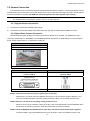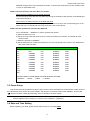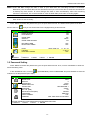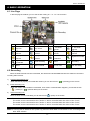
1
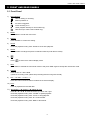
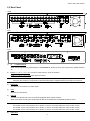
FRONT AND REAR PANELS
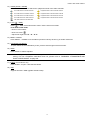
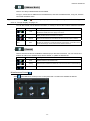
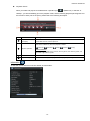
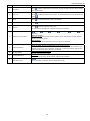
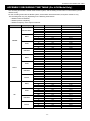
12) AUDIO (SLOW + ZOOM)
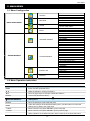
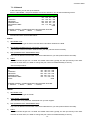
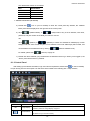
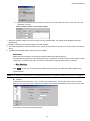
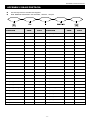
Press “SLOW” + “ZOOM” to select live or playback sounds of the audio channels.
Live audio of the 1st audio channel
Playback audio of the 1st audio channel
Live audio of the 2nd audio channel
Playback audio of the 2nd audio channel
Live audio of the 3rd audio channel
Playback audio of the 3rd audio channel
Live audio of the 4th audio channel
Playback audio of the 4th audio channel
The audio channel is not selected.
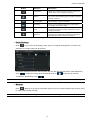
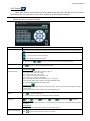
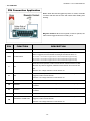
13) P.T.Z. (
+ SEQ)
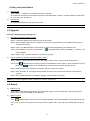
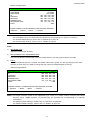
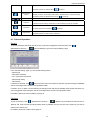
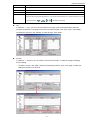
Press “ ” + “SEQ” at the same time to enter / exit the PTZ control mode.
In the PTZ control mode,
* Zoom in: Press "SEQ"
* Zoom out: Press " "
* Adjust PTZ angle: Press ▲ / ▼ / ◄ / ►
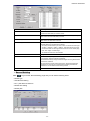
14) MENU + ENTER
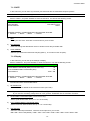
Press “MENU” + “ENTER” on the DVR front panel to lock keys and to log in another username.
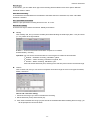
15) LIST (Event List Search)
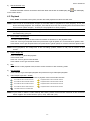
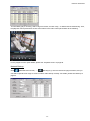
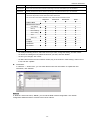
To quick search the recorded files by event, press to show all types of the event lists.
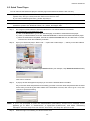
16) SNAP
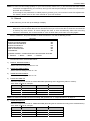
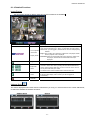
Press “SNAP” to take a snapshot.
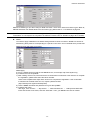
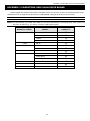
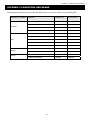
Note: Before taking a snapshot, insert a compatible USB flash drive into the DVR USB port for snapshot
saving. For the compatible USB flash drive list, please refer to “APPENDIX 3 COMPATIBLE USB
FLASH DRIVE BRAND” at page 68.
17) EJECT (Selected Models Only)
Press “EJECT” to open / close the DVD Writer.
18) USB
Supports firmware / OSD upgrade and file backup.
-5-