1
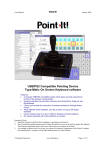
Point-It! USB Mouse Properties – Windows XP
In Windows XP Microsoft have introduced the “Enhance pointer precision”
option in Mouse Properties. However, to get the smoothest response from
your Point-It! joystick this option should be disabled.
To disable the “Enhance pointer precision” option
1. From the “Start” menu choose “Control Panel” and then click on
“Printers and Other Hardware”.
3. Click on the “Pointer Options” tab.
2. Click on “Mouse”.
4. Click on the “Enhance pointer
precision” checkbox to disable this option
and then click “OK”.
Page 4 of 4
October 2004