1
21
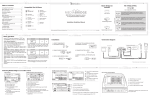
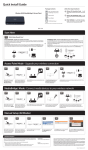
Illustration showing BMW 16:9 Navigation radio
Use DISC buttons 1-6
to change between
DISC modes and to
recall SIRIUS stations.
Press and hold to
store SIRIUS stations
(MediaBridge SIRIUS
source mode)
Press the MODE button
to access MediaBridge
as the audio source
Selected iPod
mode (Song,
Playlist, Artist,
Song title
Artist
etc...)
Current source
(iPod, Sirius,
AUX)
Shows whether Bluetooth enabled
phone is paired.
BT - = Not paired
BT + = Paired
INFO
1
4
2
5
3
6
FM
AM
Everything Is
Song
Various Ar
This Song
BT+
iPod
TONE SELECT
MODE
MENU
Press the TRACK buttons to go
to the next/previous song, playlist, artist or album (depending on
which DISC number is selected).
Press and hold the TRACK
buttons to RW or FFW.
01/02/2008
Turn the jog dial to change tracks. Note that a 5 second timeout is engaged once any
of the alternate display buttons are pressed. If exiting from any of these sub-screens
without waiting for the normal timeout, you must wait 5 seconds before being able to
use the jog dial again to navigate through content.