1
4.6 FUEL vs. RPM function
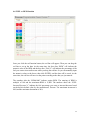
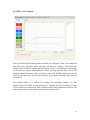
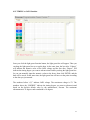
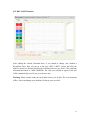
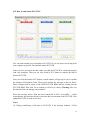
Once you click the red function button, the red line will appear. Then you can drag the
red line to set up the data. At the same time, the box after “RPM” will indicate the
numeric value of the RPM and the box after “Fuel %” will indicate the percentage of the
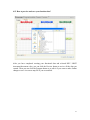
fuel you want to increase/decrease while you drag the red line. Or you can manually input
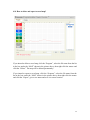
the numeric values to the boxes, then click ENTER, and the data will be saved. At the
same time, the red line will move to the point according to the data you just entered.
The numbers after the “RPMx1000” indicate engine RPM. The entering of RPM is
multiple of 100 and the maximum RPM is 15,000. The numbers above the “FUEL
Increase/Decrease %” indicate the fuel percentage you want to increase/decrease based
on the built-in default value by the manufacturer, Procom. The maximum increment is
80% and the maximum decrement is 20%.
20