1
USER MANUAL
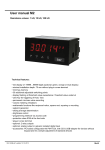
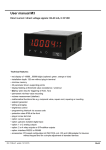
DMI-D1 Series
• 1/8 DIN Case
• 3-button Front Panel Operation
• 5-digit, 7-segment 0.56”
(14.2 mm) LED Display
DC LVDT Indicator
Specifications
General
Digital Display: 7-segment, 0.56” (14.2 mm) LEDs.
The easiest solution to single input LVDT
display and control applications
Display Color: Red
Display Range: -19999 to 99999.
Display Update Rate: 10 times per second.
Display Dimming: 8 brightness levels. Front panel
selectable.
Introduction
Polarity: Assumed positive. Displays – negative.
The DMI-D1 Series is a DC LVDT (Linear Variable Differential
Transformer) indicator that delivers precise measurement and indication
for applications using a single DC LVDT input.
The 5-digit, 7-segment LED display provides configuration setup prompts
for DC LVDT parameters using intuitive, easy to follow text menus.
Annunciators: 6 red LEDs on front panel.
Overrange Indication:
Underrange Indication:
Front Panel Controls: PROGRAM, UP and DOWN buttons.
Power Supplies
Setup
Options
•
Select 50 or 60 Hz supply frequency.
•
Select decimal point position setting with
resolution to 0.0001 of any engineering
unit.
Calibration
•
•
Input Signal Calibration:
Perform 2-point zero and span input
signal calibration setting.
Analog Output Signal Calibration:
Calibrate analog output milliamp or
voltage output low and high settings.
Analog Output Scaling
Set the analog output low (zero) and
high (full scale) range settings.
Setpoints
• Relays: Up to four 5 amp
relays.
• Analog Output
Standard: Fully scalable
from 0/4 to 20 mA (or
reverse).
Options: Single 0 to 10 V
DC (or reverse).
• Display Zero
Preprogrammed function
requires customer
supplied switch to operate.
• Reset Display Value
Preprogrammed function
requires customer
supplied switch to operate.
Standard high voltage AC power supply
115 V AC
Optional low voltage DC power supply
24 V DC
Environmental
Operating Temperature: 0°C to 50°C (32 °F to 122°F).
Storage Temperature: -20 °C to 70°C (-4°F to 158°F).
Relative Humidity: 95% (non-condensing) at 40 °C (104°F).
Mechanical
Case Dimensions: 1/8 DIN, 96x48 mm (3.78” x 1.89”).
Case Depth: 137 mm maximum (5.39”).
Case Material: 94V-0 UL rated self-extinguishing
polycarbonate.
Weight: 11.5 oz (0.79 lbs), 14 oz (0.96 lbs) when packed.
Approvals
CE: As per EN-61000-3/4/6 and EN-61010-1.
LVDT Input
Four independent setpoints with
individually configured setpoint actuation
values, preprogrammed for above or
below activation:
Excitation Voltage: 24 V DC.
Temperature Coefficient: ± 50 ppm/°C of full scale (typ.)
LVDT Input: 1M input impedance.
• Lo 1, Lo 2 activates below value.
Analog to Digital: Dual scope 17 bipolar converter.
• hi 1, hi 2 activates above value.
Output Rate: 10 Hz averaged response output.
Line Frequency Rejection: 50/60 Hz noise rejection.
Table of Contents
Relays
Specifications . . . . . . . . . . . . . . . . . . . . . . . . . . . . . . . . . . . . . . . . . .1
Introduction . . . . . . . . . . . . . . . . . . . . . . . . . . . . . . . . . . . . . . . . . . .1
Configuration Menu . . . . . . . . . . . . . . . . . . . . . . . . . . . . . . . . . . . . .2
Setup Configuration Menu . . . . . . . . . . . . . . . . . . . . . . . . . . . . . . . .3
Input Signal Setup Procedures . . . . . . . . . . . . . . . . . . . . . . . . . . . .4
Setpoints . . . . . . . . . . . . . . . . . . . . . . . . . . . . . . . . . . . . . . . . . . . . .4
Analog Output Procedures . . . . . . . . . . . . . . . . . . . . . . . . . . . . . . .4
Connector Pinouts . . . . . . . . . . . . . . . . . . . . . . . . . . . . . . . . . . . . . .6
Installation . . . . . . . . . . . . . . . . . . . . . . . . . . . . . . . . . . . . . . . . . . . .9
Application Examples for the DMI-D2 Dual Input Controller . . . . . .10
Notes . . . . . . . . . . . . . . . . . . . . . . . . . . . . . . . . . . . . . . . . . . . . . . .11
DMI-D1 Series
02/05
Plugs into carrier board from rear:
Four 5 A Form A Relays.
Form A Relay Specifications: 5 A 240 VAC.
Isolation 3000 V. UL and CSA listed.
Macro Sensors Tel. (856) 662-8000
www.macrosensors.com
1
Configuration Menu
The Configuration Menu shown opposite
is a flow diagram of the DMI-D1 Series’
configuration menus and describes the
settings and parameters that can be
applied in each menu.
OPERATIONAL
DISPLAY
Prog.
SP1
SP2
SP3
SP4
SP5
SP6
Supply Frequency & Decimal Point
P
Start
Prog.
SP1
SP2
SP3
SP4
SP5
SP6
4 Secs
Prog.
Supply Frequency & Decimal Point
The supply frequency and decimal
point menu allows you to configure:
P
SP1
SP3
SP2
SP4
SP5
SP6
Prog.
SP1
SP2
SP3
SP4
SP5
P
SP6
NO changes reqd.
Takes you into the Setup menu that
provides selection for:
• Supply frequency: 50 or 60 Hz.
• Decimal point position: No dp, 0.1,
0.12, 0.123, 0.1234.
Calibration
Input & Analog Output Signal Calibration
• The power supply frequency: 50 or 60
Hz (60 Hz is the factory default setting).
P
• The position of the decimal point: No
decimal point, 0.1, 0.12 (default), 0.123,
0.1234, 0.12345
Prog.
SP1
SP2
SP3
SP4
SP5
SP6
Prog.
Prog.
SP1
SP2
SP3
SP4
SP5
SP1
SP2
SP3
SP4
SP5
P
SP6
SP6
Calibration
The DC LVDT input signal calibration
menu allows you to perform a 2-point zero
and span calibration of the input signal.
Takes you into the Input Signal
Calibration menu that provides
selection for:
• 2-point input signal calibration with
zero and span settings.
• Analog output signal calibration that
provides analog output signal 0/4-20
mA or 0-10 V low and high calibration
settings
Analog Output Signal Range Scaling
P
Analog Output Calibration
Prog.
Once the milliamp or voltage output is
calibrated, the analog output range can be
easily rescaled (zero and full scale) using
the analog output scaling mode without
having to recalibrate the milliamp or
voltage output. The calibrated low and
high milliamp or voltage output signal
values follow the new span range.
See Analog Output Scaling and
Calibration Example for more details
SP2
SP3
SP4
SP5
SP6
Prog.
This menu allows you to calibrate the
analog output’s milliamp or voltage output
to suit your application.
Calibrating the analog output requires
setting the milliamp or voltage output low
[CAL_LO] and high [CAL_HI] parameters
using a multimeter connected to the
analog output signal (See Figure 1 for an
DMI-D1 Series to multimeter connection
diagram). The calibrated low and high
outputs can be set anywhere between
–0.3 to +21 mA for current or –0.3 V to
+10.5 V for voltage.
SP1
Prog.
Prog.
SP1
SP2
SP3
SP4
SP5
SP1
SP2
SP3
SP4
SP5
SP1
SP6
SP2
SP3
SP4
SP5
SP6
P
Takes you into the Analog Output
Signal Range Scaling menu and allows
you to set the low and high range settings
for the calibrated analog output signal.
SP6
Setpoints
Start P
Prog.
SP1
SP2
SP3
SP4
SP5
SP6
Together
Prog.
SP1
SP2
SP3
SP4
SP5
SP6
Takes you into the Setpoints menu and allows you to
set the setpoint activation value for the four setpoints.
Setpoint Lo 1 and Lo 2 activate below the setpoint activation
value, so that when the signal falls below the Lo 1 or Lo 2 value,
Lo 1 or Lo 2 activates.
Setpoint hi 1 and hi 2 activate above the setpoint activation
value, so that when the signal rises above the hi 1 or hi 2
value,hi 1 or hi 2 activates.
Analog Output Scaling
The analog output module is a standard
single channel, programmable, isolated,
16-bit analog output that can be scaled to
any desired span between –199999 to
999999 display counts using the analog
output scaling menu.
Optional dual channel 0-10 V DC analog
output module is also available.
Display Zero and Reset Display Value
DMI-D1 Series has been programmed with a
display zero and reset display value function.
The display zero function is used to zero the
display when the sensor is in any position.
Display zero is initiated from a remote switch (not
supplied) connected across the common and
hold pins at the rear of the controller (Terminal 2:
Pin 4 Common, Pin 2 Hold).
The reset display value function is used to
restore the true calibrated value on the display.
Reset display value is initiated from a remote
switch (not supplied) connected across the
common and lock pins at the rear of the
controller (Terminal 2: Pin 4 Common, Pin 1 Lock).
MULTIMETER
SP1
MIN MAX
RANGE
REL
SP2
SP3
SP4
SP5
SP6
HOLD
Hz
The display zero value and reset display value are
not retained during a power outage. The display
zero and reset display value functions are often
used for cut, measure, and trim applications.
PEAK MIN MAX
mV
V
mA
A
V
µA
Prog.
SP1
SP2
SP3
SP4
SP5
SP6
OFF
A
mA µA
COM V
+ –
TERMINAL 4
Pin 2-
Pin 3+
Figure 1 – Multimeter Connections
2
www.macrosensors.com
Macro Sensors Tel. (856) 662-8000
DMI-D1 Series
02/05
Setup Configuration Menu
Supply Frequency & Decimal Point
P
Prog.
SP1
SP3
SP2
SP4
SP5
Prog.
SP6
4 Secs
Prog.
SP1
SP3
SP2
SP4
SP5
Prog.
SP6
SP1
SP2
SP3
SP4
SP5
P
SP6
SP1
SP2
SP3
Prog.
SP4
SP1
SP5
SP2
SP6
SP3
SP4
SP5
Prog.
SP6
SP1
SP3
SP2
SP4
SP5
SP6
Default
P
Prog.
Prog.
P
SP1
SP2
SP3
Prog.
SP4
SP1
SP5
SP2
SP2
SP3
SP4
SP5
SP6
SP6
SP3
SP4
SP5
Prog.
SP1
SP2
SP3
SP4
SP5
SP6
Prog.
SP1
SP2
SP3
SP4
SP5
SP6
SP6
Default
Prog.
Calibration
SP1
SP1
SP2
SP3
SP4
SP5
SP6
CAUTION: Do not enter the Calibration menu unless you are sure you want to change the calibration parameters.
P
Prog.
SP1
SP3
SP2
Prog.
SP4
SP1
SP5
SP3
SP2
Prog.
SP6
SP4
SP5
Prog.
SP6
SP1
SP2
SP3
SP4
SP5
SP6
P
SP1
SP2
SP3
Prog.
SP4
SP1
SP5
SP2
Adjust the sensor to the required zero position. Adjust the display value
using the
buttons. Press the P button to accept the sensor's new
zero value.
Example Sensor
SP6
SP3
x1
SP4
SP5
SP6
Max counts 99999
Example
Min counts –19999
ZERO POSITION
P
Prog.
SP1
SP2
SP3
Prog.
SP4
SP1
SP5
SP2
Adjust the sensor to the required span position. Adjust the display value
using the
buttons. Press the P button to accept the sensor's new
span value.
Example Sensor
Max counts 99999
SP6
SP3
SP4
SP5
SP6
Example
P
Prog.
SP1
SP3
SP2
Prog.
SP4
SP1
SP5
SP2
Prog.
SP6
SP3
Min counts –19999
SPAN POSITION
Analog Output Signal Calibration
SP4
SP5
Prog.
SP6
x2
SP1
SP2
SP3
SP4
SP5
SP6
P
P
[ PrESS P And uP]
Prog.
Scrolls across display
SP1
SP2
SP3
SP4
SP5
SP6
SP1
SP2
Prog.
SP3
SP4
SP1
SP5
SP2
SP6
SP3
SP4
SP5
SP6
Together
DMI-D1 Series Connected to Multimeter
Prog.
P
SP1
SP2
Prog.
SP3
SP4
SP1
SP5
SP2
Prog.
SP6
SP3
SP4
SP5
SP6
P
SP2
SP3
Prog.
Prog.
P
SP1
SP1
SP2
Prog.
SP4
SP1
SP3
SP4
SP1
SP5
SP2
SP5
SP2
Ensure the correct low analog
output signal reading [CAL_L] is
shown on the multimeter.
SP6
SP3
SP4
SP5
SP6
Ensure the correct high analog
output signal reading [CAL_h] is
shown the multimeter.
SP6
SP3
If not correct, press the
OR
button on the DMI-D1 Series
until the reading on the multimeter
display is correct.
SP4
SP5
SP6
If not correct, press the
OR
button on the DMI-D1 Series until
the reading on the multimeter
display is correct.
Max counts
99999
Min counts
–19999
Max counts
99999
Min counts
–19999
Together
Prog.
SP1
P
SP2
SP3
Prog.
SP4
SP1
SP5
SP2
SP6
SP3
SP4
SP5
SP6
P
Analog Output Range Scaling
Prog.
P
SP1
SP2
Prog.
SP3
SP4
SP1
SP5
SP2
Prog.
SP6
SP3
SP4
SP5
SP6
P
SP1
SP2
SP3
Prog.
SP4
SP1
SP5
SP2
Set the counts required to be displayed for the calibrated
low analog output value using the
buttons. Press the
P button to accept the new high value.
SP6
SP3
SP4
SP5
Max counts
99999
Min counts
–19999
SP6
Default
Prog.
P
SP1
SP2
Prog.
SP3
SP4
SP1
SP5
SP2
Set the counts required to be displayed for the calibrated
high analog output value using the
buttons. Press the
P button to accept the new low value.
SP6
SP3
SP4
SP5
SP6
Max counts
99999
Min counts
–19999
Default
DMI-D1 Series
02/05
Macro Sensors Tel. (856) 662-8000
www.macrosensors.com
3
Setpoints
Setpoint Activation
The four setpoints are grouped together in two pairs:
Setpoints
START
• Setpoint Lo 1 (SP1) and hi 1 (SP2).
• Setpoint Lo 2 (SP3) and hi 2 (SP4).
P
Prog.
SP1
SP2
SP3
SP4
SP5
SP6
Together
Prog.
SP1
SP2
SP3
SP4
SP5
SP6
Default
P
Prog.
SP1
SP2
SP3
Prog.
SP4
SP1
SP5
SP2
Low setpoints Lo 1 and Lo 2 are programmed to activate on
a falling signal below the setpoint activation setting.
Min counts
–19999
High setpoints hi 1 and hi 2 are programmed to activate on
a rising signal above the setpoint activation setting.
Max counts
99999
SP6
SP3
Max counts
99999
SP4
SP5
SP6
Default
Min counts
–19999
ABOVE
Lo 1 / Lo 2 SP
P
Prog.
SP1
SP2
SP3
Prog.
SP4
SP1
SP5
SP2
SP3
SP4
SP5
SP6
Default
P
Prog.
SP1
SP2
Prog.
SP3
SP4
SP1
SP5
SP2
Min counts
–19999
ACTIVATION SP
hi 1 / hi 2
BELOW
Max counts
99999
SP6
SP3
Falling
LVDT
Signal
Max counts
99999
SP6
Rising
LVDT
Signal
SP4
SP5
SP6
Default
Min counts
–19999
Input Signal Connection
Technical Description
24V EXC
OUTPUT
EXCITATION
DC LVDT
OFF
ON
GND
Custom
20mA
2mA
200V
20V
10V
5V
2V
CURRENT
VOLTAGE
See Figure 2. The process input module is designed to
drive and condition the signal from a DC LVDT
transducer. The process input module also provides
the 24V DC excitation to the DC LVDT.
UNIVERSAL PROCESS INPUT MODULE (IP07)
DC LVDT Input Connection to DMI-D1 Series
Analog Output Scaling and Calibration Example
Analog Output Calibration Mode Procedure
In this example the analog output signal is scaled over a range of
50 to 3000 counts. The analog output is then calibrated for a 0 to
10 V DC output.
Note:
In Steps 11 to 19, the analog output may be calibrated to other
ranges such as 0-20 mA or 4-20 mA. For current output the header on
the analog output module has to be moved to the CURRENT position.
See the drawing on Page 8 on how to change the analog output from
voltage (default) to a current output.
4
www.macrosensors.com
1) See Figure 1. Connect a multimeter to the analog output
connector at the rear of the meter (Terminal 4: Pin 3 positive,
Pin 2 negative).
2) Make sure the multimeter is set to read the appropriate signal
type: volts or milliamps.
3) Carry out the analog output scaling procedure to set zero and
full scale settings.
4) If required, carry out the analog output calibration procedure to
calibrate the millamp (or voltage) output low and high settings.
Macro Sensors Tel. (856) 662-8000
DMI-D1 Series
02/05
From Step 9
Operational Display
Prog.
Step 1
SP1
SP2
SP3
SP4
SP5
With DMI-D1 Series connected
to a multimeter, DMI-D1 Series
displays [CAL] [151]. This
is the setting for analog
output 1.
Press
for 4
secs
Press the P
button for
4 secs
Prog.
Step 2
X
Select Enter
Prog.
Step 10
SP6
SP1
SP2
SP3
SP4
SP5
SP1
SP2
SP4
SP3
SP4
SP1
SP5
SP2
SP6
SP3
SP4
SP5
SP6
DO NOT CHANGE
THIS SETTING.
Press
1
Press P to start the
calibration procedure
SP6
SP3
SP2
Prog.
MULTIMETER
Prog.
SP1
SP5
Prog.
SP1
SP2
SP3
SP4
SP5
SP6
SP6
MIN MAX
RANGE
REL
HOLD
Hz
PEAK MIN MAX
Prog.
mV
Step 11
Prog.
Step 3
Enter the Supply
Frequency menu
X
Step 4
SP3
SP4
SP5
SP1
SP2
SP3
SP4
SP5
If not correct, press the
OR
button on
DMI-D1 Series until the
reading on the
multimeter display is
correct.
SP6
X
Prog.
µA
SP1
SP1
SP2
SP3
SP4
SP5
Step 12
SP6
A
SP2
Prog.
SP3
SP4
SP1
SP5
SP2
SP3
SP4
SP5
SP2
SP3
SP4
SP5
MIN MAX
RANGE
REL
mA µA
COM V
X
Example
HOLD
Hz
V
mA
A
V
µA
mA µA
A
SP2
SP4
SP2
SP3
SP4
SP5
SP6
TERMINAL 4
Press
1
+ –
Pin 2–
Prog.
MULTIMETER
MIN MAX
RANGE
REL
SP1
SP2
SP3
SP4
Pin 3+
SP5
SP6
HOLD
Hz
PEAK MIN MAX
Prog.
mV
V
mA
A
V
µA
OFF
A
mA µA
COM V
SP1
SP2
SP3
SP4
SP5
SP6
OR
TERMINAL 4
X
Pin 2–
Pin 3+
+ –
MULTIMETER
SP6
SP3
SP1
COM V
RANGE
REL
SP1
OR
Pin 3+
OFF
MIN MAX
Prog.
SP6
PEAK MIN MAX
If not 10.00 V DC, press
the
OR
button on
DMI-D1 Series until the
reading on the multimeter
display is correct.
SP1
SP5
mV
Ensure the high analog
output signal reading
[CAL_h] on the multimeter
display is 10.00 V DC.
SP6
SP4
MULTIMETER
Step 13
SP6
SP3
+ –
Save the low analog
output signal setting.
Enter analog output
high signal calibration
SP1
SP2
TERMINAL 4
Pin 2–
Step 6
Press the button
3 times to jump to the
Output menu
V
Prog.
Prog.
Press
1
Pass thru the
Decimal Point
menu
mA
A
OFF
Ensure the low analog
output signal reading
[CAL L] on the multimeter
display is 0.00 V DC.
SP6
Press
1
Prog.
Step 5
SP2
Press
1
Prog.
Pass thru the
Supply Frequency
menu
SP1
V
SP5
SP6
HOLD
Hz
PEAK MIN MAX
Press
x3
mV
V
mA
A
V
µA
OFF
A
Prog.
Step 7
Enter the Analog
Output menu
Step 14
SP1
SP2
SP3
SP4
SP5
Press P button
to leave the CAL
menu
SP6
Press
1
mA µA
COM V
X
Step 8
X
Display scrolls
[PrESS P and uP]
Press
Press P and
at same
time
buttons at the
same time
Prog.
X
Step 9
Press P to enter the
Calibration menu
Press
SP1
SP2
Prog.
SP1
SP2
Prog.
SP3
SP4
SP1
SP3
SP2
SP4
SP1
SP5
SP2
SP2
SP3
SP4
SP5
SP6
Press
1
Pin 2–
SP1
SP2
SP3
SP4
SP5
Pin 3+
SP6
SP6
SP3
SP5
SP1
TERMINAL 4
Prog.
Prog.
Prog.
+ –
SP4
SP5
SP6
SP6
SP3
SP4
SP5
SP6
Step 15
Press
at same
time
Press P and buttons at
the same time to return to
the operational display
To
Step
10
Prog.
SP1
SP2
SP3
SP4
SP5
SP6
Prog.
SP1
SP2
SP3
SP4
SP5
SP6
Press
at same
time
Press
at same
time
Operational Display
1
DMI-D1 Series
02/05
Macro Sensors Tel. (856) 662-8000
www.macrosensors.com
5
Connector Pinouts
All external connections to DMI-D1 Series is via the following
six connector terminal blocks located at the rear of the
controller:
• Terminal 1:
DC LVDT Input Signals.
• Terminal 2:
Function Pins.
• Power:
AC / DC Power Supply.
• Terminal 4:
Analog Output (optional).
• Terminal 5:
Serial Output (optional).
• Terminal 6:
Relay Output Module.
The DMI-D1 Series uses plug-in type screw terminal connectors
for most input and output connections, an RJ-11 phone
connector for the optional RS-232 or RS-485 serial outputs, and
an RJ-45 phone connector for the optional Ethernet output.
TERMINAL 5
Serial Output
TERMINAL 6
Output Module
(All output modules use up to 8 pins except
the multi-I/O module which uses 26 pins)
up to
1
2
1 2 345 6
1
3
TERMINAL 2 Function Pins
1
2
3
LOCK
HOLD
TEST
Rear Panel Pinout Diagram
6
www.macrosensors.com
Dual Analog
Output ONLY
26
TERMINAL 1 Input Module
1
TERMINAL 4
Analog Output
Macro Sensors Tel. (856) 662-8000
5
4
2
3
POWER
1
2
COM CAPTURE
:
WARNING AC and DC input signals and power supply
voltages can be hazardous. Do not connect live wires to
screw terminal plugs, and do not insert, remove, or handle
screw terminal plugs with live wires connected.
DMI-D1 Series
02/05
Pin
Connector
TERMINAL 4
Name
Description
TERMINAL 4 connects the analog output module to external devices. A single 0~4 to 20 mA (standard) or (optional) 0 to 10 V DC is
Analog Outputs supported on the standard, Ethernet, or DeviceNET carrier board.
Pins 1 to 3
1
-
-
2
Negative (–)
Negative for Analog Output.
3
Positive (+)
Positive for Analog Output .
Pin
Connector
TERMINAL 1
Input Signals
Pins 1 up to 11
Pins 1 to 5
+ Signal
– Signal
–Excitation
+Excitation
Not Connected
Not Connected
Not Connected
Not Connected
Not Connected
Ground
Shield
Input Module
24V EXC
OUTPUT
DC LVDT
EXCITATION
OFF
ON
GND
Custom
20mA
2mA
200V
20V
10V
5V
2V
Function Pins
Description
CURRENT
VOLTAGE
TERMINAL 2
1
2
3
4
5
6
7
8
9
10
11
Name
UNIVERSAL PROCESS INPUT MODULE (IP07)
1
Reset Display
Value (Lock)
By connecting Pin 1 (lock) to Pin 4 (common) with a remote spring-return switch restores the
display to the true calibrated value.
2
Display Zero
(Hold)
By connecting Pin 2 (hold) to Pin 4 (common) with a remote spring-return switch zeroes the
display.
3
Display Test and
Reset
Pin 3 (display test and reset pin) provides a test of the controller’s display and resets the
microprocessor when Pin 3 is connected to Pin 4.
4
Common
To activate the hold, test and reset, or lock pins from the rear of the controller, the respective
pins have to be connected to the common pin.
5
-
-
For further details on the function pins, contact Macro Sensors.
POWER
Auto Sensing
AC / DC Power
Supply
1
AC Neutral / DC –
2
AC Line / DC +
Pins 1 and 2
DMI-D1 Series
02/05
The power connector supplies AC / DC power to the controller via a standard high voltage or
optional low voltage auto-sensing power supply mounted on the main board.
PS1:
Standard High Voltage option. 115 V AC.
PS2:
Optional Low Voltage option. 24 V DC.
Macro Sensors Tel. (856) 662-8000
www.macrosensors.com
7
TERMINAL 5
TERMINAL 5 connects an optional serial output module to external devices.
Serial Outputs
The standard carrier board supports a single or dual RS-232 or RS-485 ASCII
or Modbus serial card connected thru an RJ-11 socket.
Pins 1 up to 8
The Ethernet carrier
board uses an RJ45 socket at 10/100
Base-T.
STANDARD CARRIER BOARD
Pin No.
RJ-11
Single Output
ETHERNET CARRIER BOARD DEVICENET CARRIER BOARD
RS-485 (ASCII or Modbus) RJ-11 Socket
RS-232 (ASCII or Modbus) RJ-11 Socket
Dual Output
Single Output
RJ-45 Socket
(10/100 Base-T)
Dual Output
3.5 mm Pitch
Screw Terminal
1 2 3 4 5 6
1
2 34 5 67
8
RJ-45
3.5 mm
Screw Terminal
DeviceNet
1 2 3 4 5
TERMINAL 6
Relay Outputs
Pins 1 up to 8
Reserved for future use
RXD1
Reserved for future use
B1
White/Orange
TXD+
2
Isolated Ground
0V
Isolated Ground
0V
Orange
TXD
-
Can
3
+5 VDC to power external converters 0 V1
+5 VDC to power external converters 0 V1
White/Green
RXD+
N/C
4
TXD. Transmitted Serial
TXD
A (High)
A
Blue
5
RXD. Received Serial
RXD
B (Low)
B
White/Blue
-
Positive (+) 24 V
6
Reserved for future use
TXD1
Reserved for future use
A1
Green
7
Not applicable
Not applicable
Not applicable
Not applicable
White/Brown
8
Not applicable
Not applicable
Not applicable
Not applicable
Brown
TERMINAL 6 connects electromechanical
relays to external applications.
Normally Open SP4
Common SP4
Normally Open SP3
Common SP3
Normally Open SP2
Common SP2
Normally Open SP1
Common SP1
www.macrosensors.com
Negative ( ) 24 V
- (negative)
Can + (positive)
-
RXD
-
Not applicable
Not applicable
Not applicable
With 4 relays installed, an 8-pin connector block is used.
SP4
1
2
3
4
5
6
7
8
8
-
1
SP3
SP2
SP1
Relay Modules with
Four 5 A Form A Relays
Macro Sensors Tel. (856) 662-8000
1
2
3
4
Order Code
SP4
-
5
6
7
Options
SP3
SP2
-
-
8
SP1
5A
DMI-D1 Series
02/05
Installation
PANEL CUTOUT
FRONT VIEW
Case will mount in standard 1/8 DIN coutouts
1/8 DIN 96x48mm
4 mm
Mosaic Fitting 87.4 mm
(0.16")
(3.45") 43.4 mm
8 places 40.8 mm
(1.71")
(1.61") 91.6 mm
Snug Fitting
3 12")
(3.6")
8 places
1/8 DIN
Cutout spacers
92 mm
(3.62")
45 mm
(1.77")
Loose Fitting
48 mm
(1.89")
Prog.
3.9 mm
(0.15") typical
Straight-thru Connector for
meters with output board
20 mm (0.79")
SIDE VIEW
3.7 mm
(0.15")
Panel adaptor plates are
available to retrofit most
40.8 mm existing panel cutouts.
43.4 mm
(1.71")
DIN Cutout spacers
SP1
SP2
SP3
SP4
SP5
(1.61")
SP6
96 mm
(3.78")
117 mm
(4.61")
5.3 mm
(0.21")
Max. panel thickness
50mm
(1.97")
96 mm
(3.78")
91.6 mm
(3.6")
DIN
Cutout
Spacer
4.7 mm
(0.19")
DIN Cutout Spacer
Right-angled Connector
11.8 mm (0.47")
TOP VIEW
To open rear cover,
use a small flat
blade screw driver.
Press down lightly to
release catch on top
or bottom of case
and lever outwards.
Prog.
SP1
SP1
SP2
SP3
SP4
SP5
SP6
Prog.
SP1
SP1
SP2
SP3
SP4
SP5
SP6
95.4 mm
(3.77") The 96x48 mm case is
87.4 mm
(3.45")
mosaic
fitting
For additional strength, extra Mounting
Slide Clips can be ordered and doubled up
one behind the other. P/N: (75-DMTCLIPF)
particularly suitable for
mounting in mosaic panels
or insulative panels up to 2"
thick. They can also stack
mount, 2 up in existing
cutouts for 1/4 DIN (96x96
mm) or 4 up in 1/2 DIN
(96X192 mm).
2 mm
(0.08")
Connector
Socket
Installation Procedure
WARNING
AC and DC power supply voltages are
hazardous. Make sure the power supply
is isolated before connecting to the
meter.
1)
2)
STEP A Prepare the Panel
1)
Cut a hole in the panel to suit the
panel cutout. See panel cutout sizes
above.
1
STEP C Connect the Cables
STEP B Install the Meter
3)
1 1) Connect all input and output signal
cables to the connector pins.
Push the meter into the panel cutout from the
(See Connector Pinouts for details).
front of the panel. 2
2) Connect the power cables to the
Attach both mounting clips to the meter from
connector pins.
the rear of the panel and push them towards
(See Connector Pinouts for details).
the front of the panel until the meter is firmly
held.
3
Remove both mounting clips from the meter.
2
3
Figure 5 – DMI-D1 Series Installation Sequence
DMI-D1 Series
02/05
Macro Sensors Tel. (856) 662-8000
www.macrosensors.com
9
Application Examples for the DMC-D2 Series Dual Input DC LVDT Controller
Differential measurements are now available with Macro Sensors’ Dual Input LVDT Controller
LVDT sensors can be applied in almost
all engineering applications covering
civil, mechanical, petrochemical, power
generation, production, aerospace,
defence, and much more.
DC LVDT 1
1
DC LVDT 2
They can be used on production lines
to automatically gauge products for
quality control and product sorting.
Prog.
SP1
SP2
SP3
SP4
SP5
SP6
Operational Display (CH1)
In the power generation and
petrochemical industries they can be
used, for example, as servo position
feedback on actuated equipment such
as valves and dampers, or for
measuring turbine casing expansion.
2
Prog.
SP1
SP2
SP3
SP4
SP5
SP6
CH2 View Mode
Submersible units can be used in
marine and offshore mining
applications. Sensors that meet military
environmental standards have been
applied to defence and aerospace
applications.
ALIGNMENT TOOL
Measured using two LVDT sensors at 90°
DC LVDT 1 to CH1 = Shown on Display
DC LVDT 2 to CH2 = Use View Mode to view CH2
Following are applications that show the
power and versatility of Macro Sensors’
DMC-D2 dual input differential
measurement controller.
DC LVDT 1
DC LVDT 1
DC LVDT 2
DC LVDT 2
1
Prog.
SP1
SP2
SP3
SP4
SP5
SP6
Prog.
Operational Display
1
2
SP1
SP2
SP3
SP4
SP5
SP6
Operational Display
showing result of
signal 1 Ñ signal 2
showing result of
LVDT 1 + LVDT 2
2
SLOPE INDEXING
THICKNESS MONITORING
Measured using two parallel DC LVDT sensors (1 – 2)
Measured using two opposed DC LVDT sensors (1 + 2)
DC LVDT 1 minus DC LVDT 2 = Displayed Result
DC LVDT 1 plus DC LVDT 2 = Displayed Result
For further information on Macro
Sensor’s DMC-D2 dual input
differential measurement controller
contact Macro Sensors and request:
10
www.macrosensors.com
Brochure:
DMC-D2 Series.
User Manual: DMC-D2 Series.
Or go to www.macrosensors.com and download a pdf of either document from
our free downloadable literature.
Macro Sensors Tel. (856) 662-8000
DMI-D1 Series
02/05
Notes
Frequency:
CH 1
Decimal Point Position:
Input Signal
ZEro:
SPAn:
Analog Output Signal
Calibration
A_OUT1
CAL_L:
CAL_h:
Scale Range
Zero:
Full Scale:
Setpoint Activation Values
Lo 1:
hi 1:
Lo 2:
hi 2:
DMI-D1 Series
02/05
Macro Sensors Tel. (856) 662-8000
www.macrosensors.com
11
WARRANTY
USER’S RESPONSIBILITY
Macro Sensors warrants that its products are free from defects in material and workmanship
under normal use and service for a period of one year from date of shipment. Macro Sensors’
obligations under this warranty are limited to replacement or repair, at its option, at its factory,
of any of the products which shall, within the applicable period after shipment, be returned to
Macro Sensors’ facility, transportation charges pre-paid, and which are, after examination,
disclosed to the satisfaction of Macro Sensors to be thus defective. The warranty shall not apply
to any equipment which shall have been repaired or altered, except by Macro Sensors, or which
shall have been subjected to misuse, negligence, or accident. In no case shall Macro Sensors’
liability exceed the original purchase price. The aforementioned provisions do not extend the
original warranty period of any product which has been either repaired or replaced by Macro
Sensors.
We are pleased to offer suggestions on the use of our various products either by way of printed
matter or through direct contact with our sales/application engineering staff. However, since we
have no control over the use of our products once they are shipped, NO WARRANTY
WHETHER OF MERCHANTABILITY, FITNESS FOR PURPOSE, OR OTHERWISE is made
beyond the repair, replacement, or refund of purchase price at the sole discretion of Macro
Sensors. Users shall determine the suitability of the product for the intended application before
using, and the users assume all risk and liability whatsoever in connection therewith, regardless
of any of our suggestions or statements as to application or construction. In no event shall
Macro Sensors’ liability, in law or otherwise, be in excess of the purchase price of the product.
Macro Sensors cannot assume responsibility for any circuitry described. No circuit patent or
software licenses are implied. Macro Sensors reserves the right to change circuitry, operating
software, specifications, and prices without notice at any time.
For product details visit www.macrosensors.com
7300 U.S. Route 130 North Bldg. 22 • Pennsauken, NJ 08110-1541
Tel: 1-856-662-8000 • Fax: 1-856-317-1005 • Email: [email protected]
Web: www.macrosensors.com
12
www.macrosensors.com
Macro Sensors Tel. (856) 662-8000
© Macro Sensors, 2004. All rights reserved.
DMI-D1 Series
02/05