1
The rack model list will show all of the rack models compatible with the
detected pump model.
A specific pump model must be selected in order to finish the identification
process. This information will be used to determine the maximum number
of syringes that are mountable on the pump and the maximum size of
these syringes. These values are later used in the method definition to
validate the maximum number of syringes and maximum size of the
syringes that can be used.
As some racks have different restrictions depending on the number of
syringes that could be used, all the options will be listed separated with
slash “/”. For example, the “6/10 Multi Rack” allows up to 10 syringes of up
to 20ml or 6 syringes of up to 60ml.
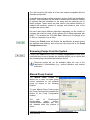
Pressing the Finish button will finalize the identification process closing
the assistant and adding a new record into the pumps list of the Pump
Configuration window.
Removing Pumps From the System
Pressing the Delete button within the Pump configuration window when
a defined pump or set of pumps are selected will ask you to confirm that
the selected pumps should be removed from the list.
Removed pumps will not be available within the rest of the
application’s functionalities (e.g., method definition and method
execution).
Manual Pump Control
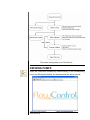
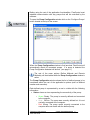
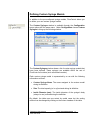
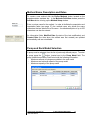
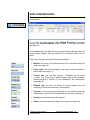
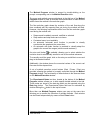
The Manual Pump Control tool
allows you to carry out basic pump
control operations on the selected
pump by means of the following
window:
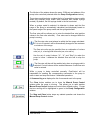
To enter Manual Pump Control press
the Pump Control button located at the
bottom of the Pump Configuration
window.
The
rest
of
FlowControl’s
functionalities
(menu
options,
experimentation assistant bar, etc.)
are disabled while this window is
active.
FlowControl User Manual
5421-002 Rev B
© 2011 Harvard Apparatus
15