1
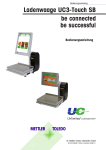
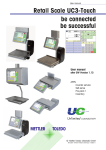
User Manual Retail Scale UC3-Touch Self serve be connected be successful User Manual © Mettler-Toledo (Albstadt) GmbH ME-2201 4743A Printed in Germany 0710/2.11 Declaration of conformity We, Mettler-Toledo (Albstadt) GmbH Unter dem Malesfelsen 34 D-72458 Albstadt declare under our sole responsibility that the product Retail Scale model UC3 - G...-A/P starting from serial number 2875420 to which this declaration relates, is in conformity with the following standards and directives: Council Directive Norm About electromagnetic compatibility 89/336/CEE; directive amendment 92/31/CEE; 93/68/CEE EN 61000-6-1 EN 61000-6-3 Relative to electrical supplies for interior use with limited voltages defined 73/23/CEE; directive amendment 93/68/CEE EN 60 950 Non automatic Balances and Scales 90/384/CEE; directive amendment 93/68/CEE EN 45501 About electromagnetic compatibility (EMC) - Part 3-2: Limits for harmonic current emission (equipment input current up to and including 16 A per phase) Extension prA14 15.09.2000 EN 61000-3-2 Albstadt, December 2009 Christoph Dermond, General Manager Mettler-Toledo (Albstadt) GmbH Roland Schmale, Quality Manager METTLER TOLEDO Contents - TABLE OF CONTENTS - Operation Page Declaration of conformity ..................................................................................... 2 Calibration Instructions ........................................................................................ 4 Installation Instructions ........................................................................................ 5 Safety Instructions ............................................................................................... 5 Product description ............................................................................................. 6 Touch Screen (example of Layout)........................................................................ 7 Maintenance of Self-Service scale ......................................................................... 8 Cleaning of print head ...................................................................................................................... 8 Maintenance of Touch Screen ............................................................................................................ 8 Cleaning of scale ............................................................................................................................. 8 Replacement of label roll .................................................................................................................. 9 Instructions for thermal paper and thermal labels .................................................... 9 Functions in the Self-S. Mode ............................................................................. 10 Paper feed .................................................................................................................................... 10 Sensor adjustment ......................................................................................................................... 10 Primary tare off/on ......................................................................................................................... 10 Non Sales Mode ............................................................................................................................ 11 Zero setting ................................................................................................................................... 11 Operation with symbol keys ............................................................................... 12 Non Sales Mode ............................................................................................... 13 Start Non Sales Mode ..................................................................................................................... 13 Quick start in a menu ..................................................................................................................... 14 NonSalesMode (- Data maintenance) ................................................................. 15 Article (411) ................................................................................................................................. 15 Keyboard Touch Self-S. (4+13) ...................................................................................................... 17 Modification of keyboard layout ....................................................................................................... 18 NonSalesMode (- Reports) ................................................................................. 21 Intermediate turnovers (51) ............................................................................................... 21 Vx/Scale report .............................................................................................................................. 22 Department report .......................................................................................................................... 22 Article report .................................................................................................................................. 23 Article groups report ....................................................................................................................... 23 Turnovers (52) ................................................................................................................ 24 Department report .......................................................................................................................... 25 Vx/Scale report .............................................................................................................................. 25 Clear turnover layer ........................................................................................................................ 26 Article report .................................................................................................................................. 26 Article groups report ....................................................................................................................... 26 NonSalesMode (- configuration) ......................................................................... 27 Configuration-Self-Service - Layout(824) .......................................................................................... 27 METTLER TOLEDO User manual ME-Nbr. 2201 4743A Version 07/10 3 Operation - NOTES - METTLER TOLEDO Calibration Instructions Important note on calibrated scales in EEC-countries M Factory calibrated scales carry the preceding identification on the packaging label. M Scales identified by the green M-Label applied on the calibration mark can be operated immediately. M Scales calibrated in two steps carry the preceding identification on the label applied to the package. These scales have already been calibrated (declaration of construction conformity according to EN 45501-8.2) and have to be calibrated again on the working place. This calibration has to be conducted by the certified METTLER TOLEDO Service. Please contact your METTLER TOLEDO technical service. Shop scales, used for legal trade are submitted to calibration. Please respect the current calibration directives in your country. 4 METTLER TOLEDO User manual ME-Nbr. 2201 4743A Version 07/10 METTLER TOLEDO - NOTES - Operation Safety Instructions ! Do not use the scale in the proximity of an explosive gas mixture, of vapors, steam, or dust! Any electrical device, not equipped with a specific “e“ type of protection and used in an area with an explosive atmosphere represents an important danger in this environment! To prevent any accident, only qualified service personnel is authorized to open this device! ! ! CAUTION! DANGER OF EXPLOSION IN CASE OF INPROPER REPLACEMENT OF BATTERY. DISPOSAL OF USED BATTERIES ACCORDING TO INSTRUCTIONS. Installation Instructions In general, your scale is part of a scale network. The installation, leveling and application are handled by METTLER TOLEDO or an authorized dealer. During the introduction you will be comprehensively trained and receive all necessary documentation. Your scale should only be connected to the mains with the power cord supplied. The water level is used to level your scale. It is fixed at the back of the device. The correct alignment (air bubble has to be in the center of the water level) of the device can be achieved by adjusting the adjustable scale feet. The water level should be checked regularly to assure a correct level reading. When moving the scale, the level should be checked and corrected if necessary. right wrong METTLER TOLEDO User manual ME-Nbr. 2201 4743A Version 07/10 5 Operation - NOTES METTLER TOLEDO Product description General The UC-GTouch is an expansion of the UC3 range of scales. This expansion consists of a Self-Service scale with a large Touch Screen Display. With the use of a Touch Screen user interface it is possible to also control Self-Service scales from the central office without any limitation; no more need to exchange the paper pictograms! The previous limitation regarding the amount of available PLU’s on the scale caused by the selected Self-Service keyboard no longer exists. Any amount of PLU’s can be displayed. At the same time, the ergonomic user interface (which realizes the latest Usability Engineering know-how) in combination with the structured desktop and the intelligent search function ensures that the user can find his article fast and reliable at any time. The user interface can be arranged or rearranged at any time corresponding to the current and personal requirements of the customer. Hence Corporate Design can be realized without any limitation. The UC3-TouchDesigner is a comfortable PC-Tool available for this purpose. Front view UC3-GTouch Touch Screen The UC3-GTouch is delivered with a 18 Bit TFT Touch Screen Display of 10.4". The resolution is 800 x 600 pixels. The Touch Screen functions based on the resistance principle: that means that the function of the UC3-GTouch Touch Screen Display only depends on the applied pressure and not on the material itself; therefore, the Touch Screen can also be operated with rubber gloves. External Interfaces The UC3-GTouch is equipped with one Ethernet, two USB, and one serial (COM1) interface as well as one cash drawer interface. Thermal printer The UC3-GTouch is equipped with a fast graphic label printer of 2". Print width: 54mm; Resolution: 432 Dots, 8 Dots/mm; Max. print speed 125 mm/s Weighing range 6kg 15kg 3kg/6kg Graduation 2g 5g 1g/2g Minimum load*) 40 g 100 g 20 g 6kg/15kg 12kg 30kg 2g/5g 2g 5g 40 g 40 g 100 g *) EC: Printout under minimum load possible, but not for price labelling 6 METTLER TOLEDO User manual ME-Nbr. 2201 4743A Version 07/10 METTLER TOLEDO - NOTES - Operation Touch Screen (example of Layout) Net weight Tare Unit price Amount Start Info field Fruits Category Fruit Vegetables Others Category Vegetables Category Others Pictures of the category Fruit (with picture + shelf number) Back to start-screen Start previous page Pictogram with picture and PLU Number next page Picture of an article in the category Fruit (with article short name, picture + shelf number) shelf number of the article picture of the article Short name of the article METTLER TOLEDO User manual ME-Nbr. 2201 4743A Version 07/10 7 Operation - NOTES METTLER TOLEDO Maintenance of Self-Service scale ! Prior to any intervention always pull mains plug from wall outlet. Cleaning of scale • • • Switch off scale and pull mains plug. Clean scale with a moist (not wet) cloth. Connect mains plug and switch on scale again. ! Clean scale with a normal detergent only. Cleaning of print head • • • • • • • • Switch off scale and pull mains plug. Open door. Press release lever downwards. The print head folds upwards. Take off cap from the cleaning pen. Clean the front part of the print head with the moist tip of the pen. Press print head downwards until it latches again. Close cleaning pen with cap. Connect mains plug and switch on scale again. ! For cleaning of the print head only use the included cleaning pen. With other objects the print head could be damaged. Maintenance of Touch Screen The Touch Screen requires only little maintenance. For regular cleaning, the use of dry cloths or soft cloths with a neutral detergent (e.g. Ethanol) or a special Touch Screen cleaner is recommended. ! 8 Please do not use any organic acid or alkaline solutions for cleaning! METTLER TOLEDO User manual ME-Nbr. 2201 4743A Version 07/10 METTLER TOLEDO - NOTES - Operation Replacement of label roll • • • • • • • • • • • • Switch off scale and pull mains plug. Open printer door. Remove the core of the empty roll. Press release lever downwards. The print head folds upwards. Pull wind-up spindle upwards and remove carrier tape. Insert new label roll as shown in opposite illustration. The leading edge of the paper is on the left side. Insert carrier tape in wind-up spindle. Pull thermal paper towards front until correct tension is reached. Press print head downwards until it latches again. Press paper feed key until a label is pushed out and correct tension of carrier tape is reached. Close printer door. Instructions concerning thermal papers and thermal labels The printer of the UC shop scales is a thermal printer. For this thermal printer, you should only use thermal paper or thermal labels from METTLER TOLEDO. These two types of paper have been submitted to a long-time test by Mettler Toledo and then released. They are also approved by the calibration authority to be used on UC shop scales. If you use thermal paper or thermal labels other than those mentioned above, the print quality and lifetime of the print head risk to be diminished. In such a case, warranty for the thermal printer is void. METTLER TOLEDO User manual ME-Nbr. 2201 4743A Version 07/10 9 Operation METTLER TOLEDO Functions in the Self-S. Mode These functions of the Self-S. mode can only be selected if the weight indication shows "Zero "0.000" or underload "l====l". Paper feed • Press weight field and price field subsequently within 0.5 seconds. 1234567890123456789012 1234567890123456789012 1234567890123456789012 1234567890123456789012 1234567890123456789012 1234567890123456789012 1234567890123456789012 1234567890123456789012 Empty label is pushed out; apply for example after change of paper. 12345678901234567890123456789012123 12345678901234567890123456789012123 12345678901234567890123456789012123 12345678901234567890123456789012123 12345678901234567890123456789012123 12345678901234567890123456789012123 12345678901234567890123456789012123 12345678901234567890123456789012123 12345678901234567890123456789012123 Start Sensor adjustment • Press weight field and info field subsequently within 0.5 seconds. In case of error messages related to the label. e.g.: wrong label 12345678901234567890123 12345678901234567890123 12345678901234567890123 12345678901234567890123 12345678901234567890123 12345678901234567890123 12345678901234567890123 12345678901234567890123 12345678901234567890123 1234567890123456789012345678901212345678901234567890123456789012123456789012345678901234567890121 1234567890123456789012345678901212345678901234567890123456789012123456789012345678901234567890121 1234567890123456789012345678901212345678901234567890123456789012123456789012345678901234567890121 1234567890123456789012345678901212345678901234567890123456789012123456789012345678901234567890121 1234567890123456789012345678901212345678901234567890123456789012123456789012345678901234567890121 1234567890123456789012345678901212345678901234567890123456789012123456789012345678901234567890121 Start Primary tare off/on • 1234567890123456789012 1234567890123456789012 1234567890123456789012 1234567890123456789012 1234567890123456789012 1234567890123456789012 1234567890123456789012 1234567890123456789012 Press weight field and tare field subsequently within 0.5 seconds. Tare is valid for all articles e.g.: same container. 1234567890123456789012 1234567890123456789012 1234567890123456789012 1234567890123456789012 1234567890123456789012 1234567890123456789012 1234567890123456789012 1234567890123456789012 1234567890123456789012 Start 10 METTLER TOLEDO User manual ME-Nbr. 2201 4743A Version 07/10 METTLER TOLEDO Operation Non Sales Mode • Press weight field and amount field subsequently within 0.5 seconds. 12345678901234567890123 12345678901234567890123 12345678901234567890123 12345678901234567890123 12345678901234567890123 12345678901234567890123 12345678901234567890123 12345678901234567890123 12345678901234567890123 Start of the configuration mode 1234567890123456789012345678901212345678 1234567890123456789012345678901212345678 1234567890123456789012345678901212345678 1234567890123456789012345678901212345678 1234567890123456789012345678901212345678 1234567890123456789012345678901212345678 1234567890123456789012345678901212345678 1234567890123456789012345678901212345678 1234567890123456789012345678901212345678 Start Zero setting • Press weight field and “min/ max/e“ field subsequently within 0.5 seconds. 12345678901234567890123 12345678901234567890123 12345678901234567890123 12345678901234567890123 12345678901234567890123 12345678901234567890123 12345678901234567890123 12345678901234567890123 12345678901234567890123 Start Apply if weight indication of scale does not show 0.000. . 123456789 123456789 123456789 123456789 123456789 123456789 123456789 The scale is equipped with an automatic zero setting device which means that small weight modifications are compensated automatically (e.g. rests of grease on the weighing platform). The zero setting device is deactivated if a packaging weight is tared. After cleaning from dirt with the scale switched on, the display can show: • • a negative weight value, or underload „l_ _ _ _ _l“. Solution: • Zero setting of scale If the error message appears again: • Switch the scale off and on again (automatic zero-setting at switch-on). METTLER TOLEDO User manual ME-Nbr. 2201 4743A Version 07/10 11 Operation METTLER TOLEDO Operation with symbol keys Operation with symbol keys • Place goods to weigh on weighing platform • Press category key • Press symbol key • Label is printed The weight is shown on the display. Fruits 12 • Remove label and stick it to weighed goods • Place next goods to weigh on weighing platform The display shows article name, unit price and end price of the article. At stable weight of scale. METTLER TOLEDO User manual ME-Nbr. 2201 4743A Version 07/10 METTLER TOLEDO Operation Non Sales Mode The Non Sales Mode (configuration mode) of the Self-S. mode can only be selected if the weight indication shows "Zero "0.000" or underload "l====l". Start Non Sales Mode • Press weight field and amount field subsequently within 0.5 seconds. 1234567890123456789012 1234567890123456789012 1234567890123456789012 1234567890123456789012 1234567890123456789012 1234567890123456789012 1234567890123456789012 1234567890123456789012 1234567890123456789012 Start of the configuration mode 1234567890123456789012345678901212345678 1234567890123456789012345678901212345678 1234567890123456789012345678901212345678 1234567890123456789012345678901212345678 1234567890123456789012345678901212345678 1234567890123456789012345678901212345678 1234567890123456789012345678901212345678 1234567890123456789012345678901212345678 1234567890123456789012345678901212345678 Start 1 • Numerical key 1 * • Asterisk key METTLER TOLEDO User manual ME-Nbr. 2201 4743A Version 07/10 Enter code number via keyboard. Confirm code number 13 Operation QRU_NH\ METTLER TOLEDO á 6FUROOXSGRZQ Select menu item. Quick start in a menu Note: Every menu has its own number. To start the desired menu, you only need to enter the number of the appropriate menu after login. 411 14 á (QWHUILJXUHV Create, modify, list, delete Data maintenance/Article METTLER TOLEDO User manual ME-Nbr. 2201 4743A Version 07/10 METTLER TOLEDO - NonSalesMode-DATA MAINTENANCE-ARTICLE- Operation NonSalesMode (- Data maintenance) Article (411) create, list, delete Quick start with 411; In this window you can enter the basic data of an article or modify the data of an existing article. * • Asterisk key 1 • Enter PLU Nbr. and/or ^ • Left arrow key confirm PLU Nbr. of the article Department Nbr. of the article PLU Nbr. max. 6 digits Dept. Nbr. max. 6 digits; this information is necessary if the new article has to be transmitted to all scales in this department. METTLER TOLEDO User manual ME-Nbr. 2201 4743A Version 07/10 15 Operation - NonSalesMode-DATA MAINTENANCE-ARTICLE- * • Asterisk key METTLER TOLEDO confirm A field for entries with the article data appears. • Code key Select tab Data 2. Entries tab “Data 2“: Short text: The short form of the article text (max. 20 digits) will be displayed under the pictogram of the article if the short text field is available in the layout of the Touch Screen. Purchase price: Purchase price of article. Customer ID: Shelf number resp. storage location of the article will be displayed under the pictogram of the article if the Customer ID field is available in the layout of the Touch Screen. 16 METTLER TOLEDO User manual ME-Nbr. 2201 4743A Version 07/10 METTLER TOLEDO - NonSalesMode-KEYBOARDTEMPLATES-KEYBOARD TOUCH SELF-S.- Operation Keyboard Touch Self-S. (4+13) create, modify, delete Quick start with 4+13; In this window you can select different Touch Screen Layouts or modify Layouts (add new articles with pictogram, etc.). * Layout: • Asterisk key confirm Selection of different types of the Touch Screen Layouts. Category: Selection of category. Key: Selection as PLU key, forward (forward key) or back (back key) in the selected category. If this field appears, you can display the available information in the form of a list and select from it with the - key. METTLER TOLEDO User manual ME-Nbr. 2201 4743A Version 07/10 17 Operation - NonSalesMode-KEYBOARDTEMPLATES-KEYBOARD TOUCH SELF-S.- METTLER TOLEDO Modify keyboard layout - Select Layout (default setting) - Select category - Select type of key In case of a preset key, the appropriate key number must always be entered. Counting mode on the screen is from the top left to the bottom right. In case of a forward or back key, the side of the screen on which they are located must be entered as well. * 18 • Asterisk key Confirm selections Navigation in the menus. up (select) change tab down (select) confirm entries call up field of lists METTLER TOLEDO User manual ME-Nbr. 2201 4743A Version 07/10 METTLER TOLEDO - NonSalesMode-KEYBOARDTEMPLATES-KEYBOARD TOUCH SELF-S.- Operation Layout Category Preset key 1 Article description Key: PLU key or page change key Inactive: Mask key Dept. Nbr.: Entry of department number; with displayed. PLU Nbr.: Entry of PLU number; with displayed. • the list of created departments will be the list of PLU’s in the selected department will be Asterisk key METTLER TOLEDO User manual ME-Nbr. 2201 4743A Version 07/10 Confirm selections 19 Operation - NonSalesMode-KEYBOARDTEMPLATES-KEYBOARD TOUCH SELF-S.- Article name: METTLER TOLEDO (X) TLU (X) Short text The article name will be displayed. A short description of the article will be displayed (from the data maintenance Menu 411). Value A modified short description of the article will be assigned to the preset key, but not stored in the master data. Shelf number: (X) Customer ID The shelf number of the article will be displayed (from the data maintenance Menu 411). Value A modified shelf number of the article will be assigned to the preset key, but not stored in the master data. Picture: (X) Standard The picture assigned to the article in the master data will be displayed. Value A modified article picture will be assigned to the preset key, but not stored in the master data. If this field appears, you can display the available information in the form of a list and select from it with the 20 - key. METTLER TOLEDO User manual ME-Nbr. 2201 4743A Version 07/10 METTLER TOLEDO - NonSalesMode-REPORTS-INTERMEDIATE TURNOVERS- Operation NonSalesMode (- Reports) Intermediate turnovers (51) Quick start with 51; In this window you can select different intermediate turnover reports. They will then be printed on the internal printer. Vx/Scale report; Department report; Article report and article groups report # • Asterisk key • Enter number • Asterisk key METTLER TOLEDO User manual ME-Nbr. 2201 4743A Version 07/10 confirm Selection of turnover layer; Layer 1, 2, 3 or 4 confirm 21 Operation - NonSalesMode-REPORTS-INTERMEDIATE TURNOVERS- METTLER TOLEDO Vx/Scale report • Asterisk key confirm; the Vx/Scale report will be printed. Department report all departments: Dept. Nbr. Begin: Dept. Nbr. End: report of all departments. report from department. report to department. • 22 Asterisk key For one department: enter same department number at Begin and End. confirm; the department report will be printed. Navigation in the menus. up (select) change tab down (select) confirm entries highlight METTLER TOLEDO User manual ME-Nbr. 2201 4743A Version 07/10 - NonSalesMode-REPORTS-INTERMEDIATE TURNOVERS- Operation METTLER TOLEDO Article report all departments: Dept. Nbr.: all articles: PLU Nbr. Begin: PLU Nbr. End: article turnover from all departments. article turnover from one department. turnover of all articles. report from department. report to department. For one PLU: enter same PLU number at Begin and End. • Asterisk key Confirm; the article report will be printed. Article groups report all departments: Dept. Nbr.: all article groups: AtGp. Nbr. Begin: AtGp. Nbr. End: article groups turnover from all departments. article groups turnover from one department. turnover of all article groups. report from article group. report to article group. For one article group: enter same article group number at Begin and End. • Asterisk key METTLER TOLEDO User manual ME-Nbr. 2201 4743A Version 07/10 Confirm; the article groups report will be printed. 23 Operation - NonSalesMode-REPORTS-TURNOVERS- METTLER TOLEDO Turnovers (52) Quick start with 52; In this window you can select different turnover reports. They will then be printed on the internal printer. Vx/Scale report; Department report; Article report and article groups report # 24 • Asterisk key • Enter number • Asterisk key confirm Selection of turnover layer; Layer 1, 2, 3 or 4 confirm METTLER TOLEDO User manual ME-Nbr. 2201 4743A Version 07/10 METTLER TOLEDO - NonSalesMode-REPORTS-TURNOVERS- Operation Vx/Scale report • Asterisk key • Asterisk key Confirm; the Vx/Scale report will be printed. Department report Confirm; the department report will be printed. Navigation in the menus up (select) change tab down (select) confirm entries METTLER TOLEDO User manual ME-Nbr. 2201 4743A Version 07/10 highlight 25 Operation - NonSalesMode-REPORTS-TURNOVERS- METTLER TOLEDO Article report • Asterisk key • Asterisk key Confirm; the article report will be printed. Article groups report Confirm; the article groups report will be printed. Clear turnover layer Quit turnover menu with the - key. The following messages will be displayed subsequently: Confirm with the - key; the selected turnover level and the TAF will be deleted. 26 METTLER TOLEDO User manual ME-Nbr. 2201 4743A Version 07/10 METTLER TOLEDO - NonSalesMode-CONFIGURATION-SELF-SERVICE-LAYOUT- Operation NonSalesMode (- configuration) Configuration-Self-Service - Layout(824) Quick start with 824; In this window you can select an available Touch Screen Layout. * • Asterisk key confirm An entry field with the current configuration file appears. • Asterisk key Select with the scroll keys and confirm. If this field appears, you can display the available information in the form of a list and select from it with the - key. METTLER TOLEDO User manual ME-Nbr. 2201 4743A Version 07/10 27 2201 4743 To protect your METTLER TOLEDO product’s future: METTLER TOLEDO Service assures you of quality, measuring accuracy and preservation of value of the METTLER TOLEDO products for years to come. Please ask for details on our attractive Service Offer. Thank you. Subject to technical modifications and modifications in the extent of supply of accessories. Address Phone Fax Web: Mettler - Toledo (Albstadt) GmbH D-72458 Albstadt +49 74 31 / 14-0 +49 74 31 / 14-380 http://www.mt.com © Mettler-Toledo (Albstadt) GmbH 2010 Printed on 100 % FFC manufactured paper. To protect our environment. Printed in Germany 0710/9.01 Internet http://www.mt.com A Mettler-Toledo Gesellschaft mbH., Südrandstr. 17, 1230 Wien, Tel. (01) 604 19 80, Telefax (01) 604 28 80, Telex 111302 Mettler-Toledo S. A., Leuvensesteenweg 384, 1932 Zaventem, Tel. (02) 334 02 11, Fax (02) 334 03 34 Mettler-Toledo (Schweiz) AG, Im Langacher, 8606 Greifensee, Tel. (044) 944 45 45, Telefax (044) 944 45 10 Mettler-Toledo GmbH, Postfach 110840, 35353 Giessen, Tel. (0641) 507-333, Telefax (0641) 507-349, Telex 482912 Mettler-Toledo S.A.E., Avda. San Pablo 28, 28820 Coslada (Madrid), Tel. (91) 674 89 30, Fax (91) 669 33 47 Mettler-Toledo S.A., 18/20 Avenue de la Pépiniére, 78222 Viroflay Cedex, Tél. (01) 30 97 17 17, Fax (01) 30 97 16 16 Mettler-Toledo S.p.A.,Via Vialba 42, 20026 Novate Milanese, Tel. (02) 33 3321, Telefax (02) 35 62 973 Mettler-Toledo B.V., Postbus 6006, 4000 HA Tiel, Tel. (03440) 63 83 63, Telefax (03440) 63 83 90 Mettler-Toledo Ltd., 64 Boston Road, Beaumont Leys, Leicester, LE4 1AW, Tel. (0116) 235 7070, Fax (0116) 236 6399 B CH D E F I NL UK