1
GRAPHIC DOCK – USB 2.0 Docking Station
playing the DVD.
- Your PC may be lack of certain video codec to support playback of certain video format.
Please use the link below to install license free media codec.
K- Lite:
http://www.free-codecs.com/download/K_Lite_Codec_Pack.htm
- Video/Media players have different decoding capability under different display modes.
For better performance on watching DVD or certain video format on the USB graphics device
attached display, it is recommended to use the following license free software.
VLC Media Player: http://www.videolan.org/vlc/
Media Player Classic: http://sourceforge.net/projects/guliverkli/
Others
- Some graphics card, i.e. Intel, prevents other secondary graphics chipset from being set as
the primary card. As the result of this, primary mode might not work or the display maybe
disabled.
- If you have problems during the boot up process, start your computer in Safe Mode and
uninstall the driver. Hold the CTRL key until the Windows startup menu appears and select
Safe Mode.
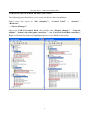
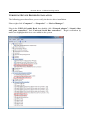
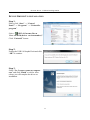
- To verify the driver version that you installed, please click “Control Panel” → “Add or
Remove Programs” to check the program:
USB Graphic Dock 11.xx.xxxx.0130 (the
number means the driver version).
- Please contact your dealer to obtain the latest driver or for additional assistance if needed.
- Some limitation exists in different media player on file format support. We enclose our
compliance test result in the tables according to different operating system, main system
graphics card/chipset, media players, and the supported media format. It will be updated
periodically with new version of media players or our latest driver.
21