1
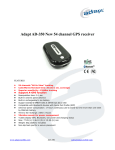
3-in-1 Bluetooth GPS Key Chain 3-in-1 Bluetooth GPS Key Chain Quick Installation Guide Thank you for purchasing 3-in-1 Bluetooth GPS Key Chain and we wish you have the best consumer product experience ever. Main features: Adopt SkyTraq Venus 5 chipset with 54-Channel for fast acquisition and reacquisition High sensitivity (to -159dBm) Excellent performance - Cold/Warm/Hot start time: .35/32/1 sec. (average) Smart power saving / up to 8 hours usage Support standard NMEA0183 Compatible with Bluetooth Serial Port Profile (SPP) in 10m wirelessly WAAS / EGNOS supported Capable of keeping up to 100,000 records or positions, including longitude, latitude, speed, UTC and tag data User friendly and powerful window based GPS Photo Tagger software A. Standard Package Bluetooth GPS Data Logger Key-Chain (1) + Cigarette Adapter (2) + USB Cable (3) + Photo Tagger CD (4) 1. 2. 3. 4. B. Appearance Key chain Ring GPS Status LED Bluetooth Status LED Power LED Power Switch Power Jack C. Charging your battery For the first time using the 3-in-1 Bluetooth GPS key chain, please charge battery until it is fully charged. Take the USB cable and connect it to the power jack then connect another side to PC, Laptop or car cigarette adaptor. This will begin to charge the battery. Charging time is 1hours typically. - When the red LED is blinking, battery power is low status. Please recharge. - When the red Power LED is steady on, the battery is under charging mode. - When the red LED is off, the battery is fully charged. Page 1 Skytraq Venus 5 3-in-1Bluetooth GPS KeyChain 54 channels D. Start to use (Bluetooth GPS Key Chain Function) D-1 Fully charge the battery when using at the first time A fully charged battery can be up to 8 hours continuously operation. D-2 Activate the Bluetooth function in your PDA/Smart phone or PC Before activating the Bluetooth function in your PDA/PC, please power on 3-in-1 Bluetooth GPS key chain for pairing and checking if your device is equipped with Bluetooth function. If not, you may need to acquire an optional CF/SD Bluetooth card or Bluetooth dongle. NOTE: The pairing procedure is required to execute in the first time only. And the pass code is “0000” if required. D-3 Automatically create a shortcut in Bluetooth Manager window After the pairing complete, the system will then find a quick connect device “BT GPS” in Bluetooth Manager. In further use, you just need to click it to connect to this Bluetooth GPS Receiver. D-4 Check the Serial Port in Bluetooth Setting After complete pairing with the Receiver, please click “Serial Port” to confirm the assigned COM port. If you use PDA/PC to pair the GPS Receiver, please check “Outbound COM port”. D-5 Set correct Serial Port in your map software Activate your navigation software and make sure to select the correct “Serial Port”. NOTE: In the map software such as TomTom, you might need to change preference and set “Other Bluetooth GPS” or “Other Cable NMEA GPS” according to PDA/phone model. In some case please consult mapping software company to vary the setting if you have issue on positioning. E. Start to use (Data Logger & Photo Tagger Functions) E-1 Save and Record the position data When you turn on the power switch, the device starts to search the GPS signal. After the GPS position is fixed, it will begin to save and record the position data. E-2 Insert the software utility software CD into your CD ROM driver The installation program will start automatically. If the installation program did not start, please double click on “ GPS Photo Tagger_install.exe” on the CD to start it. E-3 Turn on the device and then connect the device to PC USB Port GPS Photo Tagger software will automatically detect the port and the braudrate. You may use the software utility to do the following functions, upload the recorded data, make configuration setting, change recording interval, exporting and mapping your recorded data. For more detail, please refer to the user manual on the CD. F. OTHERS F-1 LED Indicators LED Status 1 Bluetooth (Blue) Flash Flashing for every 6 seconds (in pairing mode), Paired OFF Not powered 2 Power (Red) Low Power (Flashing for every 1 second) Recharging (Red) Sufficient Power (None) 3 GPS (Green) Satellite Fixed Satellite not fixed Bluetooth not connected ON F-2 Manufacturing Setting Protocol: NMEA 0183 - GGA, GSA, GSV, RMC Baud Rate: 9,600 bps; Datum: WGS-84 F-3 GPS Features SkyTraq Venus 5 GPS Receiver with super high sensitivity at -159dBm Frequency: L1, 1575.42 MHz; C/A Code: 1.023 MHz chip rate Acquisition time: Hot start 1 sec. / Warm start 32 sec. / Cold start 35 sec. (averaged) F-4 Bluetooth Features Bluetooth Version: V2.0 / SPP profile Class 2 with 10 meters in open space F-5 Flash Memory Features Built-in flash memory: 8M Bits for data logging with 8 bytes binary data per record Storage: up to 100K data records F-6 Overall Features Built-in rechargeable 540 mAh Lithium-Ion battery (up to 8 hrs after fully charged) Size: 50.0 (L) X 38.0 (W) X 15.0 (H) mm / Weight: 37g G. Trouble Shooting Problems Reasons No position output but timer is counting Execute fail Can not turn on the COM port Can not find out the device Weak or no GPS signal can be received at the place of the device Bluetooth function unstable Incompletely install the device or the COM port of the device is being used Poor connection No action for few minutes may cause the Pocket PC enter power saving mode. It may close the COM port at the same time. Weak or no GPS signal when using the device indoor No Signal No Signal Methods Find an open space for the device Re-Start PDA or PC or re-install software Install the device completely or stop other device that is being used. Re-Start PDA or PC and re-install software. Close the application and execute it again to re-open the COM port. Go outdoors to improve the poor GPS signal. Page 2 This wonderful Bluetooth GPS Key Chain is Made in Taiwan