1
Messages
You can write and read messages in this menu.
Message functions are available depending on
network services that your service provider supports.
SMS
The SMS (Short Message Service) function is a
network service and your network may not support
the service. You can send messages in Fax, Page,
Email and Text format. To send text messages by
phone, you must obtain the SMS center number
from your service provider, and enter it on the SC
Address option in Profile Settings menu.
icon appears on the status indicators
When the
area, it indicates that you have received a new
message.
Note: The SMS service may not be available on
all networks. Some network allows it only within
its own network.
Write Message
With this menu, you can write a message as
following.
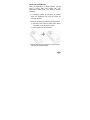
1) Select [Write Message] menu in the [SMS]
menu.
2) Type a message.
3) After you complete the message, press the
42