1
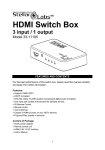
3-Port HDMI Amplified Switcher
Model #33-10533
Table of Contents
1.0 Introduction……………………………………………………..1
2.0 Specifications………………………………………………..…2
3.0 Package Contents……………………………………………...2
4.0 Panel Descriptions…………………………………………..…3
5.0 Connection and Operation……...........................................3
Distributed Exclusively by
MCM Electronics
www.mcmelectronics.com
3-Port HDMI Amplified Switcher Model 33-10533
Ultra-High Performance 3 Port HDMI
Amplified Switcher
DEAR CUSTOMER
Thank you for purchasing this product. For optimum performance and safety,
please read these instructions carefully before connecting, operating or adjusting
this product. Please keep this manual for future reference.
1.0 INTRODUCTION
This intelligent HDMI 3X1 Amplifier Switcher allows up to three HDMI source
devices to be switched into one HD monitor or projector. Specially adopted
“touch-button” design greatly eases input selection and provides improved
reliability. Another benefit is the location of one input on the front panel of the
device. This not only reduces the products size, but also greatly eases use with
temporary or portable input source devices.
1.1 INTELLIGENT FUNCTION
1) Once a source device is turned on (or plugged while turned on) the switcher
automatically selects that source.
2) Once that source device is turned off or un-plugged, the switcher automatically
selects the next powered-on source in the sequence (input1 > input2 > input3 >
input1 etc.>)
3) To select manually, simply use the “touch-button” to advance to the next input
in the sequence (input1 > input2 > input3). The switcher will automatically skip
source inputs that are not connected, or sources that are not powered.
Note:
The operation of the Intelligent Function will be impacted by the source devices
operation in standby mode. If power is still applied to the HDMI output when the
source is in standby mode, the switcher will treat this source as if it is “on”.
1.2 FEATURES
This HDMI Amplifier Switcher has many features that enable it to perform in a
superior manner. Included are the following:
l One input port on the front panel, ideal for portable devices
l Multiple switching methods: intelligent, IR remote or by touch button
l Supports HDMI 1.3b
l Supports highest video resolution 1080p.
l Supports 250MHz/2.5Gbps per channel (7.5Gbps all channel) bandwidth.
l Supports 12bit per channel (36bit all channel) deep color.
l HDCP pass-through.
l Supports uncompressed audio such as LPCM.
1
3-Port HDMI Amplified Switcher Model 33-10533
l
Supports compressed audio such as DTS Digital, Dolby Digital(including
DTS-HD and Dolby True HD).
2.0 SPECIFICATIONS
Signal Inputs/Output
Input DDC Signal
Maximum Single Link Range
Output Video
Operating Frequency
Vertical Frequency Range
Video Amplifier Bandwidth
Resolutions(HDTV)
Interlaced(50&60Hz)
Progressive(50&60Hz)
Mechanical
Size(L-W-H)
Weight(Net)
Warranty
Limited Warranty
Environmental
Operating Temperature
Operating Humidity
Storage Temperature
Storage Humidity
Power Requirement
External Power Supply
Power consumption (Max)
Accessories
AC Power Adapter
IR remote
User Manual
5V p-p (TTL)
1920 X 1080p
HDMI 1.3b
50/60Hz
2.5Gbps / 250MHz
480i, 576i, 1080i
480p, 576p, 720p, 1080p
155×69.5×23mm
260g
1 Year Parts and Labor
0 ℃ to +70℃
10% to 85 % RH (no condensation)
-10℃ to +80℃
5% to 90 % RH (no condensation)
5V DC@2A
5W
Standard US type
English Version
Note: Specifications are subject to change without notice.
3.0 PACKAGE CONTENTS
Before attempting to use this unit, please check the packaging and make sure the
following items are included:
l
l
l
l
Main unit
Remote control
5VDC Power Supply
User's Manual
2
3-Port HDMI Amplified Switcher Model 33-10533
4.0 PANEL DESCRIPTIONS
Back Panel:
DC/5V
Output
Input 3
Input 2
Upper Panel:
Ultra-High Performance
3Ports HDMI Amplifier Switcher
TM
HIGH DEFINITION MULTIMEDIA INTERFACE
Front Panel:
Input 1
IR
Power
1
2
3
Touch button
5.0 Connection and Operation
1) Connect input ports of this Switcher to each HDMI source device. (Input
cables are optional)
*Please refer to connection diagram section.
2) Connect output port of this Switcher to HD display.
3) Insert the DC side of 5v power supply into the HDMI switch and then connect
the AC side of the power supply into the wall outlet.
4) Turn on the power.
Attention: Insert / Extract cables gently.
3
3-Port HDMI Amplified Switcher Model 33-10533
5.1 CONNECTION DIAGRAM
P/N:2014
4