1
8.7 ENTRY MODE
8.7.1 Card or Finger
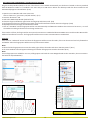
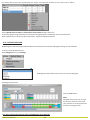
Right click on the biometric reader
Select “Properties” and go to the “Biometric” tab
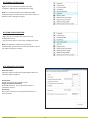
For Entry Mode select “Card or Finger” (8.20)
Note: All the fingers and the card will send the same
wiegand number (8.21)
8.20
8.7.2 Card and Finger
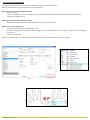
Right click on the biometric reader
Select “Properties” and go to the “Biometric” tab
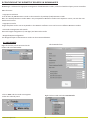
For Entry Mode select “Card and Finger” (8.21)
Use of the double security mode:
Present the card (ex. 88009016), in the next 8 sec. the
reader will blink in orange waiting for the finger.
Present the finger
8.21
8.7.3 Finger Only
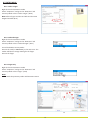
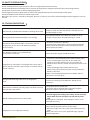
Right click on the biometric reader
Select “Properties” and go to the “Biometric” tab
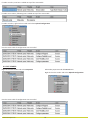
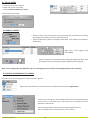
For Entry Mode select “Finger” (8.22)
Note:
In this mode the proximity reader will become inactive.
8.22
8.21
www.visual-plus.com
13