1
© Siemens AG 2007
Operator Control and Monitoring Devices
Panels — 170 series
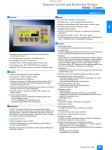
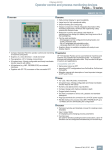
SIMATIC TP 170A
■ Overview
■ Design
• STN, CCFL1) backlit display, Bluemode
• Resistive analog Touch
• Numeric "on-screen“ system keyboard for decimal, binary and
hexadecimal numeric formats
• On-screen alphanumeric keyboard
• Compact design with shallow installation depth
• Rugged plastic housing
• The front is resistant to various oils, greases and standard
detergents
• A protective cover is available as an option for achieving the
NEMA 4 degree of protection and as additional protection
against fouling and scratching
• Plug-type terminals for connection of a power supply
• Interfaces for plugging the connecting cables into the PLC or
configuration computer are integrated.
• Touch Panel for operator control and monitoring of small
machines and plants
• Low-cost starter device in the Touch Panel class with graphical
capability complete with all the basic functions required for
simple tasks
• Pixel-graphics STN display (blue mode) with touch screen
(analog/resistive)
• All interfaces (e.g., MPI, PROFIBUS DP) are on-board
• Non-Siemens PLCs can be connected using easy-to-use
drivers
• The TP 170A Touch Panel is soon to be replaced by its innovative successor, the SIMATIC TP 177A.
■ Benefits
• Integral component of Totally Integrated Automation (TIA):
increases productivity, minimizes the engineering outlay, reduces the lifecycle costs
• Reduction of service and commissioning costs through:
- Remote downloading of the configuration with automatic
transfer recognition even via WAN (Wide Area Network) using
TeleService adapter
- Maintenance-free design (no battery) and long service life of
the backlit display
• Graphics library available with off-the-shelf picture objects
• Can be used all over the world:
- 21 languages can be configured incl. Asian and Cyrillic
character sets
- When configuring with WinCC flexible:
32 languages can be configured incl. Asian and Cyrillic
character sets and up to 5 languages can be selected online
• Extensive documentation on the SIMATIC HMI Manual
Collection CD
■ Application
The TP 170A Touch Panels can be used in all applications in
which operator control and monitoring of machines and installations is required on site – whether in production automation,
process automation or building service automation. They are in
use in an extensive range of sectors and applications.
1) Cold Cathode Fluorescence Lamps
■ Function
• Input/output fields
for displaying and changing process parameters
• Buttons
for direct triggering of functions and actions. Up to 16 functions
can be configured simultaneously on buttons.
• Graphics
can be used as ICON instead of text to label function keys or
buttons. They can also be used as background displays (wallpaper).
In the configuration tool, a library is available containing extensive graphics and a wide variety of objects. All editors with an
OLE interface can be used as graphics editor (such as PaintShop, Designer or CorelDraw).
• Fixed texts
for labeling function keys, process diagrams and process
values in any character size
• Bar displays
for the graphical display of dynamic values
• Configuration languages; incl. Asian and Cyrillic fonts
• Password protection
• Message system;
administration of status and system messages
• Mathematical functions
• Limit value monitoring
for reliable process control of inputs and outputs
• Indicator light
for machine and plant status indication
• Simple maintenance and configuration through
- Backup and restoring the configuration, operating system
and firmware on a PC using ProSave
- Configuration can be downloaded over the process interface
- Automatic transfer identification
- Individual contrast setting and calibration
- Clean screen
- Configuration simulation directly on the configuration computer
With its quick response times, the TP 170A is also ideally suited
to jog mode.
Siemens ST 80 · 2006
2/75
2
© Siemens AG 2007
Operator Control and Monitoring Devices
Panels — 170 series
SIMATIC TP 170A
■ Function (continued)
2
■ Integration
Additional functions when configuring with WinCC flexible
• Message system
- Bit messages
- Freely-definable message classes (e.g. status/fault
messages) for definition of acknowledgment response and
display of message events
- Message history
• Language selection
- Online languages can be selected on the device
- Language-dependent texts and graphics
• Permanent window expanded by template concept
- Generation of screen templates
The TP 170A can be connected to Siemens SIMATIC CPUs and
to non-Siemens CPUs. Projects for the TP 170A can be created
both as "stand alone" and "integrated" in STEP 7.
Additional when configuring with WinCC flexible
When configuring with WinCC flexible, the TP 170A can be
connected to up to 4 SIMATIC S7 PLCs.
Note:
For further information, see "System interfaces"
Configuration
Configuring is performed using the configuring software
SIMATIC ProTool/Lite, SIMATIC ProTool or SIMATIC ProTool/Pro
Configuration (see HMI software/configuring software or visualization software) or using the engineering software SIMATIC
WinCC flexible Compact, Standard or Advanced (see HMI software/SIMATIC WinCC flexible engineering software).
Projects generated using ProTool can be imported into WinCC
flexible. With WinCC flexible, the user has in some cases access
to more functions with identical hardware.
■ Technical specifications
SIMATIC TP 170A
Display
SIMATIC TP 170A
Clock/type
• Display type
STN liquid crystal display (LCD)
• Size
5.7"
• Resolution (W x H in pixels)
320 x 240
• Colors
4 shades of blue
• MTBF of background lighting
(at 25 °C)
approx. 50,000 hours
Operating mode
• Clock
Software clock, without battery
backup
Degree of protection
• Front
IP65, NEMA 4; (when mounted)
• Rear
IP20
Certification
(some only as options)
CE, FM Class I Div. 2, UL, CSA,
cULus
Mechanical components/
dimensions
• Operating options
Touch
• Touch screen
Analog, resistive
• Front panel W x H (mm)
212 x 156
• Numeric/alphanumeric input
Yes/Yes
198 x 142/45 mm depth of unit
Processor/HW
RISC 32 bits, 66 MHz
• Mounting cutout/depth W x H x D
(mm)
Operating systems
Windows CE
• Weight
0.7 kg
Ambient conditions
Memory
• Type
Flash/RAM
• Max. relative humidity (in %)
85%
• Usable memory for project data
320 KB user memory/without
additional memory for options
Vertical
+/- 35°
Interfaces
TTY optional,
1 x RS232,
1 x RS422,
1 x RS485 max. 1.5 Mbit/s
• Mounting position
- Max. permissible angle of
inclination without external fan
• Supply voltage
24 V DC
• Temperature
- Operation (vertical installation)
- Operation
(max. angle of inclination)
- Transportation and storage
• Permissible range
+18 V to +30 V DC
Configuring
• Rated current
0.24 A
• Configuration tool
ProTool
• Output
6W
• Configuration tool
WinCC flexible
Supply voltage
2/76
Siemens ST 80 · 2006
0 to +50 °C
0 to +40 °C
-20 to +60 °C
© Siemens AG 2007
Operator Control and Monitoring Devices
Panels — 170 series
SIMATIC TP 170A
■ Technical specifications (continued)
SIMATIC TP 170A
Functionality
(with WinCC flexible)
Protocols
• Interface to control
(may only be an option)
SIMATIC TP 170A
Functionality
(under ProTool)
S5, S7-200, S7-300/400,
505Win AC, Allen Bradley (DF1),
Allen Bradley (DF485),
Mitsubishi (FX),
Telemecanique (ADJUST),
OMRON (LINK/Multilink),
Modicon (Modbus)
and other non-Siemens drivers
• Password protection
(number of levels)
Protocols
• Interface to PLC
(may only be an option)
Signaling system
• Number of messages
1000
• Discrete alarms
Yes
• Message length (in characters)
80
• Number of process values per
message
8
• Message buffer
Ring buffer, 128 entries each
Process images
250
Picture elements
2
2
S5, S7-200, S7-300/400,
505Win AC, Allen Bradley (DF1),
Allen Bradley (DF485),
Mitsubishi (FX),
Telemecanique (ADJUST),
OMRON (LINK/Multilink),
Modicon (Modbus)
and other non-Siemens drivers
Signaling system
• Status messages
1000
• System messages
Yes
• Message length
(lines x characters)
1 x 70
• Number of process values
in messages
8
Process images
50
• Text objects
1000 text elements
• Fields per screen
20
• Text objects
1000 text elements
• Variables/screen
20
• Number
1000
• Graphics objects
Bitmaps, icons, icon
(filling the screen)
• Fields per screen
20
• Variables per screen
20
• Graphics objects
Bit maps, icons, background
pictures
• Dynamic objects
- Number per project
- Number of bar graphs/project
- Libraries
Bar graphs
250
250
Yes
Variables
500
• Dynamic objects
- Libraries
Bar graphs
Yes
Variables
500
Security
• Number of user groups
1
• Exportable passwords
Yes
Fonts
Picture elements
US English
Fonts
• Online languages
5
Languages
• Project languages:
D, GB, F, I, E, CHN "traditional",
CHN "simplified", DK, FIN, GR, J,
KP/ROK, NL, N, PL, P, RUS, S,
CZ/SK, TR, H
• Online languages
1
• Project languages
D, GB, F, I, E, CHN "traditional",
CHN "simplified", DK, FIN, GR, J,
KP/ROK, NL, N, PL, P, RUS, S,
CZ/SK, TR, H
• Character set
Tahoma, ideographic languages,
all freely scalable
Transfer of the configuration
MPI/PROFIBUS DP (if available),
serial (automatic transfer
recognition)
• Keyboard fonts
• Language (keyboard fonts)
Languages
• Fonts
Tahoma, ideographic languages,
all freely scalable
Transfer under ProTool
(upload/download)
• Transfer of the configuration
MPI/PROFIBUS DP, serial
(automatic transfer recognition)
US English
Siemens ST 80 · 2006
2/77
© Siemens AG 2007
Operator Control and Monitoring Devices
Panels — 170 series
SIMATIC TP 170A
■ Ordering data
2
SIMATIC TP 170A
Touch Panel with 5.7" STN
display, blue mode (4 levels),
incl. mounting accessories
Order No.
B
6AV6 545-0BA15-2AX0
Configuration set
Consisting of:
Configuration or engineering
software,
SIMATIC HMI Manual Collection
(CD), 5 languages (English,
French, German, Italian and
Spanish),
RS 232 cable (5 m),
MPI cable (5 m)
• With SIMATIC WinCC flexible D
Compact engineering software
• With SIMATIC ProTool/Lite
configuration software
Documentation (to be ordered separately) (continued)
ProTool User Manual
for configuring
Windows-based systems
Configuring
• with SIMATIC ProTool/Lite,
ProTool or ProTool/Pro
• with SIMATIC WinCC flexible
Order No.
See Section 4
See Section 4
• German
6AV6 594-1MA06-1AA0
• English
6AV6 594-1MA06-1AB0
• French
6AV6 594-1MA06-1AC0
• Italian
6AV6 594-1MA06-1AD0
• Spanish
6AV6 594-1MA06-1AE0
User Manual
Communication for WindowsBased Systems (ProTool)
• German
6AV6 596-1MA06-0AA0
• English
6AV6 596-1MA06-0AB0
• French
6AV6 596-1MA06-0AC0
6AV6 621-0AA01-0AA0
• Italian
6AV6 596-1MA06-0AD0
6AV6 573-1FA06-0DX0
• Spanish
6AV6 596-1MA06-0AE0
C
• German
6AV6 691-1DB01-0AA0
• English
6AV6 691-1DB01-0AB0
• French
6AV6 691-1DB01-0AC0
SIMATIC HMI
Manual Collection
Electronic documentation,
on CD-ROM
5 languages (English, French,
German, Italian and Spanish);
contains: all currently available
user manuals, manuals and
communication manuals for
SIMATIC HMI
• Italian
6AV6 691-1DB01-0AD0
Accessories for supplementary ordering
• Spanish
6AV6 691-1DB01-0AE0
Cover foil
(pack of 10)
6AV6 574-1AD00-4AX0
Protective cover
(2 sets)
6AV6 574-1AE00-4AX0
Service pack
Consisting of:
• Installation sealing
• 2 sets of labeling strips (for OPs)
• 7 tensioning clamps
• Plug-in terminal block
(twin block)
6AV6 574-1AA00-4AX0
RS 232 cable (5 m)
6ES7 901-1BF00-0XA0
PROFIBUS connecting cable
830-1T
For connection of data terminal,
preassembled with two sub D
connectors, 9-pin,
terminated at both ends, 3 m
6XV1 830-1CH30
Bus connector RS 485 with
axial cable outlet (180°)
6GK1 500-0EA02
Documentation (to be ordered separately)
Operating Instructions
TP 170micro/TP 170A/TP 170B/
OP 170B (WinCC flexible)
User Manual
WinCC flexible
Compact/Standard/Advanced
• German
6AV6 691-1AB01-0AA0
• English
6AV6 691-1AB01-0AB0
• French
6AV6 691-1AB01-0AC0
• Italian
6AV6 691-1AB01-0AD0
• Spanish
6AV6 691-1AB01-0AE0
User Manual
WinCC flexible Communication
• German
6AV6 691-1CA01-0AA0
• English
6AV6 691-1CA01-0AB0
• French
6AV6 591-1DC11-2AC0
• Italian
6AV6 591-1DC11-2AD0
• Spanish
6AV6 591-1DC11-2AE0
TP 170/OP 170B Manual
(ProTool)
6AV6 691-1SA01-0AX0
• German
6AV6 591-1DC11-2AA0
System interfaces
See page 2/169
• English
6AV6 591-1DC11-2AB0
Connecting cables
See page 2/180
• French
6AV6 591-1DC11-2AC0
• Italian
6AV6 591-1DC11-2AD0
• Spanish
6AV6 591-1DC11-2AE0
B) Subject to export regulations AL: N and ECCN: 5D002ENC3
C) Subject to export regulations AL: N and ECCN: EAR99S
D) Subject to export regulations AL: N and ECCN: 5D992B1
2/78
Siemens ST 80 · 2006
© Siemens AG 2007
Operator Control and Monitoring Devices
Panels — 170 series
SIMATIC TP 170A
■ Dimension drawings
■ More information
For further information, visit our website at
Dimensions in mm
2
http://www.siemens.com/panels
212
196
Note
Do you need a specific modification or option for the products
described here? Then look up "Customized products",
where you will find information about additional sector-specific
products that can be ordered as well as about options for
customer-specific modification and adaptation.
140
156
6
Panel cutout (W x H) in mm: 198 x 142
G_ST80_XX_00064
42
Siemens ST 80 · 2006
2/79
© Siemens AG 2007
Operator Control and Monitoring Devices
Panels — 170 series
SIMATIC TP 170B
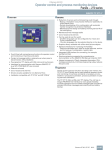
■ Overview
■ Application
The TP 170B Touch Panels can be used in all applications in
which operator control and monitoring of machines and installations is required on site – whether in production automation, process automation or building service automation. They are in use
in an extensive range of sectors and applications.
2
■ Design
• Touch panel for operating and monitoring machines and plants
• Universal unit for first-time users in the category of touch panels with graphics capability with extensive functionality
• Pixel graphics STN display Bluemode/color with touch screen
(analog/resistive)
• Interfaces for communication with Siemens SIMATIC S7 PLCs
(e.g. MPI, PROFIBUS DP) are on board
• S5 PLCs and non-Siemens PLCs can be connected through
easy-to-use drivers or converters
1) Cold Cathode Fluorescence Lamps
■ Function
■ Benefits
• Integral component of Totally Integrated Automation (TIA):
increases productivity, minimizes the engineering outlay, reduces the lifecycle costs
• Reduction of service and commissioning costs through:
- Backup/restoration via a process interface or optionally via a
CompactFlash card
- Remote downloading of the configuration with automatic
transfer recognition even via WAN (Wide Area Network) using
TeleService adapter
- Maintenance-free design (no battery) and long service life of
the backlighting
• Can be used all over the world:
- 32 offline languages can be configured (incl. Asian and Cyrillic character sets)
- Online language can be selected directly on the device
• Graphics library available with off-the-shelf picture objects
• Standard hardware and software interfaces for increasing
flexibility:
- CompactFlash card, used for recipe data records and for
backup of configuration/system data
• Integrated printer port
• Extensive documentation on the SIMATIC HMI Manual Collection CD
2/80
• STN, CCFL1)-backlit display, Bluemode or color
• Resistive analog Touch
• Numeric "on-screen“ system keyboard for decimal,
binary and hexadecimal numeric formats
• On-screen alpha keyboard (English font)
• Compact design with shallow installation depth
• Rugged plastic housing
• The front is resistant to various oils, greases and standard
detergents
• A protective cover is available as an option for achieving the
NEMA 4 degree of protection and as additional protection
against fouling and scratching
• Plug-type terminals for connection of a power supply
• Interfaces for plugging the connecting cables into the PLC,
printer or configuration computer are integrated.
• Slot for standard Compact Flash Card
Siemens ST 80 · 2006
• Input/output fields
for displaying and changing process parameters
• Buttons
for direct triggering of functions and actions. Up to 16 functions
can be configured simultaneously on buttons.
• Graphics
can be used as icons instead of text to "label" function keys or
buttons. They can also be used as background displays (wallpaper).
In the configuration tool, a library is available containing extensive graphics and a wide variety of objects. All editors with an
OLE interface can be used as graphics editors (such as PaintShop, Designer or CorelDraw).
• Vector graphics;
simple geometric basic forms (e.g., lines, circles and rectangles) can be created direct in the configuring tool
• Predefined texts
for labeling function keys, process images and process values
in any character size
• Curve functions and bars
are used for the display of dynamic values in graphics-based
format
• Display selection from the PLC
supports operator prompting from the PLC
• Language selection;
online languages can be selected directly on the device
• Password protection
• Signaling system;
administration of status, fault and system messages.
• Recipe management
- With additional data storage (on CF card)
- Online/offline processing on the panel
- Storage of recipe data in standard Windows format (CSV)
- External processing using standard tools such as Excel and
Access is possible
© Siemens AG 2007
Operator Control and Monitoring Devices
Panels — 170 series
SIMATIC TP 170B
■ Function (continued)
• Help texts
for process images, messages and variables
• Arithmetic functions
• Limit value monitoring
for reliable process control of inputs and outputs
• Indicator light
for machine and plant status indication
• Timer
for cyclic function processing
• Print;
hard copy and messages (see "Recommended printers")
• Dynamic positioning of objects and dynamic showing/hiding of
objects
• Permanent window;
Fixed area of screen for outputting non-screen-specific information (e.g., important process values, date and time)
• Simple maintenance and configuration thanks to:
- Backup and restoration of the configuration, operating system, data records and firmware on the optional CompactFlash card
- Backup and restoration of the configuration, operating
system, data records and firmware on a PC using ProSave
- Configuration download/upload possible via process
interface
- Automatic transfer identification
- Individual contrast setting and calibration
- Clean screen
- Configuration simulation directly on the configuration computer
• Signaling system; discrete alarms with message history
(not battery-backed)
■ Integration
The TP 170B can be connected to SIMATIC CPUs from Siemens
and to non-Siemens CPUs.
Projects for a TP 170B can be created "stand-alone“ as well as
"integrated" in STEP7.
Additionally when configuring with WinCC flexible
• SINUMERIK
(optionally with "SINUMERIK HMI copy license
WinCC flexible CE"; the "SINUMERIK HMI engineering package WinCC flexible" is additionally necessary for configuration;
for further information, see Catalog NC 60)
Note:
For further information, see "System interfaces"
Additional functions when configuring with WinCC flexible
• Signaling system
- Analog messages (limit value messages) as well as the Alarm
S message frame procedure for SIMATIC S7 and SIMOTION
- Freely definable message classes (e.g., status/fault messages) for definition of acknowledgment response and display of message events
• Language selection:
- Language-dependent texts and graphics
• Permanent window enhanced with template concept;
- Creation of a screen template
• User administration (security)
- User-oriented access protection according to requirements
of specific sectors
- Authentication with user ID and password
- User-group-specific rights
• Under some circumstances larger volume/function limits are
possible with the same hardware than under ProTool
Configuring
Configuration is performed using the SIMATIC ProTool/Lite,
SIMATIC ProTool or SIMATIC ProTool/Pro Configuration software
(see HMI software/configuration software or visualization software) or with the SIMATIC WinCC flexible Compact, Standard or
Advanced engineering software (see HMI software/engineering
software SIMATIC WinCC flexible).
Projects created with ProTool can be transferred to WinCC flexible. Under some circumstances WinCC flexible can provide the
user with access to more functions without the need for additional or modified hardware.
Siemens ST 80 · 2006
2/81
2
© Siemens AG 2007
Operator Control and Monitoring Devices
Panels — 170 series
SIMATIC TP 170B
■ Technical specifications
2
SIMATIC
TP 170B
Bluemode
(4 levels)
SIMATIC
TP 170B
Color
(16 colors)
• Display type
STN liquid
crystal display
(LCD)
STN liquid
crystal display
(LCD)
Degree of protection
• Size
5.7"
5.7"
• Resolution (W x H in pixels)
320 x 240
320 x 240
• Colors
4 shades of
blue
16 colors
Display
SIMATIC
TP 170B
Bluemode
(4 levels)
SIMATIC
TP 170B
Color
(16 colors)
Software clock,
without battery
backup
Software clock,
without battery
backup
• Front
IP65, NEMA 4;
(when
mounted)
IP65, NEMA 4;
(when
mounted)
• Rear
IP20
IP20
Certification
(some only as options)
CE, FM Class I
Div. 2, UL, CSA
CE, FM Class I
Div. 2, UL, CSA
Clock
• MTBF of background lighting
(at 25 °C)
approx.
50,000 hours
approx.
50,000 hours
Mechanical components/
dimensions
Operating mode
• Operating options
Touch
Touch
• Front panel W x H (mm)
212 x 156
212 x 156
• Touch screen
Analog,
resistive
Analog,
resistive
• Mounting cutout/depth W x H x D
(mm)
• Numeric/alphanumeric input
Yes/Yes
Yes/Yes
198 x 142/
45 mm depth
of unit
198 x 142/
45 mm depth
of unit
Processor/HW
RISC 32 bits,
66 MHz
RISC 32 bits,
66 MHz
• Weight
0.7 kg
0.7 kg
Windows CE
Windows CE
• Max. relative humidity (in %)
85%
85%
• Mounting position
- Max. permissible angle of
inclination without external fan
Vertical
+/- 35°
Vertical
+/- 35°
0 to +50 °C
0 to +40 °C
0 to +50 °C
0 to +40 °C
-20 to +60 °C
-20 to +60 °C
• I/O
Printer
Printer
• Applications/options
(with ProTool)
ThinClient
None
• Configuration tool
ProTool
ProTool
• Configuration tool
WinCC flexible
WinCC flexible
Operating systems
Memory
• Type
Flash/RAM
Flash/RAM
• Usable memory for project data
768 KB user
memory/without additional
memory for
options
768 KB user
memory/without additional
memory for
options
TTY optional,
2 x RS232,
1 x RS422,
1 x RS485
max. 12 Mbit/s
TTY optional,
2 x RS232,
1 x RS422,
1 x RS485
max. 12 Mbit/s
1 x CF card slot
1 x CF card slot
• Supply voltage
24 V DC
24 V DC
• Permissible range
+18 V to
+30 V DC
+18 V to
+30 V DC
• Rated current
0.25 A
0.25 A
• Output
6W
7W
Interfaces (some only as options)
• Interfaces
• CF card slot
Supply voltage
2/82
Siemens ST 80 · 2006
Ambient conditions
• Temperature
- Operation (vertical installation)
- Operation
(max. angle of inclination)
- Transportation and storage
Peripherals/applications/options
Configuring
© Siemens AG 2007
Operator Control and Monitoring Devices
Panels — 170 series
SIMATIC TP 170B
■ Technical specifications (continued)
SIMATIC
TP 170B
Bluemode
(4 levels)
SIMATIC
TP 170B
Color
(16 colors)
Functionality
(with WinCC flexible)
SIMATIC
TP 170B
Bluemode
(4 levels)
SIMATIC
TP 170B
Color
(16 colors)
Functionality
(with WinCC flexible) (continued)
• Scheduler
Yes
Yes
Text lists
300
300
• Help system
Yes
Yes
Graphics lists
100
100
Libraries
Yes
Yes
Variables
1000
1000
• Number of user groups
10
10
• Exportable passwords
Yes
Yes
• Printing/logging
Messages,
report/log, color
print
Messages,
report/log, color
print
• Printer driver
ESC/P2,
PCL3/PCL6
ESC/P2,
PCL3/PCL6
US English
US English
Protocols
• Interface to control
(may only be an option)
S5, S7-200,
S7-300/400,
505Win AC,
SINUMERIK,
SIMOTION,
Allen Bradley
(DF1),
Mitsubishi (FX),
Telemecanique
(ADJUST),
Modicon (Modbus) and other
non-Siemens
drivers
S5, S7-200,
S7-300/400,
505Win AC,
SINUMERIK,
SIMOTION,
Allen Bradley
(DF1),
Mitsubishi (FX),
Telemecanique
(ADJUST),
Modicon (Modbus) and other
non-Siemens
drivers
• Number of messages
2000
2000
• Discrete alarms
Yes
Yes
• Analog messages
Yes
Yes
• Message length (in characters)
80
80
• Number of process values per
message
8
8
• Acknowledgement groups
99
99
• Message buffer
Ring buffer,
128 entries
each
Ring buffer,
128 entries
each
Signaling system
Security
Logging/printer driver
Fonts
• Keyboard fonts
Languages
• Online languages
5
5
• Project languages:
D, GB, F, I, E,
CHN "traditional", CHN
"simplified", DK,
FIN, GR, J,
KP/ROK, NL, N,
PL, P, RUS, S,
CZ/SK, TR, H
D, GB, F, I, E,
CHN "traditional", CHN
"simplified", DK,
FIN, GR, J,
KP/ROK, NL, N,
PL, P, RUS, S,
CZ/SK, TR, H
• Fonts
Tahoma,
ideographic
languages, all
freely scalable
Tahoma,
ideographic
languages, all
freely scalable
Recipes
• Recipes
100
100
• Data records per recipe
200
200
• Entries/data record
200
200
Data carrier support
(may only be an option)
• Recipe memory
32 KB integrated Flash,
expandable
32 KB integrated Flash,
expandable
• CF card
Yes
Yes
• Applications/options
(with WinCC flexible)
100
100
ProAgent,
Internet
Explorer
ProAgent,
Internet
Explorer,
ThinClient
2000 text
elements
2000 text
elements
Yes
Yes
MPI/PROFIBUS
DP, serial (automatic transfer
recognition)
MPI/PROFIBUS
DP, serial (automatic transfer
recognition)
Process images
Picture elements
• Text objects
Expansion capability/openness
• Graphics objects
Bitmaps, icons,
icon (filling the
screen)
Bitmaps, icons,
icon (filling the
screen)
• Dynamic objects
Diagrams, bar
graphs, hidden
buttons
500
Diagrams, bar
graphs, hidden
buttons
500
50
50
- Number of bar graphs
per project
- Number of curve diagrams
per project
• OPP
Transfer under ProTool
(upload/download)
• Transfer of the configuration
Siemens ST 80 · 2006
2/83
2
© Siemens AG 2007
Operator Control and Monitoring Devices
Panels — 170 series
SIMATIC TP 170B
■ Technical specifications (continued)
2
SIMATIC
TP 170B
Bluemode
(4 levels)
SIMATIC
TP 170B
Color
(16 colors)
Functionality
(under ProTool)
SIMATIC
TP 170B
Bluemode
(4 levels)
SIMATIC
TP 170B
Color
(16 colors)
Functionality
(under ProTool) (continued)
• Timer
Yes
Yes
Lists
• Password protection (number of
levels)
9
9
• Text lists/project
300
300
• Graphics lists/project
100
100
• Help system
Yes
Yes
• Libraries
Yes
Yes
• Variables
1000
1000
• Print functions
Messages,
color print,
hard copy
Messages,
color print,
hard copy
• Drivers
ESC/P2,
PCL3/PCL6
ESC/P2,
PCL3/PCL6
US English
US English
Protocols
• Interface to PLC
(may only be an option)
S5, S7-200,
S7-300/400,
505Win AC,
SINUMERIK,
SIMOTION,
Allen Bradley
(DF1),
Mitsubishi (FX),
Telemecanique
(ADJUST),
Modicon (Modbus) and other
non-Siemens
drivers
S5, S7-200,
S7-300/400,
505Win AC,
SINUMERIK,
SIMOTION,
Allen Bradley
(DF1),
Mitsubishi (FX),
Telemecanique
(ADJUST),
Modicon (Modbus) and other
non-Siemens
drivers
Signaling system
Logging/printer driver
Fonts
• Language (keyboard fonts)
Languages
• Online languages
5
5
• Project languages
D, GB, F, I, E,
CHN "traditional", CHN
"simplified", DK,
FIN, GR, J,
KP/ROK, NL, N,
PL, P, RUS, S,
CZ/SK, TR, H
D, GB, F, I, E,
CHN "traditional", CHN
"simplified", DK,
FIN, GR, J,
KP/ROK, NL, N,
PL, P, RUS, S,
CZ/SK, TR, H
• Character set
Tahoma,
ideographic
languages, all
freely scalable
Tahoma,
ideographic
languages, all
freely scalable
• Status messages
1000
1000
• Alarm messages
1000
1000
• System messages
Yes
Yes
• Message length
(lines x characters)
1 x 70
1 x 70
• Number of process values
in messages
8
8
• Message buffer
Ring buffer,
128 entries
each
Ring buffer,
128 entries
each
• Recipes
100
100
• PC card
No
No
• Data records per recipe
200
200
• CF card
Yes
Yes
• Entries/data record
200
200
• MMC card
No
No
• Recipe memory
32 KB integrated Flash,
expandable
32 KB integrated Flash,
expandable
100
100
• Text objects
2000 text
elements
2000 text
elements
• Number
2000
2000
• Fields per screen
0
0
• Variables per screen
50
50
• Graphics objects
Bitmaps, icons,
background
pictures, vector
graphics
Bitmaps, icons,
background
pictures, vector
graphics
• Dynamic objects
Diagrams,
bar graphs,
hidden buttons
500
500
Diagrams,
bar graphs,
hidden buttons
500
500
Recipes
Number
• Process images
Picture elements
- Number per project
- Number of bar graphs/project
2/84
Siemens ST 80 · 2006
Data carrier support
(may only be available as an option
with ProTool)
© Siemens AG 2007
Operator Control and Monitoring Devices
Panels — 170 series
SIMATIC TP 170B
■ Ordering data
Order No.
Order No.
SIMATIC TP 170B
Documentation (to be ordered separately) (continued)
Touch Panel with 5.7" STN display
• Blue mode (4 levels)
B
6AV6 545-0BB15-2AX0
User Manual
Communication for WindowsBased Systems (ProTool)
• Color (16 colors)
B
6AV6 545-0BC15-2AX0
• German
6AV6 596-1MA06-0AA0
• English
6AV6 596-1MA06-0AB0
• French
6AV6 596-1MA06-0AC0
• Italian
6AV6 596-1MA06-0AD0
incl. mounting accessories
Configuring
• with SIMATIC ProTool/Lite,
ProTool or ProTool/Pro
• with SIMATIC WinCC flexible
Configuration set
Consisting of:
Configuration or engineering
software,
SIMATIC HMI Manual Collection
(CD), 5 languages (English,
French, German, Italian and
Spanish),
RS 232 cable (5 m),
MPI cable (5 m)
• With SIMATIC ProTool/Lite
configuration software
• With SIMATIC WinCC flexible D
Compact engineering software
See Section 4
See Section 4
• Spanish
SIMATIC HMI
Manual Collection
Electronic documentation,
on CD-ROM
5 languages (English, French,
German, Italian and Spanish);
contains: all currently available
user manuals, manuals and
communication manuals for
SIMATIC HMI
6AV6 573-1FA06-0DX0
Accessories
6AV6 621-0AA01-0AA0
CF cards
CF card, 128 MB D)
6AV6 596-1MA06-0AE0
C
6AV6 691-1SA01-0AX0
A
6AV6 574-2AC00-2AA0
Documentation (to be ordered separately)
Accessories for supplementary ordering
Operating Instructions
TP 170micro/TP 170A/TP 170B/
OP 170B (WinCC flexible)
Cover foil
(pack of 10)
6AV6 574-1AD00-4AX0
Protective cover
(2 sets)
6AV6 574-1AE00-4AX0
Service pack
Consisting of:
• Installation sealing
• 2 sets of labeling strips (for OPs)
• 7 tensioning clamps
• Plug-in terminal block
(twin block)
6AV6 574-1AA00-4AX0
6ES5 734-1BD20
• German
6AV6 691-1DB01-0AA0
• English
6AV6 691-1DB01-0AB0
• French
6AV6 691-1DB01-0AC0
• Italian
6AV6 691-1DB01-0AD0
• Spanish
6AV6 691-1DB01-0AE0
User Manual
WinCC flexible
Compact/Standard/Advanced
• German
6AV6 691-1AB01-0AA0
• English
6AV6 691-1AB01-0AB0
• French
6AV6 691-1AB01-0AC0
TTY-RS 232 converter
for connection with S5 CPUs,
length 3.2 m;
Canon 15-pin – 25-pin
• Italian
6AV6 691-1AB01-0AD0
RS 232 cable (5 m)
6ES7 901-1BF00-0XA0
• Spanish
6AV6 691-1AB01-0AE0
PROFIBUS connecting cable
830-1T
For connection of data terminal,
preassembled with two sub D
connectors, 9-pin,
terminated at both ends, 3 m
6XV1 830-1CH30
Bus connector RS 485 with
axial cable outlet (180°)
6GK1 500-0EA02
User Manual
WinCC flexible Communication
• German
6AV6 691-1CA01-0AA0
• English
6AV6 691-1CA01-0AB0
TP 170/OP 170B Manual
(ProTool)
• German
6AV6 591-1DC11-2AA0
90° angle adapter,
9-pin for RS422/485
6AV6 671-8XD00-0AX0
• English
6AV6 591-1DC11-2AB0
System interfaces
See page 2/169
• French
6AV6 591-1DC11-2AC0
Connecting cables
See page 2/180
• Italian
6AV6 591-1DC11-2AD0
• Spanish
6AV6 591-1DC11-2AE0
ProTool User Manual
for configuring Windows-based
systems
• German
6AV6 594-1MA06-1AA0
• English
6AV6 594-1MA06-1AB0
• French
6AV6 594-1MA06-1AC0
• Italian
6AV6 594-1MA06-1AD0
• Spanish
6AV6 594-1MA06-1AE0
2
A) Subject to export regulations AL: N and ECCN: EAR99H
B) Subject to export regulations AL: N and ECCN: 5D002ENC3
C) Subject to export regulations AL: N and ECCN: EAR99S
D) Subject to export regulations AL: N and ECCN: 5D992B1
Siemens ST 80 · 2006
2/85
© Siemens AG 2007
Operator Control and Monitoring Devices
Panels — 170 series
SIMATIC TP 170B
■ Dimension drawings
■ More information
For further information, visit our website at
Dimensions in mm
2
http://www.siemens.com/panels
212
196
Note
Do you need a specific modification or option for the products
described here? Then look up "Customized products",
where you will find information about additional sector-specific
products that can be ordered as well as about options for
customer-specific modification and adaptation.
140
156
6
Panel cutout (W x H) in mm: 198 x 142
2/86
Siemens ST 80 · 2006
G_ST80_XX_00064
42
© Siemens AG 2007
Operator Control and Monitoring Devices
Panels — 170 series
SIMATIC TP 177A
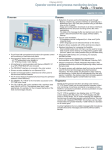
■ Overview
■ Design
• 5.7” STN, CCFL1) backlit display, Bluemode (4 levels)
• Resistive analog Touch
• Numeric system keyboard for decimal, binary and hexadecimal number formats
• On-screen alphanumeric keyboard
• Compact design with small installation depth
• Rugged plastic housing
• The front is resistant to various oils, greases and standard detergents
• Plug-type terminals for connection of a 24 V DC power supply
• RS 485 interface for process connections (MPI, PROFIBUS DP
to 1.5 Mbit/s) and for configuration download
1) Cold Cathode Fluorescence Lamps
■ Function
• Touch panel for operator control and monitoring of small
machines and plants
• Low-cost starter device in the touch panel class with graphical
capability complete with all the basic functions required for
simple tasks
• Pixel graphics 5.7" STN touch screen (analog/resistive),
Bluemode (4 levels)
• All interfaces (e.g. MPI, PROFIBUS DP) are on board
• SIMATIC TP 177A is the redesigned TP 170A Touch Panel
■ Benefits
• Can even be used where installation space is restricted thanks
to portrait configuration
• Integral component of Totally Integrated Automation (TIA):
Increases productivity, minimizes the engineering outlay,
reduces the lifecycle costs
• Reduces the service and start-up costs due to:
- Remote downloading of configuration with automatic transfer
recognition also over WAN (Wide Area Network)
- Maintenance-free design (no batteries) and the long service
life of the backlighting
• Graphics library is available complete with ready-to-use
display objects
• Can be used worldwide:
- 32 languages can be configured (including Asiatic and
Cyrillic character sets)
- Up to 5 languages are selectable online
- Language-dependent texts and graphics
■ Application
• Input/output fields
for displaying and changing process parameters
• Buttons
for direct triggering of functions and actions. Up to 16 functions
can be configured simultaneously on buttons.
• Graphics
can be used as icons instead of text to "label" function keys or
buttons. They can also be used as background displays (wallpaper).
In the configuration tool, a library is available containing extensive graphics and a wide variety of objects. All editors with an
OLE interface can be used as graphics editors (such as PaintShop, Designer or CorelDraw).
• Vector graphics
Simple geometric basic forms (line, circle and rectangle) can
be created direct in the configuring tool
• Predefined
for labeling function keys, process images and process values
in different font sizes
• Bars
for the graphical display of dynamic values
• Language selection:
- 5 online languages, 32 configuration languages incl. Asian
and Cyrillic character sets
- Language-dependent texts and graphics
• User administration (security) according to the requirements of
the various sectors
- Authentication with user ID and password
- User-group-specific rights
• Signaling system
- Discrete alarms
- Freely-definable message classes (e.g., status/fault
messages) for definition of acknowledgment response and
display of message events
- Message history
The TP 177A Touch Panels can be used wherever direct operator control and monitoring of small machines and installations is
required locally – whether in production automation, process
automation or building automation. They are in use in an extensive range of sectors and applications.
With its quick response times, the TP 177A is also ideally suited
to jog mode.
Compatible to TP 170A
• Installation cutout identical to TP 170A
• The TP 170A configurations can be loaded from ProTool/Lite,
ProTool and ProTool/Pro
• Migration manual with descriptions of the main differences
over TP 170A or ProTool
Siemens ST 80 · 2006
2/87
2
© Siemens AG 2007
Operator Control and Monitoring Devices
Panels — 170 series
SIMATIC TP 177A
■ Function (continued)
2
• Help texts
for process images, messages and variables
• Arithmetic functions
• Limit value monitoring
for reliable process control of inputs and outputs
• Indicator light
for machine and plant status indication
• Scheduler for global function execution
• Template concept
Creation of picture templates (picture elements configured in
the template appear in every image)
• Simple maintenance and configuration thanks to:
- Backup and restoration of configuration, operating system
and firmware on a PC using ProSave
- Configuration download via MPI/PROFIBUS DP and serially
via RS485
- Automatic transfer identification
- Individual contrast setting and calibration
- Clean screen
- No batteries are necessary
Configuring
Configuration is carried out using the SIMATIC WinCC flexible
Compact, Standard or Advanced engineering software (see
HMI software/SIMATIC WinCC flexible engineering software),
version 2004 SP1 and higher. An HSP (Hardware Support Package) is required for this version.
The device is integrated as standard in WinCC flexible 2005 and
higher and no HSP is required in this case.
The HSP for WinCC flexible 2004 SP1 can be downloaded free
of charge via the following link:
http://www4.ad.siemens.de/WW/view/de/19241467
or alternatively via the following shortcut:
http://www.siemens.de/wincc-flexible-hsp
Projects created with ProTool can be transferred to
WinCC flexible.
2/88
Siemens ST 80 · 2006
■ Integration
The TP 177A can be connected to:
• SIMATIC S7-200/-300-400
• SIMATIC WinAC Software/Slot PLC
Note:
For further information, see "System interfaces"
© Siemens AG 2007
Operator Control and Monitoring Devices
Panels — 170 series
SIMATIC TP 177A
■ Technical specifications
SIMATIC TP 177A
Display
• Display type
STN liquid crystal display (LCD)
• Size
5.7"
SIMATIC TP 177A
Functionality
(with WinCC flexible)
• Help system
• Resolution (W x H in pixels)
320 x 240
• Colors
4 shades of blue
• Interface to control
(may only be an option)
• MTBF of background lighting
(at 25 °C)
approx. 50,000 hours
Signaling system
Operating mode
• Operating options
• Touch screen
Touch
Analog, resistive
• Numeric/alphanumeric input
Yes/Yes
Processor/HW
N/A
Memory
2
Yes
Protocols
S7-200, S7-300/400Win AC
• Number of messages
1000
• Discrete alarms
Yes
• Analog messages
No
• Message length (in characters)
80
• Number of process values per
message
8
• Message buffer
Ring buffer, 256 entries each
• Type
Flash/RAM
Process images
250
• Usable memory for project data
512 KB user memory/without
additional memory for options
Picture elements
Interfaces
1 x RS422,
1 x RS485 max. 1.5 Mbit/s
Supply voltage
• Supply voltage
24 V DC
• Permissible range
+20.4 to +28.8 V DC
• Output
6W
Clock
Software clock,
without battery backup
Degree of protection
• Front
IP65, NEMA 4, NEMA 12;
(when mounted)
• Rear
IP20
Certification
(some only as options)
CE, GL, ABS, BV, DNV, LRS, PRS,
FM Class I Div. 2, UL, CSA,
cULus, hazardous zone 2/22,
C-TICK
Mechanical components/
dimensions
• Text objects
1000 text elements
• Fields per screen
30
• Variables/screen
30
• Graphics objects
Bitmaps, icons, icon
(filling the screen)
• Dynamic objects
Bar graphs
Text lists
300
Graphics lists
0
Libraries
Yes
Variables
250
Security
• Number of user groups
50
• Number of access rights
32
• Exportable passwords
Yes
Languages
• Online languages
5
• Project languages:
D, GB, F, I, E, CHN "traditional",
CHN "simplified", DK, FIN, GR, J,
KP/ROK, NL, N, PL, P, RUS, S,
CZ/SK, TR, H
WinCC flexible standard,
ideographic languages
• Front panel W x H (mm)
212 x 156
• Mounting cutout/depth W x H x D
(mm)
198 x 142/45 mm depth of unit
• Weight
0.75 kg
• Fonts
• Max. relative humidity (in %)
85%
Transfer under ProTool
(upload/download)
• Mounting position
- Max. permissible angle of inclination without external fan
Vertical
+/- 35°
• Transfer of the configuration
Ambient conditions
• Temperature
- Operation (vertical installation)
- Operation
(max. angle of inclination)
- Transportation and storage
MPI/PROFIBUS DP, serial
(automatic transfer recognition)
0 to +50 °C
0 to +40 °C
-20 to +60 °C
Configuring
• Configuration tool
WinCC flexible
Siemens ST 80 · 2006
2/89
© Siemens AG 2007
Operator Control and Monitoring Devices
Panels — 170 series
SIMATIC TP 177A
■ Ordering data
2
SIMATIC TP 177A
Touch Panel with 5.7" STN
display, blue mode (4 levels),
incl. mounting accessories
Order No.
B
B
TP 177A starter kit
Consisting of:
• Touch Panel TP 177A
• SIMATIC WinCC flexible
Compact engineering software
• SIMATIC HMI Manual Collection
(CD),
5 languages (English, French,
German, Italian, Spanish),
comprising: all currently available user manuals, manuals and
communication manuals for
SIMATIC HMI
• MPI cable (5 m)
(for download and test
purposes)
• PC/PPI Multimaster cable
• Software Update Service
for 1 year
6AV6 642-0AA11-0AX0
6AV6 651-2AA01-0AA0
Accessories for supplementary ordering
Cover foil
(pack of 10)
6AV6 671-2XC00-0AX0
Protective cover
6AV6 574-1AE00-4AX0
Service pack
Consisting of:
6AV6 671-2XA00-0AX0
• Installation sealing
• Mounting clamps
• Plug-in terminal block (twin
block)
Configuring
See Section 4
• with SIMATIC WinCC flexible
Order No.
Documentation (to be ordered separately)
Operating Instructions
for TP 177A, TP 177B, OP 177B
PROFIBUS connecting cable
830-1T
For connection of data terminal,
preassembled with two sub D
connectors, 9-pin,
terminated at both ends, 3 m
6XV1 830-1CH30
Bus connector RS 485 with
axial cable outlet (180°)
6GK1 500-0EA02
90° angle adapter
1 x 90° angle adapter,
9-pin for RS485/422 interface
A
6AV6 671-8XD00-0AX0
PC/PPI Multimaster cable
For connecting the S7-200
to the serial PC/OP interface,
and for image booting of the
panel
A
6ES7 901-3CB30-0XA0
6AV6 691-1DG01-0AA1
System interfaces
See page 2/169
• English
6AV6 691-1DG01-0AB1
Connecting cables
See page 2/180
• French
6AV6 691-1DG01-0AC1
• Italian
6AV6 691-1DG01-0AD1
• Spanish
6AV6 691-1DG01-0AE1
A) Subject to export regulations AL: N and ECCN: EAR99H
B) Subject to export regulations AL: N and ECCN: 5D002ENC3
C) Subject to export regulations AL: N and ECCN: EAR99S
• German
User Manual
WinCC flexible Compact/Stand
ard/Advanced
• German
6AV6 691-1AB01-0AA0
• English
6AV6 691-1AB01-0AB0
• French
6AV6 691-1AB01-0AC0
• Italian
6AV6 691-1AB01-0AD0
• Spanish
6AV6 691-1AB01-0AE0
User Manual
WinCC flexible Communication
• German
6AV6 691-1CA01-0AA0
• English
6AV6 691-1CA01-0AB0
SIMATIC HMI
Manual Collection
Electronic documentation,
on CD-ROM
5 languages (English, French,
German, Italian and Spanish);
contains: all currently available
user manuals, manuals and
communication manuals for
SIMATIC HMI
2/90
C
Siemens ST 80 · 2006
6AV6 691-1SA01-0AX0
© Siemens AG 2007
Operator Control and Monitoring Devices
Panels — 170 series
SIMATIC TP 177A
■ Dimension drawings
■ More information
For further information, visit our website at
Dimensions in mm
2
44
140
156
212
http://www.siemens.com/panels
6.2
Note
Do you need a specific modification or option for the products
described here? Then look up "Customized products",
where you will find information about additional sector-specific
products that can be ordered as well as about options for
customer-specific modification and adaptation.
Panel cutout (W x H) in mm: 197+1 x 141+1
Siemens ST 80 · 2006
2/91
© Siemens AG 2007
Operator Control and Monitoring Devices
Panels — 170 series
SIMATIC TP 177B
■ Overview
■ Application
Thanks to their practical functions and large user memory,
TP 177B Touch Panels can be used wherever operator control
and monitoring of machines and plants is necessary on site –
whether in production automation, process automation or building-services automation. The TP 177B panels are now available
with a 4-color blue-mode display or a 256-color STN display.
The color variant complete with an integral PROFINET interface
can be implemented with even greater flexibility. A USB port
is standard on both model types. A further highlight is the nonvolatile message buffer included as standard that stores
messages permanently without battery backup.
2
■ Design
• Touch Panel with comprehensive functions for operator control
and monitoring of machines and plants
• Pixel-graphics STN blue-mode/color display with analog touch
screen
• Interfaces for communication with Siemens SIMATIC S7
(e.g., MPI, PROFIBUS DP) are on-board
• PROFINET interface is already on-board in the color version
• Drivers are also available for non-Siemens PLCs
■ Benefits
• Reduction of service and commissioning costs through:
- Backup/restore via a process interface or optionally via a
Multi Media Card.
- Image and configuration download via all device interfaces
- Maintenance-free design and long service life of the backlighting. The data in the message buffer are retained even
when the panel is disconnected from the supply, without
battery backup
• Can be used all over the world:
- 32 project languages can be configured (incl. Asian and
Cyrillic character sets)
- Online language can be selected directly on the device
• Graphics library available with off-the-shelf picture objects
• Standard interfaces for increasing the flexibility:
- external Multi Media Card, used for recipe data sets and for
backup of configuration/system data
• Integrated USB interface for connecting, for example, standard printers
• Simple engineering supported with comprehensive documentation on the SIMATIC HMI Manual Collection CD
• Integral component of Totally Integrated Automation (TIA):
increases productivity, minimizes the engineering outlay,
reduces the lifecycle costs
2/92
Siemens ST 80 · 2006
• 256 colors with color display or 4 blue-mode monochrome
STN display
• CCFL1)Backlighting with long service life
• Analog resistive touch screen
• Numeric and alphanumeric on-screen keyboard
• High performance thanks to Risk processor and 2 MB user
memory, plus additional integrated recipe memory
• Data in the message buffer are retained even when panel is
disconnected from the power supply, without batteries
• MPI, PROFIBUS DP interfaces (up to 12 Mbaud) as well as
USB 1.1 (max. 100 mA) on-board
• PROFINET interface with color variant already on-board
• Integral USB interface
• Can be configured using SIMATIC WinCC flexible 2005 Compact and higher
• Complete functionality for demanding tasks
• Comprehensive Reichert graphics library
• 32 languages (e.g., Cyrillic, traditional Chinese, simplified
Chinese) and online switching between up to 5 languages
• Multi Media Card slot, can be used for standard MMCs (for
backing up recipe data sets, the configuration and system
data)
• Remote downloading of the configuration via all interfaces with
automatic transfer recognition
• SINUMERIK, Sm@rt Access and Sm@rt Service options can be
used
• Service-friendly thanks to maintenance-free design and long
service life of the backlighting display
1) Cold Cathode Fluorescence Lamps
© Siemens AG 2007
Operator Control and Monitoring Devices
Panels — 170 series
SIMATIC TP 177B
■ Function
• Permanent window and template concept for creating screen
templates
• Input/output fields
for visualizing and editing process parameters
• Configurable buttons
with up to 16 functions are also used to directly trigger functions and actions
• Indicator light
for machine and plant status indication
• Predefined texts
for labeling function keys, process images and process values
in any character size
• Help texts
for process images, messages and variables
• Vector graphics, graphics
can be used as icons instead of text for "labeling" buttons.
They can also be used as full-screen background pictures.
In the configuration tool, a library is available containing extensive graphics and a wide variety of objects. All editors with an
OLE interface (e.g., PaintShop, Designer or CorelDraw) can
be used as graphics editors.
• Curve functions and bars
are used for the display of dynamic values in graphics-based
format
• Dynamic positioning of objects and dynamic showing/hiding of
objects
• Arithmetic functions, limit value monitoring
for reliable process control with inputs and outputs
• Online language selection (5 selectable languages), incl.
Asian and Cyrillic languages
This also applies to language-specific graphics
• Timer
for cyclic function processing
• Password protection (security)
User management – Authentication by means of user ID and
password plus privileges specific to user groups, which is an
integral part of SIMATIC
• Signaling system
Freely definable message classes (acknowledgement behavior and display can be configured) Administration of status,
fault and system messages. The message history is retained
even if the device is switched off.
Analog alarms (limit value messages) in addition to bit messages
• Recipe management:
- With additional data storage (on ext. storage medium)
- Online/offline processing on the panel
- Storage of recipe data in standard Windows format (CSV)
- External processing using standard tools such as Excel and
Access is possible
• Multi Media Card slot
for external standard data carrier, can be used for
backup/restoration or for transporting recipe data records
• User-friendly maintenance and configuration thanks to:
- Backup and restoration of the configuration, operating system, data records and firmware on a PC using ProSave
- Option to download/upload the configuration via all device
interfaces (with automatic transfer detection)
- Individual contrast setting and calibration
- Clean screen function to support reliable cleaning of the
touch panel in service
- Configuration simulation directly on the configuration computer
Configuring
The equipment is configured using the innovative engineering
tool SIMATIC WinCC flexible 2005 (Compact and above).
SIMATIC WinCC flexible is the logical further development of the
field-proven ProTool family. Projects generated using ProTool
can be easily migrated to WinCC. When OP17 projects are
implemented, the project engineer must make certain changes
following conversion as a result of the innovated display
technology. Support is however provided by WinCC flexible.
If WinCC flexible is started directly from SIMATIC Manager, data
in STEP 7 can be accessed directly at the click of a mouse button when the panel is configured. Duplicated data input and
data management is, therefore, avoided.
Additional options
• SINUMERIK
Optionally with "SINUMERIK HMI copy license
WinCC flexible CE". The SINUMERIK HMI engineering
WinCC flexible package is also required for configuration.
For further information see Catalog NC 60.
• Sm@rt Service
Remote operator control and monitoring of SIMATIC HMI
systems based on TCP/IP networks
• Sm@rt Access
Communication between HMI systems based on TCP/IP
networks. Remote access to recipe data sets, passwords and
information specific to the HMI system, and much more.
Siemens ST 80 · 2006
2/93
2
© Siemens AG 2007
Operator Control and Monitoring Devices
Panels — 170 series
SIMATIC TP 177B
■ Technical specifications
2
SIMATIC
TP 177B
Bluemode
(4 levels)
SIMATIC
TP 177B
Color
(256 colors)
Display
SIMATIC
TP 177B
Bluemode
(4 levels)
SIMATIC
TP 177B
Color
(256 colors)
• Front
IP65, NEMA 4,
NEMA 4x,
NEMA 12;
(when
mounted)
IP65, NEMA 4,
NEMA 4x,
NEMA 12;
(when
mounted)
Degree of protection
• Display type
STN liquid crys- STN liquid crystal display
tal display
(LCD)
(LCD)
• Size
5.7"
5.7"
• Resolution (W x H in pixels)
320 x 240
320 x 240
• Rear
IP20
IP20
• Colors
4 shades of
blue
256 colors
Certification
(some only as options)
• MTBF of background lighting (at
25 °C)
approx. 50,000
hours
approx. 50,000
hours
CE, GL, ABS,
BV, DNV, LRS,
PRS, FM Class I
Div. 2, UL, CSA,
cULus, EX zone
2/22, Gost-R, CTICK
CE, GL, ABS,
BV, DNV, LRS,
PRS, FM Class I
Div. 2, UL, CSA,
cULus, EX zone
2/22, Gost-R, CTICK
Operating mode
• Operating options
Touch
Touch
• Touch screen
Analog, resistive
Analog, resistive
• Numeric/alphanumeric input
Yes/Yes
Yes/Yes
• Front panel W x H (mm)
212 x 156
212 x 156
189 x 142/45
mm depth of
unit
189 x 142/45
mm depth of
unit
Mechanical components/dimensions
• External mouse/keyboard/barcode reader
USB/USB/-
USB/USB/-
• Mounting cutout/depth W x H x D
(mm)
Processor/HW
RISC 32 bits,
66 MHz
RISC 32 bits,
66 MHz
Ambient conditions
Operating systems
Windows CE
Windows CE
• Max. relative humidity (in %)
85%
85%
Vertical
Flash/RAM
Flash/RAM
• Mounting position
- Max. permissible angle of
inclination without external fan
Vertical
• Type
+/- 35°
+/- 35°
• Usable memory for project data
2000 KB user
memory/without additional
memory for
options
2000 KB user
memory/without additional
memory for
options
• Temperature
- Operation (vertical installation)
- Operation
(max. angle of inclination)
- Transportation and storage
0 to +50 °C
0 to +40 °C
0 to +50 °C
0 to +40 °C
-20 to +60 °C
-20 to +60 °C
Expansions for operator-process
communication
(may only be an option)
S1...S164 byte
or coded
4 bytes or
coded
Printer
Printer
Memory
Interfaces (some only as options)
• Interfaces
RS232 optional,
1 x RS422, 1 x
RS485 max. 12
Mbit/s
RS232 optional,
1 x RS422, 1 x
RS485 max. 12
Mbit/s
• USB (universal serial bus)
1 x USB
1 x USB
• Ethernet
No
1 x Ethernet
(RJ45)
Peripherals/applications/options
• SD/MMC SLOT
1 x SD/MMC
slot
1 x SD/MMC
slot
Configuring
• Supply voltage
24 V DC
24 V DC
• Permissible range
-15% to +20%
-15% to +20%
Clock
Software clock,
without battery
backup
Software clock,
without battery
backup
Siemens ST 80 · 2006
• I/O
• Configuration tool
Supply voltage
2/94
• DP direct keys
(buttons as input peripherals)
WinCC flexible WinCC flexible
2005, Compact, 2005 Advanced
Standard,
Advanced
© Siemens AG 2007
Operator Control and Monitoring Devices
Panels — 170 series
SIMATIC TP 177B
■ Technical specifications (continued)
SIMATIC
TP 177B
Bluemode
(4 levels)
SIMATIC
TP 177B
Color
(256 colors)
Functionality
(with WinCC flexible)
SIMATIC
TP 177B
Bluemode
(4 levels)
SIMATIC
TP 177B
Color
(256 colors)
Functionality
(with WinCC flexible) (continued)
• Scheduler
Yes
Yes
Text lists
300
300
• Help system
Yes
Yes
Graphics lists
100
100
• Status/Control
with
SIMATIC S7
with
SIMATIC S7
Libraries
Yes
Yes
Variables
1000
1000
50
32
Yes
50
32
Yes
• Printing/logging
Messages,
report/log, color
print, hardcopy
Messages,
report/log, color
print, hardcopy
• Printer driver
ESC/P2,
PCL3/PCL6
ESC/P2,
PCL3/PCL6
US English
US English
Protocols
• Interface to control
(may only be an option)
Filters
S7-200, S7300/400Win AC,
SINUMERIK,
SIMOTION,
Allen Bradley
(DF1), Mitsubishi (FX), Telemecanique
(ADJUST),
Modicon (Modbus) and other
non-Siemens
drivers
S7-200, S7300/400Win AC,
SINUMERIK,
SIMOTION,
Allen Bradley
(DF1), Mitsubishi (FX), Telemecanique
(ADJUST),
Modicon (Modbus) and other
non-Siemens
drivers
• Number of messages
2000
2000
• Keyboard fonts
• Discrete alarms
Yes
Yes
Languages
• Analog messages
Yes
Yes
• Online languages
5
5
• Message length (in characters)
80
80
• Project languages:
• Number of process values per
message
8
8
• Acknowledgement groups
99
99
• Message buffer
Battery-backed
ring buffer, 256
entries each
Battery-backed
ring buffer, 256
entries each
D, GB, F, I, E,
CHN "traditional", CHN
"simplified", DK,
FIN, GR, J,
KP/ROK, NL, N,
PL, P, RUS, S,
CZ/SK, TR, H
D, GB, F, I, E,
CHN "traditional", CHN
"simplified", DK,
FIN, GR, J,
KP/ROK, NL, N,
PL, P, RUS, S,
CZ/SK, TR, H
• Character sets
Tahoma,
WinCC flexible
standard,
ideographic
languages, all
freely scalable
Tahoma,
WinCC flexible
standard,
ideographic
languages, all
freely scalable
Yes
Yes
Yes
Yes
MPI/PROFIBUS
DP (automatic
transfer
recognition)
MPI/PROFIBUS
DP, Ethernet
(automatic
transfer
recognition)
Signaling system
• Security
- Number of user groups
- Number of access rights
- Exportable passwords
Logging/printer driver
Fonts
Recipes
• Recipes
100
100
• Data records per recipe
200
200
• Entries/data record
200
200
• Recipe memory
32 KB integrated Flash,
expandable
32 KB integrated Flash,
expandable
Data carrier support
(may only be an option)
Process images
100
100
Expansion capability/openness
• Text objects
2000 text
elements
2000 text
elements
Transfer under ProTool
(upload/download)
• Graphics objects
Bitmaps, icons,
icon (filling the
screen), vector
graphics
Bitmaps, icons,
icon (filling the
screen), vector
graphics
• Transfer of the configuration
• Dynamic objects
Diagrams, bar
graphs, hidden
buttons
500
Diagrams, bar
graphs, hidden
buttons
500
50
50
Picture elements
- Number of bar graphs
per project
- Number of curve diagrams
per project
• MMC card
• OPP
Siemens ST 80 · 2006
2/95
2
© Siemens AG 2007
Operator Control and Monitoring Devices
Panels — 170 series
SIMATIC TP 177B
■ Ordering data
Order No.
SIMATIC TP 177B
Touch Panel with 5.7" STN display
2
Order No.
Accessories
Accessories for supplementary ordering
• Blue mode (4 levels)
B
6AV6 642-0BC01-1AX0
B
6AV6 642-0BA01-1AX0
Cover foil
(pack of 10)
6AV6 671-2XC00-0AX0
• Color (256 colors)
incl. mounting accessories
6AV6 551-2EA01-1AA0
Protective cover
(2 sets)
6AV6 574-1AE00-4AX0
B
TP 177B starter kit
Consisting of:
• TP 177B with STN display,
blue mode
• SIMATIC WinCC flexible
Compact configuring software
• SIMATIC HMI
Manual Collection (CD),
5 languages
(English, French, German,
Italian, Spanish)
• MPI cable (5 m)
• Software update service
for 1 year
Service pack
Consisting of:
• Installation sealing
• 7 tensioning clamps
• Plug-in terminal block (twin
block)
6AV6 671-2XA00-0AX0
PROFIBUS connecting cable
830-1T
For connection of data terminal,
preassembled with two sub D
connectors, 9-pin, terminated at
both ends, 3 m
6XV1 830-1CH30
Bus connector RS 485
with axial cable outlet (180°)
6GK1 500-0EA02
IE FC RJ45 Plug 90
RJ45 plug-in connector for
Industrial Ethernet with a rugged
metal housing and integrated
insulation displacement contacts
for connecting Industrial Ethernet
FC installation cables;
with 90° cable outlet; for ET 200S;
1 pack = 1 unit
6GK1 901-1BB20-2AA0
IE FC RJ45 Plug 180
RJ45 plug-in connector for
Industrial Ethernet with a rugged
metal housing and integrated
insulation displacement contacts
for connecting Industrial Ethernet
FC installation cables;
with 180° cable outlet; for network
components and CPs/CPUs with
Industrial Ethernet interface;
1 pack = 1 unit
6GK1 901-1BB10-2AA0
90° angle adapter,
9-pin for RS422/485
6AV6 671-8XD00-0AX0
6AV6 671-8XJ00-0AX0
Configuring
See Section 4
• with SIMATIC WinCC flexible
Configuration set
Consisting of:
Configuration or engineering
software, SIMATIC HMI Manual
Collection (CD),
5 languages (English, French,
German, Italian and Spanish),
MPI cable (5 m)
D
• with SIMATIC WinCC flexible
Compact engineering software
6AV6 621-0AA01-0AA0
Documentation (to be ordered separately)
Operating Instructions
TP 177micro/TP 177A/TP 177B/
OP 1770B (WinCC flexible)
• German
6AV6 691-1DG01-0AA1
• English
6AV6 691-1DG01-0AB1
• French
6AV6 691-1DG01-0AC1
• Italian
6AV6 691-1DG01-0AD1
• Spanish
6AV6 691-1DG01-0AE1
• German
6AV6 691-1AB01-0AA0
RS422-to-RS232 (V.24)
converter
Between TD/TP/OP
and non-Siemens PLC
with RS232 interface
• English
6AV6 691-1AB01-0AB0
Standard Multi Media Card
6AV6 671-1CB00-0AX0
• French
6AV6 691-1AB01-0AC0
System interfaces
See page 2/169
• Italian
6AV6 691-1AB01-0AD0
Connecting cables
See page 2/180
• Spanish
6AV6 691-1AB01-0AE0
B) Subject to export regulations AL: N and ECCN: 5D002ENC3
C) Subject to export regulations AL: N and ECCN: EAR99S
D) Subject to export regulations AL: N and ECCN: 5D992B1
User Manual
WinCC flexible
Compact/Standard/Advanced
User Manual
WinCC flexible Communication
• German
6AV6 691-1CA01-0AA0
• English
6AV6 691-1CA01-0AB0
SIMATIC HMI
Manual Collection
Electronic documentation,
on CD-ROM
5 languages (English, French,
German, Italian and Spanish);
contains: all currently available
user manuals, manuals and
communication manuals for
SIMATIC HMI
2/96
C
Siemens ST 80 · 2006
6AV6 691-1SA01-0AX0
© Siemens AG 2007
Operator Control and Monitoring Devices
Panels — 170 series
SIMATIC TP 177B
■ Dimension drawings
■ More information
For further information, visit our website at
Dimensions in mm
2
http://www.siemens.de/panels
212
196
Note
Do you need a specific modification or option for the products
described here? Then look up "Customized products",
where you will find information about additional sector-specific
products that can be ordered as well as about options for
customer-specific modification and adaptation.
140
156
6
Panel cutout (W x H) in mm: 198 x 142
G_ST80_XX_00064
42
Siemens ST 80 · 2006
2/97
© Siemens AG 2007
Operator Control and Monitoring Devices
Panels — 170 series
SIMATIC OP 170B
■ Overview
■ Benefits
• Integral component of Totally Integrated Automation (TIA):
increases productivity, minimizes the engineering outlay, reduces the lifecycle costs
• Reduction of service and commissioning costs through:
- Backup/restoration via a process interface or optionally via a
CompactFlash card
- Remote downloading of the configuration with automatic
transfer recognition even via WAN (Wide Area Network) using
TeleService adapter
- Maintenance-free design (no battery) and long service life of
the backlighting
• Can be used all over the world:
- 32 offline languages can be configured (incl. Asian and
Cyrillic character sets)
- Online language can be selected directly on the device
• Graphics library available with off-the-shelf picture objects
• Standard hardware and software interfaces for increasing
flexibility:
- CompactFlash card, used for recipe data records and for
backup of configuration/system data
• Integrated printer port
• Extensive documentation on the SIMATIC HMI Manual
Collection CD
2
• Operator panel for operator control and monitoring of machines and plants
• Universal unit for first-time users in the category of panels with
graphics capability with extensive functionality
• Pixel-graphics 5.7" STN display, Bluemode (4 levels)
• Membrane keyboard with system keys, freely configurable and
freely inscribable function keys (some with LED)
• Interfaces for communication with Siemens SIMATIC S7 PLCs
(e.g. MPI, PROFIBUS DP) are on board
• S5 PLCs and non-Siemens PLCs can be connected through
easy-to-use drivers or converters
■ Application
The OP 170B Operator Panel can be used wherever direct
operator control and monitoring of machines and installations is
required locally – whether in production automation, process
automation or building automation. They are in use in an extensive range of sectors and applications.
■ Design
• STN, CCFL1) backlit display, Bluemode
• System keys, freely-configurable and freely-inscribable function keys (some with LED)
• Numeric and alphanumeric membrane keyboard
• Compact design with shallow installation depth
• Rugged plastic housing
• The front is resistant to various oils, greases and standard
detergents
• Plug-type terminals for connection of a power supply
• Interfaces for plugging the connecting cables into the PLC,
printer or configuration computer are integrated.
• Slot for standard Compact Flash Card
1) Cold Cathode Fluorescence Lamps
2/98
Siemens ST 80 · 2006
© Siemens AG 2007
Operator Control and Monitoring Devices
Panels — 170 series
SIMATIC OP 170B
■ Function
• Input/output fields
for displaying and changing process parameters
• Function keys
for direct triggering of functions and actions. Up to 16 functions
can be configured simultaneously on function keys.
The function keys can be used directly as PROFIBUS DP input
peripherals.
• Buttons
for direct triggering of functions and actions. Up to 16 functions
can be configured simultaneously on buttons.
• Graphics
can be used as icons instead of text to "label" function keys or
buttons. They can also be used as background displays (wallpaper).
In the configuration tool, a library is available containing extensive graphics and a wide variety of objects. All editors with an
OLE interface can be used as graphics editors (such as PaintShop, Designer or CorelDraw).
• Vector graphics;
simple geometric basic forms (e.g., lines, circles and rectangles) can be created direct in the configuring tool
• Predefined texts
for labeling function keys, process images and process values
in any character size
• Curve functions and bars
are used for the display of dynamic values in graphics-based
format
• Display selection from the PLC
supports operator prompting from the PLC
• Language selection;
online languages can be selected directly on the device
• Password protection
• Signaling system;
administration of status, fault and system messages.
• Recipe management
- With additional data storage (on CF card)
- Online/offline processing on the panel
- Storage of recipe data in standard Windows format (CSV)
- External processing using standard tools such as Excel and
Access is possible
• Help texts
for process images, messages and variables
• Arithmetic functions
• Limit value monitoring
for reliable process control of inputs and outputs
• Indicator light
for machine and plant status indication
• Timer
for cyclic function processing
• Print;
hard copy and messages (see "Recommended printers")
• Dynamic positioning of objects and dynamic showing/hiding of
objects
• Permanent window;
Fixed area of screen for outputting non-screen-specific information (e.g., important process values, date and time)
• Simple maintenance and configuration thanks to:
- Backup and restoration of the configuration, operating system, data records and firmware on the optional CF (CompactFlash) card
- Backup and restoration of the configuration, operating system, data records and firmware on a PC using ProSave
- Configuration download/upload possible via process interface
- Automatic transfer identification
- Individual contrast settings
- Configuration simulation directly on the configuration computer
• Signaling system; discrete alarms with message history
(not battery-backed)
Additional functions when configuring with WinCC flexible
• Signaling system
- Analog messages (limit value messages) as well as the Alarm
S message frame procedure for SIMATIC S7 and SIMOTION
- Freely definable message classes (e.g., status/fault messages) for definition of acknowledgment response and display of message events
• Language selection:
- Language-dependent texts and graphics
• Permanent window enhanced with template concept
- Creation of a template (screen template)
• User administration (password protection)
- User-oriented access protection according to requirements
of specific sectors
- Authentication with user ID and password
- User-group-specific rights
• Under some circumstances larger volume/function limits are
possible with the same hardware than under ProTool
Configuring
Configuration is performed using the SIMATIC ProTool/Lite,
SIMATIC ProTool or SIMATIC ProTool/Pro Configuration software
(see HMI software/configuration software or visualization software) or with the SIMATIC WinCC flexible Compact, Standard or
Advanced engineering software (see HMI software/engineering
software SIMATIC WinCC flexible).
Projects created with ProTool can be transferred to WinCC flexible. Under some circumstances WinCC flexible can provide the
user with access to larger volume limits and more functions
without the need for additional or modified hardware.
■ Integration
The OP 170B can be connected to SIMATIC CPUs from Siemens
and to non-Siemens CPUs.
Projects for an OP 170B can be created "stand-alone“ as well as
"integrated" in STEP7.
Additionally when configuring with WinCC flexible
• SINUMERIK
(optionally with "SINUMERIK HMI copy license
WinCC flexible CE"; the "SINUMERIK HMI engineering package WinCC flexible" is additionally necessary for configuration;
for further information, see Catalog NC 60)
Note:
For further information, see "System interfaces"
Siemens ST 80 · 2006
2/99
2
© Siemens AG 2007
Operator Control and Monitoring Devices
Panels — 170 series
SIMATIC OP 170B
■ Technical specifications
SIMATIC OP 170B
Display
2
SIMATIC OP 170B
Degree of protection
• Display type
STN liquid crystal display (LCD)
• Front
IP65, NEMA 4; (when mounted)
• Size
5.7"
• Rear
IP20
• Resolution (W x H in pixels)
320 x 240
4 shades of blue
Certification
(some only as options)
CE, FM Class I Div. 2, UL, CSA
• Colors
• MTBF of background lighting
(at 25 °C)
approx. 50,000 hours
Mechanical components/
dimensions
• Front panel W x H (mm)
240 x 252
• Operating options
Key
• Mounting cutout/depth
W x H x D (mm)
229 x 241/45 mm depth of unit
• Function keys, programmable
24 function keys, 18 with LEDs
• Weight
0.9 kg
• Membrane keyboard
Yes
Ambient conditions
• System keys
35
• Max. relative humidity (in %)
85%
• Touch screen
No
• Numeric/alphanumeric input
Yes/Yes
Vertical
+/- 35°
Processor/HW
RISC 32 bits, 66 MHz
• Mounting position
- Max. permissible angle of
inclination without external fan
Operating systems
Windows CE
• Temperatur e
- Operation (vertical installation)
- Operation
(max. angle of inclination)
- Transportation and storage
0 to +50 °C
0 to +40 °C
Operating mode
Memory
• Type
Flash/RAM
• Usable memory for project data
768 KB user memory/without
additional memory for options
Interfaces (some only as options)
• Interfaces
TTY optional,
2 x RS232,
1 x RS422,
1 x RS485 max. 12 Mbit/s
• CF card slot
1 x CF card slot
-20 to +60 °C
Expansions for operator-process
communication
(may only be an option)
• DP direct LEDs
(LEDs as S7 output I/O)
F1...F8, K1...K10
• DP direct keys
(buttons as input peripherals)
F1...F14, K1...K10
Peripherals/applications/options
Supply voltage
• Supply voltage
24 V DC
• I/O
Printer
• Permissible range
+18 to +30 V DC
ThinClient
• Rated current
0.25 A
• Applications/options
(with ProTool)
• Output
6W
Clock
Software clock, without battery
backup
2/100
Siemens ST 80 · 2006
Configuring
• Configuration tool
ProTool
• Configuration tool
WinCC flexible
© Siemens AG 2007
Operator Control and Monitoring Devices
Panels — 170 series
SIMATIC OP 170B
■ Technical specifications
(continued)
SIMATIC OP 170B
Functionality
(with WinCC flexible)
• Scheduler
• Help system
Protocols
• Interface to control
(may only be an option)
Signaling system
• Number of messages
• Discrete alarms
• Analog messages
• Message length (in characters)
• Number of process values per
message
• Acknowledgement groups
• Message buffer
Recipes
• Recipes
• Data records per recipe
• Entries/data record
• Recipe memory
Process images
Picture elements
• Text objects
• Fields per screen
• Variables/screen
• Graphics objects
• Dynamic objects
Yes
Yes
S5, S7-200, S7-300/400,
505Win AC, SINUMERIK,
SIMOTION, Allen Bradley (DF1),
Mitsubishi (FX), Telemecanique
(ADJUST), Modicon (Modbus)
and other non-Siemens drivers
2000
Yes
Yes
80
8
99
Ring buffer, 128 entries each
100
200
200
32 KB integrated Flash,
expandable
100
2000 text elements
0
50
Bitmaps, icons, icon
(filling the screen)
Diagrams, bar graphs, hidden
buttons
Text lists
300
Graphics lists
100
Libraries
Yes
Variables
1000
Security
• Number of user groups
• Exportable passwords
10
Yes
SIMATIC OP 170B
Transfer under ProTool
(upload/download)
• Transfer of the configuration
Functionality (under ProTool)
• Timer
• Password protection
(number of levels)
• Help system
Protocols
• Interface to PLC
(may only be an option)
Signaling system
• Status messages
• Alarm messages
• System messages
• Message length
(lines x characters)
• Number of process values in
messages
• Message buffer
Recipes
• Recipes
• Data records per recipe
• Entries/data record
• Recipe memory
Process images
Picture elements
• Text objects
• Number
• Graphics objects
• Dynamic objects
MPI/PROFIBUS DP, serial
(automatic transfer recognition)
Yes
9
Yes
S5, S7-200, S7-300/400, 505,
Win AC, SINUMERIK,
SIMOTION, Allen Bradley (DF1),
Mitsubishi (FX),
Telemecanique (ADJUST),
Modicon (Modbus)
nd other non-Siemens drivers
1000
1000
Yes
1 x 70
8
Ring buffer, 128 entries each
100
200
200
32 KB integrated Flash,
expandable
100
2000 text elements
2000
Bitmaps, icons, background
pictures, vector graphics
Diagrams, bar graphs, hidden
buttons
Text lists/project
300
Graphics lists/project
100
Libraries
Ja
Variables
1.000
Logging/printer driver
• Printing/logging
• Printer driver
Messages, report/log, color print
ESC/P2, PCL3/PCL6
Fonts
• Keyboard fonts
Logging/printer driver
• Print functions
• Drivers
Messages, color print, hard copy
ESC/P2, PCL3/PCL6
US English
Fonts
• Language (keyboard fonts)
US English
5
D, GB, F, I, E, CHN "traditional",
CHN "simplified", DK, FIN, GR, J,
KP/ROK, NL, N, PL, P, RUS, S,
CZ/SK, TR, H
Tahoma, ideographic languages,
all freely scalable
Languages
• Online languages
• Project languages
Languages
• Online languages
• Project languages:
• Character sets
Data carrier support
(may only be an option)
• CF card
• Applications/options
(with WinCC flexible)
Yes
ProAgent, Internet Explorer,
ThinClient
• Character set
Expansion capability/openness
• Transfer of the configuration
5
D, GB, F, I, E, CHN "traditional",
CHN "simplified", DK, FIN, GR, J,
KP/ROK, NL, N, PL, P, RUS, S,
CZ/SK, TR, H
Tahoma, ideographic languages,
all freely scalable
MPI/PROFIBUS DP (if available),
serial (automatic transfer
recognition)
Siemens ST 80 · 2006
2/101
2
© Siemens AG 2007
Operator Control and Monitoring Devices
Panels — 170 series
SIMATIC OP 170B
■ Ordering data
2
SIMATIC OP 170B
Operator Panel with 5.7" STN
display, blue mode (4 levels),
incl. mounting accessories
Order No.
B
6AV6 542-0BB15-2AX0
Configuring
with SIMATIC ProTool/Lite, ProTool
or ProTool/Pro
See Section 4
with SIMATIC WinCC flexible
See Section 4
Configuration set
Consisting of:
Configuration or engineering
software, SIMATIC HMI Manual
Collection (CD),
5 languages (English, French,
German, Italian and Spanish),
RS 232 cable (5 m),
MPI cable (5 m)
• With SIMATIC ProTool/Lite
configuration software
• With SIMATIC WinCC flexible D
Compact engineering software
Order No.
ProTool User Manual
for configuring Windows-based
systems
• German
6AV6 594-1MA06-1AA0
• English
6AV6 594-1MA06-1AB0
• French
6AV6 594-1MA06-1AC0
• Italian
6AV6 594-1MA06-1AD0
• Spanish
6AV6 594-1MA06-1AE0
Communication User Manual
for Windows-based systems
(ProTool)
6AV6 573-1FA06-0DX0
• German
6AV6 596-1MA06-0AA0
• English
6AV6 596-1MA06-0AB0
• French
6AV6 596-1MA06-0AC0
• Italian
6AV6 596-1MA06-0AD0
• Spanish
6AV6 621-0AA01-0AA0
Documentation (to be ordered separately)
Operating Instructions
TP 170micro/TP 170A/TP 170B/
OP 170B (WinCC flexible)
• German
6AV6 691-1DB01-0AA0
• English
6AV6 691-1DB01-0AB0
• French
6AV6 691-1DB01-0AC0
• Italian
6AV6 691-1DB01-0AD0
• Spanish
6AV6 691-1DB01-0AE0
User Manual
WinCC flexible
Compact/Standard/Advanced
SIMATIC HMI
Manual Collection
Electronic documentation,
on CD-ROM
5 languages (English, French,
German, Italian and Spanish);
contains: all currently available
user manuals, manuals and
communication manuals for
SIMATIC HMI
6AV6 596-1MA06-0AE0
C
6AV6 691-1SA01-0AX0
Accessories
Accessories for supplementary ordering
CF cards
CF card, 128 MB
A
6AV6 574-2AC00-2AA0
• German
6AV6 691-1AB01-0AA0
• English
6AV6 691-1AB01-0AB0
• French
6AV6 691-1AB01-0AC0
• Italian
6AV6 691-1AB01-0AD0
Service pack
Consisting of:
• Installation sealing
• 7 tensioning clamps
• Plug-in terminal block
(twin block)
• Spanish
6AV6 691-1AB01-0AE0
RS 232 cable (5 m)
6ES7 901-1BF00-0XA0
6XV1 830-1CH30
• German
6AV6 691-1CA01-0AA0
• English
6AV6 691-1CA01-0AB0
PROFIBUS connecting cable
830-1T
For terminal connection,
preassembled with two sub D
connectors, 9-pin,
terminated at both ends, 3 m
User Manual
WinCC flexible Communication
TP 170/OP 170B Manual
(ProTool)
6AV6 574-1AA00-4AX0
6AV6 591-1DC11-2AA0
Bus connector RS 485
with axial cable outlet (180°)
6GK1 500-0EA02
• German
• English
6AV6 591-1DC11-2AB0
System interfaces
See page 2/169
• French
6AV6 591-1DC11-2AC0
Connecting cables
See page 2/180
• Italian
6AV6 591-1DC11-2AD0
• Spanish
6AV6 591-1DC11-2AE0
A) Subject to export regulations AL: N and ECCN: EAR99H
B) Subject to export regulations AL: N and ECCN: 5D002ENC3
C) Subject to export regulations AL: N and ECCN: EAR99S
D) Subject to export regulations AL: N and ECCN: 5D992B1
2/102
Siemens ST 80 · 2006
© Siemens AG 2007
Operator Control and Monitoring Devices
Panels — 170 series
SIMATIC OP 170B
■ Dimension drawings
■ More information
For further information, visit our website at
Dimensions in mm
2
6
Panel cutout (W x H) in mm: 229 x 241
30
42
G_ST80_XX_00053
227
240
Note
Do you need a specific modification or option for the products
described here? Then look up "Customized products",
where you will find information about additional sector-specific
products that can be ordered as well as about options for
customer-specific modification and adaptation.
239
252
http://www.siemens.com/panels
Siemens ST 80 · 2006
2/103
© Siemens AG 2007
Operator Control and Monitoring Devices
Panels — 170 series
SIMATIC OP 177B
■ Overview
■ Application
Equipped with practical functions and a large user memory,
the OP 177B Operator Panels can be used wherever operator
control and monitoring of machines and plants is necessary on
site – whether in production automation, process automation or
building services automation. The OP 177B panels are now
available with a 4-color Bluemode display or a 256-color STN
display. The color variant complete with an integral Ethernet interface can be implemented with even greater flexibility. A USB
interface is standard for both model types. A further highlight is
the non-volatile message buffer included as standard that stores
messages permanently without batteries.
2
■ Design
• Touch/Key panel with comprehensive functions for operator
control and monitoring of machines and plants
• Contents of message buffer are retained even when panel is
disconnected, without batteries
• Pixel graphics STN display Bluemode/Color with touch screen
and additional 32 function keys
• Interfaces for communication with Siemens SIMATIC S7
(e.g. MPI, PROFIBUS DP) are on board
• Ethernet is on board in the color version
• Drivers are also available for non-Siemens PLCs
• Mounting compatible with OP17
■ Benefits
• Reduction of service and commissioning costs through:
- Backup/restoration via a process interface or optionally via a
Multi Media Card
- Remote downloading of the configuration with automatic
transfer recognition via all device interfaces
- Maintenance-free design (no battery) and long service life of
the backlighting
- System keys that can be assigned to any function keys and
used as an alternative to or in parallel with the on-screen
keyboard
• Maintenance-free message buffer
• Can be used all over the world:
- 32 offline languages can be configured
(incl. Asian and Cyrillic character sets)
- Online language can be selected directly on the device
• Graphics library available with off-the-shelf picture objects
• Standard interfaces for increasing the flexibility:
- External MMC, used for recipe data records and for backup
of configuration/system data
• Integrated USB interface for connecting, for example, standard printers
• Mounting is compatible with OP17
• Simple engineering supported with comprehensive documentation on the SIMATIC HMI Manual Collection CD
• Integral component of Totally Integrated Automation (TIA):
increases productivity, minimizes the engineering outlay,
reduces the lifecycle costs
2/104
Siemens ST 80 · 2006
• 256 colors with color display or 4 bluemodes with monochrome
STN display
• CCFL1)Backlighting with long service life
• Analog resistive touch screen and membrane keyboard with
32 function keys
• Numeric and alphanumeric on-screen keyboard
• High performance with Risk processor and 2 MB user memory,
plus additional integrated recipe memory
• The data in the message buffer are retained when panel is disconnected from the supply, without batteries
• MPI, PROFIBUS DP interfaces (up to 12 Mbaud) as well as
USB 1.1 (max. 100 mA) are on board
• Ethernet (Profinet IO capability) with the color version
• Integral USB interface
• Can be configured using SIMATIC WinCC flexible 2005 Compact and later
• Complete functionality for demanding tasks
• Comprehensive Reichert graphics library
• 32 languages (e.g. Cyrillic, traditional Chinese, simplified
Chinese) and Online switching between up to 5 languages
• Multi Media Card slot, can be used for standard MMCs
(for backing up recipe data sets, the parameter settings as well
as the system data)
• Remote downloading of the configuration through all interfaces
with automatic transfer recognition
• SINUMERIK, Sm@rt Access and Sm@rt Service options can be
used
• Service-friendly thanks to maintenance-free design and long
service life of the backlighting
1) Cold Cathode Fluorescence Lamps
© Siemens AG 2007
Operator Control and Monitoring Devices
Panels — 170 series
SIMATIC OP 177B
■ Function
• Permanent window and template concept for creating screen
templates
• Input/output fields
for visualizing and editing process parameters
• Configurable buttons
with up to 16 functions each can be used to directly trigger
functions and actions
• Indicator light
for machine and plant status indication
• Predefined texts
for labeling function keys, process diagrams and process
values in any character size
• Help texts
for process diagrams, messages and variables
• Vector graphics, graphics
can be used as icons instead of text for "labeling" buttons.
They can also be used as background displays (wallpaper).
In the configuration tool, a library is available containing extensive graphics and a wide variety of objects. All editors with an
OLE interface can be used as graphics editor (such as PaintShop, Designer or CorelDraw).
• Curve functions and bars
are used for graphical display of dynamic values
• Dynamic positioning of objects and dynamic showing/hiding
of objects
• Arithmetic functions, limit value monitoring
for reliable process control of inputs and outputs
• Online language switching between 5 selectable languages,
incl. Asian and Cyrillic languages
this also applies to language-specific graphics
• Timer
for cyclic function processing
• Password protection (security)
User management – Authentication by means of user ID and
password plus privileges specific to user groups, which is an
integral part of SIMATIC
• Message system;
Freely-definable message classes (response to acknowledgement and presentation can be configured), management of
operation, fault and system messages. Historical messages
are also retained when the unit is disconnected from the power
supply.
Analog messages (limit messages) are possible in addition to
bit messages.
• Recipe management
- With additional data storage (on ext. storage medium)
- Online/offline processing at the panel
- Storage of recipe data in standard Windows format (CSV)
- External processing using standard tools such as Excel and
Access is possible
• Multi Media Card (MMC) slot
for external standard data carrier, can be used for backup/
restore or for transporting recipe data sets
• Simple maintenance and configuration through:
- Backup and restoring the configuration, operating system,
data records and firmware on a PC using ProSave
- Downloading/uploading of the configuration is possible over
all device interfaces (with automatic transfer detection)
- Individual contrast setting and calibration
- Configuration simulation directly on the configuration computer
Configuration
The equipment is configured using the innovative engineering
tool SIMATIC WinCC flexible 2005 (Compact and above).
SIMATIC WinCC flexible represents a consistent further development of the well-proven ProTool family. Projects generated using
ProTool can easily migrate to WinCC. When OP17 projects are
converted, as a result of the new display technology, the project
engineer must make certain changes following conversion.
Support is however provided by WinCC flexible. Conversion of
OP 170B projects is easy because all system commands can be
entered using the on-screen keyboard. If WinCC flexible can be
started directly from SIMATIC Manager, the data can be accessed directly in STEP 7 at the click of a mouse button when the
panel is configured. Duplicated data input and data management is therefore avoided.
Additional options
• SINUMERIK
optionally with "SINUMERIK HMI copy license
WinCC flexible CE". The "SINUMERIK HMI engineering package WinCC flexible" is additionally necessary for configuration;
For further information, see Catalog NC 60.
• Sm@rt Service
Remote operation and monitoring of SIMATIC HMI systems
over TCP/IP networks
• Sm@rt Access
Communication between HMI systems over TCP/IP networks.
Remote access to recipe data sets, passwords and information
specific to the HMI system and a great deal more
Siemens ST 80 · 2006
2/105
2
© Siemens AG 2007
Operator Control and Monitoring Devices
Panels — 170 series
SIMATIC OP 177B
■ Technical specifications
2
SIMATIC OP
177B
Bluemode
(4 levels)
SIMATIC OP
177B
Color
(256 colors)
• Display type
STN liquid
crystal display
(LCD)
STN liquid
crystal display
(LCD)
Degree of protection
• Size
5.7"
5.7"
• Resolution (W x H in pixels)
320 x 240
320 x 240
• Colors
4 shades of
blue
256 colors
• MTBF of background lighting
(at 25 °C)
approx.
50,000 hours
approx.
50,000 hours
Display
SIMATIC OP
177B
Color
(256 colors)
Software clock,
without battery
backup
Software clock,
without battery
backup
• Front
IP65,
NEMA 4,
NEMA 4x,
NEMA 12;
(when
mounted)
IP65,
NEMA 4,
NEMA 4x,
NEMA 12;
(when
mounted)
• Rear
IP20
IP20
Certification
(some only as options)
CE, GL Class
NK, ABS, BV,
DNV, LRS,
RINA, FM
Class I Div. 2,
UL, cULus,
EX-Zone 2/22,
Gost-R, C-TICK
CE, GL, ABS,
BV, DNV, LRS,
RINA, FM
Class I Div. 2,
UL, cULus,
EX-Zone 2/22,
Gost-R, C-TICK
• Front panel W x H (mm)
240 x 208.5
240 x 208.5
• Mounting cutout/depth
W x H x D (mm)
228 x 195/
45 mm depth
of unit
228 x 195/
45 mm depth
of unit
Clock
Operating mode
• Operating options
Key and Touch
Key and Touch
• Function keys, programmable
32 function
keys,
26 with LEDs
32 function
keys,
26 with LEDs
• Membrane keyboard
Yes
Yes
• System keys
configurable
configurable
• Touch screen
Analog,
resistive
Analog,
resistive
• Numeric/alphanumeric input
Yes/Yes
Yes/Yes
• External mouse/keyboard/
barcode reader
USB/USB/-
USB/USB/-
Processor/HW
RISC 32 bits,
66 MHz
RISC 32 bits,
66 MHz
Operating systems
Windows CE
Windows CE
• Type
Flash/RAM
Flash/RAM
• Usable memory for project data
2000 KB user
memory/without additional
memory for
options
2000 KB user
memory/without additional
memory for
options
Memory
Interfaces (some only as options)
• Interfaces
RS232 optional,
1 x RS422,
1 x RS485
max. 12 Mbit/s
RS232 optional,
1 x RS422,
1 x RS485
max. 12 Mbit/s
• USB (universal serial bus)
1 x USB
1 x USB
• Ethernet
No
1 x Ethernet
(RJ45)
• SD/MMC SLOT
1 x SD/MMC
slot
1 x SD/MMC
slot
• Supply voltage
24 V DC
24 V DC
• Permissible range
+18 to
+30 V DC
+18 to
+30 V DC
Supply voltage
2/106
SIMATIC OP
177B
Bluemode
(4 levels)
Siemens ST 80 · 2006
Mechanical components/
dimensions
Ambient conditions
• Max. relative humidity (in %)
85%
85%
• Mounting position
- Max. permissible angle of
inclination without external fan
Vertical
+/- 35°
Vertical
+/- 35°
• Temperature
- Operation (vertical installation)
- Operation
(max. angle of inclination)
- Transportation and storage
0 to +50 °C
0 to +40 °C
0 to +50 °C
0 to +40 °C
-20 to +60 °C
-20 to +60 °C
• DP direct LEDs
(LEDs as S7 output I/O)
F1...F26
F1...F26
• DP direct keys
(buttons as input peripherals)
F1...F32,
K1...K10
F1...F32,
K1...K10
Printer
Printer
WinCC flexible
WinCC flexible
Expansions for operator-process
communication
(may only be an option)
Peripherals/applications/options
• I/O
Configuring
• Configuration tool
© Siemens AG 2007
Operator Control and Monitoring Devices
Panels — 170 series
SIMATIC OP 177B
■ Technical specifications (continued)
SIMATIC OP
177B
Bluemode
(4 levels)
SIMATIC OP
177B
Color
(256 colors)
SIMATIC OP
177B
Color
(256 colors)
• Text lists
300
300
• Graphics lists
100
100
• Libraries
Yes
Yes
• Variables
1000
1000
Lists
Functionality
(with WinCC flexible)
• Scheduler
Yes
Yes
• Help system
Yes
Yes
• Status/Control
with
SIMATIC S7
with
SIMATIC S7
Security
Protocols
• Interface to control
(may only be an option)
SIMATIC OP
177B
Bluemode
(4 levels)
• Number of user groups
50
50
• Number of access rights
32
32
• Exportable passwords
Yes
Yes
• Printing/logging
Messages,
report/log, color
print, hardcopy
Messages,
report/log, color
print, hardcopy
• Printer driver
ESC/P2,
PCL3/PCL6
ESC/P2,
PCL3/PCL6
US English
US English
• Online languages
5
5
• Project languages:
D, GB, F, I, E,
CHN "traditional", CHN
"simplified", DK,
FIN, GR, J,
KP/ROK, NL, N,
PL, P, RUS, S,
CZ/SK, TR, H
D, GB, F, I, E,
CHN "traditional", CHN
"simplified", DK,
FIN, GR, J,
KP/ROK, NL, N,
PL, P, RUS, S,
CZ/SK, TR, H
• Character sets
Tahoma,
WinCC flexible
standard,
ideographic
languages, all
freely scalable
Tahoma,
WinCC flexible
standard,
ideographic
languages, all
freely scalable
Yes
Yes
Yes
Yes
MPI/PROFIBUS
DP (automatic
transfer
recognition)
MPI/PROFIBUS
DP, Ethernet
(automatic
transfer
recognition)
S7-200, S7300/400Win AC,
SINUMERIK,
SIMOTION,
Allen Bradley
(DF1),
Mitsubishi (FX),
Telemecanique
(ADJUST),
Modicon (Modbus) and other
non-Siemens
drivers
S7-200, S7300/400Win AC,
SINUMERIK,
SIMOTION,
Allen Bradley
(DF1),
Mitsubishi (FX),
Telemecanique
(ADJUST),
Modicon (Modbus) and other
non-Siemens
drivers
• Number of messages
2000
2000
Languages
• Discrete alarms
Yes
Yes
• Analog messages
Yes
Yes
• Message length (in characters)
80
80
• Number of process values per
message
8
8
• Acknowledgement groups
99
99
• Message buffer
Battery-backed
ring buffer, 256
entries each
Battery-backed
ring buffer, 256
entries each
Signaling system
Logging/printer driver
Fonts
• Keyboard fonts
Recipes
• Recipes
100
100
• Data records per recipe
200
200
• Entries/data record
200
200
• Recipe memory
32 KB integrated Flash,
expandable
32 KB integrated Flash,
expandable
Expansion capability/openness
100
100
• OPP
• Text objects
2000 text elements
2000 text elements
• Graphics objects
Bitmaps, icons,
icon (filling the
screen), vector
graphics
Bitmaps, icons,
icon (filling the
screen), vector
graphics
• Dynamic objects
Diagrams,
bar graphs,
hidden buttons
500
Diagrams,
bar graphs,
hidden buttons
500
50
50
Process images
Picture elements
- Number of bar graphs
per project
- Number of curve diagrams
per project
Data carrier support
(may only be an option)
• MMC card
Transfer under ProTool
(upload/download)
• Transfer of the configuration
Siemens ST 80 · 2006
2/107
2
© Siemens AG 2007
Operator Control and Monitoring Devices
Panels — 170 series
SIMATIC OP 177B
■ Ordering data
Order No.
SIMATIC OP 177B
Operator panel with 5.7” STN
display,
2
Accessories
Accessories for supplementary ordering
• Blue mode (4 levels)
B
6AV6 642-0DC01-1AX0
• Color (256 colors)
incl. mounting accessories
B
6AV6 642-0DA01-1AX0
B
OP 177B starter kit
Consisting of:
• OP 177B with STN display, color
• SIMATIC WinCC flexible 2005
Compact configuring software
• SIMATIC HMI
Manual Collection (CD),
5 languages (English, French,
German, Italian, Spanish)
• MPI cable (5 m), PC/PPI cable
• Software update service
for 1 year
6AV6 551-2HA01-1AA0
Configuring
• with SIMATIC WinCC flexible
2005 Compact
6AV6 611-0AA01-1AA0
Configuration set
Consisting of:
Configuration or engineering
software, SIMATIC HMI Manual
Collection (CD),
5 languages (English, French,
German, Italian and Spanish),
PC/PPI cable, MPI cable (5 m)
D
• with SIMATIC WinCC flexible
Compact engineering software
6AV6 621-0AA01-0AA0
Documentation (to be ordered separately)
Operating Instructions
TP 177micro/TP 177A/TP 177B/
OP 177B (WinCC flexible)
• German
6AV6 691-1DG01-0AA1
• English
6AV6 691-1DG01-0AB1
• French
6AV6 691-1DG01-0AC1
• Italian
6AV6 691-1DG01-0AD1
• Spanish
6AV6 691-1DG01-0AE1
User Manual
WinCC flexible
Compact/Standard/Advanced
• German
6AV6 691-1AB01-0AA0
• English
6AV6 691-1AB01-0AB0
• French
6AV6 691-1AB01-0AC0
• Italian
6AV6 691-1AB01-0AD0
• Spanish
6AV6 691-1AB01-0AE0
User Manual
WinCC flexible Communication
• German
Cover foil
(pack of 10)
6AV6 671-2XC00-0AX0
Protective cover
(2 sets)
6AV6 574-1AE00-4AX0
Service pack
Consisting of:
• Installation sealing
• 7 tensioning clamps
• Plug-in terminal block (twin
block)
6AV6 671-2XA00-0AX0
PROFIBUS connecting cable
830-1T
For connection of data terminal,
preassembled with two sub D
connectors, 9-pin,
terminated at both ends, 3 m
6XV1 830-1CH30
Bus connector RS 485
with axial cable outlet (180°)
6GK1 500-0EA02
IE FC RJ45 Plug 90
RJ45 plug-in connector for
Industrial Ethernet with
a rugged metal housing and
integrated insulation displacement contacts for connecting
Industrial Ethernet FC
installation cables;
with 90° cable outlet;
for ET 200S;
1 pack = 1 unit
6GK1 901-1BB20-2AA0
IE FC RJ45 Plug 180
RJ45 plug-in connector for
Industrial Ethernet with
a rugged metal housing and
integrated insulation displacement contacts for connecting
Industrial Ethernet FC
installation cables;
with 180° cable outlet;
for network components
and CPs/CPUs with
Industrial Ethernet interface;
1 pack = 1 unit
6GK1 901-1BB10-2AA0
90° angle adapter,
9-pin for RS422/485
6AV6 671-8XD00-0AX0
RS422-to-RS232 (V.24)
converter
Between TD/TP/OP
and non-Siemens PLC
with RS232 interface
6AV6 671-8XJ00-0AX0
Standard Multi Media Card
6AV6 671-1CB00-0AX0
System interfaces
See page 2/169
Connecting cables
See page 2/180
6AV6 691-1CA01-0AA0
• English
6AV6 691-1CA01-0AB0
SIMATIC HMI
Manual Collection
Electronic documentation,
on CD-ROM
5 languages (English, French,
German, Italian and Spanish);
contains: all currently available
user manuals, manuals and
communication manuals for
SIMATIC HMI
2/108
Order No.
C
Siemens ST 80 · 2006
6AV6 691-1SA01-0AX0
B) Subject to export regulations AL: N and ECCN: 5D002ENC3
C) Subject to export regulations AL: N and ECCN: EAR99S
D) Subject to export regulations AL: N and ECCN: 5D992B1
© Siemens AG 2007
Operator Control and Monitoring Devices
Panels — 170 series
SIMATIC OP 177B
■ Dimension drawings
■ More information
For further information, visit our website at
Dimensions in mm
6,2
2
35,6
212,5
243
http://www.siemens.com/panels
194
42
Note
Do you need a specific modification or option for the products
described here? Then look up "Customized products",
where you will find information about additional sector-specific
products that can be ordered as well as about options for
customer-specific modification and adaptation.
Siemens ST 80 · 2006
2/109