1
8
Context menus
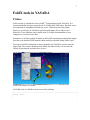
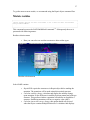
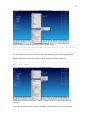
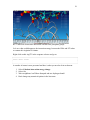
A subset of the FoldX tools is also accessible via the atom-, residue- and object-context
menus. The atom context menu appears when an atom is selected and the right-mouse
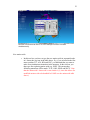
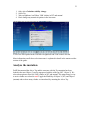
button is clicked. The residue context menu appears when a residue in the sequence
selector is right-clicked (see screenshot below).
Residue-context menu appears when a residue in the sequence selector is right-clicked
This way of accessing some of the FoldX tools has been made to speed up quick analysis,
as the right-clicked atom or residue is automatically selected for analysis. When selecting
calculations on a YASARA Object through these context menus, the selected Object is
the one the right-clicked atom or residue belongs to.
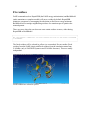
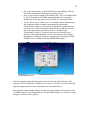
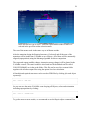
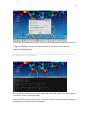
The object context menu appears when an object is right-clicked in the HUD (see
screenshot below).