1
Hyperion 1300g
General Purpose Handheld Linear Scanner
User’s Guide
™
Disclaimer
Honeywell International Inc. (“HII”) reserves the right to make changes in specifications and other information contained in this document without prior notice,
and the reader should in all cases consult HII to determine whether any such
changes have been made. The information in this publication does not represent a commitment on the part of HII.
HII shall not be liable for technical or editorial errors or omissions contained
herein; nor for incidental or consequential damages resulting from the furnishing, performance, or use of this material.
This document contains proprietary information that is protected by copyright.
All rights are reserved. No part of this document may be photocopied, reproduced, or translated into another language without the prior written consent of
HII.
2010-2013 Honeywell International Inc. All rights reserved.
Other product names or marks mentioned in this document may be trademarks
or registered trademarks of other companies and are the property of their
respective owners.
Web Address: www.honeywellaidc.com
Product Agency Compliance
USA
FCC Part 15 Subpart B Class B
This device complies with part 15 of the FCC Rules. Operation is subject to
the following two conditions:
1. This device may not cause harmful interference.
2. This device must accept any interference received, including interference
that may cause undesired operation.
This equipment has been tested and found to comply with the limits for a
Class B digital device pursuant to part 15 of the FCC Rules. These limits are
designed to provide reasonable protection against harmful interference in a
residential installation. This equipment generates, uses, and can radiate
radio frequency energy and, if not installed and used in accordance with the
instructions, may cause harmful interference to radio communications.
However, there is no guarantee that interference will not occur in a particular
installation. If this equipment does cause harmful interference to radio or
television reception, which can be determined by turning the equipment off
and on, the user is encouraged to try to correct the interference by one or
more of the following measures:
•
•
Reorient or relocate the receiving antenna.
Increase the separation between the equipment and receiver.
•
Connect the equipment into an outlet on a circuit different from that to
which the receiver is connected.
Consult the dealer or an experienced radio or television technician for
help.
•
Caution:
Any changes or modifications made to this equipment not
expressly approved by Honeywell International Inc. may void the
FCC authorization to operate this equipment.
Note: To maintain compliance with EMC Regulations, cables connected to
this device must be shielded cables. This unit has been tested with
cables less than 3 meters. Cables greater than 3 meters may not
meet class B performance.
UL Statement
UL listed: UL60950-1, 2nd Edition for I.T.E. product safety.
Note: Use only a Listed Limited Power Source (LPS) or Class 2 type power
supply with output rated 5 to 5.2Vdc, 1A.
Canada
Industry Canada ICES-003
This Class B digital apparatus complies with Canadian ICES-003. Operation
is subject to the following conditions:
1. This device may not cause harmful interference.
2. This device must accept any interference received, including
interference that may cause undesired operation.
Note: To maintain compliance with EMC Regulations, cables connected to
this device must be shielded cables. This unit has been tested with
cables less than 3 meters. Cables greater than 3 meters may not
meet class B performance.
Note: Use only a Listed Limited Power Source (LPS) or Class 2 type power
supply with output rated 5 to 5.2Vdc, 1A.
Conformité à la règlementation canadienne
Cet appareil numérique de la Classe B est conforme à la norme NMB-003 du
Canada. Son fonctionnement est assujetti aux conditions suivantes :
1. Cet appareil ne doit pas causer de brouillage préjudiciable.
2. Cet appareil doit pouvoir accepter tout brouillage reçu, y compris le
brouillage pouvant causer un fonctionnement indésirable.
C-UL Statement
C-UL listed: CSA C22.2 No.60950-1-07, 2nd Edition for I.T.E. product safety.
Europe
The CE marking indicates compliance to 2004/108/EC EMC Directive
with Standards EN55022 CLASS B, EN55024, EN61000-3-2,
EN61000-3-3. In addition, complies to 2006/95/EC Low Voltage
Directive, when shipped with recommended power supply.
European Contact:
Hand Held Products Europe B.V.
Nijverheidsweg 9
5627 BT Eindhoven
The Netherlands
Honeywell shall not be liable for use of our product with equipment (i.e.,
power supplies, personal computers, etc.) that is not CE marked and does
not comply with the Low Voltage Directive.
Honeywell Scanning & Mobility Product
Environmental Information
Refer to www.honeywellaidc.com/environmental for the RoHS / REACH /
WEEE information.
Russia
Australia/NZ
C-Tick Statement
Conforms to AS/NZS 3548 EMC requirements.
Mexico
Applicable if NOM logo is marked on product. Conforms to
NOM-019.
South Korea
This product meets Korean agency approval.
Taiwan
BSMI Standard: CNS13438, CNS14336
依據標準 : CNS13438, CNS14336
International
LED Safety Statement
LEDs have been tested and classified as “EXEMPT RISK GROUP” to the
standard: IEC 62471:2006.
CB Scheme
Certified to IEC60950-1 Second Edition I.T.E. Product Safety.
Solids and Water Protection
The devices have a rating of IP41, immunity of foreign particles and dripping
water tested to Standard EN60259.
Patents
For patent information, refer to www.honeywellaidc.com/patents.
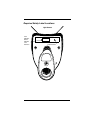
Required Safety Label Locations
Light Source
Item
Number,
Serial
Number
and
Revision
Compliance
Label location
Table of Contents
Chapter 1 - Getting Started
About This Manual ...................................................... 1-1
Unpacking the Scanner ............................................... 1-1
Connecting with USB .................................................. 1-1
Connecting with Keyboard Wedge .............................. 1-2
Connecting with RS-232 Serial Port............................ 1-3
Connecting with RS485............................................... 1-3
Reading Techniques ................................................... 1-4
Menu Bar Code Security Settings ............................... 1-5
Chapter 2 - Programming the Interface
Introduction ................................................................. 2-1
Programming the Interface - Plug and Play ................ 2-1
Keyboard Wedge................................................... 2-1
Laptop Direct Connect........................................... 2-1
RS232 Serial Port.................................................. 2-2
RS485 ................................................................... 2-2
OPOS Mode .......................................................... 2-3
USB IBM SurePos................................................. 2-4
USB PC or Macintosh Keyboard ........................... 2-5
USB HID POS ....................................................... 2-5
USB Serial Commands ............................................... 2-5
USB Serial Emulation............................................ 2-5
CTS/RTS Emulation .............................................. 2-6
ACK/NAK Mode..................................................... 2-6
Honeywell Bioptic Aux Port Configuration................... 2-6
Datalogic™ Magellan® Bioptic
Aux Port Configuration.............................................. 2-7
Wincor Mode A............................................................ 2-7
Keyboard Country Layout ........................................... 2-8
Keyboard Mode Options ........................................... 2-14
ALT Mode............................................................ 2-14
Keyboard Style .................................................... 2-15
Keyboard Modifiers ............................................. 2-16
i
RS232 Modifiers ........................................................ 2-19
RS-232 Baud Rate............................................... 2-19
RS-232 Word Length: Data Bits, Stop Bits,
and Parity ....................................................... 2-20
RS-232 Handshaking................................................. 2-22
RTS/CTS ............................................................. 2-22
XON/XOFF .......................................................... 2-22
ACK/NAK ............................................................. 2-22
Chapter 3 - Input/Output Settings
Good Read Indicators.................................................. 3-1
Beeper – Good Read ............................................. 3-1
Beeper Volume – Good Read................................ 3-1
Beeper Pitch – Good Read .................................... 3-2
Beeper Duration – Good Read .............................. 3-2
Beeper Pitch – Error .............................................. 3-3
LED – Good Read ................................................. 3-3
Number of Beeps – Good Read ............................ 3-3
Good Read Delay ........................................................ 3-4
User-Specified Good Read Delay.......................... 3-4
Trigger Modes.............................................................. 3-5
Manual/Serial Trigger ............................................ 3-5
Automatic Trigger .................................................. 3-5
Presentation Mode................................................. 3-6
Continuous Illumination Mode
(Manual Trigger only) ....................................... 3-6
Hands Free Time-Out .................................................. 3-6
Reread Delay............................................................... 3-7
User-Specified Reread Delay ................................ 3-8
Centering ..................................................................... 3-8
Output Sequence Overview....................................... 3-10
To Add an Output Sequence ............................... 3-10
Other Programming Selections............................ 3-10
Output Sequence Editor ...................................... 3-11
Output Sequence Editor ...................................... 3-13
Require Output Sequence ................................... 3-13
ii
Multiple Symbols ....................................................... 3-13
No Read .................................................................... 3-14
Video Reverse........................................................... 3-15
Chapter 4 - Data Editing
Prefix/Suffix Overview ................................................. 4-1
To Add a Prefix or Suffix ....................................... 4-1
To Clear One or All Prefixes or Suffixes................ 4-2
To Add a Carriage Return Suffix
to All Symbologies ........................................... 4-3
Prefix Selections.................................................... 4-3
Suffix Selections.................................................... 4-4
Function Code Transmit ........................................ 4-6
Intercharacter, Interfunction,
and Intermessage Delays ......................................... 4-6
Intercharacter Delay .............................................. 4-7
User Specified Intercharacter Delay...................... 4-7
Interfunction Delay ................................................ 4-8
Intermessage Delay .............................................. 4-8
Chapter 5 - Data Formatting
Data Format Editor Introduction .................................. 5-1
To Add a Data Format........................................... 5-1
Other Programming Selections ............................. 5-3
Interface / Terminal ID Table....................................... 5-4
Data Format Editor Commands .................................. 5-4
Send Commands................................................... 5-4
Move Commands .................................................. 5-7
Search Commands................................................ 5-8
Miscellaneous Commands .................................. 5-10
Data Format Editor .............................................. 5-14
Data Formatter .................................................... 5-14
Chapter 6 - Symbologies
Introduction ................................................................. 6-1
iii
All Symbologies ........................................................... 6-2
Codabar Start/Stop Characters ............................. 6-3
Codabar Check Character ..................................... 6-4
Codabar Concatenation ......................................... 6-5
Codabar Message Length ..................................... 6-6
Code 39 Start/Stop Characters ............................. 6-7
Code 39 Check Character ..................................... 6-7
Code 39 Message Length...................................... 6-8
Code 39 Append .................................................... 6-8
Full ASCII............................................................. 6-10
Code 39 Code Page ............................................ 6-10
Check Digit .......................................................... 6-11
Interleaved 2 of 5 Message Length ..................... 6-12
Code 93 Message Length.................................... 6-13
Code 93 Code Page ............................................ 6-13
Straight 2 of 5 Industrial Message Length ........... 6-15
Straight 2 of 5 IATA Message Length .................. 6-16
Matrix 2 of 5 Message Length ............................. 6-17
Check Digits Required ......................................... 6-18
Code 11 Message Length.................................... 6-19
ISBT 128 Concatenation...................................... 6-19
Code 128 Message Length.................................. 6-20
Code 128 Code Page .......................................... 6-20
Code 128 Function Code Transmit ...................... 6-21
Telepen Output .................................................... 6-22
Telepen Message Length .................................... 6-23
UPC A Check Digit .............................................. 6-24
UPC A Number System ....................................... 6-25
UPC A Addenda .................................................. 6-25
UPC A Addenda Required ................................... 6-26
UPC A Addenda Separator.................................. 6-26
UPC E0 and UPC E1 ........................................... 6-28
UPC E0 and UPC E1 Expand.............................. 6-29
UPC E0 and UPC E1 Addenda Required ............ 6-29
UPC E0 and UPC E1 Addenda Separator........... 6-30
UPC E0 Check Digit ............................................ 6-30
UPC E0 Number System ..................................... 6-31
iv
UPC E0 Addenda ................................................ 6-31
EAN/JAN 13 Check Digit..................................... 6-32
EAN/JAN 13 Addenda......................................... 6-33
EAN/JAN 13 Addenda Required ......................... 6-33
EAN/JAN 13 Addenda Separator ........................ 6-34
ISBN Translate .................................................... 6-34
EAN/JAN 8 Check Digit....................................... 6-35
EAN/JAN 8 Addenda........................................... 6-36
EAN/JAN 8 Addenda Required ........................... 6-36
EAN/JAN 8 Addenda Separator .......................... 6-37
MSI Check Character .......................................... 6-37
MSI Message Length .......................................... 6-38
Plessey Message Length .................................... 6-39
GS1 DataBar Expanded Message Length .......... 6-41
Korea Post Message Length ............................... 6-43
Codablock F Message Length............................. 6-44
Code 49 Message Length ................................... 6-45
Chapter 7 - Interface Keys
Keyboard Function Relationships ............................... 7-1
Supported Interface Keys............................................ 7-2
Chapter 8 - Utilities
To Add a Test Code I.D. Prefix to All Symbologies..... 8-1
Show Software Revision ............................................. 8-1
Show Data Format ...................................................... 8-1
Resetting the Standard Product Defaults .................... 8-3
Chapter 9 - Serial Programming Commands
Conventions ................................................................ 9-1
Menu Command Syntax.............................................. 9-1
Query Commands ................................................. 9-2
Concatenation of Multiple Commands .................. 9-2
Responses ............................................................ 9-2
Examples of Query Commands ............................ 9-3
v
Trigger Commands ...................................................... 9-4
Resetting the Standard Product Defaults .................... 9-4
Menu Commands ........................................................ 9-5
Chapter 10 - Product Specifications
Hyperion 1300g Product Specifications..................... 10-1
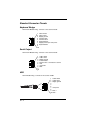
Standard Connector Pinouts...................................... 10-2
Chapter 11 - Maintenance
Repairs ...................................................................... 11-1
Maintenance .............................................................. 11-1
Cleaning the Device............................................. 11-1
Inspecting Cords and Connectors ....................... 11-1
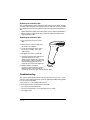
Replacing the Interface Cable ............................. 11-2
Troubleshooting ......................................................... 11-2
Chapter 12 - Customer Support
Limited Warranty........................................................ 12-1
Symbology Charts .......................................................A-1
Linear Symbologies ...............................................A-1
Postal Symbologies ...............................................A-3
ASCII Conversion Chart (Code Page 1252) ................A-3
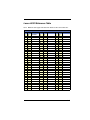
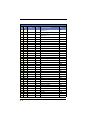
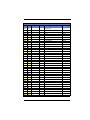
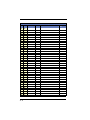
Lower ASCII Reference Table .....................................A-5
ISO 2022/ISO 646 Character Replacements...............A-9
vi
1
Getting Started
About This Manual
This User’s Guide provides installation and programming instructions for the
Hyperion 1300g. Product specifications, dimensions, warranty, and customer
support information are also included.
Honeywell bar code scanners are factory programmed for the most common
terminal and communications settings. If you need to change these settings,
programming is accomplished by scanning the bar codes in this guide.
An asterisk (*) next to an option indicates the default setting.
Unpacking the Scanner
After you open the shipping carton containing the product, take the following
steps:
• Check for damage during shipment. Report damage immediately to the
carrier who delivered the carton.
• Make sure the items in the carton match your order.
• Save the shipping container for later storage or shipping.
Connecting with USB
A scanner can be connected to the USB port of a computer. The scanner emulates the keyboard.
1. Connect the appropriate interface cable to the scanner first, then to the computer.
2. The scanner beeps.
1-1
3. Verify the scanner operation by scanning a bar code from the Sample
Symbols in the back of this manual.
For additional USB programming and technical information, refer to the Honeywell “USB Application Note,” available at www.honeywellaidc.com.
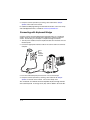
Connecting with Keyboard Wedge
A scanner can be connected between the keyboard and PC as a “keyboard
wedge,” where the scanner provides data output that is similar to keyboard
entries. The following is an example of a keyboard wedge connection:
1. Turn off power and disconnect the keyboard cables from the back of the terminal/computer.
2. Connect the appropriate interface cable to the scanner and to the terminal/
computer.
only if
power
supply is
included
3. Turn the terminal/computer power back on. The scanner beeps.
4. Verify the scanner operation by scanning a bar code from the Sample
Symbols in the back of this manual. The scanner beeps once.
The unit defaults to an IBM PC AT and compatibles keyboard wedge interface
with a USA keyboard. A carriage return (CR) suffix is added to bar code data.
1-2
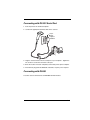
Connecting with RS-232 Serial Port
1. Turn off power to the terminal/computer.
2. Connect the appropriate interface cable to the scanner.
only if
power
supply is
included
3. Plug the serial connector into the serial port on your computer. Tighten the
two screws to secure the connector to the port.
4. Once the scanner has been completely connected, power up the computer.
5. This interface programs 38,400 baud, 8 data bits, no parity, and 1 stop bit.
Connecting with RS485
A scanner can be connected for an IBM POS terminal interface.
1-3
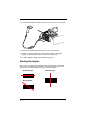
1. Connect the appropriate interface cable to the device, then to the computer.
2. Turn the terminal/computer power back on. The scanner beeps.
3. Verify the scanner operation by scanning a bar code from the Sample
Symbols in the back of this manual. The scanner beeps once.
4. For further RS485 settings, refer to RS485 on page 2-2.
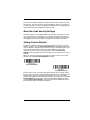
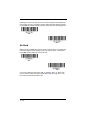
Reading Techniques
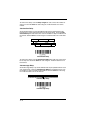
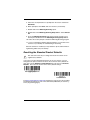
The scanner has a bright red aiming beam that corresponds to its horizontal
field of view. The aiming beam should be centered horizontally over the bar
code; it will not read if the aiming beam is in any other direction.
Good Technique
Bad Technique
1-4
Bad Technique
The best focus point for reading most code densities is about 5 inches (12.7 cm)
from the unit. To read a single bar code or multiple bar codes (on a page or on
an object), hold the scanner at an appropriate distance from the target, pull the
trigger, and center the aiming beam on the bar code.
Menu Bar Code Security Settings
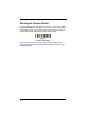
Honeywell scanners are programmed by scanning menu bar codes or by sending serial commands to the scanner. If you want to restrict the ability to scan
menu codes, you can use the Menu Bar Code Security settings. Contact Technical Support (seeCustomer Support on page 12-1) for further information.
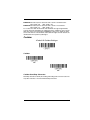
Setting Custom Defaults
You have the ability to create a set of menu commands as your own, custom
defaults. To do so, scan the Set Custom Defaults bar code below before each
menu command or sequence you want saved. If your command requires scanning numeric codes from the back cover, then a Save code, that entire
sequence will be saved to your custom defaults. Scan the Set Custom
Defaults code again before the next command you want saved to your custom
defaults.
When you have entered all the commands you want to save for your custom
defaults, scan the Save Custom Defaults bar code.
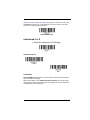
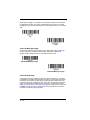
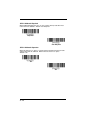
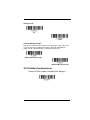
Set Custom Defaults
Save Custom Defaults
You may have a series of custom settings and want to correct a single setting.
To do so, just scan the new setting to overwrite the old one. For example, if you
had previously saved the setting for Beeper Volume at Low to your custom
defaults, and decide you want the beeper volume set to High, just scan the Set
Custom Defaults bar code, then scan the Beeper Volume High menu code,
and then Save Custom Defaults. The rest of the custom defaults will remain,
but the beeper volume setting will be updated.
1-5
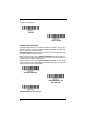
Resetting the Custom Defaults
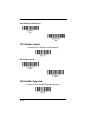
If you want the custom default settings restored to your scanner, scan the Activate Custom Defaults bar code below. This resets the scanner to the custom
default settings. If there are no custom defaults, it will reset the scanner to the
factory default settings. Any settings that have not been specified through the
custom defaults will be defaulted to the factory default settings.
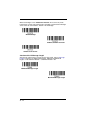
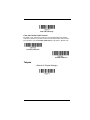
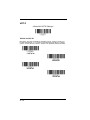
Activate Custom Defaults
The Serial Programming Commands starting on page 9-1 lists the factory
default settings for each of the commands (indicated by an asterisk (*) on the
programming pages).
1-6
2
Programming the Interface
Introduction
This chapter describes how to program your system for the desired interface.
Programming the Interface - Plug and Play
Plug and Play bar codes provide instant scanner set up for commonly used
interfaces.
Note: After you scan one of the codes, power cycle the host terminal to have
the interface in effect.
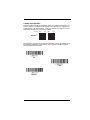
Keyboard Wedge
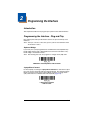
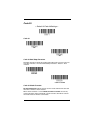
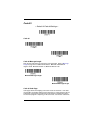
If you want your system programmed for an IBM PC AT and compatibles keyboard wedge interface with a USA keyboard, scan the bar code below. Keyboard wedge is the default interface.
Note: The following bar code also programs a carriage return (CR) suffix.
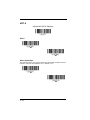
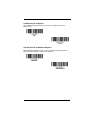
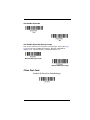
IBM PC AT and Compatibles with CR Suffix
Laptop Direct Connect
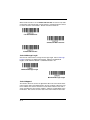
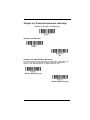
For most laptops, scanning the Laptop Direct Connect bar code allows operation of the scanner in parallel with the integral keyboard. The following Laptop
Direct Connect bar code selects terminal ID 03, programs a carriage return
(CR) suffix and turns on Emulate External Keyboard (page 2-16).
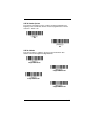
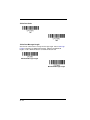
Laptop Direct Connect
with CR suffix
2-1
RS232 Serial Port
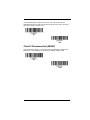
The RS232 Interface bar code is used when connecting to the serial port of a
PC or terminal. The following RS232 Interface bar code also programs a carriage return (CR) and a line feed (LF) suffix, baud rate, and data format as indicated below.
Option
Setting
Baud Rate
Data Format
38,400 bps
8 data bits, no parity bit, 1 stop bit
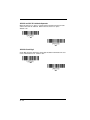
RS232 Interface
RS485
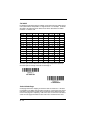
Scan one of the following “Plug and Play” codes to program the scanner for an
IBM POS terminal interface.
Note: After scanning one of these codes, you must power cycle the cash
register.
IBM Port 5B Interface
IBM Port 9B
HHBCR-1 Interface
IBM Port 17 Interface
IBM Port 9B
HHBCR-2 Interface
2-2
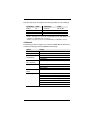
Each bar code above also programs the following suffixes for each symbology:
Symbology
Suffix
Symbology
Suffix
EAN 8
EAN 13
UPC A
UPC E
0C
16
0D
0A
Code 39
Interleaved 2 of 5
Code 128 *
Code 128 **
00
00
00
00
0A
0D
0A
18
0B
0B
0B
0B
* Suffixes programmed for Code 128 with IBM 4683 Port 5B, IBM 4683 Port 9B
HHBCR-1, and IBM 4683 Port 17 Interfaces
**Suffixes programmed for Code 128 with IBM 4683 Port 9 HHBCR-2 Interface
OPOS Mode
The following bar code configures your scanner for OPOS (OLE for Retail Point
of Sale) by modifying the following OPOS-related settings:
Option
Setting
Interface
Baud Rate
RS232
Handshaking
RS232
38400
Flow Control, No Timeout
XON/XOFF Off
ACK/NAK Off
8 Data, 1 Stop, Parity None
Data Bits, Stop
Bits, and Parity
Prefix/Suffix
Intercharacter
Delay
Symbologies
Clear All Prefixes and Suffixes
Add Code ID and AIM ID Prefix
Add CR Suffix
Off
Enable UPC-A with check digit and number system
Enable UPC-E0 with check digit
Enable EAN/JAN-8 with check digit
Enable EAN/JAN-13 with check digit
Enable Code 128
Enable Code 39
Enable OPOS with automatic disable off
2-3
OPOS Mode
USB IBM SurePos
Scan the following “Plug and Play” codes to program the scanner for an IBM
SurePos (USB handheld scanner) interface.
Note: After scanning the code below, you must power cycle the cash register.
USB IBM SurePos
(USB Handheld Scanner)
Interface
USB IBM SurePos
(USB Tabletop Scanner)
Interface
The bar code above also programs the following suffixes for each symbology:
Symbology
Suffix
Symbology
Suffix
EAN 8
EAN 13
UPC A
UPC E
0C
16
0D
0A
Code 39
Interleaved 2 of 5
Code 128
Code 39
00
00
00
00
2-4
0A
0D
18
0A
0B
0B
0B
0B
USB PC or Macintosh Keyboard
Scan one of the following codes to program the scanner for USB PC Keyboard
or USB Macintosh Keyboard. Scanning these codes also adds a CR and LF.
USB Keyboard (PC)
USB Keyboard (Mac)
USB HID POS
Scan the following code to program the scanner for USB HID POS bar code
scanners.
USB HID POS Bar Code
Scanner
USB Serial Commands
USB Serial Emulation
Scan the following code to program the scanner to emulate a regular RS232based COM Port. If you are using a Microsoft® Windows® PC, you will need to
download a driver from the Honeywell website (www.honeywellaidc.com). The
driver will use the next available COM Port number. Apple® Macintosh computers recognize the scanner as a USB CDC class device and automatically uses a
class driver.
Scanning this code also adds a CR and LF.
USB Serial Emulation
Note: No extra configuration (e.g., baud rate) is necessary.
2-5
CTS/RTS Emulation
CTS/RTS Emulation On
* CTS/RTS Emulation Off
ACK/NAK Mode
ACK/NAK Mode On
* ACK/NAK Mode Off
Honeywell Bioptic Aux Port Configuration
Scan the following Plug and Play code to program the scanner for a Honeywell
bioptic scanner auxiliary port configuration. This bar code sets the baud rate to
38400 bps and the data format to 8 data bits, no parity, 1 stop bit. Character
RTS/CTS with timeout and 232 ACK/NAK are also enabled.
Honeywell Bioptic Settings
Note: If you are having unexpected results with this programming code, scan
the Resetting the Custom Defaults bar code on page 1-6 first, then scan
the programming code above.
2-6
Datalogic™ Magellan® Bioptic
Aux Port Configuration
Scan the following Plug and Play code to program the scanner for a Datalogic
Magellan bioptic scanner auxiliary port configuration. This bar code sets the
baud rate to 9600 bps and the data format to 8 data bits, no parity, 1 stop bit.
Datalogic Magellan Bioptic Settings
Note: If you are having unexpected results with this programming code, scan
the Resetting the Custom Defaults bar code on page 1-6 first, then scan
the programming code above.
Wincor Mode A
Scan the following Plug and Play code to program the scanner for Wincor Mode
A mode. This bar code sets the baud rate to 9600 bps and the data format to 8
data bits, odd parity, 1 stop bit.
Wincor Mode A
Note: If you are having unexpected results with this programming code, scan
the Resetting the Custom Defaults bar code on page 1-6 first, then scan
the programming code above.
2-7
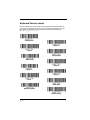
Keyboard Country Layout
Scan the appropriate country code below to program the keyboard layout for
your country or language. As a general rule, the following characters are supported, but need special care for countries other than the United States:
@ | $ # { } [ ] = / ‘ \ < > ~
* United States
Albania
Arabic
Azeri (Cyrillic)
Azeri (Latin)
Belarus
Belgium
Bosnia
Brazil
Brazil (MS)
Bulgaria (Cyrillic)
Bulgaria (Latin)
2-8
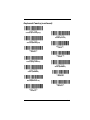
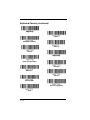
Keyboard Country (continued)
Canada (French legacy)
Canada (French)
Canada (Multilingual)
China
Croatia
Czech
Czech (Programmers)
Czech (QWERTY)
Czech (QWERTZ)
Denmark
Dutch (Netherlands)
Estonia
Faroese
2-9
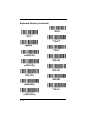
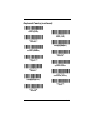
Keyboard Country (continued)
Finland
France
Gaelic
Germany
Greek
Greek (220 Latin)
Greek (220)
Greek (319 Latin)
Greek (319)
Greek (Latin)
Greek (MS)
Greek (Polytonic)
Hebrew
Hungarian (101 key)
2 - 10
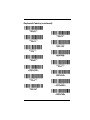
Keyboard Country (continued)
Hungary
Iceland
Ireland
Italian (142)
Italy
Japan ASCII
Kazakh
Korea
Kyrgyz (Cyrillic)
Latin America
Latvia
Latvia (QWERTY)
Lithuania
Lithuania (IBM)
2 - 11
Keyboard Country (continued)
Macedonia
Malta
Mongolian (Cyrillic)
Norway
Poland
Polish (214)
Polish (Programmers)
Portugal
Romania
Russia
Russian (MS)
Russian (Typewriter)
SCS
2 - 12
Keyboard Country (continued)
Serbia (Cyrillic)
Serbia (Latin)
Slovakia
Slovakia (QWERTY)
Slovakia (QWERTZ)
Slovenia
Spain
Spanish variation
Sweden
Switzerland (French)
Switzerland (German)
Tatar
Thailand
2 - 13
Keyboard Country (continued)
Turkey F
Turkey Q
Ukrainian
United Kingdom
United Stated (Dvorak right)
United States (Dvorak left)
United States (Dvorak)
United States (International)
Uzbek (Cyrillic)
Vietnam
Keyboard Mode Options
ALT Mode
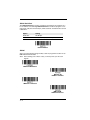
If your bar code contains special characters from the extended ASCII chart for
example, an e with an accent grave (è), you will use ALT Mode. (See Extended
ASCII Characters on page A-6.)
Note: Scan the ALT mode bar code after scanning the appropriate Keyboard
Country code.
2 - 14
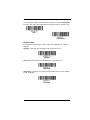
If your keystrokes require the ALT key and 4 characters, scan the 4 Characters
bar code. The data is then output with the special character(s). Default = Off.
* Off
4 Characters
Keyboard Style
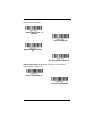
This programs keyboard styles, such as Caps Lock and Shift Lock. Default =
Regular.
Regular is used when you normally have the Caps Lock key off.
* Regular
Caps Lock is used when you normally have the Caps Lock key on.
Caps Lock
Shift Lock is used when you normally have the Shift Lock key on (not common
to U.S. keyboards).
Shift Lock
2 - 15
Automatic Caps Lock is used if you change the Caps Lock key on and off.
The software tracks and reflects if you have Caps Lock on or off (AT and PS/2
only). This selection can only be used with systems that have an LED, which
notes the Caps Lock status.
Automatic Caps Lock
Autocaps via NumLock bar code should be scanned in countries (e.g., Germany, France) where the Caps Lock key cannot be used to toggle Caps Lock.
The NumLock option works similarly to the regular Auotcaps, but uses the NumLock key to retrieve the current state of the Caps Lock.
Autocaps via NumLock
Emulate External Keyboard should be scanned if you do not have an external
keyboard (IBM AT or equivalent).
Emulate External Keyboard
Note: After scanning the Emulate External Keyboard bar code, you must power
cycle your computer.
Keyboard Modifiers
This modifies special keyboard features, such as CTRL+ ASCII codes.
Control + X (Control + ASCII) Mode On: The scanner sends key combinations for ASCII control characters for values 00-1F. Windows is the preferred
mode. All keyboard country codes are supported. DOS mode is a legacy
mode, and it does not support all keyboard country codes. New users should
use the Windows mode. Refer to Keyboard Function Relationships, page 7-1
for CTRL+ X Values.
Windows Mode Prefix/Suffix Off: The scanner sends key combinations for
ASCII control characters for values 00-1F (refer to ASCII Conversion Chart
(Code Page 1252) on page A-3 for non-reprintable characters), but it does not
translate any prefix or suffix information.
2 - 16
Default = Control + ASCII Off
Windows Mode Control + X
Mode On
* Control + X Mode Off
DOS Mode Control + X Mode
On
Windows Mode Prefix/Suffix Off
Numeric Keypad Mode: Sends numeric characters as if entered from a
numeric keypad. Default = Off
Numeric Keypad Mode On
* Numeric Keypad Mode Off
2 - 17
Automatic Direct Connect Mode: This selection can be used if you have an
IBM AT style terminal and the system is dropping characters. Default = Off
Automatic Direct
Connect Mode On
* Automatic Direct Connect
Mode Off
2 - 18
RS232 Modifiers
RS-232 Baud Rate
Baud Rate sends the data from the scanner to the terminal at the specified rate.
The host terminal must be set for the same baud rate as the scanner.
Default = 38,400.
300
600
1200
2400
4800
9600
19200
2 - 19
* 38400
57,600
115,200
RS-232 Word Length: Data Bits, Stop Bits, and Parity
Data Bits sets the word length at 7 or 8 bits of data per character. If an application requires only ASCII Hex characters 0 through 7F decimal (text, digits, and
punctuation), select 7 data bits. For applications which require use of the full
ASCII set, select 8 data bits per character. Default = 8.
Stop Bits sets the stop bits at 1 or 2. Default = 1.
Parity provides a means of checking character bit patterns for validity.
Default = None.
2 - 20
Note: @ 7N1, the host must insert at least a 1 bit delay between characters
otherwise use a different word format.
7 Data, 1 Stop, Parity Even
7 Data, 1 Stop, Parity None
(see note above)
7 Data, 1 Stop, Parity Odd
7 Data, 2 Stop, Parity Even
7 Data, 2 Stop Parity None
7 Data, 2 Stop, Parity Odd
8 Data, 1 Stop, Parity Even
* 8 Data, 1 Stop, Parity None
8 Data, 1 Stop, Parity Odd
2 - 21
RS-232 Handshaking
RS232 Handshaking allows control of data transmission from the scanner using
software commands from the host device. When RTS/CTS is turned Off, no
data flow control is used.
RTS/CTS
The scanner asserts RTS when it has data to send, and waits indefinitely for
CTS to be asserted by the host.
Default = RTS/CTS Off.
RTS/CTS On
* RTS/CTS Off
XON/XOFF
Standard ASCII control characters can be used to tell the scanner to start sending data (XON/XOFF On) or to stop sending data (XON/XOFF Off). When the
host sends the XOFF character (DC3, hex 13) to the scanner, data transmission
stops. To resume transmission, the host sends the XON character (DC1, hex
11). Data transmission continues where it left off when XOFF was sent.
Default = XON/XOFF Off.
XON/XOFF On
* XON/OFF Off
ACK/NAK
After transmitting data, the scanner waits for an ACK character (hex 06) or a
NAK character (hex 15) response from the host. If ACK is received, the communications cycle is completed and the scanner looks for more bar codes. If NAK
is received, the last set of bar code data is retransmitted and the scanner waits
2 - 22
for ACK/NAK again. Turn on the ACK/NAK protocol by scanning the ACK/NAK
On bar code below. To turn off the protocol, scan ACK/NAK Off. Default =
ACK/NAK Off.
ACK/NAK On
* ACK/NAK Off
2 - 23
2 - 24
3
Input/Output Settings
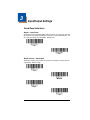
Good Read Indicators
Beeper – Good Read
The beeper may be programmed On or Off in response to a good read. Turning
this option off, only turns off the beeper response to a good read indication. All
error and menu beeps are still audible. Default = On.
* On
Off
Beeper Volume – Good Read
The beeper volume codes modify the volume of the beep the scanner emits on
a good read. Default = High.
Low
Medium
*High
Off
3-1
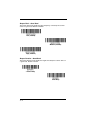
Beeper Pitch – Good Read
The beeper pitch codes modify the pitch (frequency) of the beep the scanner
emits on a good read. Default = Medium
Low (1600 Hz)
* Medium (2750 Hz)
High (4200 Hz)
Beeper Duration – Good Read
The beeper duration codes modify the length of the beep the scanner emits on
a good read. Default = Normal.
* Normal Beep
Short Beep
3-2
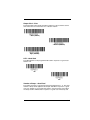
Beeper Pitch – Error
The beeper pitch codes modify the pitch (frequency) of the sound the scanner
emits when there is a bad read or error. Default = 100 Hz.
* Razz (100 Hz)
* Medium (2000 Hz)
High (4200 Hz)
LED – Good Read
The LED indicator can be programmed On or Off in response to a good read.
Default = On.
* On
Off
Number of Beeps – Good Read
The number of beeps of a good read can be programmed from 1 - 9. The same
number of beeps will be applied to the beeper and LED in response to a good
read. For example, if you program this option to have five beeps, there will be
five beeps and five LED flashes in response to a good read. The beeps and
3-3
LED flashes are in sync with one another. To change the number of beeps,
scan the bar code below and then scan a digit (1-9) bar code and the Save bar
code on the inside the back cover of this manual. Default = One.
Number of Pulses
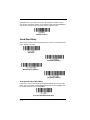
Good Read Delay
This sets the minimum amount of time before the scanner can read another bar
code. Default = No Delay.
* No Delay
Short Delay (500 ms)
Medium Delay (1000 ms)
Long Delay (1500 ms)
User-Specified Good Read Delay
If you want to set your own length for the good read delay, scan the bar code
below, then set the delay (from 0-30,000 milliseconds) by scanning digits from
the inside back cover, then scanning Save.
User-Specified Good Read Delay
3-4
Trigger Modes
Manual/Serial Trigger
You can activate the scanner either by pressing the trigger, or using a serial trigger command (see Trigger Commands on page 9-4). When in manual trigger
mode, the scanner scans until a bar code is read, or until the trigger is released.
When in serial mode, the scanner scans until a bar code has been read or until
the deactivate command is sent. In serial mode, the scanner can also be set to
turn itself off after a specified time has elapsed (see Read Time-Out, which follows).
* Manual/Serial Trigger
Read Time-Out
Use this selection to set a time-out (in milliseconds) of the scanner’s trigger
when using serial commands to trigger the scanner. Once the scanner has
timed out, you can activate the scanner either by pressing the trigger or using a
serial trigger command. After scanning the Read Time-Out bar code, set the
time-out duration (from 0-300,000 milliseconds) by scanning digits from the
inside back cover, then scanning Save. Default = 30,000.
Read Time-Out
Automatic Trigger
The scanner scans continuously using internal LEDs to detect bar codes.
Automatic Trigger
3-5
Presentation Mode
Presentation Mode uses ambient light to detect bar codes. The LEDs are off for
ambient conditions until a change occurs in the scanner’s field of view. Then
the LEDS turn on automatically to read the code. If the light level in the room is
not high enough, Presentation Mode may not work properly.
Presentation Mode
Continuous Illumination Mode (Manual Trigger only)
If you have several bar codes that are close together, you may wish to have a
continuous aiming beam on in order to properly aim the scanner at one bar
code. Scan the Continuous Illumination On bar code to program the scanner
for this capability. Once you have the aiming beam over the correct bar code,
pull the trigger to read the code. Scan the Continuous Illumination Off bar
code to turn off this feature.
Continuous Illumination
Mode On
* Continuous Illumination
Mode Off
Hands Free Time-Out
The Automatic Trigger and Presentation Modes are referred to as “hands free”
modes. If the scanner’s trigger is pulled when using a hands free mode, the
scanner changes to manual trigger mode. You can set the time the scanner
should remain in manual trigger mode by setting the Hands Free Time-Out.
Once the time-out value is reached, (if there have been no further trigger pulls)
the scanner reverts to the original hands free mode.
3-6
Scan the Hands Free Time-Out bar code, then scan the time-out duration
(from 0-300,000 milliseconds) from the inside back cover, and Save. Default =
5,000 ms.
Hands Free Time-Out
Reread Delay
This sets the time period before the scanner can read the same bar code a second time. Setting a reread delay protects against accidental rereads of the
same bar code. Longer delays are effective in minimizing accidental rereads at
POS (point of sale). Use shorter delays in applications where repetitive bar
code scanning is required. Default = Medium.
Reread Delay only works when in automatic trigger mode or presentation mode
(see page 3-5).
Short (500 ms)
* Medium (750 ms)
Long (1000 ms)
Extra Long (2000 ms)
3-7
User-Specified Reread Delay
If you want to set your own length for the reread delay, scan the bar code below,
then set the delay (from 0-30,000 milliseconds) by scanning digits from the
inside back cover, then scanning Save.
User-Specified Reread Delay
Centering
Use Centering to narrow the scanner’s field of view to make sure the scanner
reads only those bar codes intended by the user. For instance, if multiple codes
are placed closely together, centering will insure that only the desired codes are
read.
If a bar code is not touched by a predefined window, it will not be decoded or
output by the scanner. If centering is turned on by scanning Centering On, the
scanner only reads codes that pass through the centering window you specify
using the Left of Centering Window, or Right of Centering Window bar
codes.
In the example below, the red line is the full scanner field of view and the white
boxed area is the centering window. The centering window has been set to
20% left and 30% right, as shown in the legend at the bottom. Since Bar Code
1 passes through the centering window, it will be read. Bar Code 2 does not
pass through the centering window, so it will not be read.
Bar Code 1
0%
10%
20%
30%
Bar Code 2
40%
50%
60%
70%
80%
90% 100%
Scan Centering On, then scan one of the following bar codes to change the left
or right of the centering window. Then scan the percent you want to shift the
centering window using digits on the inside back cover of this manual. Scan
Save. Default Centering = 40% for Left, 60% for Right.
3-8
Centering On
* Centering Off
Left of Centering Window
Right of Centering Window
3-9
Output Sequence Overview
Output Sequence Editor
This programming selection allows you to program the scanner to output data
(when scanning more than one symbol) in whatever order your application
requires, regardless of the order in which the bar codes are scanned. Reading
the Default Sequence symbol programs the scanner to the Universal values,
shown below. These are the defaults. Be certain you want to delete or clear all
formats before you read the Default Sequence symbol.
Note: To make Output Sequence Editor selections, you’ll need to know the
code I.D., code length, and character match(es) your application
requires. Use the Alphanumeric symbols (inside back cover) to read
these options.
Note: You must hold the trigger while reading each bar code in a sequence.
To Add an Output Sequence
1. Scan the Enter Sequence symbol (see Require Output Sequence, page 313).
2. Code I.D.
On the Symbology Charts on page A-1, find the symbology to which you
want to apply the output sequence format. Locate the Hex value for that
symbology and scan the 2 digit hex value from the Programming Chart
(inside back cover).
3. Length
Specify what length (up to 9999 characters) of data output will be acceptable
for this symbology. Scan the four digit data length from the Programming
Chart. (Note: 50 characters is entered as 0050. 9999 is a universal number, indicating all lengths.) When calculating the length, you must count any
programmed prefixes, suffixes, or formatted characters as part of the length
(unless using 9999).
4. Character Match Sequences
On the ASCII Conversion Chart (Code Page 1252), page A-3, find the Hex
value that represents the character(s) you want to match. Use the Programming Chart to read the alphanumeric combination that represents the ASCII
characters. (99 is the Universal number, indicating all characters.)
5. End Output Sequence Editor
Scan F F to enter an Output Sequence for an additional symbology, or Save
to save your entries.
Other Programming Selections
•Discard
This exits without saving any Output Sequence changes.
3 - 10
Output Sequence Editor
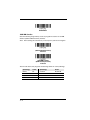
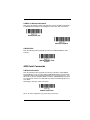
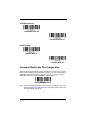
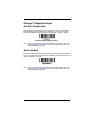
Enter Sequence
Default Sequence
Output Sequence Example
In this example, you are scanning Code 93, Code 128, and Code 39 barcodes,
but you want the image scanner to output Code 39 1st, Code 128 2nd, and
Code 93 3rd, as shown below.
Note: Code 93 must be enabled to use this example.
A - Code 39
B - Code 128
C - Code 93
You would set up the sequence editor with the following command line:
SEQBLK62999941FF6A999942FF69999943FF
The breakdown of the command line is shown below:
SEQBLKsequence editor start command
62 code identifier for Code 39
9999 code length that must match for Code 39, 9999 = all lengths
41 start character match for Code 39, 41h = “A”
FF termination string for first code
6A code identifier for Code 128
9999 code length that must match for Code 128, 9999 = all lengths
3 - 11
42 start character match for Code 128, 42h = “B”
FF termination string for second code
69 code identifier for Code 93
9999 code length that must match for Code 93, 9999 = all lengths
43 start character match for Code 93, 43h = “C”
FF termination string for third code
To program the previous example using specific lengths, you would have to
count any programmed prefixes, suffixes, or formatted characters as part of the
length. If you use the example on page 3-11, but assume a <CR> suffix and
specific code lengths, you would use the following command line:
SEQBLK62001241FF6A001342FF69001243FF
The breakdown of the command line is shown below:
SEQBLK sequence editor start command
62
code identifier for Code 39
0012
A - Code 39 sample length (11) plus CR suffix (1) = 12
41
start character match for Code 39, 41h = “A”
FF
termination string for first code
6A
code identifier for Code 128
0013
B - Code 128 sample length (12) plus CR suffix (1) = 13
42
start character match for Code 128, 42h = “B”
FF
termination string for second code
69
code identifier for Code 93
0012
C - Code 93 sample length (11) plus CR suffix (1) = 12
43
start character match for Code 93, 43h = “C”
FF
termination string for third code
3 - 12
Output Sequence Editor
Enter Sequence
Default Sequence
Require Output Sequence
When an output sequence is Required, all output data must conform to an
edited sequence or the image scanner will not transmit the output data to the
host device. When it’s On/Not Required, the image scanner will attempt to get
the output data to conform to an edited sequence, but if it cannot, the image
scanner transmits all output data to the host device as is.
When the output sequence is Off, the barcode data is output to the host as the
image scanner decodes it.
Note: This selection is unavailable when the Multiple Symbols Selection is
turned on.
Required
On/Not Required
*Off
Multiple Symbols
When this programming selection is turned On, it allows you to read multiple
symbols with a single pull of the scanner’s trigger. If you press and hold the trigger, aiming the scanner at a series of symbols, it reads unique symbols once,
3 - 13
beeping (if turned on) for each read. The scanner attempts to find and decode
new symbols as long as the trigger is pulled. When this programming selection
is turned Off, the scanner will only read the symbol closest to the aiming beam.
On
* Off
No Read
With No Read turned On, the scanner sends an “NR” to the host if you pull and
release the trigger without reading a code (e.g., bad bar code). If No Read is
turned Off, the “NR” will not be sent to the host.
On
* Off
If you want a different notation than “NR,” for example, “Error,” or “Bad Code,”
you can edit the output message using the Data Formatter (page 5-14). The
hex code for the No Read symbol is 9C.
3 - 14
Video Reverse
Video Reverse is used to allow the scanner to read bar codes that are inverted.
The “Off” bar code below is an example of this type of bar code.
Note: If additional menuing is required, Video Reverse must be disabled to read
the menu bar codes and then re-enabled after menuing is completed.
On
VIDREV0REV.
* Off
3 - 15
3 - 16
4
Data Editing
Prefix/Suffix Overview
When a bar code is scanned, additional information is sent to the host computer
along with the bar code data. This group of bar code data and additional,
user-defined data is called a “message string.” The selections in this section
are used to build the user-defined data into the message string.
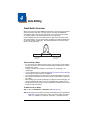
Prefix and Suffix characters are data characters that can be sent before and
after scanned data. You can specify if they should be sent with all symbologies,
or only with specific symbologies. The following illustration shows the breakdown of a message string:
Prefix
1-11
alpha numeric
characters
Scanned Data
variable length
Suffix
1-11
alpha numeric
characters
Points to Keep In Mind
• It is not necessary to build a message string. The selections in this chapter
are only used if you wish to alter the default settings. Default prefix = None.
Default suffix = None.
• A prefix or suffix may be added or cleared from one symbology or all
symbologies.
• You can add any prefix or suffix from the ASCII Conversion Chart (Code Page
1252), page A-3, plus Code I.D. and AIM I.D.
• You can string together several entries for several symbologies at one time.
• Enter prefixes and suffixes in the order in which you want them to appear on
the output.
• When setting up for specific symbologies (as opposed to all symbologies), the
specific symbology ID value counts as an added prefix or suffix character.
• The maximum size of a prefix or suffix configuration is 200 characters, which
includes header information
To Add a Prefix or Suffix
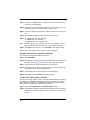
Step 1. Scan the Add Prefix or Add Suffix symbol (page 4-3).
Step 2. Determine the 2 digit Hex value from the Symbology Chart (included in
Appendix A) for the symbology to which you want to apply the prefix or
suffix. For example, for Code 128, Code ID is “j” and Hex ID is “6A”.
4-1
Step 3. Scan the 2 hex digits from the inside the back cover of this manual or
scan 9, 9 for all symbologies.
Step 4. Determine the hex value from the ASCII Conversion Chart (Code Page
1252), page A-3, for the prefix or suffix you wish to enter.
Step 5. Scan the 2 digit hex value from the inside the back cover of this manual.
Step 6. Repeat Steps 4 and 5 for every prefix or suffix character.
Step 7. To add the Code I.D., scan 5, C, 8, 0.
To add AIM I.D., scan 5, C, 8, 1.
To add a backslash (\), scan 5, C, 5, C.
Note: To add a backslash (\) as in Step 7, you must scan 5C twice – once to
create the leading backslash and then to create the backslash itself.
Step 8. Scan Save to exit and save, or scan Discard to exit without saving.
Repeat Steps 1-6 to add a prefix or suffix for another symbology.
Example: Add a Suffix to a specific symbology
To send a CR (carriage return)Suffix for UPC only:
Step 1. Scan Add Suffix.
Step 2. Determine the 2 digit hex value from the Symbology Chart (included in
the ASCII Conversion Chart (Code Page 1252), page A-3) for UPC.
Step 3. Scan 6, 3 from the inside the back cover of this manual.
Step 4. Determine the hex value from the ASCII Conversion Chart (Code Page
1252), page A-3, for the CR (carriage return).
Step 5. Scan 0, D from the inside the back cover of this manual.
Step 6. Scan Save, or scan Discard to exit without saving.
To Clear One or All Prefixes or Suffixes
You can clear a single prefix or suffix, or clear all prefixes/suffixes for a symbology. When you Clear One Prefix (Suffix), the specific character you select is
deleted from the symbology you want. When you Clear All Prefixes (Suffixes),
all the prefixes or suffixes for a symbology are deleted.
Step 1. Scan the Clear One Prefix or Clear One Suffix symbol.
Step 2. Determine the 2 digit Hex value from the Symbology Chart (included in
Appendix A) for the symbology from which you want to clear the prefix
or suffix.
4-2
Step 3. Scan the 2 digit hex value from the inside the back cover of this manual or scan 9, 9 for all symbologies.
Your change is automatically saved.
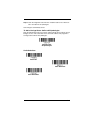
To Add a Carriage Return Suffix to All Symbologies
Scan the following bar code if you wish to add a carriage return suffix to all symbologies at once. This action first clears all current suffixes, then programs a
carriage return suffix for all symbologies.
Add CR Suffix
All Symbologies
Prefix Selections
Add Prefix
Clear One Prefix
Clear All Prefixes
4-3
Suffix Selections
Add Suffix
Clear One Suffix
Clear All Suffixes
Transmit Alternate Extended ASCII Characters
You may need to emulate special keyboard functions, such as up or down
arrows, Alt/Make or Alt/Break commands, that are not supported in the
Extended ASCII Character table. Refer to Alternate Extended ASCII Characters (page 4-5) for a range of keyboard function keys and corresponding decimal and hex characters. If you scan the Transmit Alternate Extended ASCII
code, any hex entries in a prefix or suffix will result in the corresponding Keyboard Function output.
Example: Transmit Alternate Extended ASCII is enabled, and you scan Add
Suffix, then scan 9 9 8 9. All symbologies (99) would have a suffix
of a Page Down (hex 89) added to them.
When Transmit Normal Extended ASCII is selected, the normal extended
ASCII character is transmitted (see ASCII Conversion Chart (Code Page 1252)
on page A-3).
Example: Transmit Normal Extended ASCII is enabled, and you scan Add
Suffix, then scan 9 9 8 9. All symbologies (99) would have a suffix
of a ‰ character added to them.
Default = Transmit Alternate Extended ASCII.
Transmit Alternate Extended
ASCII
* Transmit Normal Extended
ASCII
4-4
Alternate Extended ASCII Characters
DEC HEX Keyboard Function
DEC HEX Keyboard Function
128 80
up arrow ↑
152 98
F9
129 81
down arrow ↓
153 99
F10
130 82
right arrow →
154 9A
F11
131 83
left arrow ←
155 9B
F12
132
133
134
135
136
137
138
139
140
141
142
143
144
145
146
147
148
149
150
151
Insert
Delete
Home
End
Page Up
Page Down
Right ALT
Right CTRL
Reserved
Reserved
Numeric Keypad Enter
Numeric Keypad /
F1
F2
F3
F4
F5
F6
F7
F8
156
157
158
159
160
161
162
163
164
165
166
167
168
169
170
171
172
173
174
175
Numeric Keypad +
Numeric Keypad Numeric Keypad *
Caps Lock
Num Lock
Left Alt
Left Ctrl
Left Shift
Right Shift
Print Screen
Tab
Shift Tab
Enter
Esc
Alt Make
Alt Break
Control Make
Control Break
Alt Sequence with 1 Character
Ctrl Sequence with 1 Character
84
85
86
87
88
89
8A
8B
8C
8D
8E
8F
90
91
92
93
94
95
96
97
9C
9D
9E
9F
A0
A1
A2
A3
A4
A5
A6
A7
A8
A9
AA
AB
AC
AD
AE
AF
4-5
Function Code Transmit
When this selection is enabled and function codes are contained within the
scanned data, the scanner transmits the function code to the terminal. Charts
of these function codes are provided in Supported Interface Keys starting on
page 7-2. When the scanner is in keyboard wedge mode, the scan code is converted to a key code before it is transmitted. Default = Enable.
* Enable
Disable
Intercharacter, Interfunction, and Intermessage
Delays
Some terminals drop information (characters) if data comes through too quickly.
Intercharacter, interfunction, and intermessage delays slow the transmission of
data, increasing data integrity.
Each delay is composed of a 5 millisecond step. You can program up to 99
steps (of 5 ms each) for a range of 0-495 ms.
4-6
Intercharacter Delay
An intercharacter delay of up to 495 milliseconds may be placed between the
transmission of each character of scanned data. Scan the Intercharacter
Delay bar code below, then scan the number of steps in 5 millisecond increments and the Save bar code using the inside the back cover of this manual.
Prefix
Scanned Data
1
2
3
4
Suffix
5
Intercharacter Delay
Intercharacter Delay
To remove this delay, scan the Intercharacter Delay bar code, then set the
number of steps to 0. Scan the Save bar code using the inside the back cover
of this manual.
Note: Intercharacter delays are not supported in USB serial.
User Specified Intercharacter Delay
An intercharacter delay of up to 495 milliseconds may be placed after the transmission of a particular character of scanned data. Scan the Delay Length bar
code below, then scan the number of steps in 5 millisecond increments and the
Save bar code using the inside the back cover of this manual.
Next, scan the Character to Trigger Delay bar code, then the 2-digit hex value
for the ASCII character that will trigger the delay ASCII Conversion Chart (Code
Page 1252), page A-3. The range is 00-FF.
Delay Length
Character to Trigger Delay
4-7
To remove this delay, scan the Delay Length bar code, and set the number of
steps to 0. Scan the Save bar code using the inside the back cover of this
manual.
Interfunction Delay
An interfunction delay of up to 495 milliseconds may be placed between the
transmission of each control character in the message string. Scan the Interfunction Delay bar code below, then scan the number of steps in 5 millisecond
increments and the Save bar code using the inside the back cover of this manual.
Prefix
STX
1
Scanned Data
HT
2 3 4 5
Suffix
CR
LF
Interfunction Delays
Interfunction Delay
To remove this delay, scan the Interfunction Delay bar code, then set the number of steps to 0. Scan the Save bar code using the inside the back cover of
this manual.
Intermessage Delay
An intermessage delay of up to 495 milliseconds may be placed between each
scan transmission. Scan the Intermessage Delay bar code below, then scan
the number of steps in 5 millisecond increments and the Save bar code using
the inside the back cover of this manual.
1st Scan Transmission 2nd Scan Transmission
Intermessage Delay
Intermessage Delay
4-8
To remove this delay, scan the Intermessage Delay bar code, then set the
number of steps to 0. Scan the Save bar code using the inside the back cover
of this manual.
4-9
4 - 10
5
Data Formatting
Data Format Editor Introduction
You may use the Data Format Editor to change the scanner’s output. For example, you can use the Data Format Editor to insert characters at certain points in
bar code data as it is scanned. The selections in the following pages are used
only if you wish to alter the output. Default Data Format setting = None.
Normally, when you scan a bar code, it gets outputted automatically; however
when you do a format, you must use a “send” command (see Send Commands
on page 5-4) within the format program to output data.
Multiple formats may be programmed into the scanner. They are stacked in the
order in which they are entered. However, the following list presents the order
in which formats are applied:
1. Specific Term ID, Actual Code ID, Actual Length
2. Specific Term ID, Actual Code ID, Universal Length
3. Specific Term ID, Universal Code ID, Actual Length
4. Specific Term ID, Universal Code ID, Universal Length
5. Universal Term ID, Actual Code ID, Actual Length
6. Universal Term ID, Actual Code ID, Universal Length
7. Universal Term ID, Universal Code ID, Actual Length
8. Universal Term ID, Universal Code ID, Universal Length
The maximum size of a data format configuration is 256 bytes, which includes
header information. No format can contain more than 50 bytes.
If a bar code is read that fails the first data format, the next data format, if there
is one, will be used on the bar code data. If there is no other data format, the
raw data is output.
If you have changed data format settings, and wish to clear all formats and
return to the factory defaults, scan the Default Data Format code below.
* Default Data Format
To Add a Data Format
Step 1. Scan the Enter Data Format symbol (page 5-14).
Step 2. Select Primary/Alternate Format
Determine if this will be your primary data format or one of 3 alternate
formats. This allows you to save a total of 4 different data formats. To
5-1
program your primary format scan 0 using the inside the back cover of
this manual. If you are programming an alternate format, scan 1, 2, or
3, depending on which alternate format you are programming.
Step 3. Terminal Type
Refer to the Supported Terminals Chart (page 5-4) and locate the Terminal ID number for your PC. Scan three numeric bar codes on the
inside back cover to program the scanner for your terminal ID (you must
enter 3 digits). For example, scan 0 0 3 for an AT wedge.
Note: The wildcard for all terminal types is 099.
Step 4. Code I.D.
In Appendix A find the symbology to which you want to apply the data
format. Locate the Hex value for that symbology and scan the 2 digit
hex value from the inside the back cover of this manual.
Step 5. Length
Specify what length (up to 9999 characters) of data will be acceptable
for this symbology. Scan the four digit data length from the inside the
back cover of this manual. (Note: 50 characters is entered as 0050.
9999 is a universal number, indicating all lengths.)
Step 6. Editor Commands
Refer to the Format Editor Commands Chart (page 5-4). Scan the
symbols that represent the command you want to enter. 94 alphanumeric characters may be entered for each symbology data format.
Step 7. Scan Save from the inside the back cover of this manual to save your
entries.
Enter Data Format
Save
Discard
5-2
Other Programming Selections
• Clear One Data Format
This deletes one data format for one symbology. If you are clearing the
primary format, scan 0 from the inside the back cover of this manual. If you
are clearing an alternate format, scan 1, 2, or 3, depending on the alternate
format you are clearing. Scan the Terminal Type (refer to the Supported
Terminals Chart on page 5-4), Code I.D. (refer to the Symbology Charts on
page A-1), and the bar code data length for the specific data format that you
want to delete. All other formats remain unaffected.
• Save from the inside the back cover of this manual
This exits, saving any Data Format changes.
• Discard from the inside the back cover of this manual
This exits without saving any Data Format changes.
Clear One Data Format
Clear All Data Formats
Save
Discard
5-3
Interface / Terminal ID Table
Interface
USB
Serial
Keyboard
PC keyboard (HID)
Mac Keyboard
PC Keyboard (Japanese)
Serial (COM driver required)
HID POS
USB SurePOS Handheld
USB SurePOS Tabletop
RS232 TTL
RS232 True
RS485 (IBM-HHBCR 1+2, 46xx)
PS2 compatibles
AT compatibles
Terminal ID
124
125
134
130
131
128
129
000
000
051
003
002
Data Format Editor Commands
When working with the Data Format Editor, a virtual cursor is moved along your
input data string. The following commands are used to both move this cursor to
different positions, and to select, replace, and insert data into the final output.
Send Commands
Send all characters
F1 Include in the output message all of the characters from the input
message, starting from current cursor position, followed by an insert
character. Syntax = F1xx where xx stands for the insert character’s hex
value for the CP1252 character. Refer to the ASCII Conversion Chart
(Code Page 1252), page A-3 for decimal, hex and character codes.
Send a number of characters
F2 Include in the output message a number of characters followed by an
insert character. Start from the current cursor position and continue for
“nn” characters or through the last character in the input message,
followed by character “xx.” Syntax = F2nnxx where nn stands for the
numeric value (00-99) for the number of characters, and xx stands for
the the insert character’s hex value for the CP1252 character. Refer to
the ASCII Conversion Chart (Code Page 1252), page A-3 for decimal,
hex and character codes.
5-4
F2 Example: Send a number of characters
Send the first 10 characters from the bar code above, followed by a
carriage return. Command string: F2100D
F2 is the “Send a number of characters” command
10 is the number of characters to send
0D is the hex value for a CR
The data is output as: 1234567890
F2 and F1 Example: Split characters into 2 lines
Send the first 10 characters from the bar code above, followed by a
carriage return, followed by the rest of the characters.
Command string: F2100DF10D
F2 is the “Send a number of characters” command
10 is the number of characters to send for the first line
0D is the hex value for a CR
F1 is the “Send all characters” command
0D is the hex value for a CR
The data is output as: 1234567890
ABCDEFGHIJ
<CR>
Send all characters up to a particular character
F3 Include in the output message all characters from the input message,
starting with the character at the current cursor position and continuing
to, but not including, the search character “ss,” followed by an insert
character. The cursor is moved forward to the “ss” character. Syntax
= F3ssxx where ss stands for the search character’s hex value for the
CP1252 character, and xx stands for the insert character’s hex value for
the CP1252 character.
Refer to the ASCII Conversion Chart (Code Page 1252), page A-3 for
decimal, hex and character codes.
F3 Example: Send all characters up to a particular character
Using the bar code above, send all characters up to but not including
“D,” followed by a carriage return.
Command string: F3440D
F3 is the “Send all characters up to a particular character” command
5-5
44 is the hex value for a 'D”
0D is the hex value for a CR
The data is output as: 1234567890ABC
<CR>
Send all but the last characters
E9 Include in the output message all but the last “nn” characters, starting
from the current cursor position. The cursor is moved forward to one
position past the last input message character included. Syntax = E9nn
where nn stands for the numeric value (00-99) for the number of
characters that will not be sent at the end of the message.
Insert a character multiple times
F4 Send “xx” character “nn” times in the output message, leaving the
cursor in the current position. Syntax = F4xxnn where xx stands for the
insert character’s hex value for the CP1252 character, and nn is the
numeric value (00-99) for the number of times it should be sent. Refer
to the ASCII Conversion Chart (Code Page 1252), page A-3 for
decimal, hex and character codes.
E9 and F4 Example: Send all but the last characters, followed by
2 tabs
Send all characters except for the last 8 from the bar code above, followed by 2 tabs.
Command string: E908F40902
E9 is the “Send all but the last characters” command
08 is the number of characters at the end to ignore
F4 is the “Insert a character multiple times” command
09 is the hex value for a horizontal tab
02 is the number of time the tab character is sent
The data is output as: 1234567890AB <tab><tab>
Insert symbology name
B3 Insert the name of the bar code’s symbology in the output message,
without moving the cursor. Only symbologies with a Honeywell ID are
included (see Symbology Charts on page A-1). Refer to the ASCII
Conversion Chart (Code Page 1252), page A-3 for decimal, hex and
character codes.
5-6
Insert bar code length
B4 Insert the bar code’s length in the output message, without moving the
cursor. The length is expressed as a numeric string and does not
include leading zeroes.
B3 and B4 Example: Insert the symbology name and length
Send the symbology name and length before the bar code data from
the bar code above. Break up these insertions with spaces. End with
a carriage return.
Command string: B3F42001B4F42001F10D
B3 is the “Insert symbology name” command
F4 is the “Insert a character multiple times” command
20 is the hex value for a space
01 is the number of time the space character is sent
B4 is the “Insert bar code length” command
F4 is the “Insert a character multiple times” command
20 is the hex value for a space
01 is the number of time the space character is sent
F1 is the “Send all characters” command
0D is the hex value for a CR
The data is output as: Code128 20 1234567890ABCDEFGHIJ
<CR>
Move Commands
Move the cursor forward a number of characters
F5 Move the cursor ahead “nn” characters from current cursor position.
Syntax = F5nn where nn is the numeric value (00-99) for the number
of characters the cursor should be moved ahead.
F5 Example: Move the cursor forward and send the data
Move the cursor forward 3 characters, then send the rest of the the bar
code data from the bar code above. End with a carriage return.
Command string: F503F10D
F5 is the “Move the cursor forward a number of characters” command
5-7
03 is the number of characters to move the cursor
F1 is the “Send all characters” command
0D is the hex value for a CR
The data is output as: 4567890ABCDEFGHIJ
<CR>
Move the cursor backward a number of characters
F6 Move the cursor back “nn” characters from current cursor position.
Syntax = F6nn where nn is the numeric value (00-99) for the number
of characters the cursor should be moved back.
Move the cursor to the beginning
F7 Move the cursor to the first character in the input message. Syntax =
F7.
Move the cursor to the end
EA Move the cursor to the last character in the input message. Syntax =
EA.
Search Commands
Search forward for a character
F8 Search the input message forward for “xx” character from the current
cursor position, leaving the cursor pointing to the “xx” character.
Syntax = F8xx where xx stands for the search character’s hex value for
the CP1252 character.
Refer to the ASCII Conversion Chart (Code Page 1252), page A-3 for
decimal, hex and character codes.
F8 Example: Send bar code data that starts after a particular
character
Search for the letter “D” in bar codes and send all the data that follows,
including the “D.” Using the bar code above:
Command string: F844F10D
F8 is the “Search forward for a character” command
44 is the hex value for “D”
F1 is the “Send all characters” command
0D is the hex value for a CR
The data is output as: DEFGHIJ
<CR>
5-8
Search backward for a character
F9 Search the input message backward for “xx” character from the current
cursor position, leaving the cursor pointing to the “xx” character. Syntax
= F9xx where xx stands for the search character’s hex value for the
CP1252 character.
Refer to the ASCII Conversion Chart (Code Page 1252), page A-3 for
decimal, hex and character codes.
Search forward for a string
B0 Search forward for “s” string from the current cursor position, leaving
cursor pointing to “s” string. Syntax = B0nnnnS where nnnn is the string
length (up to 9999), and S consists of the ASCII hex value of each
character in the match string. For example, B0000454657374 will
search forward for the first occurrence of the 4 character string “Test.”
Refer to the ASCII Conversion Chart (Code Page 1252), page A-3 for
decimal, hex and character codes.
B0 Example: Send bar code data that starts after a string of characters
Search for the letters “FGH” in bar codes and send all the data that follows, including “FGH.” Using the bar code above:
Command string: B00003464748F10D
B0 is the “Search forward for a string” command
0003 is the string length (3 characters)
46 is the hex value for “F”
47 is the hex value for “G”
48 is the hex value for “H”
F1 is the “Send all characters” command
0D is the hex value for a CR
The data is output as: FGHIJ
<CR>
Search backward for a string
B1 Search backward for “s” string from the current cursor position, leaving
cursor pointing to “s” string. Syntax = B1nnnnS where nnnn is the string
length (up to 9999), and S consists of the ASCII hex value of each
character in the match string. For example, B1000454657374 will
search backward for the first occurrence of the 4 character string “Test.”
Refer to the ASCII Conversion Chart (Code Page 1252), page A-3 for
decimal, hex and character codes.
5-9
Search forward for a non-matching character
E6 Search the input message forward for the first non-“xx” character from
the current cursor position, leaving the cursor pointing to the non-“xx”
character. Syntax = E6xx where xx stands for the search character’s
hex value for the CP1252 character. Refer to the ASCII Conversion
Chart (Code Page 1252), page A-3 for decimal, hex and character
codes.
E6 Example: Remove zeroes at the beginning of bar code data
This example shows a bar code that has been zero filled. You may
want to ignore the zeroes and send all the data that follows. E6
searches forward for the first character that is not zero, then sends all
the data after, followed by a carriage return. Using the bar code
above:
Command string: E630F10D
E6 is the “Search forward for a non-matching character” command
30 is the hex value for 0
F1 is the “Send all characters” command
0D is the hex value for a CR
The data is output as: 37692
<CR>
Search backward for a non-matching character
E7 Search the input message backward for the first non-“xx” character
from the current cursor position, leaving the cursor pointing to the non“xx” character. Syntax = E7xx where xx stands for the search
character’s hex value for the CP1252 character. Refer to the ASCII
Conversion Chart (Code Page 1252), page A-3 for decimal, hex and
character codes.
Miscellaneous Commands
Suppress characters
FB Suppress all occurrences of up to 15 different characters, starting at the
current cursor position, as the cursor is advanced by other commands.
When the FC command is encountered, the suppress function is
terminated. The cursor is not moved by the FB command.
Syntax = FBnnxxyy . .zz where nn is a count of the number of
suppressed characters in the list, and xxyy .. zz is the list of characters
to be suppressed.
5 - 10
FB Example: Remove spaces in bar code data
This example shows a bar code that has spaces in the data. You may
want to remove the spaces before sending the data. Using the bar
code above:
Command string: FB0120F10D
FB is the “Suppress characters” command
01 is the number of character types to be suppressed
20 is the hex value for a space
F1 is the “Send all characters” command
0D is the hex value for a CR
The data is output as: 34567890
<CR>
Stop suppressing characters
FC Disables suppress filter and clear all suppressed characters. Syntax =
FC.
Replace characters
E4 Replaces up to 15 characters in the output message, without moving
the cursor. Replacement continues until the E5 command is
encountered. Syntax = E4nnxx1xx2yy1yy2...zz1zz2 where nn is the total
count of of the number of characters in the list (characters to be
replaced plus replacement characters); xx1 defines characters to be
replaced and xx2 defines replacement characters, continuing through
zz1 and zz2.
E4 Example: Replace zeroes with CRs in bar code data
If the bar code has characters that the host application does not want
included, you can use the E4 command to replace those characters
with something else. In this example, you will replace the zeroes in the
bar code above with carriage returns.
Command string: E402300DF10D
E4 is the “Replace characters” command
02 is the total count of characters to be replaced, plus the replacement
characters (0 is replaced by CR, so total characters = 2)
30 is the hex value for 0
0D is the hex value for a CR (the character that will replace the 0)
5 - 11
F1 is the “Send all characters” command
0D is the hex value for a CR
The data is output as: 1234
5678
ABC
<CR>
Stop replacing characters
E5 Terminates character replacement. Syntax = E5.
Compare characters
FE Compare the character in the current cursor position to the character
“xx.” If characters are equal, move the cursor forward one position.
Syntax = FExx where xx stands for the comparison character’s hex
value for the CP1252 character.
Refer to the ASCII Conversion Chart (Code Page 1252), page A-3 for
decimal, hex and character codes.
Compare string
B2 Compare the string in the input message to the string “s.” If the strings
are equal, move the cursor forward past the end of the string. Syntax
= B2nnnnS where nnnn is the string length (up to 9999), and S consists
of the ASCII hex value of each character in the match string. For
example, B2000454657374 will compare the string at the current
cursor position with the 4 character string “Test.”
Refer to the ASCII Conversion Chart (Code Page 1252), page A-3 for
decimal, hex and character codes.
Check for a number
EC Check to make sure there is an ASCII number at the current cursor
position. The format is aborted if the character is not numeric.
EC Example: Only output the data if the bar code begins with a
number
If you want only data from bar codes that begin with a number, you can
use EC to check for the number.
Command string: ECF10D
EC is the “Check for a number” command
F1 is the “Send all characters” command
0D is the hex value for a CR
If this bar code is read,
the next data format,
if there is one, will be used on the data. If there is no other format, the
format fails and the raw data is output as AB1234.
5 - 12
If this bar code is read:
the data is output as:
1234AB
<CR>
Check for non-numeric character
ED Check to make sure there is a non-numeric ASCII character at the
current cursor position. The format is aborted if the character is
numeric.
ED Example: Only output the data if the bar code begins with a
letter
If you want only data from bar codes that begin with a letter, you can
use ED to check for the letter.
Command string: EDF10D
ED is the “Check for a non-numeric character” command
F1 is the “Send all characters” command
0D is the hex value for a CR
If this bar code is read,
the next data format, if
there is one, will be used on this data. If there is no other format, the
format fails and the raw data is output as 1234AB.
If this bar code is read:
the data is output as:
AB1234
<CR>
Insert a delay
EF Inserts a delay of up to 49,995 milliseconds (in multiples of 5), starting
from the current cursor position. Syntax = EFnnnn where nnnn stands
for the delay in 5ms increments, up to 9999. This command can only
be used with keyboard emulation.
5 - 13
Data Format Editor
Enter Data Format
* Default Data Format
Clear One Data Format
Clear All Data Formats
Save
Discard
Data Formatter
When Data Formatter is turned off, the bar code data is output to the host as
read (including prefixes and suffixes). Choose one of the following options.
5 - 14
Default = Data Formatter On.
* Data Formatter On,
but Not Required
Data Formatter Off
When Data Formatter is required, all input data must conform to an edited format or the scanner does not transmit the input data to the host device.
Data Format On, Format Required
5 - 15
5 - 16
6
Symbologies
Introduction
This programming section contains the following menu selections. Refer to
Chapter 9 for settings and defaults.
• All Symbologies
• GS1 DataBar Expanded
• China Post Code
• Interleaved 2 of 5
• Codabar
• Label Code
• Codablock F
• Matrix 2 of 5
• Code 11
• MSI
• Code 39
• Plessey Code
• Code 32 Pharmaceutical (PARAF)
• Straight 2 of 5 IATA (two-bar
start/stop)
• Code 49
• Straight 2 of 5 Industrial
(three-bar start/stop)
• Code 93
• Telepen
• Code 128
• Trioptic Code
• UPC-A/EAN-13 with Extended
Coupon Code
• UPC A
• EAN/JAN 8
• UPC E
• GS1 DataBar Omnidirectional
• Straight 2 of 5 IATA (two-bar
start/stop)
• GS1 DataBar Limited
• Straight 2 of 5 Industrial
(three-bar start/stop)
6-1
All Symbologies
If you want to decode all the symbologies allowable for your scanner, scan the
All Symbologies On code. If on the other hand, you want to decode only a
particular symbology, scan All Symbologies Off followed by the On symbol for
that particular symbology.
All Symbologies On
All Symbologies Off
Message Length
You are able to set the valid reading length of some of the bar code symbologies.
If the data length of the scanned bar code doesn’t match the valid reading length,
the scanner will issue an error beep. You may wish to set the same value for
minimum and maximum length to force the scanner to read fixed length bar code
data. This helps reduce the chances of a misread.
6-2
EXAMPLE: Decode only those bar codes with a count of 9-20 characters.
Min. length = 09
Max. length = 20
EXAMPLE: Decode only those bar codes with a count of 15 characters.
Min. length = 15
Max. length = 15
For a value other than the minimum and maximum message length defaults,
scan the bar codes included in the explanation of the symbology, then scan the
digit value of the message length and Save bar codes on the inside the back
cover of this manual. The minimum and maximum lengths and the defaults are
included with the respective symbologies.
Codabar
<Default All Codabar Settings>
Codabar
*On
Off
Codabar Start/Stop Characters
Start/Stop characters identify the leading and trailing ends of the bar code. You
may either transmit, or not transmit Start/Stop characters.
6-3
Default = Don’t Transmit.
Transmit
* Don’t Transmit
Codabar Check Character
Codabar check characters are created using different “modulos.” You can program the scanner to read only Codabar bar codes with Modulo 16 check characters. Default = No Check Character.
No Check Character indicates that the scanner reads and transmits bar code
data with or without a check character.
When Check Character is set to Validate and Transmit, the scanner will only
read Codabar bar codes printed with a check character, and will transmit this
character at the end of the scanned data.
When Check Character is set to Validate, but Don’t Transmit, the unit will only
read Codabar bar codes printed with a check character, but will not transmit the
check character with the scanned data.
* No Check Character
Validate Modulo 16, but
Don’t Transmit
Validate Modulo 16 and Transmit
6-4
Codabar Concatenation
Codabar supports symbol concatenation. When you enable concatenation, the
scanner looks for a Codabar symbol having a “D” start character, adjacent to a
symbol having a “D” stop character. In this case the two messages are concatenated into one with the “D” characters omitted.
Character Start
Stop
Start
Stop
Codabar
A12D
D34A
Select Require to prevent the scanner from decoding a single “D” Codabar symbol without its companion. This selection has no effect on Codabar symbols
without Stop/Start D characters.
On
* Off
Require
6-5
Codabar Message Length
Scan the bar codes below to change the message length. Refer to Message
Length on page 6-2 for additional information. Minimum and Maximum
lengths = 2-60. Minimum Default = 4, Maximum Default = 60.
Minimum Message Length
Maximum Message Length
6-6
Code 39
< Default All Code 39 Settings >
Code 39
*On
Off
Code 39 Start/Stop Characters
Start/Stop characters identify the leading and trailing ends of the bar code. You
may either transmit, or not transmit Start/Stop characters. Default = Don’t
Transmit.
Transmit
* Don’t Transmit
Code 39 Check Character
No Check Character indicates that the scanner reads and transmits bar code
data with or without a check character.
When Check Character is set to Validate, but Don’t Transmit, the unit only
reads Code 39 bar codes printed with a check character, but will not transmit
the check character with the scanned data.
6-7
When Check Character is set to Validate and Transmit, the scanner only reads
Code 39 bar codes printed with a check character, and will transmit this character at the end of the scanned data. Default = No Check Character.
* No Check Character
Validate, but Don’t Transmit
Validate and Transmit
Code 39 Message Length
Scan the bar codes below to change the message length. Refer to Message
Length on page 6-2 for additional information. Minimum and Maximum
lengths = 0-48. Minimum Default = 0, Maximum Default = 48.
Minimum Message Length
Maximum Message Length
Code 39 Append
This function allows the scanner to append the data from several Code 39 bar
codes together before transmitting them to the host computer. When this function is enabled, the scanner stores those Code 39 bar codes that start with a
space (excluding the start and stop symbols), and does not immediately transmit the data. The scanner stores the data in the order in which the bar codes
6-8
are read, deleting the first space from each. The scanner transmits the
appended data when it reads a Code 39 bar code that starts with a character
other than a space. Default = Off.
On
*Off
Code 32 Pharmaceutical (PARAF)
Code 32 Pharmaceutical is a form of the Code 39 symbology used by Italian
pharmacies. This symbology is also known as PARAF. Default = Off.
On
* Off
6-9
Full ASCII
If Full ASCII Code 39 decoding is enabled, certain character pairs within the bar
code symbol will be interpreted as a single character. For example: $V will be
decoded as the ASCII character SYN, and /C will be decoded as the ASCII
character #. Default = Off.
NUL %U
DLE $P
SP
SPACE 0
0
@
%V
P
P
‘
%W p
+P
SOH $A
DC1 $Q
!
/A
1
1
A
A
Q
Q
a
+A
q
+Q
STX $B
DC2 $R
“
/B
2
2
B
B
R
R
b
+B
r
+R
ETX $C
DC3 $S
#
/C
3
3
C
C
S
S
c
+C
s
+S
EOT $D
DC4 $T
$
/D
4
4
D
D
T
T
d
+D
t
+T
ENQ $E
NAK $U
%
/E
5
5
E
E
U
U
e
+E
u
+U
ACK $F
SYN $V
&
/F
6
6
F
F
V
V
f
+F
v
+V
BEL $G
ETB $W
‘
/G
7
7
G
G
W
W
g
+G
w
+W
BS
$H
CAN $X
(
/H
8
8
H
H
X
X
h
+H
x
+X
HT
$I
EM
$Y
)
/I
9
9
I
I
Y
Y
i
+I
y
+Y
LF
$J
SUB $Z
*
/J
:
/Z
J
J
Z
Z
j
+J
z
+Z
VT
$K
ESC %A
+
/K
;
%F
K
K
[
%K
k
+K
{
%P
FF
$L
FS
%B
,
/L
<
%G L
L
\
%L
l
+L
|
%Q
CR
$M
GS
%C
-
-
=
%H
M
M
]
%M m
+M
}
%R
SO
$N
RS
%D
.
.
>
%I
N
N
^
%N
n
+N
~
%S
SI
$O
US
%E
/
/O
?
%J
O
O
_
%O o
+O
DEL %T
Character pairs /M and /N decode as a minus sign and period respectively.
Character pairs /P through /Y decode as 0 through 9.
Full ASCII On
* Full ASCII Off
Code 39 Code Page
Code pages define the mapping of character codes to characters. If the data
received does not display with the proper characters, it may be because the bar
code being scanned was created using a code page that is different from the
one the host program is expecting. If this is the case, scan the bar code below,
select the code page with which the bar codes were created from the chart,
6 - 10
ASCII Conversion Chart (Code Page 1252), page A-3, and scan the value and
the Save bar code from the inside the back cover of this manual. The data
characters should then appear properly.
Code 39 Code Page
Interleaved 2 of 5
< Default All Interleaved 2 of 5 Settings >
Interleaved 2 of 5
* On
Off
Check Digit
No Check Digit indicates that the scanner reads and transmits bar code data
with or without a check digit.
When Check Digit is set to Validate, but Don’t Transmit, the unit only reads
Interleaved 2 of 5 bar codes printed with a check digit, but will not transmit the
check digit with the scanned data.
6 - 11
When Check Digit is set to Validate and Transmit, the scanner only reads
Interleaved 2 of 5 bar codes printed with a check digit, and will transmit this digit
at the end of the scanned data. Default = No Check Digit.
* No Check Digit
Validate, but Don’t Transmit
Validate and Transmit
Interleaved 2 of 5 Message Length
Scan the bar codes below to change the message length. Refer to Message
Length on page 6-2 for additional information. Minimum and Maximum
lengths = 2-80. Minimum Default = 4, Maximum Default = 80.
Minimum Message Length
Maximum Message Length
6 - 12
Code 93
< Default All Code 93 Settings >
Code 93
* On
Off
Code 93 Message Length
Scan the bar codes below to change the message length. Refer to Message
Length on page 6-2 for additional information. Minimum and Maximum
lengths = 0-80. Minimum Default = 0, Maximum Default = 80.
Minimum Message Length
Maximum Message Length
Code 93 Code Page
Code pages define the mapping of character codes to characters. If the data
received does not display with the proper characters, it may be because the bar
code being scanned was created using a code page that is different from the
one the host program is expecting. If this is the case, scan the bar code below,
6 - 13
select the code page with which the bar codes were created from the chart,
ASCII Conversion Chart (Code Page 1252), page A-3, and scan the value and
the Save bar code from the inside the back cover of this manual. The data
characters should then appear properly.
Code 93 Code Page
6 - 14
Straight 2 of 5 Industrial (three-bar start/stop)
<Default All Straight 2 of 5 Settings>
Straight 2 of 5 Industrial
* On
Off
Straight 2 of 5 Industrial Message Length
Scan the bar codes below to change the message length. Refer to Message
Length on page 6-2 for additional information. Minimum and Maximum
lengths = 1-48. Minimum Default = 4, Maximum Default = 48.
Minimum Message Length
Maximum Message Length
6 - 15
Straight 2 of 5 IATA (two-bar start/stop)
<Default All Code IATA 2 of 5 Settings>
Straight 2 of 5 IATA
On
Off
Straight 2 of 5 IATA Message Length
Scan the bar codes below to change the message length. Refer to Message
Length on page 6-2 for additional information. Minimum and Maximum
lengths = 1-48. Minimum Default = 4, Maximum Default = 48.
Minimum Message Length
Maximum Message Length
6 - 16
Matrix 2 of 5
<Default All Matrix 2 of 5 Settings>
Matrix 2 of 5
On
* Off
Matrix 2 of 5 Message Length
Scan the bar codes below to change the message length. Refer to Message
Length on page 6-2 for additional information. Minimum and Maximum
lengths = 1-80. Minimum Default = 4, Maximum Default = 80.
Minimum Message Length
Maximum Message Length
6 - 17
Code 11
<Default All Code 11 Settings>
Code 11
On
* Off
Check Digits Required
This option sets whether 1 or 2 check digits are required with Code 11 bar
codes. Default = Two Check Digits.
One Check Digit
* Two Check Digits
6 - 18
Code 11 Message Length
Scan the bar codes below to change the message length. Refer to Message
Length on page 6-2 for additional information. Minimum and Maximum
lengths = 1-80. Minimum Default = 4, Maximum Default = 80.
Minimum Message Length
Maximum Message Length
Code 128
<Default All Code 128 Settings>
Code 128
* On
Off
ISBT 128 Concatenation
In 1994 the International Society of Blood Transfusion (ISBT) ratified a standard
for communicating critical blood information in a uniform manner. The use of
ISBT formats requires a paid license. The ISBT 128 Application Specification
describes 1) the critical data elements for labeling blood products, 2) the current
recommendation to use Code 128 due to its high degree of security and its
6 - 19
space-efficient design, 3) a variation of Code 128 that supports concatenation
of neighboring symbols, and 4) the standard layout for bar codes on a blood
product label. Use the bar codes below to turn concatenation on or off. Default
=Off.
On
* Off
Code 128 Message Length
Scan the bar codes below to change the message length. Refer to Message
Length on page 6-2 for additional information. Minimum and Maximum
lengths = 0-80. Minimum Default = 0, Maximum Default = 80.
Minimum Message Length
Maximum Message Length
Code 128 Code Page
Code pages define the mapping of character codes to characters. If the data
received does not display with the proper characters, it may be because the bar
code being scanned was created using a code page that is different from the
one the host program is expecting. If this is the case, scan the bar code below,
select the code page with which the bar codes were created from the chart,
ASCII Conversion Chart (Code Page 1252), page A-3, and scan the value and
the Save bar code from the inside the back cover of this manual. The data
characters should then appear properly.
6 - 20
Code 128 Code Page
Code 128 Function Code Transmit
By default, Code 128 function codes are not transmitted with Code 128 bar
code data. However, if you wish to transmit Code 128 function codes with the
bar code data, scan the Function Codes On bar code, below. Default = Off
* Function Codes Off
Function Codes On
Telepen
<Default All Telepen Settings>
6 - 21
Telepen
On
* Off
Telepen Output
Using AIM Telepen Output, the scanner reads symbols with start/stop pattern 1
and decodes them as standard full ASCII (start/stop pattern 1). When Original
Telepen Output is selected, the scanner reads symbols with start/stop pattern 1
and decodes them as compressed numeric with optional full ASCII (start/stop
pattern 2). Default = AIM Telepen Output.
*AIM Telepen Output
Original Telepen Output
6 - 22
Telepen Message Length
Scan the bar codes below to change the message length. Refer to Message
Length on page 6-2 for additional information. Minimum and Maximum
lengths = 1-60. Minimum Default = 1, Maximum Default = 60.
Minimum Message Length
Maximum Message Length
6 - 23
UPC A
<Default All UPC A Settings>
UPC A
* On
Off
UPC A Check Digit
This selection allows you to specify whether the check digit should be transmitted at the end of the scanned data or not. Default = On.
* On
Off
6 - 24
UPC A Number System
The numeric system digit of a U.P.C. symbol is normally transmitted at the
beginning of the scanned data, but the unit can be programmed so it will not
transmit it. Default = On.
* On
Off
UPC A Addenda
This selection adds 2 or 5 digits to the end of all scanned UPC A data.
Default = Off for both 2 Digit and 5 Digit Addenda.
2 Digit Addenda On
* 2 Digit Addenda Off
5 Digit Addenda On
* 5 Digit Addenda Off
6 - 25
UPC A Addenda Required
When Addenda Required is set to on, the scanner will only read UPC A bar
codes that have addenda. Default = Not Required.
Required
* Not Required
UPC A Addenda Separator
When this feature is on, there is a space between the data from the bar code
and the data from the addenda. When turned off, there is no space.
Default = On.
* On
Off
6 - 26
UPC-A/EAN-13
with Extended Coupon Code
Use the following codes to enable or disable UPC-A and EAN-13 with Extended
Coupon Code. Default = On.
On
* Off
6 - 27
UPC E
<Default All UPC E Settings>
UPC E0 and UPC E1
Most U.P.C. bar codes lead with the 0 number system. For these codes, use
the UPC E0 selection. If you need to read codes that lead with the 1 number
system, use the UPC E1 selection. Default = On (UPC E0) and Off (UPC E1).
* UPC E0 On
UPC E0 Off
UPC E1 On
* UPC E1 Off
6 - 28
UPC E0 and UPC E1 Expand
UPC E Expand expands the UPC E code to the 12 digit, UPC A format.
Default = Off.
On
* Off
UPC E0 and UPC E1 Addenda Required
When Addenda Required is set to on, the scanner will only read UPC E bar
codes that have addenda. Default = Not Required.
Required
* Not Required
6 - 29
UPC E0 and UPC E1 Addenda Separator
When this feature is on, there is a space between the data from the bar code
and the data from the addenda. When turned off, there is no space.
Default = On.
* On
Off
UPC E0 Check Digit
Check Digit specifies whether the check digit should be transmitted at the end
of the scanned data or not. Default = On.
* On
Off
6 - 30
UPC E0 Number System
The numeric system digit of a U.P.C. symbol is normally transmitted at the
beginning of the scanned data, but the unit can be programmed so it will not
transmit it. Default = On.
* On
Off
UPC E0 Addenda
This selection adds 2 or 5 digits to the end of all scanned UPC E data.
Default = Off for both 2 Digit and 5 Digit Addenda.
2 Digit Addenda On
* 2 Digit Addenda Off
5 Digit Addenda On
* 5 Digit Addenda Off
6 - 31
EAN/JAN 13
<Default All EAN/JAN Settings>
EAN/JAN 13
* On
Off
EAN/JAN 13 Check Digit
This selection allows you to specify whether the check digit should be transmitted at the end of the scanned data or not. Default = On.
* On
Off
6 - 32
EAN/JAN 13 Addenda
This selection adds 2 or 5 digits to the end of all scanned EAN/JAN 13 data.
Default = Off for both 2 Digit and 5 Digit Addenda.
2 Digit Addenda On
* 2 Digit Addenda Off
5 Digit Addenda On
* 5 Digit Addenda Off
EAN/JAN 13 Addenda Required
When Addenda Required is set to on, the scanner will only read EAN/JAN 13
bar codes that have addenda. Default = Not Required.
Required
* Not Required
6 - 33
EAN/JAN 13 Addenda Separator
When this feature is on, there is a space between the data from the bar code
and the data from the addenda. When turned off, there is no space.
Default = On.
* On
Off
Note: If you want to enable or disable EAN13 with Extended Coupon Code,
refer to UPC-A/EAN-13 with Extended Coupon Code on page 6-27.
ISBN Translate
This selection causes EAN-13 Bookland symbols to be translated into their
equivalent ISBN number format. Default = Off.
On
* Off
EAN/JAN 8
<Default All EAN/JAN 8 Settings>
6 - 34
EAN/JAN 8
* On
Off
Off
EAN/JAN 8 Check Digit
This selection allows you to specify whether the check digit should be transmitted at the end of the scanned data or not. Default = On.
* On
Off
6 - 35
EAN/JAN 8 Addenda
This selection adds 2 or 5 digits to the end of all scanned EAN/JAN 8 data.
Default = Off for both 2 Digit and 5 Digit Addenda.
2 Digit Addenda On
* 2 Digit Addenda Off
5 Digit Addenda On
* 5 Digit Addenda
* 5 Digit Addenda Off
EAN/JAN 8 Addenda Required
When Addenda Required is set to on, the scanner will only read EAN/JAN 8 bar
codes that have addenda. Default = Not Required.
Required
* Not Required
6 - 36
EAN/JAN 8 Addenda Separator
When this feature is on, there is a space between the data from the bar code
and the data from the addenda. When turned off, there is no space.
Default = On.
* On
Off
MSI
<Default All MSI Settings>
MSI
On
* Off
MSI Check Character
Different types of check characters are used with MSI bar codes. You can
program the scanner to read MSI bar codes with Type 10 check characters.
Default = Validate Type 10, but Don’t Transmit.
6 - 37
When Check Character is set to Validate and Transmit, the scanner will only
read MSI bar codes printed with the specified type check character, and will
transmit this character at the end of the scanned data.
When Check Character is set to Validate, but Don’t Transmit, the unit will only
read MSI bar codes printed with the specified type check character, but will not
transmit the check character with the scanned data.
* Validate Type 10, but Don’t
Transmit
Validate Type 10 and Transmit
MSI Message Length
Scan the bar codes below to change the message length. Refer to Message
Length on page 6-2 for additional information. Minimum and Maximum
lengths = 4-48. Minimum Default = 4, Maximum Default = 48.
Minimum Message Length
Maximum Message Length
Plessey Code
<Default All Plessey Code Settings>
6 - 38
Plessey Code
On
* Off
Plessey Message Length
Scan the bar codes below to change the message length. Refer to Message
Length on page 6-2 for additional information. Minimum and Maximum
lengths = 4-48. Minimum Default = 4, Maximum Default = 48.
Minimum Message Length
Maximum Message Length
GS1 DataBar Omnidirectional
< Default All GS1 DataBar Omnidirectional Settings >
6 - 39
GS1 DataBar Omnidirectional
* On
Off
GS1 DataBar Limited
< Default All GS1 DataBar Limited Settings >
GS1 DataBar Limited
* On
Off
GS1 DataBar Expanded
< Default All GS1 DataBar Expanded Settings >
6 - 40
GS1 DataBar Expanded
* On
Off
GS1 DataBar Expanded Message Length
Scan the bar codes below to change the message length. Refer to Message
Length on page 6-2 for additional information. Minimum and Maximum
lengths = 4-74. Minimum Default = 4, Maximum Default = 74.
Minimum Message Length
Maximum Message Length
China Post Code
<Default All China Post Code Settings>
6 - 41
China Post Code
On
* Off
China Post Message Length
Scan the bar codes below to change the message length. Refer to Message
Length on page 6-2 for additional information. Minimum and Maximum
lengths = 2-80. Minimum Default = 4, Maximum Default = 80.
Minimum Message Length
Maximum Message Length
6 - 42
Korea Post Code
<Default All Korea Post Code Settings>
Korea Post Code
On
* Off
Korea Post Message Length
Scan the bar codes below to change the message length. Refer to Message
Length on page 6-2 for additional information. Minimum and Maximum
lengths = 2-80. Minimum Default = 4, Maximum Default = 48.
Minimum Message Length
Maximum Message Length
6 - 43
Codablock F
<Default All Codablock F Settings>
Codablock F
On
* Off
Codablock F Message Length
Scan the bar codes below to change the message length. Refer to Message
Length on page 6-2 for additional information. Minimum and Maximum
lengths = 1-2048. Minimum Default = 1, Maximum Default = 2048.
Minimum Message Length
Maximum Message Length
6 - 44
Code 49
<Default All Code 49 Settings>
Code 49
On
* Off
Code 49 Message Length
Scan the bar codes below to change the message length. Refer to Message
Length on page 6-2 for additional information. Minimum and Maximum
lengths = 1-81. Minimum Default = 1, Maximum Default = 81.
Minimum Message Length
Maximum Message Length
6 - 45
Trioptic Code
Trioptic Code is used for labeling magnetic storage media.
On
Off
GS1 Emulation
The scanner can automatically format the output from any GS1 data carrier to
emulate what would be encoded in an equivalent GS1-128 or GS1 DataBar
symbol. GS1 data carriers include UPC-A and UPC-E, EAN-13 and EAN-8,
ITF-14, GS1-128, and GS1-128 DataBar and GS1Composites. If GS1-128
Emulation is selected, the AIM Symbology Identifier will be reported as “]C1”. If
GS1 DataBar Emulation is selected, the AIM Symbology Identifier will be
reported as “]e0.” Any application that accepts GS1 data can be simplified
since it only needs to recognize one data carrier type. Default = GS1 Emulation
Off.
GS1 Data Bar Emulation
GS1-128 Emulation
* GS1 Emulation Off
6 - 46
Label Code
The standard Label Code is used in library situations. Default = Off.
On
* Off
6 - 47
6 - 48
7
Interface Keys
Keyboard Function Relationships
The following Keyboard Function Code, Hex/ASCII Value, and Full ASCII
“CTRL”+ relationships apply to all terminals that can be used with the scanner.
Refer to Windows Mode Control + X Mode On (page 2-17) to enable Control +
ASCII mode.
Function Code
NUL
SOH
STX
ETX
EOT
ENQ
ACK
BEL
BS
HT
LF
VT
FF
CR
SO
SI
DLE
DC1
DC2
DC3
DC4
NAK
SYN
ETB
CAN
EM
SUB
ESC
FS
GS
RS
US
HEX/ASCII Value
00
01
02
03
04
05
06
07
08
09
0A
0B
0C
0D
0E
0F
10
11
12
13
14
15
16
17
18
19
1A
1B
1C
1D
1E
1F
Full ASCII “CTRL” +
2
A
B
C
D
E
F
G
H
I
J
K
L
M
N
O
P
Q
R
S
T
U
V
W
X
Y
Z
[
\
]
6
-
7-1
Supported Interface Keys
ASCII
NUL
SOH
STX
ETX
EOT
ENQ
ACK
BEL
BS
HT
LF
VT
FF
CR
SO
SI
DLE
DC1
DC2
DC3
DC4
NAK
SYN
ETB
CAN
EM
SUB
ESC
FS
GS
RS
US
HEX
00
01
02
03
04
05
06
07
08
09
0A
0B
0C
0D
0E
0F
10
11
12
13
14
15
16
17
18
19
1A
1B
1C
1D
1E
1F
IBM AT/XT and
PS/2 Compatibles,
WYSE PC/AT
Supported Keys
Reserved
Enter (KP)
Cap Lock
ALT make
ALT break
CTRL make
CTRL break
CR/Enter
Reserved
Tab
Reserved
Tab
Delete
CR/Enter
Insert
Escape
F11
Home
Print
Back Space
Back Tab
F12
F1
F2
F3
F4
F5
F6
F7
F8
F9
F10
* IBM 3191/92, 3471/72, 3196/97, 3476/77,
Telex (all models)
7-2
Supported Interface Keys
ASCII
NUL
SOH
STX
ETX
EOT
ENQ
ACK
BEL
BS
HT
LF
VT
FF
CR
SO
SI
DLE
DC1
DC2
DC3
DC4
NAK
SYN
ETB
CAN
EM
SUB
ESC
FS
GS
RS
US
DEL
HEX
00
01
02
03
04
05
06
07
08
09
0A
0B
0C
0D
0E
0F
10
11
12
13
14
15
16
17
18
19
1A
1B
1C
1D
1E
1F
7F
Apple Mac/iMac
Supported Keys
Reserved
Enter/Numpad Enter
CAPS
ALT make
ALT break
CNTRL make
CNTRL break
RETURN
APPLE make
TAB
APPLE break
TAB
Del
RETURN
Ins Help
ESC
F11
Home
Prnt Scrn
BACKSPACE
LSHIFT TAB
F12
F1
F2
F3
F4
F5
F6
F7
F8
F9
F10
BACKSPACE
7-3
7-4
8
Utilities
To Add a Test Code I.D. Prefix to All Symbologies
This selection allows you to turn on transmission of a Code I.D. before the
decoded symbology. (See the Symbology Charts (page A-1) for the single
character code that identifies each symbology.) This action first clears all current prefixes, then programs a Code I.D. prefix for all symbologies. This is a
temporary setting that will be removed when the unit is power cycled.
Add Code I.D. Prefix to
All Symbologies (Temporary)
Show Software Revision
Scan the bar code below to output the current software revision, unit serial number, and other product information.
Show Revision
Show Data Format
Scan the bar code below to show current data format settings.
DFMBK3?.
Data Format Settings
EZConfig-Scanning Introduction
EZConfig-Scanning provides a wide range of PC-based programming functions
that can be performed on a scanner connected to your PC's COM port. EZConfig-Scanning allows you to download upgrades to the scanner's firmware,
8-1
change programmed parameters, and create and print programming bar codes.
Using EZConfig-Scanning, you can even save/open the programming parameters for a scanner. This saved file can be e-mailed or, if required, you can create a single bar code that contains all the customized programming parameters
and mail or fax that bar code to any location. Users in other locations can scan
the bar code to load in the customized programming.
To communicate with a scanner, EZConfig-Scanning requires that the PC have
at least one available serial communication port, or a serial port emulation using
a physical USB port. If you are using the serial port and RS232 cable, an external power supply is required. When using a USB serial port emulation, only a
USB cable is required.
EZConfig-Scanning Operations
The EZConfig-Scanning software performs the following operations:
Scan Data
Scan Data allows you to scan bar codes and display the bar code data
in a window. Scan Data lets you send serial commands to the scanner
and receive scanner response that can be seen in the Scan Data window. The data displayed in the Scan Data window can either be saved
in a file or printed.
Configure
Configure displays the programming and configuration data of the
scanner. The scanner's programming and configuration data is
grouped into different categories. Each category is displayed as a tree
item under the "Configure" tree node in the application explorer. When
one of these tree nodes is clicked, the right-hand side is loaded with
the parameters' form belonging to that particular category. The "Configure" tree option has all the programming and configuration parameters specified for a scanner. You can set or modify these parameters
as required. You can later write the modified settings to the scanner,
or save them to a dcf file.
Installing EZConfig-Scanning from the Web
1. Access the Honeywell web site at www.honeywellaidc.com
2. Click on the Resources tab. Select Download.
3. Click on the dropdown for Select Product Number and select the
number of your product.
4. Under Tools and Utilities, click on the listing for EZConfig for
Scanning.
8-2
5. Follow the security directions as prompted on the screen and click on
Download.
6. When prompted, select Save, and save the file to your desktop.
7. Double click on the EZConfig-Scanning zip file.
8. Double click on the EZConfig-Scanning Setup.exe file. Select Extract
All.
9. Go to the EZConfig-Scanning folder that has been created on your
desktop and double click on the EZConfig-Scanning Setup.exe file.
10. Follow the screen prompts to install the EZConfig-Scanning program.
11. If you’ve selected the defaults during installation, you can click on the
shortcut on your desktop to start EZConfig for Scanning.
Once the software is installed, you may delete the zip file and the EZConfig-Scanning folder from your desktop.
Resetting the Standard Product Defaults
!
This selection erases all your settings and resets the scanner to the
original factory defaults.
If you aren’t sure what programming options are in your scanner, or you’ve
changed some options and want to restore the scanner to factory default settings, first scan the Remove Custom Defaults bar code, then scan Activate
Defaults. This resets the scanner to the factory default settings.
Remove Custom Defaults
Activate Defaults
The Serial Programming Commands, beginning on page 9-1 lists the standard
product default settings for each of the commands (indicated by an asterisk (*)
on the programming pages).
8-3
8-4
9
Serial Programming Commands
The serial programming commands can be used in place of the programming
bar codes. Both the serial commands and the programming bar codes will program the scanner. For complete descriptions and examples of each serial programming command, refer to the corresponding programming bar code in this
manual.
The device must be set to an RS-232 interface (see page 2-2). The following
commands can be sent via a PC com port using terminal emulation software.
Conventions
The following conventions are used for menu and query command descriptions:
parameterA label representing the actual value you should send as part of a
command.
[option] An optional part of a command.
{Data} Alternatives in a command.
bold
Names of menus, menu commands, buttons, dialog boxes, and
windows that appear on the screen.
Menu Command Syntax
Menu commands have the following syntax (spaces have been used for clarity
only):
Prefix Tag SubTag {Data} [, SubTag {Data}] [; Tag SubTag {Data}] […] Storage
Prefix
Three ASCII characters: SYN M CR (ASCII 22,77,13).
Tag
A 3 character case-insensitive field that identifies the desired menu
command group. For example, all RS-232 configuration settings
are identified with a Tag of 232.
SubTag
A 3 character case-insensitive field that identifies the desired menu
command within the tag group. For example, the SubTag for the
RS-232 baud rate is BAD.
Data
The new value for a menu setting, identified by the Tag and SubTag.
Storage
A single character that specifies the storage table to which the
command is applied. An exclamation point (!) performs the command’s operation on the device’s volatile menu configuration table.
A period (.) performs the command’s operation on the device’s
non-volatile menu configuration table. Use the non-volatile table
only for semi-permanent changes you want saved through a power
cycle.
9-1
Query Commands
Several special characters can be used to query the device about its settings.
^
?
*
What is the default value for the setting(s).
What is the device’s current value for the setting(s).
What is the range of possible values for the setting(s). (The device’s response uses a dash (-) to indicate a continuous range of
values. A pipe (|) separates items in a list of non-continuous values.)
Tag Field Usage
When a query is used in place of a Tag field, the query applies to the entire set
of commands available for the particular storage table indicated by the Storage
field of the command. In this case, the SubTag and Data fields should not be
used because they are ignored by the device.
SubTag Field Usage
When a query is used in place of a SubTag field, the query applies only to the
subset of commands available that match the Tag field. In this case, the Data
field should not be used because it is ignored by the device.
Data Field Usage
When a query is used in place of the Data field, the query applies only to the
specific command identified by the Tag and SubTag fields.
Concatenation of Multiple Commands
Multiple commands can be issued within one Prefix/Storage sequence. Only
the Tag, SubTag, and Data fields must be repeated for each command in the
sequence. If additional commands are to be applied to the same Tag, then the
new command sequence is separated with a comma (,) and only the SubTag
and Data fields of the additional command are issued. If the additional command requires a different Tag field, the command is separated from previous
commands by a semicolon (;).
Responses
The device responds to serial commands with one of three responses:
ACK
ENQ
NAK
Indicates a good command which has been processed.
Indicates an invalid Tag or SubTag command.
Indicates the command was good, but the Data field entry was out of
the allowable range for this Tag and SubTag combination, e.g., an entry
for a minimum message length of 100 when the field will only accept 2
characters.
When responding, the device echoes back the command sequence with the
status character inserted directly before each of the punctuation marks (the
period, exclamation point, comma, or semicolon) in the command.
9-2
Examples of Query Commands
In the following examples, a bracketed notation [ ] depicts a non-displayable
response.
Example:
Enter:
Response:
Example #1:What is the range of possible values for Codabar
Coding Enable?
cbrena*.
CBRENA0-1[ACK]
This response indicates that Codabar Coding Enable (CBRENA) has a range of
values from 0 to 1 (off and on).
Example:
Enter:
Response:
Example #2: What is the default value for Codabar Coding Enable?
cbrena^.
CBRENA1[ACK]
This response indicates that the default setting for Codabar Coding Enable
(CBRENA) is 1, or on.
Example:
Enter:
Response:
Example #3: What is the device’s current setting for Codabar
Coding Enable?
cbrena?.
CBRENA1[ACK]
This response indicates that the device’s Codabar Coding Enable (CBRENA) is
set to 1, or on.
Example:
Enter:
Response:
Example #4: What are the device’s settings for all Codabar
selections?
cbr?.
CBRENA1[ACK],
SSX0[ACK],
CK20[ACK],
CCT1[ACK],
MIN2[ACK],
MAX60[ACK],
DFT[ACK].
This response indicates that the device’s Codabar Coding Enable (CBRENA) is
set to 1, or on;
the Start/Stop Character (SSX) is set to 0, or Don’t Transmit;
the Check Character (CK2) is set to 0, or Not Required;
concatenation (CCT) is set to 1, or Enabled;
the Minimum Message Length (MIN) is set to 2 characters;
the Maximum Message Length (MAX) is set to 60 characters;
and the Default setting (DFT) has no value.
9-3
Trigger Commands
You can activate and deactivate the scanner with serial trigger commands.
First, the scanner must be put in Manual/Serial Trigger Mode either by scanning
the Manual/Serial Trigger Mode bar code (page 3-5), or by sending the Manual/
Serial Menu Command (page 9-12). Once the scanner is in serial trigger mode,
the trigger is activated and deactivated by sending the following commands:
Activate:SYN T CR
Deactivate:SYN U CR
The scanner scans until a bar code has been read, until the deactivate command is sent, or until the serial time-out has been reached (see Read TimeOut on page 3-5 for a description, and the serial command on page 9-12).
Resetting the Standard Product Defaults
If you aren’t sure what programming options are in your scanner, or you’ve
changed some options and want the factory settings restored, scan the Standard Product Default Settings bar code below.
Standard Product Default Settings
The chart on the following pages lists the factory default settings for each of the
menu commands (indicated by an asterisk (*) on the programming pages).
9-4
Menu Commands
Selection
Setting
* Indicates default
Serial
Command
# Indicates a
numeric entry
Page
Product Default Settings
Setting Custom
Defaults
Set Custom Defaults
MNUCDF
1-5
Resetting the Custom
Defaults
Save CustomDefaults
DEFALT
1-5
Activate Custom
Defaults
DEFALT
1-6
PAP_AT
2-1
RS232 Serial Port
PAP232
2-2
IBM Port 5B Interface
PAPP5B
2-2
IBM Port 9B HHBCR-1
Interface
PAP9B1
2-2
IBM Port 17 Interface
PAPP17
2-2
IBM Port 9B HHBCR-2
Interface
PAP9B2
2-2
USB IBM SurePos
Handheld
PAPSPH
2-4
USB IBM SurePos
Tabletop
PAPSPT
2-4
USB Keyboard (PC)
PAP124
2-5
USB Keyboard (Mac)
PAP125
2-5
USB HID POS
PAP131
2-5
USB Serial Emulation
PAP130
2-5
CTS/RTS Emulation
On
USBCTS1
2-6
*CTS/RTS Emulation
Off
USBCTS0
2-6
ACK/NAK Mode On
USBACK1
2-6
*ACK/NAK Mode Off
USBACK0
2-6
Programming the Interface
Plug and Play Codes
Plug and Play Codes:
RS485
Plug and Play Codes:
IBM SurePos
Plug and Play Codes:
USB
USB Serial
Commands
Keyboard Wedge: IBM
PC AT and
Compatibles with CR
suffix
9-5
Selection
Plug and Play Codes:
Program Keyboard
Country
9-6
Setting
Serial
Command
Page
* Indicates default
# Indicates a
numeric entry
Honeywell Bioptic Aux
Port
PAPBIO
2-6
Datalogic Magellan
Bioptic Aux Port
PAPMAG
2-7
Wincor Mode A
PAPWMA
2-7
*U.S.A.
KBDCTY0
2-8
Albania
KBDCTY35
2-8
Arabic
KBDCTY91
2-8
Azeri (Cyrillic)
KBDCTY81
2-8
Azeri (Latin)
KBDCTY80
2-8
Belarus
KBDCTY82
2-8
Belgium
KBDCTY1
2-8
Bosnia
KBDCTY33
2-8
Brazil
KBDCTY16
2-8
Brazil (MS)
KBDCTY59
2-8
Bulgaria (Cyrillic)
KBDCTY52
2-8
Bulgaria (Latin)
KBDCTY53
2-8
Canada (French
legacy)
KBDCTY54
2-9
Canada (French)
KBDCTY18
2-9
Canada (Multilingual)
KBDCTY55
2-9
China
KBDCTY92
2-9
Croatia
KBDCTY32
2-9
Czech
KBDCTY15
2-9
Selection
Program Keyboard
Country (continued)
Setting
Serial
Command
Page
* Indicates default
# Indicates a
numeric entry
Czech (Programmers)
KBDCTY40
2-9
Czech (QWERTY)
KBDCTY39
2-9
Czech (QWERTZ)
KBDCTY38
2-9
Denmark
KBDCTY8
2-9
Dutch (Netherlands)
KBDCTY11
2-9
Estonia
KBDCTY41
2-9
Faroese
KBDCTY83
2-9
Finland
KBDCTY2
2-10
France
KBDCTY3
2-10
Gaelic
KBDCTY84
2-10
Germany
KBDCTY4
2-10
Greek
KBDCTY17
2-10
Greek (220 Latin)
KBDCTY64
2-10
Greek (220)
KBDCTY61
2-10
Greek (319 Latin)
KBDCTY65
2-10
Greek (319)
KBDCTY62
2-10
Greek (Latin)
KBDCTY63
2-10
Greek (MS)
KBDCTY66
2-10
Greek (Polytonic)
KBDCTY60
2-10
Hebrew
KBDCTY12
2-10
Hungarian (101 key)
KBDCTY50
2-10
Hungary
KBDCTY19
2-11
Iceland
KBDCTY75
2-11
Ireland
KBDCTY73
2-11
Italian (142)
KBDCTY56
2-11
Italy
KBDCTY5
2-11
Japan ASCII
KBDCTY28
2-11
Kazakh
KBDCTY78
2-11
Korea
KBDCTY93
2-11
Kyrgyz (Cyrillic)
KBDCTY79
2-11
Latin America
KBDCTY14
2-11
9-7
Selection
Program Keyboard
Country (continued)
9-8
Setting
Serial
Command
Page
* Indicates default
# Indicates a
numeric entry
Latvia
KBDCTY42
2-11
Latvia (QWERTY)
KBDCTY43
2-11
Lithuania
KBDCTY44
2-11
Lithuania (IBM)
KBDCTY45
2-11
Macedonia
KBDCTY34
2-12
Malta
KBDCTY74
2-12
Mongolian (Cyrillic)
KBDCTY86
2-12
Norway
KBDCTY9
2-12
Poland
KBDCTY20
2-12
Polish (214)
KBDCTY57
2-12
Polish (Programmers)
KBDCTY58
2-12
Portugal
KBDCTY13
2-12
Romania
KBDCTY25
2-12
Russia
KBDCTY26
2-12
Russian (MS)
KBDCTY67
2-12
Russian (Typewriter)
KBDCTY68
2-12
SCS
KBDCTY21
2-12
Serbia (Cyrillic)
KBDCTY37
2-13
Serbia (Latin)
KBDCTY36
2-13
Slovakia
KBDCTY22
2-13
Slovakia (QWERTY)
KBDCTY49
2-13
Slovakia (QWERTZ)
KBDCTY48
2-13
Slovenia
KBDCTY31
2-13
Spain
KBDCTY10
2-13
Spanish variation
KBDCTY51
2-13
Sweden
KBDCTY23
2-13
Switzerland (French)
KBDCTY29
2-13
Switzerland (German)
KBDCTY6
2-13
Tatar
KBDCTY85
2-13
Thailand
KBDCTY94
2-13
Selection
Program Keyboard
Country (continued)
Setting
Serial
Command
Page
* Indicates default
# Indicates a
numeric entry
Turkey F
KBDCTY27
2-14
Turkey Q
KBDCTY24
2-14
Ukrainian
KBDCTY76
2-14
United Kingdom
KBDCTY7
2-14
United Stated (Dvorak
right)
KBDCTY89
2-14
United States (Dvorak
left)
KBDCTY88
2-14
United States (Dvorak)
KBDCTY87
2-14
United States
(International)
KBDCTY30
2-14
Uzbek (Cyrillic)
KBDCTY77
2-14
Vietnam
KBDCTY95
2-14
ALT Mode
*Off
KBDSTY0
2-15
4 Characters
KBDALT0
2-15
Keyboard Style
*Regular
KBDALT7
2-15
Caps Lock
KBDSTY1
2-15
Shift Lock
KBDSTY2
2-15
Automatic Caps Lock
KBDSTY6
2-16
Autocaps via
NumLock
KBDSTY7
2-16
Emulate External
Keyboard
KBDSTY5
2-16
9-9
Selection
Keyboard Modifiers
Setting
Serial
Command
Page
* Indicates default
# Indicates a
numeric entry
Windows Mode
Control + X Mode On
KBDCAS2
2-17
*Control + X Off
KBDCAS0
2-17
DOS Mode Control +
X Mode On
KBDCAS1
2-17
Windows Mode Prefix/
Suffix Off
KBDCAS3
2-17
*Numeric Keypad Off
KBDNPS0
2-17
Numeric Keypad On
KBDNPS1
2-17
*Auto Direct Conn. Off
KBDADC0
2-18
Auto Direct Conn. On
KBDADC1
2-18
Serial Port Connection
RS-232
PAP232
2-2
Baud Rate
300 BPS
232BAD0
2-19
600 BPS
232BAD1
2-19
1200 BPS
232BAD2
2-19
2400 BPS
232BAD3
2-19
4800 BPS
232BAD4
2-19
9600 BPS
232BAD5
2-19
19200 BPS
232BAD6
2-19
*38400 BPS
232BAD7
2-20
57600 BPS
232BAD8
2-20
115200 BPS
232BAD9
2-20
9 - 10
Selection
Word Length: Data
Bits, Stop Bits, and
Parity
RS-232 Handshaking
Setting
Serial
Command
Page
* Indicates default
# Indicates a
numeric entry
7 Data, 1 Stop, Parity
Even
232WRD3
2-21
7 Data, 1 Stop, Parity
None
232WRD0
2-21
7 Data, 1 Stop, Parity
Odd
232WRD6
2-21
7 Data, 2 Stop, Parity
Even
232WRD4
2-21
7 Data, 2 Stop, Parity
None
232WRD1
2-21
7 Data, 2 Stop, Parity
Odd
232WRD7
2-21
8 Data, 1 Stop, Parity
Even
232WRD5
2-21
*8 Data, 1 Stop, Parity
None
232WRD2
2-21
8 Data, 1 Stop, Parity
Odd
232WRD8
2-21
*RTS/CTS Off
232CTS0
2-22
RTS/CTS On
232CTS1
2-22
*XON/XOFF Off
232XON0
2-22
XON/XOFF On
232XON1
2-22
*ACK/NAK Off
232ACK0
2-23
ACK/NAK On
232ACK1
2-23
Off
BEPBEP0
3-1
*On
BEPBEP1
3-1
Off
BEPLVL0
3-1
Low
BEPLVL1
3-1
Medium
BEPLVL2
3-1
*High
BEPLVL3
3-1
Output Selections
Beeper - Good Read
Beeper Volume - Good
Read
9 - 11
Selection
Beeper Pitch - Good
Read (Frequency)
Setting
Serial
Command
Page
* Indicates default
# Indicates a
numeric entry
Low (1600 Hz)
BEPFQ11600
3-2
*Medium (2750 Hz)
BEPFQ12750
3-2
High (4200 Hz)
BEPFQ14200
3-2
Beeper Duration Good Read
*Normal Beep
BEPBIP0
3-2
Short Beep
BEPBIP1
3-2
Beeper Pitch - Error
*Razz (100 Hz)
BEPFQ2100
3-3
*Medium (2000 Hz)
BEPFQ22000
3-3
High (4200 Hz)
BEPFQ24200
3-3
Off
BEPLED0
3-3
LED - Good Read
*On
BEPLED1
3-3
Number of Beeps Good Read
*1
BEPRPT1
3-4
Range 1 - 9
BEPRPT#
3-4
Good Read Delay
*No Delay
DLYGRD0
3-4
Short Delay (500 ms)
DLYGRD500
3-4
Medium Delay (1000
ms)
DLYGRD1000
3-4
Long Delay (1500 ms)
DLYGRD1500
3-4
User-Specified Good
Read Delay
Range 0 - 30,000 ms
DLYGRD#####
3-4
Trigger Mode
*Manual/Serial Trigger
TRGMOD0
3-5
Read Time-Out (0 300,000 ms) *30,000
TRGSTO####
3-5
Automatic Trigger
TRGMOD1
3-5
Presentation Mode
TRGMOD3
3-6
Continuous
Illumination On
ILLAON1
3-6
*Continuous
Illumination Off
ILLAON0
3-6
Hands Free Time-Out
(0-300,000 seconds)
*5000
TRGPTO####
##
3-7
9 - 12
Selection
Reread Delay
Setting
Serial
Command
Page
* Indicates default
# Indicates a
numeric entry
Short (500 ms)
DLYRRD500
3-7
*Medium (750 ms)
DLYRRD750
3-7
Long (1000 ms)
DLYRRD1000
3-7
Extra Long (2000 ms)
DLYRRD3000
3-7
User-Specified Reread
Delay
Range 0 - 30,000 ms
DLYRRD#####
3-8
Centering
Centering On
DECWIN1
3-9
*Centering Off
DECWIN0
3-9
Left of Centering
Window *40
DECLFT###
3-9
Right of Centering
Window *60
DECRGT###
3-9
Output Sequence
Editor
Enter Sequence
SEQBLK
3-11
Default Sequence
SEQDFT
3-11
Require Output
Sequence
Required
SEQ_EN2
3-13
On/Not Required
SEQ_EN1
3-13
*Off
SEQ_EN0
3-13
On
SHOTGN1
3-15
Multiple Symbols
*Off
SHOTGN0
3-15
No Read
On
SHWNRD1
3-14
*Off
SHWNRD0
3-14
Video Reverse
On
VIDREV1
3-14
*Off
VIDREV0
3-14
Add CR Suffix to All Symbologies
VSUFCR
4-3
Prefix
Add Prefix
PREBK2##
4-3
Clear One Prefix
PRECL2
4-3
Clear All Prefixes
PRECA2
4-3
Add Suffix
SUFBK2##
4-4
Clear One Suffix
SUFCL2
4-4
Clear All Suffixes
SUFCA2
4-4
Prefix/Suffix Selections
Suffix
9 - 13
Selection
Transmit Alternative
Extended ASCII
Characters
Function Code
Transmit
Setting
Serial
Command
Page
* Indicates default
# Indicates a
numeric entry
Transmit Alternate
Extended ASCII
KBDEXT0
4-4
*Transmit Normal
Extended ASCII
KBDEXT1
4-4
*Enable
RMVFNC0
4-6
Disable
RMVFNC1
4-6
Intercharacter Delay
DLYCHR##
4-7
Delay Length
DLYCRX##
4-7
Character to Trigger
Delay
DLY_XX###
4-7
Interfunction Delay
DLYFNC##
4-8
Intermessage Delay
DLYMSG##
4-8
DFMDF3
5-14
Enter Data Format
DFMBK3##
5-14
Clear One Data
Format
DFMCL3
5-14
User Specified
Intercharacter Delay
Data Formatter Selections
Data Format Editor
*Default Data Format
(None)
Clear All Data Formats
DFMCA3
5-14
Off
DFM_EN0
5-15
*On, but Not Required
DFM_EN1
5-15
On, Required
DFM_EN2
5-15
All Symbologies
All Symbologies Off
ALLENA0
6-2
All Symbologies On
ALLENA1
6-2
Codabar
Default All Codabar
Settings
CBRDFT
6-3
Codabar
Off
CBRENA0
6-3
*On
CBRENA1
6-3
*Don’t Transmit
CBRSSX0
6-4
Transmit
CBRSSX1
6-4
Data Formatter
Symbologies
Codabar Start/Stop
Char.
9 - 14
Selection
Codabar Check Char.
Codabar
Concatenation
Setting
Serial
Command
Page
* Indicates default
# Indicates a
numeric entry
*No Check Char.
CBRCK20
6-4
Validate, But Don’t
Transmit
CBRCK21
6-4
Validate, and Transmit
CBRCK22
6-4
*Off
CBRCCT0
6-5
On
CBRCCT1
6-5
Require
CBRCCT2
6-5
Codabar Message
Length
Minimum (2 - 60) *4
CBRMIN##
6-6
Maximum (2 - 60) *60
CBRMAX##
6-6
Code 39
Default All Code 39
Settings
C39DFT
6-7
Code 39
Off
C39ENA0
6-7
*On
C39ENA1
6-7
Code 39 Start/Stop
Char.
*Don’t Transmit
C39SSX0
6-7
Transmit
C39SSX1
6-7
Code 39 Check Char.
*No Check Char.
C39CK20
6-8
Validate, But Don’t
Transmit
C39CK21
6-8
Validate,
and Transmit
C39CK22
6-8
Code 39 Message
Length
Minimum (0 - 48) *0
C39MIN##
6-8
Maximum (0 - 48) *48
C39MAX##
6-8
Code 39 Append
*Off
C39APP0
6-9
On
C39APP1
6-9
Code 32
Pharmaceutical
(PARAF)
*Off
C39B320
6-9
On
C39B321
6-9
Code 39 Full ASCII
*Off
C39ASC0
6-10
On
C39ASC1
6-10
Interleaved 2 of 5
Default All Interleaved
2 of 5 Settings
I25DFT
6-11
9 - 15
Selection
Interleaved 2 of 5
Interleaved 2 of 5
Check Digit
Setting
Serial
Command
Page
* Indicates default
# Indicates a
numeric entry
Off
I25ENA0
6-11
*On
I25ENA1
6-11
*No Check Char.
I25CK20
6-12
Validate, But Don’t
Transmit
I25CK21
6-12
Validate, and Transmit
I25CK22
6-12
Interleaved 2 of 5
Message Length
Minimum (2 - 80) *4
I25MIN##
6-12
Maximum (2 - 80) *80
I25MAX##
6-12
Code 93
Default All Code 93
Settings
C93DFT
6-13
Code 93
Off
C93ENA0
6-13
*On
C93ENA1
6-13
Code 93 Message
Length
Minimum (0 - 80) *0
C93MIN##
6-13
Maximum (0 - 80) *80
C93MAX##
6-13
Straight 2 of 5
Industrial
Default All Straight 2 of
5
Settings
R25DFT
6-15
Straight 2 of 5
Industrial
Off
R25ENA0
6-15
*On
R25ENA1
6-15
Straight 2 of 5
Industrial Message
Length
Minimum (1 - 48) *4
R25MIN##
6-15
Maximum (1 - 48) *48
R25MAX##
6-15
Straight 2 of 5 IATA
Default All Straight 2 of
5 IATA
Settings
A25DFT
6-16
Straight 2 of 5 IATA
*Off
A25ENA0
6-16
On
A25ENA1
6-16
Straight 2 of 5 IATA
Message Length
Minimum (1 - 48) *4
A25MIN##
6-16
Maximum (1 - 48) *48
A25MAX##
6-16
Matrix 2 of 5
Default All Matrix 2 of
5
Settings
X25DFT
6-17
9 - 16
Selection
Matrix 2 of 5
Setting
Serial
Command
Page
* Indicates default
# Indicates a
numeric entry
*Off
X25ENA0
6-17
On
X25ENA1
6-17
Matrix 2 of 5 Message
Length
Minimum (1 - 80) *4
X25MIN##
6-17
Maximum (1 - 80) *80
X25MAX##
6-17
Code 11
Default All Code 11
Settings
C11DFT
6-18
Code 11
*Off
C11ENA0
6-18
On
C11ENA1
6-18
Code 11 Check Digits
Required
1 Check Digit
C11CK20
6-18
*2 Check Digits
C11CK21
6-18
Code 11 Message
Length
Minimum (1 - 80) *4
C11MIN##
6-19
Maximum (1 - 80) *80
C11MAX##
6-19
Code 128
Default All Code 128
Settings
128DFT
6-19
Code 128
Off
128ENA0
6-20
*On
128ENA1
6-19
On
ISBENA1
6-20
*Off
ISBENA0
6-20
ISBT Concatenation
Code 128 Message
Length
Minimum (0 - 80) *0
128MIN##
6-20
Maximum (0 - 80) *80
128MAX##
6-20
Code 128 Code Page
Code 128 Code Page
128DCP
6-21
Code 128 Function
Code Transmit
*Off
128FNX0
6-21
On
128FNX1
6-21
Telepen
Default All Telepen
Settings
TELDFT
6-22
Telepen
*Off
TELENA0
6-22
On
TELENA1
6-22
Telepen Output
*AIM Telepen Output
TELOLD0
6-22
Original Telepen
Output
TELOLD1
6-22
Minimum (1 - 60) *1
TELMIN##
6-23
Maximum (1 - 60) *60
TELMAX##
6-23
Telepen Message
Length
9 - 17
Selection
Setting
Serial
Command
Page
* Indicates default
# Indicates a
numeric entry
UPC A
Default All
UPC A Settings
UPADFT
6-24
UPC A
Off
UPAENA0
6-24
*On
UPAENA1
6-24
Off
UPACKX0
6-24
UPC A Check Digit
*On
UPACKX1
6-24
UPC A Number
System
Off
UPANSX0
6-25
*On
UPANSX1
6-25
UPC A 2 Digit
Addenda
*Off
UPAAD20
6-25
On
UPAAD21
6-25
UPC A 5 Digit
Addenda
*Off
UPAAD50
6-25
On
UPAAD51
6-25
UPC A Addenda
Required
*Not Required
UPAARQ0
6-26
Required
UPAARQ1
6-26
UPC A Addenda
Separator
Off
UPAADS0
6-26
*On
UPAADS1
6-26
UPC-A/EAN-13 with
Extended Coupon
Code
*Off
CPNENA0
6-27
On
CPNENA1
6-27
UPC E
Default All UPC E
Settings
UPEDFT
6-28
Off
UPEEN00
6-28
*On
UPEEN01
6-28
UPC E0
UPC E1
UPC E Expand
UPC E Check Digit
UPC E Number
System
9 - 18
*Off
UPEEN10
6-28
On
UPEEN11
6-28
*Off
UPEEXP0
6-29
On
UPEEXP1
6-29
Off
UPECKX0
6-30
*On
UPECKX1
6-30
Off
UPENSX0
6-31
*On
UPENSX1
6-31
Selection
Setting
Serial
Command
Page
* Indicates default
# Indicates a
numeric entry
UPC E 2 Digit
Addenda
*Off
UPEAD20
6-31
On
UPEAD21
6-31
UPC E 5 Digit
Addenda
*Off
UPEAD50
6-31
On
UPEAD51
6-31
UPC E Addenda
Required
*Not Required
UPEARQ0
6-29
Required
UPEARQ1
6-29
UPC E Addenda
Separator
Off
UPEADS0
6-30
*On
UPEADS1
6-30
EAN/JAN 13
Default All EAN/
JAN 13 Settings
E13DFT
6-32
EAN/JAN 13
Off
E13ENA0
6-32
*On
E13ENA1
6-32
EAN/JAN 13 Check
Digit
Off
E13CKX0
6-32
*On
E13CKX1
6-32
EAN/JAN 13 2 Digit
Addenda
*Off
E13AD20
6-33
On
E13AD21
6-33
EAN/JAN 13 5 Digit
Addenda
*Off
E13AD50
6-33
On
E13AD51
6-33
EAN/JAN 13 Addenda
Required
*Not Required
E13ARQ0
6-33
Required
E13ARQ1
6-33
EAN/JAN 13 Addenda
Separator
Off
E13ADS0
6-34
*On
E13ADS1
6-34
ISBN Translate
*Off
E13ISB0
6-34
On
E13ISB1
6-34
EAN/JAN 8
Default All EAN/
JAN 8 Settings
EA8DFT
6-35
EAN/JAN 8
EAN/JAN 8 Check
Digit
Off
EA8ENA0
6-35
*On
EA8ENA1
6-35
Off
EA8CKX0
6-35
*On
EA8CKX1
6-35
9 - 19
Selection
Setting
Serial
Command
Page
* Indicates default
# Indicates a
numeric entry
EAN/JAN 8 2 Digit
Addenda
*Off
EA8AD20
6-36
On
EA8AD21
6-36
EAN/JAN 8 5 Digit
Addenda
*Off
EA8AD50
6-36
On
EA8AD51
6-36
EAN/JAN 8 Addenda
Required
*Not Required
EA8ARQ0
6-29
Required
EA8ARQ1
6-29
EAN/JAN 8 Addenda
Separator
Off
EA8ADS0
6-37
*On
EA8ADS1
6-37
MSI
Default All MSI
Settings
MSIDFT
6-37
MSI
*Off
MSIENA0
6-37
On
MSIENA1
6-37
*Validate Type 10, but
Don’t Transmit
MSICHK0
6-38
Validate Type 10 and
Transmit
MSICHK1
6-38
Minimum (4 - 48) *4
MSIMIN##
6-38
Maximum (4 - 48) *48
MSIMAX##
6-38
Plessey Code
Default All Plessey
Settings
PLSDFT
6-39
Plessey Code
*Off
PLSENA0
6-39
MSI Check Character
MSI Message Length
On
PLSENA1
6-39
Plessey Message
Length
Minimum (4 - 48) *4
PLSMIN##
6-39
Maximum (4 - 48) *48
PLSMAX##
6-39
GS1 DataBar
Omnidirectional
Default All
GS1 DataBar
Omnidirectional
Settings
RSSDFT
6-40
GS1 DataBar
Omnidirectional
Off
RSSENA0
6-40
*On
RSSENA1
6-40
GS1 DataBar Limited
Default All GS1
DataBar
Limited Settings
RSLDFT
6-40
9 - 20
Selection
GS1 DataBar Limited
Setting
Serial
Command
Page
* Indicates default
# Indicates a
numeric entry
Off
RSLENA0
6-40
*On
RSLENA1
6-40
GS1 DataBar
Expanded
Default All GS1
DataBar
Expanded Settings
RSEDFT
6-41
GS1 DataBar
Expanded
Off
RSEENA0
6-41
*On
RSEENA1
6-41
GS1 DataBar
Expanded Msg.
Length
Minimum (4 - 74) *4
RSEMIN##
6-41
Maximum (4 - 74) *74
RSEMAX##
6-41
China Post Code
Default All China Post
Code Settings
CPCDFT
6-42
China Post Code
*Off
CPCENA0
6-42
On
CPCENA1
6-42
China Post Code Msg.
Length
Minimum (2 - 80) *4
CPCMIN##
6-42
Maximum (2 - 80) *80
CPCMAX##
6-42
Korea Post Code
Default All Korea Post
Code Settings
CPCDFT
6-43
*Off
CPCENA0
6-43
On
CPCENA1
6-43
Korea Post Code
Korea Post Code Msg.
Length
Minimum (2 - 80) *4
CPCMIN##
6-43
Maximum (2 - 80) *80
CPCMAX##
6-43
Codablock F
Default All Codablock
F Settings
CBFDFT
6-44
Codablock F
*Off
CBFENA0
6-44
On
CBFENA1
6-44
Codablock F Msg.
Length
Minimum (1 - 2048) *1
CBFMIN####
6-44
Maximum (1 - 2048)
*2048
CBFMAX####
6-44
Code 49
Default All Code 49
Settings
C49DFT
6-45
Code 49
* Off
C49ENA0
6-45
On
C49ENA1
6-45
9 - 21
Selection
Code 49
GS1 Emulation
Label Code
9 - 22
Setting
Serial
Command
Page
* Indicates default
# Indicates a
numeric entry
Minimum (1 - 81) *1
C49MIN##
6-45
Maximum (1 - 81) *81
C49MAX##
6-45
GS1 Emulation
EANEMU2
6-46
GS1-128 Emulation
EANEMU1
6-46
*GS1 Emulation Off
EANEMU0
6-46
*Off
LBLENA0
6-47
On
LBLENA1
6-47
10
Product Specifications
Hyperion 1300g Product Specifications
Parameter
Specification
Mechanical
Height
5.9 inches (15 cm)
Length
4.4 inches (11.2 cm)
Width
3.1 inches (7.9 cm)
Weight
5.6 ounces (160 g)
Electrical
LED source
630 nm visible red LED
Input Voltage
4.5-5.5VDC at imager
Operating Power
200mA @ 5V
Standby Power
125mA @5V
Environmental
Operating Temperature
32° F to +122° F (0° C to +50° C)
Storage Temperature
-40° F to +140° F (-40° C to +60° C)
Humidity
0 to 95% non-condensing
Drop
Operational after 50 drops from 5 feet
(1.5 m) to concrete
Environmental Sealing
IP41
Light Levels
70,000 lux
ESD
15 kV to any external surface
Scan Performance
Scan Pattern
Single Line
Motion Tolerance
20 inches (51 cm) per second
Scan Rate
Up to 270 scans per second
Print Contrast
20%
Pitch, Skew
±65
Decode Capabilities
Reads standard 1D and GS1 DataBar
symbologies
Optional External Power Supply
Requirements
Use only a Listed Limited Power Source (LPS) or
Class 2 type power supply with output rated 5 to
5.2Vdc, 1A
10 - 1
Standard Connector Pinouts
Keyboard Wedge
10 Pin RJ41 Modular Plug - connects to the scanner handle
1
2
3
4
5
6
7
8
9
10
Cable shield
Cable select
Supply ground
Terminal data
Terminal clock
Keyboard clock
Supply power input +5V power
Keyboard data
Serial Output
10 Pin RJ41 Modular Plug - connects to the scanner handle
1
2
3
4
5
6
7
8
9
10
Cable shield
Cable select
Supply ground
Transmit data
Receive data - serial data to scanner
CTS
+5V power
RTS
USB
10 Pin Modular Plug - connects to the scanner handle
1
2
3
4
5
6
7
8
9
10
10 - 2
Cable shield
Cable select
Supply ground
+5V power
Data +
Data -
11
Maintenance
Repairs
Repairs and/or upgrades are not to be performed on this product. These services are to be performed only by an authorized service center. See Customer
Support on page 12-1 for further information.
Maintenance
Your device provides reliable and efficient operation with a minimum of care.
Although specific maintenance is not required, the following periodic checks
ensure dependable scanner operation:
Cleaning the Device
Reading performance may degrade if the scanner’s window is not clean. If the
window is visibly dirty, or if the scanner isn’t operating well, clean the window
with a soft cloth or lens tissue dampened with water (or a mild soapy water solution). If a soapy water solution is used, rinse with a clean lens tissue dampened
with water only.
The scanner’s housing may also be cleaned the same way.
!
Caution:
Do not submerge the scanner in water. Do not use
abrasive wipes or tissues on the scanner’s window –
abrasive wipes may scratch the window.
Never use solvents (e.g., acetone, benzene, ether, or
phenol-based agents) on the housing or window –
solvents may damage the finish or the window.
Inspecting Cords and Connectors
Inspect the scanner’s interface cable and connector for wear or other signs of
damage. A badly worn cable or damaged connector may interfere with scanner
operation. Contact your Honeywell distributor for information about cable
replacement. Cable replacement instructions are on page 11-2.
11 - 1
Replacing the Interface Cable
The standard interface cable is attached to the scanner with an 10-pin modular
connector. When properly seated, the connector is held in the scanner’s handle
by a flexible retention tab. The interface cable is designed to be field replaceable.
• Order replacement cables from Honeywell or from an authorized distributor.
• When ordering a replacement cable, specify the cable part number of the
original interface cable.
Replacing the Interface Cable:
1. Turn the power to the host system
OFF.
2. Disconnect the scanner’s cable from
the terminal or computer.
3. Locate the small hole on the side of
the scanner’s handle. This is the
cable release.
4. Straighten one end of a paper clip.
5. Insert the end of the paper clip into the
small hole and press in. This
depresses the retention tab, releasing
the connector. Pull the connector out
while maintaining pressure on the
paper clip, then remove the paper clip.
Cable
6. Replace with the new cable.
Release
Insert the connector into the opening
and press firmly. The connector is
keyed to go in only one way, and will click into place.
Troubleshooting
The scanner automatically performs self-tests whenever you turn it on. If your
scanner is not functioning properly, review the following Troubleshooting Guide
to try to isolate the problem.
Is the power on? Is the aiming beam line on?
If the aiming beam line isn’t illuminated, check that:
• The cable is connected properly.
• The host system power is on (if external power isn’t used).
• The trigger works.
11 - 2
Is the scanner having trouble reading your symbols?
If the scanner isn’t reading symbols well, check that the symbols:
• Aren’t smeared, rough, scratched, or exhibiting voids.
• Aren’t coated with frost or water droplets on the surface.
• Are enabled in the scanner or in the decoder to which the scanner connects.
Is the bar code displayed but not entered?
The bar code is displayed on the host device correctly, but you still have to press
a key to enter it (the Enter/Return key or the Tab key, for example).
You need to program a suffix. Programming a suffix enables the scanner to output the bar code data plus the key you need (such as “CR”) to enter the data
into your application. Refer to Prefix/Suffix Overview on page 4-1 for further
information.
Does the scanner read the bar code incorrectly?
If the scanner reads a bar code, but the data is not displayed correctly on the
host screen:
• The scanner may not be programmed for the appropriate terminal interface.
For example, you scan “12345” and the host displays “@es%.”
Reprogram the scanner with the correct Plug and Play or Terminal selection
bar code. See Chapter 1 and Chapter 2.
• The scanner may not be programmed to output your bar code data properly.
For example, you scan “12345” and the host displays “A12345B.”
Reprogram the scanner with the proper symbology selections. See
Symbologies beginning on page 6-1.
The scanner won’t read your bar code at all.
1. Scan the sample bar codes in the back of this manual. If the scanner reads
the sample bar codes, check that your bar code is readable.
Verify that your bar code symbology is enabled (see Symbologies beginning
on page 6-1).
2. If the scanner still can’t read the sample bar codes, scan All Symbologies on
page 6-2.
If you aren’t sure what programming options have been set in the scanner, or if
you want the factory default settings restored, scan Resetting the Custom
Defaults on page 1-6.
11 - 3
11 - 4
12
Customer Support
Technical Assistance
If you need assistance installing or troubleshooting your device, please contact
us by using one of the methods below:
Knowledge Base: www.hsmknowledgebase.com
Our Knowledge Base provides thousands of immediate solutions. If the
Knowledge Base cannot help, our Technical Support Portal (see below)
provides an easy way to report your problem or ask your question.
Technical Support Portal: www.hsmsupportportal.com
The Technical Support Portal not only allows you to report your problem, but it
also provides immediate solutions to your technical issues by searching our
Knowledge Base. With the Portal, you can submit and track your questions
online and send and receive attachments.
Web form: www.hsmcontactsupport.com
You can contact our technical support team directly by filling out our online
support form. Enter your contact details and the description of the question/
problem.
Telephone: www.honeywellaidc.com/locations
For our latest contact information, please check our website at the link above.
Limited Warranty
Honeywell International Inc. ("HII") warrants its products and optional accessories to be free from defects in materials and workmanship and to conform to
HII’s published specifications applicable to the products purchased at the time
of shipment. This warranty does not cover any HII product which is (i) improperly installed or used; (ii) damaged by accident or negligence, including failure
to follow the proper maintenance, service, and cleaning schedule; or (iii) damaged as a result of (A) modification or alteration by the purchaser or other party,
(B) excessive voltage or current supplied to or drawn from the interface connections, (C) static electricity or electro-static discharge, (D) operation under conditions beyond the specified operating parameters, or (E) repair or service of the
product by anyone other than HII or its authorized representatives.
This warranty shall extend from the time of shipment for the duration published
by HII for the product at the time of purchase ("Warranty Period"). Any defective
product must be returned (at purchaser’s expense) during the Warranty Period
to HII factory or authorized service center for inspection. No product will be
accepted by HII without a Return Materials Authorization, which may be
obtained by contacting HII. In the event that the product is returned to HII or its
authorized service center within the Warranty Period and HII determines to its
satisfaction that the product is defective due to defects in materials or workman-
12 - 1
ship, HII, at its sole option, will either repair or replace the product without
charge, except for return shipping to HII.
EXCEPT AS MAY BE OTHERWISE PROVIDED BY APPLICABLE LAW, THE
FOREGOING WARRANTY IS IN LIEU OF ALL OTHER COVENANTS OR
WARRANTIES, EITHER EXPRESSED OR IMPLIED, ORAL OR WRITTEN,
INCLUDING, WITHOUT LIMITATION, ANY IMPLIED WARRANTIES OF MERCHANTABILITY OR FITNESS FOR A PARTICULAR PURPOSE, OR NONINFRINGEMENT.
HII’S RESPONSIBILITY AND PURCHASER’S EXCLUSIVE REMEDY UNDER
THIS WARRANTY IS LIMITED TO THE REPAIR OR REPLACEMENT OF THE
DEFECTIVE PRODUCT WITH NEW OR REFURBISHED PARTS. IN NO
EVENT SHALL HII BE LIABLE FOR INDIRECT, INCIDENTAL, OR CONSEQUENTIAL DAMAGES, AND, IN NO EVENT, SHALL ANY LIABILITY OF HII
ARISING IN CONNECTION WITH ANY PRODUCT SOLD HEREUNDER
(WHETHER SUCH LIABILITY ARISES FROM A CLAIM BASED ON CONTRACT, WARRANTY, TORT, OR OTHERWISE) EXCEED THE ACTUAL
AMOUNT PAID TO HII FOR THE PRODUCT. THESE LIMITATIONS ON LIABILITY SHALL REMAIN IN FULL FORCE AND EFFECT EVEN WHEN HII MAY
HAVE BEEN ADVISED OF THE POSSIBILITY OF SUCH INJURIES, LOSSES,
OR DAMAGES. SOME STATES, PROVINCES, OR COUNTRIES DO NOT
ALLOW THE EXCLUSION OR LIMITATIONS OF INCIDENTAL OR CONSEQUENTIAL DAMAGES, SO THE ABOVE LIMITATION OR EXCLUSION MAY
NOT APPLY TO YOU.
All provisions of this Limited Warranty are separate and severable, which
means that if any provision is held invalid and unenforceable, such determination shall not affect the validity of enforceability of the other provisions hereof.
Use of any peripherals not provided by the manufacturer may result in damage
not covered by this warranty. This includes but is not limited to: cables, power
supplies, cradles, and docking stations. HII extends these warranties only to the
first end-users of the products. These warranties are non-transferable.
The duration of the limited warranty for the Hyperion 1300g is five (5) years.
12 - 2
A
Appendix A
Symbology Charts
Note: “ m” represents the AIM modifier character. Refer to International
Technical Specification, Symbology Identifiers, for AIM modifier character
details.
Prefix/Suffix entries for specific symbologies override the universal (All
Symbologies, 99) entry.
Refer toData Editing beginning on page 4-1 and Data Formatting beginning on
page 5-1 for information about using Code ID and AIM ID.
Linear Symbologies
AIM
Symbology
ID
Possible
modifiers
(m)
Honeywell
ID
All Symbologies
Hex
99
Codabar
]Fm
Code 11
]H3
Code 128
]Cm
Code 32 Pharmaceutical
(PARAF)
]X0
Code 39 (supports Full ASCII
mode)
]Am
TCIF Linked Code 39
(TLC39)
]L2
0-1
0, 1, 2, 4
0, 1, 3, 4, 5, 7
a
61
h
68
j
6A
<
3C
b
62
T
54
Code 93 and 93i
]Gm
0-9, A-Z,
a-m
i
69
EAN
]Em
0, 1, 3, 4
d
64
]E0
d
64
EAN-13 with Add-On
]E3
d
64
EAN-13 with Extended
Coupon Code
]E3
d
64
EAN-8
]E4
D
44
EAN-13 (including Bookland
EAN)
A-1
AIM
Symbology
EAN-8 with Add-On
ID
Possible
modifiers
(m)
]E3
Honeywell
ID
Hex
D
44
GS1
GS1 DataBar
]em
y
79
GS1 DataBar Limited
]em
0
{
7B
GS1 DataBar Expanded
]em
}
7D
GS1-128
]C1
I
49
China Post (Hong Kong 2 of
5)
]X0
Q
51
Interleaved 2 of 5
]Im
e
65
Matrix 2 of 5
]X0
m
6D
NEC 2 of 5
]X0
Y
59
Straight 2 of 5 IATA
]Rm
f
66
Straight 2 of 5 Industrial
]S0
f
66
2 of 5
MSI
]Mm
Telepen
]Bm
UPC
A-2
0, 1, 3
0, 1, 3
0, 1
g
67
t
74
0, 1, 2, 3, 8,
9, A, B, C
UPC-A
]E0
c
63
UPC-A with Add-On
]E3
c
63
UPC-A with Extended
Coupon Code
]E3
c
63
UPC-E
]E0
E
45
UPC-E with Add-On
]E3
E
45
UPC-E1
]X0
E
45
Add Honeywell Code ID
5C80
Add AIM Code ID
5C81
Add Backslash
5C5C
Postal Symbologies
AIM
Symbology
ID
Possible
modifiers
(m)
Honeywell
ID
Hex
All Symbologies
99
Australian Post
]X0
A
41
British Post
]X0
B
42
Canadian Post
]X0
C
43
China Post
]X0
Q
51
InfoMail
]X0
,
2c
Intelligent Mail Bar Code
]X0
M
4D
Japanese Post
]X0
J
4A
KIX (Netherlands) Post
]X0
K
4B
Korea Post
]X0
?
3F
Planet Code
]X0
L
4C
Postal-4i
]X0
N
4E
Postnet
]X0
P
50
ASCII Conversion Chart (Code Page 1252)
In keyboard applications, ASCII Control Characters can be represented in 3 different ways, as shown below. The CTRL+X function is OS and application
dependent. The following table lists some commonly used Microsoft functionality. This table applies to U.S. style keyboards. Certain characters may differ
depending on your Country Code/PC regional settings..
Non-printable
ASCII control
characters
DEC HEX Char
Keyboard Control + ASCII (CTRL+X) mode
ON (KBDCAS1)
CTRL+'X'
0
00
NUL
CTRL+ @
1
01
SOH
CTRL+ A
OFF (KBDCAS0)
CTRL+ X
function
Control
Control
Character
Character Output
Output On
Off (KBDNPE0)
(KBDNPE1)
Reserved
Txt: [NUL]
Select all
NP Enter
Txt: [SOH]
A-3
2
02
STX
CTRL+ B
Bold
Caps Lock
3
03
ETX
CTRL+ C
Copy
ALT Make
Txt: [STX]
Txt: [EXT]
4
04
EOT
CTRL+ D
Bookmark
ALT Break
Txt: [EOT]
5
05
ENQ
CTRL+ E
Center
CTRL Make
Txt: [ENQ]
6
06
ACK
CTRL+ F
Find
CTRL Break
Txt: [ACK]
7
07
BEL
CTRL+ G
Enter / Ret
Txt: [BEL]
8
08
BS
CTRL+ H
History
(Apple Make)
Txt: [BS]
9
09
HT
CTRL+ I
Italic
Tab
Txt: [HT]
10
0A
LF
CTRL+ J
Justify
(Apple Break)
Txt: [LF]
11
0B
VT
CTRL+ K
hyperlink
Tab
Txt: [VT]
list,
left align
Delete
Txt: [FF]
Enter / Ret
Txt: [CR]
12
0C
FF
CTRL+ L
13
0D
CR
CTRL+ M
14
0E
SO
CTRL+ N
New
Insert
Txt: [SO]
15
0F
SI
CTRL+ O
Open
ESC
Txt: [SI]
16
10
DLE
CTRL+ P
Print
F11
Txt: [DLE]
17
11
DC1
CTRL+ Q
Quit
Home
Txt: [DC1]
18
12
DC2
CTRL+ R
PrtScn
Txt: [DC2]
19
13
DC3
CTRL+ S
20
14
DC4
CTRL+ T
21
15
NAK
CTRL+ U
22
16
SYN
CTRL+ V
23
17
ETB
CTRL+ W
F2
Txt: [ETB]
24
18
CAN
CTRL+ X
F3
Txt: [CAN]
25
19
EM
CTRL+ Y
F4
Txt: [EM]
26
1A
SUB
CTRL+ Z
F5
Txt: [SUB]
27
1B
ESC
CTRL+ [
F6
Txt: [ESC]
28
1C
FS
CTRL+ \
F7
Txt: [FS]
29
1D
GS
CTRL+ ]
F8
Txt: [GS]
30
1E
RS
CTRL+ ^
F9
Txt: [RS]
31
1F
US
CTRL+ -
F10
Txt: [US]
127
7F
⌂
NP Enter
n/a
A-4
Save
Paste
Backspace
Txt: [DC3]
Back Tab
Txt: [DC4]
F12
Txt: [NAK]
F1
Txt: [SYN]
Lower ASCII Reference Table
Note: Windows Code page 1252 and lower ASCII use the same characters.
Printable Characters
DEC
HEX
32
33
34
35
36
37
38
39
40
41
42
43
44
45
46
47
48
49
50
51
52
53
54
55
56
57
58
59
60
61
62
63
20
21
22
23
24
25
26
27
28
29
2A
2B
2C
2D
2E
2F
30
31
32
33
34
35
36
37
38
39
3A
3B
3C
3D
3E
3F
Character
<SPACE>
!
"
#
$
%
&
'
(
)
*
+
,
.
/
0
1
2
3
4
5
6
7
8
9
:
;
<
=
>
?
DEC
HEX
64
65
66
67
68
69
70
71
72
73
74
75
76
77
78
79
80
81
82
83
84
85
86
87
88
89
90
91
92
93
94
95
40
41
42
43
44
45
46
47
48
49
4A
4B
4C
4D
4E
4F
50
51
52
53
54
55
56
57
58
59
5A
5B
5C
5D
5E
5F
Character
@
A
B
C
D
E
F
G
H
I
J
K
L
M
N
O
P
Q
R
S
T
U
V
W
X
Y
Z
[
\
]
^
_
DEC
HEX
96
97
98
99
100
101
102
103
104
105
106
107
108
109
110
111
112
113
114
115
116
117
118
119
120
121
122
123
124
125
126
127
60
61
62
63
64
65
66
67
68
69
6A
6B
6C
6D
6E
6F
70
71
72
73
74
75
76
77
78
79
7A
7B
7C
7D
7E
7F
Character
`
a
b
c
d
e
f
g
h
i
j
k
l
m
n
o
p
q
r
s
t
u
v
w
x
y
z
{
|
}
~
⌂
A-5
Extended ASCII Characters
ASCII
Alternate Extended
PS2 Scan
Code
80
Ç
up arrow ↑
0x48
129
81
ü
down arrow ↓
0x50
130
82
‚
é
right arrow →
0x4B
131
83
ƒ
â
left arrow ←
0x4D
132
133
134
135
136
137
138
139
140
141
142
143
144
145
146
147
148
149
150
151
152
153
154
155
156
157
158
159
160
161
162
163
164
84
85
86
87
88
89
8A
8B
8C
8D
8E
8F
90
91
92
93
94
95
96
97
98
99
9A
9B
9C
9D
9E
9F
A0
A1
A2
A3
A4
„
…
†
‡
ˆ
‰
Š
‹
Œ
ä
à
å
ç
ê
ë
è
ï
î
ì
Ä
Å
É
æ
Æ
ô
ö
ò
û
ù
ÿ
Ö
Ü
¢
£
¥
₧
ƒ
á
í
ó
ú
ñ
Insert
Delete
Home
End
Page Up
Page Down
Right ALT
Right CTRL
Reserved
Reserved
Numeric Keypad Enter
Numeric Keypad /
F1
F2
F3
F4
F5
F6
F7
F8
F9
F10
F11
F12
Numeric Keypad +
Numeric Keypad Numeric Keypad *
Caps Lock
Num Lock
Left Alt
Left Ctrl
Left Shift
Right Shift
0x52
0x53
0x47
0x4F
0x49
0x51
0x38
0x1D
n/a
n/a
0x1C
0x35
0x3B
0x3C
0x3D
0x3E
0x3F
0x40
0x41
0x42
0x43
0x44
0x57
0x58
0x4E
0x4A
0x37
0x3A
0x45
0x38
0x1D
0x2A
0x36
DEC
HEX
128
A-6
CP 1252
Ž
‘
’
“
”
•
–
—
˜
™
š
›
œ
ž
Ÿ
¡
¢
£
¤
Extended ASCII Characters (Continued)
DEC HEX
CP 1252
ASCII
Alternate Extended
PS2 Scan
Code
165
166
167
168
169
170
171
172
173
174
175
176
177
178
179
180
181
182
183
184
185
186
187
188
189
190
191
192
193
194
195
196
197
198
199
200
201
202
203
¥
¦
§
¨
©
ª
«
¬
Ñ
ª
º
¿
⌐
¬
½
¼
¡
«
»
░
▒
▓
│
┤
╡
╢
╖
╕
╣
║
╗
╝
╜
╛
┐
└
┴
┬
├
─
í
╞
╟
╚
╔
╩
╦
Print Screen
Tab
Shift Tab
Enter
Esc
Alt Make
Alt Break
Control Make
Control Break
Alt Sequence with 1 Character
Ctrl Sequence with 1 Character
n/a
0x0F
0x8F
0x1C
0x01
0x36
0xB6
0x1D
0x9D
0x36
0x1D
A5
A6
A7
A8
A9
AA
AB
AC
AD
AE
AF
B0
B1
B2
B3
B4
B5
B6
B7
B8
B9
BA
BB
BC
BD
BE
BF
C0
C1
C2
C3
C4
C5
C6
C7
C8
C9
CA
CB
®
¯
°
±
²
³
´
µ
¶
·
¸
¹
º
»
¼
½
¾
¿
À
Á
Â
Ã
Ä
Å
Æ
Ç
È
É
Ê
Ë
A-7
Extended ASCII Characters (Continued)
DEC
HEX
CP 1252
ASCII
204
205
206
207
208
209
210
211
212
213
214
215
216
217
218
219
220
221
222
223
224
225
226
227
228
229
230
231
232
233
234
235
236
237
238
239
240
241
242
CC
CD
CE
CF
D0
D1
D2
D3
D4
D5
D6
D7
D8
D9
DA
DB
DC
DD
DE
DF
E0
E1
E2
E3
E4
E5
E6
E7
E8
E9
EA
EB
EC
ED
EE
EF
F0
F1
F2
Ì
Í
Î
Ï
Ð
Ñ
Ò
Ó
Ô
Õ
Ö
×
Ø
Ù
Ú
Û
Ü
Ý
Þ
ß
à
á
â
ã
ä
å
æ
ç
è
é
ê
ë
ì
í
î
ï
ð
ñ
ò
╠
═
╬
╧
╨
╤
╥
╙
╘
╒
╓
╫
╪
┘
┌
█
▄
▌
▐
▀
α
ß
Γ
π
Σ
σ
µ
τ
Φ
Θ
Ω
δ
∞
φ
ε
∩
≡
±
≥
A-8
Alternate Extended
PS2 Scan
Code
Extended ASCII Characters (Continued)
DEC HEX
CP 1252
ASCII
243
244
245
246
247
248
249
250
251
252
253
254
255
ó
ô
õ
ö
÷
ø
ù
ú
û
ü
ý
þ
ÿ
≤
⌠
⌡
÷
≈
°
·
·
√
ⁿ
²
■
F3
F4
F5
F6
F7
F8
F9
FA
FB
FC
FD
FE
FF
PS2 Scan
Code
Alternate Extended
ISO 2022/ISO 646 Character Replacements
Code pages define the mapping of character codes to characters. If the data
received does not display with the proper characters, it may be because the bar
code being scanned was created using a code page that is different from the
one the host program is expecting. If this is the case, select the code page with
which the bar codes were created. The data characters should then appear
properly.
Code Page Selection
Method/Country
Standard
Keyboard
Country
Honeywell
Code Page
Option
United States
(standard ASCII)
ISO/IEC 646-IRV
n/a
1
Automatic National
Character
Replacement
ISO/IEC 2022
n/a
2 (default)
Binary Code page
n/a
n/a
3
Default “Automatic National Character replacement” will select the below
Honeywell Code Page options for Code128, Code 39 and Code 93.
A-9
United States
ISO/IEC 646-06
0
1
Canada
ISO /IEC 646-121
54
95
Canada
ISO /IEC 646-122
18
96
Japan
ISO/IEC 646-14
28
98
China
ISO/IEC 646-57
92
99
Great Britain (UK)
ISO /IEC 646-04
7
87
France
ISO /IEC 646-69
3
83
Germany
ISO/IEC646-21
4
84
Switzerland
ISO /IEC 646-CH
6
86
Sweden / Finland
(extended Annex C)
ISO/IEC 646-11
2
82
Ireland
ISO /IEC 646-207
73
97
Danmark
ISO/IEC 646-08
8
88
Norway
ISO/IEC 646-60
9
94
Italy
ISO/IEC 646-15
5
85
Portugal
ISO/IEC 646-16
13
92
Spain
ISO/IEC 646-17
10
90
Spain
ISO/IEC 646-85
51
91
A - 10
64
91
92
93
94
96
123
124
125
126
Hex
23
24
40
5B
5C
5D
5E
60
7B
7C
7D
7E
US
0
1
#
$
@
[
\
]
^
`
{
|
}
~
CA
54
95
#
$
à
â
ç
ê
î
ô
é
ù
è
û
CA
18
96
#
$
à
â
ç
ê
É
ô
é
ù
è
û
JP
28
98
#
$
@
[
¥
]
^
`
{
|
}
⎯
CN
92
99
#
¥
@
[
\
]
^
`
{
|
}
⎯
GB
7
87
£
$
@
[
\
]
^
`
{
|
}
˜
FR
3
83
£
$
à
°
ç
§
^
µ
é
ù
è
¨
DE
4
84
#
$
§
Ä
Ö
Ü
^
`
ä
ö
ü
ß
CH
6
86
ù
$
à
é
ç
ê
î
ô
ä
ö
ü
û
SE/FI
2
82
#
¤
É
Ä
Ö
Å
Ü
é
ä
ö
å
ü
DK
8
88
#
$
@
Æ
Ø
Å
^
`
æ
ø
å
˜
NO
9
94
#
$
@
Æ
Ø
Å
^
`
æ
ø
å
¨
IE
73
97
£
$
Ó
É
Í
Ú
Á
ó
é
í
ú
á
IT
5
85
£
$
§
°
ç
é
^
ù
à
ò
è
ì
PT
13
92
#
$
§
Ã
Ç
Õ
^
`
ã
ç
õ
°
ES
10
90
#
$
§
¡
Ñ
¿
^
`
°
ñ
ç
˜
ES
51
91
#
$
·
¡
Ñ
Ç
¿
`
´
ñ
ç
¨
Honeywell
CodePage
36
Country Keyboard
35
COUNTRY
Dec
ISO / IEC 646 National Character Replacements
A - 11
Unicode Key Maps
6E
70 71 72 73
74 75 76 77
78 79 7A 7B
7C 7D 7E
01 02 03 04 05 06 07 08 09 0A 0B 0C 0D 0F
10 11 12 13 14 15 16 17 18 19 1A 1B 1C 1D
1E 1F 20 21 22 23 24 25 26 27 28 29 2B
4B 50 55
4C 51 56
2C 2E 2F 30 31 32 33 34 35 36 37
39
3D
3A 3B 3C
3E 3F 38 40
53
4F 54 59
5A 5F
5B 60
5C 61
5D 62
63
64 69
65
6A
66
67
6C
68
5A 5F
5B 60
5C 61
5D 62
63
64 69
65
6A
66
67
6C
68
104 Key U.S. Style Keyboard
6E
70 71 72 73
74 75 76 77
78 79 7A 7B
7C 7D 7E
01 02 03 04 05 06 07 08 09 0A 0B 0C 0D 0F
10 11 12 13 14 15 16 17 18 19 1A 1B 1C 2B
1E 1F 20 21 22 23 24 25 26 27 28 29 2A
4B 50 55
4C 51 56
2C 2D 2E 2F 30 31 32 33 34 35 36 37
39
3D
3A 3B 3C
3E 3F 38 40
53
4F 54 59
105 Key European Style Keyboard
A - 12
Sample Symbols
UPC A
0 123456 7890
Interleaved 2 of 5
1234567890
Code 128
Code 128
EAN 13
EAN 8
9 780330 290951
654 3210 5
UPC-E
0
456123
8
Sample Symbols
Code 39
BC321
Code 93
123456-9$
Matrix 2 of 5
6543210
Codabar
A13579B
Straight 2 of 5 Industrial
123456
GS1 DataBar
(01)00123456789012
Programming Chart
0
1
2
3
4
5
6
7
8
9
Programming Chart
A
B
C
D
E
F
Save
Discard
Note: If you make an error while scanning the letters or digits (before scanning
Save), scan Discard, scan the correct letters or digits, and Save again.
Honeywell Scanning & Mobility
9680 Old Bailes Road
Fort Mill, SC 29707
www.honeywellaidc.com
HP1300-UG Rev C
9/13