1
PUMA ELI / PUMA ELI A – OPERATOR'S MANUAL
7.
7.1.
WATER UNIT OPERATION
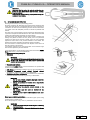
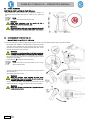
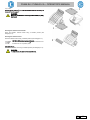
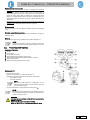
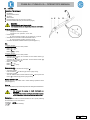
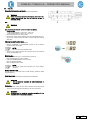
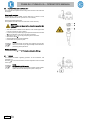
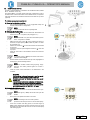
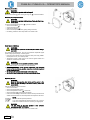
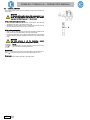
FILL CUP AND BOWL
The bowl can be turned 305° on the water unit by hand.
The bowl, the water-to-cup spout and the water-to-bowl spout can be
removed to make the cleaning operations easier.
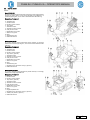
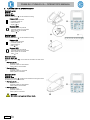
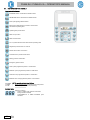
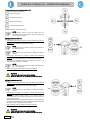
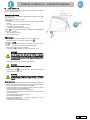
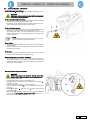
Control buttons.
Water-to-cup button.
Water-to-bowl button.
Bowl flushing automatically stops after 30 seconds.
Bowl flushing automatically starts in the following cases:
• when the "Rinse Position” button is pressed;
• when the "Water to cup” button is pressed.
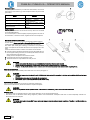
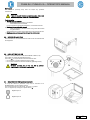
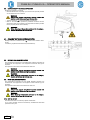
Hot water to cup.
When this function is provided, hot water is always delivered to the cup.
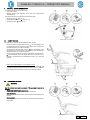
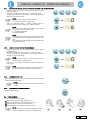
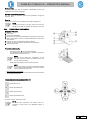
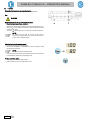
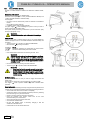
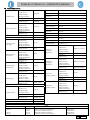
Adjusting the amount of water used to fill the cup.
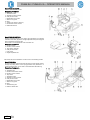
• Turn on the operating unit holding down the Water to cup button on the
assistant’s board.
NOTE:
1 intermittent BEEP signals saving is in progress.
•
•
Press the water to cup button once to start filling the cup.
Once the desired water level has been reached, press the water-to-cup
button again making sure the BEEP stops.
At this point, the new water level in the cup has been saved.
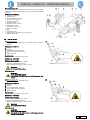
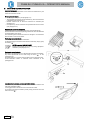
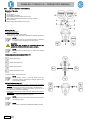
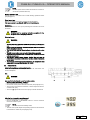
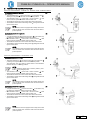
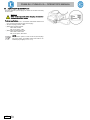
Changing bowl operation.
Water delivery to the bowl can take place in an untimed manner (ON/OFF
operation with the relative button).
This modification is made by turning on the operating unit holding down
the Water-to-Bowl button on the assistant’s board.
A beep sounds to signal the selected operating mode:
• 1 BEEP: timed operation.
• 3 BEEPS: ON/OFF operation.
NOTE:
timed operation is factory set.
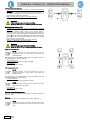
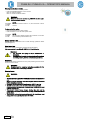
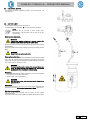
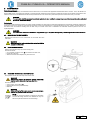
Changing the water to bowl controller with water delivered to cup.
The controller that delivers water to the bowl when the "water to cup”
button is pressed can be enabled/disabled.
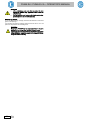
This modification is made by turning on the operating unit simultaneously
holding down the Water to cup and Water to bowl buttons on the
assistant’s board.
A beep sounds to signal the selected operating mode:
• 1 BEEP: controller enabled.
• 3 BEEPS: controller disabled.
NOTE:
the controller is enabled by default.
EN
47