1
VX7022
EQUALIZER CONTROL MENU
Adjusting Equalizer Controls
The Equalizer adjustment screen allows the user to easily adjust the audio system
to meet the acoustical characteristics of the vehicle. The acoustical characteristics
vary depending on the type of vehicle and measurements.
The Balance/Fader levels and Loudness ON/OFF option of a selected audio/video
source (Disc, Radio, USB/iPod®, AV-IN1, AV-IN2 or SXM) is also adjusted through
the Equalizer adjustment screen.
Equalizer (EQ) (10 Band)
1.
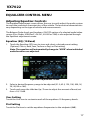
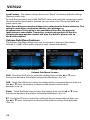
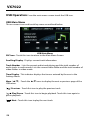
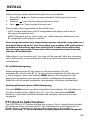
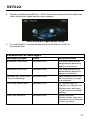
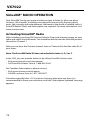
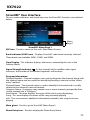
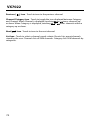
T ouch the Equalizer (EQ) icon to view and select a desired preset setting
(Optimal, Classic, Rock, Jazz, Techno or Pop) or Flat setting.
Note: The equalizer will automatically change to “USER” when individual
audio functions are adjusted.
Equalizer Adjustment Screen
2. Select a desired frequency range to be adjusted (31.5, 62.5, 125, 250, 500, 1K,
2K, 4K, 8K or 16K).
3. Touch and move the slide bar Up / Down to adjust the amount of boost/cut
from +10/-10dB.
User Setting
Touch the User icon to customize each of the equalizers 10 frequency bands.
Flat Setting
Touch the Flat icon to set the equalizers frequencies to the midpoint (0dB).
17