1
5. Drill out the mounting surface and
install fasteners with a minimum
200-lb pull-out strength. Leave a
gap between the screw head and
the wall for hanging the panel.
6. Before hanging the panel, punch
out the desired knockout that will
accept the power cord. Install the
cord through this hole.
7. Hang the panel on the mounting
screws, open the panel, lower the
screen, and tighten the
screws/anchors until secure.
8. Run conduit to the unit if required
and feed the power cord through
the conduit.
9. Connect power to the system and
ensure the NVR powers up before
reattaching the monitor to the
panel (see Figure 1).
10. Refer to the Quick Start Guide
attached to the cover and the NVR
User Manual to configure the
system.
11. To conserve power, always
turn the monitor off before
closing the panel.
12. Close the cover and use the keys
to lock the cover in place.
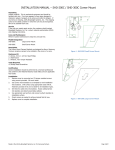
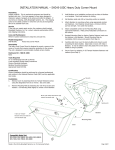
Figure 2
Internal view of opened panel.
Mounting
holes
Insert female end of IEC
power cord here.
Figure 3
Dimensional drawing for mounting hole locations. Units shown are inches.
©2013 Broadsight
Systems, Inc.
06/13
Page 3 of 3