1
6.2.1
Viewing web pages
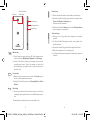
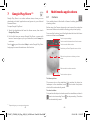
To open new window/switch between windows
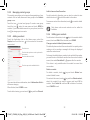
When opening a website, you can navigate on web pages by
sliding your finger on the screen in any direction to locate the
information you want to view.
Multiple windows can be opened at the same time for your
convenience.
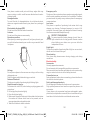
To zoom in/out of a web page
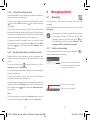
2 Slide up and down to view all windows, touch one to view it.
Pinch/Spread your finger on the screen to zoom out/in of the
web page.
To quickly zoom into a section of a web page, double-tap on
the section you want to view. To return to normal zoom level,
double-tap again.
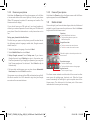
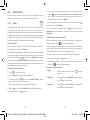
To find text on a web page
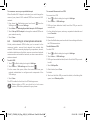
1 Touch
key from web page screen, then touch Find on page.
2 Enter the text or phrase you want to find.
3 The words with matching characters will be highlighted on the
screen.
4 Touch the up or down arrow to switch to the previous or next
matching items.
5 When finished, you can touch
search bar.
or the Back key to close the
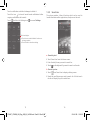
Further operations for the text on a web page
You can copy, share or search the text from a web page:
1 Touch and hold the text to highlight.
2 Move the two selecting tabs to locate the text. Or touch
SELECT ALL to select all words in this web screen.
3 Touch icons above for further options, including Copy, Share
and Web Search.
4 When finished, touch
mode.
or the Back key to deactivate the
55
IP4907_VF985N_UM_Eng_GB_09_140528.indd Sec2:55-Sec2:56
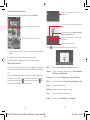
1 Touch
3 Touch
to open all windows’ thumbnails.
to open a new window.
4 To close a window, touch
or slide it sideways.
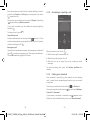
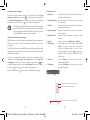
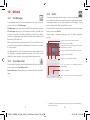
Other options:
• Refresh
• Stop
• Home page
• Save to
bookmarks
on the window you want to close
To refresh the current page.
To stop opening the current page.
To get back to the homepage you set.
To add the current website page as bookmark.
• Close
• Save for
offline
reading
• Share page
To close all tabs and exit.
To save the web page for offline reading. You can
key and then touching
find it by touching
Bookmarks/History > Saved pages.
To share the current page with your friends via
various ways, like Message, Email, Bluetooth,
etc.
• Find on page To input contents you want to find on the
current page.
• Request
To enable/disable computer version websites.
desktop site
• Bookmarks/ To see the bookmarks and browsing history.
History
• Settings
• Version
To access a series of Browser settings.
To see the version of browser.
56
2014-5-28 15:05:06