1
1.
2.
3.
4.
5.
6.
7.
8.
This unit is NOT water proof. Do NOT expose to
water, high humidity or other liquids.
The batteries should not be exposed to excessive
heat such as sunlight, fire or the like.
Do NOT throw used batteries in the trash. Consumed batteries must be properly disposed of.
Danger of explosion if batteries are incorrectly
replaced. Please make sure batteries are installed
correctly.
This camera has no internal memory, so the SD
card must be placed in the unit to have the ability
to record.
The camera records in cycles. It saves the data in
files, and after 50 minutes a new file is automatically created to keep the file sizes manageable.
Between saves there is a 1 – 2 second delay in
which the unit will not record.
When the camera is running and the batteries are
almost depleted the “LOW POWER” light will flash,
and at this time the batteries should be changed.
SPECIFICATIONS:
Image Sensor:
Auto Focus - Infinite
Image Size:
320 X 240
Power Efficiency:
220 mA
File Format:
AVI
Memory:
Supports 128MB - 2GB SD Card *
Power:
3-AAA Batteries * - 12V Car Adaptor
Included
Video Output:
RCA to TV Input
Mounting Bracket:
Dash Mount with Adjustable Angle Set
Screw
Video:
Color
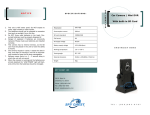
SPY CHEST INC
NOTICE
Car Camera
Road Safety Guard
I N S T R U C T I O N S
* SD Card Not Included. Batteries Not Included.
SPY CHEST INC
202 S. Main St.
Crestview, FL 32536
Phone: (850) 683-8787
Fax: (850) 682-0083
Email: [email protected]
T E L :
( 8 5 0 ) 6 8 3 - 8 7 8 7
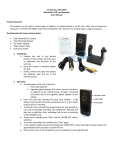
Car Camera
User’s Manual
Thank you for purchasing this product. We highly recommend reading this user manual in its entirety before using the product.
Car Camera Set Includes:
• Car Camera
• Car Camera Stand
• Car Power Adaptor
• Video Cable
• Mounting Set Screw
• Instructions
Operation
Video Retrieval (2 Methods):
1.
Computer (Recommended)
2.
3.
4.
5.
6.
Provide power to the unit (2 sources)
A. Three AAA batteries
B. Cigarette lighter adapter (12V direct current)
Insert SD Card (Use standard SD cards only
512MB – 2GB). Make sure the selector on the
side of the SD Card in the unlocked position.
Press the power switch to turn the camera on
(the “Work LED” is illuminated).
Press the “PLAY” button to begin recording.
When the button is pressed the “WORK LED”
will begin flashing.
Press the “PLAY” button to stop recording, the
“Work LED” will remain illuminated to indicate
the unit is in standby and ready to begin recording.
To turn off the device press the power switch.
1.
2.
3.
4.
Remove the SD card from the device.
Insert the card into the SD reader on your computer (if your computer does not have an SD card
reader you may purchase one at http://
www.spytechs.com/video_accessories/sd-cardadaptor.htm)
Once your computer recognizes the card a window will open in which you can select “Play using
Windows Media Player” or “Open folder to view
files using Windows Explorer”. Either one can be
used to access the information on the card.
The files can also be accessed by clicking on my
computer, then selecting the proper removable
disk.
A/V Output
1.
2.
Installation
1. Before placing the camera mount on the
dashboard of your vehicle use the mounting
screw to attach the camera. Then adjust to
the desired angle and tighten.
2. Place the unit on the dash and use the laser
to aid in the positioning of the device. Remove the paper on the bottom of the mount
to expose the adhesive and secure it to the
dash.
3. Once mounted, adjust the camera’s angle
again, using the laser light to confirm the
positions accuracy. After tightening the
screw cap to secure the position, the installation is complete.
Connect the unit to your television by using the
provided cable and plugging it into the AV out
plug on the device, and plugging the other end
into an available video input on a television.
Then power on the unit and press play to view
the videos.
Deleting Files
Removing or deleting files is achieved in the same
manner as you would with any other file on your computer. Simply attach the SD Card to your computer.
Then go to the folders / files view and select the files
you wish to remove and then delete.