1
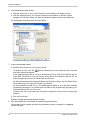
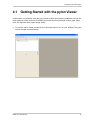
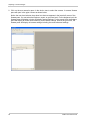
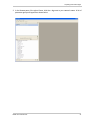
Acquiring Your First Images 4 Acquiring Your First Images Before attempting to acquire images, make sure that the camera hardware and software have been installed as described earlier in this guide. To adjust your camera settings, we suggest that you use the Basler pylon Viewer. The pylon Viewer will give you the most complete access to your camera’s parameters. The steps below assume that you are using the pylon Viewer. The pylon Viewer cannot display the images acquired by Camera Link cameras (this is due to the proprietary methods used by frame grabbers to assemble the image data captured by the camera). To view the images you are acquiring, we strongly suggest that you use the software supplied with your frame grabber. Most frame grabbers include software for viewing acquired images. If you have not already done so, you should install this software now, and you should review the instructions for how to use it. The procedure below assumes that you are using your frame grabber’s software to view captured images. Note that when a new ace camera "wakes up", it will be loaded with a default set of parameters and will be set for "free run". This means that as soon as you apply power to the camera and the camera finishes booting up, it will begin acquiring images and transmitting pixel data. Check the Camera Link Clock Speed Compatibility All ace camera models have a default Camera Link pixel clock speed of 82 MHz. Not all frame grabbers are compatible with a clock speed this high. Check the documentation for your frame grabber and see whether it can handle a 82 MHz clock speed. On ace cameras, the clock speed can be changed to 32.5 MHz, 48 MHz, 65 MHz, or 82 MHz. If you need to set your camera for a lower clock speed so that it will be compatible with your frame grabber, do it now. The easiest way to change the clock speed is to use the pylon Viewer. To use the Viewer to change the clock speed: Follow steps 1 through 3 in the "Getting Started with the pylon Viewer" procedure that starts on page 19. Expand the Transport Layer parameters group that appears under the camera name. Look for the Pixel Clock parameter and set it to your desired value. Go on with the "To Get a First Look at the Acquired Images" section on the next page. Basler ace Camera Link 17