1
PowerFlex 753 Drive (P_PF753)
Operator Tab
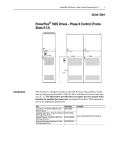
The Faceplate initially opens to the Operator (‘Home’) tab. From here, an
operator can monitor the device status and manually operate the device when it is
in Operator mode.
The Operator tab shows the following information:
• Current mode (Operator, Program, Override, Maintenance, or Hand)
• Requested mode indicator (appears only if the Operator or Program mode
has been superseded by another mode)
• Drive State (Stopping, Stopped, Starting, Running, Disable, or I/O Fault)
• Drive Motion State (Accelerating, Decelerating, or At Speed)
• Drive Ready indicator (Drive Ready, Drive Not Ready, or Drive Faulted)
• Actual Speed and requested speed
• Actual Direction (appears only if the drive is configured Can Run Reverse)
• Input Source and Quality indicator (See 'SrcQ' in the Output parameters
table on page 21 for details)
• Requested Direction (appears only if the drive is configured
Can Run Reverse)
Reset and Acknowledge
All Alarms Button
Drive Start Command Button
Mode Indicator
Drive Stop Command Button
Operator Mode Request/Lock
and Release/Unlock Buttons
Jog Drive Command
Button
Drive State
Interlock Navigation
Button
Restart Inhibit
Navigation Button
Forward Permissive
Navigation Button
Run Time
Navigation Button
Speed Reference
Reverse Permissive
Navigation Button
Forward Direction
Command Button
Drive Ready
Indicator
Reverse Direction
Command Button
Input Source and
Quality Indicator
Input Source and
Quality Icon
42
Rockwell Automation Publication SYSLIB-RM044B-EN-P - August 2014