1
Chapter 6
Scope Operations
This section explains the Scope menu and operations.
i
NOTE:
Most of the Scope toolbars and controls work the same as the Multimeter. Only the differences are
covered in this section.
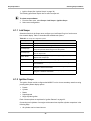
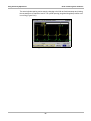
Figure 6-1 Scope selection from main menu
The Scope menu offers the following options (Figure 6-1):
• Lab Scope
• Ignition Scope
• Presets
The following is an outline of basic Scope software operation.
1. Select Scope Software—Select the type of Scope software and a test configuration for the
selected tool. See “Selecting Scope Software” on page 31.
2. Connect test leads—Connect appropriate leads and clips to the Lab Scope Plug-in unit. See
“Connecting Leads and Adapters” on page 4.
3. Connect the Lab Scope Plug-in to the vehicle—Procedures will vary.
4. Perform the test—Set up, test, and evaluate test results. See “Performing Scope Tests” on
page 35.
6.1 Selecting Scope Software
There are two types of scope tools available:
• Lab Scope (See “Lab Scope” on page 32)
31






![VERUS PRO User Manual [3980kb PDF File] - Snap](http://vs1.manualzilla.com/store/data/005690474_1-9ff68923f14d7698ce72469cabae3990-150x150.png)