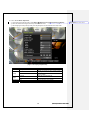
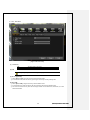
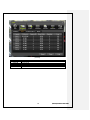
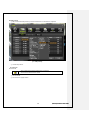
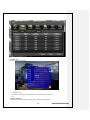
1
FCC Compliance Statement
Model Name: MX series (MX16, MX08, MX04)
This device complies with Part 15 of the FCC Rules. Operation is Subject to the following two conductions: (1)
this device may not cause harmful interference, and (2) this device must accept any interference received,
including interference that may cause undesired operations.
WARNING
Unauthorized reproduction of all or part of this manual is strictly prohibited.
The figures in this manual are for illustration purposes only (may differ from the actual product).
The specifications and design of the product are subject to change without prior notice for purposes of quality
improvement.
CAUTIONS
To get the best use out of the product, be sure to read the cautions before using the product. For safety, please
take note of the following.
1
2
3
4
1
2
3
4
5
Instructions before using the product
To prevent electric shock when installing, moving, or opening the DVR and peripheral devices, connect
and disconnect the cables as instructed. All cables must be connected to grounded power outlets.
If the product is installed near a power outlet, make sure it can be unplugged easily.
Do not use the DVR in water or in wet places.
Keep the plastic packing materials used for the DVR or other peripheral devices out of reach of children
(may cause suffocation).
Installation Environment of the DVR
Maintain the following conditions: operating temperature of 5˚C ~ 40˚C; operating humidity of 10% ~ 80%.
Install the DVR in a safe place that is free from external vibration.
Install the DVR in a well-ventilated place.
To protect the hard disk from data loss and breakdown, install the DVR away from magnetic materials.
When using a rack other than the standard one, use a separate table with sufficient spacing, i.e., 60cm
from the floor, 50cm from the ceiling, and 20cm from the side and back walls and other objects.
Safety Notes on the DVR
When installing additional boards and HDD, separate the power cable and turn OFF power supplied to the
DVR completely..
2 Keep the product away from heat-generating devices such as heaters.
3 Do not use a damaged power cord.
4 To prevent problems due to magnetic interference and electric surge, use only grounded cables and
power outlets.
5 If the power cord is connected, do not touch the power unit. If the power cord is connected, electric current
is still flowing internally even after the switch is turned OFF.
6 Do not place a heavy object on top of the product.
7 Do not drop a conductive object in the ventilation holes.
8 Allot sufficient space for system cabling.
9 Use only the parts indicated in the manual. Do not disassemble, repair, or modify the product without
permission.
10 Incorrect system setup may cause malfunction.
11 Shut down the system normally as instructed in the manual.
1
1
2
Safety Notes on the Lithium Battery
Replace lithium batteries as instructed to avoid danger.
Dispose used lithium batteries properly.
【Warnings and Cautions are indicated as follows.】
Possible injury or product damage.
Risk of minor injury or product damage.
Cautions for the usage of the product.
1
Operating Instruction & User’s Guide
Information for the usage of the product.
C/O/N/T/E/N/T/S
Chapter 1. Introduction ........................................................ 7
1-1 MX series Major Features ...................................................... 7
1-2 About the Product................................................................ 7
1-3 Components ....................................................................... 7
Chapter 2. Installation and Connection................................... 8
1-4 MX series Name and Features of Each Part ............................. 8
1-4-1 MX series Front Panel ............................................................... 8
1-4-1 MX-04 Rear Panel .................................................................... 8
1-4-2 MX08 Rear Panel ..................................................................... 8
1-4-3 MX16 Rear Panel ..................................................................... 8
1-5 Installation and Connection ................................................... 9
1-5-1 Basic Connection ...................................................................... 9
1-5-2 Connection of Other Devices..................................................... 10
Chapter 3. Operation and Setup Tools ................................. 12
1-6 MX series Front Panel Button ............................................... 12
1-7 MX series Remote Controller ................................................ 12
1-8 Mouse ............................................................................... 13
Chapter 4. DVR Operation Setup ......................................... 13
1-9 Storage Installation ............................................................. 13
1-10 MX series Storage Installation ............................................ 13
1-11 Power ON. ...................................................................... 14
1-12 Storage Setup ................................................................. 14
1-13 Recording Setup .............................................................. 17
1-14 Date/Time Setup ............................................................. 17
1-15 Camera / TV Setup .......................................................... 17
1-16 External Device Setup ...................................................... 17
1-17 Recording View ............................................................... 17
1-18 Backup .......................................................................... 17
1-19 DVR Information View ....................................................... 18
Chapter 5. System Operation .............................................. 18
1-20 Starting and Exiting the System ......................................... 18
1-20-1 Starting the System .............................................................. 18
1-20-2 Exiting the System ............................................................... 18
1-21 Monitoring ...................................................................... 18
1-21-1 Screen Division and Auto Sequence ........................................ 18
1-21-2 Channel Grouping ................................................................ 19
1-21-3 Menu in Monitoring Mode ...................................................... 19
1-22 System Login .................................................................. 19
1-22-1 User Account and Authorization.............................................. 19
1-22-2 Login ................................................................................. 20
1-22-3 Logout ............................................................................... 20
1-23 Audio Recording and Playback .......................................... 20
2
Operating Instruction & User’s Guide
1-23-1 Audio Recording Setup ......................................................... 20
1-23-2 Audio Live .......................................................................... 20
1-24 System Information View and Display Setup Change............. 20
1-24-1 System Information .............................................................. 21
1-24-2 Camera Selection for Screen Setup ........................................ 22
1-24-3 Screen Brightness ................................................................ 23
1-24-4 Contrast ............................................................................. 23
1-24-5 Camera Adjustment.............................................................. 23
1-24-6 Camera Title Shown/Hidden .................................................. 23
1-24-7 Screen Border Adjustment ..................................................... 24
1-24-8 Screen saver....................................................................... 25
1-24-9 Spot & Main display repeating ................................................ 25
1-24-10 TV OUT Adjustment .......................................................... 26
1-25 Spot Control ................................................................... 26
1-26 Relay Out ....................................................................... 27
1-27 Search ........................................................................... 27
1-27-1 Search Mode ...................................................................... 27
1-27-2 Playback Menu .................................................................... 27
1-28 Calendar Search .............................................................. 28
1-28-1 Search Mode ...................................................................... 28
1-28-2 Year/Month/Day Selection ..................................................... 28
1-28-3 Directory Count ................................................................... 28
1-28-4 Event ................................................................................. 29
1-28-5 Multi-Channel Search ........................................................... 29
1-28-6 Multi-Time Search ................................................................ 29
1-28-7 Multi-Day Search ................................................................. 29
1-29 Playback ........................................................................ 30
1-29-1 Playback and Playback Speed Control..................................... 30
1-29-2 Smart Search ...................................................................... 31
1-29-3 Calendar Search .................................................................. 32
1-29-4 MULTI TIME ....................................................................... 32
1-29-5 MULTI DAY ........................................................................ 32
1-29-6 MULTI CHANNEL ................................................................ 32
1-29-7 Event ................................................................................. 32
1-29-8 Audio ................................................................................. 32
1-29-9 Backup .............................................................................. 32
1-29-10 Display Mode ................................................................... 32
1-29-11 Status Bar ....................................................................... 32
1-30 Log Viewer...................................................................... 32
1-30-1 Log Type ............................................................................ 33
1-30-2 System Log Viewer .............................................................. 33
1-31 Recording ....................................................................... 34
1-31-1 Recording Types ................................................................. 34
1-31-2 Recording Setup .................................................................. 34
1-31-3 Recording Status View .......................................................... 35
3
Operating Instruction & User’s Guide
1-32 Backup .......................................................................... 35
1-32-1 Backup in Real-time Monitoring Mode...................................... 35
1-32-2 Backup in Search Mode ........................................................ 35
1-32-3 Backup in Log Mode ............................................................. 36
1-32-4 Backup in Playback Mode ..................................................... 36
1-32-5 Common Backup Procedure .................................................. 36
1-33 NAS Backup .................................................................... 37
1-34 Snapshot ........................................................................ 38
1-35 PTZ Camera Control......................................................... 38
1-35-1 Conditions for Using the PTZ ................................................. 38
1-35-2 PTZ Mode .......................................................................... 38
1-35-3 PTZ Control ........................................................................ 39
Chapter 6. Setup ............................................................... 40
1-36 Time .............................................................................. 40
1-36-1 Time Sever ......................................................................... 41
1-36-2 Date and Time..................................................................... 42
1-36-3 Standard Time Zone ............................................................. 43
1-36-4 scheduled rebooting ............................................................. 44
1-37 definition ........................................................................ 44
1-37-1 camera .............................................................................. 45
1-37-2 PTZ ................................................................................... 45
1-37-3 Event Source ...................................................................... 48
1-37-4 relay .................................................................................. 51
1-38 Action ............................................................................ 52
1-38-1 schedule (schedule1 - schedule4) ........................................... 52
1-38-2 event ................................................................................. 52
1-38-3 recording ............................................................................ 53
1-38-4 Alarm................................................................................. 55
1-38-5 duration.............................................................................. 56
1-38-6 log..................................................................................... 57
1-39 Schedule ........................................................................ 57
1-39-1 Enter to Schedule Menu ........................................................ 58
1-39-2 Schedule Setup ................................................................... 58
1-40 Storage .......................................................................... 59
1-40-1 Max. Recording Days ........................................................... 60
1-40-2 HDD Overwrite .................................................................... 60
1-41 Network .......................................................................... 64
1-41-1 Ethernet ............................................................................. 64
1-41-2 DDNS ................................................................................ 65
1-41-3 Port ................................................................................... 66
1-41-4 E-mail ................................................................................ 67
1-41-5 Bandwidth .......................................................................... 68
1-42 System ........................................................................... 69
1-42-1 System Menu ...................................................................... 70
1-42-2 DVR Name ......................................................................... 70
4
Operating Instruction & User’s Guide
1-42-3 ID for Remote Controller ....................................................... 70
1-42-4 ID For Keyboard Controller .................................................... 71
1-42-5 User Registration ................................................................. 71
1-42-6 Admin. Password ................................................................. 72
1-42-7 Upgrade ............................................................................. 72
1-42-8 Factory Default .................................................................... 74
1-42-9 RS232C Port....................................................................... 74
1-42-10 Alarm.............................................................................. 74
1-42-11 Alarm Setup ..................................................................... 75
1-42-12 Menu Time Out ................................................................ 75
1-42-13 Language ........................................................................ 76
A/P/P/E/N/D/I/X ................................................................. 77
(1) Recommended HDD Specification................................................ 77
(2) Recommended PTZ Camera Protocol ........................................... 77
(3) Recommended USB2.0 Device ................................................... 77
5
Operating Instruction & User’s Guide
Figure List
[Figure 2-1. Basic Connection and Device Connection]..............................................................9
[Figure 2-2. MX16 Connection and Device Connection] ...............................................................9
[Figure 2-3. Terminal Block TB1] ........................................................................................... 10
[Figure 2-4. Terminal Block TB1 Description] ........................................................................... 10
[Figure 4-5. Menu Window] ................................................................................................... 14
[Figure 4-6. Storage Device New Tab Window] ........................................................................ 15
[Figure 4-7. Storage Device New Tab Menu Window] ................................................................ 16
[Figure 4-8. Storage Device Save Tab Window] ....................................................................... 17
[Figure 5-9. Login Window] ................................................................................................... 20
[Figure 5-10. Recording Status Window] ................................................................................. 21
[Figure 5-11. Product Information Window] .............................................................................. 22
[Figure 5-12. Camera/TV Setup Window] ................................................................................ 23
[Figure 5-13. Display Setup Window] ...................................................................................... 24
[Figure 5-14. Spot Control Window] ........................................................................................ 26
[Figure 5-15. Relay Control Window] ...................................................................................... 27
[Figure 5-16. Playback Menu Window] .................................................................................... 27
[Figure 5-17. Search Window] ............................................................................................... 28
[Figure 5-18. Playback Screen] ............................................................................................. 30
[Figure 5-19. Playback Status and Control Window] .................................................................. 30
[Figure 5-20. Playback Menu] ............................................................................................... 31
[Figure 5-21. Smart Search Motion Detection Window] .............................................................. 31
[Figure 5-22. Display Mode] .................................................................................................. 32
[Figure 5-23. Log Viewer] ..................................................................................................... 33
[Figure 5-24. Move to the log list of the certain time zone] .......................................................... 34
[Figure 5-25. Backup Window] .............................................................................................. 36
[Figure 5-26. NAS Backup Window] ....................................................................................... 37
[Figure 5-27. PTZ Control Window (Max. Mode (Left) / Min. Mode (Right))] ................................... 38
[Figure 5-28. PTZ Mode Initial Screen].................................................................................... 39
[Figure 6-29. Time Sever] ..................................................................................................... 41
[Figure 6-30. Date and Time] ................................................................................................ 42
[Figure 6-31. Standard Time Zone] ........................................................................................ 43
[Figure 6-38. Schedule Window] ............................................................................................ 58
[Figure 6-39. Holiday Registration Window] ............................................................................. 59
[Figure 6-40. Storage Window (Local)] .................................................................................... 60
[Figure 6-41. Storage Offline] ................................................................................................ 63
[Figure 6-42. Storage Format] ............................................................................................... 63
[Figure 6-43. Storage Formatting Message in progress] ............................................................. 64
[Figure 6-47. Setup Network Window]..................................................................................... 65
[Figure 6-48. DDNS Window] ................................................................................................ 66
[Figure 6-49. Port Window] ................................................................................................... 67
[Figure 6-50. E-mail Window] ................................................................................................ 68
[Figure 6-51. Bandwidth Window] .......................................................................................... 69
[Figure 6-52. System Setup Window]...................................................................................... 70
[Figure 6-53. User Authorization Setup Window]....................................................................... 71
[Figure 6-54. Firmware Upgrade File List Window] .................................................................... 73
[Figure 6-55. Firmware Upgrade Progressing Window] .............................................................. 74
[Figure 6-56. Alarm] ............................................................................................................ 75
[Figure 6-57. Language Selection Window].............................................................................. 76
6
Operating Instruction & User’s Guide
Chapter 1. Introduction
1-1 MX series Major Features
MX16
System
Channel & Frame Rate
OS
Video Input
Video Output
Audio In/Output
Compression Format
Recording Speed
Recording Resolution
Recording mode
Storage
Video Output Resolution
Sensor Input
Relay Output
Backup & Copy Access
Network Access
PTZ Access
Internal HDD
System Operation &
Adjustment
System Upgrade
Network
Others
MX08
MX04
Reliable Standalone DVR
16Ch - 480/480
8ch - 240/240
4ch - 120/120
Embedded Linux - Built in Flash Memory
16 BNC
8 BNC
4 BNC
1 BNC, 1 VGA
16 RCA/1RCA
16 RCA/1RCA
4 RCA/1RCA
[Video : Standard H.264)] / [Audio : G.723]
Max. 400fps
Max. 200fps
Max. 100fps
Max. 704 x 576
Auto, Continuous, Manual, Event(sensor, motion and sound)/Schedule Recording
[ Internal : Max. 2HDD, Max. 4TB ]
LCD : SXGA(1280 x 1024), TV : SDTV(720 x 480/576)
4 Sensors / [1ea NC/NO]
USB2.0, Network
Various Network Interface ( Ethernet 10/100, ADSL, Cable modem )
RS485
SATA HDD 2ea
Front Button, Mouse, IR Remote Controller, Keyboard Controller, Network
USB2.0 memory stick, Network
System Automation (Controlled by CMS)
NTP supported
CMS / Monitoring by Web Browser / PDA
17 Languages Supported Automatic E-mail Transmission
Power [12V/5A] / Max. Power Consumption[40W] / Operating Temperature[5-40℃]
Weight without HDD[3kg] / Dimension[340*58*300mm]
1-2About the Product
As a digital image monitoring equipment that can display images inputted from up to 16/8/4 cameras, MX -Series
digitally records high-quality images using various video recording modes and displays them as clean quality
images.
For users’ convenience, front panel button, remote controller, and mouse are provided. Powerful network
functions including remote monitoring and remote system setup modification are also supported. The maximum
recording frame rate is 480(400)/240(200)/120(100)fps.
1-3 Components
After unpacking the product, check whether the following accessories are included.
-
Remote Controller
CD (CMS, CMS Manual, PDA Viewer software)
AAA 1.5V Batteries 2ea
Adapter 12VDC 3.5A
User Manual
7
Operating Instruction & User’s Guide
Chapter 2. Installation and Connection
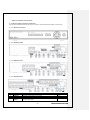
1-4 MX series Name and Features of Each Part
The front panel of MX-series features an easy-to use button; various interfaces are located on the rear part.
1-4-1 MX series Front Panel
1-4-1 MX-04 Rear Panel
1-4-2 MX08 Rear Panel
1-4-3 MX16 Rear Panel
No.
1
2
3
4
Name
Pan
AUDIO IN
DC IN
NTSC/PAL
VGA/TV
Function
Cooling system
Audio Input Connection(Line Only Input)
Power cable connection to the body
Select the video input format.
Select the video output.
8
Type
RCA
DA-2
Operating Instruction & User’s Guide
5
RS485
DIO
6
Ethernet
7
8
9
10
VGA-OUT
AUDIO OUT
TV
CAMERA IN
PTZ Camera Control Connection
Sensor / Relay Connection
Network Connection (ADSL, Cable Modem, Ethernet 10/100/1000
Base-T)
VGA Monitor or LCD Monitor Connection
Audio Output Connection(Line Only Output)
CCTV Monitor Connection(Divided Screen)
Video Camera Connection
Terminal Block
RJ-45
D-SUB 15P
RCA
BNC
BNC
1-5 Installation and Connection
[Figure 2-1. Basic Connection and Device Connection]
[Figure 2-2. MX16 Connection and Device Connection]
1-5-1 Basic Connection
By referring to above [Figure 2-1] and [Figure 2-2], Connect the CCTV camera, CCTV monitor (or VGA monitor),
and USB mouse to the DVR and set up CONFIG SWITCH.
Connected Device
DVR Terminal
1
CCTV camera
Rear Panel Video Input
2
CCTV monitor
Rear Panel TV
9
Operating Instruction & User’s Guide
3
VGA Monitor / LCD Monitor
4
Mouse
Rear Panel VGA-OUT
Front Panel USB
5
CONFIG SWITCH
Rear Panel NTSC/PAL or VGA/TV Setup
Refer to a further description of CONFIG SWITCH below.
1. The input video type must be either NTSC or PAL; these two types must not be used together.
2. Select the input video format (NTSC/PAL) using the CONFIG switch on the rear side of the product.
3. Select the output monitor type (VGA/TV) using the CONFIG switch on the rear side of the product.
4. CONFIG SWITCH
1) VGA Mode
Resolution of VGA Monitor is SXGA (1280*1024) and CCTV Monitor output is supported.
2) TV Mode
CCTV Monitor output is supported but No VGA mode.
1-5-2 Connection of Other Devices
Connect the PTZ controller cable, audio input/output, network, and sensors as shown below.
Connecting Device
DVR Terminal
1
Mike / Speaker
Rear Panel Audio Input / Audio Output
2
LAN Cable
Rear Panel Ethernet
3
PTZ Camera
Rear Panel Terminal Block
4
Sensor / Relay / TTL OUTPUT
Rear Panel Terminal Block)
5
Key controller
Rear Panel Terminal Block
2) Audio Input/Output
Depending on models[16ch/8ch/4ch]], each of the models supports [16/8/4] line input and 1 line output.
3) Terminal Block
[Figure 2-3. Terminal Block TB1]
[Figure 2-4. Terminal Block TB1 Description]
Terminal Blocks(TB1, TB2) in the rear of the product are for connections of PTZ / Sensor / Relay / TTL
Connection. Terminal Blocks may not be available depending on the model.
10
Operating Instruction & User’s Guide
4) PTZ Camera/Keyboard Controller
Connect PTZ control cable; TRX+, TRX- and GND to Terminal Block(TB1);No.4 TRXD+, No.5 TRXD- and No.10
GND in the rear of DVR. In case of HV-4U, connect PTZ control cable; TRX+ and TRX- to Terminal Block No.1
TRXD+ andNo.2 TRXD- directly. You may refer to APPENDIX for supported PTZ cameras in this manual.
Keyboard controller has the same connection as PTZ camera.
PTZ Camera may not be working properly if GND is not connected.
5) Sensor/Relay /TTL
Sensor and Relay are connected to Terminal Block(TB1) and Terminal Block(TB2) directly depending on the
model.
(1) Sensor Connection
① Connect Sensor to Terminal Block (TB1) and S1 ~ S16 of Terminal Block (TB2) depending on the model.
② Each input terminal may be connected regardless of the channel number.
Sensor types include Normal Close (NC) and Normal Open (NO). For more information
on setup by sensor type, refer to {Menu} {Setup} {Definition} {Event Source}
{Sensor Type}.
NC(Normal Close) : Normally closed; opens when a signal is received.
NO(Normal Open) : Normally open; closes when a signal is received.
(2) Relay Connection
① Outputs alarm signals to external devices such as LED and siren by relaying them to these external
devices.
② Connect Relay to R1 of Terminal Block (TB1).
Relay types include Normal Close (NC) and Normal Open (NO). For more information on
setup by sensor type, refer to {Menu} {Setup} {Definition} {Relay} {Relay
type}.
NC(Normal Close) : Normally closed; opens when a signal is received.
NO(Normal Open) : Normally open; closes when a signal is received.
(3) TTL Connection
① This is for the external alarm devices such as an alarm and a siren that are supplied with voltage level
LOW (0V) or HIGH (5V).
② Connect TTL device to DO1 (TTL) / DO2 (TTL) / DO3 (TTL) of Terminal Block (TB2).
The external alarm device may require the power supply depending on its type.
11
Operating Instruction & User’s Guide
Chapter 3. Operation and Setup Tools
MX-series is operated by Front Button, Remote Controller and Mouse.
1-6 MX series Front Panel Button
No.
1
2
3
4
5
6
7
8
9
Formatted: Font: 9 pt, Font color:
Auto
Name
LABEL
USB Port
Reverse Play
Reverse Frame by Frame
PAUSE
Frame by Frame
PLAY
MENU
ESC
10
MOVE & DISPLAY & Select
11
12
13
POWER
POWER LED
RECORD LED
Feature
Brand Name and Model Name
USB Mouse, USB Memory Stick Connection Port
Backward Playback/Rewind (in Playback mode)
Backward Playback Frame by Frame (in Playback mode)
Pause (in Playback mode)
Playback Frame by Frame (in Playback mode)
Playback/Fast Forward (in Playback mode)
Various Modes
Exit the current menu or selects the upper menu.
Move from one category to another or changes the display
mode.
Power On/Off
LED indicating Power On/Off
Blue LED turned on upon HDD operation.
1-7 MX series Remote Controller
POWER
System Power ON / OFF
ESC
Exit the current menu
Or select the upper menu.
MENU
Data, Schedule, System setup
MODE
Screen Mode Menu
SELECT
Select the category or executes
automatic screen conversion.
MOVE
Move from one category to another or
change the display mode.
Reverse Play
Reverse Play
Play
Play
12
Formatted: Font color: Auto
Formatted: Font color: Auto
Formatted: Font color: Auto
Formatted: Font: 9 pt, Font color:
Auto
가) System Operation and Setup Button
나) S
e
a
r
c
h Button (Playback Mode)
Formatted: Font color: Auto
Operating Instruction & User’s Guide
Reverse Frame by Frame
Reverse Frame by Frame
Pause
Pause
Frame by Frame
Frame by Frame
1-8Mouse
The USB mouse can be used to operate the system. The mouse pointer as below photo will be shown if a mouse
is connected to USB terminal at front panel.
Mouse Control supports features are shown below.
Click on the right button
Click on the left button
Double click on the left button
Click and drag the left button
Chapter 4. DVR Operation Setup
Monitoring Mode / Move from Play Mode to
Monitoring Menu / Pop up or remove Play
Menu.
Show sub-folder of the certain Menu window.
Select Menu.
Select Menu.
Move a certain window.
1-9 Storage Installation
Formatted: Font: 9 pt, Font color:
Auto
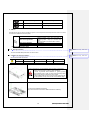
※ The recommended HDD specification are shown below.
1-10MX series Storage Installation
Formatted: Font: 9 pt, Font color:
Auto
※ Recommended HDD Specification
Type
Size
Capacity
Buffer
RPM
SATA I, II
3.5“ 1, 2 Flat
Up to 2 TB
over 8MB
over 7200
1) Using a screw driver, unscrew and take off the top case of the product
1) Normal termination of the system and fully unplugged power
code are required before conducting HDD installation.
2) Touch a grounded metal substance or ground yourself
before installing HDD in order to reduce static electricity. Static
electricity may cause a malfunction of the product.
3) After installing HDD, Do not connect to power supply with the
top case opened. The top case must be covered before usage.
2) Unscrew and separate the HDD bay.
Align screw holes and screw and fix additional HDD onto HDD bay.
13
Operating Instruction & User’s Guide
3) Screw the additional HDD bay to current HDD bay
4) Connect the power cable and data cable to HDD.
Reassemble the top case by reversing 1) to finalizing HDD installation.
1-11Power ON.
Check the adapter (12VDC/3.5A) and connect the power. Booting will be initiated by pressing the power button in
the front panel. Booting is progressed step by step by VGA outputting or a color bar test screen for TV outputting,
Live screen and a clock.
Menu widow pops up by clicking the right button of the mouse or pressing [MENU] button in the front panel as
shown below.
[Figure 4-5. Menu Window]
ID and Password are required for a initial installation. Default ID and Password are shown below.
[ Local Admin : 00000 ]
[ User1 : 1111111 ] [ User2 : 2222222 ] [ User3 : 3333333 ] [ User4 : 4444444 ]
1-12 Storage Setup
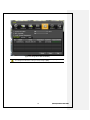
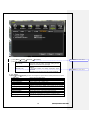
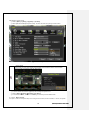
① Select {Menu} {Setup} {Storage Device}. As shown below, newly installed HDD is shown at
{NEW} tab.
Indication of “{ }” refers to one provision of the menu. Indication of “” refers to a subprovision. Example> {Menu} {Setup} : go to Setup that is a sub-provision of Menu.
14
Operating Instruction & User’s Guide
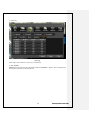
[Figure 4-6. Storage Device New Tab Window]
{New} tab is a manager that manages all newly introduced storage. All newly recognized devices
are managed and allocated as a saving or backup storage in {New}.
15
Operating Instruction & User’s Guide
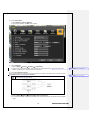
② Move a focus onto {NEW} tab using the arrow keys and select.
③ Select Hard Disk.
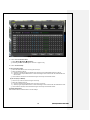
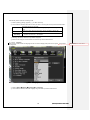
[Figure 4-7. Storage Device New Tab Menu Window]
Direct Initialize
Backup Initialize
Changes the selected storage into a dedicated direct storage.
Changes the selected storage into a backup storage.
{New} At least, one storage shall be selected as a dedicated storage.
Otherwise, the data cannot be stored in real time.
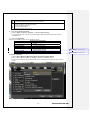
④ Select {Direct-Init} and follow {Direct-Init} procedure.
{Direct-Init} procedure may take time.
⑤ When it is completed, HDD is removed from {New} tab and shifted to {Save} tab.
⑥ Move to {Save} tab and select.
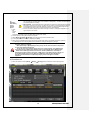
⑦ As shown below, it is indicated as [ACTIVE/HEAL..] in {Status(SW/HW)}, and HDD setup is completed.
16
Operating Instruction & User’s Guide
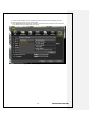
[Figure 4-8. Storage Device Save Tab Window]
More detail description for HDD and Storage Device; check [6-4 Storage
Device].
1-13 Recording Setup
① Select {Menu} {Setup} {Action}-> {Recording}.
② Setup for [Recording Resolution]/[Recording Quality]/[Mode]/[Recording Frame]/[Audio]/[Motion
Detection]/[Sensor Detection]/[Event] and Alarm Output are available.
The initial recording setup is [Recording Resolution: CIF] [Recording Quality: High] [Mode:
Auto]. An image of the connected cameras is recorded with above setting. For more detail,
check [6-3 Action].
1-14 Date/Time Setup
① Select {Menu} {Set up} {Time}.
② Set up for [Time server]{Date and Time}{Standard Time Zone} are available.
1-15 Camera / TV Setup
① Select {Menu} {Set up}->{Definition}->{Camera}->{Adjust}
② Set up for [Brightness/Contrast/Color/Hue/Camera Adjustment/TV OUT Adjustment] are available.
1-16 External Device Setup
① Set up External Device. For more information, check [5-4 Audio Recording and Playback] [5-6 Spot
Control] [5-7 Relay Out] [[6-5 PTZ] [6-6 Network] [6-2-5 Alarm Output] [6-7-10 Alarm] [6-7-11 Alarm Time
Setup].
1-17 Recording View
① Select {Menu} {Search} {Calendar Search/Last Hour Playback/First Hour Playback/Move to
Last Playback}.
② For more information, check [5-8 Search] [5-9 Calendar Search] [5-10 Playback].
1-18 Backup
① Backup is available in Monitoring, Search, Log and Playback Mode.
② For more information, check [5-13 Backup].
17
Operating Instruction & User’s Guide
1-19 DVR Information View
① Move to {Menu} {Miscellaneous} {DVR Info.}.
Detail information for product functions are described below in this manual.
Chapter 5. System Operation
1-20 Starting and Exiting the System
1-20-1 Starting the System
With the power connected, press the Power button.
① After the system is booted, images of all connected channels will be displayed.
1-20-2 Exiting the System
※ The default password for the local administrator is “00000.”
※ To change the password, select {Main Setup} {System} {Local Administrator’s
Password}.
Press the Power button on the remote controller.
On the password input screen, enter a new password using the numeric buttons and the arrow keys.
After authentication is completed, the system will be terminated.
1-21 Monitoring
Various Screen Division and Auto Sequence.
Channel Grouping.
Spot
Menu Controlling in Monitoring Mode
After the system is booted, images will be displayed on a screen divided into [16/9/4] according to its setting. In
case of 16 channels DVR, the screen can be divided into 1, 4, 9, and 16 sub-screens. Auto-sequencing from is
available in each mode.
1-21-1 Screen Division and Auto Sequence
Full Screen (16 groups)
Use the Full Screen mode.
To view a certain channel, select the desired channel using the numeric buttons.
4Sub-Screen (4 groups)
Use the 4 Sub-Screen button.
9Sub-Screen (2 groups)
18
Operating Instruction & User’s Guide
Use the 9 Sub-Screen button.
1 2 3 4
5 6 7 8
9 101112
13141516
16Sub-Screen(1 group)
Use the 16 Sub-Screen button.
※ The user can view an image on full screen by double-clicking the 4/9/16 Sub-Screen mode. Double-click
any part of the screen to return to the previous mode.
※ Auto Sequence
Auto Sequence is to rotate images at an interval of the certain time in 1/4/9 Sub-Screen Mode. It changes to
Auto Sequence Mode if you select {Menu} {Miscellaneous} {Display Mode}{Sequence} in 1/4/9
Sub-Screen Mode. Using the Up/Down button, the user can select the interval from 1 second to 10 seconds
(to set the interval, however, multiple cameras should be connected).
1-21-2 Channel Grouping
Channel Grouping is to change the image location in the screen between channels.
On the real-time monitoring screen, select {Menu} {Miscellaneous} {Channel Grouping}.
On the monitoring screen, go to the channel selection window and select the channel to be changed in the
group. Then the selection window pops up.
On the selection window, select a channel using the arrow keys and the Select button.
The Image location of the each channel is changed.
※ Group Setup is not supported for the 1-split mode.
※ The user can change the channel location in the group using the mouse.
※ Changing the screen division mode causes other division modes to be changed as
well.
1-21-3 Menu in Monitoring Mode
User can control all functions available in Monitoring Mode in {Menu}.
① Press the Menu or right-click mouse button. The {Menu} will then appear.
② Select the desired item using the arrow keys or mouse.
③ Press the ESC button or right-click mouse button to hide the menu.
1-22 System Login
1-22-1 User Account and Authorization
System users are divided into local administrators and general users.
The local system administrator can use all functions.
Local Admin
User
The local administrator can use all functions: System Power On/Off, Setup,
Monitoring, and Playback (remote access is not available, however).
Up to four users are allowed. Each user can access the functions depending on the
given authorities.
For Authorization Setup, Move to {Monitoring Menu} {Setup} {System} {4.
User Registration}.
※ Functions available for Authorization Setup
Network Live
Enable viewing real-time images upon network access.
Playback
Enable viewing the Recorded Screen.
Copy (Download)
Enable copying and downloading files from the network.
PTZ Control
PTZ camera control
19
Operating Instruction & User’s Guide
Formatted: Font color: Auto
Network Upgrade
Recording, Recording Schedule, System, Storage, Time, NTP, PTZ, Network
Setup, Camera/TV Setup
Remote network upgrade
View Covert Channels
Enable viewing Covert channels.
Formatted: Font color: Auto
Setup
1-22-2 Login
For security purpose, user must log in first to use {Monitoring Menu}.
[Figure 5-9. Login Window]
① On the real-time monitoring window, select {Menu} {Login}. The login window will then appear as
shown in Figure 4-9.
② Enter the password or select the cancel.
1-22-3 Logout
After logging out, the user cannot use {Menu}.
① On the real-time monitoring screen, select {Menu} {Logout}.
1-23 Audio Recording and Playback
Each model; 16ch / 8ch / 4ch supports 16/8/4 audio channels
16ch
8ch
4ch
Audio recording for video channel 1~16 is available.
Audio recording for video channel 1~8 is available.
Audio recording for video channel 1 ~4is available.
1-23-1 Audio Recording Setup
① On the real-time monitoring screen, select {Menu} {Setup}{Action}.
② Select {Recording} {Audio} using the arrow keys and the Select button.
③ Set up the audio.
1-23-2 Audio Live
① On the real-time monitoring screen, select {Menu}-> ( {Miscellaneous}->( {Control}.
② Select the audio channel in {Audio} tab.
1-24 System Information View and Display Setup Change
Audio/Recording Status/Channel Title/Connection Indicator/Time/HDD status are displayed as shown below.
20
Operating Instruction & User’s Guide
[Figure 5-10. Recording Status Window]
※ Functions available for Authorization Setup
Video is not connected or Video is covert.
Audio is set activated.
Audio is set silent.
Channel Title
Time
Channel title
Current time
Green
Recording
Mode
Red
Motion Recording
Blue
Sensor Recording
Yellow
No Signal
Continuous Recording
Field Code Changed
Audio Recording
Formatted: Font color: Auto
Camera has been disconnected.
1-24-1 System Information
① On the real-time monitoring screen, select {Menu} {Miscellaneous}{DVR Info.}.
② Product information mode will then be displayed as shown below.
21
Operating Instruction & User’s Guide
[Figure 5-11. Product Information Window]
ID is an identification(1~99, 255) of the product. The remote controller ID must match
the identification to control DVR system.
1-24-2 Camera Selection for Screen Setup
① On the real-time monitoring screen, select {Menu} {Set Up} {Definition}.
② Select a camera for Screen Setup. If you tick on All Channels, you can set up screen over all channels.
22
Operating Instruction & User’s Guide
Formatted: Font color: Auto
[Figure 5-12. Camera/TV Setup Window]
1-24-3 Screen Brightness
① On the real-time monitoring screen, select {Menu} {Miscellaneous} {Adjust} {Brightness}.
② Select a channel to be adjusted.
③ Adjust the brightness of the selected channel using the arrow keys.
④ Adjust the other channels by repeating ② and ③.
1-24-4 Contrast
① On the real-time monitoring screen, select {Menu} {Miscellaneous} {Camera/TV Setup}
{Contrast}.
Formatted: Font color: Auto
② Select a channel to be adjusted.
③ Adjust the contrast of the selected channel using the arrow keys.
④ Adjust the other channels by repeating ② and ③.
1-24-5 Camera Adjustment
You can adjust a position of each camera by Up/Down/Left/Right.
① On the real-time monitoring screen, select {Menu} {Miscellaneous} {Camera/TV Setup}
{Camera Adjustment}.
Formatted: Font color: Auto
② Select a channel to be adjusted.
③ Adjust the contrast of the selected channel using the arrow keys.
④ Adjust the other channels by repeating ② and ③.
Moving the camera, down, right, or left excessively may cause black or gray areas to appear on
the screen. The level at which such condition does not occur is the proper control range for the
camera.
1-24-6 Camera Title Shown/Hidden
① On the real-time monitoring screen, select {Menu} {Miscellaneous} {Display Setup} {Camera
Title}.
② Select the On/Off status using the arrow keys and the Select button.
23
Operating Instruction & User’s Guide
Formatted: Font color: Auto
1-24-7 Screen Border Adjustment
① On the real-time monitoring screen, select {Menu} {Miscellaneous} {Display Setup} {Border}.
② Select the desired item using the arrow keys and the Select button.
③ After assigning the setup value per field, press the [Exit] button to exit the Border Line setup mode.
[Figure 5-13. Display Setup Window]
Border setting fields
Field
Mode
setup
Type
Thickness
Color
Setup Value
On
Off
Description
Display the border for each channel screen in
varying modes.
Hide the border for each channel screen in
varying modes.
Internal
Hide the external border line.
All
Display all border lines.
2, 4
Black, White, Red, Green, Blue
Set the thickness of the border.
Set the color of the border.
24
Operating Instruction & User’s Guide
Formatted: Font color: Auto
1-24-8Screen saver
① Select {Screen saver}
② Select the desired item using the arrow keys and the Select button.
③ Set up the Duration, starting and waiting time.
[Figure 5-14. Screen Saver]
1-24-9Spot & Main display repeating
① Select {Spot or Main display repeat}
② Set up the repeating time(1-10) and sequence duration.
25
Operating Instruction & User’s Guide
[Figure 5-15. Spot Sequence time]
1-24-10TV OUT Adjustment
TV OUT Adjustment is to move the TV OUT screen Up/Down/Left/Right.
① On the real-time monitoring screen, select {Menu} {Miscellaneous} {Camera/TV Setup} {TV OUT
Adjustment}.
② Adjust the CCTV monitor screen up/down or Right/Left using the arrow keys.
Moving the monitor up, down, right, or left excessively may cause black or gray areas to appear
on the screen. The level at which such condition does not occur is the proper control range for
the monitor.
1-25Spot Control
※ Spot function is only supported in
[Figure 5-14. Spot Control Window]
26
Operating Instruction & User’s Guide
Formatted: Font color: Auto
Formatted: Font color: Auto
Formatted: Font color: Auto
① On the real-time monitoring screen, select {Menu} {Miscellaneous} {Control} {Spot}.
② Select a channel or Sequence, and then the selected channel screen will be displayed.
1-26 Relay Out
[Figure 5-15. Relay Control Window]
① On the real-time monitoring screen, select {Menu} {Miscellaneous} {Control} {Relay}.
② Selecting a relay channel enables outputting and canceling the relay.
1-27 Search
1-27-1 Search Mode
For Search mode, select {Menu} {Search} in real-time monitoring mode.
[Figure 5-16. Playback Menu Window]
1-27-2 Playback Menu
Four Playback are available.
(1) Calendar Search
Calendar Search allows the user search and play back by [Year/Month/Day/Hour/Minute],[Multi-Channel/Multi-
27
Operating Instruction & User’s Guide
Time/Multi-Day]and [Motion/Sensor/Audio].
Selecting Calendar Search moves to the search window.
(2) Go To The Last
The user can search and play back the last recorded data by Multi-Channel Mode. Selecting Go To The Last
shifts to the playback screen.
(3) Go To The First
The user can search and play back the first recorded data by Multi-Channel Mode. Selecting Go To The First
shifts to the playback screen.
(4) Go to The Last Played Time
The user can play back from the last played time by Multi-Channel Mode.
※ Go To The First and Go To The Last are only available in {Multi-Channel}.
1-28 Calendar Search
1-28-1 Search Mode
On the real-time monitoring screen, select {Menu} {Search} {Calendar Search} and then a searching
window pops up as shown below.
[Figure 5-17. Search Window]
1-28-2 Year/Month/Day Selection
Select the desired [Year/Month/Day]. The color of the icon at the top-left day square in the calendar indicates the
recording status.
1-28-3 Directory Count
① Every time when the user changes the time at {Menu} {Setup} {Time} {Date and Time} tab, a new
28
Operating Instruction & User’s Guide
folder(Directory) is created and files saved in the folder before the time change is indicated sky-blue in the
file list.
② Selecting a file in blue-sky leads to a selection window popup and the user can select a file in different
folder (before time change).
※ Searching by the file list is only available in Multi-Channel Search.
Current
Old_Number
Recorded image files with the current set time.
Recorded image files before the time change.
1-28-4 Event
Event is to search the data by the events. Select [All/Motion/Sensor/Audio].
Formatted: Font color: Auto
1-28-5 Multi-Channel Search
Multi-Channel Search is to play the recorded image of the different channel over a certain designated time.
① Using the arrow keys and the Select button, select the desired Year/Month/Day in the activated calendar
window.
② On the calendar window, select the desired search date. The recorded one-hour video of each channel is
then displayed in a bar graph.
Green
Continuous recording is in progress.
Red
Motion recording is in progress.
Blue
Sensor recording is in progress.
Yellow
Audio recording is in progress.
③ Move the time line to a specific time point using the arrow keys or the numeric buttons and press the
Search button.
④ Selecting the time causes the recorded video for each channel to be displayed as a bar graph in minute
units.
⑤ Move the time line to a certain time point using the arrow keys and the numeric buttons and press the
Select button. Playback will then start from the specified time point.
1-28-6 Multi-Time Search
The user can play back the video contents of a certain channel recorded in different time zones.
Multi-time data can be searched in Multi-time Search mode.
① The user can search data by date as in the Multi-Channel Search mode.
② Time zones and channels may be viewed by selecting the desired date.
③ Select the start time and the channel using the arrow keys.
④ The hourly recorded video of the selected channel will then be displayed as a bar graph in minute units.
⑤ Move the time line using the arrow keys and the numeric buttons and specify the time. Afterward, press
the Start button and play back the contents.
※ A different time zone means continuous 16 hours.
1-28-7 Multi-Day Search
The user can play back the video contents of a certain channel recorded in different days.
Multi-time data can be searched in Multi-Day Search mode.
29
Operating Instruction & User’s Guide
① The user can search data by date as in the Multi-Channel Search mode.
② The date list and the recording status from the date the user selects, are viewed by selecting the desired
date.
③ Select the start time and the channel using the arrow keys.
④ The recorded video of the selected channel will then be displayed as a bar graph in minute units.
⑤ Move the time line using the arrow keys and the numeric buttons and specify the time. Afterward, press
the Start button and play back the contents.
※ A different time zone means continuous 16 hours.
1-29 Playback
There are five routes to play the recorded image.
Playback in Calendar Search
Select {Playback} in {Menu} {Search} {Calendar Search} {Search}.
Playback in Go To The Last
Select {Menu} {Search} {Go to The Last}.
Playback in Go To The First
Select {Menu} {Search} {Go To The First}.
Playback in The Last Played Time
Select {Menu} {Search} {The Last Played Time}.
Playback in Log View
After selecting {Menu} {Miscellaneous} {Log Viewer}, select or double-click the time line listed to
play.
[Figure 5-18. Playback Screen]
1-29-1 Playback and Playback Speed Control
① In Playback mode, the user can play back video contents using the button functions below.
② After the data is played to the end, the data of the next time zone will be automatically searched and
played (this function is possible only in Multi-channel Playback mode; both backward playback and
forward playback are possible).
③ Pressing
buttons, the user can adjust the playback speed by(ⅹ1) / (ⅹ2) / (ⅹ4) / (ⅹ30).
[Figure 5-19. Playback Status and Control Window]
30
Operating Instruction & User’s Guide
Button
Description of the Search Buttons
Name
Features
Press one time - Playback forward (ⅹ1)
Press two times - Fast forward (ⅹ2)
Press three times - Fast forward (ⅹ4)
Forward Play / Fast Forward
Press four times - Fast forward (ⅹ30)
Pressing one more time in x30 leads to x1
back.
Playback frame-by-frame
Forward Frame by Frame
Pause
Pause
Pause
Reverse playback frame by frame
Pause
Press one time - Playback reverse (ⅹ1)
Press two times - Fast reverse (ⅹ2)
Press three times - Fast reverse (ⅹ4)
Press four times - Fast reverse (ⅹ30)
Pressing one more time in x30 leads to x1
back.
Exit to Playback Mode.
Reverse Frame by Frame
Reverse Play / Fast Reverse
ESC
Status bar indicating information of the hourly
recorded image data
Selecting the right-mouse button or menu button in Playback Mode pops up the {Playback Menu}.
[Figure 5-20. Playback Menu]
Items in {Playback Menu} are shown below.
1-29-2 Smart Search
This function is used to search an image with the object movement at a specific zone fast. Searching by each
channel is available.
① Move to Smart Search and select the desired channel.
② Then, it shifts to 1 channel mode and the searching starts with a window shown below.
[Figure 5-21. Smart Search Motion Detection Window]
31
Operating Instruction & User’s Guide
③ It may take time during the searching.
④ Start the playback after the searching.
1-29-3 Calendar Search
Move to Calendar Search in {Menu} {Search} {Calendar Search}.
1-29-4 MULTI TIME
Multi-Time is to play the recorded image of the different time over a certain designated channel. The lineup of the
recorded image of the different time is the most recent-bottom.
1-29-5 MULTI DAY
Multi-Day is to play the recorded image of the different day over a certain designated channel.
The lineup of the recorded image of the different time is the most recent-bottom.
1-29-6 MULTI CHANNEL
Multi-Channel is to play the recorded image of the different channel over a certain designated time.
1-29-7 Event
Event is to play the recorded image with [All/Motion/Sensor/Audio].
Formatted: Font color: Auto
1-29-8 Audio
Select the desired audio channel to play.
Formatted: Font color: Auto
Formatted: Font color: Auto
1-29-9 Backup
Save the backup image and captured image into [CD/External Storage].
Backup
Save the backup image data into [CD/External Storage].
Snapshot
Capture and save an image of screen being monitored.
1-29-10 Display Mode
The user can divide the screen in Playback Mode as same as in Monitoring Mode.
① Select Screen Mode and Screen Mode window as shown below pops up.
[Figure 5-22. Display Mode]
② Select [1/4/9/16 Mode].
1-29-11 Status Bar
Select Activation or Deactivation below Playback Mode [Figure 5-23. Playback Status and Control Window].
1-30 Log Viewer
DVR records all Log information over the system operation including Power on/off, System Setup and Network
Access. Move to {Menu} {Miscellaneous} {Log Viewer} to see the logs.
32
Operating Instruction & User’s Guide
[Figure 5-23. Log Viewer]
1-30-1 Log Type
General
Recording Event
Network
Fail
All
Logs related to power ON/OFF, file copy/backup failure, setup start/end,
playback, and other basic system operations
Logs related to recording, e.g., motion detection and sensor detection,
Audio detection
Logs related to network operations e.g., network login, network logout,
and network live
Logs related to system operation failures, e.g., signal loss and network
connection failure
Logs related to all system operations
Formatted: Font color: Auto
1-30-2 System Log Viewer
① In real-time monitoring mode, {Menu} {Miscellaneous} {Log Viewer}, then, Log List Window pops
up.
② On the activated calendar window, Select the desired date (year/month/date) using the arrow keys and
the Select button.
③ The user can check the time and the log type using the arrow keys in the log list.
④ Use the menu button to check the logs by time and type on each page.
⑤ The user can shift the focus to a certain time zone for playing the certain time (playback will start from the
time point when logs are saved).
⑥ Click the right-mouse button or select {Menu} button in the front panel and select {Hour} to move the
desired log time zone.
33
Operating Instruction & User’s Guide
Formatted: Font color: Auto
[Figure 5-24. Move to the log list of the certain time zone]
Time Changed Log Data View
The stored data folder is updated each time the user changes the time. A blue triangular icon is
displayed on the date each time a change is made in the date on the calendar window.
Otherwise, a red triangular icon is displayed on the unchanged date. To view the log details,
select the desired date with a red icon. Selecting a date with a blue icon causes the changed
date list to appear.
1-31 Recording
1-31-1 Recording Types
It supports various recording types as shown below.
Recording
Type
Automatic
Continuous
Motion
Sensor
Audio
Description
Set the event recording frame and general recording frame separately.
Depending on the set value, select the recording type automatically and proceed
with the recording.
When motion, sensor and audio are detected, the event recording frame will be
selected. Otherwise, the general recording frame will be selected.
Continuous recording will be initiated based on the general frame value.
When motion is detected, recording will be initiated based on the event frame
value.
When input signal from an external sensor is generated, recording will be
initiated based on the event frame value.
When audio is detected, recording will be initiated based on the event frame
value.
1-31-2 Recording Setup
Go to {Menu} {Setup} {Recording} for Recording Setup. For more information, move to {Menu}
34
Operating Instruction & User’s Guide
Formatted: Font color: Auto
Formatted: Font color: Auto
{Setup} {Recording}} {Recording}.
1-31-3 Recording Status View
(1) Recording Status by Color
Green
Continuous recording is in progress.
Red
Motion recording is in progress.
Blue
Sensor recording is in progress.
Yellow
Audio recording is in progress.
(2) Starting and Stopping Record All
In real-time monitoring mode, the user can start or stop the recording of all channels by selecting {Menu}
{Miscellaneous} {Record On/Off}.
(3) Stopping Record All
① In real-time monitoring mode, select {Menu} {Miscellaneous} {Record On/Off}.
② Enter the password of the local system administrator.
③ On the recording stop confirmation window, select the(Yes) button.
④ Any channel recording in progress will then stop, and the corresponding status will be displayed on the
recording status window.
(4) Starting Record All
① In real-time monitoring mode, select {Menu} {Miscellaneous} {Record On/Off}.
② On the login window, enter the password of the local system administrator.
③ The recording of all channels will then start based on the previous setting, and the recording status will
be displayed.
1-32 Backup
To back up data, the PC shall be equipped with CD and DVD or connected with a storage device such as HDD,
CD and DVD via the USB 2.0 port. The user can back up data in real-time monitoring, search, log, or playback
mode.
1-32-1 Backup in Real-time Monitoring Mode
① In real-time monitoring mode, select {Menu} {Backup} {Backup}. The backup menus will then
appear.
② The automatic backup time is set to 5 minutes before the Copy (Backup) button is pressed, and the end
time, to the time the Copy (Backup) button is pressed.
③ All channels containing data at the time of backup are backed up automatically. Depending on the divided
screen mode, however, only those channels that can be viewed may be selected.
④ For the remaining backup procedures, see {5-13-5 Common Backup Procedure}.
1-32-2 Backup in Search Mode
① Select {Menu} {Search} {Calendar Search}.
② Click the right-mouse button or select {MENU} button in the front panel.
③ The automatic backup start time is set to the year/month/date/hour/minute set in search mode, and the
end time, to the last minute/second of the data existing at the selected time.
④ All channels with existing data at the time of backup are backed up automatically.
⑤ For the remaining backup procedures, see {5-13-5 Common Backup Procedure}.
35
Operating Instruction & User’s Guide
1-32-3 Backup in Log Mode
① Select a date in {Menu} {Miscellaneous} {Log Viewer} and select a log related to the data to be
backed up.
② Click the right-mouse button or select {MENU} button in the front panel.
③ The automatic backup time is set to 5 minutes before the selected log is generated, and the end time, to
the time the selected log is generated.
④ All channels with existing data at the time of backup are backed up automatically. If a log has been
generated for a specific channel, however, then only that channel is selected.
⑤ For the remaining backup procedures, see {5-13-5 Common Backup Procedure}.
1-32-4 Backup in Playback Mode
① In Playback mode, select {Menu} {Backup}. Any playback in progress at this time will stop.
② The automatic backup time is set to 5 minutes before the Copy (Backup) button is pressed, and the end
time, to the time the Copy (Backup) button is pressed.
③ All channels containing data at the time of backup are backed up automatically. Depending on the divided
screen mode, however, only those channels that can be viewed may be selected.
④ For the remaining backup procedures, see {5-13-5 Common Backup Procedure}.
1-32-5 Common Backup Procedure
[Figure 5-25. Backup Window]
① [Figure 5-29] shows the initial backup window menus.
② A list of devices that can be selected as well as simple information on the currently selected devices are
outputted.
③ Selecting a device by pressing the Select button causes the free space and total capacity for the selected
device to be displayed.
④ Selecting a device causes the directory name based on the initial values for the time and channel to be
36
Operating Instruction & User’s Guide
displayed and the size of the file to be backed up to be calculated.
⑤ The directory name is set up using the backup time. The first 12 digits are determined by the
year/month/date/hour/minute/second for From, and the 12 digits in the middle, by the
year/month/date/hour/minute/second for To. The last 2 digits are determined by the number of folders in
the selected device.
⑥ Selecting a device enables selecting the backup time as well. As a rule, the From time cannot be later
than the To time, and the To time cannot be earlier than the From time.
⑦ To change the start and end time, press the Select button after choosing the start and end time. Change
year/month/date/hour/minute/second by using arrow keys and press ESC button.
⑧ Changing the backup time causes the name of the directory to be backed up to be changed as well.
⑨ If the file to be backed up exceeds the free space, its size is displayed in a yellow box in case the selected
device is capable of rerecording and in a red box if not.
If the backup storage device is not formatted, in case the box displaying the size of the
file to be backed up is displayed in yellow, and if backup is executed by pressing the
Copy (Backup) button, a prompt asking whether to erase the device will appear as
shown below. Selecting [YES] causes the storage medium for the selected device to be
erased.
⑩ Press the Copy (Backup) button. A prompt asking whether to proceed with the backup or not will then be
displayed.
※ Select [Yes] to back up the data or [No] to stop the backup. Otherwise, press the [Cancel]
button to return to device selection mode on the backup window.
⑪ Select {Yes} to continue the backup.
1-33 NAS Backup
Formatted: Font: 9 pt, Font color:
Auto
[Figure 5-26. NAS Backup Window]
① Select {Menu} {Backup} {NAS Back} in real-time monitoring mode, NAS backup window pops up.
② NAS On/Off : NAS Backup On/Off.
③ IP : Enter NAS device IP.
④ Directory : Designate a directory where the backup data is saved.
⑤ Execution Time(Every hour) : Setup the execution time of NAS backup.
⑥ Max. Backup Time : Setup the max. backup time at one NAS backup cycle.
Formatted: Font color: Auto
⑦ Min. Storage Space : Setup the min. overwriting initiation space. It starts the overwriting when the min.
37
Operating Instruction & User’s Guide
storage space gets smaller than the set value.
⑧ Overwriting : Overwriting On/Off.
Formatted: Font color: Auto
1-34Snapshot
The Snapshot function lets the user create a JPG file in real-time monitoring, playback, search, or log mode and
back up the image data.
① To back up the currently displayed image, select {Menu} {Backup} {Snapshot} in real-time
monitoring mode, or {Menu} {Backup} {Snapshot} in Playback mode.
② When only one USB2.0 backup device (excluding ODD devices) is searched, the JPG file is stored in the
same device.
③ If there are no or more than two USB2.0 storage devices (excluding ODD devices), a window for selecting
the device will be displayed.
④ If the selected device is an ODD device, a prompt asking whether to back up the ODD device will be
displayed.
1-35 PTZ Camera Control
1-35-1 Conditions for Using the PTZ
① The PTZ camera must be connected to the system. For external connection, refer to {2-4-2 Connection
of Other Devices} {4) PTZ Camera/Keyboard Controller}.
② Select {Menu} {Setup} {PTZ} and check whether the PTZ camera setting is appropriate.
※ For more information on the PTZ camera setting, select {Menu} {Setup} {PTZ}.
1-35-2 PTZ Mode
① In real-time monitoring mode, select {Menu} {PTZ Control}.
② PTZ Control Window shows up. PTZ Control Window can be toggled as {Max.} or {Min.} as shown below.
[Figure 5-27. PTZ Control Window (Max. Mode (Left) / Min. Mode (Right))]
38
Operating Instruction & User’s Guide
③ A channel with PTZ set camera is activated in the yellow frame.
[Figure 5-28. PTZ Mode Initial Screen]
Activation mode
The channel is selected, and the channel screen border is highlighted in orange.
1-35-3 PTZ Control
(1) Camera
① Select the camera button. Only a channel with PTZ set camera can be activated.
② Select PTZ to be controlled.
(2) Speed
① PTZ camera speed is adjustable.
(3) Tour feature
※ For more information on setting the Tour feature, select {Menu} {Setup} {PTZ}
{Tour}
① In Tour, you can select [Disable] / [Able]. If you choose [Able], [Tour 1] and [Tour 2] are available.
② 8 spots of PTZ preset are available for each [Tour1] and [Tour2].
③ In Tour {Menu} ( {PTZ Control}, you can set up Tour1/Tour2 and [Disable].
(4) Horizontal/Vertical
① Control horizontal/vertical movement using the arrow keys.
(5) Zoom In/Out
① Control Zoom using {Wide} / {Tele} buttons.
39
Operating Instruction & User’s Guide
(6) Focus Control
① Control Focus using {Far} / {Near} buttons.
(7) Preset {Set}
Preset? Using horizontal/vertical/Zoon/Focus movement of PTZ Camera, zoom or focus
a certain spot of the image by designating the coordinates and move to the designated
coordinates quickly.
① Move to a desired spot for Preset by using Horizontal/Vertical, Zoom and Focus.
② Select 1~8 spots by pressing {Preset}.
③ Press {Set} button to complete Preset setup.
④ Repeat ①-③ to another Preset. Up to 8 Preset are available.
(8) Preset {Go}
① Select Preset Number by using {Preset} button.
② Pressing {Go} button moves PTZ camera by Horizontal/Vertical, Zoom and Focus movements to the
Preset spot that is selected in ①.
(9) Home Position Time
If there are no controlling signals to PTZ camera after a certain time, it goes automatically to the Preset No.1
position as Preset No. 1 is designated as Home Position.
① Select {Home Position Time} using the arrow keys and the Select button.
② Select {Off/1 minuet /5 minuets /10 minuets /User Setup} using the arrow keys and the Select button.
(10) Menu
Select Menu button to shift to 1 channel view over PTZ set camera. PTZ Menu is controllable.
Chapter 6. Setup
1-36 Time
※ Function Description
1. Time Synchronization
1) Synchronization with the NTP server
The time is synchronized every hour with the NTP Server.
A. Automatic Setup
The nearest server from the user’s zone will be selected for connection. If the connection fails, the next
nearest server will be chosen.
B. User Setup
The user sets the URL or IP for the NTP server. If connection is not established, a message will be sent to
the user, and the related log, saved.
If synchronization with the NTP server fails, synchronization with RTC will be established.
3) Synchronization with the DVR Time Server
The DTS server is executed in the DVR system and the time is synchronized every hour. DTS clients of
DVR series referring to the DTS synchronize the time of the DVR system with DTS.
When the DTS time or a zone is changed, the change is reflected on DVR series belonging to the network
(the synchronization signals are broadcasted without passing through the router or gateway). The DVR time
server does not support automatic connection.
2. Daylight saving time (DST) setup
Regardless of whether NTP server or DST server is referred to, DST is automatically processed according
to the time.
3. User time setup
The user can set the time directly.
For the NTP client setup, the user can read the time but not change it.
Move to {Menu} {Setup} {Time} to set up Time Function.
40
Operating Instruction & User’s Guide
1-36-1 Time Sever
[Figure 6-29. Time Sever]
(1)
Time Sever
Off
NTP
The time server is not used.
NTP is used to set the time for the time DVR.
(2) NTP
{NTP} setup is available when {Time Sync} is set as NTP.
(3) Server Type Setup
① Select {Server Type} using the arrow keys and the Select button.
② In the selection box, select the server type using the arrow keys and the [Select] button.
(4) Sever URL
① Select {Server URL} using the arrow keys and the Select button.
② In the selection box, select the server URL using the arrow keys and the [Select] button.
③ The user can enter the IP only when the server type is DVR. For the NTP server, Automatic, IP, or URL
should be selected.
41
Operating Instruction & User’s Guide
1-36-2 Date and Time
[Figure 6-30. Date and Time]
(1) Date and Time
Only available when Time Server is off.
The system date and time format is Year/Month/Day Hour/Minute/Second.
① Using the arrow keys and the Select button, move the focus onto the desired field; Year/Month/Day
Hour/Minute/Second and press the Select button.
② Select the field you want to change using the arrow buttons and press the [Select] button.
(2)Time Display Format
Select Time Display Format among [Day/Month/Year] / [Month/Day/Year] / [Year/Month/Day].
42
Operating Instruction & User’s Guide
1-36-3 Standard Time Zone
[Figure 6-31. Standard Time Zone]
(1) Standard Time Zone
① Select {Standard Time Zone}.
② On the selection window, select the standard time zone you want to set.
(2) Summer Time
① Using the arrow keys and the Select button, select {Summer Time}.
② On the selection window, select On/Off using the arrow keys and the Select button.
(3) Start Time
① Using the arrow keys and the Select button, select {Daylight Saving Time}.
② On the selection window, select On/Off using the arrow keys and the Select button.
(4) End Time
① Using the arrow keys and the Select button, select {End Time}.
② On the selection window, set up End Time using the arrow keys and the Select button.
※ For a weekly setting in the {Start Time} and {End Time} fields, set Day to 0.
※ After the Daylight Saving Time is selected, the existing data will be displayed as
“OLD_” in the search and log list.
43
Operating Instruction & User’s Guide
1-36-4scheduled rebooting
(1) enable by on or off
(2) Set time of reboot
(3) Set term of reboot
1-37definition
44
Operating Instruction & User’s Guide
[6-5. Definition]
1-37-1camera
① connect
set by on/off
※ if this is set as off, camera input won’t be showed regardless of its connectivity.
② name
set name up to 20 character.
③ covert
set live not to be showed for privacy reason.
※ yet recording goes on.
④ Adjust
Adjust brightness, contrast, hue, saturation, sharpness.
Adjust camera margin.
1-37-2PTZ
Set PTZ camera.
PTZ camera need to be connected to DVR. Refer to [2-3-2] [4) PTZ camera. {menu} {setup}
{Definition} {PTZ}
45
Operating Instruction & User’s Guide
[6-6. PTZ]
camera
Protocol
camera ID
Baud rate
Duration
Tour
1 ~ 16 channel
Set PTZ protocol
PTZ camera ID
match camera’s baudrate
Mean time between presets of tour (5 ~ 60seconds)
Set tour1 or tour2
46
Operating Instruction & User’s Guide
Set PTZ protocol
① Set recommended PTZ protocol by camera manufacturer. 22 manufacturers supported.
[6-7. PTZ protocol]
② choose PTZ protocol.
(2) camera ID
set camera ID.
※ match camera ID of DVR and camera ID of PTZ camera.
※ consult camera manufacturer’s manual
① click camera ID
② set camera ID in popup window
47
Operating Instruction & User’s Guide
(3) Baud rate
transmission speed to PTZ camera
※ set baud rate of DVR the same with baud rate of PTZ camera
※ please refer to PTZ camera’s manual to set its baud rate
① click baud rate
② set baud rate in popup window
(4) duration
to set meantime between presets of tour(5 ~ 60secs)
① click duration
② set duration in popup window
(5) tour
automatically Pan Tilt Zoom from a preset position to another preset position
① Choose tour1 or tour2. Each can contain up to 8 preset position
[6-8. PTZ tour]
② Set tour in popup window
1-37-3 Event Source
{menu} {setup} {Definition} {Event Source }
48
Operating Instruction & User’s Guide
[6-9. Event Source]
(1) Motion Area
Set motion detection enabled area
[6-10. Motion Area]
① Click Motion Area
② Drag and drop orange square. Browned area will be disabled of motion detection
③ exit
(2) Motion Sensitivity
Set motion detection sensitivity by {lowest} / {low} / {medium} / {high} / {highest}
49
Operating Instruction & User’s Guide
What sensitivity mean?
lowest/low/medium/high/highest mean the amount of percentage of pixel
changed/total pixel in one grid. The higher the more sensitive motion detection
become.
(3) Sensor Type
Set NC or NO.
NC(Normal Close) : normally closed. Open when activated
NO(Normal Open) : normally opened. Close when activated
(4) Sound Sensitivity
Set audio detection sensitivity by {lowest} / {low} / {medium} / {high} / {highest}
50
Operating Instruction & User’s Guide
1-37-4 relay
set relay
[6-11. relay]
51
Operating Instruction & User’s Guide
1-38 Action
Set recording, system, main features. {menu} {setup} {Action}
[6-12. Action]
1-38-1 schedule (schedule1 - schedule4)
① 4 different settings can be applied by time and date on schedule table for user convenience. Please go to
menu/schedule after setting up schedule1, schedule2, schedule 3, schedule 4 differently.
1-38-2 event
On / Off motion, sensor, audio
Description
Continuous
motion
Record in accordance with Normal Speed.
Record in accordance with event speed when motion detected
sensor
Record in accordance with event speed when sensor activated
sound
Record in accordance with event speed when sound detected
52
Operating Instruction & User’s Guide
1-38-3 recording
[6-13. recording]
(1) resolution
Set resolution
CIF
2CIF
4CIF
NTSC
PAL
352ⅹ240
704ⅹ240
704ⅹ480
352ⅹ288
704ⅹ288
704ⅹ576
(2)quality
Set quality by {lowest} / {low} / {normal} / {high} / {highest}
※ files size is in direct proportion to quality
(3)normal speed, event speed
Set frame per second of recording by continuous mode, motion detection, sensor activation, audio detection
Normal Speed
when record continuously
Event Speed
When record by motion, sensor, audio
CIF
(NTSC/PAL)
2CIF
(NTSC/PAL)
4CIF
(NTSC/PAL)
16channl
480/400fps
480/400fps
480/400fps
8channel
240/200fps
120/100fps
60/50fps
4channel
120/100fps
60/50fps
30/25fps
53
Operating Instruction & User’s Guide
① sum of fps designated in each channel can’t be exceeded maximum capacity in the table above.
② if maximum fps in the table above exceeded, table of [6-14] will automatically adjust itself not to exceed its
capacity.
[6-14. Adjustment of FPS]
(4)Audio
enable/disable audio input
54
Operating Instruction & User’s Guide
1-38-4 Alarm
[6-15. Alarm]
※ set alarm option of PTZ preset / email / relay / spot / popup.
※ popup function show warning when event occur.
55
Operating Instruction & User’s Guide
1-38-5duration
[6-16. duration]
Pre alarm( On / OFF ), post alarm(5sec / 10sec / 15sec / 20sec / 60sec / 150sec / 300sec)
[6-17. pre/post alarm]
56
Operating Instruction & User’s Guide
1-38-6 log
[6-18. log]
On/off of log by motion detection / sensor input / sound detection
1-39 Schedule
{Schedule} is used to save the system configuration as data from {Schedule 1 ~ 4} and to make a recording based
on the system configuration for each day/time zone.
57
Operating Instruction & User’s Guide
[Figure 6-32. Schedule Window]
1-39-1 Enter to Schedule Menu
① Select {Menu} {Setup} {Schedule}.
② Recording Schedule Window appears as shown in [Figure 6-42].
1-39-2 Schedule Setup
(1) Set a line(Left to Right)
① Select the date and time to be set using the arrow keys.
② Select a schedule to be set.
a) Pressing (or double-clicking) the Select button causes only the selected date and time to be set.
b) Select (or right-click) the Menu button to make the setting for all time zones after the selected date and
the time zone.
③ On the selection window, set the schedule using the arrow keys and the Select button.
(2) Set a line(Top to Bottom)
① Go to the top of the time column using the arrow keys.
② Select the schedule to be set.
a) Press (or double-click) the Select button to set only one column.
b) Select (or right-click) the Menu button to make the setting for all time zones after the selected time zone.
③ On the selection window, set the schedule using the arrow keys and the Select button.
(3) Holiday Registration
This feature is used to enable the user to set the holidays.
58
Operating Instruction & User’s Guide
[Figure 6-33. Holiday Registration Window]
If the date for the holiday and day of the week are the same in the {Schedule} menu, the
holiday setup will have priority over the date setup.
Ⓐ Calendar
The defined holidays will be indicated with a red tag.
Ⓑ Holiday List
The list of all defined holidays will be displayed.
A total of 7 holidays will be displayed per page, and the rest, on the following
pages.
Ⓒ Holiday Information
{ No.} is the holiday number arranged by date.
{Date} shows the date of the holiday.
① Select {Schedule} {Holiday}.
② On the Holiday Registration Window, select the date using the arrow keys and the Select button and press
the Select button.
③ After setting the holiday, press the {Save} button at the bottom of the menu. Afterward, press the [Select]
button.
1-40 Storage
Select {Menu} {Setup} {Storage}.
59
Operating Instruction & User’s Guide
[Figure 6-34. Storage Window (Local)]
To apply the new setting, save the new setting.
Initialization: initialize the menu as the basic setting.
Save: Saves the setting data.
Exit: Ask if the user wants to save the setting data.
1-40-1 Max. Recording Days
This is to limit the recording days. You can set None/1day/7days/30days/User setting(1-31).
1-40-2 HDD Overwrite
Set On/Off for HDD Overwrite.
① Select On/Off for HDD Overwrite.
If there is no more hard disk space left, the existing files will be overwritten starting with the
On
oldest.
Off
If there is no more hard disk space left, further recording will not be executed.
Local Storage Management
② Local Storage is classified and managed as three parts; {Direct}, {Backup} and {New}.
(1) Local Storage Management Function
Local Storage refers to the internal hard disk and storages connected to the system via USB. Local Storage is
classified and managed as {New}, {Direct} and {Backup}, and functions are described below.
① New
For MM/MH, SM/SH series, all storages, initially detected are managed in {New}. All initially detected
storages are displayed as New and can be changed into Storage or Backup.
Direct Initialize
Backup Initialize
Changes the selected storage into a dedicated (Direct) storage.
Changes the selected storage into a backup storage.
In {New}, At least, one storage shall be selected as a dedicated storage.
Otherwise, the data cannot be stored in real time.
60
Operating Instruction & User’s Guide
② Direct
The saving(Direct) storage is managed in Direct. The saving(direct) storage stores data on the hard disk in real
time. Five commands can be executed. Depending on the S/W status, however, some commands cannot be
executed.
Returns the status of the selected storage device to New; if this command is executed,
New
the selected storage device will be moved to the {New} storage device manager.
Online
Changes the selected storage device in online state.
Offline
Changes the selected storage device in offline state.
Format
Format the selected storage.
Eject
Separates the selected device completely from the software.
Physical states supporting the execution of the commands above include Healthy and Warning.
In fault state, however, no command can be executed.
When removing a hard disk installed in the DVR or storages connected to USB
port, the user shall execute the {Eject} command.
③ Backup
The backup storage is managed in Backup. Backup storages are not used to store data; rather, they are only
used to back up data. The user can execute only the {New} command.
Depending on the storage type, the storage is used only for (Direct) or (Backup)
purposes.
(2) Configuration of the local storage device
Model
Model name of the storage device
Serial
Serial number of the storage device
Location
Capacity(T/F)
Status(SW/HW)
Physical location of the storage device
Storage device capacity (T: Total; F: Free)
Storage device status (SW: Software; HW: Hardware)
※ There are three software status types.
Active
Connected to storage or backup device; currently saving the data.
Online
Only connected to storage or backup device.
Offline
Not connected to storage or backup device.
※ There are three hardware status types.
Healthy
Connected to storage or backup device; functions normally.
Warning
Connected to storage or backup device, but error was detected; in this case,
data storing or backup cannot be made (for more information, see the
description below).
Fault
Not connected to storage or backup device; cannot perform data saving or
backup.
61
Operating Instruction & User’s Guide
Formatted: Font color: Auto
Formatted: Font color: Auto
(3)
Operation
after adding
a local
storage
device
1. Fault State : The storage device is completely damaged, and none of the S/W operations
can be performed. The fault state is not related to a DVR problem. The DVR has detected the
fault and stopped the recording.
2. Warning State : The storage device has a physical error that can be corrected by the storage
device or by the DVR. If the error is not taken care of, however, the storage device is likely to
be damaged (and shift to fault state). Backing up data in the corresponding storage device
and replacing the device with a normal one are strongly recommended.
3. If there is an active storage device with a warning or a fault, a message is displayed on the
upper left part of the screen.
① Open
the
system
body
and install a new disk (connect the data cable and the power cable).
② Connect power to the system and boot the system.
③ Select {Menu} {Setup} {Storage} using the arrow keys and the Select button.
④ A newly displayed disk will then be displayed as {New}.
⑤ Select a newly installed disk using the arrow keys and the Select button and initialize the disk as a {Direct}
or a {Backup} disk. The following describes the method of setting the saving(direct) storage.
※ Selecting {Direct-Init} or {Backup-Init} causes all data in the device to be erased.
Therefore, caution is required.
※ While {Direct-Init} or {Backup-Init} is being set up, do not remove the device (may cause
an error when detecting the device).
※ To use the external or portable storage device for system upgrade, set to {Backup-Init}
in the {New} item for {Main Setup} {Storage Device} {Local Storage Device Management}.
※When used in DVR equipment for the first time, a backup USB device will always be
detected in the {New} category. Therefore, a USB device in the {New} category must be set
up as {Backup-Init} prior to use for backup. A USB device that has gone through this
procedure will be detected in the {Backup} category when used again in the DVR
equipment.
⑥ {Direct} shows the status of the newly installed disk online.
(4) Direct HDD Format
① Select the desired model in {Menu} {Setup} {Storage} and the window as shown below appears.
62
Operating Instruction & User’s Guide
[Figure 6-35. Storage Offline]
② Select Offline and select the model as shown below.
[Figure 6-36. Storage Format]
63
Operating Instruction & User’s Guide
③ Then, the user is able to choose [New/Online/Format/Eject]. Select Format and formatting progress as
shown below.
[Figure 6-37. Storage Formatting Message in progress]
It may take time during formatting.
④ After formatting, select the model again and set as Online.
⑤ Format is completed.
1-41 Network
Set the system network. {Menu} {Setup} {Network}.
1-41-1 Ethernet
(1) TCP/IP
Setup is performed to use a fixed IP in the Local Area Network environment.
64
Operating Instruction & User’s Guide
[Figure 6-38. Setup Network Window]
① Select {Ethernet} in {Menu} {Setup} {Network}.
② Select {TCP/IP}.
③ Save after filling in IP Address, Subnet Mask, Standard Gateway, Standard DNS, and Alternative DNS.
(2) ADSL
This feature is used in the user authentication-type ADSL communication environment.
① Select {ADSL}.
② Save after filling in User Name and Password.
1-41-2 DDNS
As part of the DNS system, the Dynamic Domain Name System (DDNS) service updates the IP addresses of
host names in real time and allocates fixed domain names to systems linked to dynamic IP addresses to allow
users to use the same DNS name regardless of the changes in the IP address.
It provides dynamic DNS to ensure URL access in the dynamic IP environment.
User can monitor the remote place thru internet with web server functions which is equipped in DVR.
65
Operating Instruction & User’s Guide
[Figure 6-39. DDNS Window]
① Select {DDNS} in {Menu} {Setup} {Network}.
② Select On/Off of DDNS or a domain name to use using arrow keys and the selection button.
③ In case of DDNS On, enter the host name and save it then, the registration procedure of the host name
proceeds automatically. You can enter the host name with 4-20 letters.
④ The host name to enter must not be pre-registered in DDNS sever. Otherwise it won’t work.
⑤ The basic host name is the MAC address of appertaining DVR.
⑥ In case the host name have entered starts with “000c28”, none of MAC address will work excepting for
appertaining DVR’s.
⑦ In case of DynDNS On, enter the host name, user name set in the server and password then, save them.
※ Access to DynDDNS sever(http://www.dyndns.org) and apply for the user account then,
register the domain name to use and enter URL.
※ For more information, please access to the sever.
1-41-3 Port
This feature is used to set up the user for the network port.
The default value is between 2000 and 2007; a randomly chosen value can be used depending on the network
environment. The Web Server Port is used to connect the DVR remote monitoring. The default value is 80 and a
random number over 2000 may also be used.
66
Operating Instruction & User’s Guide
Formatted: Font color: Auto
[Figure 6-40. Port Window]
① Select {Port} in {Menu} {Setup} {Network}.
② Save after entering each port number.
1-41-4 E-mail
Automatic E-mail transmission service when an event occurs.
To use the e-mail function, {E-mail} in {Menu} {Setup} {System} {9. Alarm} and DNS or sub DNS in
{Menu} {Setup} {Network} {Ethernet} need to be configured.
67
Operating Instruction & User’s Guide
Formatted: Font color: Auto
[Figure 6-41. E-mail Window]
① Select {Menu} {Setup} {Network} {E-mail}.
② Save after entering the detail about E-mail.
1-41-5 Bandwidth
This sets up the limit of the bandwidth to be used when bringing the live image, adjust resolution/quality and
transmitting the data by using the network.
68
Operating Instruction & User’s Guide
Formatted: Font color: Auto
[Figure 6-42. Bandwidth Window]
① Go to {Menu} {Setup} {Network} {Bandwidth}.
Formatted: Font color: Auto
② Save after entering the detail.
Image Quality
Bandwidth Limit
Adjust quality of the image, as the value increases, the
compression rate gets higher and image quality gets low.
However the transmission rate gets higher.
You can set the network bandwidth between 40 ~
4000kbps.
As the value increases, the network transmission speed
gets faster.
Select Off if you do not wish to limit the network bandwidth.
1-42 System
In {Menu} {Setup} {System}, the user can configure the system and the auxiliary features of the system.
1. DVR Name
2. ID For Remote Controller
3. ID For Key Controller
4. User Registration
5. Admin. Password
6. Upgrade
7. Factory Setup
8. RS232C Port
9. Alarm Action
10. Alarm Duration
11. Menu Time Out
12. Language
Used to name the DVR device.
Used to name the remote controller for running the system.
Unique system controller number setting.
Used to register, add, or delete users.
Used to set the password of the Local System Administrator.
Upgrades the system firmware.
Initialize Setup.(Factory default value, except for the network
value)
Use of the RS232C port.
Set the alarm On/Off and alarm format.
Set the alarm time by continuous/5/10/15/User Setup.
Used to set the time for exiting the System Setup menu
automatically and displaying the real-time monitoring screen.
System OSD language setting
69
Operating Instruction & User’s Guide
Formatted: Font color: Auto
1-42-1 System Menu
① Select {System} at {Menu} {Setup}.
② System Setup Window, as shown below, appears.
[Figure 6-43. System Setup Window]
1-42-2 DVR Name
① Move to {Menu} {Setup} {System} {1. DVR Name}.
② Enter the name in the input window using the arrow keys and the Select button. The initial value is Mac
address. (It supports up to 20 letters for the system name.)
1-42-3 ID for Remote Controller
When multiple devices are used, set the remote controller ID to identify input signals from a remote controller.
( only. MX-series does not support this function.)
Only the system that DVR ID and remote controller ID match can receive input signals from the
remote controller as shown below.
① Move to {Menu} {Setup} {System} {2. Remote Controller ID}.
② In the selection window, enter ID using the arrow keys and the Select button (the number 0~99 is available
for ID.)
70
Operating Instruction & User’s Guide
Formatted: Font color: Auto
Formatted: Font color: Auto
If you forgot the DVR ID, set the remote controller ID to 999 to start the DVR. Note, however, that
the DVR ID should be the same as the remote controller ID.
※ To Configure Remote Controller ID (Example: ID setting as 3)
1) Press {ID} button on the remote controller.
2) Press the {0} key and {3} key.
3) Press {ID} button again.
4) Remote Controller ID is set as 3.
1-42-4 ID For Keyboard Controller
① Move to {Menu} {Setup} {System} {3. ID for Key Controller}.
② In the selection window, enter ID using the arrow keys and the Select button (the number 1~255 is
available for ID.)
1-42-5 User Registration
Adds, edits, or deletes the users who will operate the system.
System Access Authorization
Enable viewing real-time images upon network
Network Live
access.
Playback
Enable viewing the Recorded Screen.
Copy (download)
Copy and download files.
PTZ camera
PTZ camera control
Recording, schedule, system, storage, Time, PTZ,
Setup
network, camera/TV setup
Network Upgrade
Remote network upgrade
Covert channel monitoring
Enable viewing covert channels on the network.
(1) Edit User Information
① Move to {Menu} {Setup} {System} {User Registration} {User Edition}.
② On the selection window, select a user using the arrow keys and the Select button.
③ On the user authorization setting window, select the user authorization using the arrow keys as shown
below.
[Figure 6-44. User Authorization Setup Window]
71
Operating Instruction & User’s Guide
Formatted: Font color: Auto
Formatted: Font color: Auto
(2) Add Users
① Move to {Menu} {Setup} {System} {User Registration} {User Addition}.
② On the user registration window, enter the ID and the password. (Up to four users can be registered. The
user ID and password may contain up to 30 English letters.)
③ After entering the user ID and password, select the user authorization.
(3) Delete Users
① Move to {Menu} {Setup} {System} {User Registration} {User Delete}.
② On the selection window, select the user you want to delete using the arrow keys and the Select button.
1-42-6 Admin. Password
① Move to {Menu} {Setup} {System} {5. Admin. Password}.
② On the password input window, enter a password using the numeric buttons of the remote controller or the
arrow keys and the Select button.(the password can contain up to five digits.)
1-42-7 Upgrade
The product can be easily upgraded through the use of an external storage device or a portable storage device
with USB 2.0 port.
① Find and copy the upgrade file to the highest folder in the external storage device or portable storage
device supporting USB 2.0.
1) When copying an upgrade file from the PC, delete the USB device properly from
the PC and disconnect it from the USB port.
2) If the USB device is disconnected from the USB port while the upgrade file is
being copied, the DVR system may not automatically detect the file.
3) Upgrading is impossible if the HDD is not mounted.
Removing USB during the upgrade in progress may cause damage on the system.
72
Operating Instruction & User’s Guide
② Connect the storage device with an upgrade file stored in the USB 2.0 port at Left/Right front panel.
③ Move to {Menu} ( {Setup} ( {System} ( {6. Upgrade}.
④ Select {Firmware} and the upgrade file list stored in the selected device and simple version information
for the selected file is then displayed as shown below.
[Figure 6-45. Firmware Upgrade File List Window]
73
Operating Instruction & User’s Guide
⑤ After selecting the file to be upgrade and a window shown below appears.
[Figure 6-46. Firmware Upgrade Progressing Window]
※ Downgrading to a previous version is not supported.
※ It is recommended that the DVR ID should be the same as the remote controller
ID.
※ The upgrade information window will then appear within 15 seconds.
⑥ Read the information and select {Yes} to start the upgrade gradually. Select Read the information and
select {Yes} to start the upgrade gradually. Select {No} to return to {System} mode to return to {System}
mode.
⑦ After the update is completed, the system will be rebooted.
⑧ The system will automatically start. Upgrade is then completed.
⑨ Move to {Menu} {Miscellaneous} {DVR Information} {3. Software Version} to check the version.
※ All setup data are a fixed value in {Menu}{Setup}{System}{6.
Upgrade}{Setup}.
1-42-8 Factory Default
① Move to {Menu} {Setup} {System} {7. Factory Setup}.
② Select {Yes} when Initialization (Yes/No) Window appears.
Note that all setting data will be initialized.
※ It goes back to Factory Default Value.
1-42-9 RS232C Port
① Move to {Menu} {Setup} {System} {8. RS232C Port}.
② On the selection window, select the device using the arrow keys and the Select button.
1-42-10 Alarm
Alarm is to notify system incidents [Video Signal loss/ HDD full/ FAN fail/ HDD fail/ HDD warning] to [Alarm/ E74
Operating Instruction & User’s Guide
mail/ Relay01/ System check].
① Move to {Menu} {Setup} {System} {9. Alarm}.
② Select [Alarm/E-mail/Relay01/System Check]. The user can select all by ticking as shown below.
[Figure 6-47. Alarm]
※ System Check
System Check is to pop up the System Check Window on the monitoring screen. It shows [Video
Signal loss/ HDD full/ FAN fail/ HDD fail/ HDD warning].
1-42-11 Alarm Setup
① It sets the duration of the alarm triggered by the recording and system event.
② Move to {Menu} {Setup} {System} {10. Alarm}.
③ In the selection window, set Alarm out time using the arrow keys and the Select button.
1-42-12 Menu Time Out
If no input is made in the System Setup menu using the front buttons, remote controller, or mouse, the system
75
Operating Instruction & User’s Guide
automatically shifts to real-time monitoring mode.
① Move to {Menu} ( {Setup} ( {System} ( {11. Menu Time Out}.
② On the selection window, select the time zone you want to set using the arrow keys and the Select button.
Off
1/2/3 MIN
User Setup
Automatic Menu Exit is not used.
※ The user can exit the menu by pressing the [ESC] button in the System
menu.
If there is no input using the front button, remote controller, or mouse, the
system will shift to real-time monitoring mode.
The user can enter the time directly.
※ The time can be set to 1 ~ 60 minutes.
③ Selecting User Setup causes the input window to appear.
④ Enter the time using the numeric buttons or the arrow keys and the Select button.
1-42-13 Language
This feature is used to select the language for the On Screen Display (OSD) menu of the system. 17 languages
are supported.
[Figure 6-48. Language Selection Window]
① Move to {Menu} {Setup} {System} {12. Language}.
② On the selection window, select the language using the arrow keys and the Select button.
76
Operating Instruction & User’s Guide
Formatted: Font color: Auto
APPENDIX
A/P/P/E/N/D/I/X
(1) Recommended HDD Specification
Type
Size
Capacity
Buffer
RPM
SATA I, II
3.5“ 1, 2 Flat
Up to 1.5TB
over 8MB
over 7200
(2) Recommended PTZ Camera Protocol
NO
Vendor
1
A.D.
2
CHOU
Model
ULTRA_7
ULTRA_8
COHU3925
Dongyang
Protocol
SENSORMATIC
COHU
DRX-500
DY-255
DSCP
3
Dongyang
4
DYNACOLOR
DSCP
5
EYE VIEW
EYE VIEW
EYE VIEW
6
FINE SYSTEM
CRR-1600i/s
CRR-1600i/s
7
GE
GE
GE_KARATEL
8
GSP
GSP
CYBERSCAN_1
9
HITRON
FASTRAX2
FASTRAX2
10
HONEYWELL
SCANDOME2
HSDN-251
11
LG
LG
12
MIKAMI
MIKAMI
LG_MULTIX,
LG_OLD
MIKAMI
13
ORIENTAL
ORX-1000
ORX-1000
14
PANASONIC
WVCS854
WVCS854
16
PHILIPS
PHILIPS
PELCO – D
PELCO - P
PHILIPS
17
PROLINE
PROLINE
PROLINE_UK
18
RIFATRON
RIFATRON-1
RIFATRON
19
SAMSUNG TECHWIN
SAMSUNG
20
SUNJIN
SUNJIN
SPD-1600
SCC641
SUNJIN
21
VICON
VICON
VICON
22
YOKO
YOKO
YOKO
15
PELCO
(3)Recommended USB2.0 Device
USB2.0 Device
Memory Stick
2.5’’ Portable USB HDD
CD
DVD
PELCO
Media
Flash Type
HDD Type
CD R, R/W
DVD +R, +R/W
77
File System
FAT32
FAT32
ISO9660
ISO9660
Operating Instruction & User’s Guide