1
Table of Programmable Parameters
3.2
synchronization. When the Internet (SNTP) is not accessible, the time obtained
from the mobile operator is used (UMTS).
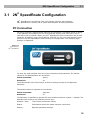
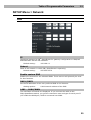
WIZARD Menu
This menu helps you set the SIM card, connect to the Internet and activate the WiFi
network quickly and easily. The parameters below are identical with those in the
SETUP menu, but are arranged differently to facilitate setting. Refer to the SETUP
menu for details. Now let us briefly introduce the Wizard and present the most
important quick start settings.
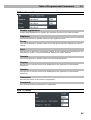
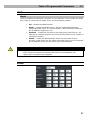
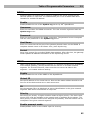
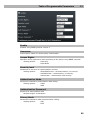
SIM
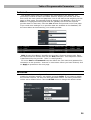
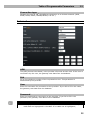
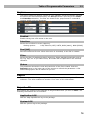
ICCID and IMSI are unique SIM card codes assigned by mobile providers. There
are no identical codes at one moment. Type displays the currently active SIM card
in the gateway. These identifiers cannot be changed and are displayed for
information only.
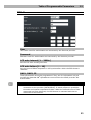
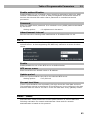
State displays the state of the SIM card inserted. There exist several SIM card
states some of which are rare. Hence, let us mention the most frequent ones only:
Unknown – SIM card damaged or not inserted, PIN – SIM card requests the PIN
code.
Enter the PIN into the PIN field. Unselect Hide to view the characters entered.
Tick off Hide to cover the characters from view.
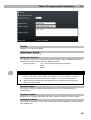
Select Remember to make 2N® SpeedRoute save the PIN after a successful
SIM login and enter the same automatically upon the next start. A wrong PIN is
not remembered. When the SIM card has been replaced, 2N® SpeedRoute tries to
enter the saved PIN, thus wasting one PIN entering attempt. 2N® SpeedRoute
deletes the wrong PIN from its memory after finding its invalidity. To avoid this,
configure the PIN correctly before inserting a new SIM card.
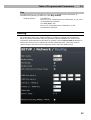
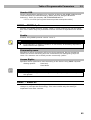
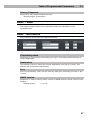
Now click on Apply to confirm the currently made changes. Having done this,
you move to the next Wizard window and 2N® SpeedRoute will, if the PIN is
correct, log in to the wireless network.
25