1
Step5: Supply power to the 802.3at PoE+ Ethernet Switch.
A. Connect one end of the power cable to the 802.3at PoE+ Ethernet
Switch.
B. Connect the power plug of the power cable to a standard wall outlet.
When the 802.3at PoE+ Ethernet Switch receives power, the Power LED should
remain solid Green.
3.2 Rack Mounting
To install the 802.3at PoE+ Ethernet Switch in a 19-inch standard rack, follow the
instructions described below.
Step1: Place your 802.3at PoE+ Ethernet Switch on a hard flat surface, with the
front panel positioned towards your front side.
Step2: Attach a rack-mount bracket to each side of the 802.3at PoE+ Ethernet
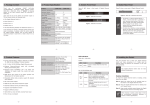
Switch with supplied screws attached to the package. Figure 3-2 shows
how to attach brackets to one side of the 802.3at PoE+ Ethernet Switch.
Figure 3-2: Attaching the Brackets to the 802.3at PoE+ Ethernet Switch.
You must use the screws supplied with the mounting brackets.
Damage caused to the parts by using incorrect screws would invalidate the warranty.
Step3: Secure the brackets tightly.
Step4: Follow the same steps to attach the second bracket to the opposite side.
Step5: After the brackets are attached to the Switch, use suitable screws to
securely attach the brackets to the rack, as shown in Figure 3-3.
13