1
NOTE 3: Mounting Clip Instructions
ROAL RLDD TROPO Series User Manual
Introduction
The Tropo series of LED drivers is equipped with a Universal Mounting
Clip design. The customer can decide which of the six available mounting
locations are most suitable for the particular application and install the
mounting feet at the time of installation.
The Tropo driver is shipped from the factory with 2 clips which should be
suitable for most installations. If additional or replacement clips are
required, please contact ROAL Electronics.
Prior to installation of the mounting clips, determine which of the six
locations to attach the clips to.
Clip Installation
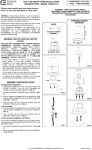
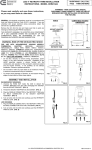
1. Position the 2
small feet of the clip
into the indentations
on the bottom of the
driver.
3. With a finger at
the base of the clip,
apply gentle
pressure upward on
the clip.
2. Rotate the
upper part of the
clip up towards
the larger
indentation on the
top of the driver.
4. Until the clip
snaps into place.
Clip Removal
To remove the clip, use a small
pair of pliers on the mounting clip
flange and twist away from you.
This will disengage the feet from
the case and free the clip.
Be careful not to apply excessive
outward force as this may damage
the driver plastic case material.
TRC ELECTRONICS, INC.
1.888.612.9514
www.trcelectronics.com/roal