1
Basics about the Admin UI
Using the RSS 4000 Admin UI
2
Using the RSS 4000 Admin UI
This chapter presents how to use the Admin UI of the Polycom RSS 4000
system. It contains the following sections:
•
Basics about the Admin UI on page 15
•
System Configuration on page 19
•
System Administration on page 40
•
User Management on page 54
•
Virtual Recording Room (VRR) on page 58
•
External Servers on page 68
•
Media Management on page 73
•
My Settings on page 84
Basics about the Admin UI
This section introduces how to access the Admin UI, and details its
fundamental layout.
The Polycom RSS 4000 system allows up to 200 users to log in to the Admin UI at
the same time.
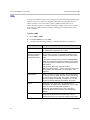
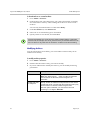
To log in to the Admin UI:
1
Polycom, Inc.
In the Internet Explorer’s address line, enter the system’s IP address in this
format: https://<system IP address>/rss.
15