1
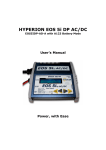
HYPERION EOS 5i DP AC/DC - User’s Manual
Please read the following instructions carefully, to insure safety and convenience
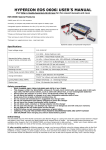
EOS 5i DP AC/DC Special Features
*Two INPUT power choices: Use AC 100~240V at home, or DC 11~15V anywhere
*Powerful, yet compact and portable with Wide support for various battery types
*Clear and easily readable LCD Screen with Warning messages for common setup errors
*Packaged in a rugged aluminum case - Output harness included - Long Input leads
*Specially designed to be 100% Compatible with Li-Po PCM Guard and Balancer Adapters
*DataPort Interface for EOS LBA 10 Balancers (see last page of manual for details)
Specifications
Input voltage range
100~240V AC OR 11.0-15.0V DC
(only one source may be connected at a time!)
1-14 Nickel-Cadmium cells
Appropriate battery types and
1-14 Nickel-Metal Hydride cells
range of series-connected cells
1-5 Lithium cells, 100~5000mAh (3.7V/cell type)
1-6 Lead-Acid cells (2V per cell nominal)
Charge current
0.1A ~ 5A MAX, by 100mA steps
Discharge current
0.1A ~ 1A MAX, by 10mA steps
Trickle charge current (NiCd, NiMH)
0 ~ 200mA
Charge termination
"zero delta V" peak detection for NiCd/NiMH
"CV/CC" for Lithium and Lead-Acid Batteries
Cycling Modes (NiCd, NiMH)
Charge>Discharge and Discharge>Charge
Display type
2-line, 16 backlit character LCD
Safety precautions
•
KEEP CHARGER AWAY FROM CHILDREN AND PETS AT ALL TIMES!
•
This charger is designed ONLY for NiCd, NiMH, Lithium (3.7V/cell), Lead-Acid (2.0V/cell) type cells.
DO NOT attempt to charge other types, such as 3.6V/cell Lithium, or non-rechargeable batteries!
•
Always place the charger on a firm, level, and fireproof surface for charging.
•
Do not place the battery or charger on or near flammable materials while in use.
Keep away from carpets, cluttered workbenches, etc.
•
Do not exceed cell manufacturer’s suggested max charge rates
•
Do not use automotive type battery chargers to power the charger.
•
Do not leave the charger unattended while charging.
•
Disconnect the battery and remove input power from charger immediately if the charger becomes hot.
Allow the charger or battery to cool down before reconnecting.
•
Do not allow water, moisture or foreign objects into the charger.
•
Do not open the charger, nor attempt any repair. It is dangerous, and will void your warranty.
•
Do not obstruct the air intake holes on the charger.
•
ALWAYS follow correct connection sequence, as given below