1
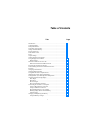
Table of Contents
Title
Introduction............................................................................................
Contacting Fluke ....................................................................................
Safety Information .................................................................................
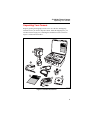
Unpacking Your Camera .......................................................................
Charge and Insert Battery ......................................................................
Power Camera On ..................................................................................
Select Palette Color................................................................................
Focus ......................................................................................................
Capture Image ........................................................................................
Camera Features and Controls ...............................................................
Using Display Screen Menus.................................................................
Menu Options.....................................................................................
SmartView Software for Your PC .........................................................
SmartView Software Installation Guide............................................
Powering the Camera On and Off .........................................................
Understanding the Internal Calibration Function ..................................
Focusing .................................................................................................
Changing Color Palettes ........................................................................
Changing Date and Time .......................................................................
Using External Video Output Devices ..................................................
Obtaining the Center Point Temperature...............................................
Setting Emissivity and Background Temperature .................................
Acquiring and Reviewing Images .........................................................
Scan Target ........................................................................................
Pause/Save .........................................................................................
Review Images...................................................................................
Saving and Naming an Image ............................................................
Connecting the Camera to a Computer..................................................
Using an RS-232 Port Connection.....................................................
Using a USB Port Connection ...........................................................
Downloading Images to a Computer .................................................
Deleting Images from Camera Memory ............................................
Camera Optics....................................................................................
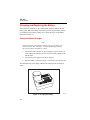
Charging and Replacing the Battery......................................................
Using the Battery Charger .................................................................
i
Page
1
1
2
3
4
6
7
7
8
8
12
12
13
13
14
14
14
15
15
16
16
17
17
17
18
18
19
19
19
20
22
22
23
24
24