1
7.8
Installing the GNU Tool Chain
Note:
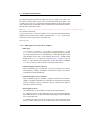
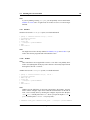
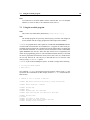
If you are planning on using avr-gdb, you will probably want to install either
simulavr or avarice since avr-gdb needs one of these to run as a a remote target
backend.
7.8.9
Simulavr
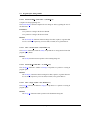
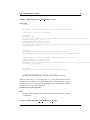
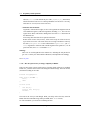
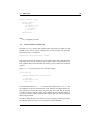
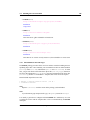
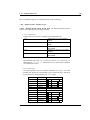
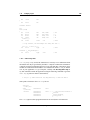
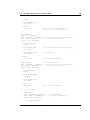
Simulavr also uses the configure system, so to build and install:
$
$
$
$
$
$
$
gunzip -c simulavr-<version>.tar.gz | tar xf cd simulavr-<version>
mkdir obj-avr
cd obj-avr
../configure --prefix=$PREFIX
make
make install
Note:
You might want to have already installed avr-binutils, avr-gcc and avr-libc if you
want to have the test programs built in the simulavr source.
7.8.10
AVaRice
Note:
These install notes are not applicable to avarice-1.5 or older. You probably don’t
want to use anything that old anyways since there have been many improvements
and bug fixes since the 1.5 release.
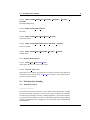
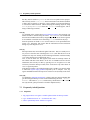
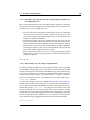
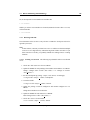
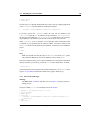
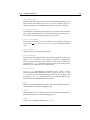
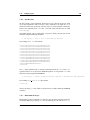
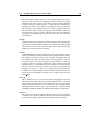
AVaRice also uses the configure system, so to build and install:
$
$
$
$
$
$
$
gunzip -c avarice-<version>.tar.gz | tar xf cd avarice-<version>
mkdir obj-avr
cd obj-avr
../configure --prefix=$PREFIX
make
make install
Note:
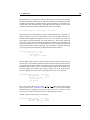
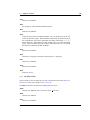
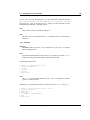
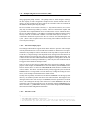
AVaRice uses the bfd library for accessing various binary file formats. You may
need to tell the configure script where to find the lib and headers for the link to
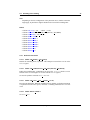
work. This is usually done by invoking the configure script like this (Replace
<hdr path> with the path to the bfd.h file on your system. Replace <lib path> with the path to libbfd.a on your system.):
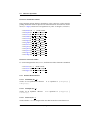
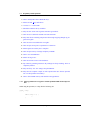
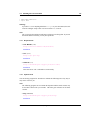
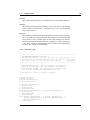
$ CPPFLAGS=-I<hdr_path> LDFLAGS=-L<lib_path> ../configure --prefix=$PREFIX
Generated on Wed Nov 26 21:10:23 2003 for avr-libc by Doxygen
132