1
Linksys 54G WAP (Wireless Access Point) Setup
The Linksys® 54G WAP unit should be pre-configured. These instructions are only necessary in the event default
settings are lost. Also, the WAP can be reset to its Linksys factory defaults by pressing and holding the reset button
(located on rear of Linksys WAP) for 10 seconds. Consult the Linksys user manual for more information.
Step 1. Connect Linksys 54G WAP unit to Virtuoso Console Mac Ethernet port using the supplied CAT5 Ethernet
cable in your RFU kit.
Step 2. Connect Linksys power supply to unit.
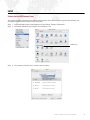
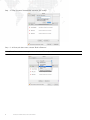
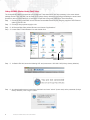
Step 3. At Virtuoso Mac finder, select Go menu and choose "Applications."
Step 4. Locate Safari™ Web Browser icon and double-click.
Safari Browser Icon
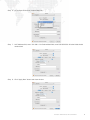
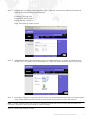
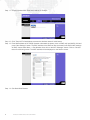
Step 5. At Safari URL field, enter the following URL and press return: 192.168.1.245 (Linksys factory defaults).
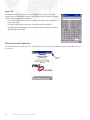
Step 6. At authentication screen, leave Name field blank and enter "admin" (lower case) as the password (Linksys
factory defaults). Click "Log In" button.
6
VIRTUOSO® REMOTE FOCUS UNIT USER MANUAL