1
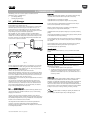
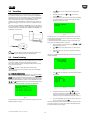
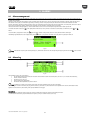
ENG 3. COMMISSIONING The following systems can be used to update and install the Smart HP application on the pCO controller board: • pCO Manager (Winload); • SmartKey programming key. Support files Following development of the application, 1tool generates various files during compilation; these include two that are required for commissioning: <applicationName>.2CF (descriptive of variables) <applicationName>.2CD (descriptive of categories and access profiles) 3.1 pCO Manager As well as these files, the <applicationName>.DEV file that contains the predefined set of unit parameters can also be managed. On all CAREL 16 bit pCO sistema controllers (see the pCO sistema manual) the resident software can be updated using a PC. For this purpose, CAREL provides the pCOLoad program and a serial converter with RS485 output (code CVSTDUTLF0) to be connected to the pCO. The special driver also needs to be installed on the PC, also provided by CAREL. The program is included in the installation of the “1Tool” program suite or with the pCO Manager program, downloadable separately from http://ksa.CAREL.com, under “download support software utilities”. The installation, as well as the program, also includes the user manual. The pCO controller can be connected directly to the PC via the RS485 serial port used for the “pLAN” connection or using the BMS serial port with optional RS485 serial card used for the “supervisor” connection. When the commissioning procedure is complete, or for configuration or monitoring, the user can generate the following files: <applicationName>.2CW (descriptive of categories, access profiles, monitoring groups) <CommissioningLogFileName>.CSV (commissioning log file, containing the data on the variables recorded during monitoring) For the configuration phase of the commissioning procedure, the following files must be available: .2CF, 2CD and where necessary .DEV, which can be imported and exported. For the monitoring phase, as well as the files mentioned above, the .2CW file with the definition of the working environment may be required. The commissioning log file is an output file only. Connection modes Each controller has three serial ports (0, 1 and 2), each with its own default protocol: Fig. 3.a Default protocol Description Serial 0 pLAN Connection to terminal and pLAN network Serial 1 BMS Connection to supervisor Serial 2 FieldBus Connection to field devices There are two modes for commencing local communication between pCO Manager and the controller: 1) Activate the WinLoad protocol on the required port 2) On BMS and FieldBus only, irrespective of the protocol set on the pCO, simply connect pCO Manager and from “Connection settings” select SearchDevice = Auto (BMS or FB). In this case it will take around 15-20 seconds to go online. It must be underlined that updating the BOOT Updating the BOOT is generally NOT RECOMMENDED by CAREL; during production CAREL always loads the BOOT required for the correct operation of the unit. Only in very special cases will CAREL ask the user to update the BOOT. The BIOS can only be loaded via the pLAN serial connection. When updating the application and the BIOS, the pCO operating mode switches to low level. In this special mode, the logged data cannot be downloaded to the PC nor can the application be loaded in compressed format. To return the unit to normal communication mode, reset the pCO board. If uploading the BOOT or BIOS files only, the other application files then need to be uploaded again. The consequences of interruption to the upload procedure depend on the instant this occurs. In any case, the upload needs to be repeated. If pCOLoad cannot connect to the pCO, a Smart Key must be used to download the BIOS and any other operating application (e.g.: pCO functional test). This refreshes the pCO memory, allowing connection to pCOLoad. Memory limits The periodical monitoring of the application variables is limited to a maximum of 250 WORDS, freely selectable from the entire memory available to the application. The virtualisation of application variables is limited to a maximum of 50 WORDS, selectable from the entire memory available to the application. There are no address limits for “one-shot” read/write of individual variables: all memory addresses reserved for the application in all types of memory available on the pCO can be used: X memory, T memory, P memory, E memory. 3.1.1 Commissioning Tool Commissioning tool is configuration and real-time monitoring software used to check the operation of an application installed on a pCO, for commissioning, debugging and maintenance. Note: for further details on installing and updating the software on the pCO controller, see the online help for the pCO Manager program. This tool can be used to set the configuration parameters, set the values of volatile and permanent variables, save the trend in the main values of the unit to a file, manually manage the unit I/Os using a simulation file and monitor/restore the alarms on the unit where the device is installed. The configuration functions available on the commissioning tool allow the designer to decide which variables will be monitored/logged/plotted or monitored by event, to organise the variables into categories, and to choose the set of configuration parameters. +030220741 Smart HP – rel 2.2 -12/11/2013 Port 25