1
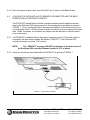
8.1.4 End of firmware version check, press the QUIT key to return to the Base Screen.
8.2
A DXCID-KIT IS INSTALLED, NO CID SENSOR IS CONNECTED AND THE BASE
SCREEN DISPLAY INDICATES “PGM OFF”
The DXCID-KIT terminal block includes a jumper connection which keeps the sensor
input to the Evolution DX2 microprocessor in its normally closed condition as shown in
FIGURE 1. This is a protection factor allowing the installation of the interface kit prior to
connecting the sensor. With the jumper in place, the sensor may be connected at a later
date. When the sensor is connected, the jumper must be removed to transfer control
over to the sensor.
8.2.1 If a DXCID-KIT is installed without the jumper connection and no CID sensor device is
connected, the base screen display will indicate “PGM OFF”, if the Evolution DX2
controller firmware is version 2.14 or above.
NOTE:
The “PGM OFF” message will NOT be displayed in the base screen if
the Evolution DX2 controller firmware version is 2.13 or below.
8.2.2 Verify all connections associated with the DXCID-KIT as shown in FIGURE 1.
JUMPER
FIGURE 1 – DXCID-KIT JUMPER
Technical Bulletin 037
Sheet 10 of 11
3910-B Royal Avenue
Simi Valley, CA 93063
Tel: (805) 527-4498
Fax: (805) 527-2813