1
C HAPTER 4. B ROWSING AND PLAYING
26
you to browse them by Artist, Album, Genre, Song Name, etc. The criteria the database
uses to sort the songs can be completely customised. More information on how to
achieve this can be found on the Rockbox website at ZDataBase.
4.2.2 Initializing the Database
The first time you use the database, Rockbox will scan your disk for audio files. This can
take quite a while depending on the number of files on your player. This scan happens
in the background, so you can choose to return to the Main Menu and continue to listen
to music. If you shut down your player, the scan will continue next time you turn it on.
After the scan is finished you may be prompted to restart your player before you can
use the database.
Ignoring Directories During Database Initialization
You may have directories on your player whose contents should not be added to the
database. Placing a file named database.ignore in a directory will exclude the files
in that directory and all its subdirectories from scanning their tags and adding them to
the database. This will speed up the database initialization.
If a subdirectory of an ’ignored’ directory should still be scanned, place a file named
database.unignore in it. The files in that directory and its subdirectories will be
scanned and added to the database.
4.2.3 The Database Menu
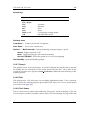
Load To RAM The database can either be kept on disk (to save memory), or loaded
into RAM (for fast browsing). Setting this to Y ES loads the database to RAM,
allowing faster browsing and searching. Setting this option to N O keeps the
database on the disk, meaning slower browsing but it does not use extra RAM
and saves some battery on boot up.
Note: If you browse your music frequently using the database, you should load
to RAM, as this will reduce the overall battery consumption because the disk will
not need to spin on each search.
b
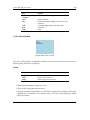
Auto Update If A UTO UPDATE is set to ON, each time the player boots, the database
will automatically be updated.
Note: The A UTO U PDATE will only check for deleted files if the D IRECTORY C ACHE
(S ETTINGS → G ENERAL S ETTINGS → S YSTEM → D ISK → D IRECTORY C ACHE) is
enabled. U PDATE NOW includes that check whether dircache has been enabled or
not.
b
Initialize Now You can force Rockbox to rescan your disk for tagged files by using the
I NITIALIZE N OW function in the D ATABASE M ENU.
Warning: I NITIALIZE N OW removes all database files (removing runtimedb data
T HE R OCKBOX MANUAL
I RIVER H1 XX
!